
Community listing page, reviews here may not be monitored by the author.
Better Camera


No reviews yet
Roblox-style camera system for Minecraft with a custom orbit camera and scroll zoom
Community voices
Reviews
No reviews yet. Be the first to review this project!
Get it on
Available Platforms
Compatibility
Supported Environments
Runs entirely on the client. Works on vanilla servers.
About
Project Details
For authors
Embed Badge
If you're the author of this project, you can embed a live badge anywhere that supports HTML or Markdown. It updates automatically whenever ratings change.
Use HTML for any page that supports it, or Markdown for README files and Markdown-based descriptions.
Identifiers
Platform IDs
About
Description
Better Camera — Roblox-style Camera System for Minecraft
PLEASE visit modrinth to always download latest verison of mod. i am too lazy to update it at curse forge
Better Camera is a lightweight, high-performance, client-side Fabric mod that completely reimagines Minecraft's camera physics to match the fluid feel of Roblox. It simplifies standard cycling down to two essential views (First-Person and Third-Person Orbit) while introducing premium features.
🌟 Features:
- 🎥 Orbit Camera: Pan freely around your character in Third-Person mode without rotating your player model. Player turns to face the walking direction only when moving.
- 🔍 Seamless Scroll-to-Zoom: Scroll all the way from First-Person mode out to 15 blocks. Features smooth distance interpolation (smooth zoom).
- 👤 Smooth Player Fading: As the camera zooms close to the head, the player body, armor, cape, and features smoothly fade into transparent invisibility for a breathtakingly clean first-person transition.
- 🔒 Shift Lock (L-CTRL Toggle): Shifts the camera over-the-shoulder, locks player body to camera yaw for strafing/combat, and draws a smooth-fading high-fidelity circular cursor.
- ⚙️ In-Game Settings: Access the settings in-game via a button in the top-right of your Options screen or by pressing
Kat any time. Customize First-Person zoom, Ctrl Lock ability, and turn transitions on/off instantly. - ⚠️ Multiplayer Safety: Prompts a warning screen before entering multiplayer servers, letting you play with Ctrl Lock safely disabled if desired.
Join our Discord!
Better Camera — Roblox-style Camera System for Minecraft
Full rerwrite of mod coming soon. Join our Discord or Telegram to download updates first!
Better Camera is a lightweight, high-performance, client-side Fabric mod that completely reimagines Minecraft's camera physics to match the fluid feel of Roblox. It simplifies standard cycling down to two essential views (First-Person and Third-Person Orbit) while introducing premium features.
🌟 Features:
- 🎥 Orbit Camera: Pan freely around your character in Third-Person mode without rotating your player model. Player turns to face the walking direction only when moving.
- 🔍 Seamless Scroll-to-Zoom: Scroll all the way from First-Person mode out to 15 blocks. Features smooth distance interpolation (smooth zoom).
- 👤 Smooth Player Fading: As the camera zooms close to the head, the player body, armor, cape, and features smoothly fade into transparent invisibility for a breathtakingly clean first-person transition.
- 🔒 Shift Lock (L-CTRL Toggle): Shifts the camera over-the-shoulder, locks player body to camera yaw for strafing/combat, and draws a smooth-fading high-fidelity circular cursor.
- ⚙️ In-Game Settings: Access the settings in-game via a button in the top-right of your Options screen or by pressing
Kat any time. Customize First-Person zoom, Ctrl Lock ability, and turn transitions on/off instantly. - ⚠️ Multiplayer Safety: Prompts a warning screen before entering multiplayer servers, letting you play with Ctrl Lock safely disabled if desired.
Screenshots
Gallery
-
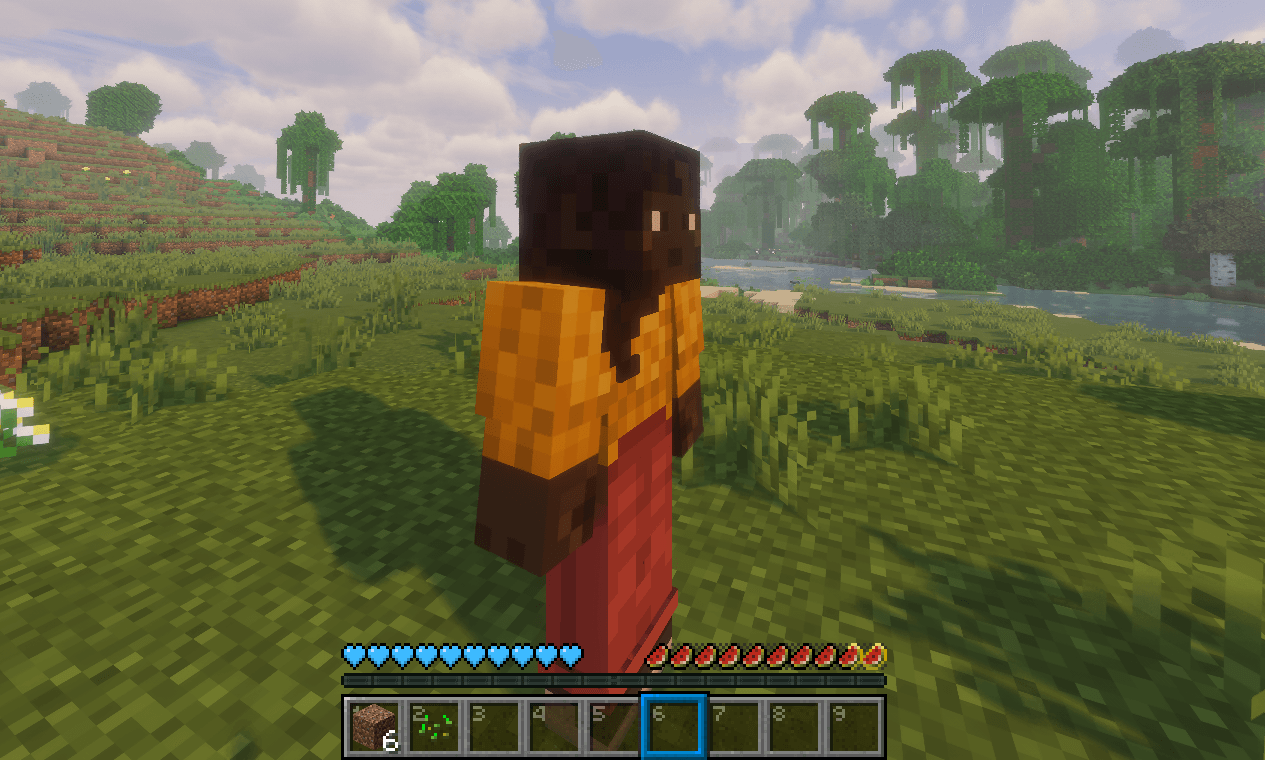 6282db86980a1b7a52b397dc1c19e71302621920.png 6282db86980a1b7a52b397dc1c19e71302621920.png
 -
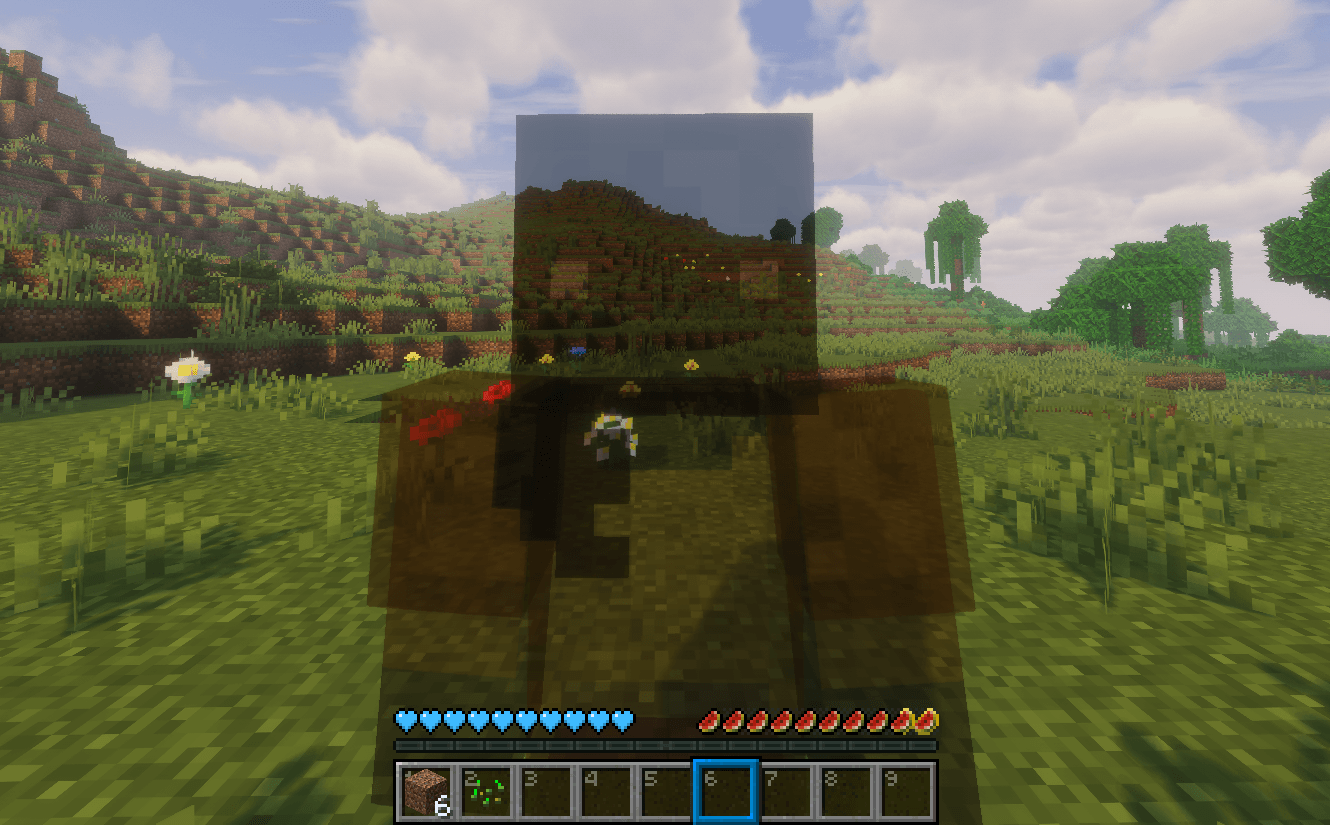 cb1bdca0b27111ce5da6c8f43a24a87cf987bd86.png cb1bdca0b27111ce5da6c8f43a24a87cf987bd86.png
 -
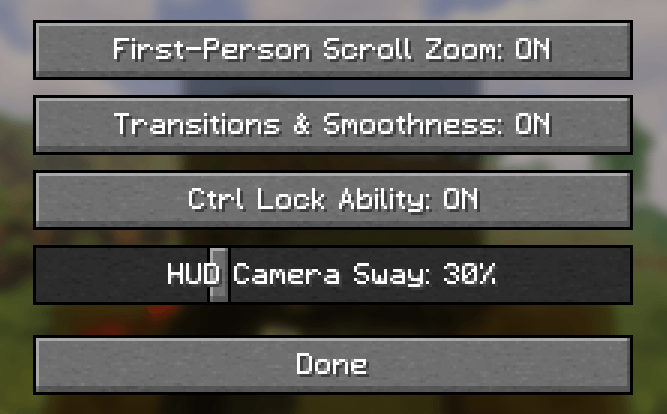 05d452d987d9e1f79b77abe5137567e1fa4a7c2b.png 05d452d987d9e1f79b77abe5137567e1fa4a7c2b.png
-
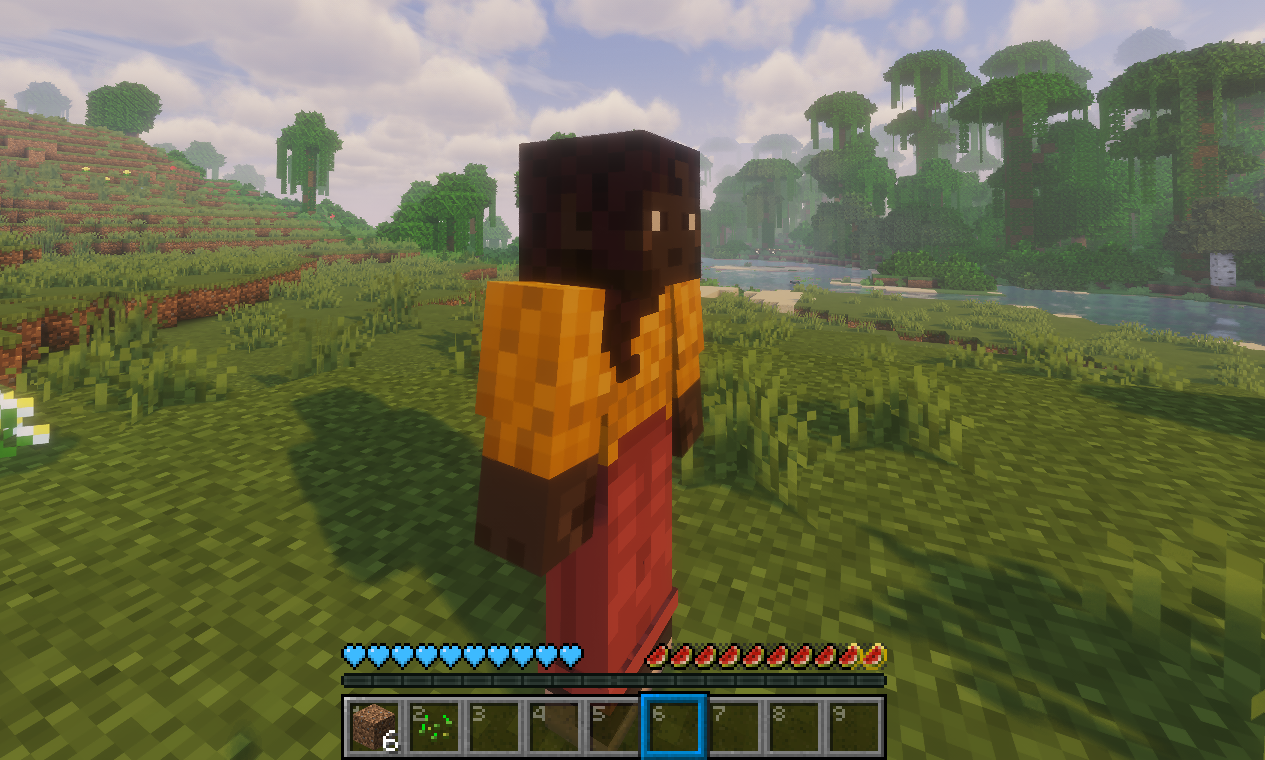 Zoomed In character
 -
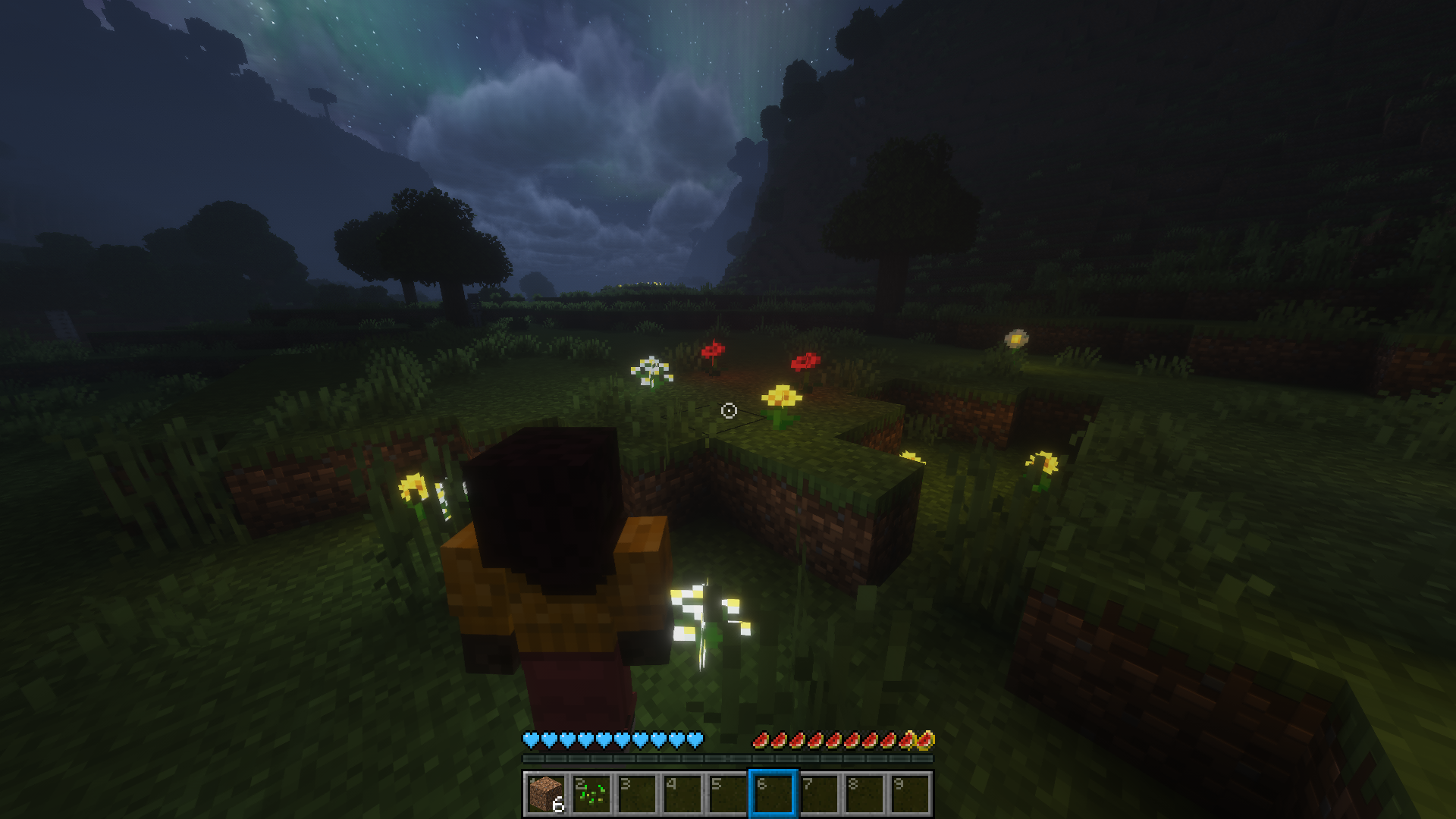 Ctrl Lock enabled
 -
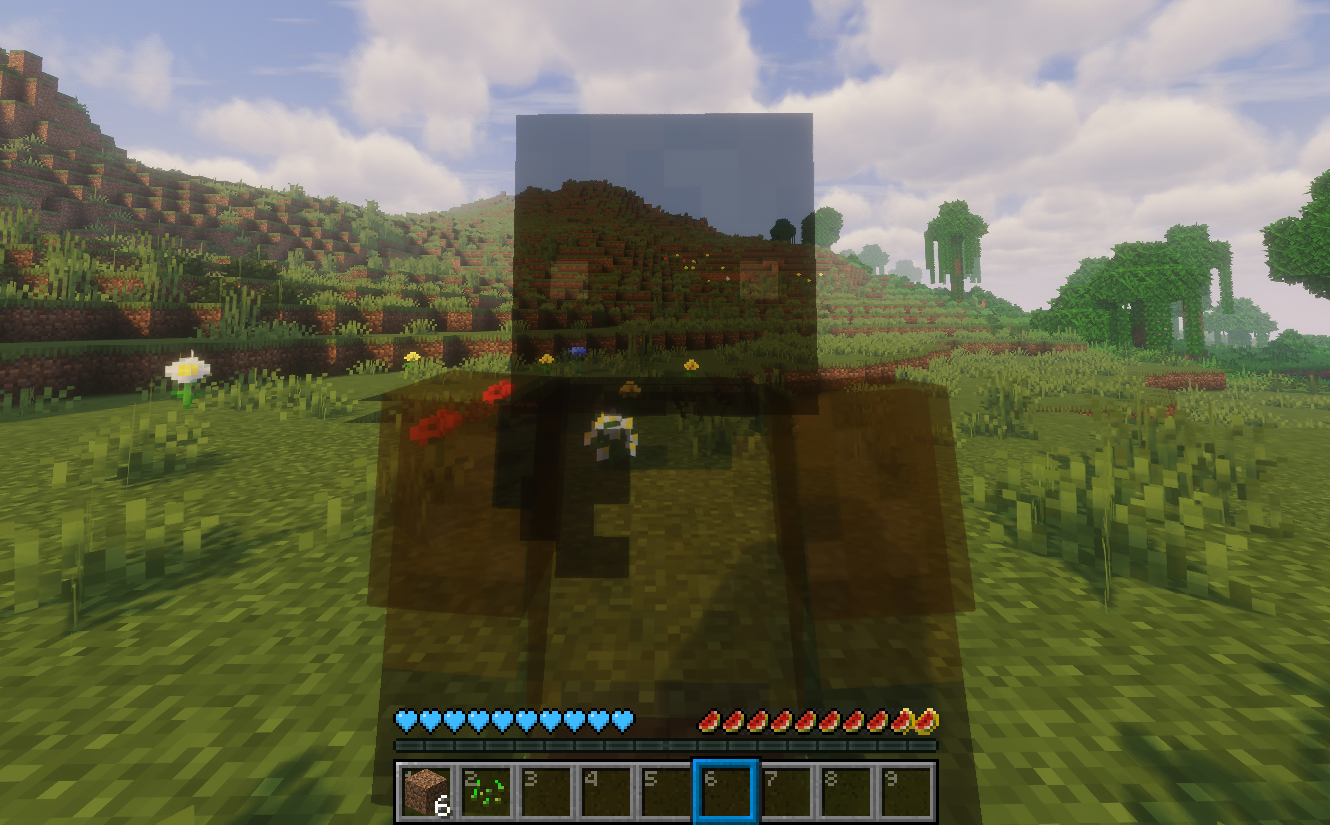 Very zoomed in character
 -
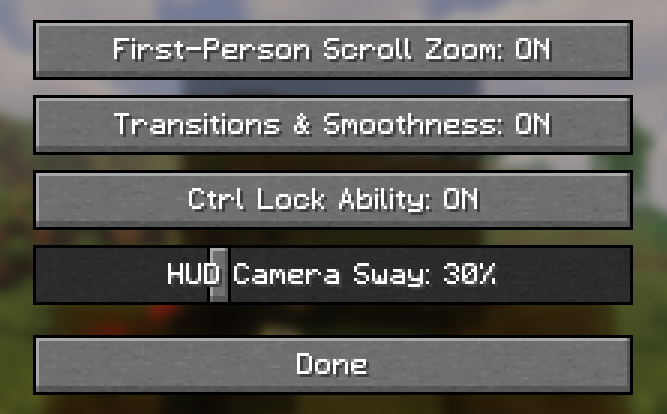 Settings menu (Click "K")
Versions
Files
Relations
Project Relations
More like this
Similar Mods
Suggestions use data such as tags, dependencies, dependents, descriptions, titles, and more to rank how much they overlap with this mod.
- Better camera shake
- GuHao's Better Camera
- Better F5 Cam [Third Person Camera , Camera Zoom , F5 Zoom , Cinematic Camera , Free Look , Better F5]
- Epic Fight x Better Lock On: Movement & Camera Fixes
- Better Third Person
- Better Mount Steering
- Better Auto Third Person
- i113w's Camera Lib
- Shoulder Surfing Reloaded: Camera Fixes & Additions
- betterscreenshot
- Freelook++
- Feather Client New 1.20.11
On ModDex
Community snapshot
By the numbers
Statistics
Want to reach Minecraft players?
We're looking for a server hosting partner to feature here and other parts of the site. Interested? Send us a message!
Get in touchGet it on
Available Platforms
On ModDex
Community snapshot
By the numbers