
Community listing page, reviews may not be monitored by the author.
Better Fabric Console

No reviews yet
Server-side Fabric mod enhancing the console with tab completions, colored log output, command syntax highlighting, command history, and more.

Community voices
Reviews
No reviews yet. Be the first to review this project!
Get it on
Available Platforms
Compatibility
Supported Environments
Runs on a dedicated server only; does not work in singleplayer.
About
Project Details
For authors
Embed Badge
If you're the author of this project, you can embed a live badge anywhere that supports HTML or Markdown. It updates automatically whenever ratings change.
Use HTML for any page that supports it, or Markdown for README files and Markdown-based descriptions.
Identifiers
Platform IDs
About
Description
Better Fabric Console
Better Fabric Console is a server-side Fabric mod that replaces the vanilla dedicated server console experience with an interactive, color-aware terminal.
Features
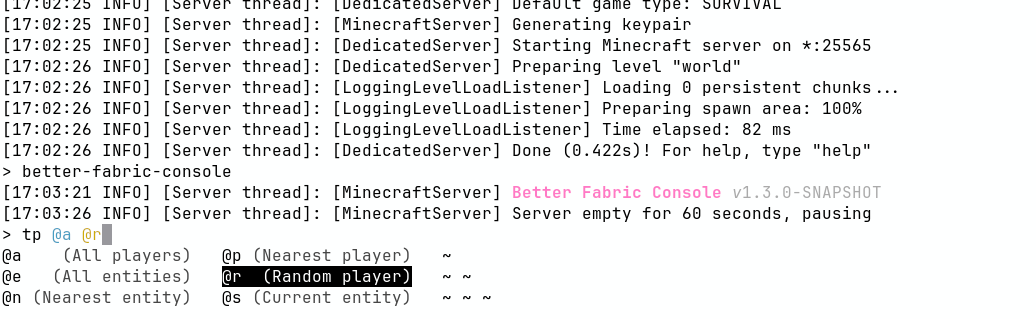
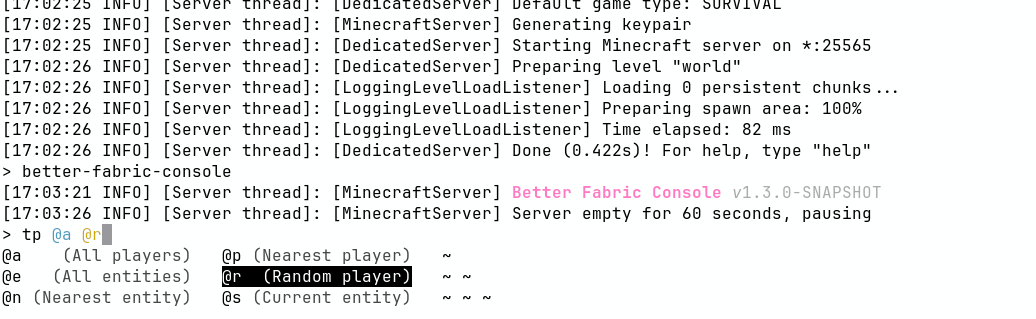
- Brigadier-aware command completion in the server console
- Command syntax highlighting with configurable argument colors
- Colored log output in terminal consoles
- Persistent command history in
.console_history - Optional logging of player-executed commands
Requirements
- Fabric server
- Fabric API
- adventure-platform-fabric
Installation
- Download the latest Better Fabric Console, Fabric API, and adventure-platform-fabric jars.
- Place the jars in your server
mods/directory. - Start the server once to generate config files.
- Stop the server and edit configuration as needed.
- Start the server again.
You may also choose to run the server with the --nogui argument (i.e. java -jar fabric.jar --nogui)
to disable the server GUI (this is a Vanilla option).
Configuration
Better Fabric Console generates and reads:
config/better-fabric-console/better-fabric-console.confconfig/better-fabric-console/log4j2.xml
The bundled default Log4j config is also written to config/better-fabric-console/defaults/log4j2.xml for reference.
If you customize log4j2.xml and the bundled default changes, Better Fabric Console will warn on startup until you review/merge the change and run:
/better-fabric-console dismiss-log4j-config-update
You can also start once with -Dbetter-fabric-console.dismiss-log4j-config-update=true to dismiss the warning.
Default better-fabric-console.conf for reference:
# Specify argument highlight colors, in order. Possible values: [BLACK, RED, GREEN, YELLOW, BLUE, MAGENTA, CYAN, WHITE]
highlight-colors=[
    CYAN,
    YELLOW,
    GREEN,
    MAGENTA,
    BLUE
]
# Whether to log commands executed by players to console.
log-player-executed-commands=true
Click here to see the default log4j2.xml configuration.
Better Fabric Console also respects the following system properties to override terminal environment detection:
- Adventure ANSI properties: https://docs.papermc.io/adventure/serializer/ansi/
Changes require a server restart.
Command
/better-fabric-console(operator-level): Prints mod version information./better-fabric-console dismiss-log4j-config-update(operator-level): Marks the current bundled Log4j default as reviewed.
License
MIT. See license.txt.
Screenshots
Gallery
-
 Light Mode
 -
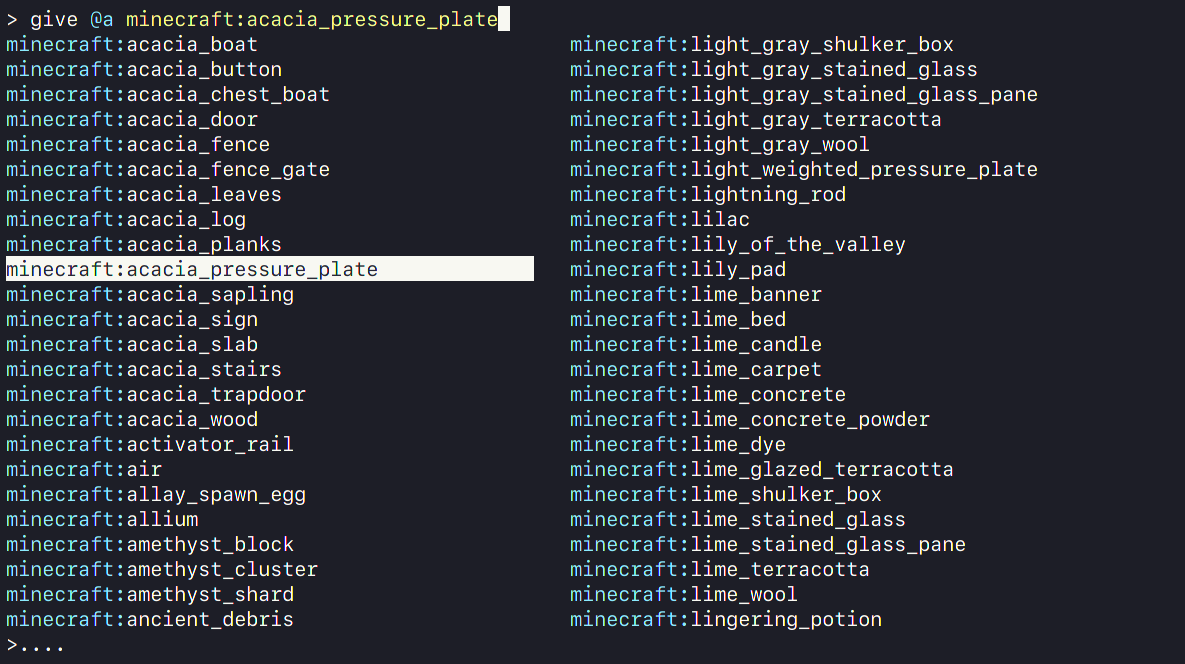 Advanced tab completions
 -
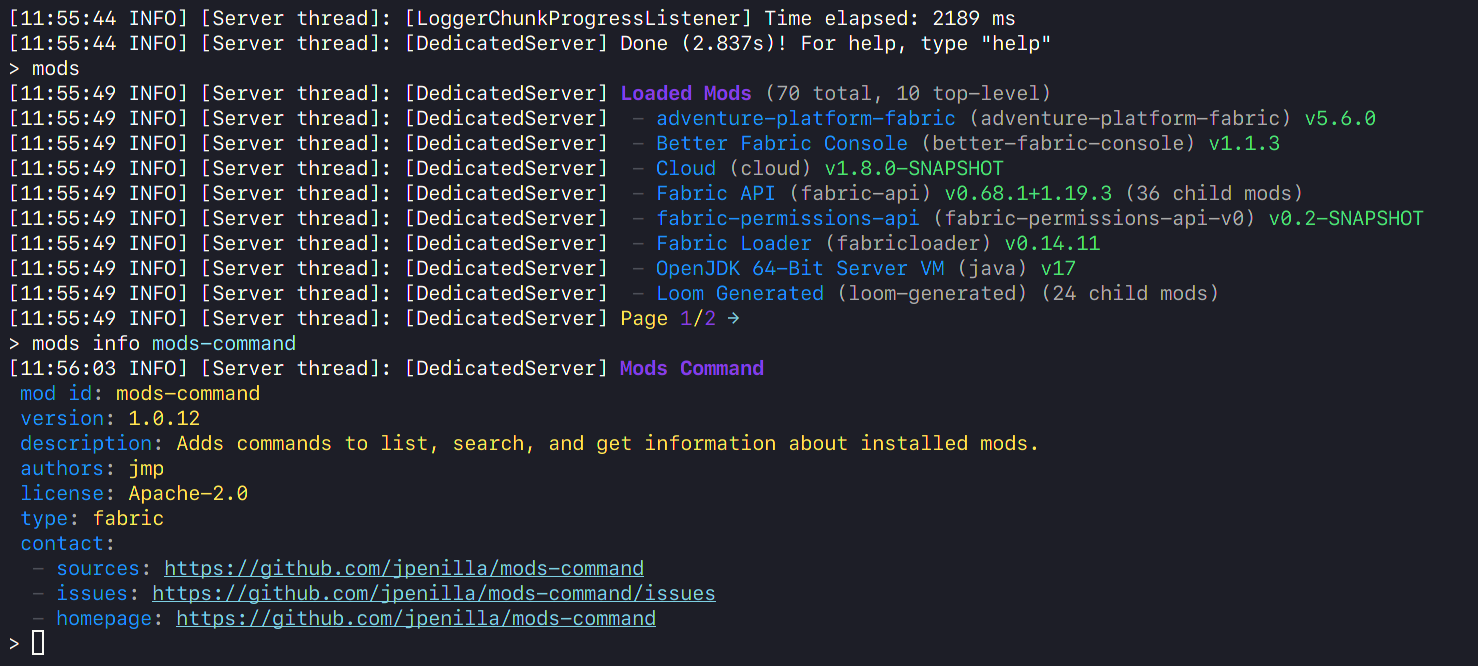 Enables colored logging for other mods and datapacks
 -
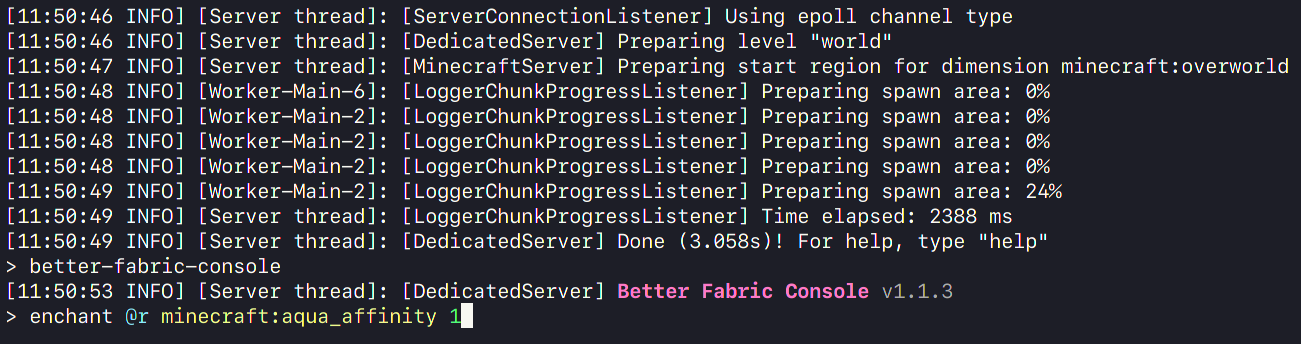 Completions colored like on the client, mapped class names
Versions
Files
Relations
Project Relations
More like this
Similar Mods
Suggestions use data such as tags, dependencies, dependents, descriptions, titles, and more to rank how much they overlap with this mod.
On ModDex
Community snapshot
By the numbers
Statistics

 (opens in a new tab)
Get it on
Available Platforms
On ModDex
Community snapshot
By the numbers