Community listing page, reviews here may not be monitored by the author.
Better Pie Chart


No reviews yet
This Mod improves the Vanilla Pile Chart perfect for Minecraft SMP servers
Community voices
Reviews
No reviews yet. Be the first to review this project!
Get it on
Available Platforms
Compatibility
Supported Environments
Runs entirely on the client. Works on vanilla servers.
About
Project Details
For authors
Embed Badge
If you're the author of this project, you can embed a live badge anywhere that supports HTML or Markdown. It updates automatically whenever ratings change.
Use HTML for any page that supports it, or Markdown for README files and Markdown-based descriptions.
Identifiers
Platform IDs
Resources
External Links
About
Description
Features
Chart Lock
- Blocks all number keys (0–9) when enabled, preventing accidental navigation into pie chart subcategories
- Visual indicator "⛿ CHART LOCKED" displayed in the top-right of the debug HUD
- Chat message on lock/unlock toggle
Automatic Profiler Reset on Chunk Change
- Automatically resets the vanilla profiler when entering a new chunk
- Always active — works even when the F3 overlay is closed
- Optionally resets lock status on chunk change
- Fully configurable via JSON config
Manual Profiler Reset
- Keybind to manually reset all profiler data
- Resets
TickTimeTrackerand clears the DebugHud
Pie Chart Only Mode
- Toggle to hide all F3 debug text while keeping the pie chart visible
- Great for monitoring performance without screen clutter
Pie Chart Move & Scale
- Drag the pie chart to any position on screen
- Scroll to scale it up or down (0.2x – 3.0x)
- Right-click to reset position and scale
- All changes persist across sessions via config
Debug Overlay (optional)
- Displays profiler status, chunk position, reset counter, and lock status
- Always visible (even without F3) when enabled in config
- Last event shown with a fade-out effect
Controls
| Key | Action |
|---|---|
| Lock Key (unbound) | Lock/unlock chart navigation |
| Reset Key (unbound) | Manually reset profiler data |
| Pie Chart Only Key (unbound) | Toggle pie chart only mode |
| Edit Pie Chart Key (unbound) | Open move/scale editor |
| Shift+F3 | Toggle debug pie chart (Vanilla) |
All keybinds can be configured in Minecraft's controls settings under the Better Pie Chart category.
Features
Chart Lock
- Blocks all number keys (0–9) when enabled, preventing accidental navigation into pie chart subcategories
- Visual indicator "⛿ CHART LOCKED" displayed in the top-right of the debug HUD
- Chat message on lock/unlock toggle
Automatic Profiler Reset on Chunk Change
- Automatically resets the vanilla profiler when entering a new chunk
- Always active — works even when the F3 overlay is closed
- Optionally resets lock status on chunk change
- Fully configurable via JSON config
Manual Profiler Reset
- Keybind to manually reset all profiler data
- Resets
TickTimeTrackerand clears the DebugHud
Pie Chart Only Mode
- Toggle to hide all F3 debug text while keeping the pie chart visible
- Great for monitoring performance without screen clutter
Pie Chart Move & Scale
- Drag the pie chart to any position on screen
- Scroll to scale it up or down (0.2x – 3.0x)
- Right-click to reset position and scale
- All changes persist across sessions via config
Debug Overlay (optional)
- Displays profiler status, chunk position, reset counter, and lock status
- Always visible (even without F3) when enabled in config
- Last event shown with a fade-out effect
Controls
| Key | Action |
|---|---|
| Lock Key (unbound) | Lock/unlock chart navigation |
| Reset Key (unbound) | Manually reset profiler data |
| Pie Chart Only Key (unbound) | Toggle pie chart only mode |
| Edit Pie Chart Key (unbound) | Open move/scale editor |
| Shift+F3 | Toggle debug pie chart (Vanilla) |
All keybinds can be configured in Minecraft's controls settings under the Better Pie Chart category.
Screenshots
Gallery
-
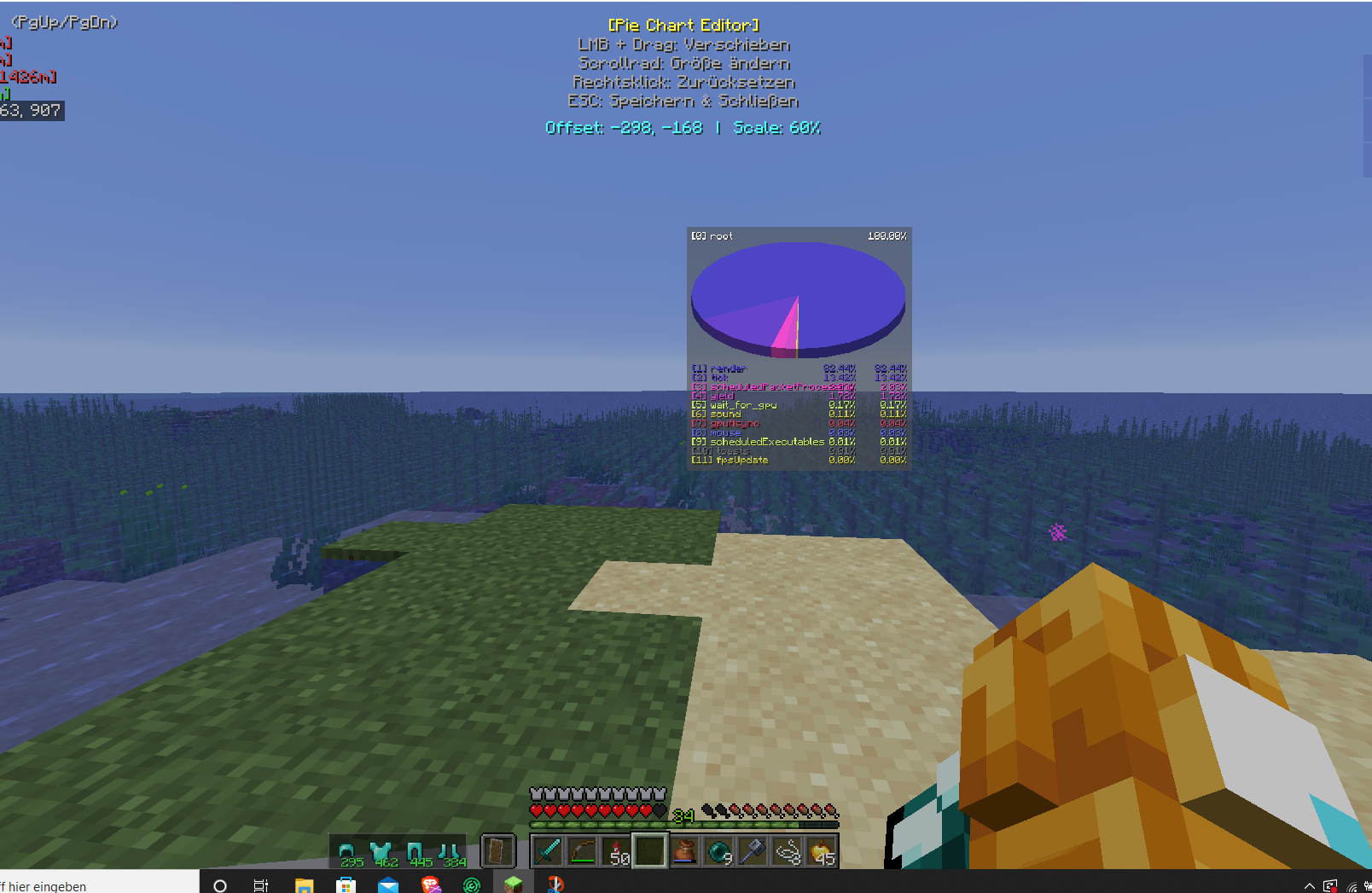 Custom Pilechart Position Editor This is the Custom Editor
 -
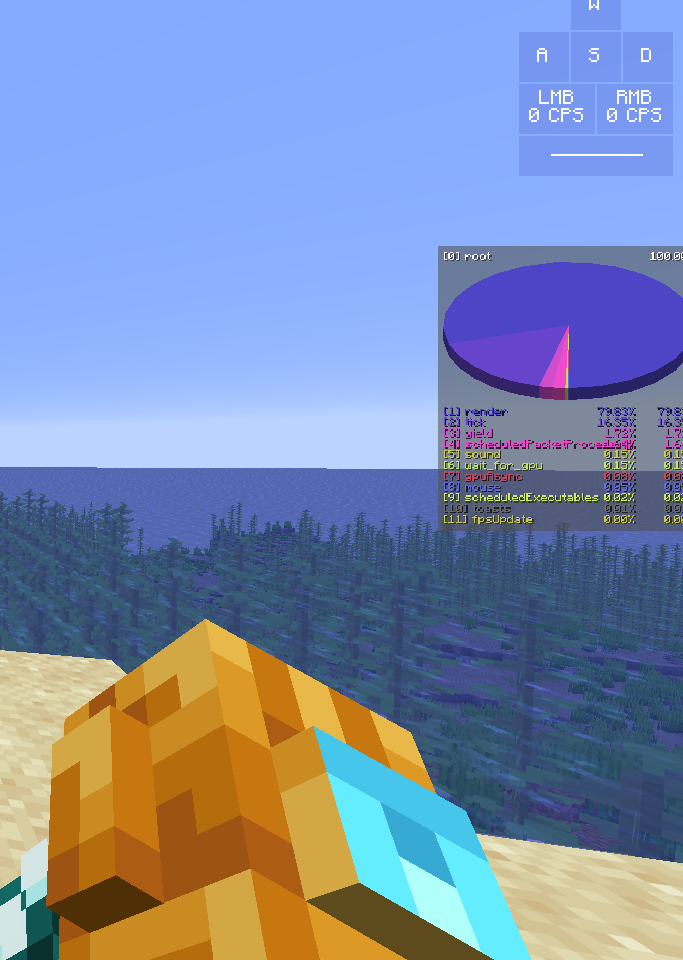 Custom Pilechart Positon this is a Custom Pile Chart Position
Versions
Files
Relations
Project Relations
More like this
Similar Mods
Suggestions use data such as tags, dependencies, dependents, descriptions, titles, and more to rank how much they overlap with this mod.
On ModDex
Community snapshot
By the numbers
Statistics
Want to reach Minecraft players?
We're looking for a server hosting partner to feature here and other parts of the site. Interested? Send us a message!
Get in touchGet it on
Available Platforms
On ModDex
Community snapshot
By the numbers
Statistics
Resources