Community listing page, reviews here may not be monitored by the author.
Better Player Visibility


No reviews yet
Control what you see in-game from hiding players to boosting visibility. All with Better Player Visibility.
Community voices
Reviews
No reviews yet. Be the first to review this project!
Get it on
Available Platforms
Compatibility
Supported Environments
Runs entirely on the client. Works on vanilla servers.
About
Project Details
For authors
Embed Badge
If you're the author of this project, you can embed a live badge anywhere that supports HTML or Markdown. It updates automatically whenever ratings change.
Use HTML for any page that supports it, or Markdown for README files and Markdown-based descriptions.
Identifiers
Platform IDs
About
Description
👁️ Better Player Visibility
Better Player Visibility is a fully client-side Minecraft mod designed to give you complete control over how players and entities are rendered and displayed.
It focuses on visibility, clarity, and information without affecting gameplay or server behavior.
All features are visual or informational only.
👥 Player Visibility
The Player Visibility system allows you to selectively hide or show players using multiple rules and lists.
🔹 Show All Players
When enabled, all players are always visible and all other visibility options are ignored.
This must be disabled for any visibility filtering to work.
🔹 Visibility Modes
You can choose between multiple visibility modes:
- ALL – show all players
- NONE – hide all players
- WHITELIST_1 to WHITELIST_5 – only show players in selected lists
- STAFF – custom staff list
- ALLIES – custom allies list
- ENEMIES – custom enemies list
- HIGHLIGHT_1 to HIGHLIGHT_5 – special highlight lists
All lists start empty and can be edited through the config UI or commands.
🔹 Visibility Cycle
A keybind allows cycling through selected visibility modes.
You can choose which modes are included in the cycle.
🔹 Reverse Visibility
Inverts the current visibility result (visible becomes hidden, hidden becomes visible).
🔹 Invisible Main Player
When enabled, your own player model is hidden in third-person (F5).
This does not affect first-person view.
🔹 Visibility Radius
When enabled, only players within the configured radius are affected by visibility rules.
Players outside the radius are always visible.
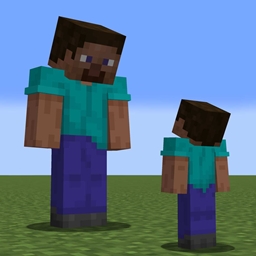
🔹 Visibility Size
Instead of hiding players, affected players are rendered very small.
🔹 Name Tags & Cosmetics
Additional options control whether affected players still show:
- Name tags
- Sprinting particles
- Fire effects
- Shadows
These settings only apply to players affected by visibility rules.
🔹 NPC Detection
Optional NPC detection can identify fake players based on:
- Invalid or unusual usernames
- Usernames shorter than 3 characters (optional)
- Players not present in the tab list (optional)
This can help detect server-created NPCs.
Some Bedrock players may be incorrectly detected as NPCs on certain servers (known limitation).
🧱 Entity Visibility
Entity Visibility applies the same visibility logic to all entities.
🔹 Show All Entities
When enabled, all entities are always visible and no filtering is applied.
🔹 Visibility Modes & Cycle
Supports the same modes and cycling system as Player Visibility, but uses separate lists.
🔹 Visibility Radius
Only entities inside the radius are affected.
Entities outside the radius are always visible.
🔹 Affected Entities
Every entity type can be affected, including:
- Mobs (passive & hostile)
- Armor stands
- Items & projectiles
- Vehicles (boats, minecarts)
- Players (excluding the main player)
Hidden entities are fully invisible.
⭐ Highlight Players
The Highlight system visually marks selected players so they stand out.
Players can be highlighted using:
- TAG – adds a custom tag above the player
- NAME – modifies the name tag appearance
- BOTH – uses both methods
Each highlight list supports custom tag text and color.
⚠️ Lunar Client blocks name tag rendering changes.
Highlight features relying on name tags do not work on Lunar.
📡 Ping Display
Displays player ping above name tags using colors and text.
- Ping is read from the server tab list
- Ping is never calculated client-side
- NPCs usually appear as No Ping
🔹 Ping Categories
Ping is grouped into multiple categories: Excellent, Very Good, Good, Decent, Average, Poor, Bad, Worse, Worst, No Ping
Each category has configurable:
- Color
- Text
- Ping range
🔹 Default Ping Text
When enabled, one global text format is used for all categories.
When disabled, each category uses its own text.
Leaving text empty hides the text entirely.
You can use emojis for color-only display.
⚠️ Lunar Client blocks name tag modifications.
A command-based alternative is provided.
🏆 Priority (Pickup Priority)
Shows item pickup priority information in chat.
- Lower number = higher pickup priority
- Displayed as a list or via search
- Informational only, does not affect gameplay
🔹 Cached Players
Players who leave render distance but stay on the server are cached.
Their priority remains stable.
🔹 Search Support
You can search for a specific player’s pickup priority instead of listing everyone.
🔹 Customization
Fully customizable text formatting including:
- Prefix text
- Separators
- Cached player text
- Main player text
- Group text
- Search output
- Placeholders
🌙 Full Bright
Forces maximum brightness client-side.
- Simple toggle
- No night vision effects
- Does not affect server behavior
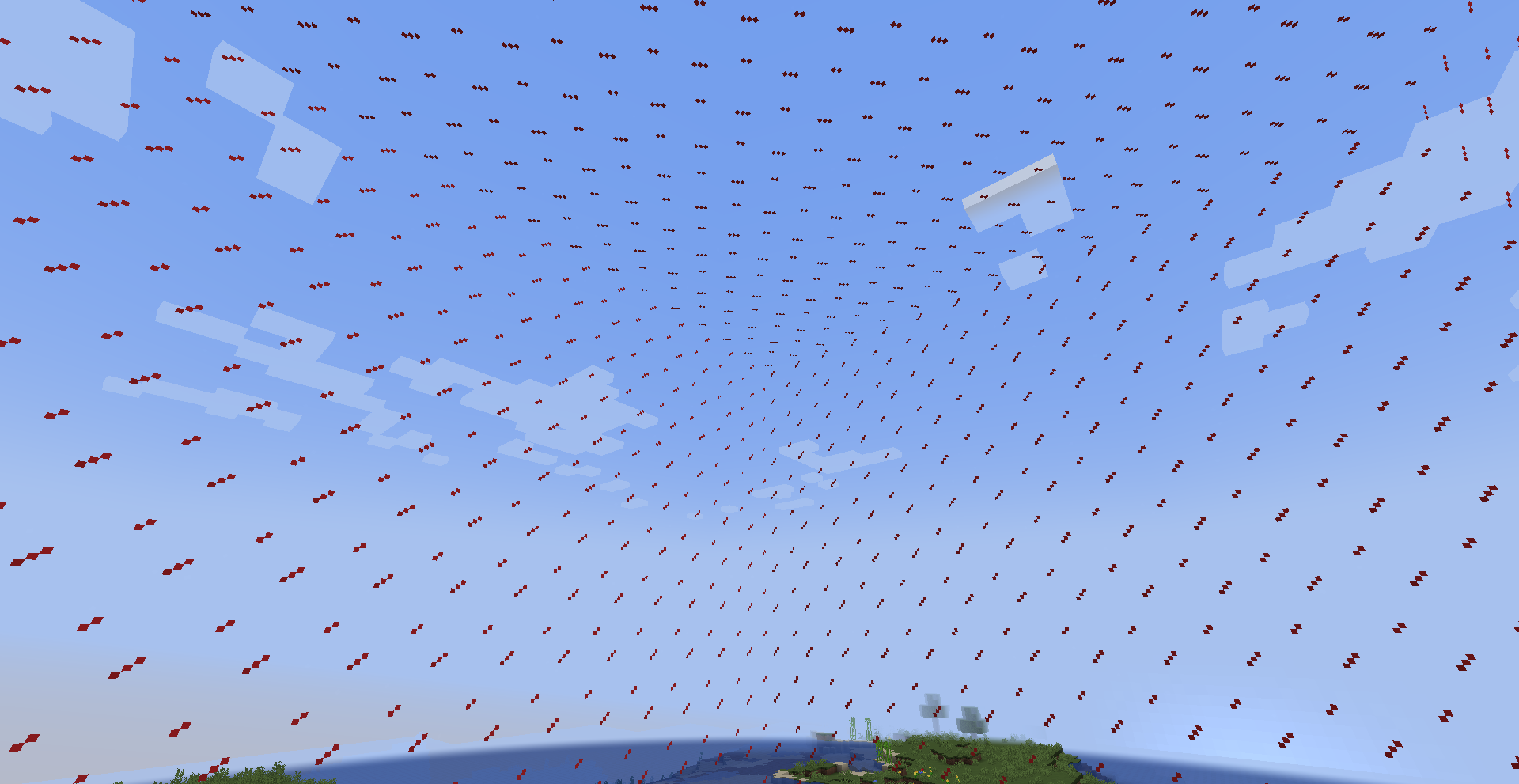
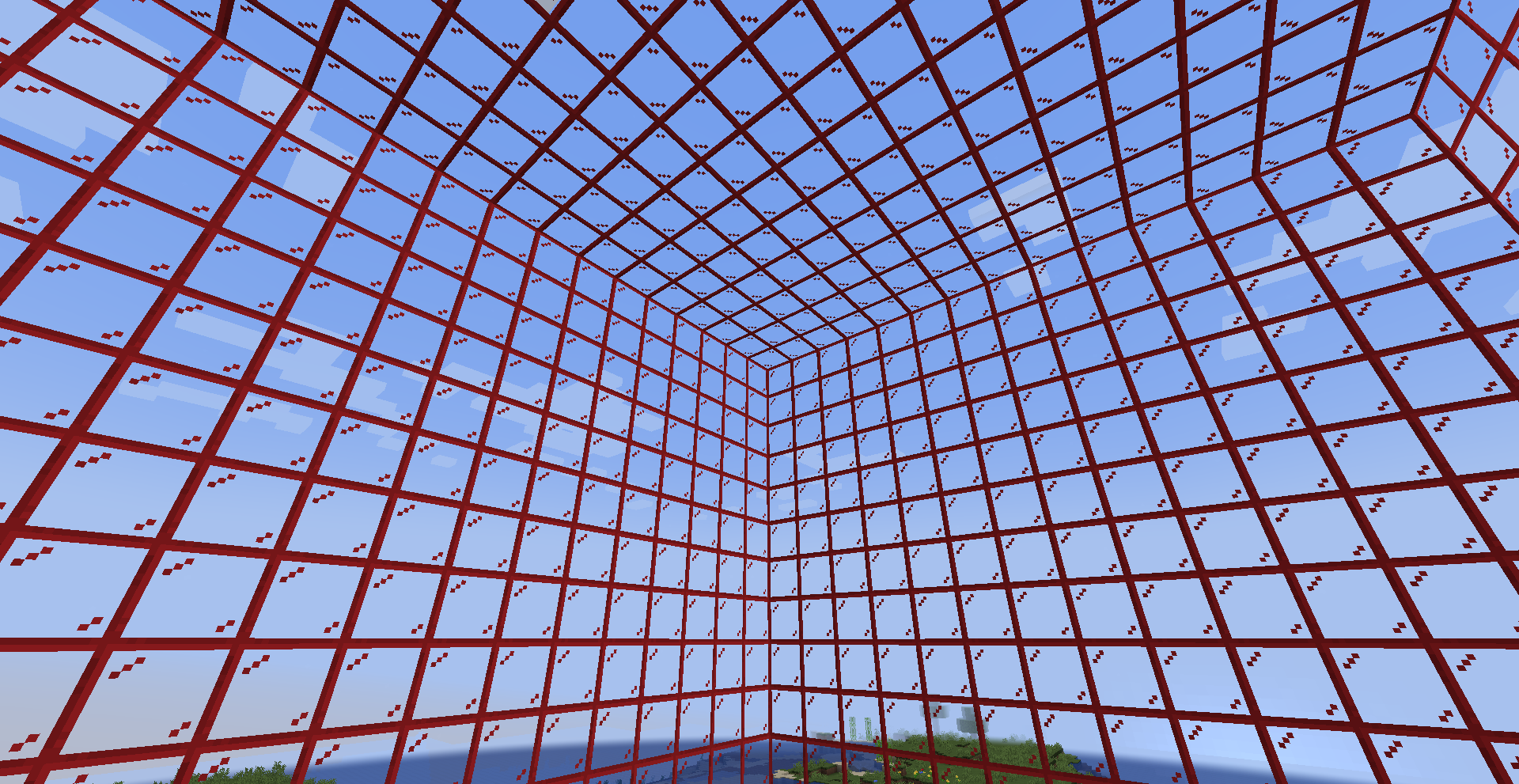
🚧 Visible Barriers
Makes barrier blocks visible at all times.
- Optional particle rendering
- Client-side only
- No interaction changes
⌨️ Commands & Aliases
Client-side commands are provided for:
- Player Visibility
- Entity Visibility
- Ping
- Priority
Each command supports custom aliases.
⚠️ Client commands have higher priority than server commands.
Choose aliases that do not conflict with server-side commands.
After changing aliases, reconnect or switch servers to apply changes.
📦 Requirements
- Cloth Config API is required
This mod depends on Cloth Config for its in-game configuration menu.
Make sure Cloth Config is installed, or the mod will not load.
ℹ️ General Notes
- Fully client-side
- No server interaction
- No gameplay advantage
- Highly configurable
👁️ Better Player Visibility
Better Player Visibility is a fully client-side Minecraft mod designed to give you complete control over how players and entities are rendered and displayed.
It focuses on visibility, clarity, and information without affecting gameplay or server behavior.
All features are visual or informational only.
👥 Player Visibility
The Player Visibility system allows you to selectively hide or show players using multiple rules and lists.
🔹 Show All Players
When enabled, all players are always visible and all other visibility options are ignored.
This must be disabled for any visibility filtering to work.
🔹 Visibility Modes
You can choose between multiple visibility modes:
- ALL – show all players
- NONE – hide all players
- WHITELIST_1 to WHITELIST_5 – only show players in selected lists
- STAFF – custom staff list
- ALLIES – custom allies list
- ENEMIES – custom enemies list
- HIGHLIGHT_1 to HIGHLIGHT_5 – special highlight lists
All lists start empty and can be edited through the config UI or commands.
🔹 Visibility Cycle
A keybind allows cycling through selected visibility modes.
You can choose which modes are included in the cycle.
🔹 Reverse Visibility
Inverts the current visibility result (visible becomes hidden, hidden becomes visible).
🔹 Invisible Main Player
When enabled, your own player model is hidden in third-person (F5).
This does not affect first-person view.
🔹 Visibility Radius
When enabled, only players within the configured radius are affected by visibility rules.
Players outside the radius are always visible.
🔹 Visibility Size
Instead of hiding players, affected players are rendered very small.
🔹 Name Tags & Cosmetics
Additional options control whether affected players still show:
- Name tags
- Sprinting particles
- Fire effects
- Shadows
These settings only apply to players affected by visibility rules.
🔹 NPC Detection
Optional NPC detection can identify fake players based on:
- Invalid or unusual usernames
- Usernames shorter than 3 characters (optional)
- Players not present in the tab list (optional)
This can help detect server-created NPCs.
Some Bedrock players may be incorrectly detected as NPCs on certain servers (known limitation).
🧱 Entity Visibility
Entity Visibility applies the same visibility logic to all entities.
🔹 Show All Entities
When enabled, all entities are always visible and no filtering is applied.
🔹 Visibility Modes & Cycle
Supports the same modes and cycling system as Player Visibility, but uses separate lists.
🔹 Visibility Radius
Only entities inside the radius are affected.
Entities outside the radius are always visible.
🔹 Affected Entities
Every entity type can be affected, including:
- Mobs (passive & hostile)
- Armor stands
- Items & projectiles
- Vehicles (boats, minecarts)
- Players (excluding the main player)
Hidden entities are fully invisible.
⭐ Highlight Players
The Highlight system visually marks selected players so they stand out.
Players can be highlighted using:
- TAG – adds a custom tag above the player
- NAME – modifies the name tag appearance
- BOTH – uses both methods
Each highlight list supports custom tag text and color.
⚠️ Lunar Client blocks name tag rendering changes.
Highlight features relying on name tags do not work on Lunar.
📡 Ping Display
Displays player ping above name tags using colors and text.
- Ping is read from the server tab list
- Ping is never calculated client-side
- NPCs usually appear as No Ping
🔹 Ping Categories
Ping is grouped into multiple categories: Excellent, Very Good, Good, Decent, Average, Poor, Bad, Worse, Worst, No Ping
Each category has configurable:
- Color
- Text
- Ping range
🔹 Default Ping Text
When enabled, one global text format is used for all categories.
When disabled, each category uses its own text.
Leaving text empty hides the text entirely.
You can use emojis for color-only display.
⚠️ Lunar Client blocks name tag modifications.
A command-based alternative is provided.
🏆 Priority (Pickup Priority)
Shows item pickup priority information in chat.
- Lower number = higher pickup priority
- Displayed as a list or via search
- Informational only, does not affect gameplay
🔹 Cached Players
Players who leave render distance but stay on the server are cached.
Their priority remains stable.
🔹 Search Support
You can search for a specific player’s pickup priority instead of listing everyone.
🔹 Customization
Fully customizable text formatting including:
- Prefix text
- Separators
- Cached player text
- Main player text
- Group text
- Search output
- Placeholders
🌙 Full Bright
Forces maximum brightness client-side.
- Simple toggle
- No night vision effects
- Does not affect server behavior
🚧 Visible Barriers
Makes barrier blocks visible at all times.
- Optional particle rendering
- Client-side only
- No interaction changes
⌨️ Commands & Aliases
Client-side commands are provided for:
- Player Visibility
- Entity Visibility
- Ping
- Priority
Each command supports custom aliases.
⚠️ Client commands have higher priority than server commands.
Choose aliases that do not conflict with server-side commands.
After changing aliases, reconnect or switch servers to apply changes.
📦 Requirements
- Cloth Config API is required
This mod depends on Cloth Config for its in-game configuration menu.
Make sure Cloth Config is installed, or the mod will not load.
ℹ️ General Notes
- Fully client-side
- No server interaction
- No gameplay advantage
- Highly configurable
Screenshots
Gallery
-
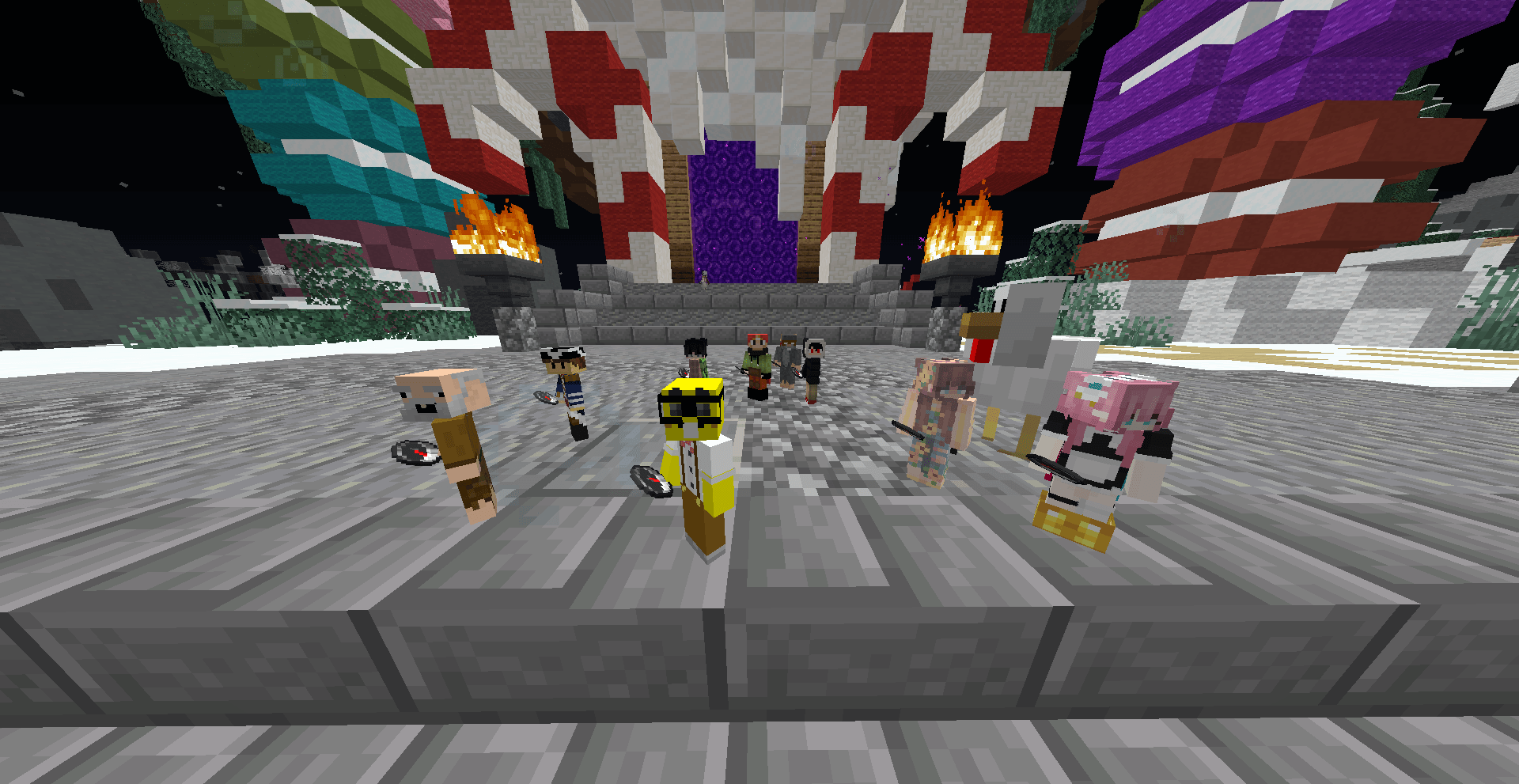 2025-12-12_03.21.13.png 2025-12-12_03.21.13.png
 -
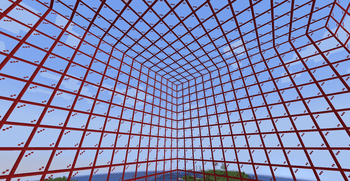 image_2025-12-12_032356349.png image_2025-12-12_032356349.png
 -
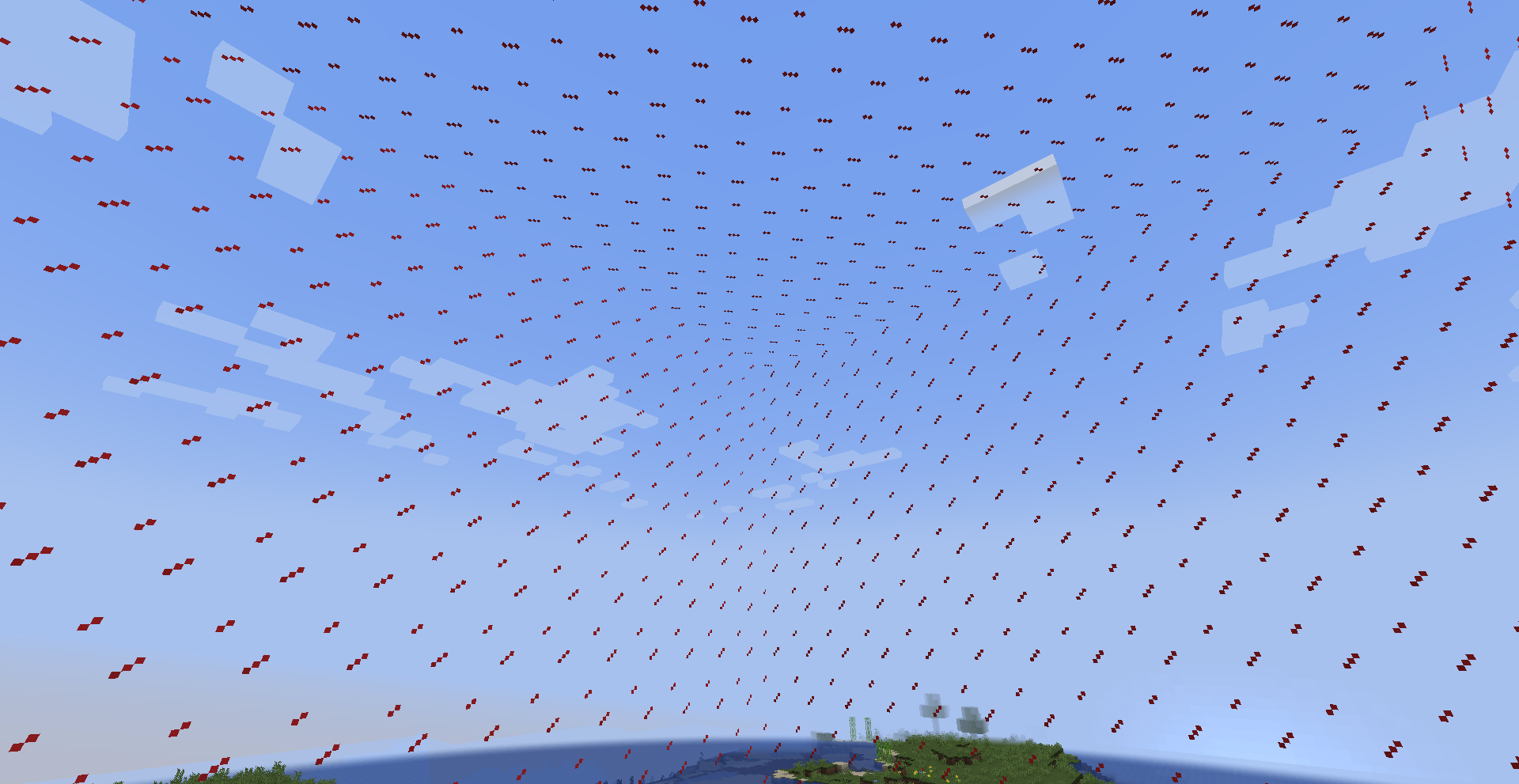 image_2025-12-12_032410327.png image_2025-12-12_032410327.png
-
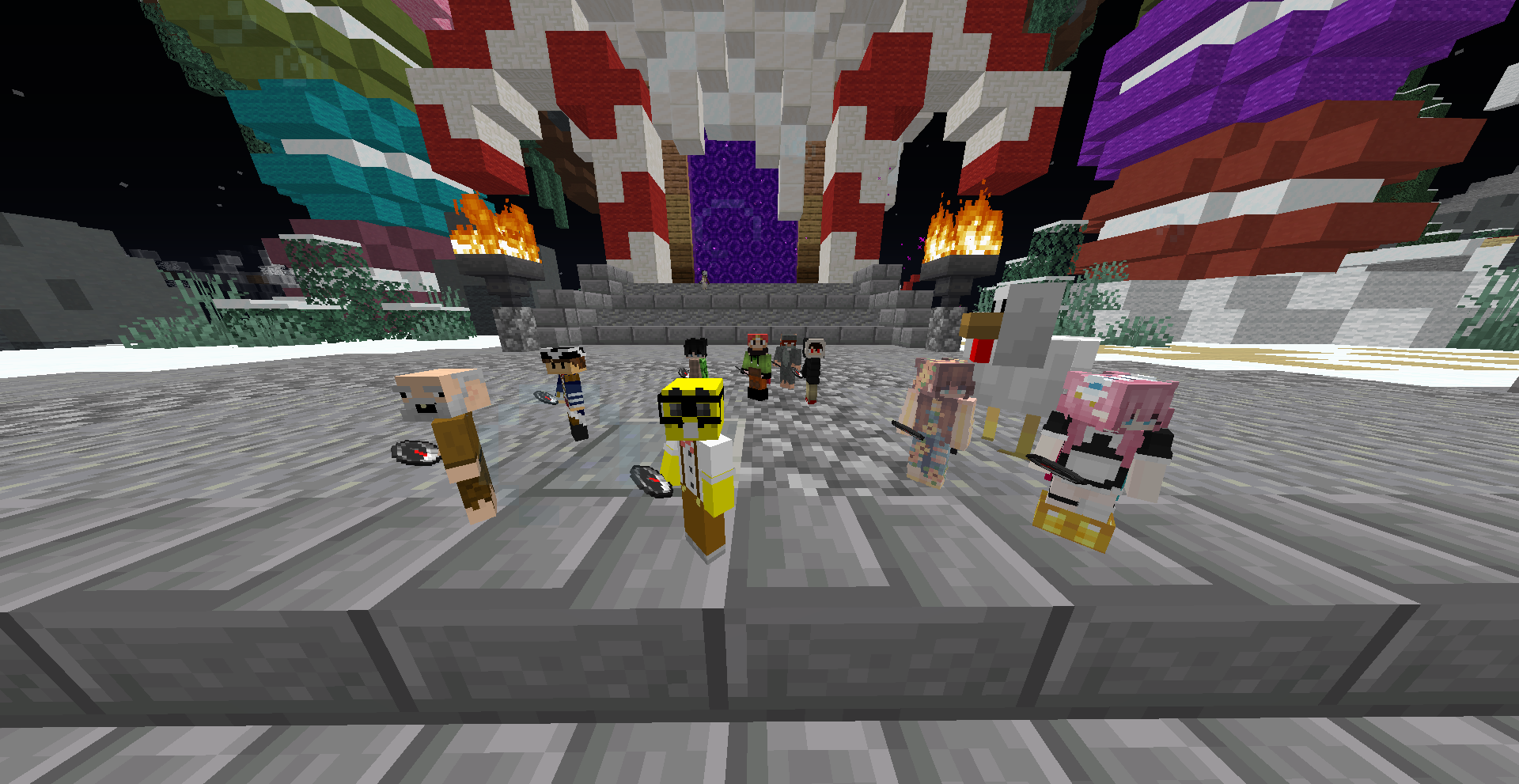 Player Visibility Player Visibility Size mode
 -
 Connected Barriers A texture pack that shows how the connected barriers look like. built-in to the mod. but requires a mod like Continuity to get it to work.
 -
 Visible Barriers How the barriers textures look like.
Versions
Files
Relations
Project Relations
More like this
Similar Mods
Suggestions use data such as tags, dependencies, dependents, descriptions, titles, and more to rank how much they overlap with this mod.
On ModDex
Community snapshot
By the numbers
Statistics
Want to reach Minecraft players?
We're looking for a server hosting partner to feature here and other parts of the site. Interested? Send us a message!
Get in touchGet it on
Available Platforms
On ModDex
Community snapshot
By the numbers