
Community listing page, reviews here may not be monitored by the author.
Better Tooltips


No reviews yet
Highly configurable tooltip rendering, so you can always read them!

Community voices
Reviews
No reviews yet. Be the first to review this project!
Get it on
Available Platforms
Compatibility
Supported Environments
Runs entirely on the client. Works on vanilla servers.
About
Project Details
For authors
Embed Badge
If you're the author of this project, you can embed a live badge anywhere that supports HTML or Markdown. It updates automatically whenever ratings change.
Use HTML for any page that supports it, or Markdown for README files and Markdown-based descriptions.
Identifiers
Platform IDs
About
Description
Highly configurable tooltip rendering, so you can always read them!
fork of AdaptiveTooltips
Why was this mod created?
Vanilla tooltips are not very smart: this mod aims to fix that. In vanilla, there are a lot of situations (especially when modded) where you just cannot read a tooltip due to it being just too long to fit on the screen. There are many solutions!
BetterTooltips aims to dream up and implement these solutions into Minecraft for a vanilla-like tooltip experience without the frustrations.
Features
There are many methods in which BetterTooltips can save your tooltips from the clutches of the bezels; below are a list of all the (toggleable) options to fix this.
Text Wrapping
There is one very obvious fix to tooltips going off-screen horizontally: text wrapping! If a line is too long to fit on your screen, BetterTooltips intelligently splits it into however many necessary, using words as cut-offs to not interrupt your reading.
There are multiple methods of wrapping:
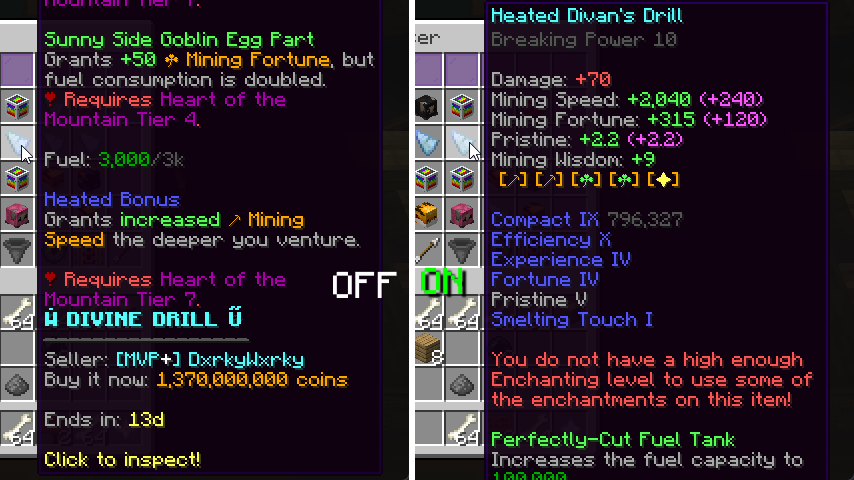
Screen Width- The mod wraps with a max line width of the width of your screen (minus 15). Intended to be paired with Bedrock Centering option.Remaining Width- Allows tooltip lines to fill a maximum of what's left until the tooltip reaches the end of the screen, picking either the left or the right depending on which would require less wrapping.Half Screen Width- Only allows tooltips to have a width of half of the screen.Smart- Wraps lines that are considerably longer than the others, with a hard limit of 3/4 of the screen width.
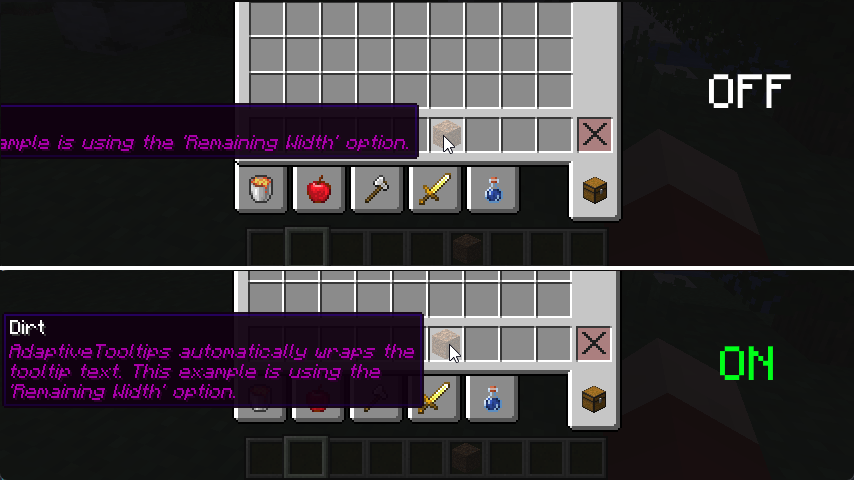 screenshot is using
 Remaining Width wrapping method
Prioritize Tooltip Top
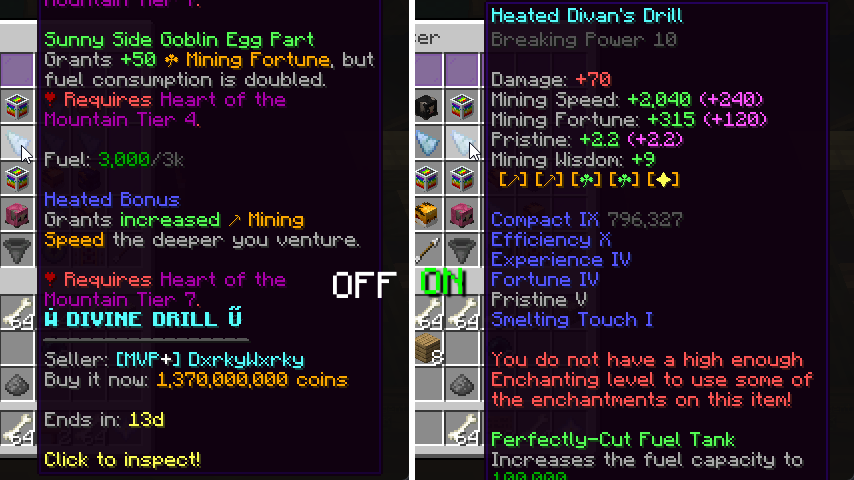
I'm actually surprised even Mojang didn't think of adding this one, by default, tooltips that are taller than your screen limit their bottom to the edge of the screen, not the top. This results in you being able to read the (often less important) bottom of the tooltip instead of the top. This fix addresses that.
Bedrock Centering
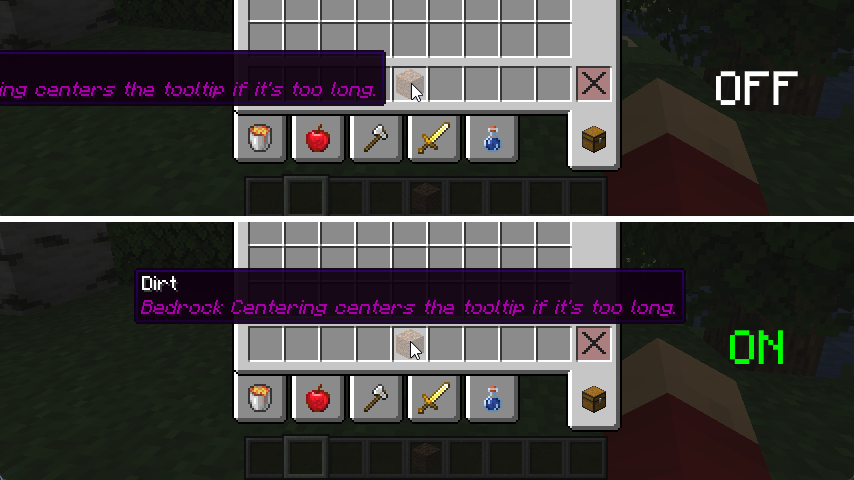
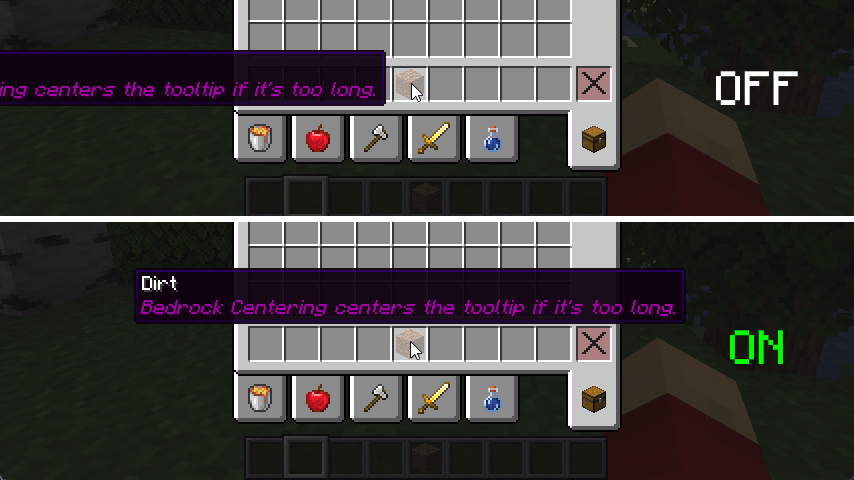
This feature grants parity between Java and Bedrock Edition. By default, Bedrock automatically centers the tooltip if it is too long to fit on either the left or the right, this adds that. For the best experience, it is best to pair this with Screen Width Text Wrapping.
Align To Corner
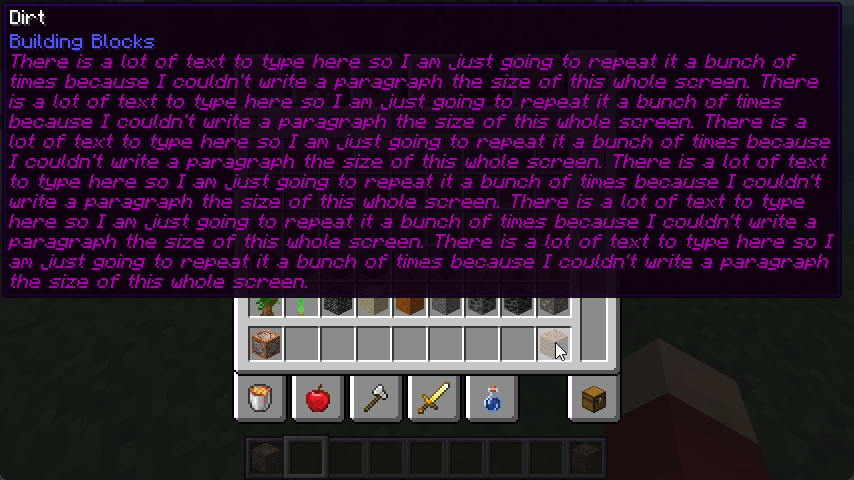
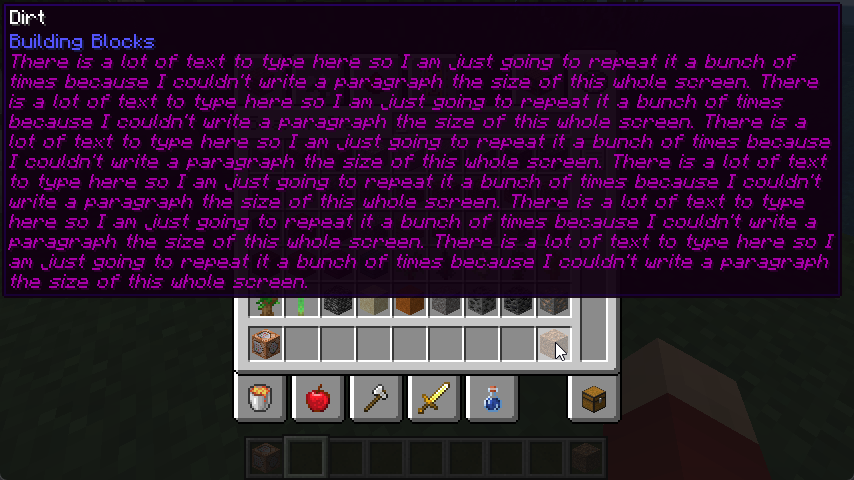
When all else fails, this feature is a good fallback. If after all the above features fail to keep the tooltip on the screen, BetterTooltips just places the tooltip in any of the 4 corners of the window, determining that based on the least obstruction of the mouse cursor.
Tooltip Scrolling
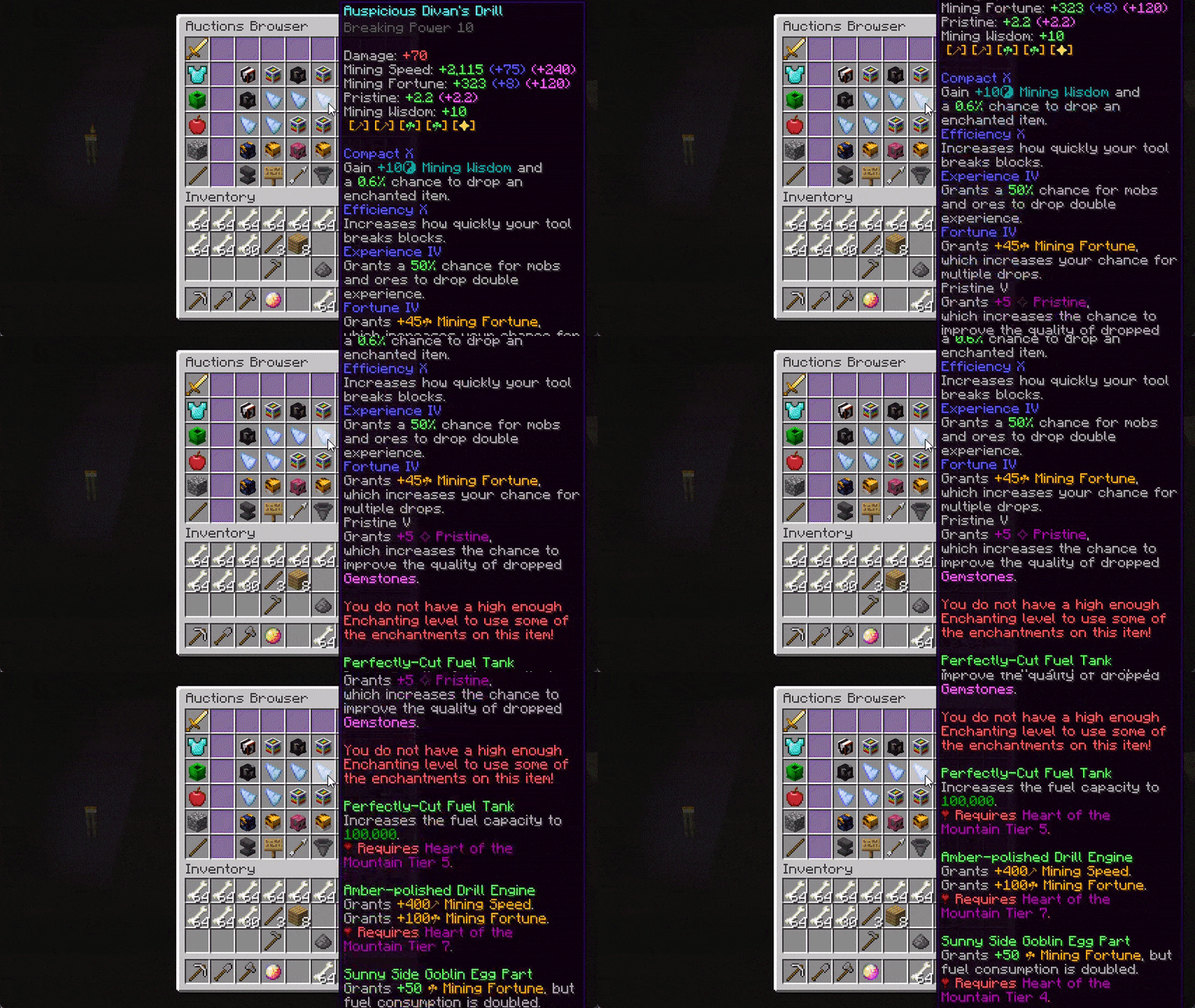
Yes, that's right, scrolling. It's been tried on Fabric many a times with little success with annoying edge-cases and bugs that make using scrolling annoying, but I've fixed all grievances! You can scroll vertically and horizontally with smooth animations and fine-tuning from the scroll direction to the sensitivity of the scrolling. BetterTooltips is also smart and knows the difference between two different tooltips and discards scrolling data when necessary.
Transparency Modification
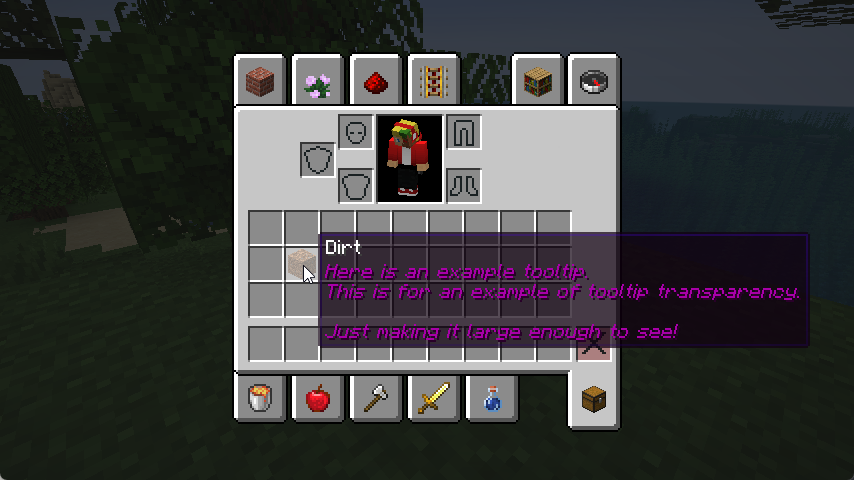
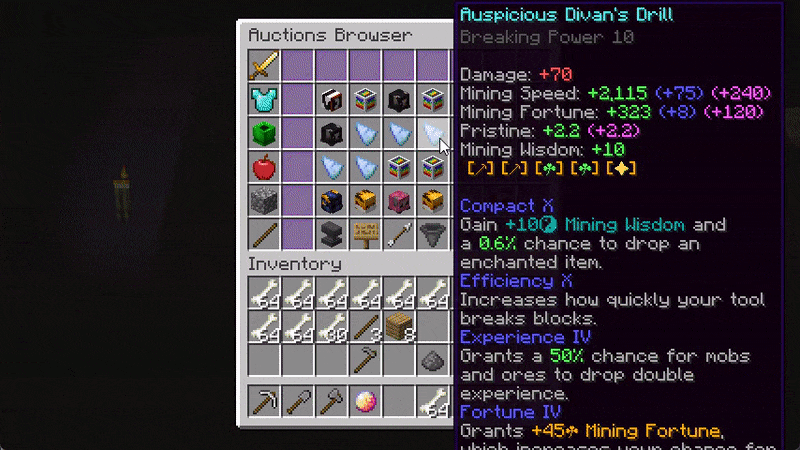
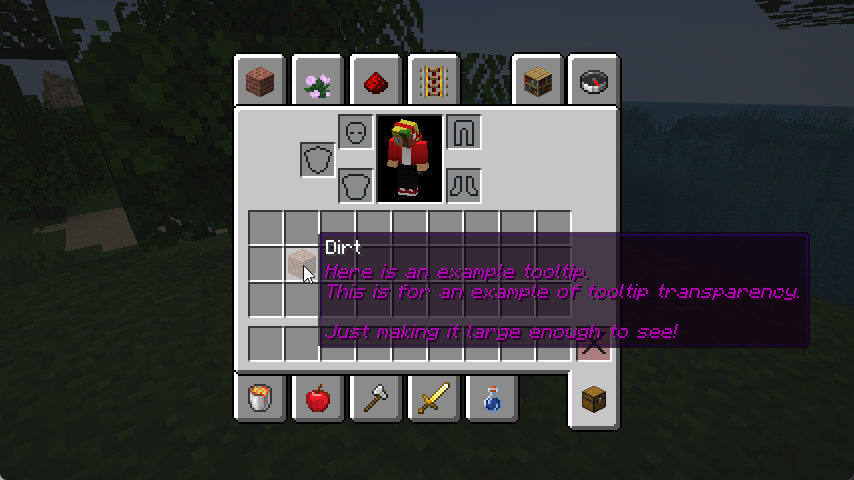
You may be bothered that tooltips may obstruct the view of the next few items in your inventory, this fix aims to mitigate that by allowing you to adjust the transparency of the tooltip, allowing you to decide what's best for in terms of visibility and transparency.
YACL-style GUI Tooltips
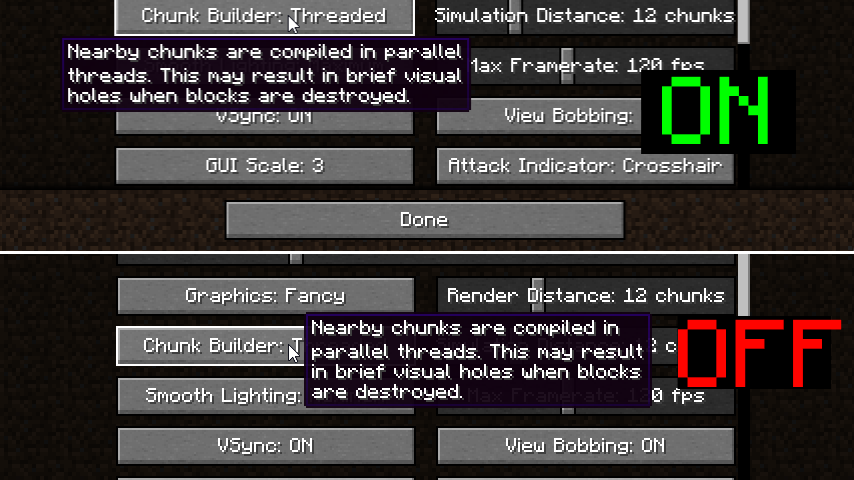
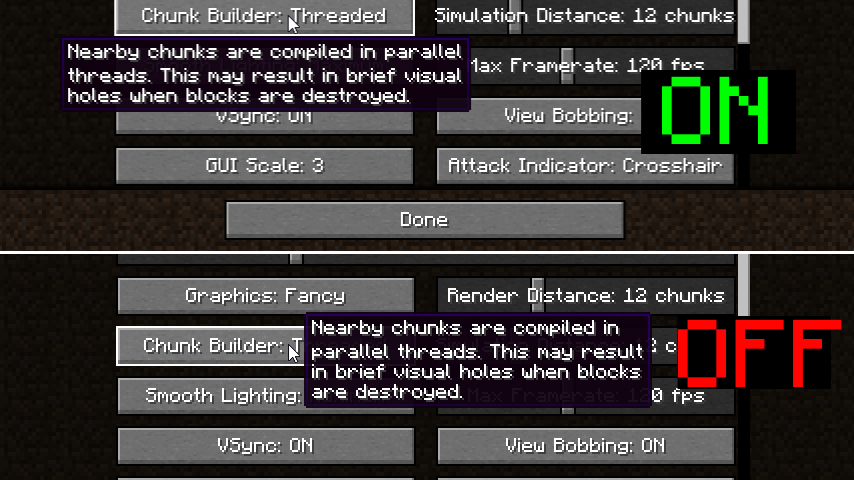
Capture the style of YetAnotherConfigLib's tooltip positioning by placing tooltips above or below a hovered button.
License
This mod is under the GNU Lesser General Public License, v3.0.
Highly configurable tooltip rendering, so you can always read them! fork of Adaptive Tooltips
Why was this mod created?
Vanilla tooltips are not very smart: this mod aims to fix that. In vanilla, there are a lot of situations (especially when modded) where you just cannot read a tooltip due to it being just too long to fit on the screen. There are many solutions!
AdaptiveTooltips aims to dream up and implement these solutions into Minecraft for a vanilla-like tooltip experience without the frustrations.
Features
There are many methods in which AdaptiveTooltips can save your tooltips from the clutches of the bezels; below are a list of all the (toggleable) options to fix this.
Text Wrapping
There is one very obvious fix to tooltips going off-screen horizontally: text wrapping! If a line is too long to fit on your screen, AdaptiveTooltips intelligently splits it into however many necessary, using words as cut-offs to not interrupt your reading.
There are multiple methods of wrapping:
- Screen Width - The mod wraps with a max line width of the width of your screen (minus 15). Intended to be paired with Bedrock Centering option.
- Remaining Width - Allows tooltip lines to fill a maximum of what's left until the tooltip reaches the end of the screen, picking either the left or the right depending on which would require less wrapping.
- Half Screen Width - Only allows tooltips to have a width of half of the screen.
- Smart - Wraps lines that are considerably longer than the others, with a hard limit of 3/4 of the screen width.
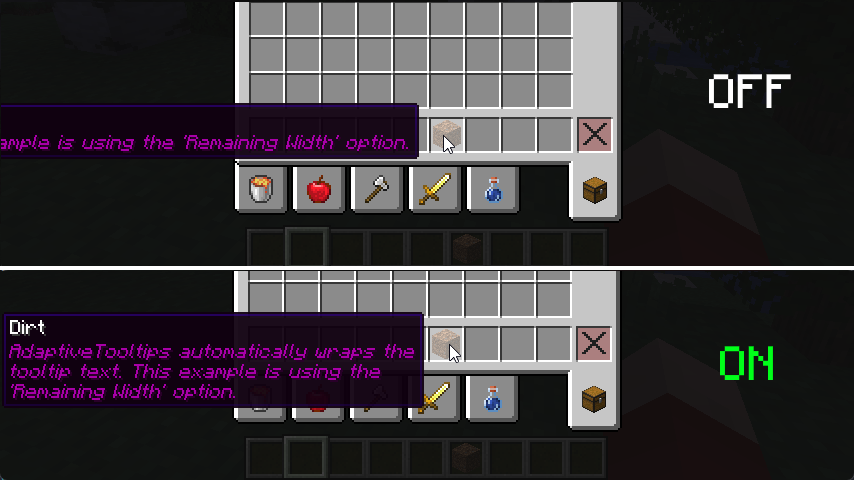 screenshot is using Remaining Width wrapping method
Prioritize Tooltip Top
I'm actually surprised even Mojang didn't think of adding this one, by default, tooltips that are taller than your screen limit their bottom to the edge of the screen, not the top. This results in you being able to read the (often less important) bottom of the tooltip instead of the top. This fix addresses that.
Bedrock Centering
This feature grants parity between Java and Bedrock Edition. By default, Bedrock automatically centers the tooltip if it is too long to fit on either the left or the right, this adds that. For the best experience, it is best to pair this with Screen Width Text Wrapping.
Align To Corner
When all else fails, this feature is a good fallback. If after all the above features fail to keep the tooltip on the screen, AdaptiveTooltips just places the tooltip in any of the 4 corners of the window, determining that based on the least obstruction of the mouse cursor.
Tooltip Scrolling
Yes, that's right, scrolling. It's been tried on Fabric many a times with little success with annoying edge-cases and bugs that make using scrolling annoying, but I've fixed all grievances! You can scroll vertically and horizontally with smooth animations and fine-tuning from the scroll direction to the sensitivity of the scrolling. AdaptiveTooltips is also smart and knows the difference between two different tooltips and discards scrolling data when necessary.
Transparency Modification
You may be bothered that tooltips may obstruct the view of the next few items in your inventory, this fix aims to mitigate that by allowing you to adjust the transparency of the tooltip, allowing you to decide what's best for in terms of visibility and transparency.
YACL-style GUI Tooltips
Capture the style of YetAnotherConfigLib's tooltip positioning by placing tooltips above or below a hovered button.
License
This mod is under the GNU Lesser General Public License, v3.0.
Screenshots
Gallery
Versions
Files
Relations
Project Relations
More like this
Similar Mods
Suggestions use data such as tags, dependencies, dependents, descriptions, titles, and more to rank how much they overlap with this mod.
On ModDex
Community snapshot
By the numbers
Statistics
 (opens in a new tab)
Get it on
Available Platforms
On ModDex
Community snapshot
By the numbers