Community listing page, reviews may not be monitored by the author.
BetterHotbar


No reviews yet
Allows for better hotbar/inventory management with a controller. Could also be used with mouse and keyboard!

Community voices
Reviews
No reviews yet. Be the first to review this project!
Get it on
Available Platforms
Compatibility
Supported Environments
Runs entirely on the client. Works on vanilla servers.
About
Project Details
For authors
Embed Badge
If you're the author of this project, you can embed a live badge anywhere that supports HTML or Markdown. It updates automatically whenever ratings change.
Use HTML for any page that supports it, or Markdown for README files and Markdown-based descriptions.
Identifiers
Platform IDs
Resources
External Links
About
Description
ABOUT THE MOD:
Taking inspiration from other mods like Better Than Adventure and the slightly outdated HotbarCycle mod. I wanted to make a mod that improves Minecraft's inventory management without actually needing to open the players inventory constantly, improving the flow of building, especially with controller. Also offers customization and can change the location on the HUD of where all of the below elements are on the screen.
4 Main Features:
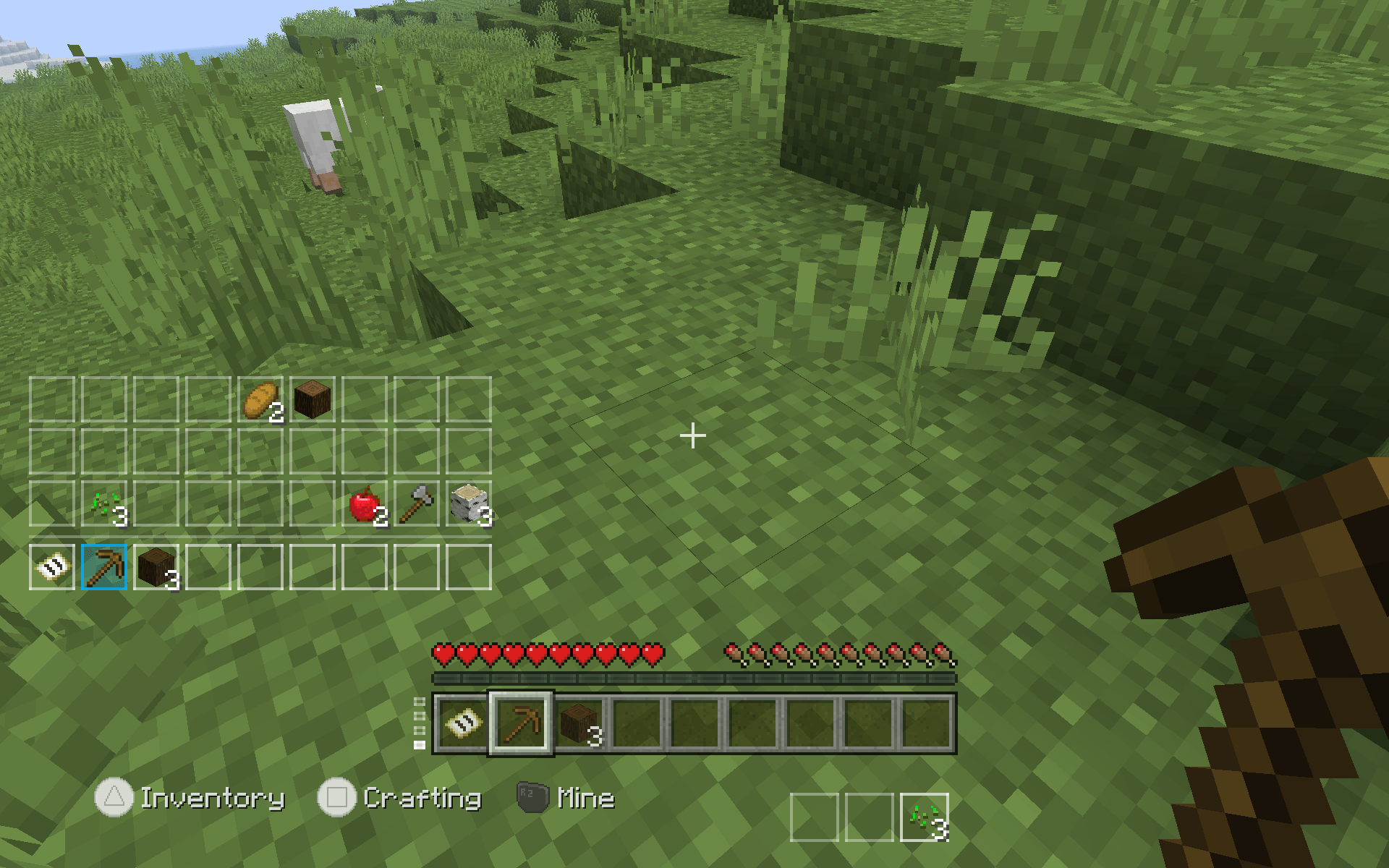
- Row Indicator - Taking inspiration from Better Than Adventure, shows the current hotbar or row, that is currently selected. Allows you to set a keybind to cycle through rows of your inventory.
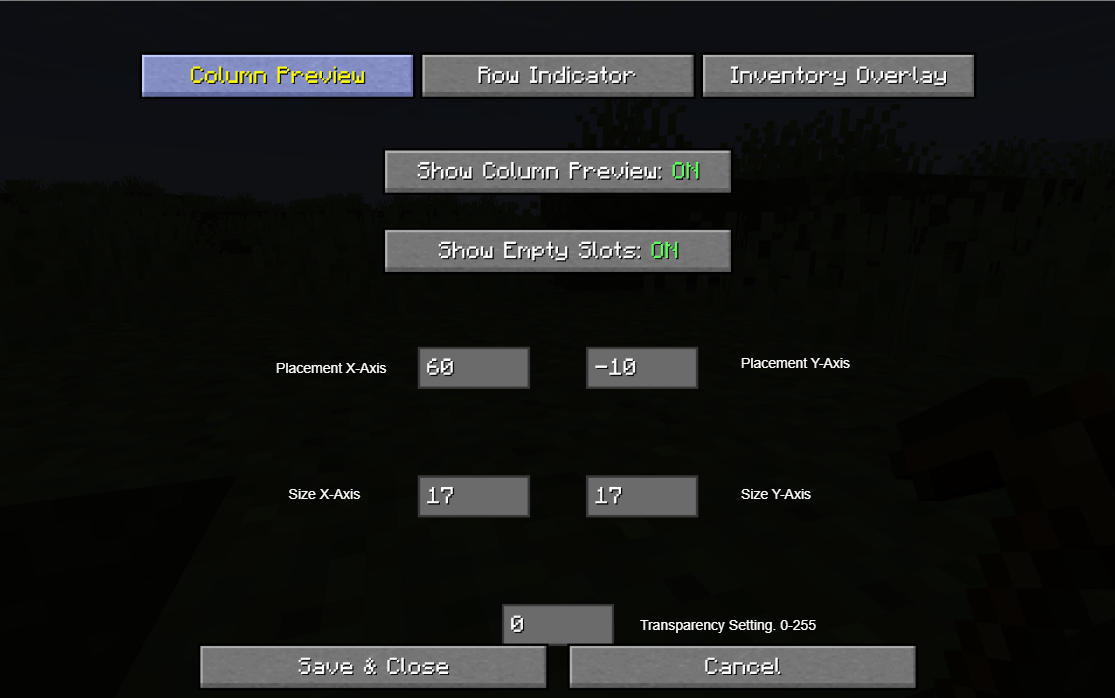
- Column Preview - View all of the items in a certain "column" of your inventory. Also, able to set a keybind to cycle through items in that column.
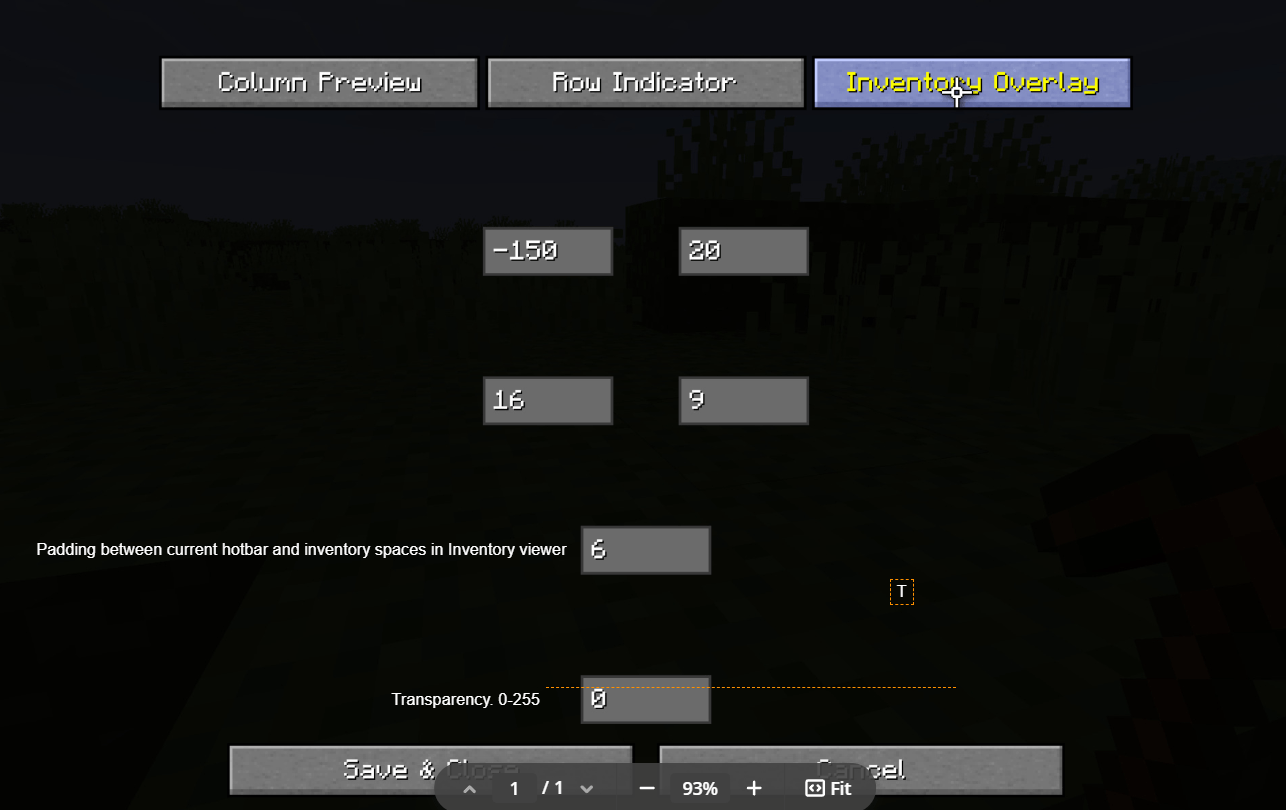
- Inventory Overlay - Get a quick glance of all the items in your inventory without needing to pause your gameplay. Useful for building to know which items are in which hotbar.
- Customizable Mod Menu - Includes mod menu in order to turn features on/off, increase/decrease the size of these features, modify on an X/Y-axis the placement of these features, and modify the transparency of each of these features.
NOTE: Set a keybind in order to open the mod menu, all keybinds are left blank by default. Also, make sure to take the time to customize the placement of the elements on you screen using the mod menu.
Screenshots were taken inside of the Re-Console+ modpack.
ABOUT THE MOD:
Taking inspiration from other mods like Better Than Adventure and the slightly outdated HotbarCycle mod. I wanted to make a mod that improves Minecraft's inventory management without actually needing to open the players inventory constantly, improving the flow of building, especially with controller. Also offers customization and can change the location on the HUD of where all of the below elements are on the screen.
4 Main Features:
Row Indicator - Taking inspiration from Better Than Adventure, shows the current hotbar or row, that is currently selected. Allows you to set a keybind to cycle through rows of your inventory. Column Preview - View all of the items in a certain "column" of your inventory. Also, able to set a keybind to cycle through items in that column. Inventory Overlay - Get a quick glance of all the items in your inventory without needing to pause your gameplay. Useful for building to know which items are in which hotbar. Customizable Mod Menu - Includes mod menu in order to turn features on/off, increase/decrease the size of these features, modify on an X/Y-axis the placement of these features, and modify the transparency of each of these features. NOTE: Set a keybind in order to open the mod menu, all keybinds are left blank by default. I am also not sure how to add labels to the settings for showing Size X-Axis, Size Y-Axis, Placement X-Axis, Placement Y-Axis.
Screenshots were taken inside of the Re-Console+ modpack.
Screenshots
Gallery
-
 Screenshot 2026-03-23 203402.png Screenshot 2026-03-23 203402.png
 -
 Gameplay_Screenshot.png Screenshot (7).png
 -
 Column_Preview_Settings.png Screenshot 2026-03-23 202744.png
-
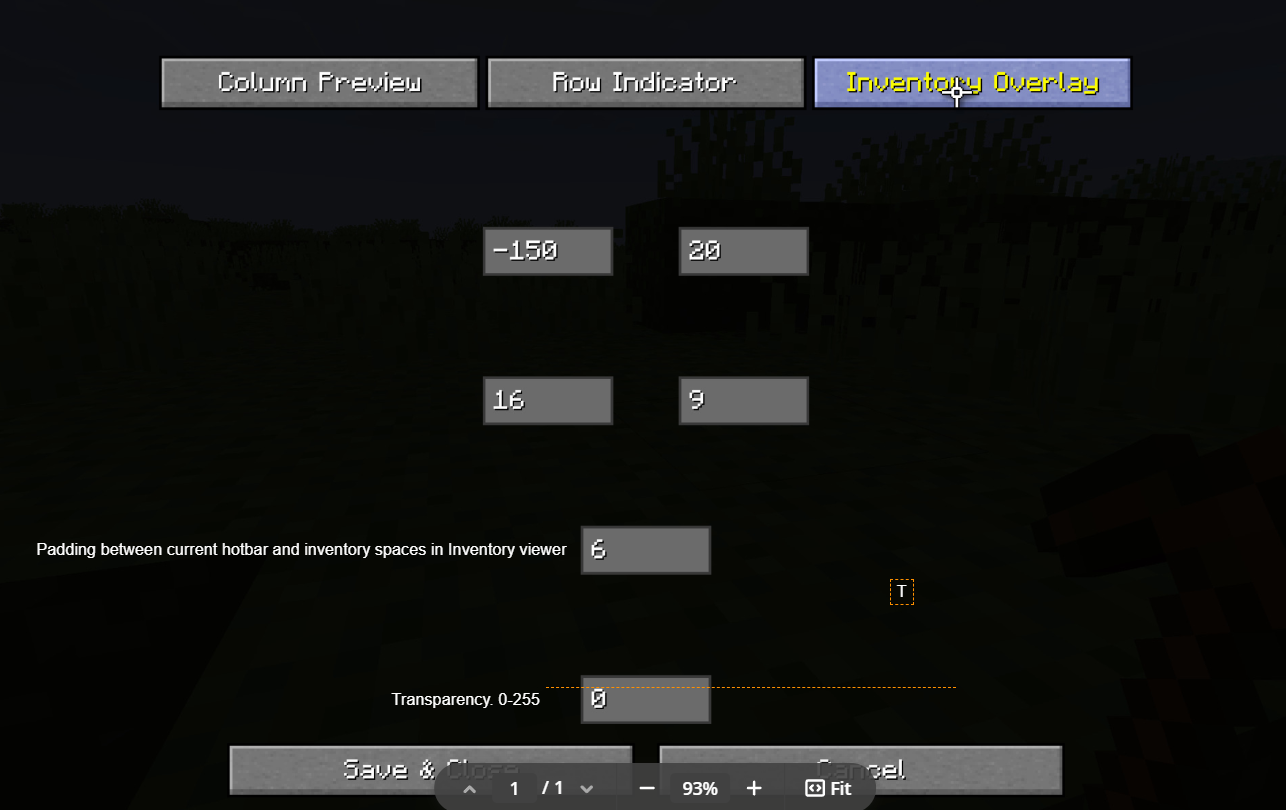 Inventory Overlay Settings
 -
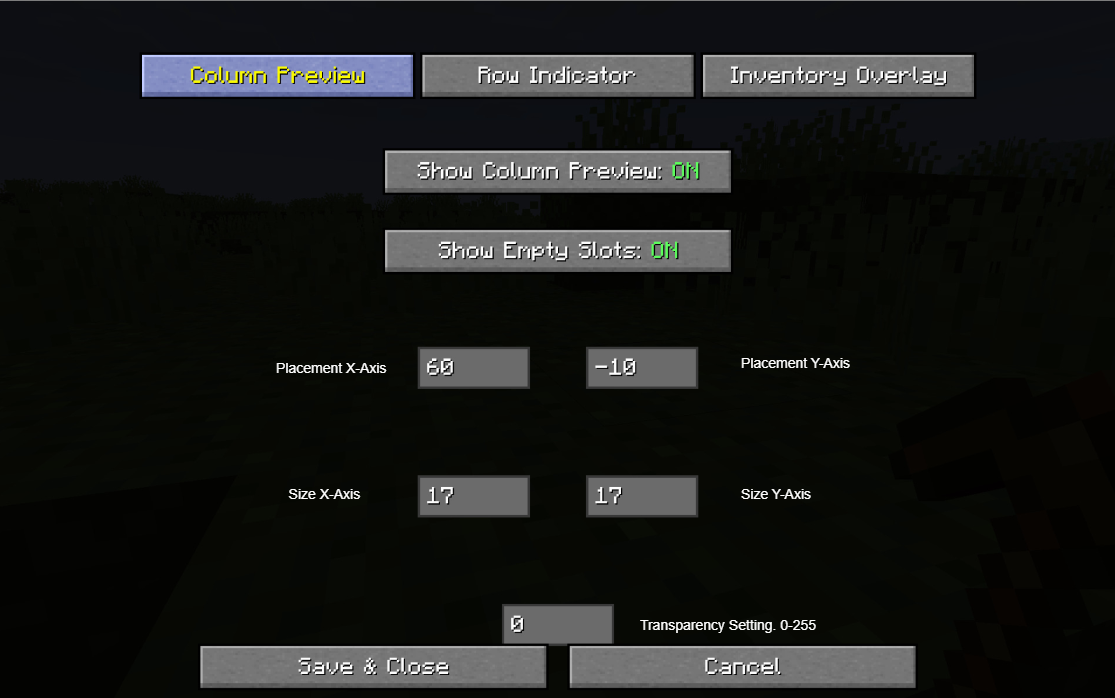 Column Preview Settings
 -
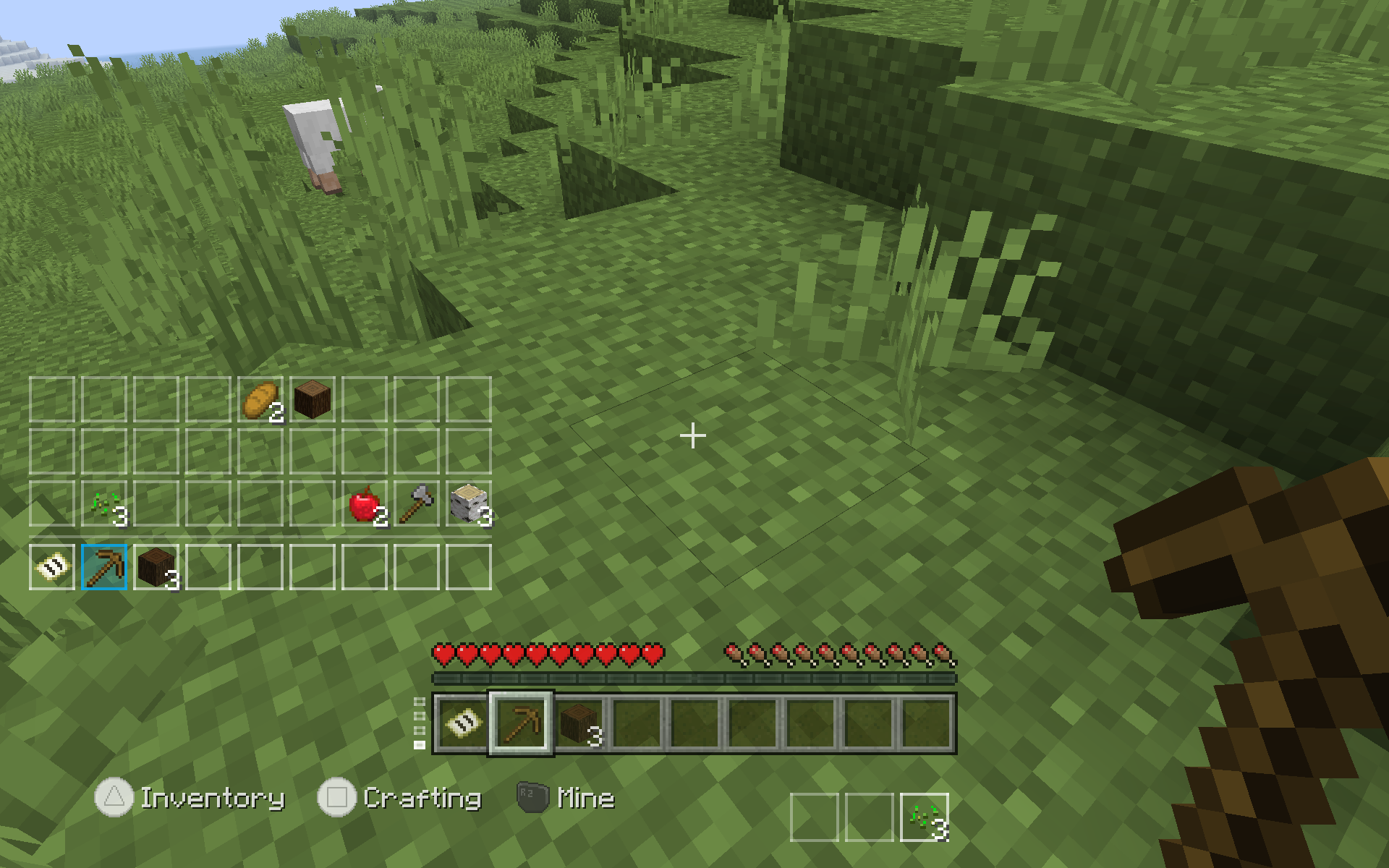 Gameplay
Versions
Files
Relations
Project Relations
More like this
Similar Mods
Suggestions use data such as tags, dependencies, dependents, descriptions, titles, and more to rank how much they overlap with this mod.
On ModDex
Community snapshot
By the numbers
Statistics

Get it on
Available Platforms
On ModDex
Community snapshot
By the numbers
Statistics
Resources