
Community listing page, reviews may not be monitored by the author.
Billow - Realistic & Rounded Clouds

No reviews yet
Realistic clouds, rounded clouds, custom height, custom amount.

Community voices
Reviews
No reviews yet. Be the first to review this project!
Get it on
Available Platforms
About
Project Details
For authors
Embed Badge
If you're the author of this project, you can embed a live badge anywhere that supports HTML or Markdown. It updates automatically whenever ratings change.
Use HTML for any page that supports it, or Markdown for README files and Markdown-based descriptions.
Identifiers
Platform IDs
Resources
External Links
About
Description
Billow
Better clouds for Minecraft. Pick a cloud style: soft rounded clouds, realistic puffy cumulus, or a sky full of creeper heads, hearts and ghasts. Move the clouds up or down, make them thicker, slower or more see-through.
Billow is a small client-side mod for Minecraft on Fabric, NeoForge and Forge, compatible with Mod Menu on Fabric.
Supported versions: Fabric 1.20 to 26.3, NeoForge 1.20.4 to 26.3, Forge 1.20.1.
Cloud styles
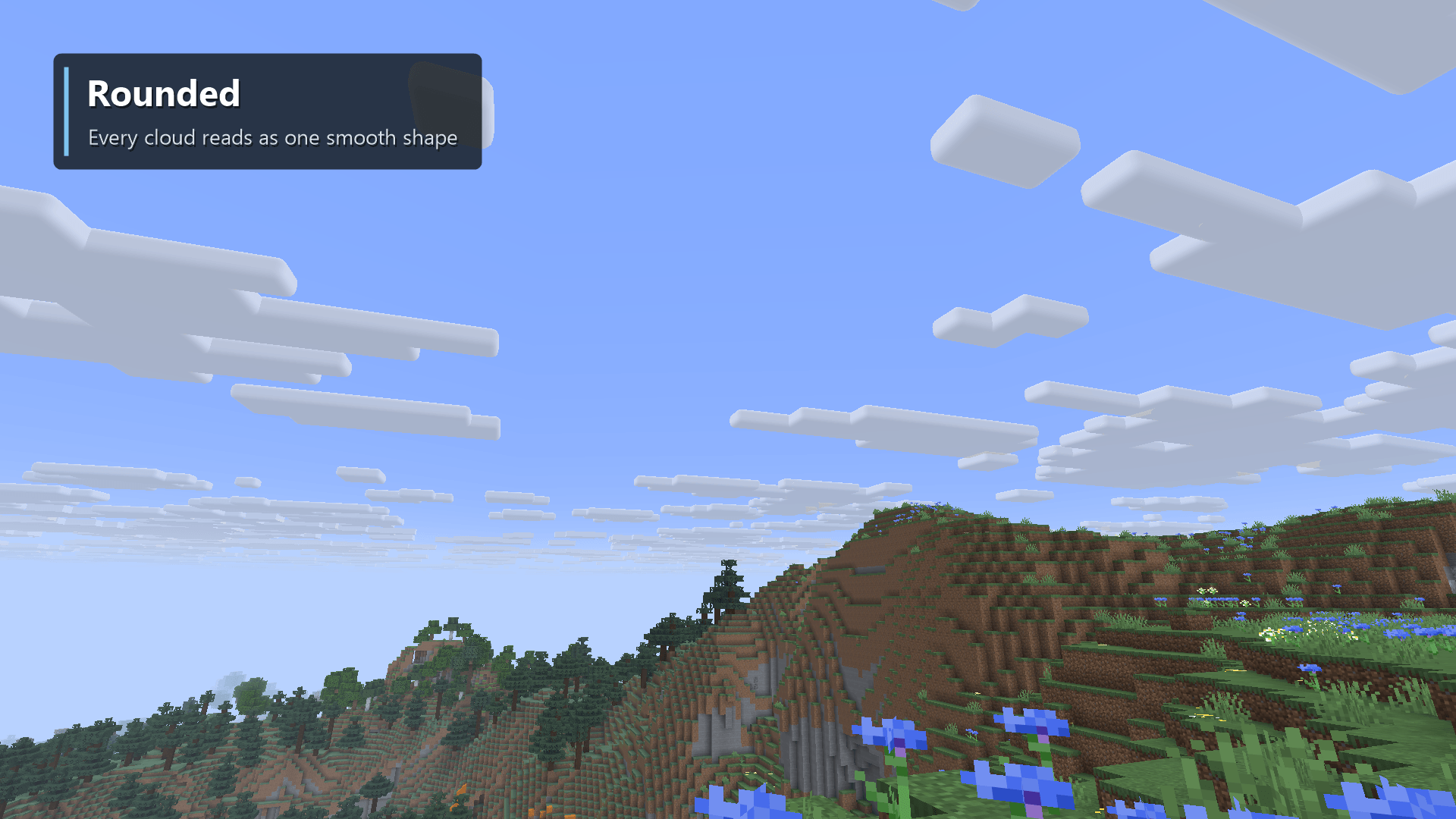
- Rounded (default) - vanilla's cloud layout with soft rounded edges and corners, so every cloud reads as one
smooth shape instead of a stack of boxes. Resource packs that change
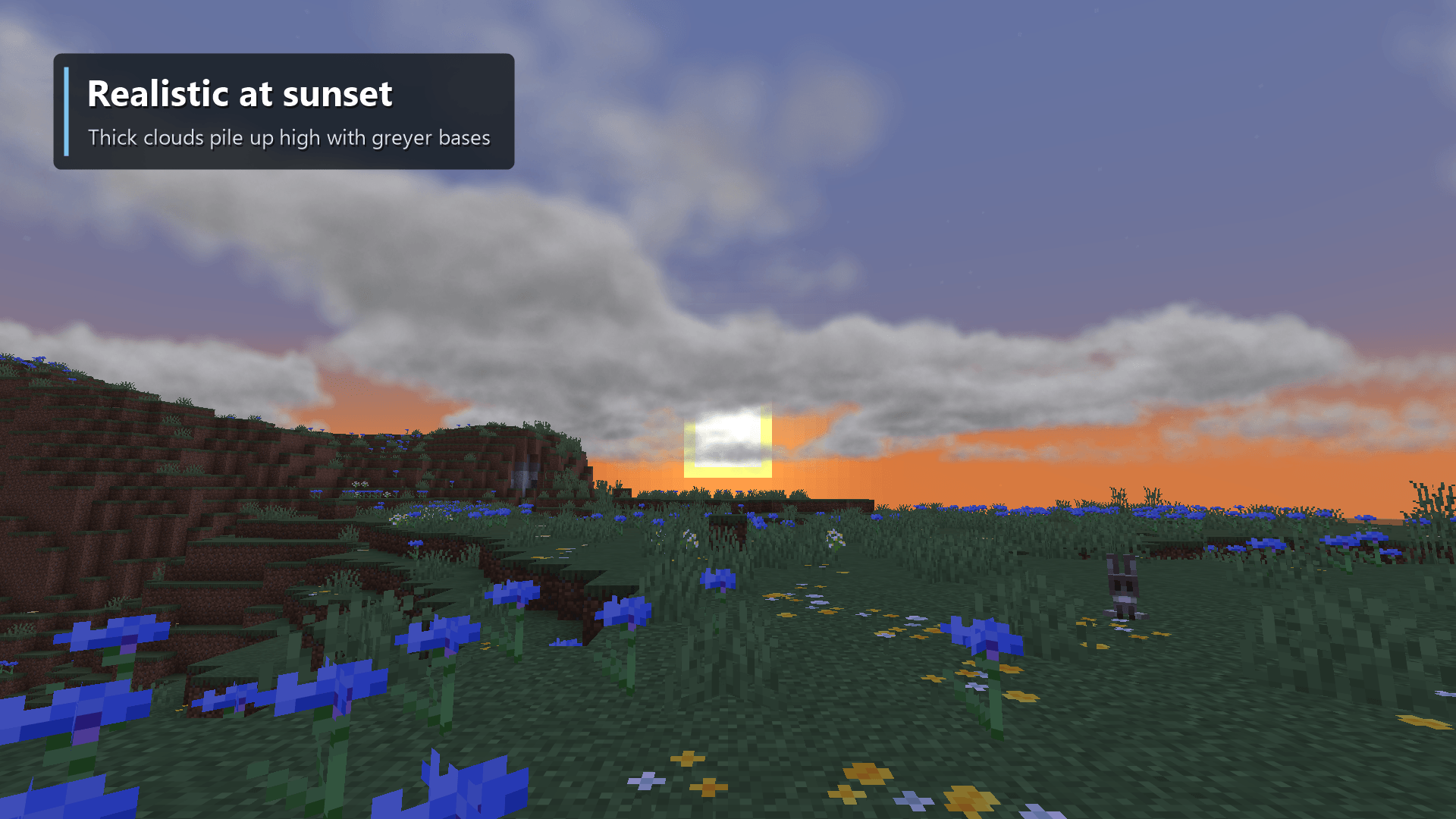
clouds.pngchange these clouds too. - Realistic - soft, wispy clouds made of gas instead of solid shapes, with slowly swirling wisps and edges that fade into the sky. Thick clouds pile up higher in the middle and have greyer bases. Coverage sets how cloudy the sky is. This style asks the most of your graphics card.
- Shapes - clouds shaped like creeper heads, hearts, smileys, stars, swords, diamonds, ghasts, pigs, cats, fish and mushrooms, scattered between regular clouds or on their own.
- Vanilla - the game's own clouds. Height, speed and opacity still apply.
Features
- Smooth, not stuttery - clouds are built in the background and drift without being rebuilt, so the sky never flickers or shows holes while you play.
- Far-reaching skies - clouds stretch out to your Cloud Distance setting (on older versions, four times your render distance) and fade softly at the edge instead of ending in a hard line.
- Day and night - clouds darken and tint with the time of day and the weather, just like vanilla clouds.
- Client-side only - nothing to install on a server, works in singleplayer and on any server.
Install
Fabric
- Install Fabric Loader for your version of Minecraft.
- Put Fabric API and the Fabric Billow jar for your version in your
modsfolder. - Start the game.
Optional: add Mod Menu to get a settings screen (Mods > Billow > Configure).
NeoForge
- Install NeoForge for your version of Minecraft.
- Put the NeoForge Billow jar in your
modsfolder. - Start the game. Settings are under Mods > Billow > Config.
Forge (1.20.1)
- Install Forge for Minecraft 1.20.1.
- Put the Forge Billow jar in your
modsfolder. - Start the game. Settings are under Mods > Billow > Config.
Settings
| Setting | Default | What it does |
|---|---|---|
| Clouds | Rounded | The cloud style: Rounded, Realistic, Shapes or Vanilla. |
| Height | Default | The cloud base height, from 64 to 512, or the dimension's default. |
| Thickness | 6 | How thick the clouds are, from 2 to 16 blocks. |
| Roundness | 70% | How round the edges of Rounded and Shapes clouds are; 0% gives boxes. |
| Coverage | 45% | How much of the sky Realistic clouds cover. |
| Regular Clouds Too | On | Keep regular clouds between the shapes, or show shapes only. |
| Speed | 100% | How fast the clouds drift, from stopped to five times vanilla speed. |
| Opacity | 100% | How see-through the clouds are, from 10% to 100%. |
Settings are saved in config/billow.json. The vanilla Clouds video setting still decides whether clouds show.
License
MIT
Screenshots
Gallery
-
 01-billow.png 01-billow.png
 -
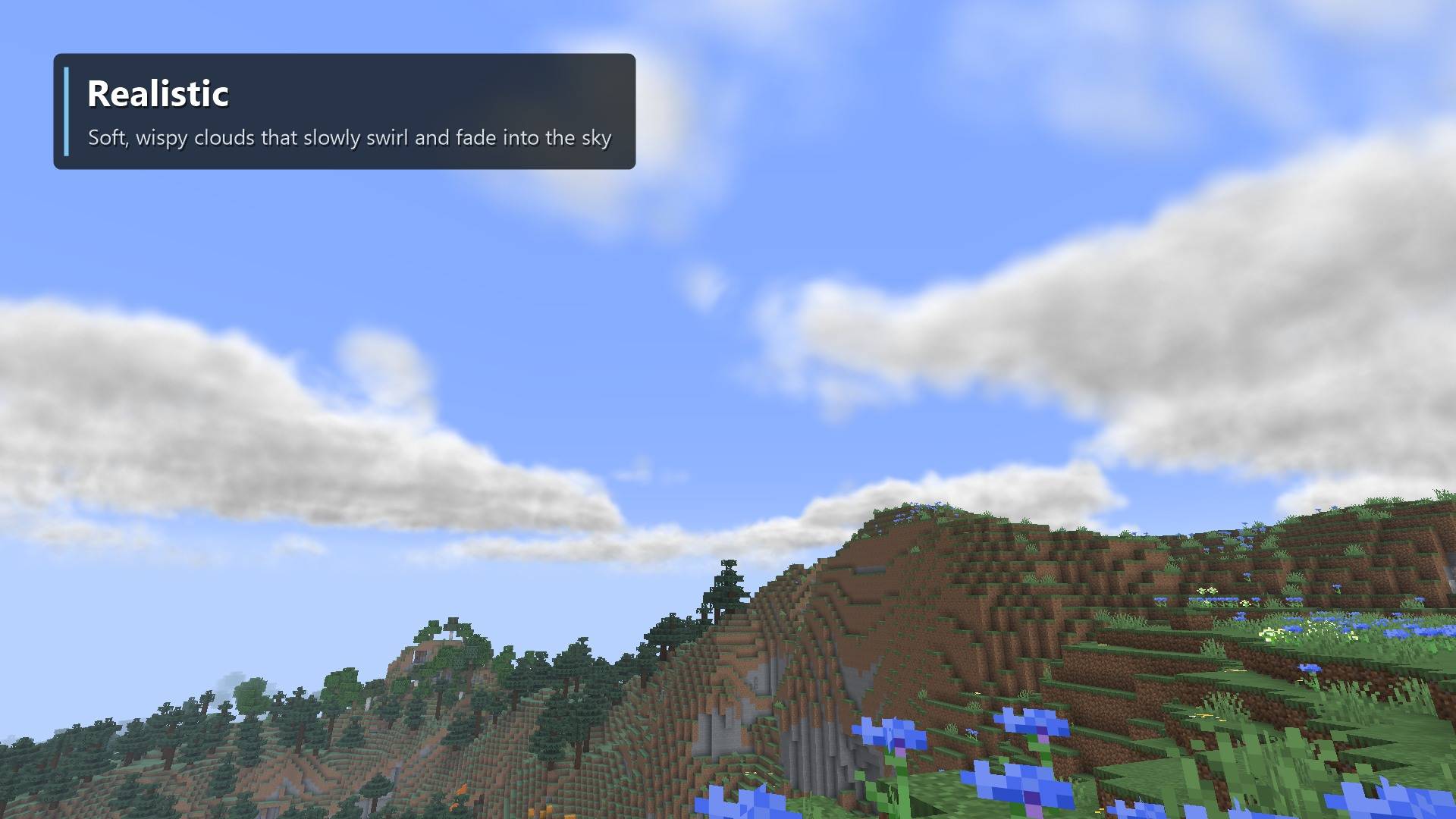 image-attachment_e0b43099-5b43-4efb-84e6-703dc95d6709.jpg
 -
 06-rounded.png 06-rounded.png
 -
 03-realistic-sunset.png 03-realistic-sunset.png
Versions
Files
Relations
Project Relations
More like this
Similar Mods
Suggestions use data such as tags, dependencies, dependents, descriptions, titles, and more to rank how much they overlap with this mod.
On ModDex
Community snapshot
By the numbers
Statistics

Get it on
Available Platforms
On ModDex
Community snapshot
By the numbers
Statistics
Resources