
Community listing page, reviews here may not be monitored by the author.
Bio book

No reviews yet
Give your character a backstory, read other players' bios, and keep personal notes in an in-game journal.
Community voices
Reviews
No reviews yet. Be the first to review this project!
Get it on
Available Platforms
About
Project Details
For authors
Embed Badge
If you're the author of this project, you can embed a live badge anywhere that supports HTML or Markdown. It updates automatically whenever ratings change.
Use HTML for any page that supports it, or Markdown for README files and Markdown-based descriptions.
Identifiers
Platform IDs
Resources
External Links
About
Description
Bio Book
Character bios and personal journals for Minecraft
Bio Book gives your character a place to tell their story. Set a character name, add a short tagline, and write a public bio that other players can read straight from chat.
Click the skin portrait beside a player's message to open their journal. Read their backstory, then use My notes to keep your own notes about them. Saved bios and notes stay with the world between sessions.
Bio Book is required on both the server and each player's client. Singleplayer works too, if you want to open lan worlds etc.

Using your journal
Press B or type /bio to open your own journal. You can change the keybind in Controls.
- Lore: Read a character's public bio.
- Edit bio: Change your own character name, tagline, and backstory.
- My notes: Write personal notes about that character, separate from their public bio.
Click Save changes or press Ctrl + S to save. If you opened a journal from chat, closing it takes you back with your unfinished message still there.
You can close and reopen the journal without losing a draft during the same connection. Save before disconnecting, though: unsaved drafts are cleared when you leave.
Public stories, personal notes
Your bio is public, and only you can edit it. Notes belong to the player who wrote them and are not shared with other players.
Notes are stored in the world save, so server owners with access to those files can read them.
Character names can contain up to 48 characters, taglines up to 96, and each backstory or note up to 4,096.

This version is for Minecraft 1.21.1 with NeoForge 21.1.243 or newer in the 21.1 series.
Install Bio Book in the mods folder on the server and each player's client. No additional mods are required.

Q: Do I need this on the server?
Yes. Install it on both the server and your client so bios and notes can be saved and loaded.
Q: How do I read another player's bio?
Open chat and click the skin portrait beside one of their messages.
Q: Can other players read my notes about them?
No. Players only receive their own notes. Server owners can still inspect notes through the world save.
Q: Will my writing survive a server restart?
Yes, once saved. Bios and notes are stored with the world. Unsaved drafts do not survive disconnecting.
Q: Does it work with other chat mods?
Chat replacement mods need compatibility testing. Messages need a player identity for Bio Book to attach a portrait, so anonymous system messages will not have one. Other mods that add chat heads may also cause duplicate portraits or conflicts.
Q: Does opening the journal pause the game?
No. The world keeps running while you read or write.


Screenshots
Gallery
-
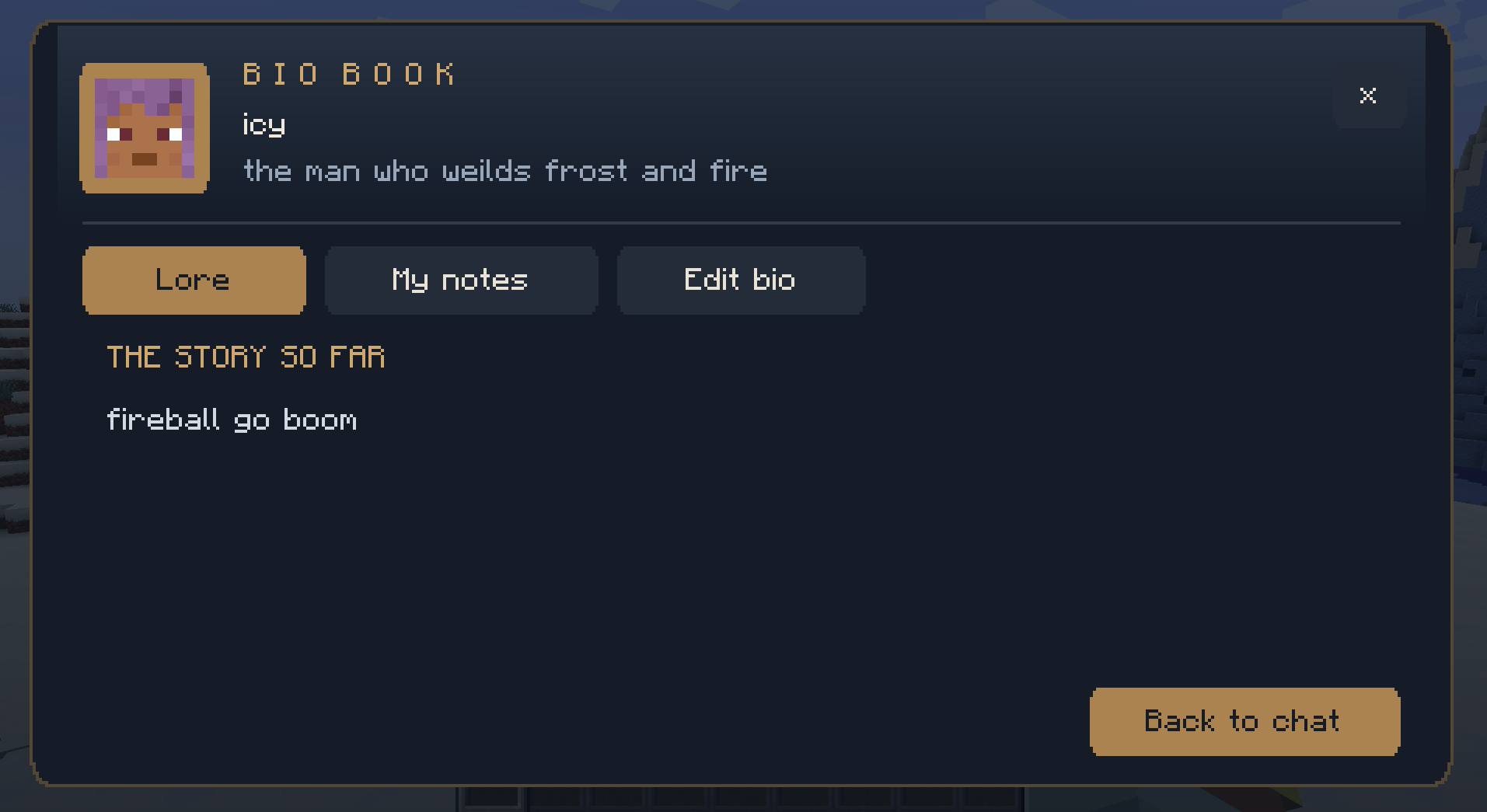 UI
UI
Versions
Files
Relations
Project Relations
More like this
Similar Mods
Suggestions use data such as tags, dependencies, dependents, descriptions, titles, and more to rank how much they overlap with this mod.
On ModDex
Community snapshot
By the numbers
Statistics
Want to reach Minecraft players?
We're looking for a server hosting partner to feature here and other parts of the site. Interested? Send us a message!
Get in touchGet it on
Available Platforms
On ModDex
Community snapshot
By the numbers
Statistics
Resources