Community listing page, reviews here may not be monitored by the author.
BitCrafting

No reviews yet
Forge awesome weapons and tools in the most flexible weapon mod yet!

Community voices
Reviews
No reviews yet. Be the first to review this project!
Get it on
Available Platforms
About
Project Details
For authors
Embed Badge
If you're the author of this project, you can embed a live badge anywhere that supports HTML or Markdown. It updates automatically whenever ratings change.
Use HTML for any page that supports it, or Markdown for README files and Markdown-based descriptions.
Identifiers
Platform IDs
Resources
External Links
About
Description
BitCrafting
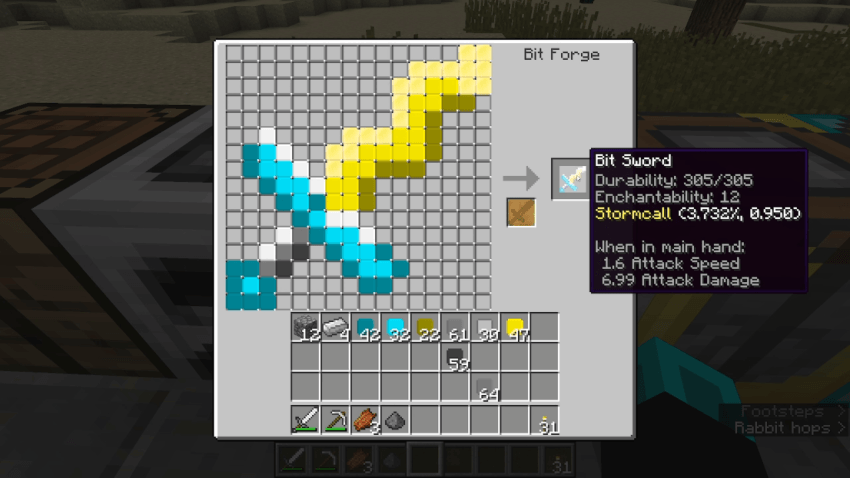
BitCrafting takes the ideas of custom weapons and pushes it to the extreme! What if you could choose the color of each pixel in a sword? Or maybe use materials like emeralds and cactus for tools? The possibilities are as endless as your creativity (and your resources).
Use the Crucible to deconstruct your materials into Bits, use the Dye Table to recolor them, combine their stats in the Fusion Table, and construct them into your own unique tool using the Forge!
The Important Stuff
Bits

Bits. The little pieces that make up every item in Minecraft. And now, we can use them to create our own items.
Each bit has a few important properties:
- Damage Rating: For weapons, this controls the amount of damage the weapon will do per swing. For tools, This determines the harvest speed.
- Durability Rating: This determines how many times the item can be used before it breaks.
- Enchantability Rating: This controls the quantity and level of enchantments that the item can receive.
- Harvest Level: Does nothing for weapons, but for tools this affects the tier of blocks that can be mined for resources.
- Effect Chance: If a bit has an effect, this determines the probability the effect will trigger when the item is used.
- Effect Power: If a bit has an effect, this determines the strength of the effect.
- Color: The color of the bit.
The possibilities are endless, so we'd better start crafting!
Bit Crucible
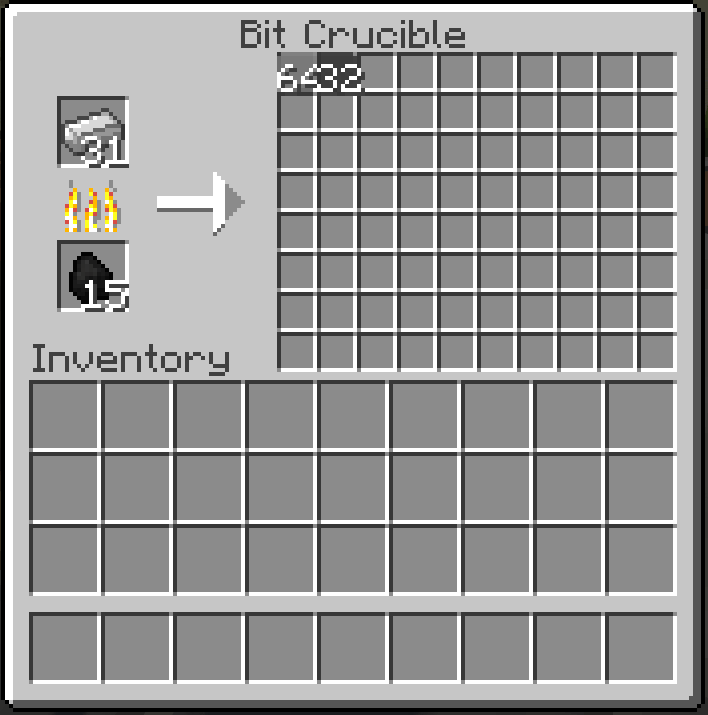
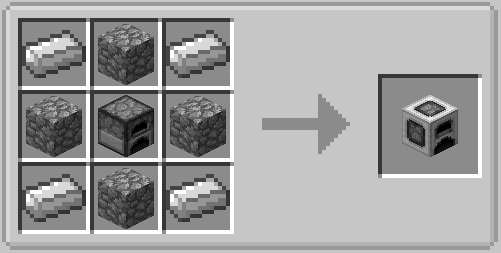
The Bit Crucible can disassemble (almost) any material into bits. The Crucible functions a lot like a furnace; it needs fuel and something to disassemble, and it'll produce the corresponding bits in the slots on the right side. The stats of the bit are determined by the material you break down, so be sure to try out lots of different options!
The Bit Crucible can also be used to break down a Bitforged item, refunding all the bits you used to craft it.
Bit Forge
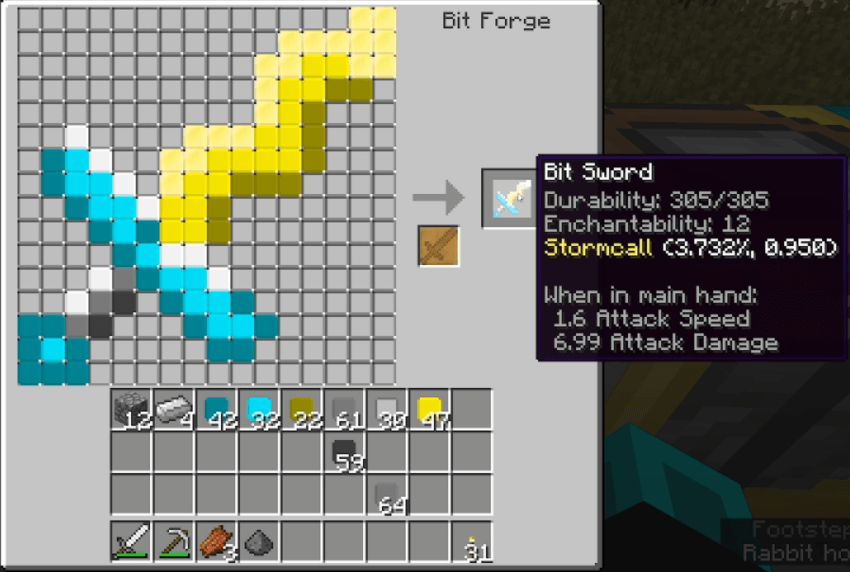
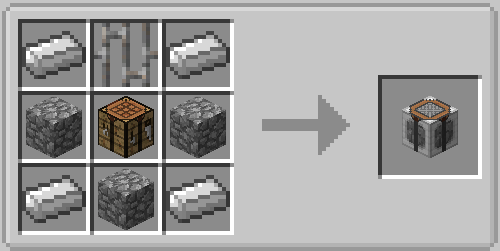
Once you've gotten some bits, the next step is to craft something with them. To do that, you'll want to craft a Bit Forge. The Forge will allow you to place each individual pixel of the weapon or tool into a grid and preview the outcome. Once you're satisfied with your masterpiece, just take the new item out of the output slot and you've got a fancy custom tool! We call these items "Bitforged" to distinguish from normal tools and weapons.
Bit Colorizer
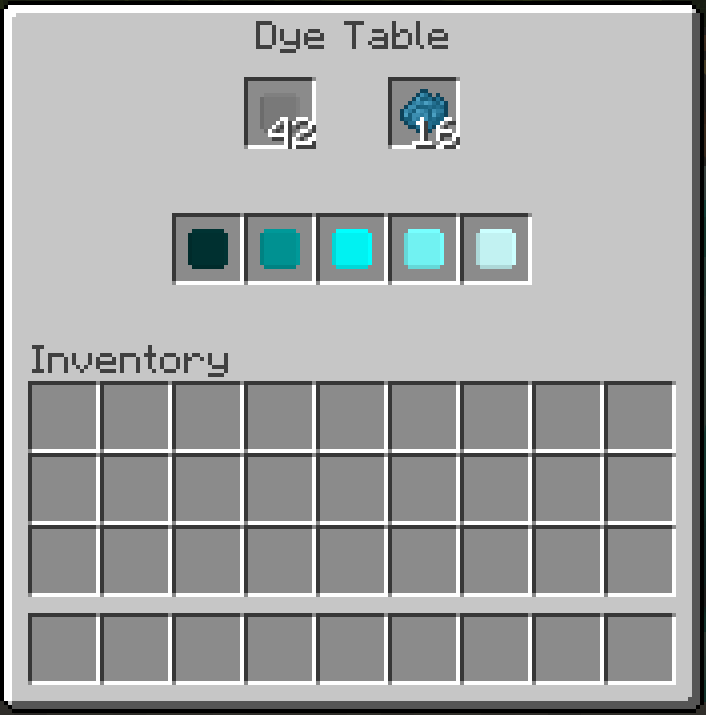
One of the best parts of making Bitforged items is nailing the aesthetic, and the Colorizer lets you pick the perfect color for the occasion. Put the bit(s) you want to recolor in the top left and the color of dye you want the new bit to have, and 5 options will pop up for you to pick from, ranging from dark to light. When you click on one of the colors, the original bit and the dye will be consumed, and the result is a recolored bit.
Maybe the most important use for the Colorizer is to turn bits clear (unless you want all your tools to be big squares, I won't judge). Just put a water bucket in the dye slot and it'll turn bits clear instead. And the water bucket doesn't even get used up!
Bit Aggregator
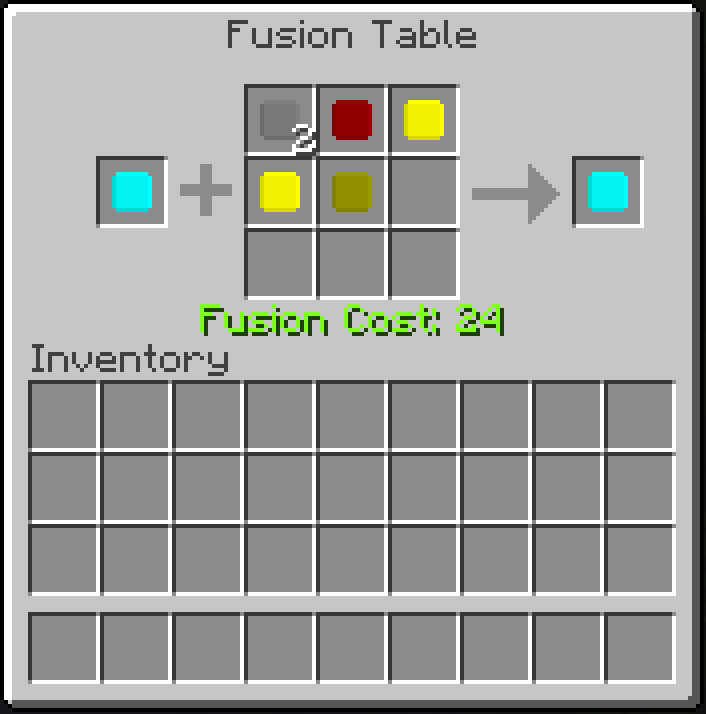

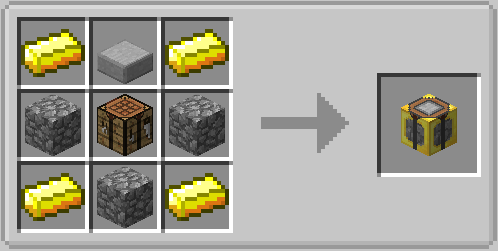
Cool swords are cool, but powerful swords are cooler. The Aggregator allows you to combine the stats of multiple bits together at the cost of XP. The more powerful the fusion, the more XP will cost, so choose your fusions wisely.
The Aggregator can also be used to repair Bitforged items. The higher durability bits you use, the more durability will be restored to the item.
Screenshots
Gallery
-
 Lightning Sword An example of the types of weapons you can make with BitCrafting
Versions
Files
Relations
Project Relations
More like this
Similar Mods
Suggestions use data such as tags, dependencies, dependents, descriptions, titles, and more to rank how much they overlap with this mod.
On ModDex
Community snapshot
By the numbers
Statistics
 (opens in a new tab)
Get it on
Available Platforms
On ModDex
Community snapshot
By the numbers
Statistics
Resources