
Black's MCM
Turn mods on and off and open every mod's settings from one clean, controller-friendly list.
No ratings yet
Be the first to rate it.
Community listing page
Community listing page, reviews may not be monitored by the author.

Community voices
Reviews
No reviews yet. Be the first to review this project!
Get it on
Available Platforms
About
Project Details
For authors
Embed Badge
If you're the author of this project, you can embed a live badge anywhere that supports HTML or Markdown. It updates automatically whenever ratings change.
Use HTML for any page that supports it, or Markdown for README files and Markdown-based descriptions.
Identifiers
Platform IDs
About
Description
Black's MCM: one menu for all your mods
Black's MCM is a mod configuration menu for Minecraft 26.2 (Fabric). It lists every mod you have installed, lets you turn each one on or off, and opens each mod's settings from the same screen. No more digging through the mods folder, hunting for config files or restarting the game by hand.
Requires: Fabric Loader and Fabric API. Client side only.
Features
- Every mod in one list. Each row shows the mod's icon, name and version, an ON/OFF switch on the left and a Config button on the right. A search box filters the list as you type.
- Turn mods on and off. Switch a mod off and it stays off, without deleting anything. Switch it back on at any time.
- One-click relaunch. Changes that need a fresh start show a "Relaunch to Apply" button. Press it at the title screen and the game closes and opens itself again with your new mod list. No launcher, no hunting for the Play button.
- Live toggles. Mods that support it switch on and off instantly at the title screen, with no relaunch at all.
- Safe toggles. If other mods need the one you are turning off, Black's MCM tells you which ones and asks first. Turning a mod on also offers to turn on the mods it needs. Fabric API, the Fabric Loader and Black's MCM itself always stay on.
- Settings for every mod. The Config button opens the mod's own settings screen. It works with mods that use Cloth Config, with mods that support Mod Menu, and with mods that ship a Black's MCM settings page.
- Built-in settings pages. Mods can describe their options in a small
blacksmcm.jsonfile, and Black's MCM builds a clean page for them with switches, sliders, choice buttons, a colour picker (drag a colour square and a hue bar, type a hex code, or pick from 24 presets), a Reset button for each option and a Reset All button. - Works with Mod Menu. If Mod Menu is installed, its Mods button opens Black's MCM, and the "Mod Details" button still opens Mod Menu's own page. Without Mod Menu, Black's MCM adds its own Mods button to the title screen.
- Light on your PC. Icons load only for the rows you can see, are shrunk to a small size and are freed when you close the screen.
- Mods Folder button. Opens your mods folder in one click.
How to use it
- Put the jar in your
modsfolder next to Fabric API and start the game. - Press Mods on the title screen.
- Click a switch to turn a mod on or off, or click Config to change its settings.
- If the screen says changes are waiting, press Relaunch to Apply. The game restarts itself with the new mod list.
Works great with
Black's MCM gives a full settings page to my other mods, such as Tale of Kingdoms and Portal Gun & Chambers. In Portal Gun & Chambers you can pick your own portal and gun colours, change the portal view quality, and switch the mod off at the title screen with its test chambers packed away cleanly.
For mod authors
- Settings page with no code: add a
blacksmcm.jsonfile to your mod. - Your own screen: implement the
blacksmcmentrypoint (black.mcm.api.McmConfigProvider). - Live on/off: implement the
blacksmcm_liveentrypoint (black.mcm.api.McmLiveToggle). ItssetActive(boolean)is called at the title screen, and your mod switches without a relaunch. - Toggle notice: the
blacksmcm_toggleentrypoint (black.mcm.api.McmToggleListener) tells your mod it was switched, so it can tidy up before the next launch.
Found a bug? Leave a comment with your log and I will look at it.
Donations are never required, but they help me keep making mods like this one. If you would like to support the work, see my Patreon: https://patreon.com/123black.
Screenshots
Gallery
-
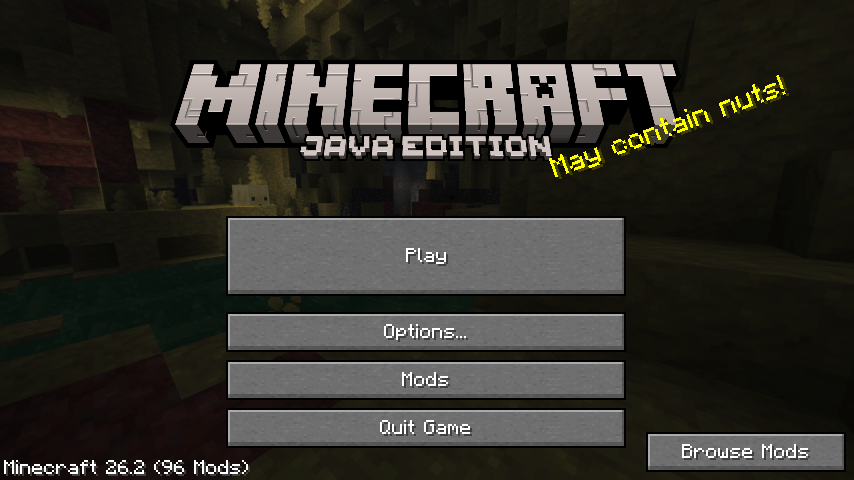 Title screen Open Mods from the title screen.
-
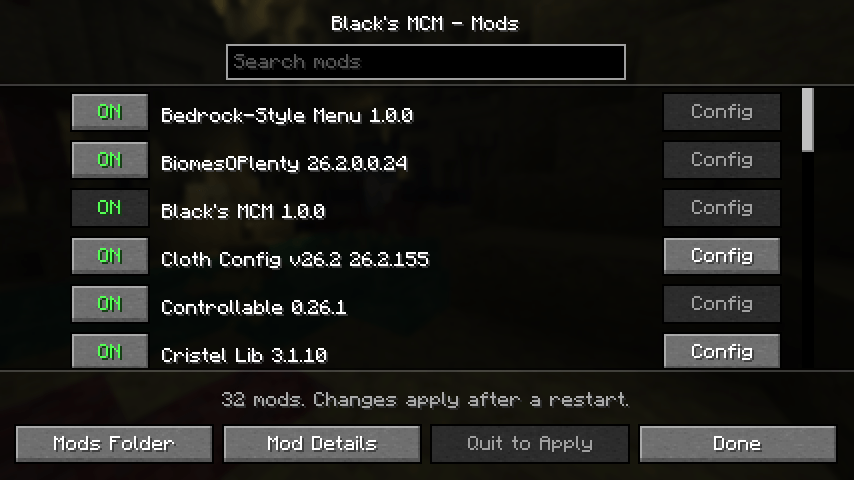 Mod list Every installed mod, with a toggle and a settings button.
-
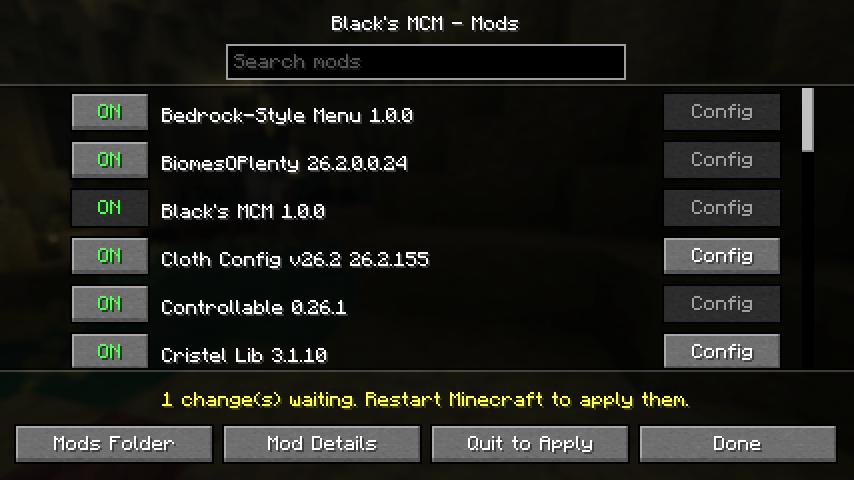 Pending changes Toggles apply on the next restart; the list shows what will change.
-
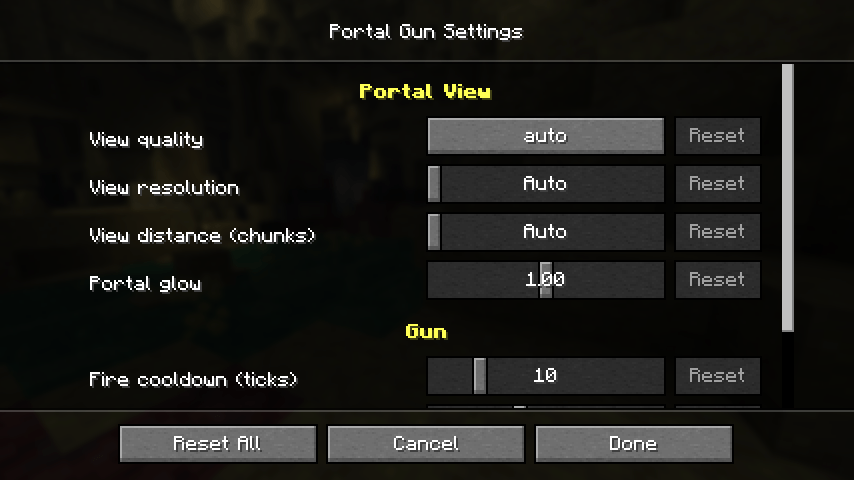 Portal Gun settings Open any mod's own config screen from the list.
-
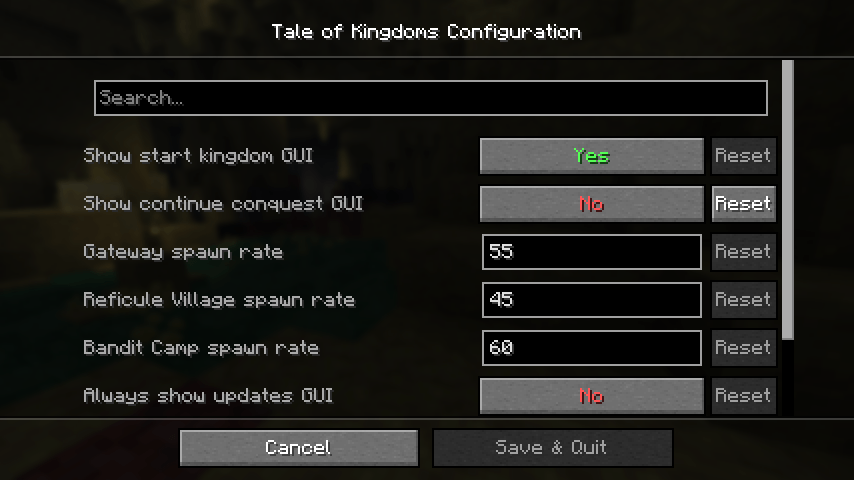 Tale of Kingdoms settings Works with Tale of Kingdoms and other mods that offer a config screen.
Versions
Files
Relations
Project Relations
More like this
Similar Mods
Suggestions use data such as tags, dependencies, dependents, descriptions, titles, and more to rank how much they overlap with this mod.
Stats
- Downloads
- <1,000
- Used in
- 0 modpacks
- Followers
- 0
- In stacks
- 0
- Created
- Last synced
-
Nov 10, 2026 2:31 PM UTC
New file updates sync automatically.
When ModDex last fully re-synced this project from CurseForge or Modrinth. A new file release triggers a resync usually within minutes, and every project is also re-synced on a schedule. Edits that don't ship a file, such as a new description or screenshots, are checked every few hours and can appear before this date changes.
How syncing works
External Links

Stats
- Downloads
- <1,000
- Used in
- 0 modpacks
- Followers
- 0
- In stacks
- 0
- Created
- Last synced
-
Nov 10, 2026 2:31 PM UTC
New file updates sync automatically.
When ModDex last fully re-synced this project from CurseForge or Modrinth. A new file release triggers a resync usually within minutes, and every project is also re-synced on a schedule. Edits that don't ship a file, such as a new description or screenshots, are checked every few hours and can appear before this date changes.
How syncing works