
Community listing page, reviews here may not be monitored by the author.
Blacktuna13 Hotbar


No reviews yet
We will overhaul the design and behavior of the hotbar.

Community voices
Reviews
No reviews yet. Be the first to review this project!
Get it on
Available Platforms
Compatibility
Supported Environments
Runs entirely on the client. Works on vanilla servers.
About
Project Details
For authors
Embed Badge
If you're the author of this project, you can embed a live badge anywhere that supports HTML or Markdown. It updates automatically whenever ratings change.
Use HTML for any page that supports it, or Markdown for README files and Markdown-based descriptions.
Identifiers
Platform IDs
Resources
External Links
About
Description
■Blacktuna13 Hotbar mod
■Details (EN)
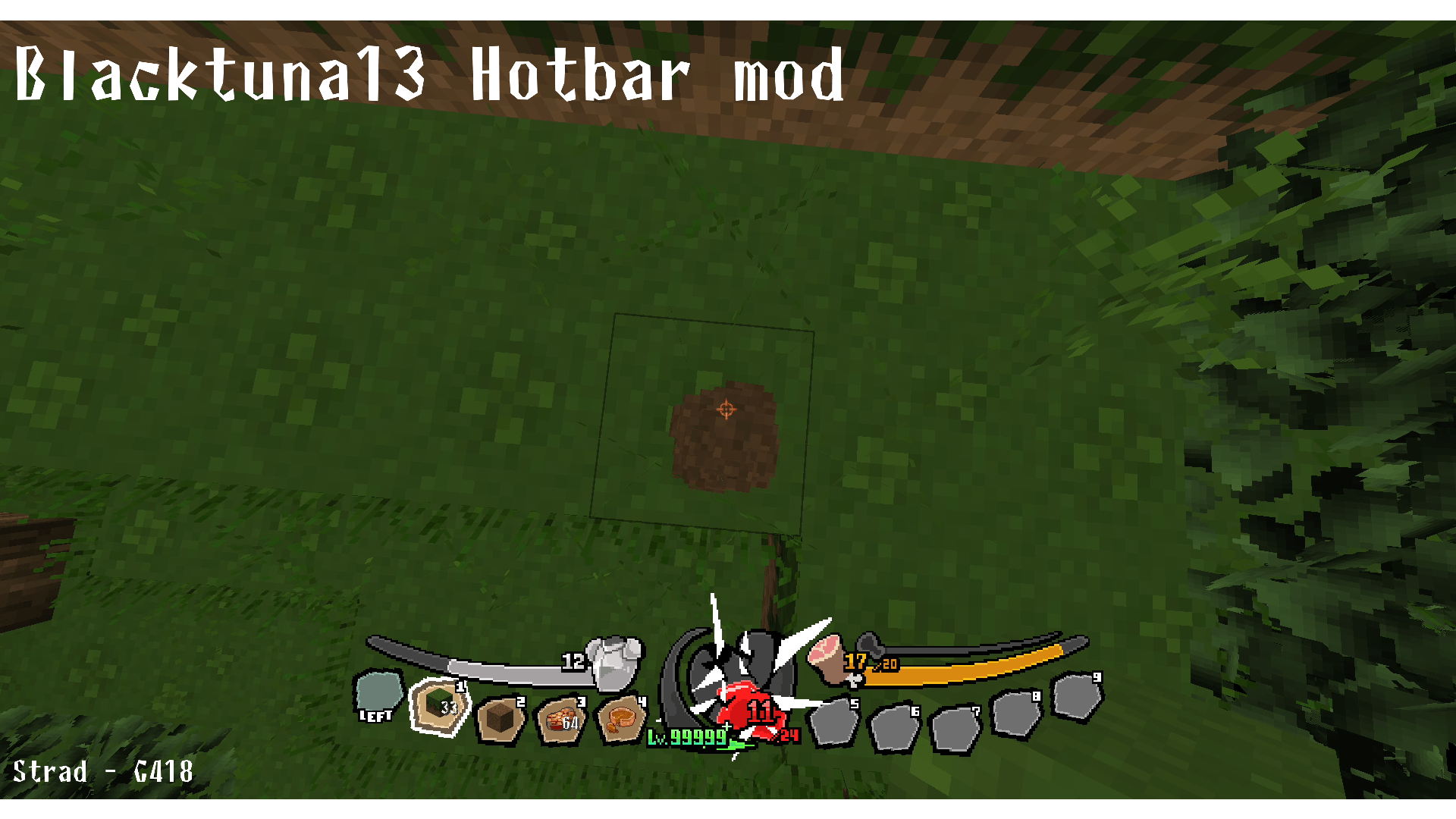
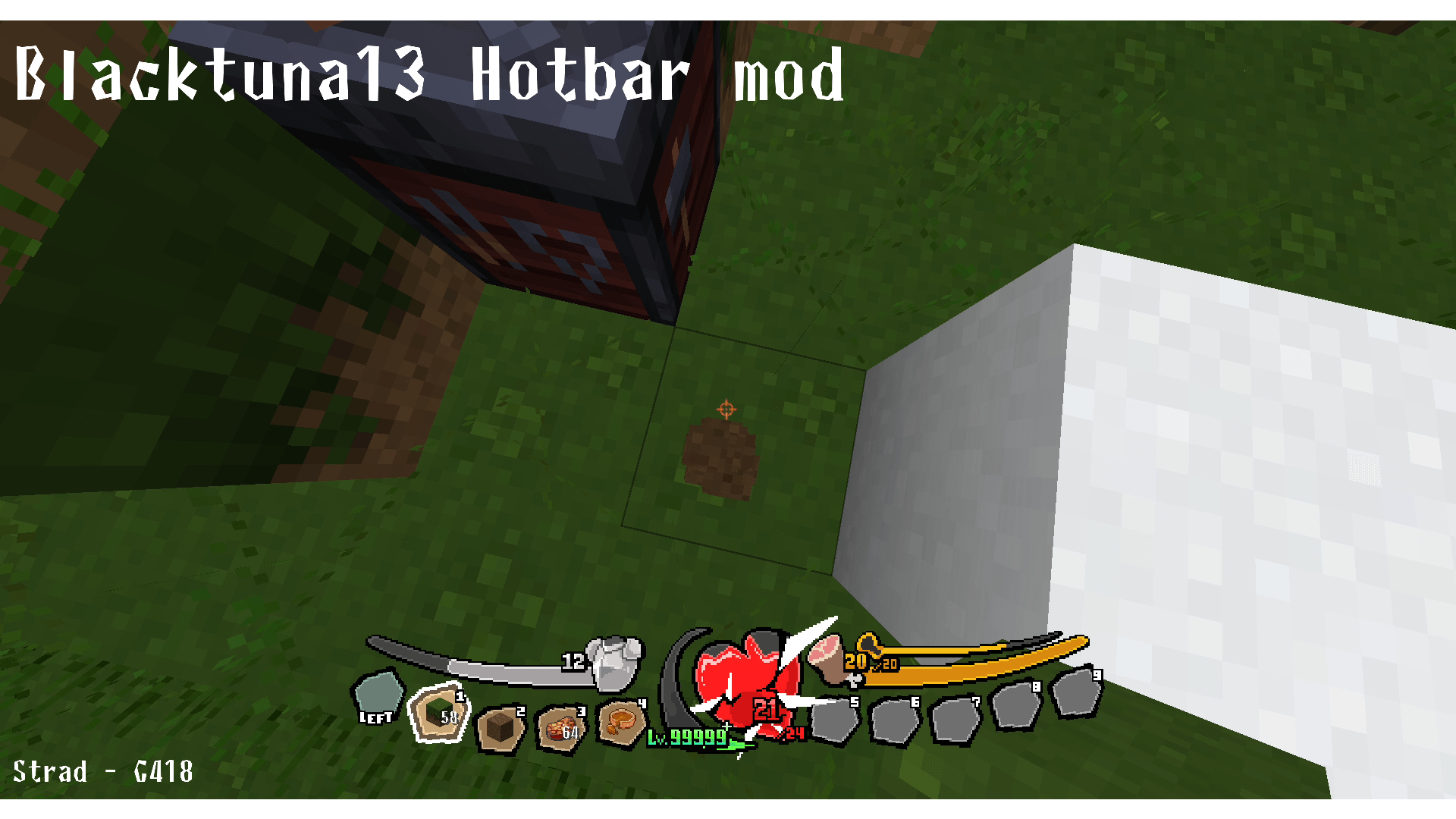
1. Health Gauge
The somewhat abstract vanilla design of "how many hearts do you have" has been replaced with a single unified heart.
With many mods raising health limits, your screen will no longer be cluttered with hearts no matter how high your health goes.
The large heart gauge decreases in stages based on your remaining health percentage.
To make current and maximum health easier to read when health limits are raised, both values are displayed as numbers.
The larger number shows your current health; the smaller number below it, next to a "/", shows your maximum health.
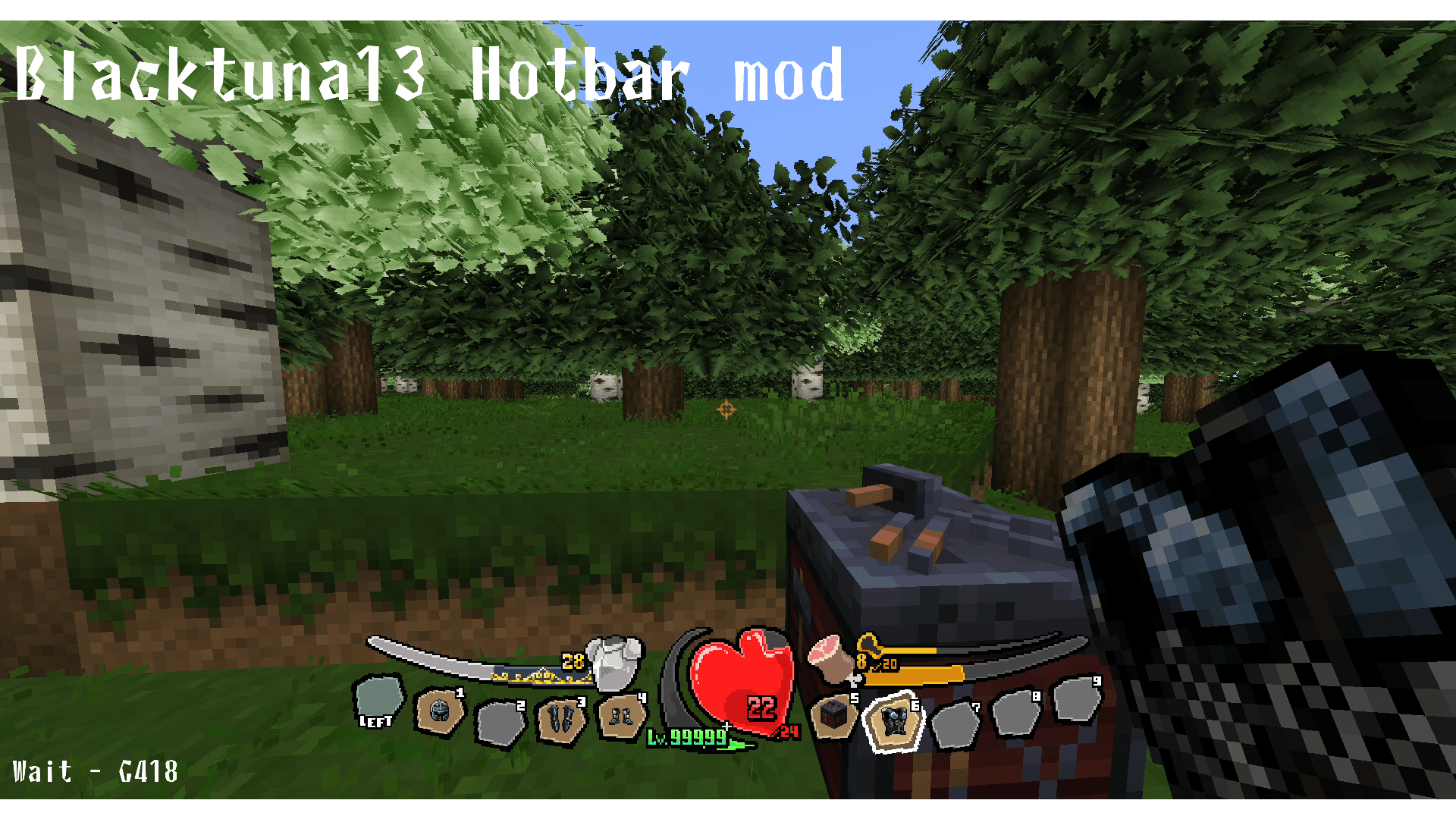
To preserve the look of the GUI, health is capped at 99,999, and values of 100,000 or more are displayed as "99999+".
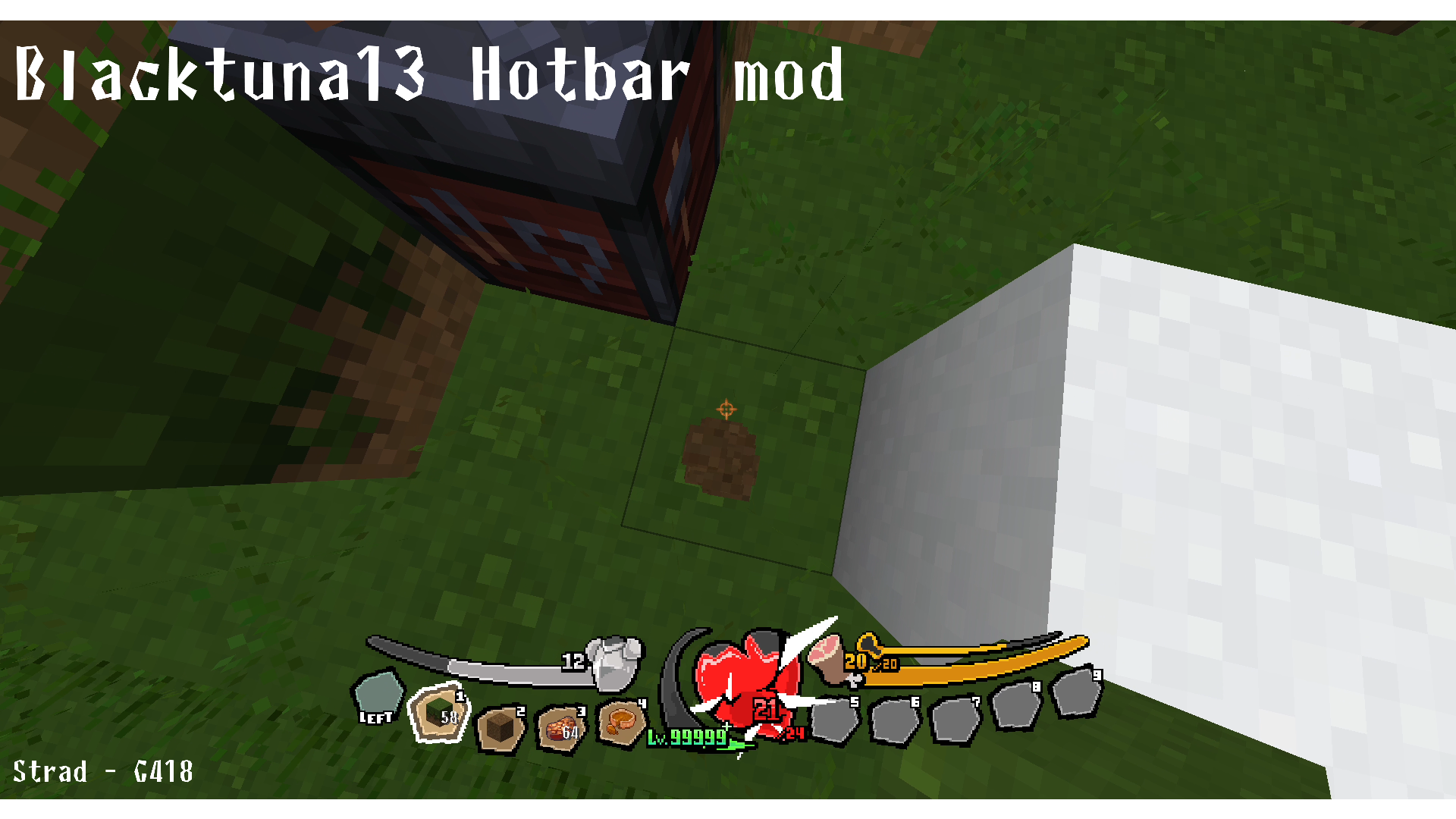
1. Damage
When you take damage, the health gauge shakes and a sharp effect flashes across it, making it more visually clear that you've been hit.
The greater the damage taken in a single hit, the more intense the shaking and the greater the number of effects.
2. Health gauge changes based on player status
Certain status effects will alter the appearance of the health gauge.
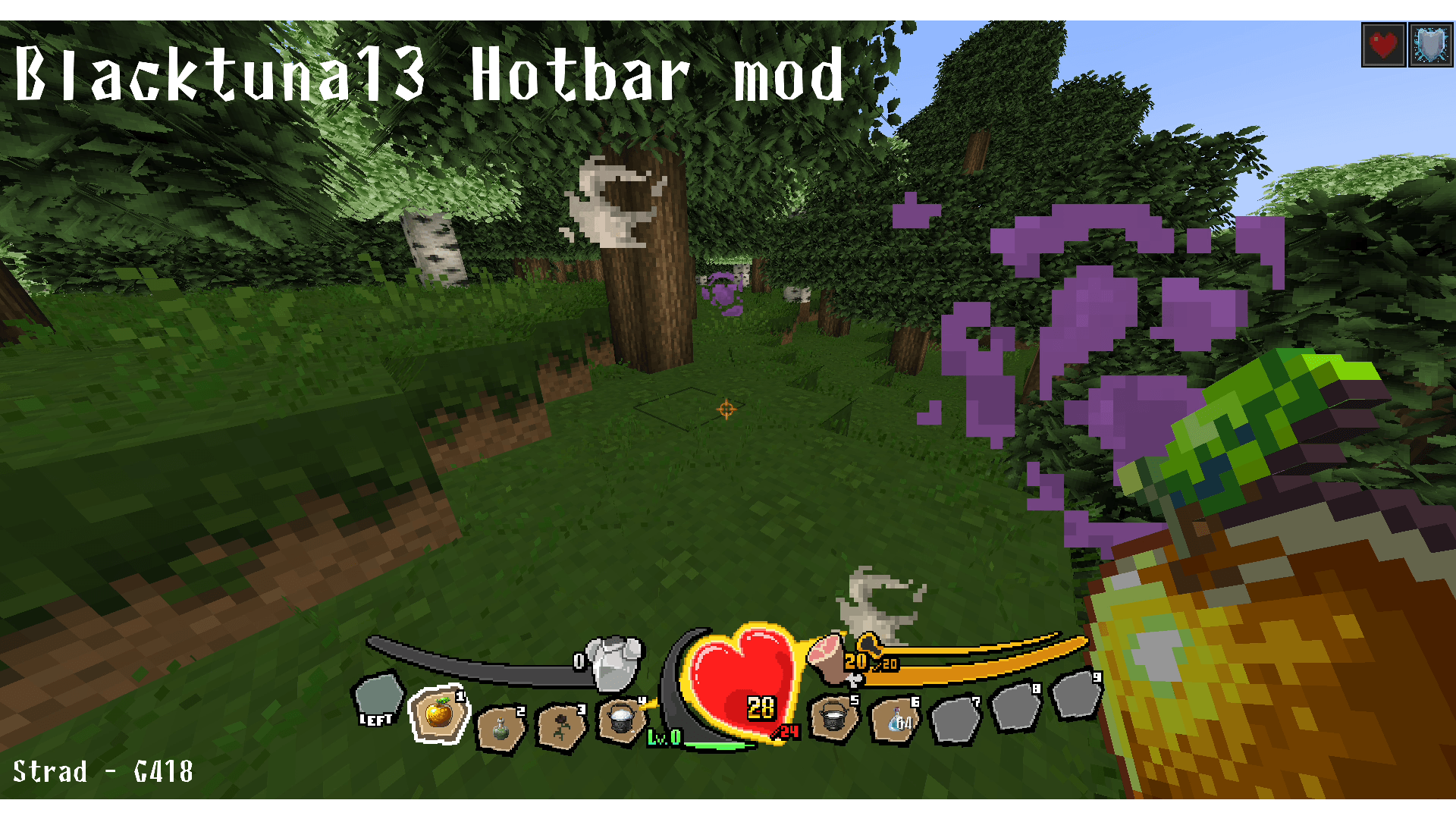
1. Absorption
The health gauge gains a golden border, and a pulsing animation overlay is added.
When the temporary absorption health runs out, the overlay disappears.
2. Poison
The health gauge turns purple and a toxic animation is added.
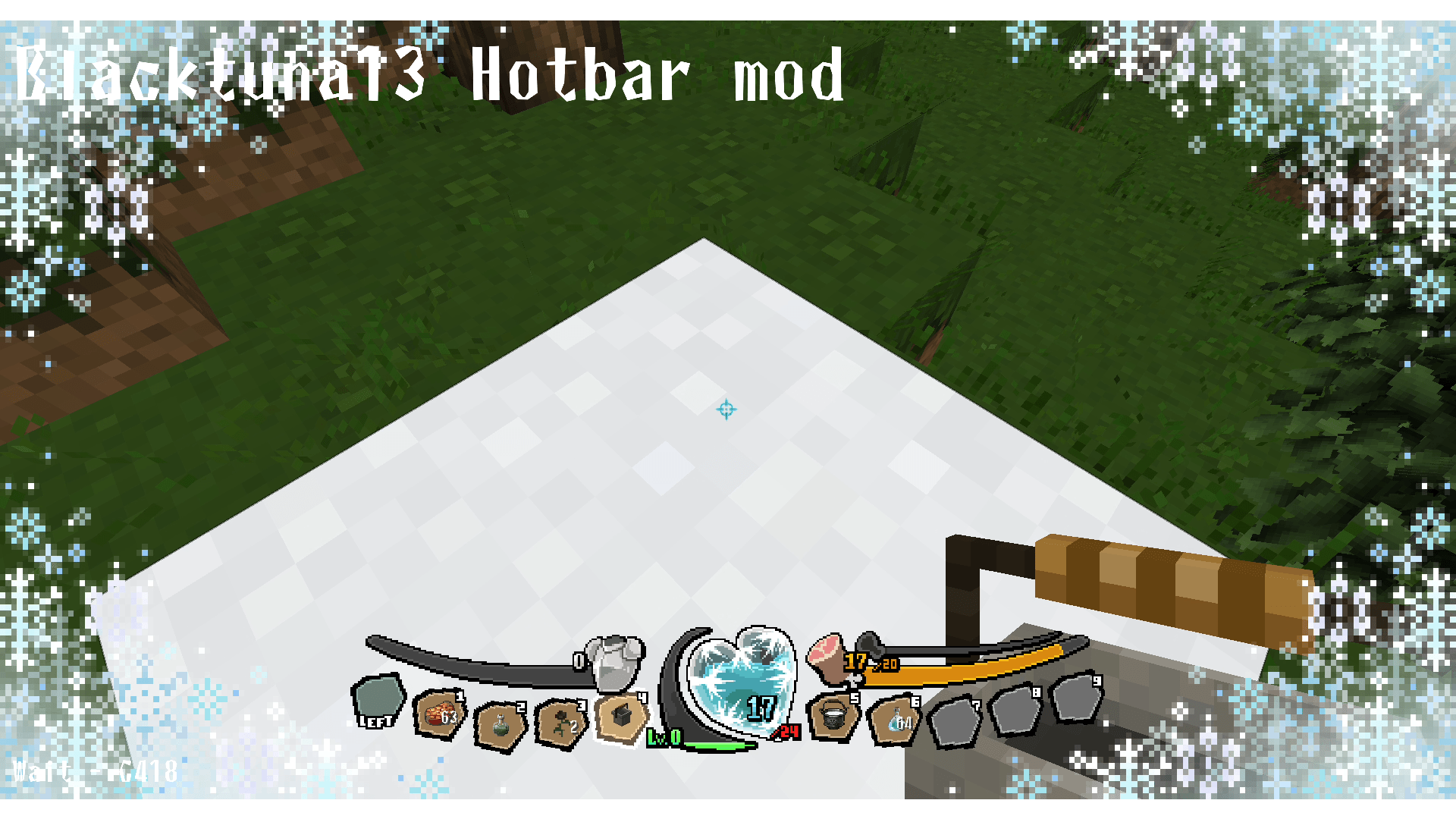
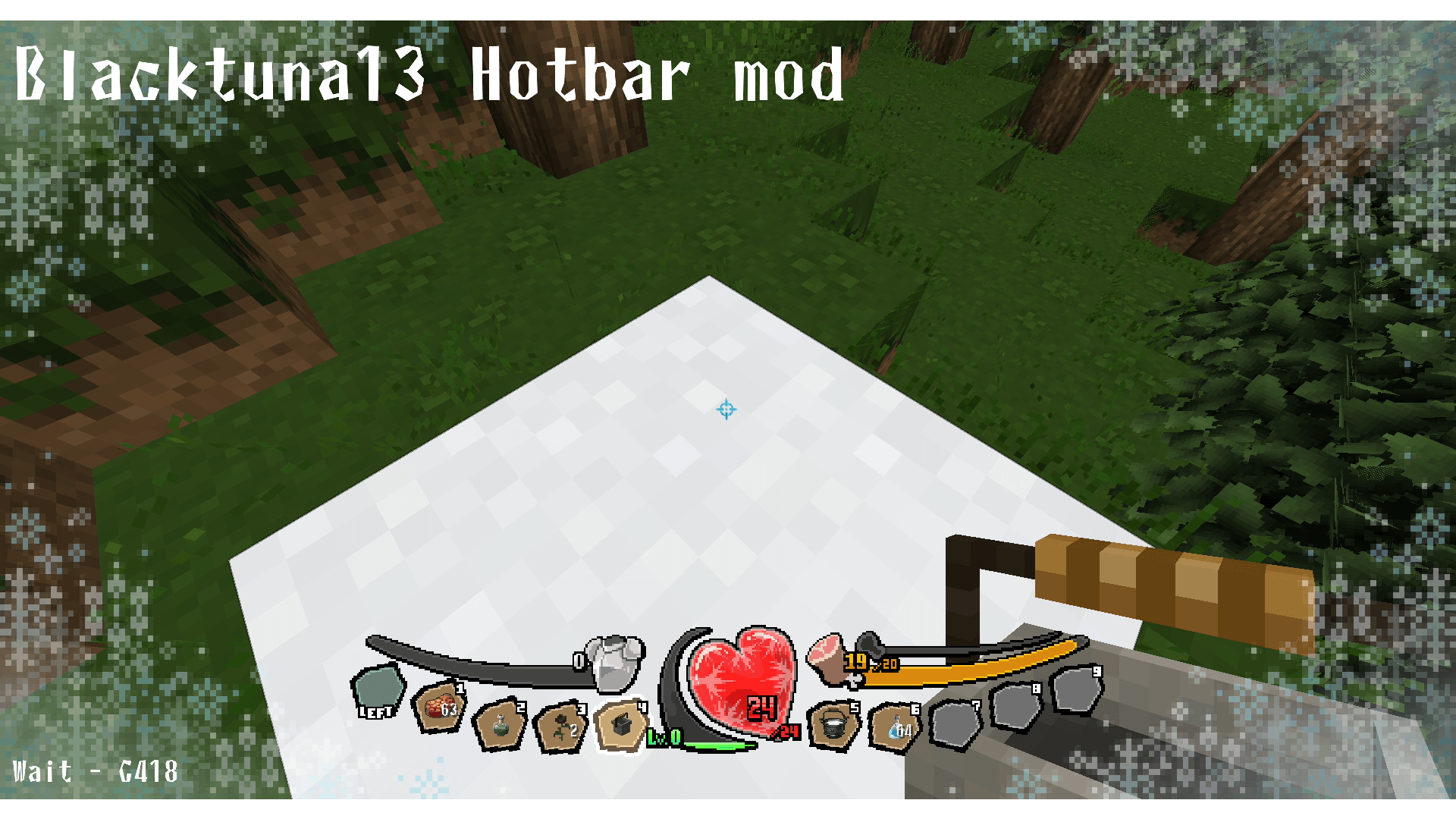
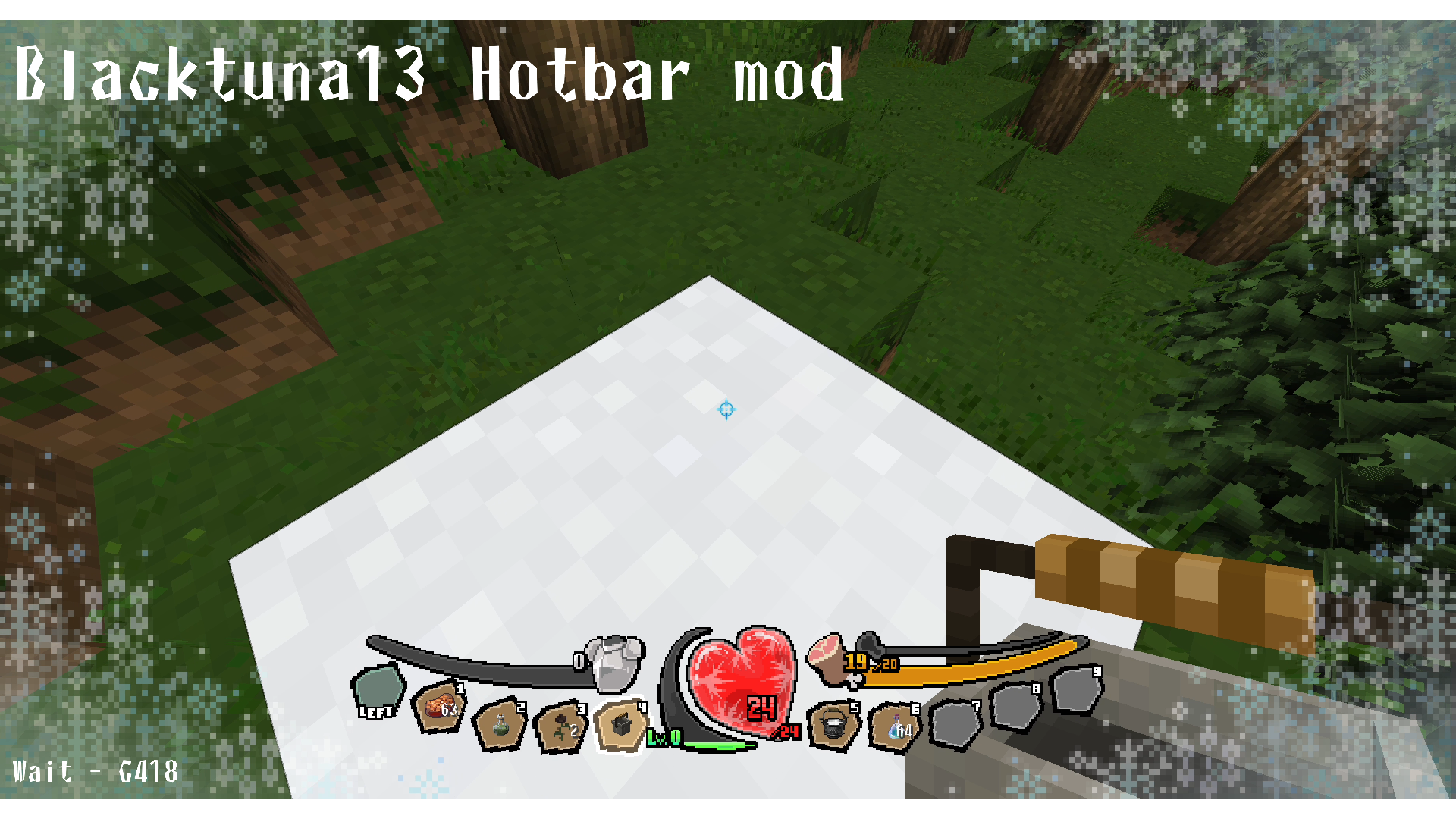
3. Frost
As you sink into powdered snow and freeze, the health gauge gradually ices over; once you start taking damage, it turns completely blue.
4. Wither
The health gauge turns black.
No additional effects have been implemented beyond this as of v0.2.5 (ideas welcome!).
2. Exp Gauge
Works similarly to the health gauge — the gauge fills in 20 stages.
Experience level also has a display cap, the same as health (99,999).
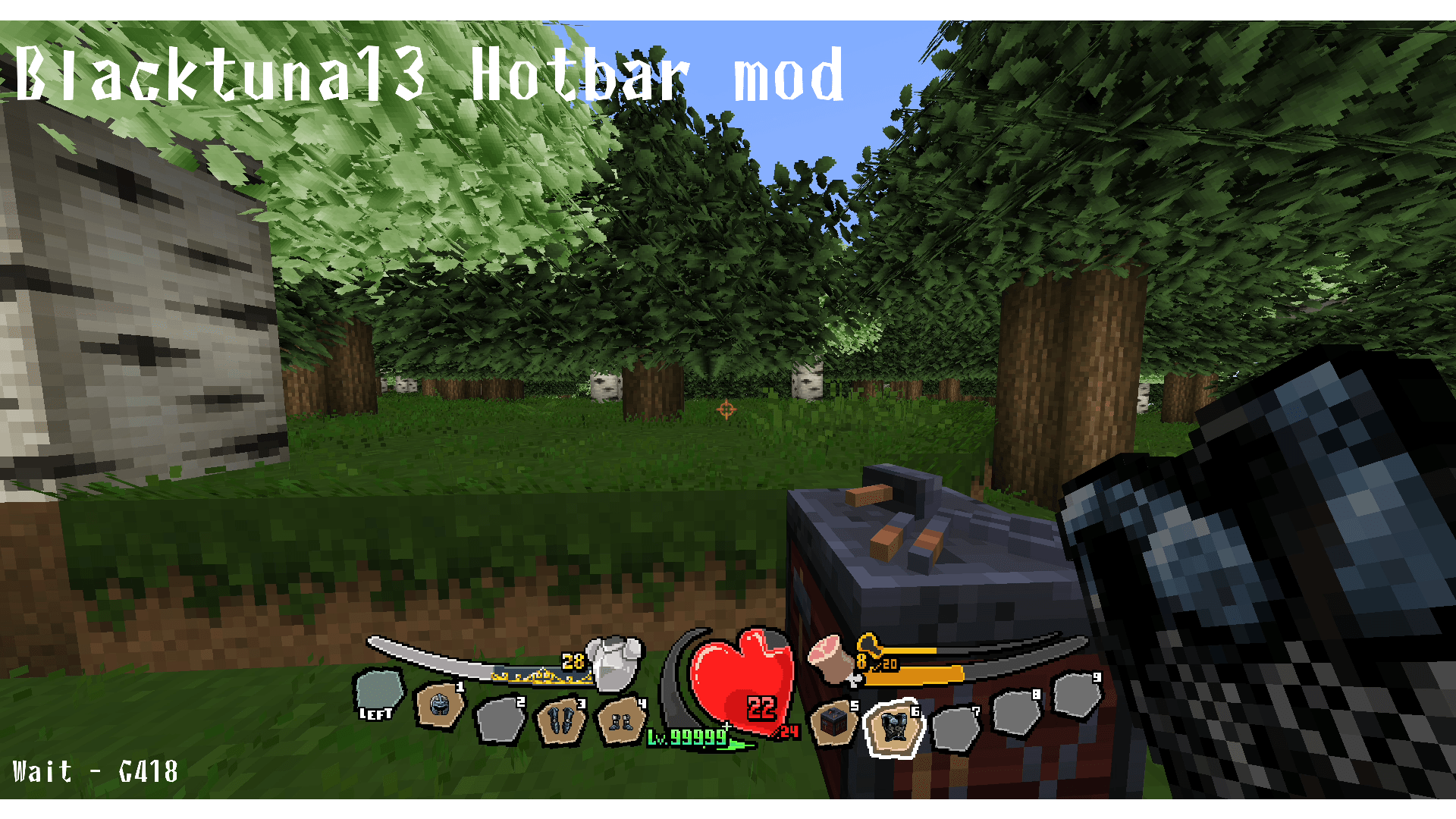
3. Armor Gauge
Works the same as the Exp and Health gauges.
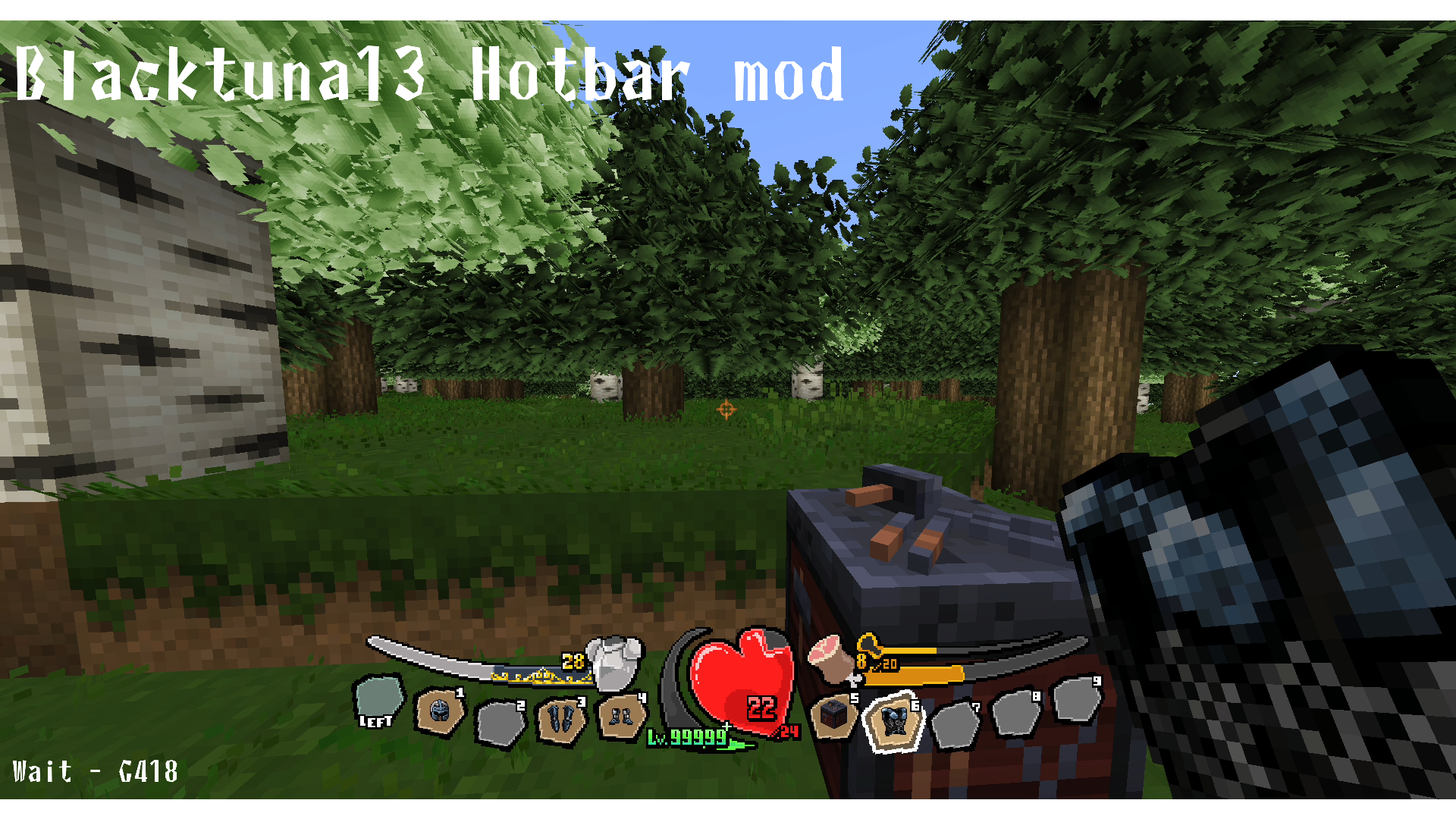
Up to the vanilla cap of 20 armor, the gauge fills in silver.
With many mods allowing armor values above 20, a second gauge tier exists for values of 21 and above.
This upper tier fills with a black-and-gold patterned gauge.
Armor is also shown as a specific numeric value rather than just a gauge.
When armor is 21 or higher, the displayed value turns gold.
4. Food Gauge
Works the same as the health gauge.
Since the food level cap is generally fixed at 20, it is kept as a fixed maximum.
Food values cannot exceed 20, so no overflow display is needed.
1. Gauge changes based on player status
1. Hunger
If afflicted with the Hunger effect (from Husk attacks or eating rotten flesh), the food gauge turns green.
5. Saturation Gauge
Works similarly to the food and health gauges.
Makes the hidden saturation meter more visually intuitive.
The saturation gauge is displayed even without AppleSkin installed.
Unlike health, armor, and food, the saturation value is not shown as a number.
When used alongside AppleSkin, holding a food item will display a preview of how much saturation it will restore.
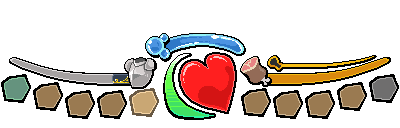
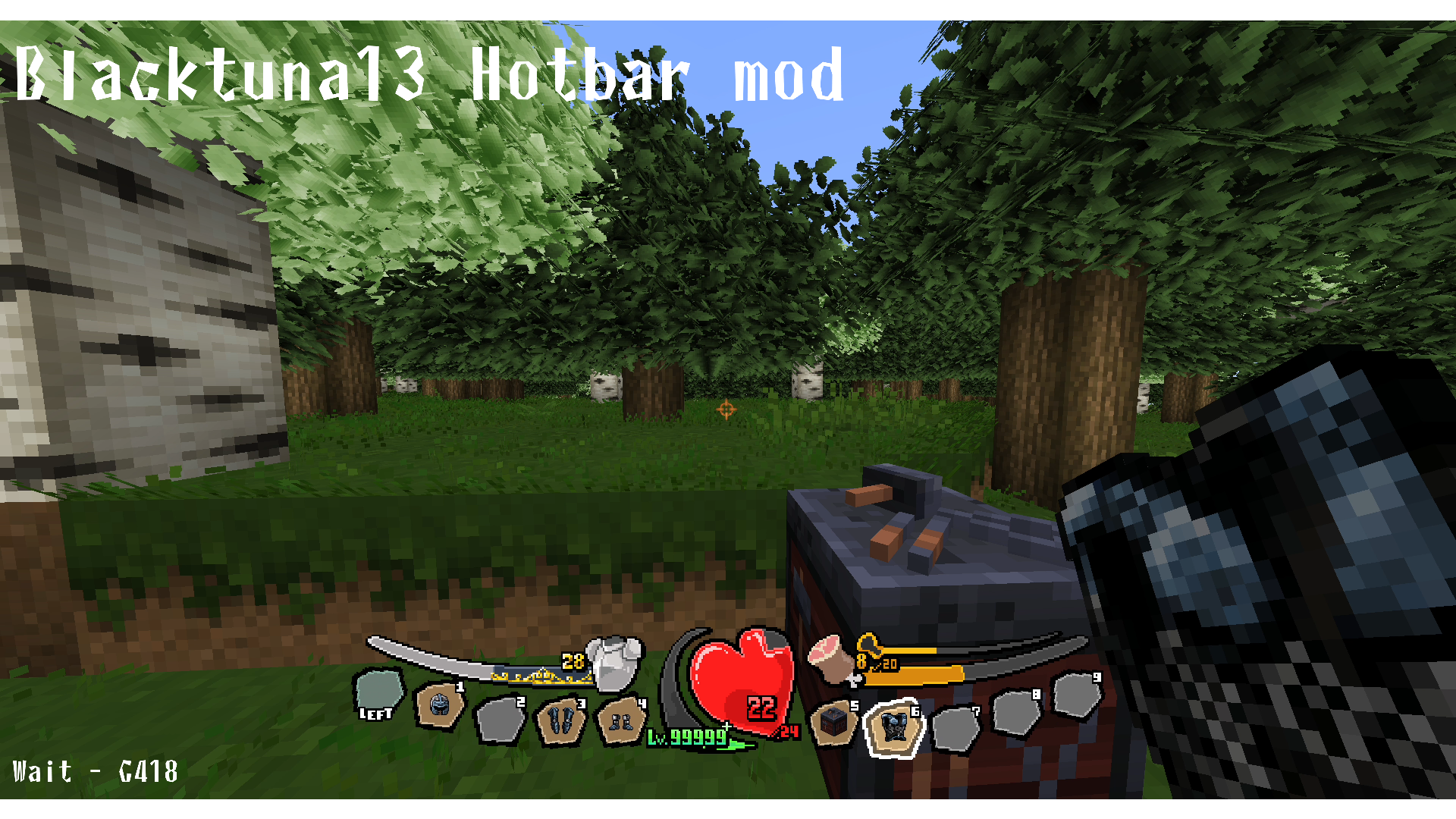
6. Hotbar
Each slot has been redesigned as an independent, standalone unit.
Even while idle, the slots sway gently.
How much they sway can be configured in the config file.
When selected, a slot briefly swings with a more pronounced motion.
1. Changes based on inventory state
1. When an item is in the hotbar slot
2. When the hotbar slot is empty
3. When the slot is selected
The slot appearance changes accordingly.
7. Oxygen Gauge
Works the same as the food and health gauges.
Unlike health, armor, and food, the oxygen level is not shown as a number.
■詳細 / Details (JP)
1. 体力ゲージのデザインと挙動変更 / Health Gauge
バニラの「ハートがいくつあるか」というやや抽象的なデザインを変更し、ハートを一つにまとめました
様々なmodで体力上限が上がることを考慮し、体力上限が上がっても画面がハートで埋め尽くされることがなくなります
巨大なハートゲージは体力の残り割合でゲージが段階的に減っていきます
また、体力上限が増えると現在の体力値や体力最大値がわかりづらくなるのを改善するため、数値で具体的に表示されます
大きく表示されるのが現在値で、現在値の下の/とともに小さく表示されるのが最大体力値です
なおGUIを損なわないために、体力値は99999でカンストし、10万以上は「99999+」と表示されます
1. ダメージを受けたときの挙動 / Damage
ダメージを受けると、体力ゲージが震え、鋭いエフェクトが走り、より視覚的にダメージを受けたことが分かるようになります
一度に受けたダメージが大きいほど、ゲージの震えとエフェクトの数が変わります
2. プレイヤーの状態による体力ゲージの変化
体力に関するステータスエフェクトなどを受けていると、体力ゲージが少し変化します
1. 衝撃吸収(Absorption)の効果発動中
体力ゲージを金色で縁取り、脈を打つようなアニメーションのオーバーレイが追加されます
衝撃吸収で獲得した使い捨ての体力がなくなるとこのオーバーレイも消滅します
2. 毒状態 / Poison
体力ゲージが紫色になり、毒々しいアニメーションが加わります
3. 凍結状態 / Frost
粉雪に沈んで凍えると、徐々に体力ゲージが凍りつき、ダメージを受け始めると真っ青になります
4. ウィザー(衰弱)状態 / Wither
体力ゲージが黒くなります
黒くなる以外にはv0.2.5時点で作成できていません(アイデア募集中!)
2. 経験値ゲージのデザイン変更 / Exp Gauge
基本的な動作は体力ゲージと似た感じで、20段階に分けてゲージが積み上がっていきます
レベルも体力同様にカンスト値があります(体力と同じ99999)
3. 防御力ゲージのデザイン変更 / Armor Gauge
基本的な動作はExpゲージや体力ゲージと同じです
バニラの上限である防御力20までは銀色でゲージが溜まっていきます
様々なmod環境で防御力が20を超えることを想定し、21以降の防御力ゲージもあります
21以降は黒と金色の模様のゲージで埋まっていきます
防御力もゲージだけでなく、具体的な防御力値が表示されます
防御力が21以上だと防御力値も金色になります
4. 満腹度ゲージのデザイン変更 / Hungry Gauge
基本的な動作は体力ゲージと同じです
満腹度は基本的に上限が20で変わらないため、固定にしてあります
満腹度は上限があるため、21以上になることはありません
1. プレイヤーの状態によるゲージの変化
1. 空腹状態 / Hunger
ハスクからの攻撃を受けたり、腐った肉を食べると発症する「空腹」状態だと、満腹度ゲージが緑色になります
5. 隠し満腹度ゲージの追加 / Saturation Gauge
基本的な動作は満腹度や体力ゲージと同じです
AppleSkinの隠し満腹度ゲージをより視覚的にわかりやすくしました
AppleSkinを導入しなくても隠し満腹度ゲージは表示されます
ただし体力や防御力、満腹度と違い数値では表示されません
AppleSkinと併用すると、食べ物を手に持った時に隠し満腹度の予想回復量が表示されます
6. ホットバーのデザインと挙動刷新 / Hotbar
1つ1つを独立したスロットのデザインにしました
アイドル状態でもゆっくりゆらゆらと揺れます
どれぐらい揺れるかはconfigで設定が可能です
またカーソルを合わせた時には一瞬大きく揺れます
1. インベントリの状態による変化
1. アイテムをホットバーに入れている時
2. アイテムをホットバーに入れていない時
3. カーソルを合わせた時
で変化します
7. 酸素ゲージ / Oxigen Gauge
基本的な動作は満腹度や体力ゲージと同じです
ただし体力や防御力、満腹度と違い数値では表示されません
■クレジット / Credits
Blacktuna13
ClaudeCode
The copyright for all pixel art assets belongs to Blacktuna13.
Please do not redistribute them or claim them as your own.
If you wish to include this mod in a modpack, please leave a comment and I will add a note that it is included in your modpack.
クロマグロ13(Blacktuna13)
ClaudeCode
ドット絵アセットの著作権はクロマグロ13に帰属します
二次配布・自作発言はご遠慮ください
modパックに同梱する際は一言コメントしてください
このmodパックに入ってますって追記しますので
■注意 / Note
The code for this mod was written by ClaudeCode (AI).
Please be aware of this if you are opposed to AI-generated code.
Only the code was written by AI — all pixel art assets were created by Blacktuna13.
本modのコード記述はClaudeCode(AI)が行っています
AIアンチの方はご注意を
コードのみAIで、ドット絵アセットはすべてクロマグロ13の制作したものです
■概要 / Overview バニラのホットバーのデザインをオーバーホールします。 Overhauls the design of the vanilla hotbar.
■Details (EN)
1. Health Gauge The somewhat abstract vanilla design of "how many hearts do you have" has been replaced with a single unified heart. With many mods raising health limits, your screen will no longer be cluttered with hearts no matter how high your health goes. The large heart gauge decreases in stages based on your remaining health percentage. To make current and maximum health easier to read when health limits are raised, both values are displayed as numbers. The larger number shows your current health; the smaller number below it, next to a "/", shows your maximum health. To preserve the look of the GUI, health is capped at 99,999, and values of 100,000 or more are displayed as "99999+".
1. Damage When you take damage, the health gauge shakes and a sharp effect flashes across it, making it more visually clear that you've been hit. The greater the damage taken in a single hit, the more intense the shaking and the greater the number of effects.
2. Health gauge changes based on player status Certain status effects will alter the appearance of the health gauge. 1. Absorption The health gauge gains a golden border, and a pulsing animation overlay is added. When the temporary absorption health runs out, the overlay disappears. 2. Poison The health gauge turns purple and a toxic animation is added. 3. Frost As you sink into powdered snow and freeze, the health gauge gradually ices over; once you start taking damage, it turns completely blue. 4. Wither The health gauge turns black. No additional effects have been implemented beyond this as of v0.2.5 (ideas welcome!).
2. Exp Gauge Works similarly to the health gauge — the gauge fills in 20 stages. Experience level also has a display cap, the same as health (99,999).
3. Armor Gauge Works the same as the Exp and Health gauges. Up to the vanilla cap of 20 armor, the gauge fills in silver. With many mods allowing armor values above 20, a second gauge tier exists for values of 21 and above. This upper tier fills with a black-and-gold patterned gauge. Armor is also shown as a specific numeric value rather than just a gauge. When armor is 21 or higher, the displayed value turns gold.
4. Food Gauge Works the same as the health gauge. Since the food level cap is generally fixed at 20, it is kept as a fixed maximum. Food values cannot exceed 20, so no overflow display is needed.
1. Gauge changes based on player status 1. Hunger If afflicted with the Hunger effect (from Husk attacks or eating rotten flesh), the food gauge turns green.
5. Saturation Gauge Works similarly to the food and health gauges. Makes the hidden saturation meter more visually intuitive. The saturation gauge is displayed even without AppleSkin installed. Unlike health, armor, and food, the saturation value is not shown as a number. When used alongside AppleSkin, holding a food item will display a preview of how much saturation it will restore.
6. Hotbar Each slot has been redesigned as an independent, standalone unit. Even while idle, the slots sway gently. How much they sway can be configured in the config file. When selected, a slot briefly swings with a more pronounced motion.
1. Changes based on inventory state 1. When an item is in the hotbar slot 2. When the hotbar slot is empty 3. When the slot is selected The slot appearance changes accordingly.
7. Oxygen Gauge Works the same as the food and health gauges. Unlike health, armor, and food, the oxygen level is not shown as a number.
■詳細 / Details (JP)
1. 体力ゲージのデザインと挙動変更 / Health Gauge バニラの「ハートがいくつあるか」というやや抽象的なデザインを変更し、ハートを一つにまとめました 様々なmodで体力上限が上がることを考慮し、体力上限が上がっても画面がハートで埋め尽くされることがなくなります 巨大なハートゲージは体力の残り割合でゲージが段階的に減っていきます また、体力上限が増えると現在の体力値や体力最大値がわかりづらくなるのを改善するため、数値で具体的に表示されます 大きく表示されるのが現在値で、現在値の下の/とともに小さく表示されるのが最大体力値です なおGUIを損なわないために、体力値は99999でカンストし、10万以上は「99999+」と表示されます
1. ダメージを受けたときの挙動 / Damage ダメージを受けると、体力ゲージが震え、鋭いエフェクトが走り、より視覚的にダメージを受けたことが分かるようになります 一度に受けたダメージが大きいほど、ゲージの震えとエフェクトの数が変わります
2. プレイヤーの状態による体力ゲージの変化 体力に関するステータスエフェクトなどを受けていると、体力ゲージが少し変化します 1. 衝撃吸収(Absorption)の効果発動中 体力ゲージを金色で縁取り、脈を打つようなアニメーションのオーバーレイが追加されます 衝撃吸収で獲得した使い捨ての体力がなくなるとこのオーバーレイも消滅します 2. 毒状態 / Poison 体力ゲージが紫色になり、毒々しいアニメーションが加わります 3. 凍結状態 / Frost 粉雪に沈んで凍えると、徐々に体力ゲージが凍りつき、ダメージを受け始めると真っ青になります 4. ウィザー(衰弱)状態 / Wither 体力ゲージが黒くなります 黒くなる以外にはv0.2.5時点で作成できていません(アイデア募集中!)
2. 経験値ゲージのデザイン変更 / Exp Gauge 基本的な動作は体力ゲージと似た感じで、20段階に分けてゲージが積み上がっていきます レベルも体力同様にカンスト値があります(体力と同じ99999)
3. 防御力ゲージのデザイン変更 / Armor Gauge 基本的な動作はExpゲージや体力ゲージと同じです バニラの上限である防御力20までは銀色でゲージが溜まっていきます 様々なmod環境で防御力が20を超えることを想定し、21以降の防御力ゲージもあります 21以降は黒と金色の模様のゲージで埋まっていきます 防御力もゲージだけでなく、具体的な防御力値が表示されます 防御力が21以上だと防御力値も金色になります
4. 満腹度ゲージのデザイン変更 / Hungry Gauge 基本的な動作は体力ゲージと同じです 満腹度は基本的に上限が20で変わらないため、固定にしてあります 満腹度は上限があるため、21以上になることはありません
1. プレイヤーの状態によるゲージの変化 1. 空腹状態 / Hunger ハスクからの攻撃を受けたり、腐った肉を食べると発症する「空腹」状態だと、満腹度ゲージが緑色になります
5. 隠し満腹度ゲージの追加 / Saturation Gauge 基本的な動作は満腹度や体力ゲージと同じです AppleSkinの隠し満腹度ゲージをより視覚的にわかりやすくしました AppleSkinを導入しなくても隠し満腹度ゲージは表示されます ただし体力や防御力、満腹度と違い数値では表示されません AppleSkinと併用すると、食べ物を手に持った時に隠し満腹度の予想回復量が表示されます
6. ホットバーのデザインと挙動刷新 / Hotbar 1つ1つを独立したスロットのデザインにしました アイドル状態でもゆっくりゆらゆらと揺れます どれぐらい揺れるかはconfigで設定が可能です またカーソルを合わせた時には一瞬大きく揺れます
1. インベントリの状態による変化 1. アイテムをホットバーに入れている時 2. アイテムをホットバーに入れていない時 3. カーソルを合わせた時 で変化します 7. 酸素ゲージ / Oxigen Gauge 基本的な動作は満腹度や体力ゲージと同じです ただし体力や防御力、満腹度と違い数値では表示されません
■クレジット / Credits Blacktuna13 ClaudeCode
The copyright for all pixel art assets belongs to Blacktuna13. Please do not redistribute them or claim them as your own. If you wish to include this mod in a modpack, please leave a comment and I will add a note that it is included in your modpack.
クロマグロ13(Blacktuna13) ClaudeCode
ドット絵アセットの著作権はクロマグロ13に帰属します 二次配布・自作発言はご遠慮ください modパックに同梱する際は一言コメントしてください このmodパックに入ってますって追記しますので
■注意 / Note The code for this mod was written by ClaudeCode (AI). Please be aware of this if you are opposed to AI-generated code. Only the code was written by AI — all pixel art assets were created by Blacktuna13.
本modのコード記述はClaudeCode(AI)が行っています AIアンチの方はご注意を コードのみAIで、ドット絵アセットはすべてクロマグロ13の制作したものです
Screenshots
Gallery
-
 Minecraft Mod - Blacktuna13 Hotbar Mod - gyarari-13_50.png Minecraft Mod - Blacktuna13 Hotbar Mod - gyarari-13_50.png
 -
 Minecraft Mod - Blacktuna13 Hotbar Mod - gyarari-08_50.png Minecraft Mod - Blacktuna13 Hotbar Mod - gyarari-08_50.png
 -
 Minecraft Mod - Blacktuna13 Hotbar Mod - gyarari-07_50.png Minecraft Mod - Blacktuna13 Hotbar Mod - gyarari-07_50.png
 -
 Minecraft Mod - Blacktuna13 Hotbar Mod - gyarari-04_50.png Minecraft Mod - Blacktuna13 Hotbar Mod - gyarari-04_50.png
 -
 Minecraft Mod - Blacktuna13 Hotbar Mod - gyarari-03_50.png Minecraft Mod - Blacktuna13 Hotbar Mod - gyarari-03_50.png
 -
 Minecraft Mod - Blacktuna13 Hotbar Mod - gyarari-02_50.png Minecraft Mod - Blacktuna13 Hotbar Mod - gyarari-02_50.png
 -
 Minecraft Mod - Blacktuna13 Hotbar Mod - gyarari-01_50.png Minecraft Mod - Blacktuna13 Hotbar Mod - gyarari-01_50.png
-
 Frost
Frost -
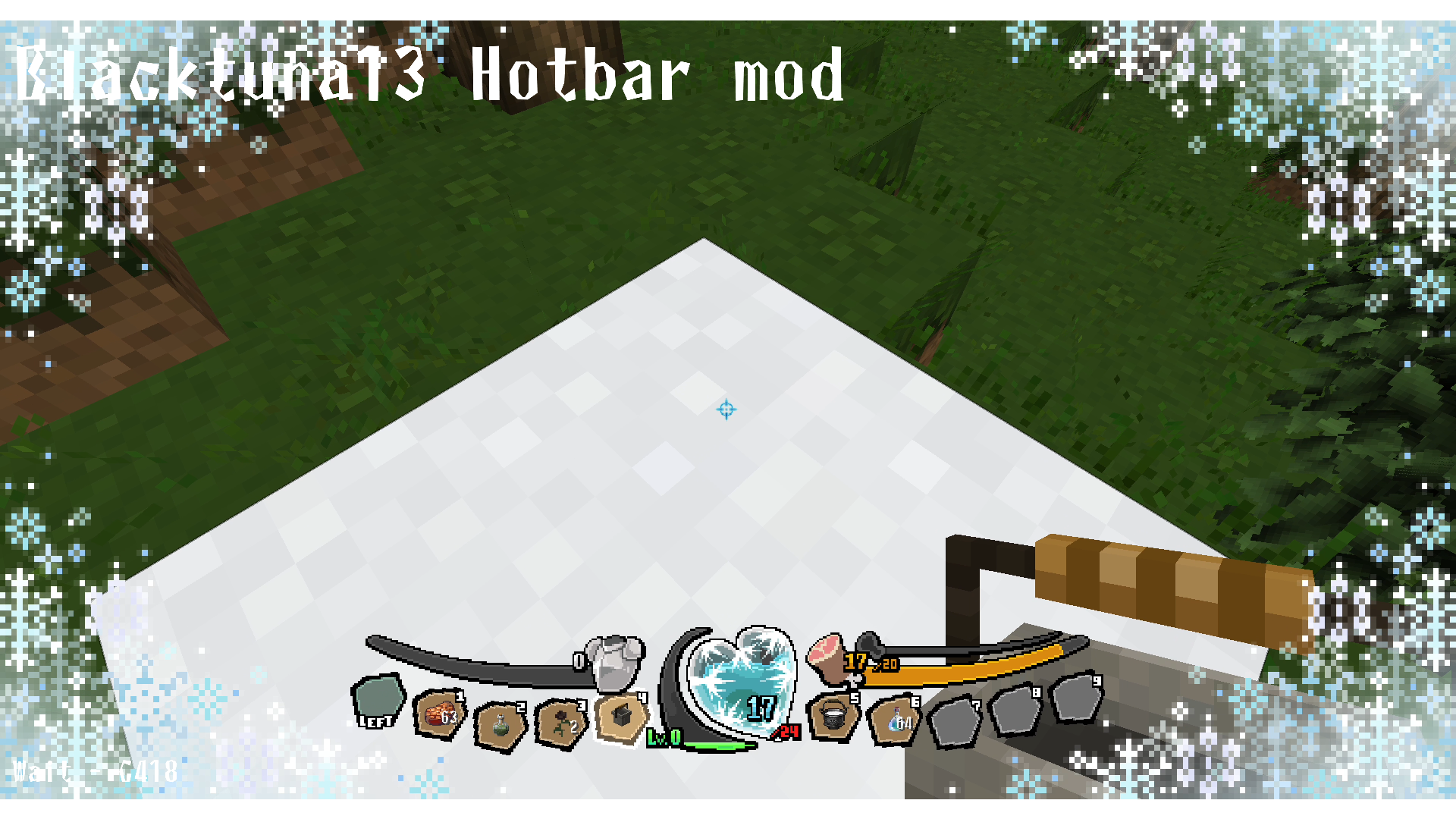 Frost
Frost -
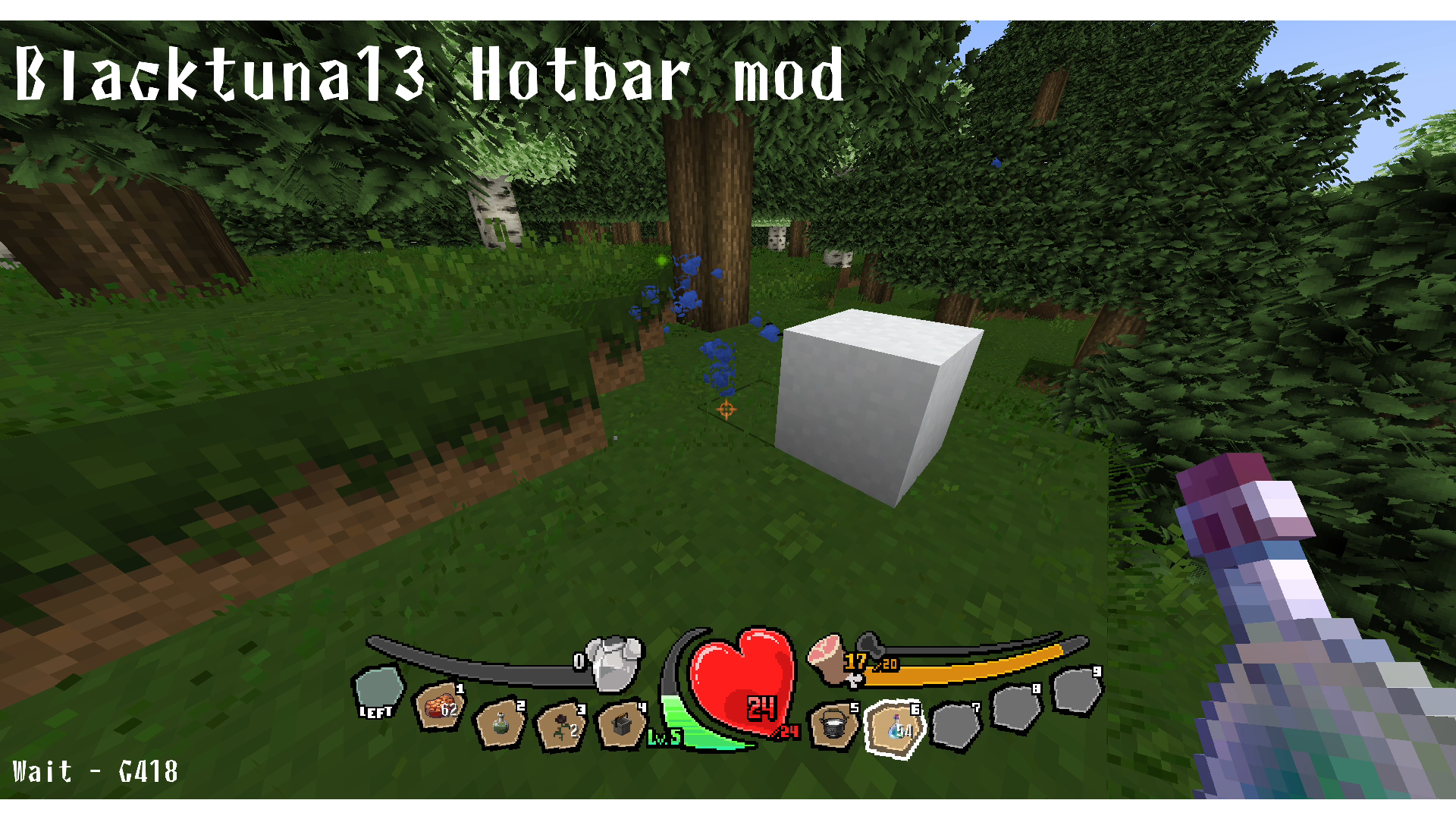 Experience
 -
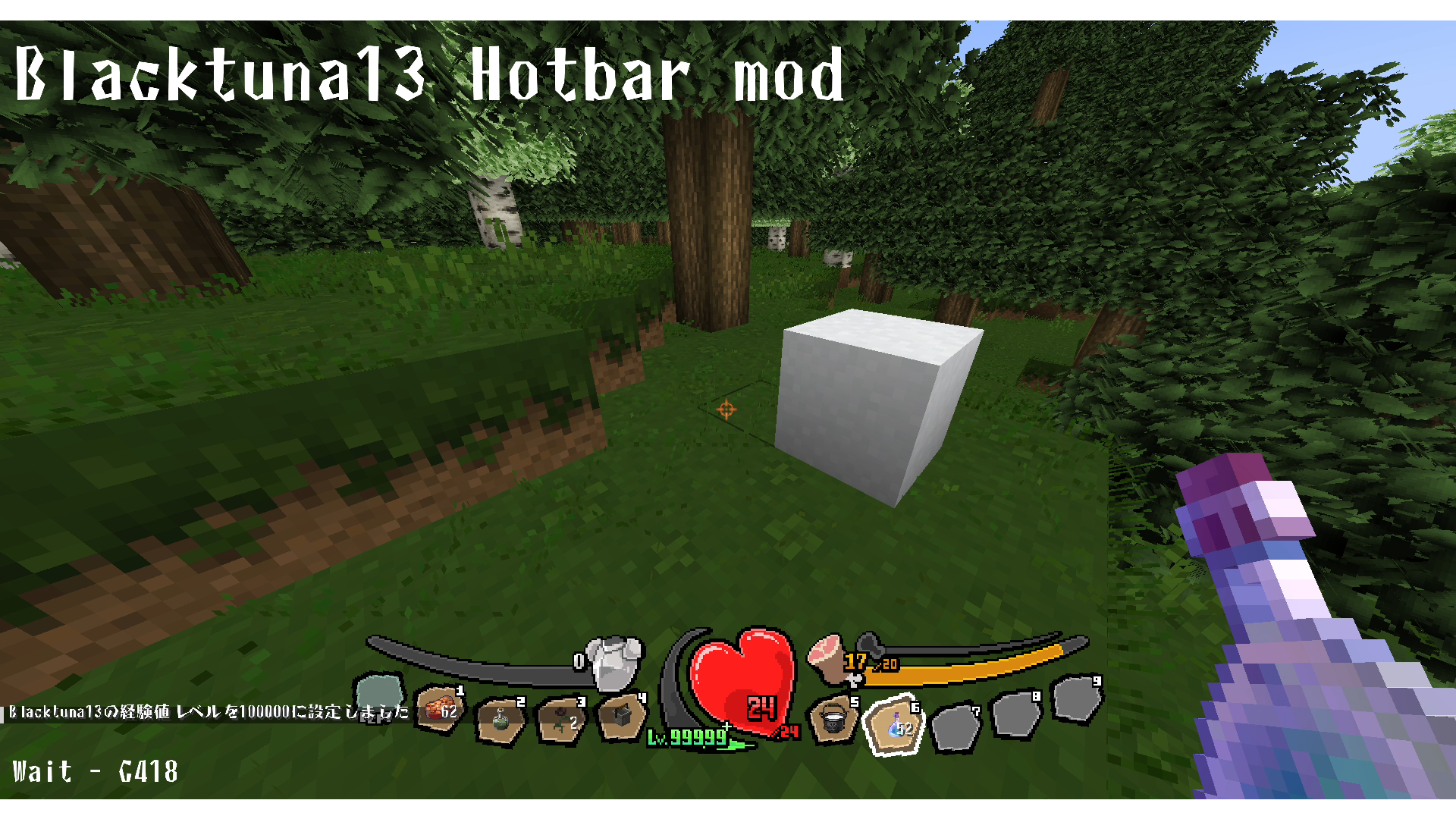 100,000 Level
 -
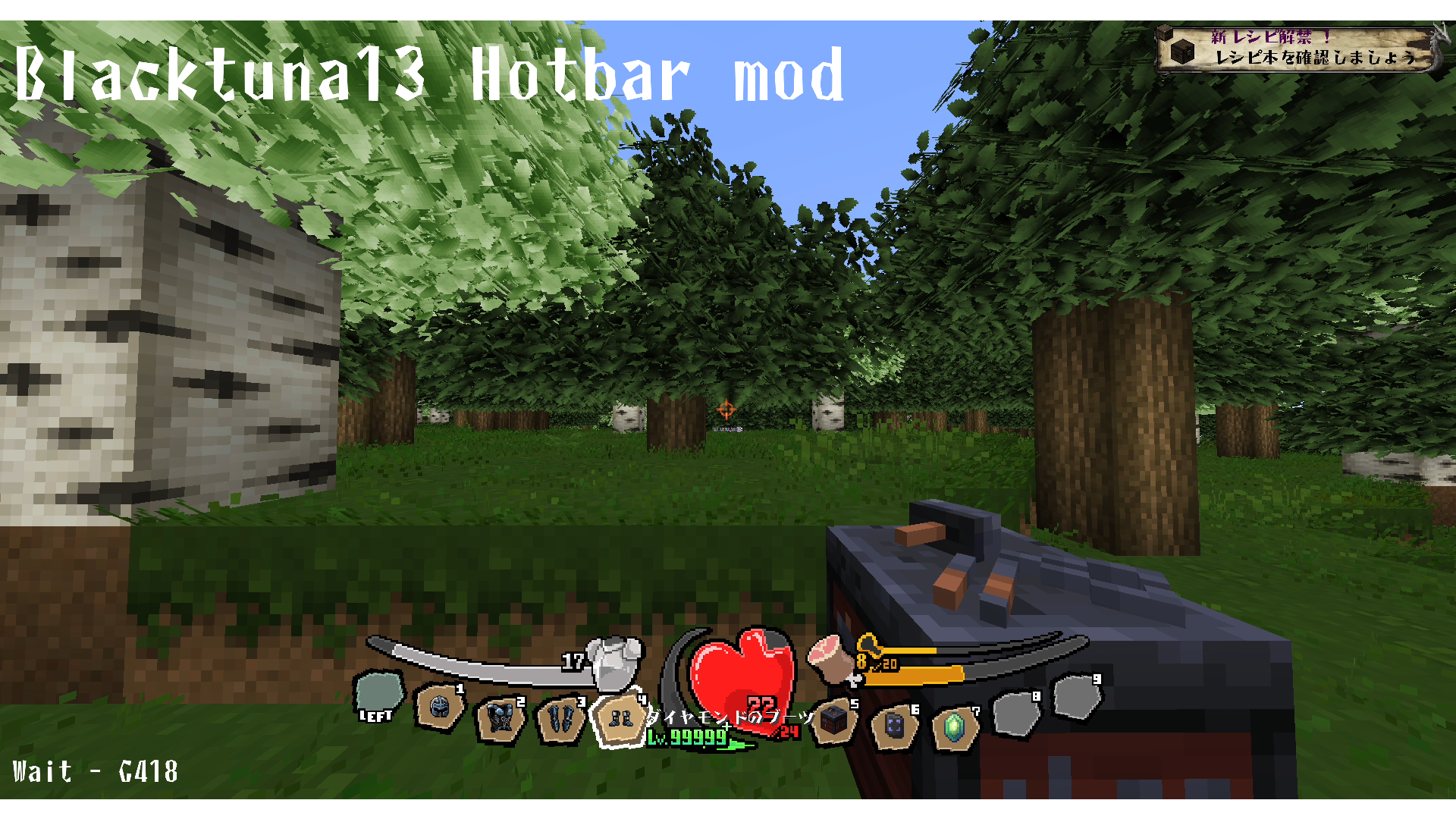 Armor
Armor -
 Over20 Armor
 -
 Blacktuna13 Hotbar mod
 -
 Blacktuna13 Hotbar mod
 -
 Sharp visual effects when taking damage
 -
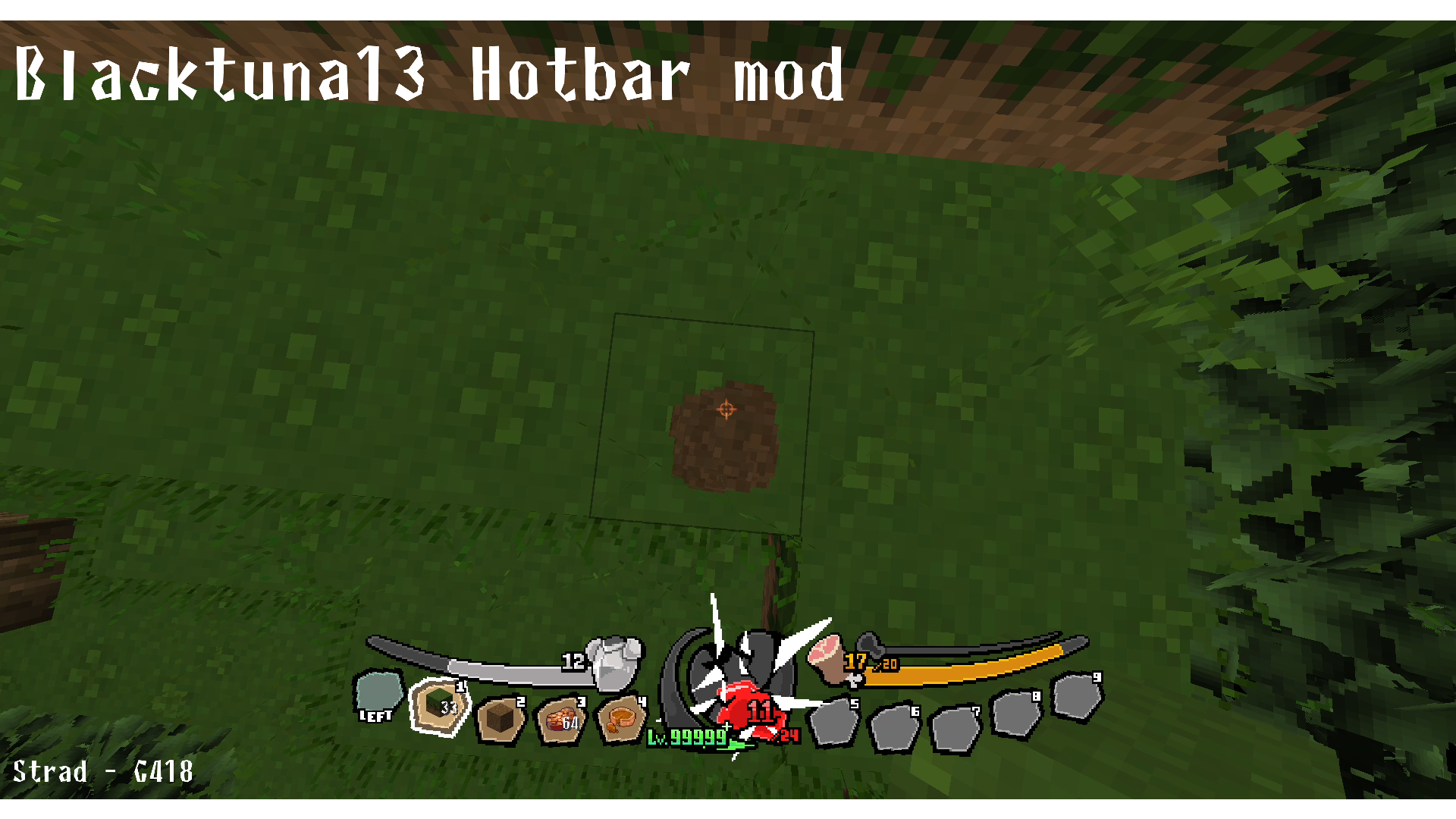 Sharp visual effects when taking damage
 -
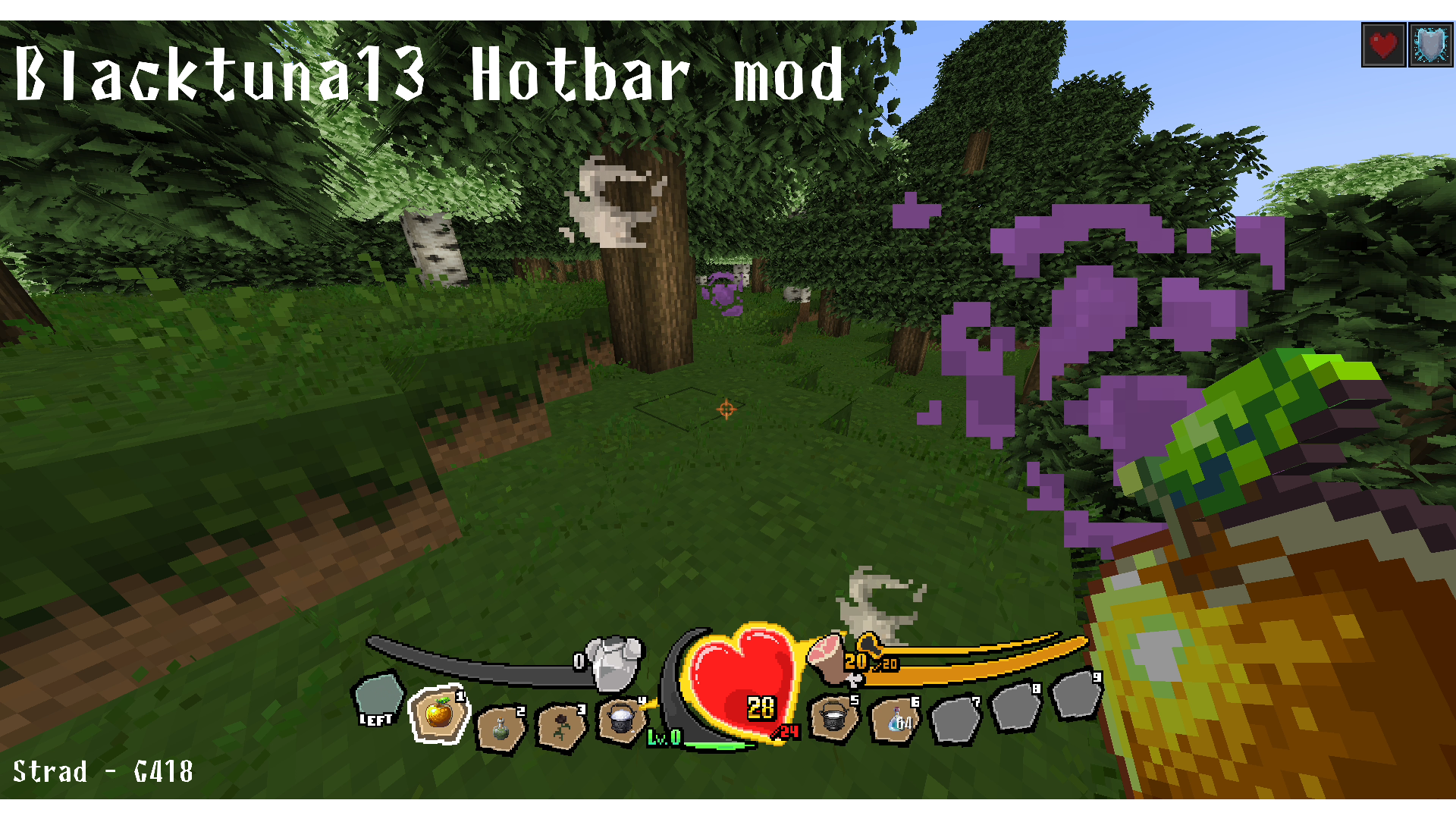 Absorption
 -
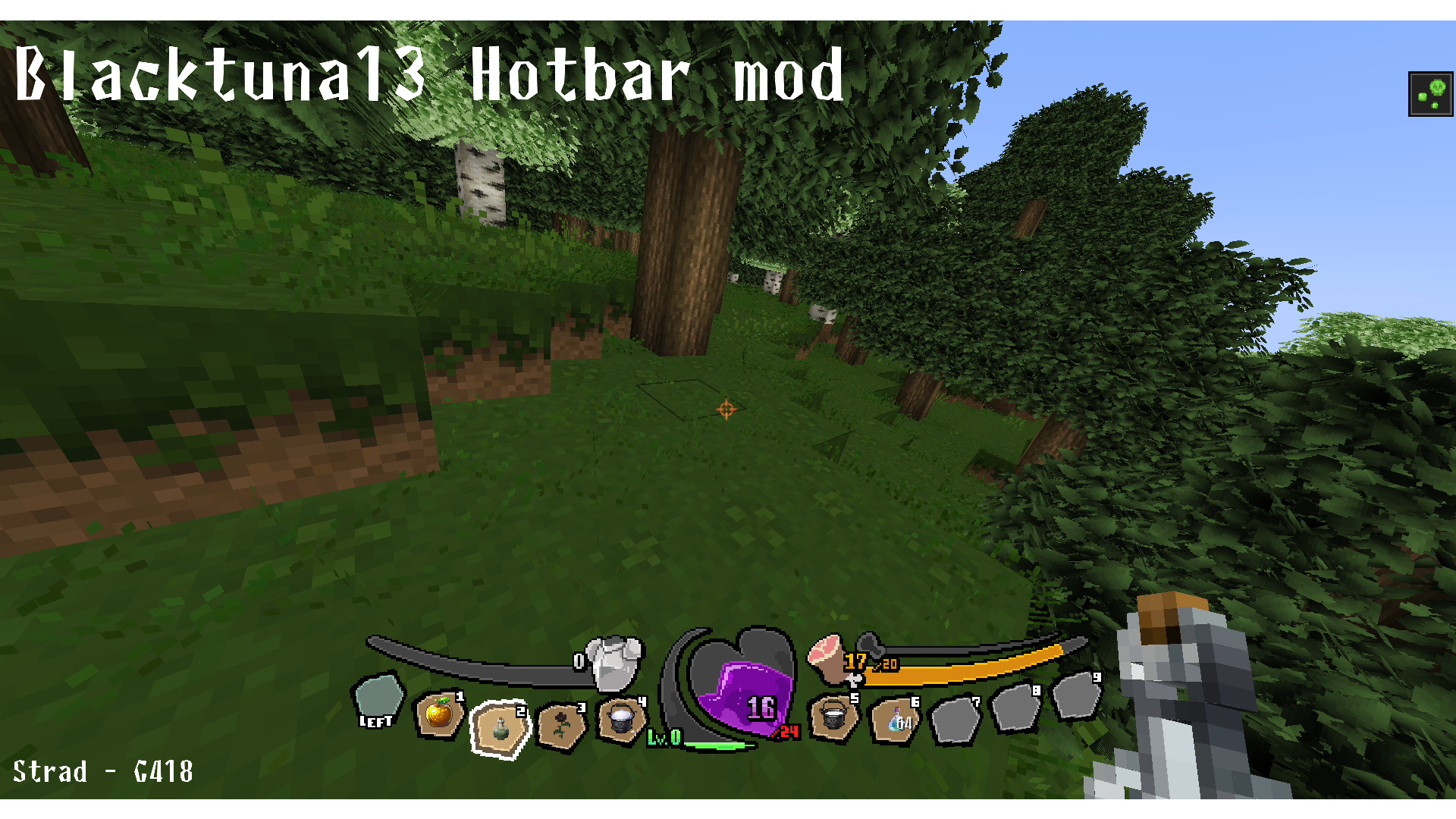 Poison
Versions
Files
Relations
Project Relations
More like this
Similar Mods
Suggestions use data such as tags, dependencies, dependents, descriptions, titles, and more to rank how much they overlap with this mod.
On ModDex
Community snapshot
By the numbers
Statistics
 (opens in a new tab)
Get it on
Available Platforms
On ModDex
Community snapshot
By the numbers
Statistics
Resources