
Community listing page, reviews may not be monitored by the author.
Block Display


No reviews yet
Lightweight mod that displays information about whatever you may be looking at.

Community voices
Reviews
No reviews yet. Be the first to review this project!
Get it on
Available Platforms
Compatibility
Supported Environments
Required on the client. Installing it on the server adds functionality.
About
Project Details
For authors
Embed Badge
If you're the author of this project, you can embed a live badge anywhere that supports HTML or Markdown. It updates automatically whenever ratings change.
Use HTML for any page that supports it, or Markdown for README files and Markdown-based descriptions.
Identifiers
Platform IDs
About
Description
IMPORTANT: requires MelonLib 1.2 or above!
Block Display is a lightweight mod that displays information about a block or entity in the top left corner.
Apart from showing the block icon, the name is also shows along with whether or not it has a TileEntity. And if the block has an inventory, it will display the contents of it too.
Additionally, if advanced item tooltips are enabled, more advanced information is displayed.
For Mod Developers:
If you want to add custom information for your block, use the APIBlockDisplay found in MelonLib. This way, others do not need to install this mod if they do not want to!
IMPORTANT: requires MelonLib 1.2 or above!
Block Display is a lightweight mod that displays information about a block or entity in the top left corner.
Apart from showing the block icon, the name is also shows along with whether or not it has a TileEntity. And if the block has an inventory, it will display the contents of it too.
Additionally, if advanced item tooltips are enabled, more advanced information is displayed.
For Mod Developers:
If you want to add custom information for your block, use the APIBlockDisplay found in MelonLib. This way, others do not need to install this mod if they do not want to!
Screenshots
Gallery
-
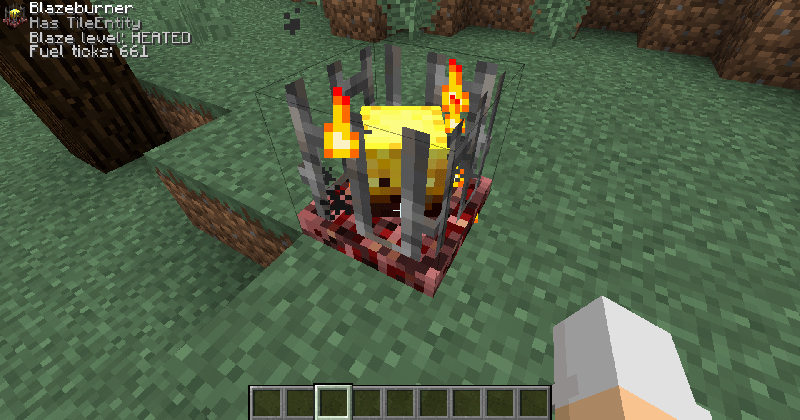 Integration with other mods Mods can add their own custom info to a block using the APIBlockDisplay found in MelonLib. See this Blazeburner for example.
 -
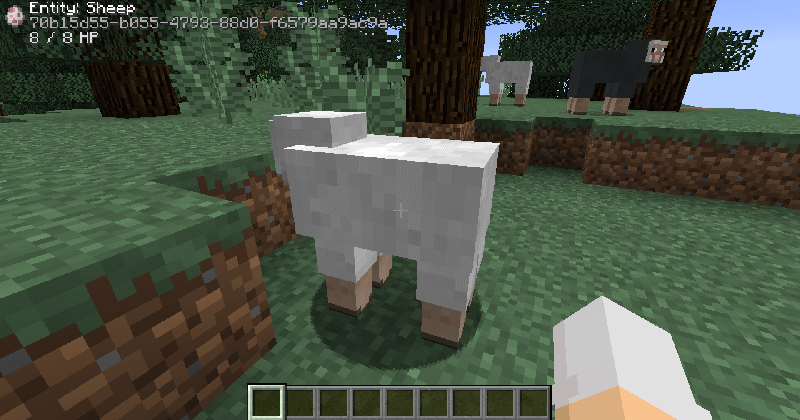 Advanced entity info By enabling advanced item tooltips, the UUID of the entity will also be revealed.
 -
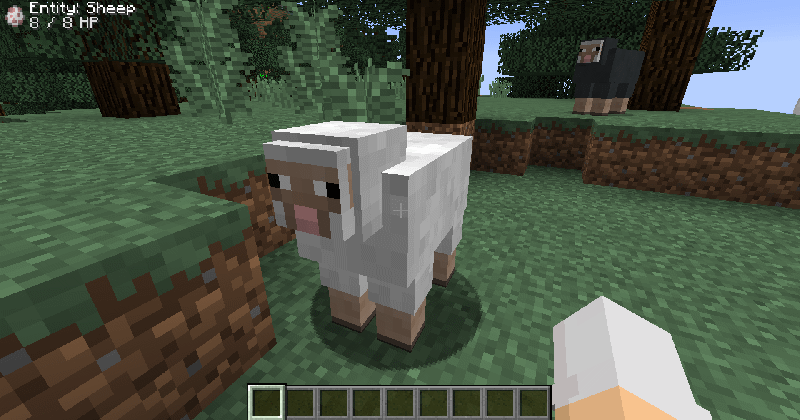 Normal entity info Looking at an entity will reveal its name, icon and health.
 -
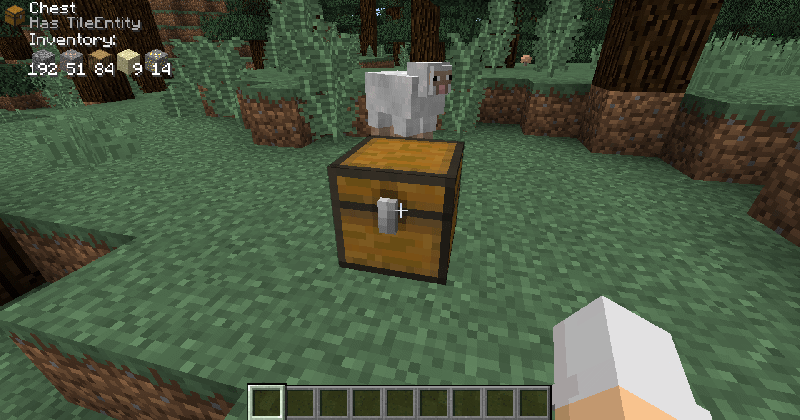 Inventory info When looking at a block that has an inventory, Block Display will show the items inside.
 -
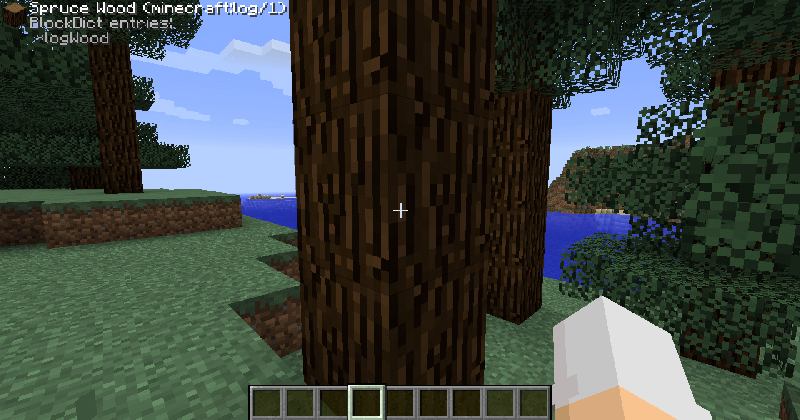 Advanced block info By enabling advanced item tooltips, Block Display will also display more advanced information about blocks. Notice the addition of BlockDict entries, resource name and metadata.
 -
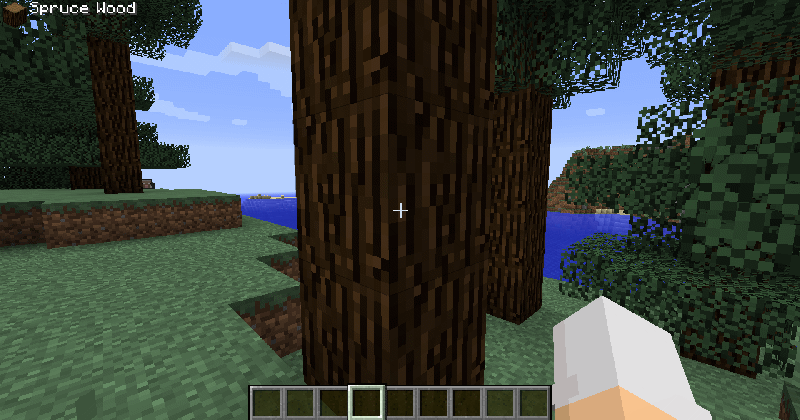 Normal block info Looking at a normal block. Notice the block icon and name in the top left corner.
-
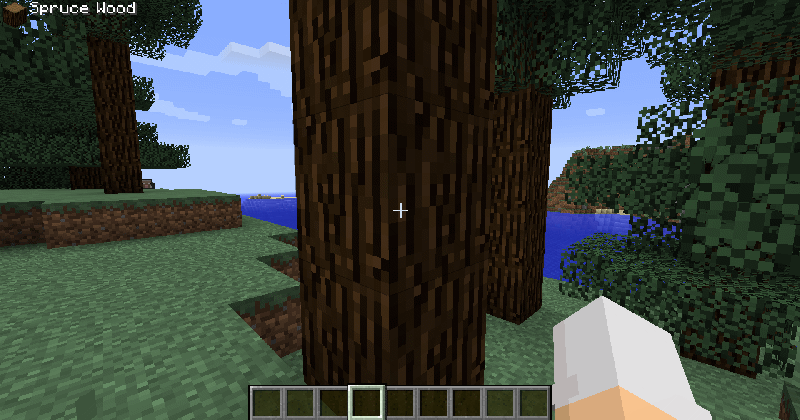 Normal block info Looking at a normal block. Notice the block icon and name in the top left corner.
 -
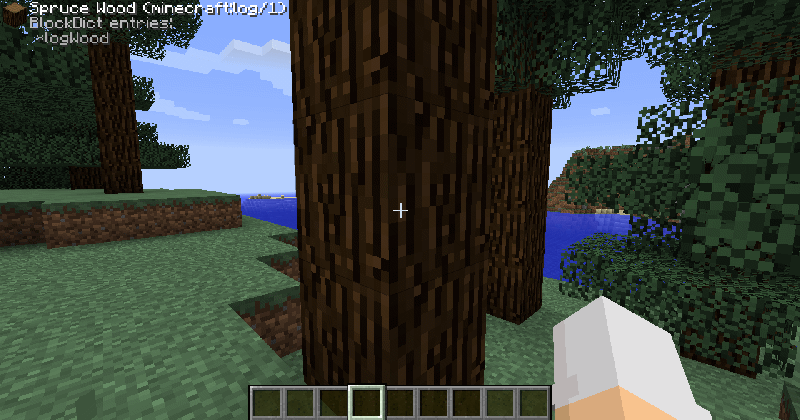 Advanced block info By enabling advanced item tooltips, Block Display will also display more advanced information about blocks. Notice the addition of BlockDict entries, resource name and metadata.
 -
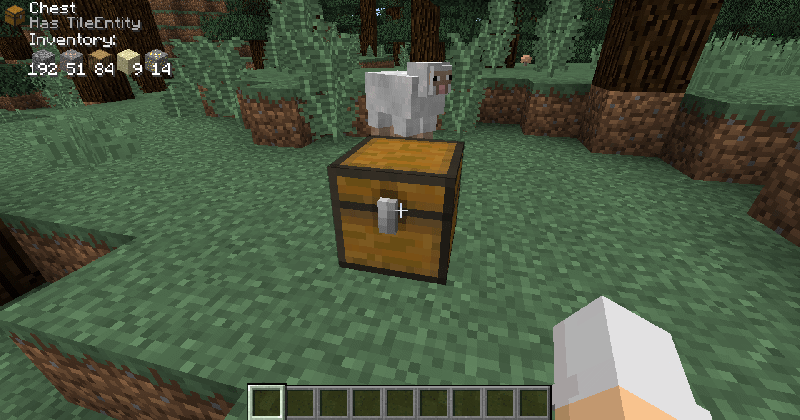 Inventory info When looking at a block that has an inventory, Block Display will show the items inside.
 -
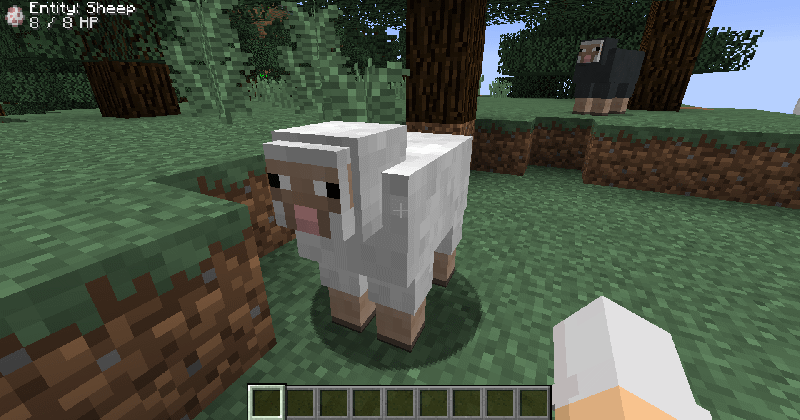 Normal entity info Looking at an entity will reveal its name, icon and health.
 -
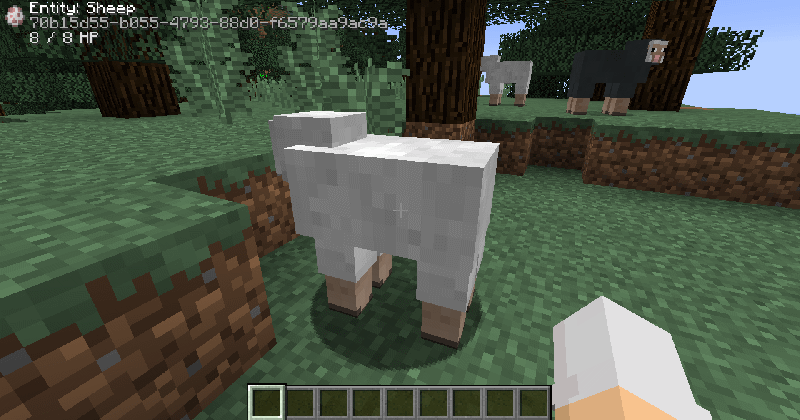 Advanced entity info By enabling advanced item tooltips, the UUID of the entity will also be revealed.
 -
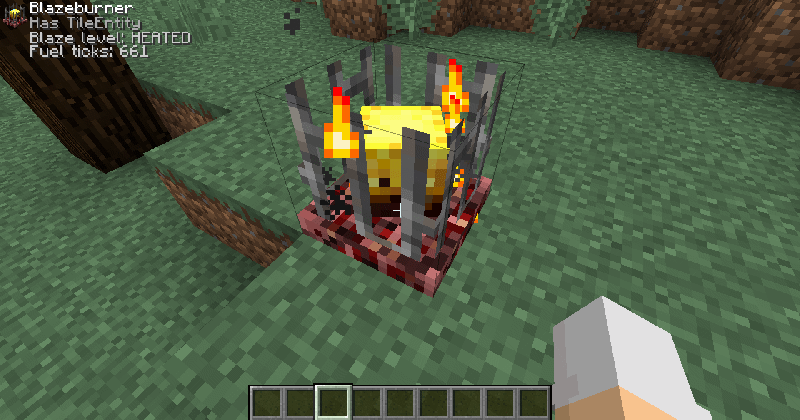 Integration with other mods Mods can add their own custom info to a block using the APIBlockDisplay found in MelonLib. See this Blazeburner for example.
Versions
Files
Relations
Project Relations
More like this
Similar Mods
Suggestions use data such as tags, dependencies, dependents, descriptions, titles, and more to rank how much they overlap with this mod.
On ModDex
Community snapshot
By the numbers
Statistics

Get it on
Available Platforms
On ModDex
Community snapshot
By the numbers