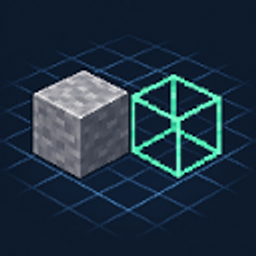
Community listing page, reviews here may not be monitored by the author.
Block Planner

No reviews yet
Plan your build. Know your block count.
Community voices
Reviews
No reviews yet. Be the first to review this project!
Get it on
Available Platforms
About
Project Details
For authors
Embed Badge
If you're the author of this project, you can embed a live badge anywhere that supports HTML or Markdown. It updates automatically whenever ratings change.
Use HTML for any page that supports it, or Markdown for README files and Markdown-based descriptions.
Identifiers
Platform IDs
Resources
External Links
About
Description
Block Planner
Plan your build. Know your block count.
Short description
Plan block layouts in 3D from your inventory or JEI, then copy a clear list of the blocks you need. Client-side, with autosave.
About
Work out your next build before placing a single block in the world.
Block Planner adds a dedicated 3D planning workspace to Minecraft. Hover over a block in your inventory or JEI and press G to start planning. Place blocks on a grid, rotate your view, and try different arrangements while a live list keeps track of the blocks you need.
Planning a base extension or working out the layout of a modded build? Keep experimenting without using your inventory or changing your world. When you're ready, copy the block list and start gathering materials.
Features
- 3D layout planning: place and remove blocks with an orbiting camera, zoom, and pan.
- Placement previews: a green wireframe shows where the next block will go.
- Inventory and JEI access: select blocks from inventory slots, JEI's item list, bookmarks, or recipe views.
- Live block counts: see totals by item, including stack equivalents, and copy the list to your clipboard.
- A reusable palette: return to your inventory or JEI to add another block, then keep editing the same plan.
- Undo, redo, and autosave: experiment with layouts and continue your saved plan later.
- English and Japanese UI.
Getting started
- Hover over a block item in your inventory or JEI and press G.
- Left-click to place; right-click to remove.
- Drag the middle mouse button to orbit, hold Shift while dragging to pan, and scroll to zoom. Alt + left-drag also works for orbiting.
- Press Esc to go back and choose another block, or use Copy list to export your counts.
The opening hotkey is configurable under Options → Controls → Key Binds → Block Planner. It only activates on block items.
What it counts
One occupied grid cell counts as one block item. Twenty stone bricks and five glass blocks give you a list of 20 stone bricks + 5 glass. Crafting recipes are not expanded into raw ingredients.
Requirements and scope
- Minecraft 1.21.1, targeting NeoForge 21.1.247.
- Install on the client; no server installation is required. JEI is optional.
- A 64 × 64 × 64 workspace with up to 4,096 placed blocks.
- One saved plan per Minecraft instance, stored at
config/blockplanner/plan.json.
This is a visual layout planner. It does not place builds into the world or simulate redstone, machine operation, neighbor connections, or automatic multi-block placement such as doors and beds. Some custom mod models may render differently from their in-world appearance.
Supports Japanese and English only. Created using GPT-6 Astra. It's a hassle, so I probably won't update it.
Screenshots
Gallery
Versions
Files
Relations
Project Relations
More like this
Similar Mods
Suggestions use data such as tags, dependencies, dependents, descriptions, titles, and more to rank how much they overlap with this mod.
On ModDex
Community snapshot
By the numbers
Statistics
Want to reach Minecraft players?
We're looking for a server hosting partner to feature here and other parts of the site. Interested? Send us a message!
Get in touchGet it on
Available Platforms
On ModDex
Community snapshot
By the numbers
Statistics
Resources