
Community listing page, reviews here may not be monitored by the author.
Block Runner


No reviews yet
Encourages path building by making you run faster on certain blocks such as path blocks.
Community voices
Reviews
No reviews yet. Be the first to review this project!
Get it on
Available Platforms
Compatibility
Supported Environments
Runs entirely on the server. Also works in singleplayer.
Required on the server. Installing it on the client adds functionality.
Varies by version.
About
Project Details
For authors
Embed Badge
If you're the author of this project, you can embed a live badge anywhere that supports HTML or Markdown. It updates automatically whenever ratings change.
Use HTML for any page that supports it, or Markdown for README files and Markdown-based descriptions.
Identifiers
Platform IDs


About
Description








Block Runner makes movement more exciting by giving certain blocks their own speed boosts whenever players or mobs walk on them. 🚀
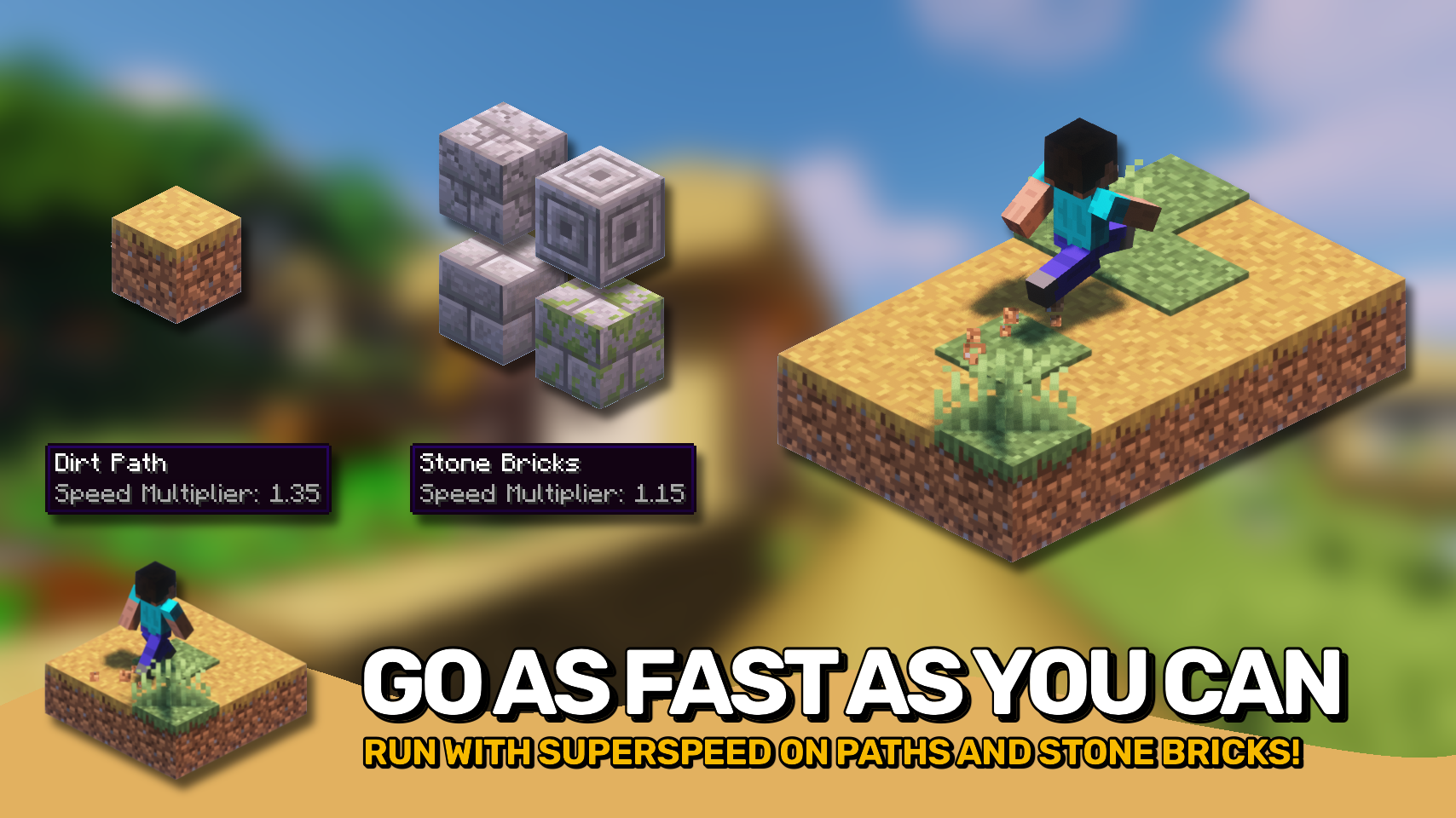
Paths finally do more than just look nice. Dirt paths and stone bricks can make you move faster, making roads and walkways feel more useful and rewarding. 🛤️
Want full control? You can customize speed values for any block using the blockrunner:block_speeds block data map. ⚙️
No new items, no complicated mechanics, just faster movement where it makes sense. 💨 Feels right at home in Minecraft! 🎮


⏩ INSTALLATION REQUIRED ON CLIENT & REQUIRED ON SERVER
⏩ REQUIRES PUZZLES LIB TO BE INSTALLED (FABRIC & NEOFORGE)
⏩ REQUIRES FABRIC API TO BE INSTALLED (FABRIC)
⏩ REQUIRES FORGE CONFIG API PORT TO BE INSTALLED (FABRIC)

If available for a mod, configuration is possible directly from in-game using the mod menu (requires Mod Menu by Prospector to be installed on Fabric).
For manual configuration using an external text editor all files are found at .minecraft/config, named as MOD_ID-client.toml, MOD_ID-common.toml, or MOD_ID-server.toml, depending on the type of config. Not all types might exist for a mod, if any at all.
 |
 |
|
 |
 |
|
 |
 |
|
 |
 |
|
 |
 |
|

© 2026 @heyitsfuzs. All rights reserved. This page was last edited on 11 September 2026, at 06:44 (UTC).
Download for 1.19+: https://www.curseforge.com/minecraft/mc-mods/block-runner





📖 About:
Block Runner makes you run faster on certain blocks, it's that simple. Mainly useful for paths since grass paths now actually offer some benefit besides looking different.
Works on all mobs, so e.g. riding a horse on path blocks will make you go even faster. The mod includes a config file that lets you set your own custom speed value for any block or block tag.
📷 Media:
 |
 |
|
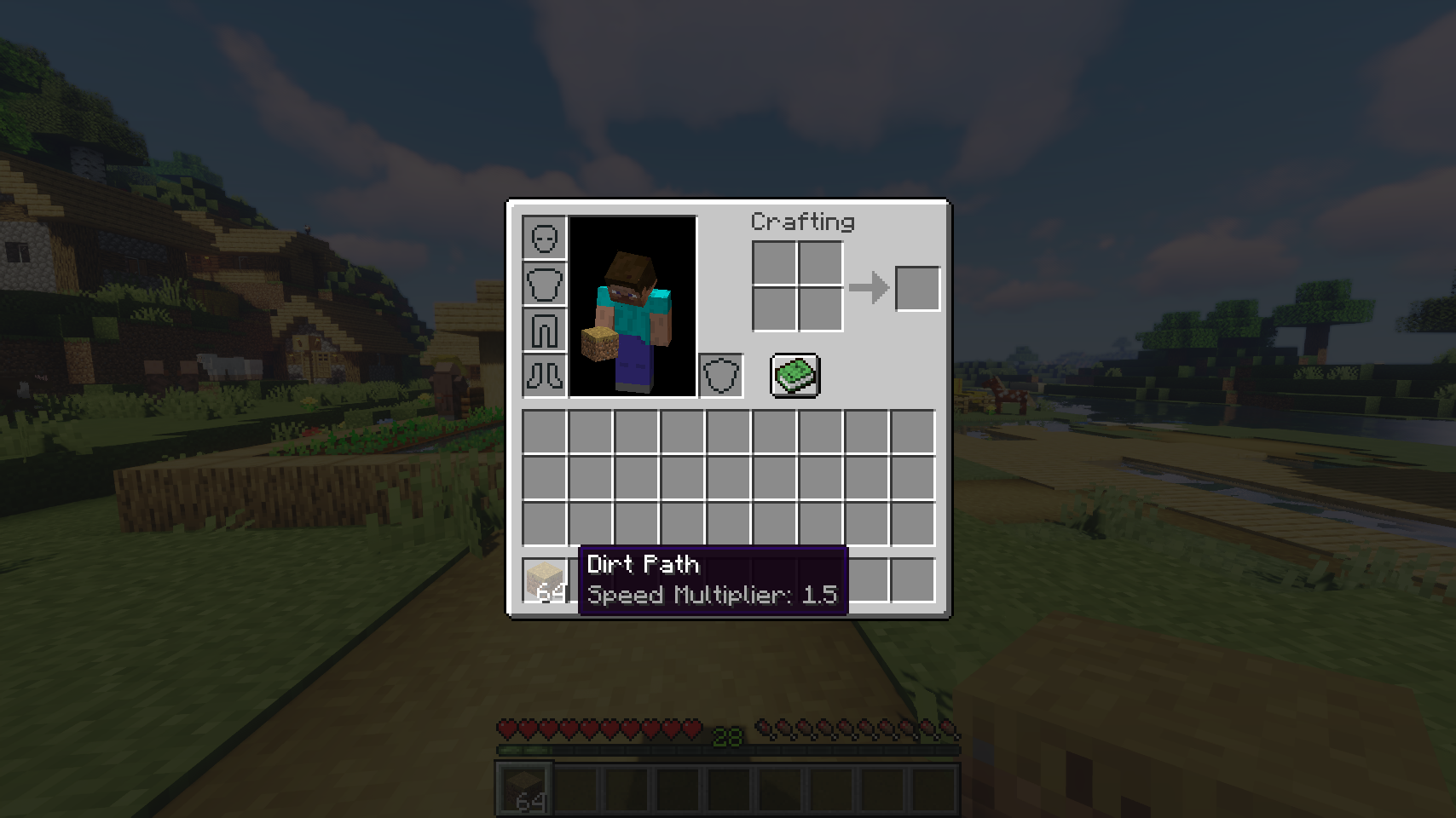
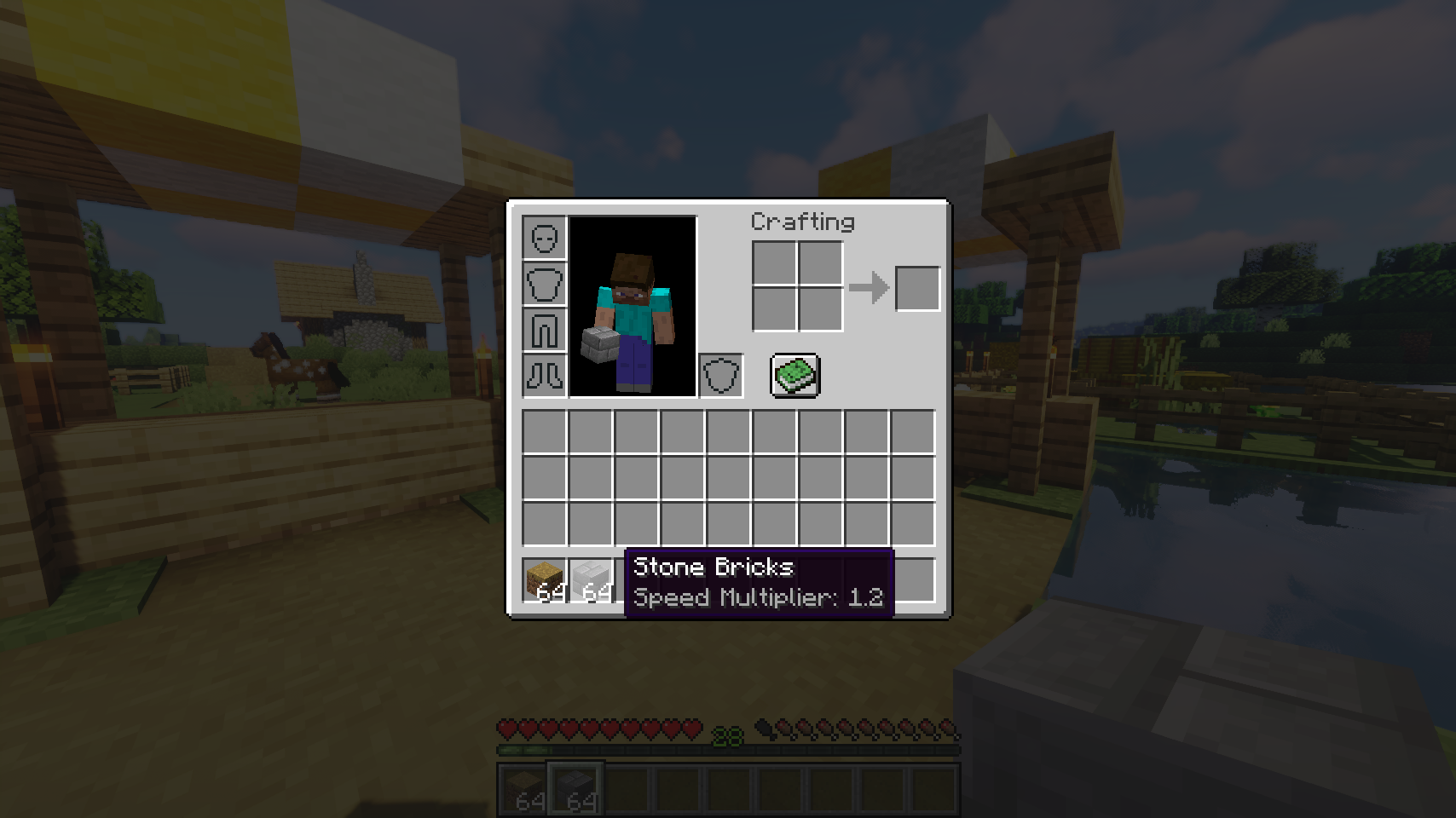
| Useful inventory tooltip telling you the new speed of blocks | Stone bricks only add a little bit of speed, in contrast to paths | |
💡 FAQ:
Q: How do I configure this mod?
A: Block Runner uses a custom json config file. You can find it at .minecraft/config/blockrunner.json and add or remove your own custom speed values for blocks and block tags. To reload the config in-game run /reload (the same command that also reloads data packs).
Q: What is optional on the client side supposed to mean?
A: Block Runner fully works when only installed on the server, both vanilla clients as well as clients without the mod can connect. If installed on the client as well, the block speed will be added to the inventory tooltip of every item that has it.







 |
 |
|
 |
 |
|
 |
 |
|
 |
 |
|
 |
 |
|
Block Runner makes movement more exciting by giving certain blocks their own speed boosts whenever players or mobs walk on them. 🚀
Paths finally do more than just look nice. Dirt paths and stone bricks can make you move faster, making roads and walkways feel more useful and rewarding. 🛤️
Want full control? You can customize speed values for any block using the blockrunner:block_speeds block data map. ⚙️
No new items, no complicated mechanics, just faster movement where it makes sense. 💨 Feels right at home in Minecraft! 🎮
⏩ INSTALLATION REQUIRED ON CLIENT & REQUIRED ON SERVER
⏩ REQUIRES PUZZLES LIB TO BE INSTALLED (FABRIC & NEOFORGE)
⏩ REQUIRES FABRIC API TO BE INSTALLED (FABRIC)
⏩ REQUIRES FORGE CONFIG API PORT TO BE INSTALLED (FABRIC)
If available for a mod, configuration is possible directly from in-game using the mod menu (requires Mod Menu by Prospector to be installed on Fabric).
For manual configuration using an external text editor all files are found at .minecraft/config, named as MOD_ID-client.toml, MOD_ID-common.toml, or MOD_ID-server.toml, depending on the type of config. Not all types might exist for a mod, if any at all.
 |
 |
|
|
 |
|
 |
 |
|
 |
 |
|
 |
 |
© 2026 @heyitsfuzs. All rights reserved. This page was last edited on 11 September 2026, at 06:44 (UTC).
Screenshots
Gallery
-
Stone bricks only add a little bit of speed, in contrast to paths
-
Useful inventory tooltip telling you the new speed of blocks

Versions
Files
Relations
Project Relations
More like this
Similar Mods
Suggestions use data such as tags, dependencies, dependents, descriptions, titles, and more to rank how much they overlap with this mod.
On ModDex
Community snapshot
By the numbers
Statistics
Want to reach Minecraft players?
We're looking for a server hosting partner to feature here and other parts of the site. Interested? Send us a message!
Get in touchGet it on
Available Platforms
On ModDex
Community snapshot
By the numbers