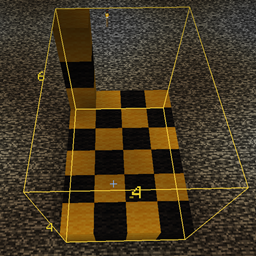
Community listing page, reviews may not be monitored by the author.
BlockMeterFabric


No reviews yet
A mod to measure block distances

Community voices
Reviews
No reviews yet. Be the first to review this project!
Get it on
Available Platforms
Compatibility
Supported Environments
Required on the client. Installing it on the server adds functionality.
About
Project Details
For authors
Embed Badge
If you're the author of this project, you can embed a live badge anywhere that supports HTML or Markdown. It updates automatically whenever ratings change.
Use HTML for any page that supports it, or Markdown for README files and Markdown-based descriptions.
Identifiers
Platform IDs
About
Description
Block Meter Fabric
To use this mod, you'll need to:
Required
- install the Fabric modloader from https://fabricmc.net/use/
- install the Fabric API from https://www.curseforge.com/minecraft/mc-mods/fabric-api/files
- install this mod
Optional
- install ModMenu from https://www.curseforge.com/minecraft/mc-mods/modmenu/files (this is not absolutely necessary, but strongly recommended)
Installing a mod is as easy as dropping it into your mod folder. If you don't know how to do that, open Minecraft, go to Options/Resource packs, click the "Open Pack Folder" button, then navigate one level up and down to mods.
Download the jar file, make sure to select the one that matches your Minecraft version.
(To find all files, go to https://www.curseforge.com/minecraft/mc-mods/blockmeterfabric/files/all.)
Drop the downloaded jar file there.
Mod description
This is a continuation mod for https://www.curseforge.com/minecraft/mc-mods/block-meter which seems not to get updated by its owner anymore, forked under MIT license.
It allows you to measure sizes of builds or areas, so you can verify things line up the way you want, or having the distances they're expected to.
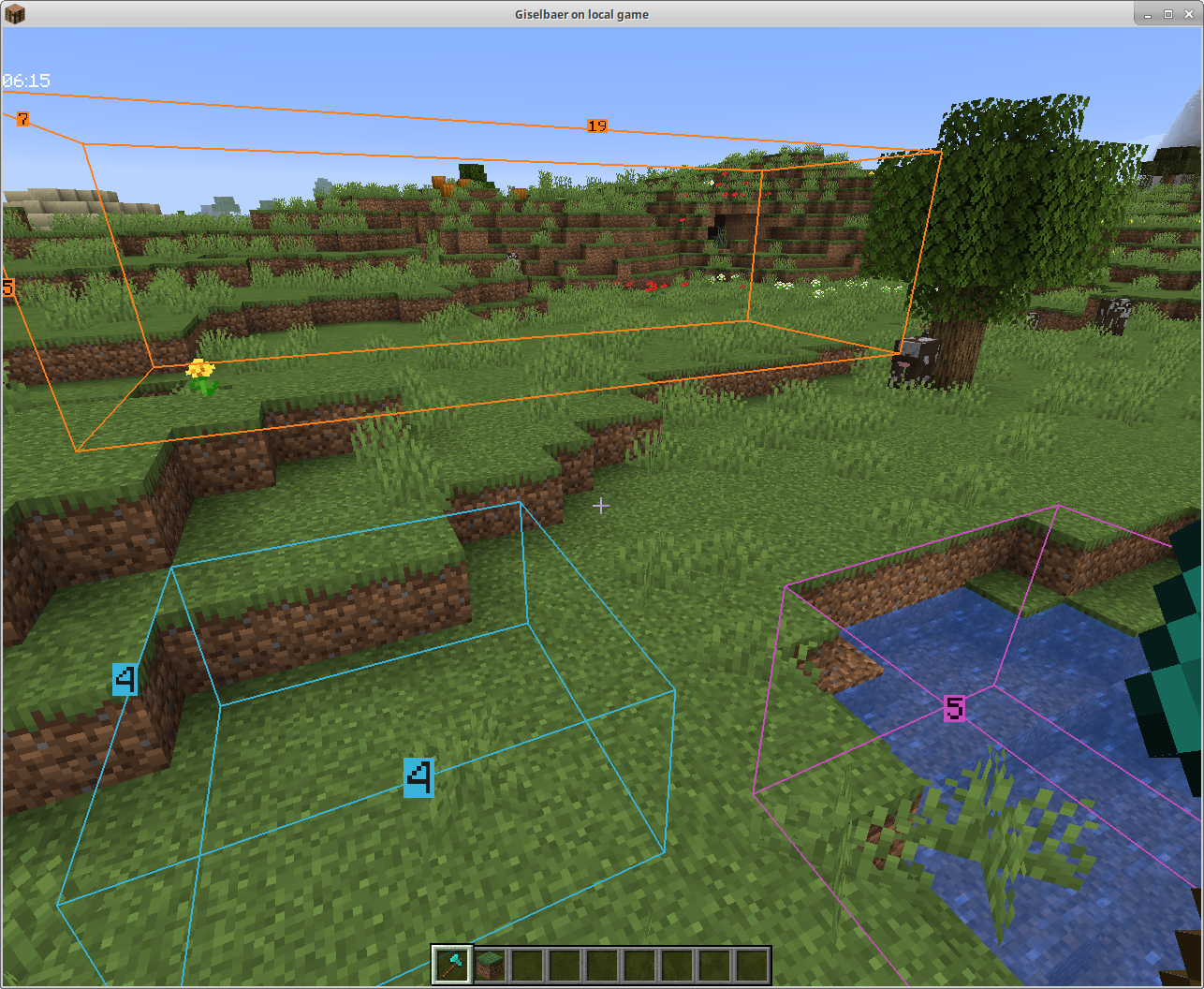
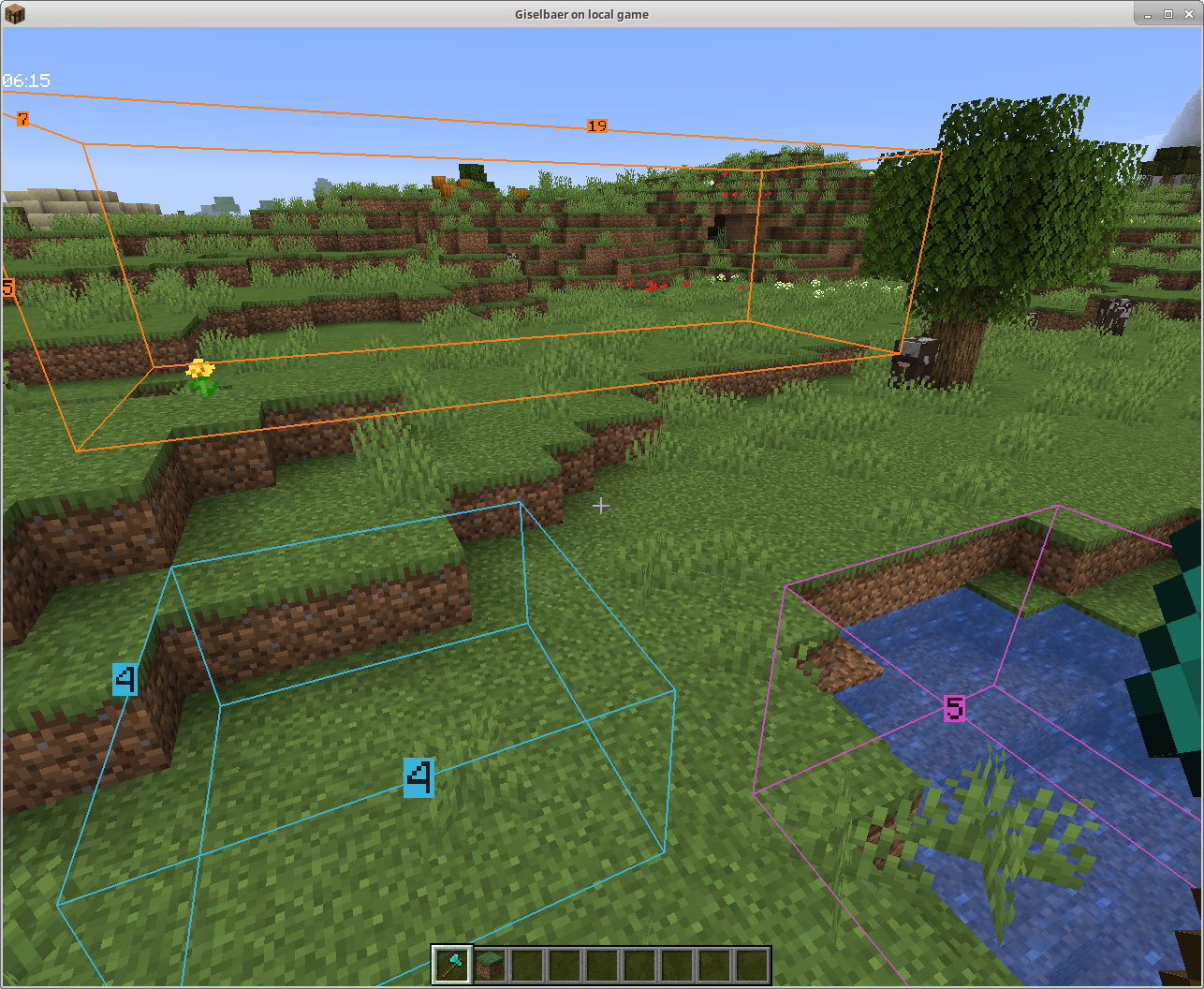
To use, hold any item and tap the BlockMeter key. Right click that item anywhere to set a starting point. Right-click the item somewhere else to get a second point. BlockMeter will draw a cuboid and show the lengths of each of the sides.
Tap the key again to deactivate the BlockMeter cubes. Tap Shift and the key to remove the last cube. Tap Ctrl and the key to remove all cubes.
To edit an existing box, right click while crouching to "loosen" one corner and right click again to place it somewhere else.
Collaborative Building
From version 1.4 on, you can collaborate and see each other's boxes if the mod is installed on the server as well.
The mod will still work client-side only, so you can play on any (vanilla, spigot, paper, ...) servers without the server owner having to do anything.
Fabric Server
In a LAN world with the host having the mod, or with a dedicated Fabric server that has the mod, you can see other people's boxes - enable BlockMeter, press the ALT button while holding the BlockMeter block, and toggle the new button. Now you'll see other players' boxes, and each block count will have the name of the player who created the box in front.
Bukkit Server
Version 1.4.1 works as server part with Bukkit/Spigot/Paper as well. If you want to share block outlines on your favorite server (non-modded, but has plugins), ask your server owner to download the jar file from here and put it in the plugins directory (make sure it's the correct Minecraft version, i.e. 1.15, and at least version 1.4.1 of the mod). The client part is the same as 1.4, so there's no reason to update your client.
This is a continuation mod of the discontinued BlockMeter, forked under MIT license.
It allows you to measure sizes of builds or areas, so you can verify things line up the way you want, or having the distances they're expected to.
To use, hold any item and tap the BlockMeter key. Right click that item anywhere to set a starting point. Right-click the item somewhere else to get a second point. BlockMeter will draw a cuboid and show the lengths of each of the sides.
Tap the key again to deactivate the BlockMeter cubes. Tap Shift and the key to remove the last cube. Tap Ctrl and the key to remove all cubes.
To edit an existing box, right click while crouching to "loosen" one corner and right click again to place it somewhere else.
Dependencies
To use this mod, you'll need to:
Required
- install the Fabric modloader from https://fabricmc.net/use/
- install the Fabric API from https://modrinth.com/mod/fabric-api
- install this mod
Optional
- install ModMenu from https://modrinth.com/mod/modmenu (this is not absolutely necessary, but strongly recommended)
Collaborative Building
From version 1.4 on, you can collaborate and see each other's boxes if the mod is installed on the server as well.
The mod will still work client-side only, so you can play on any (vanilla, spigot, paper, ...) servers without the server owner having to do anything.
Fabric Server
In a LAN world with the host having the mod, or with a dedicated Fabric server that has the mod, you can see other people's boxes - enable BlockMeter, press the ALT button while holding the BlockMeter block, and toggle the new button. Now you'll see other players' boxes, and each block count will have the name of the player who created the box in front.
Bukkit Server
Version 1.4.1 works as server part with Bukkit/Spigot/Paper as well. If you want to share block outlines on your favorite server (non-modded, but has plugins), ask your server owner to download the jar file from here and put it in the plugins directory (make sure it's the correct Minecraft version, i.e. 1.15, and at least version 1.4.1 of the mod). The client part is the same as 1.4, so there's no reason to update your client.
Screenshots
Gallery
-
Some blocks Some examples of blocks in nature
-
Boxes in Nature
Versions
Files
Relations
Project Relations
More like this
Similar Mods
Suggestions use data such as tags, dependencies, dependents, descriptions, titles, and more to rank how much they overlap with this mod.
On ModDex
Community snapshot
By the numbers
Statistics
 (opens in a new tab)
Get it on
Available Platforms
On ModDex
Community snapshot
By the numbers