
Community listing page, reviews here may not be monitored by the author.
BlockMixer


No reviews yet
Minecraft Fabric mod that designed to ease the building process.
Community voices
Reviews
No reviews yet. Be the first to review this project!
Get it on
Available Platforms
Compatibility
Supported Environments
Runs entirely on the client. Works on vanilla servers.
About
Project Details
For authors
Embed Badge
If you're the author of this project, you can embed a live badge anywhere that supports HTML or Markdown. It updates automatically whenever ratings change.
Use HTML for any page that supports it, or Markdown for README files and Markdown-based descriptions.
Identifiers
Platform IDs
Resources
External Links
About
Description
BlockMixer • Fabric Mod
Description
This mod is designed to ease the building process.
How it works
After you put the block, the mod chooses a random slot from BlockMixer's binded slots and automatically switches your character's selection to it.
Requirements
RequiredFabricRequiredFabric APIOptionalCloth Config APIOptionalMod Menu
Features
- Different mixing modes:
Default: random selection of slots, Non-repeating: slot cannot be repeated twice in a row, Non-repeating [2]: the slot cannot be repeated three times in a row. - Ability to adjust slot ratio:
The slot ratio setting allows you to select the priority slot that BlockMixer will select. Thus, by setting the ratio to 10 for one slot and 1 for the other, the first slot will randomize more often at 10.
How to use
Basic usage
To bind and unbind a slot to BlockMixer click B. The binded slot will be highlighted with a green indicator.
Different mixing modes
To select mixing mode go to mod settings (Mod Menu required).
"Toggle Mod" option
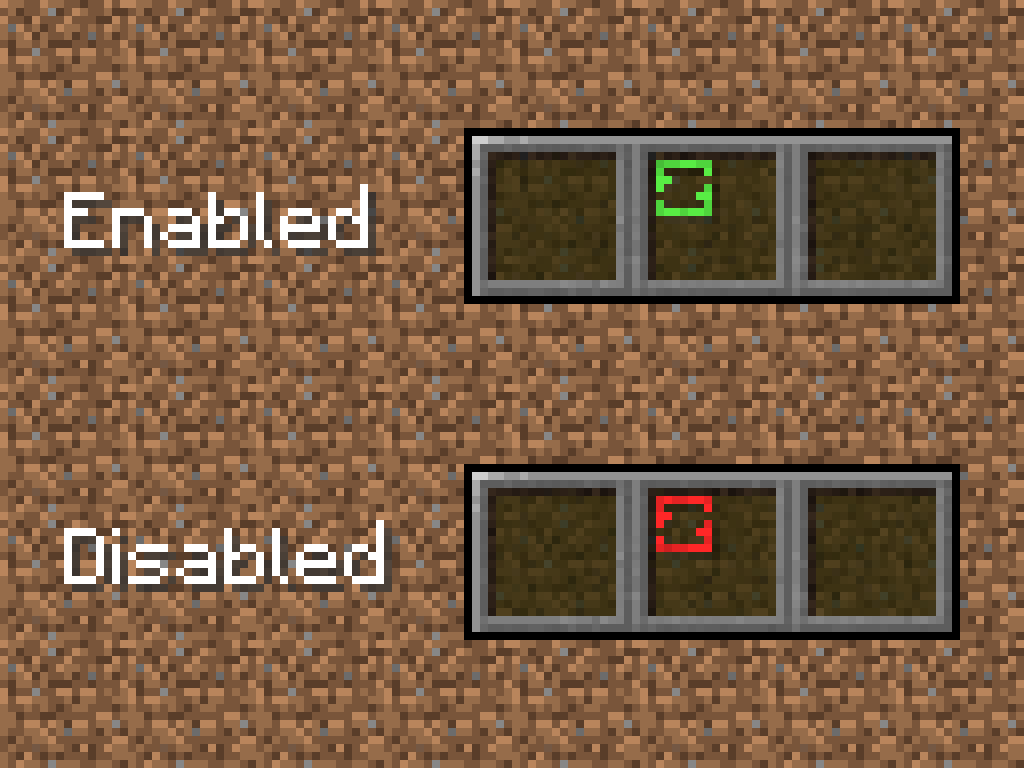
This option is for disable mod without cleaning BlockMixer's binded slots. To toggle mod press "Sneak" button (Shift by default) + "Toggle hotbar slot" button (B by default), Shift+B. All binded slots will be highlighted with a red indicator.
"Slot ratio" option
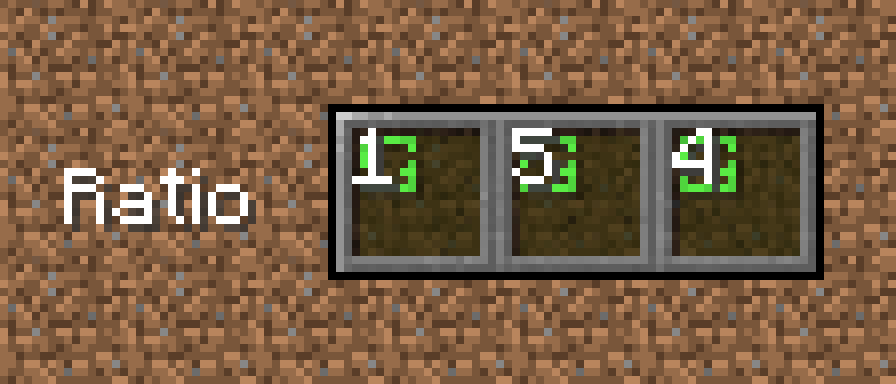
To increase slot ratio press ] (by default). To decrease slot ratio press [ (by default).
BlockMixer • Fabric Mod
Description
This mod is designed to ease the building process.
How it works
After you put the block, the mod chooses a random slot from BlockMixer's binded slots and automatically switches your character's selection to it.
Requirements
Fabric Fabric API loth Config API Mod Menu
Features
- Different mixing modes: Default: random selection of slots, Non-repeating: slot cannot be repeated twice in a row, Non-repeating [2]: the slot cannot be repeated three times in a row.
- Ability to adjust slot ratio: The slot ratio setting allows you to select the priority slot that BlockMixer will select. Thus, by setting the ratio to 10 for one slot and 1 for the other, the first slot will randomize more often at 10.
How to use
Basic usage To bind and unbind a slot to BlockMixer click B. The binded slot will be highlighted with a green indicator.
Different mixing modes
To select mixing mode go to mod settings (Mod Menu required).
"Toggle Mod" option
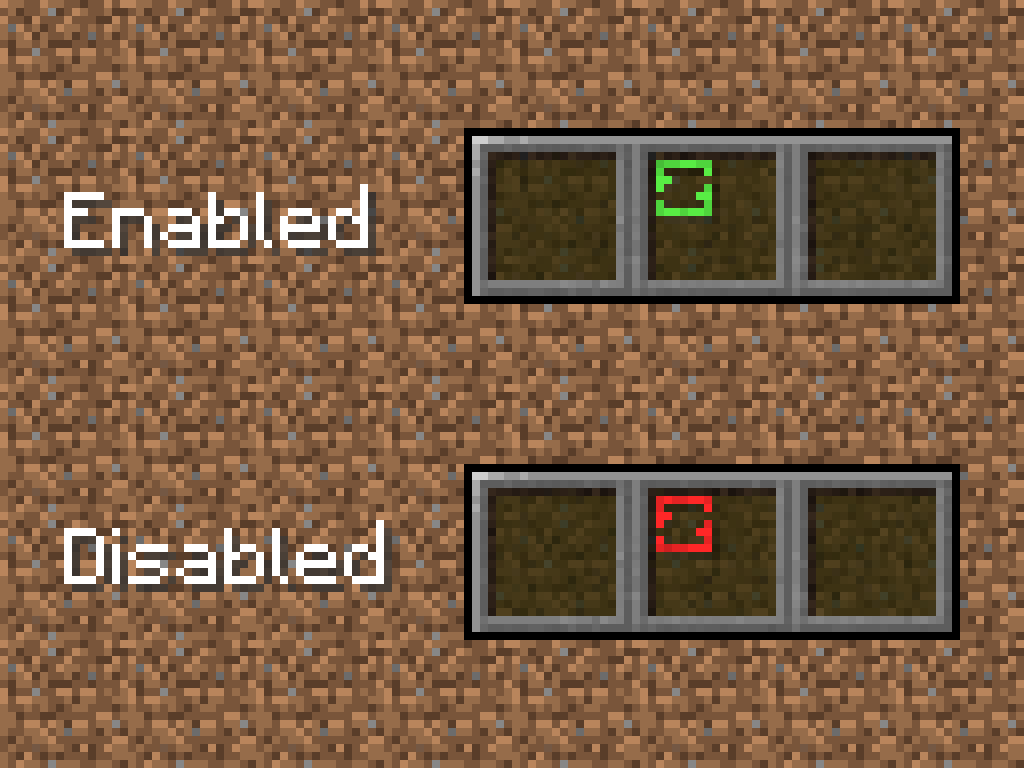
This option is for disable mod without cleaning BlockMixer's binded slots. To toggle mod press "Sneak" button (Shift by default) + "Toggle hotbar slot" button (B by default), Shift+B. All binded slots will be highlighted with a red indicator.
"Slot ratio" option
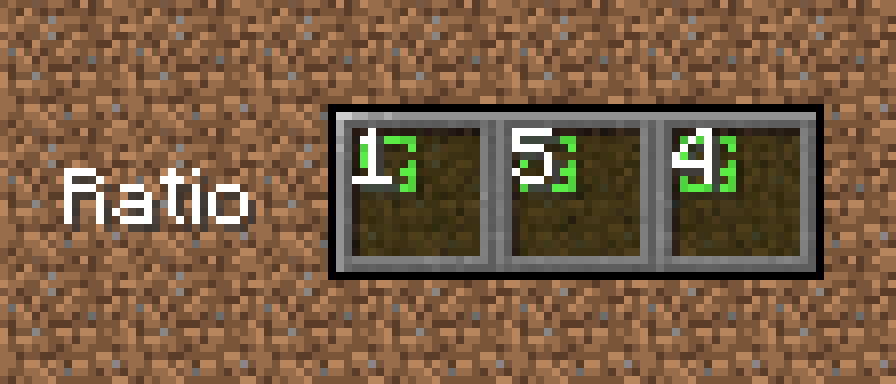
To increase slot ratio press ] (by default). To decrease slot ratio press [ (by default).
Screenshots
Gallery
-
 Logo
Logo
Versions
Files
Relations
Project Relations
More like this
Similar Mods
Suggestions use data such as tags, dependencies, dependents, descriptions, titles, and more to rank how much they overlap with this mod.
On ModDex
Community snapshot
By the numbers
Statistics
Want to reach Minecraft players?
We're looking for a server hosting partner to feature here and other parts of the site. Interested? Send us a message!
Get in touchGet it on
Available Platforms
On ModDex
Community snapshot
By the numbers
Statistics
Resources