Community listing page, reviews here may not be monitored by the author.
Blocky Outline


No reviews yet
A mod that adds a blocky outline to blocks when you look at them.
Community voices
Reviews
No reviews yet. Be the first to review this project!
Get it on
Available Platforms
Compatibility
Supported Environments
Runs entirely on the client. Works on vanilla servers.
About
Project Details
For authors
Embed Badge
If you're the author of this project, you can embed a live badge anywhere that supports HTML or Markdown. It updates automatically whenever ratings change.
Use HTML for any page that supports it, or Markdown for README files and Markdown-based descriptions.
Identifiers
Platform IDs
About
Description
A simple client-side mod that customizes the block outline in Minecraft. Lightweight and built with Fabric API.
Blocky Outline
Blocky Outline is a highly polished, premium client-side Fabric mod for Minecraft that completely transforms how you interact with the world by adding highly customizable block-targeting outlines and solid face fills. Say goodbye to the boring, static default outline—with Blocky Outline, you can fully personalize your targeting visual style to match your aesthetic!
Features
- Custom Block Outlines & Face Fills: Choose between rendering a beautiful custom outline around targeted blocks, a sleek translucent solid face fill, or both at the same time.
- Dynamic HSL Rainbow Transitions: Elevate your game with gorgeous, smooth color transitions. Configure a dynamic rainbow effect that shifts through the HSL spectrum with adjustable speeds.
- Vibrant & Precise Color Customization: Tweak red, green, blue, and alpha/opacity channels individually to create perfect custom colors for both the outline and the fill.
- Sodium, Iris & Canvas Compatibility: Built with advanced modern rendering methods. The mod utilizes a double-faced vertex consumer structure and a micro-inflation factor (
0.005D) to completely eliminate z-fighting, backface culling, or clipping issues commonly found when using modern performance shaders like Iris and Sodium. - Native Keybinding Integration: Seamlessly integrated into Minecraft’s native control settings. Simply press the M key (fully rebindable in the standard Controls options) to open the interactive customization menu screen in-game.
- Frame-Synchronized Caching: Implements intelligent rendering pipeline optimization to prevent rendering bugs (such as outline elements getting stuck to the ground), ensuring buttery-smooth performance.
- Client-Side Only: Purely client-side! You can join any multiplayer server, vanilla or modded, and enjoy your stunning custom block highlights.
Configuration & Customization
Once you are in-game, simply press M to open the customizer dashboard. From there, you can toggle:
- Outline Mode: Adjust the outline width, transparency (alpha), and exact color.
- Fill Mode: Enable or disable targeted block face highlighting, customize its transparency so it doesn't block your view, and configure independent custom colors or HSL rainbow transitions.
Installation & Versions
This mod is optimized for Minecraft 1.21+ (fully verified on 1.21.11) and requires:
- Fabric Loader (>=0.19.2)
- Fabric API
Simply drag the .jar file into your mods folder and you are ready to play!
Created by CharaZ. Check out the source code or report issues on our GitHub Repository.
Screenshots
Gallery
-
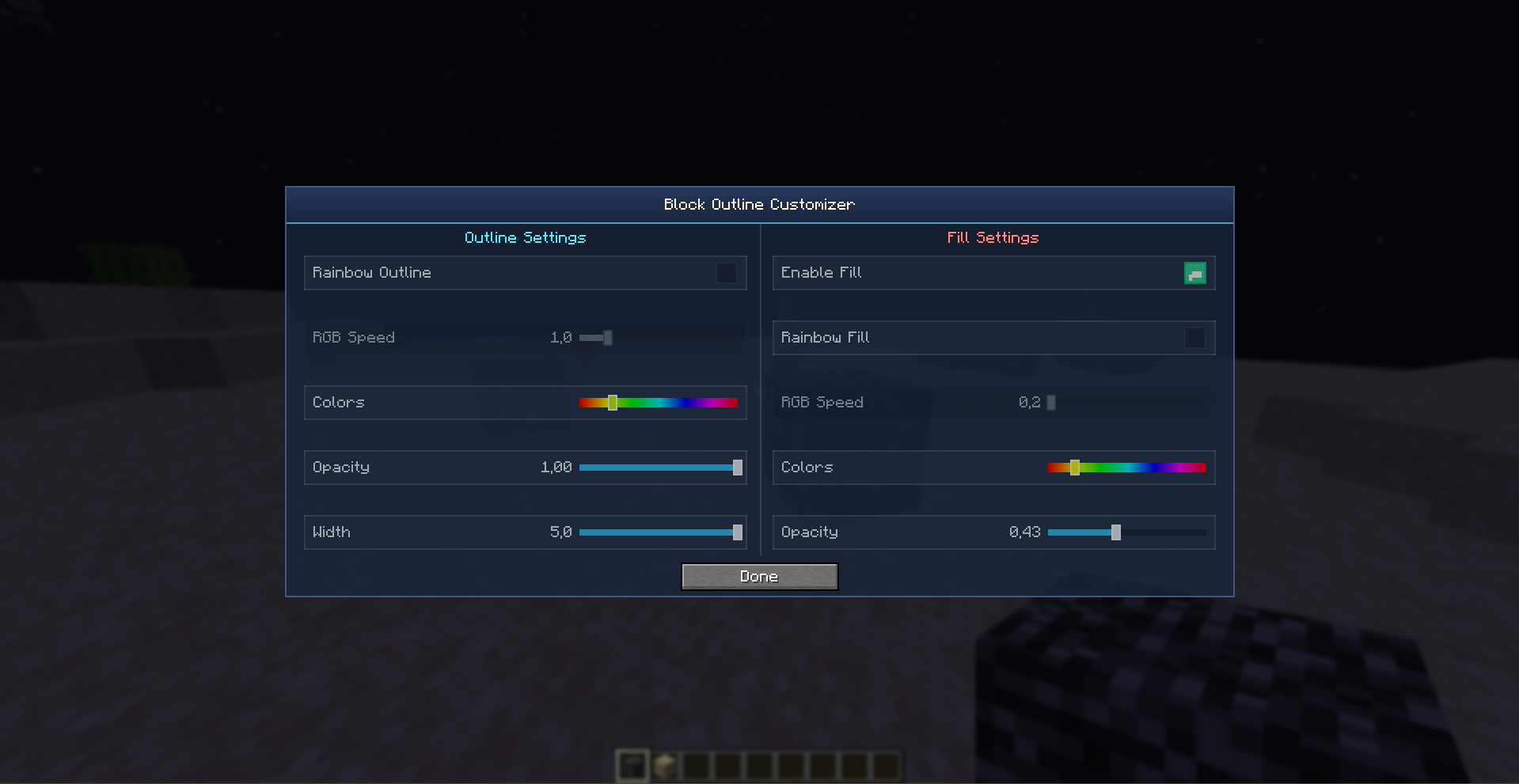 Menu Blocky Outline This is Menu mods( keybind M )
 -
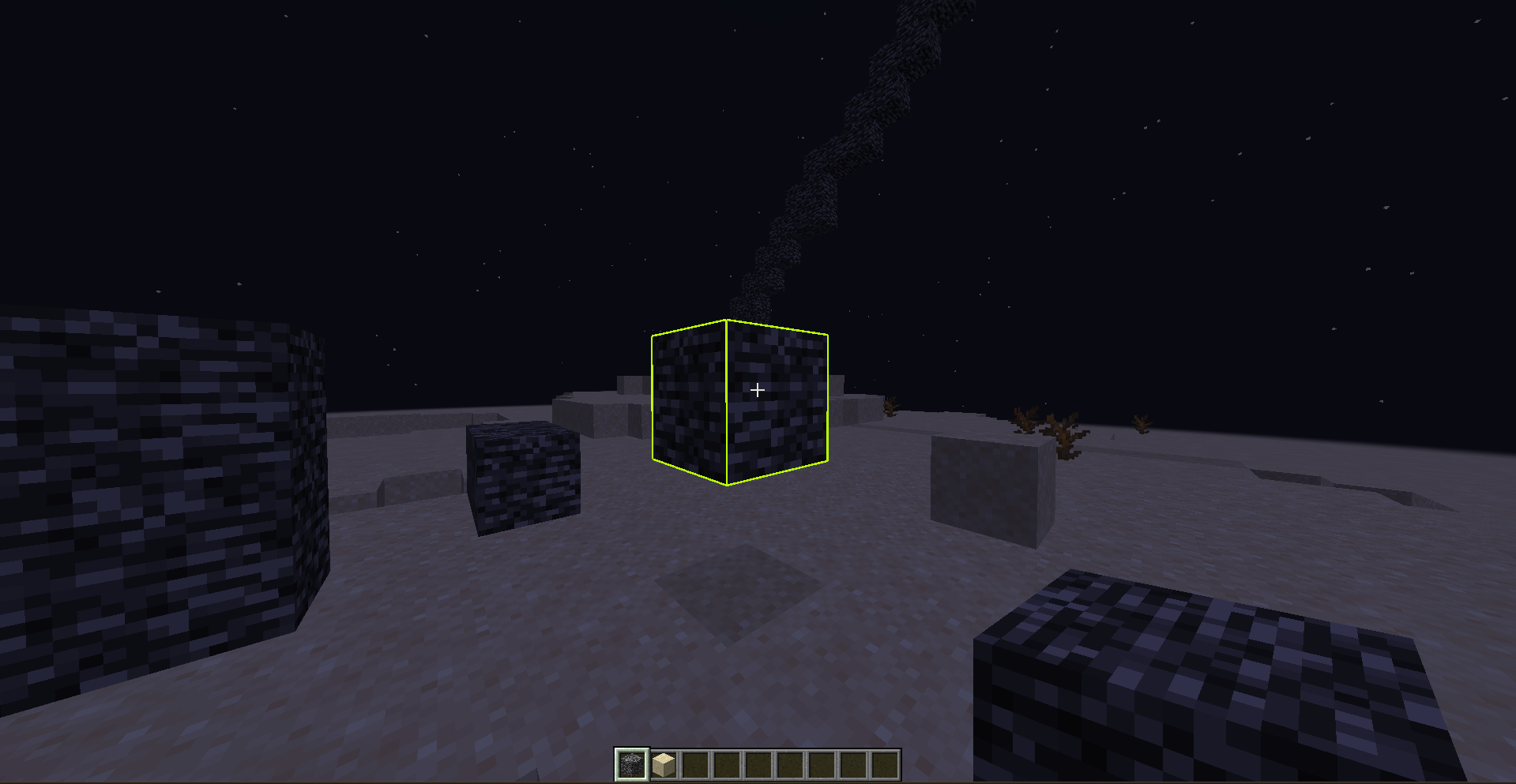 Outline This is Outline Block
 -
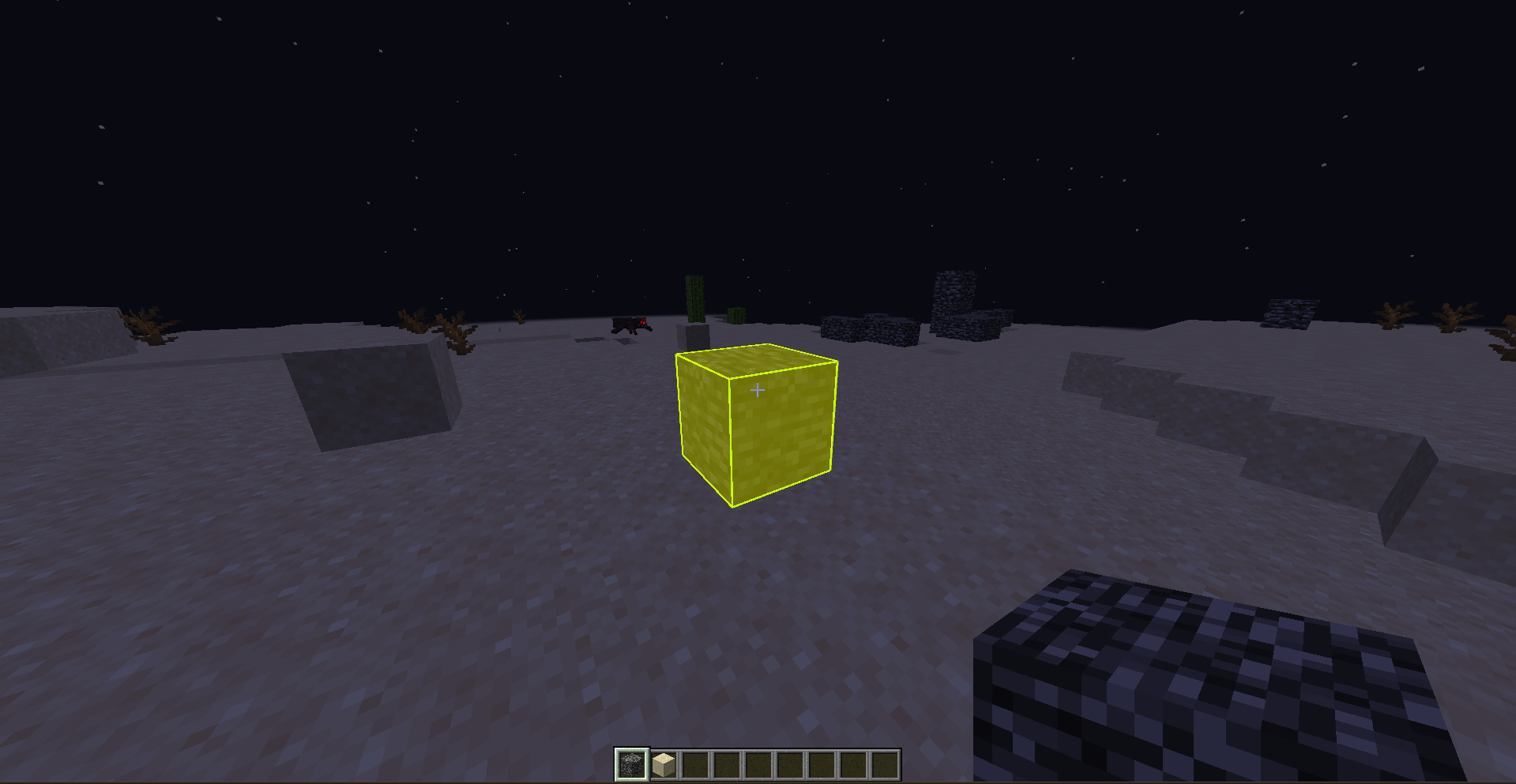 Outline + Fill This is Outline + Fill Block
Versions
Files
Relations
Project Relations
More like this
Similar Mods
Suggestions use data such as tags, dependencies, dependents, descriptions, titles, and more to rank how much they overlap with this mod.
On ModDex
Community snapshot
By the numbers
Statistics
Want to reach Minecraft players?
We're looking for a server hosting partner to feature here and other parts of the site. Interested? Send us a message!
Get in touchGet it on
Available Platforms
On ModDex
Community snapshot
By the numbers