Community listing page, reviews here may not be monitored by the author.
BlockZ


No reviews yet
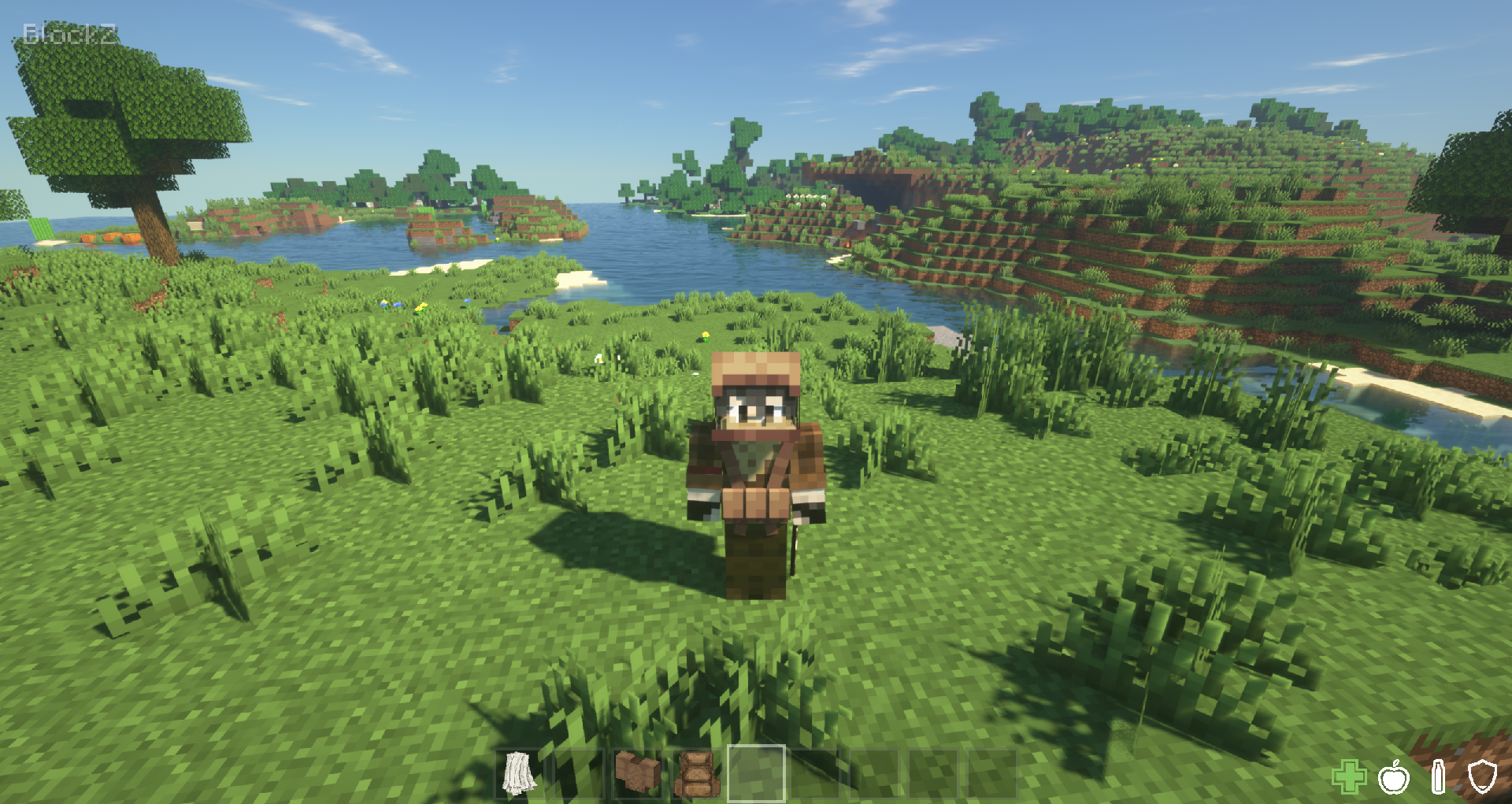
BlockZ is a mod dedicated to bringing a hardcore survival experience to Minecraft, paying deep homage to the classic DayZ and DayM gameplay.
Community voices
Reviews
No reviews yet. Be the first to review this project!
Get it on
Available Platforms
Compatibility
Supported Environments
Must be installed on both the client and the server.
About
Project Details
For authors
Embed Badge
If you're the author of this project, you can embed a live badge anywhere that supports HTML or Markdown. It updates automatically whenever ratings change.
Use HTML for any page that supports it, or Markdown for README files and Markdown-based descriptions.
Identifiers
Platform IDs
About
Description
Mod Overview
BlockZ is a mod dedicated to bringing a hardcore survival experience to Minecraft, paying homage to the classic DayZ and DayM gameplay.
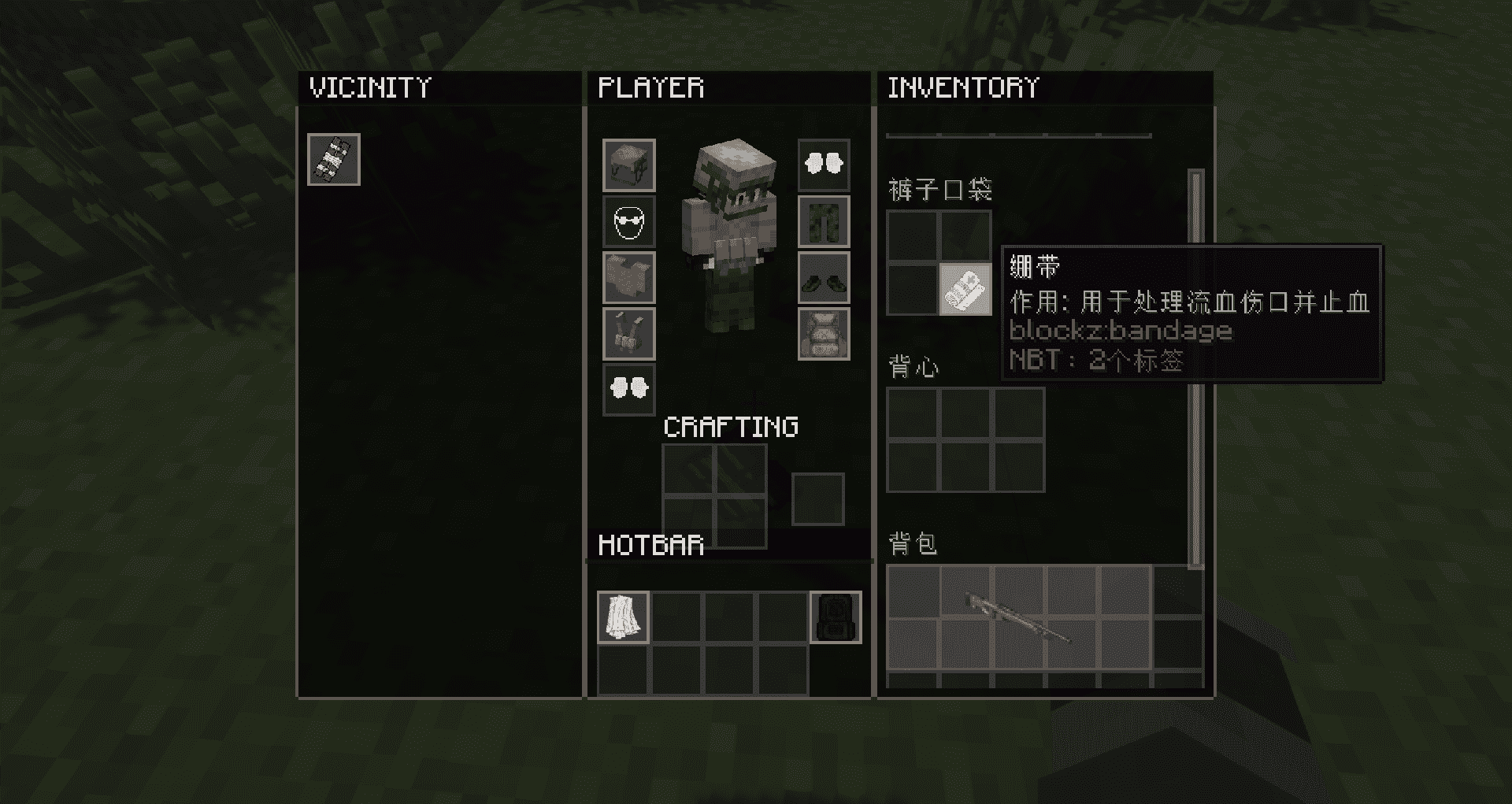
It completely reimagines the player's inventory interaction logic, adding a realistic "Tetris Inventory" system to make backpack management part of the survival challenge.
Core features
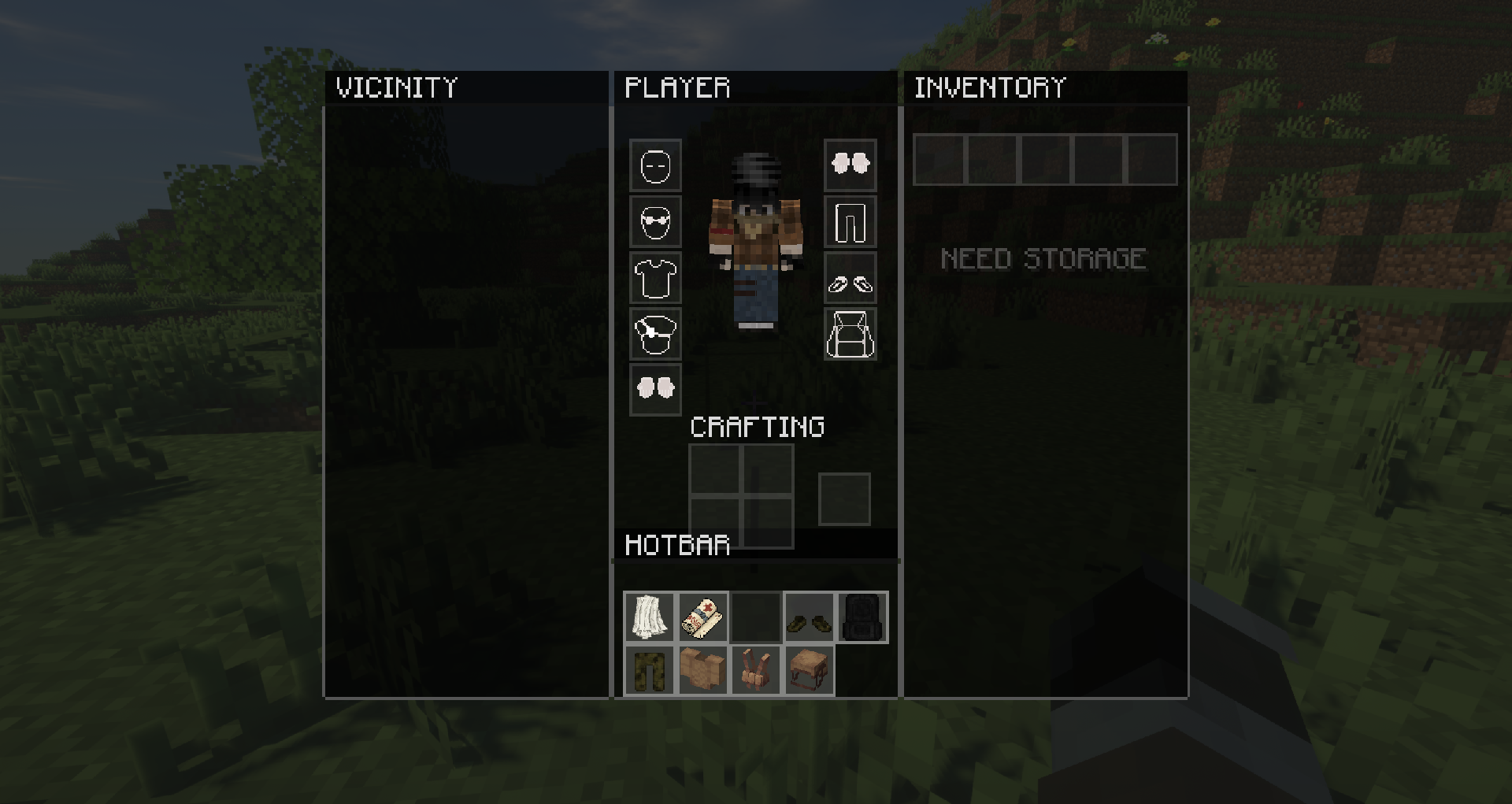
Authentic grid backpack system
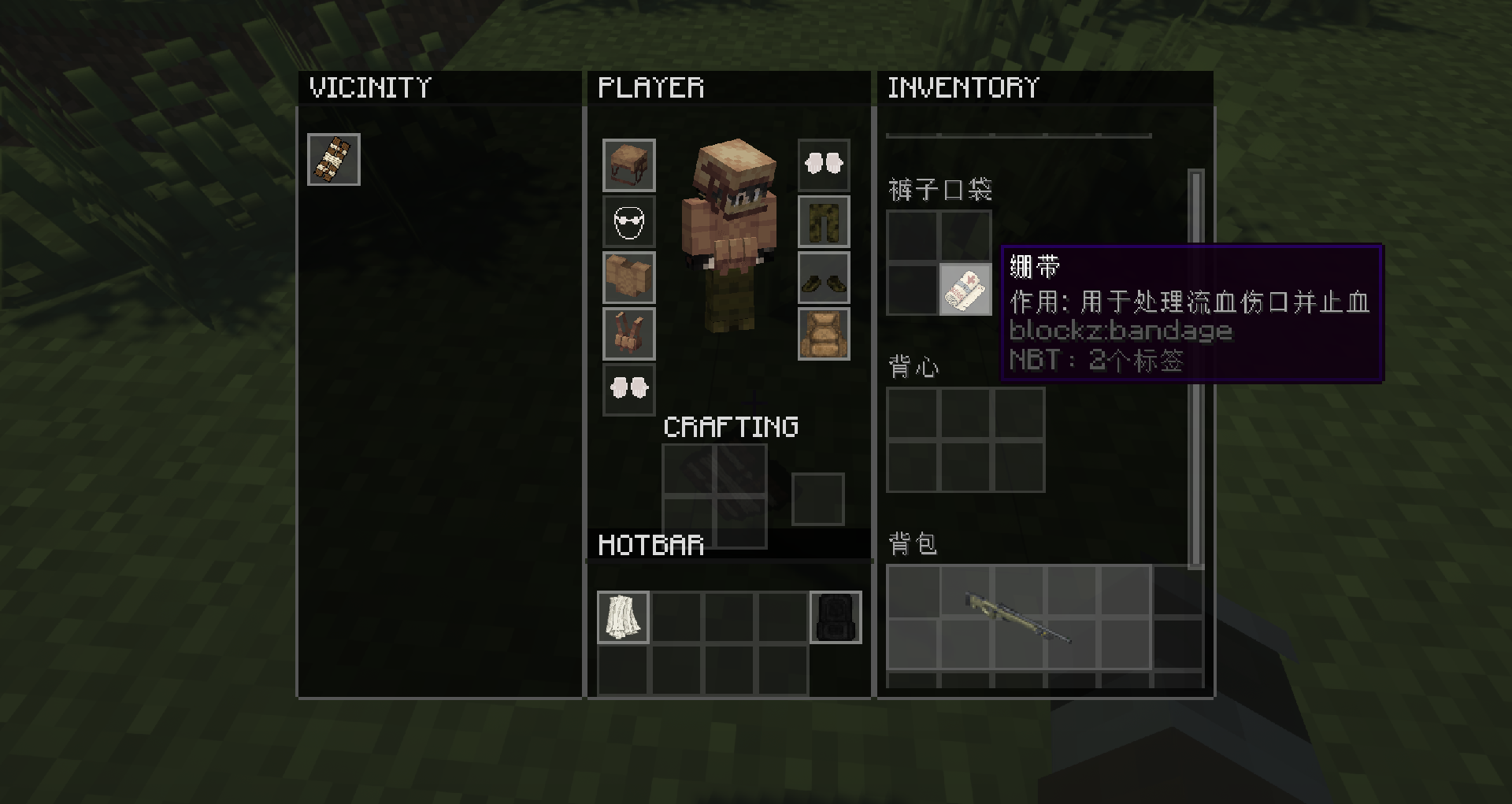
Tetris management: Items no longer occupy a single grid, but have real volumes (e.g. 1x3, 2x2). Players need to plan their backpack space reasonably to carry more supplies;
Item rotation: Supports pressing Space to rotate the direction of items to maximize the use of backpack gaps.
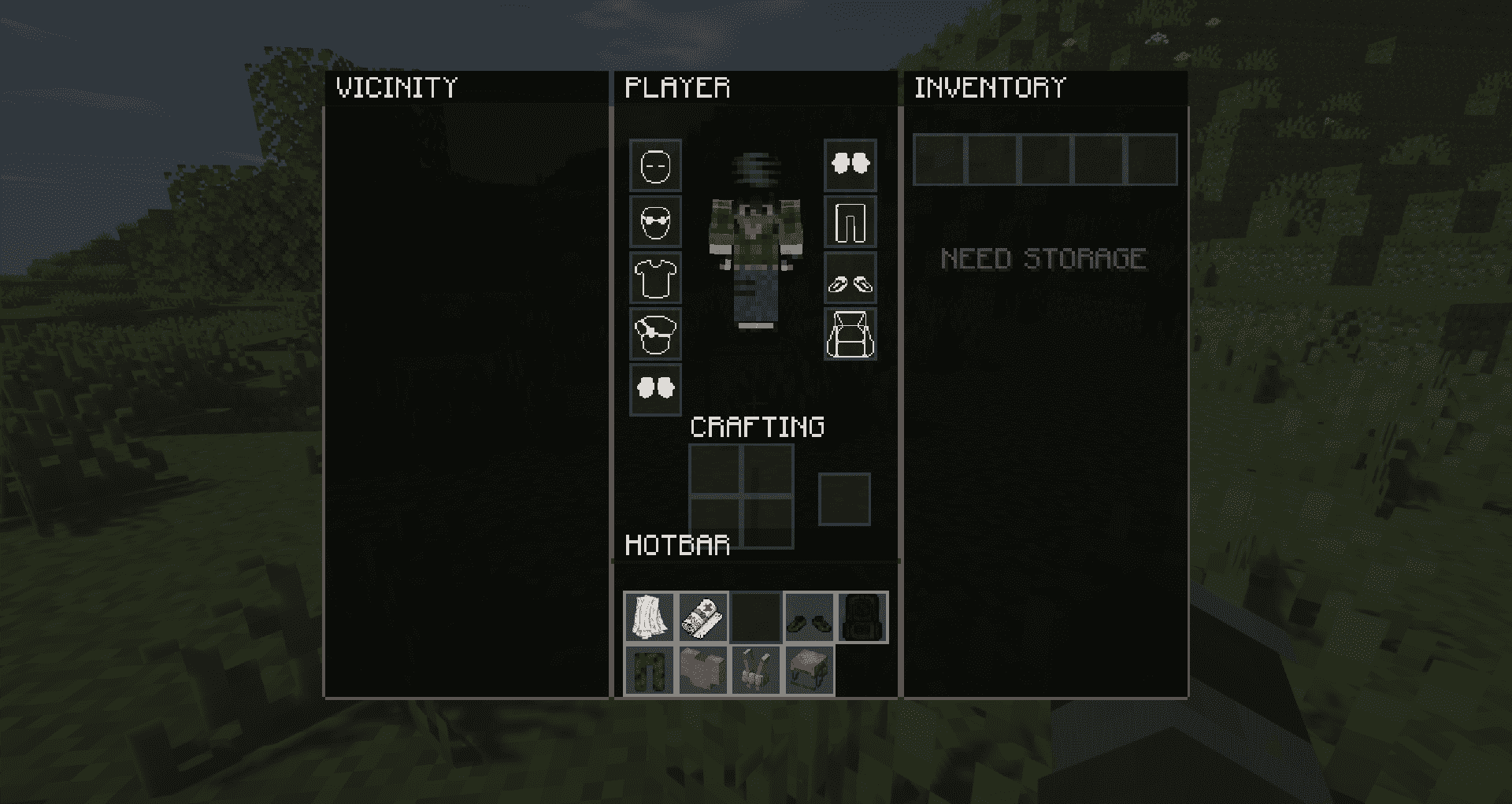
Dynamic expansion: Players initially have very little pocket space. Players need to scavenge and equip Backpacks, Vests, and clothing with pockets to get more storage slots.
Immersive Scraping Experience (Vicinity System)
Visualize loot: No need to open the container, directly view and pick up drops at your feet in the "Vicinity" panel on the left side of the interface;
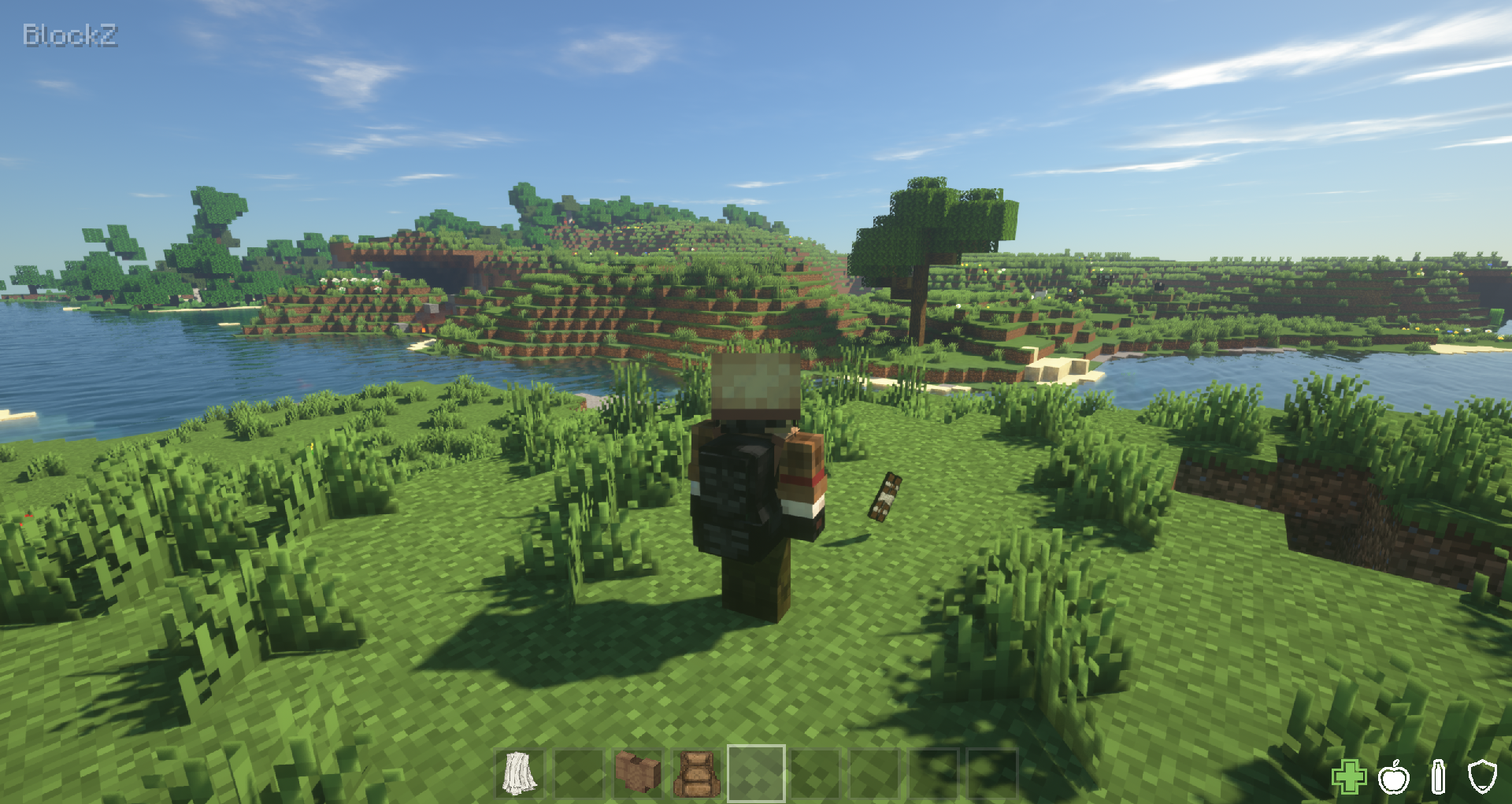
Drag and drop interaction: Support dragging ground items directly into the backpack, or drag the backpack items out and discard, the operation is smooth and natural;
3D Preview: A realistic model preview of the item is displayed when dragging and dropping items in the inventory.
Hardcore Backpack Limits
Original Backpack Lock: Even when switching back to the original interface, ununlocked backpack slots are forcibly locked (red icon is displayed), preventing restrictions from being bypassed by switching UI. This feature can be turned on or off in the configuration file;
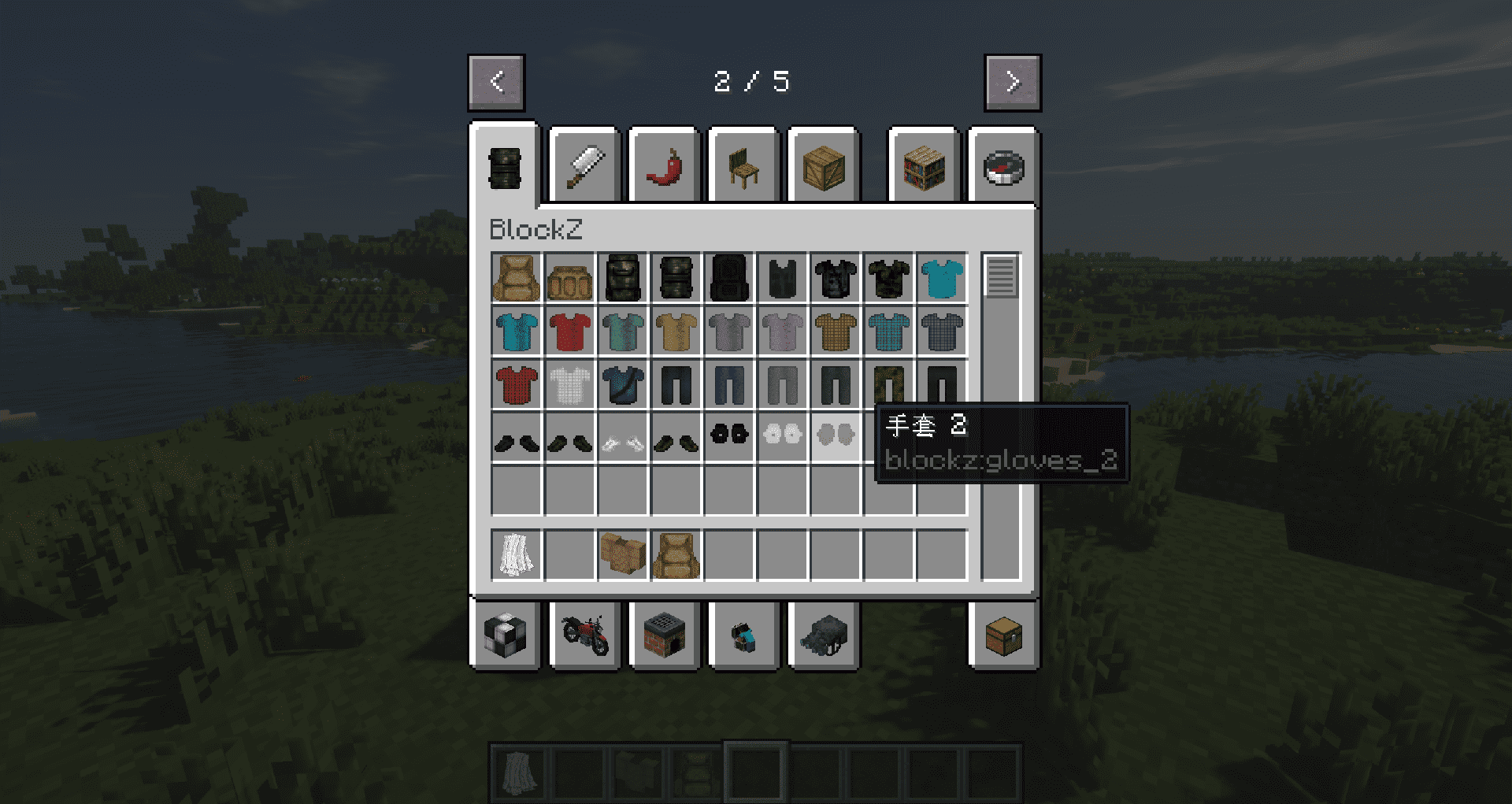
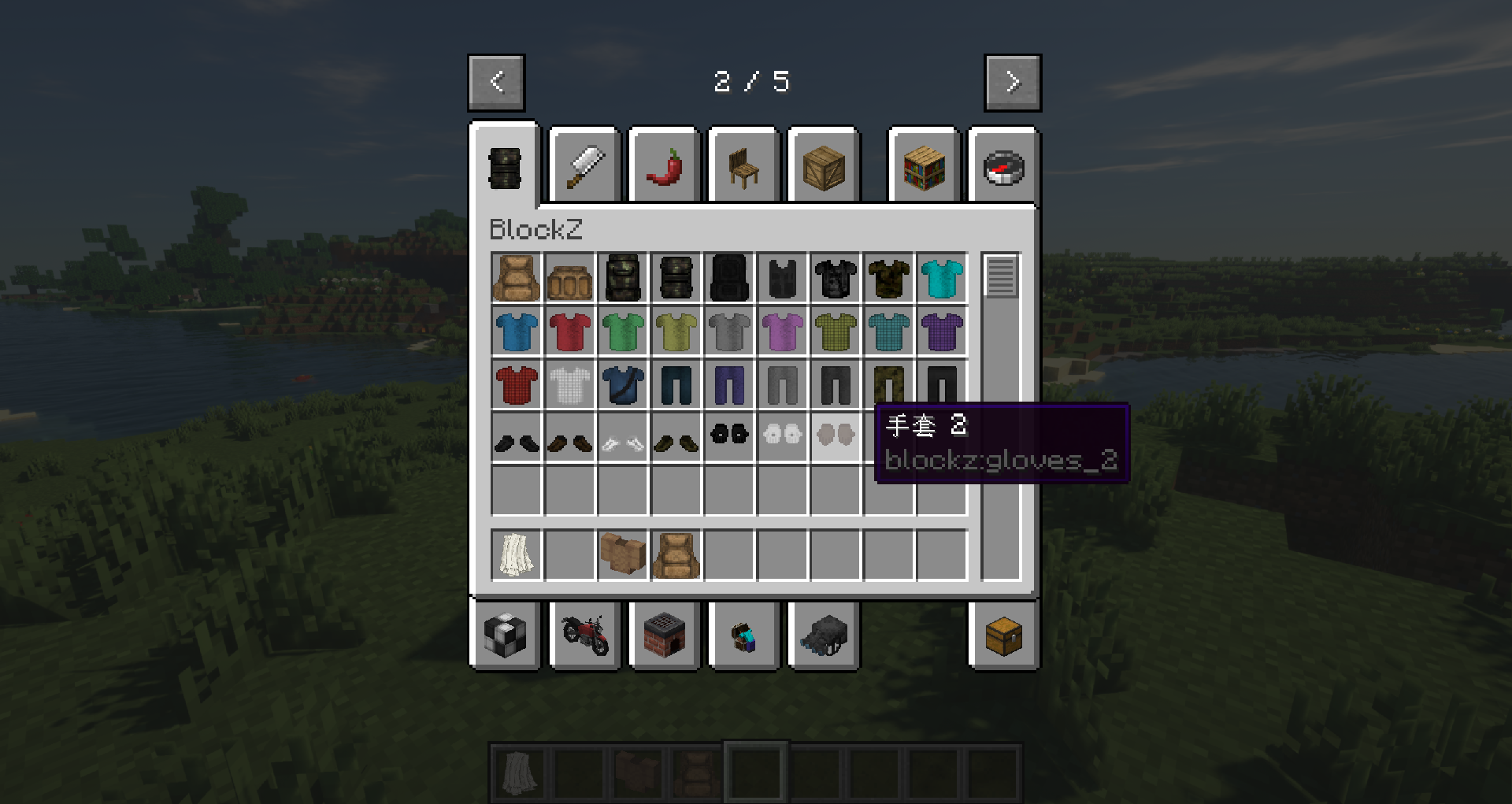
Equipment Ratings: Provide a variety of equipment from lightweight patrol bags to large-capacity Coyote Backpacks, each with different slots.
Highly configurable and compatible
Custom Item Size: Through the config/blockz/grid_items.json profile, players can define their own grid size and backpack capacity for items in any mod;
Custom Grid Background Color: You can set grid_color per item in grid_items.json to customize the grid background panel color.
Config Toggles: Toggle DayZ HUD overlay, UI toggle hints, and nursing system in the configuration file.
UI style switching: Support switching back to the original style by pressing buttons or commands, but the capacity limit is still in effect.
Curios API Support: If Curios is installed, BlockZ can equip/sync backpack/vest/mask via Curios slots (back/body/head).
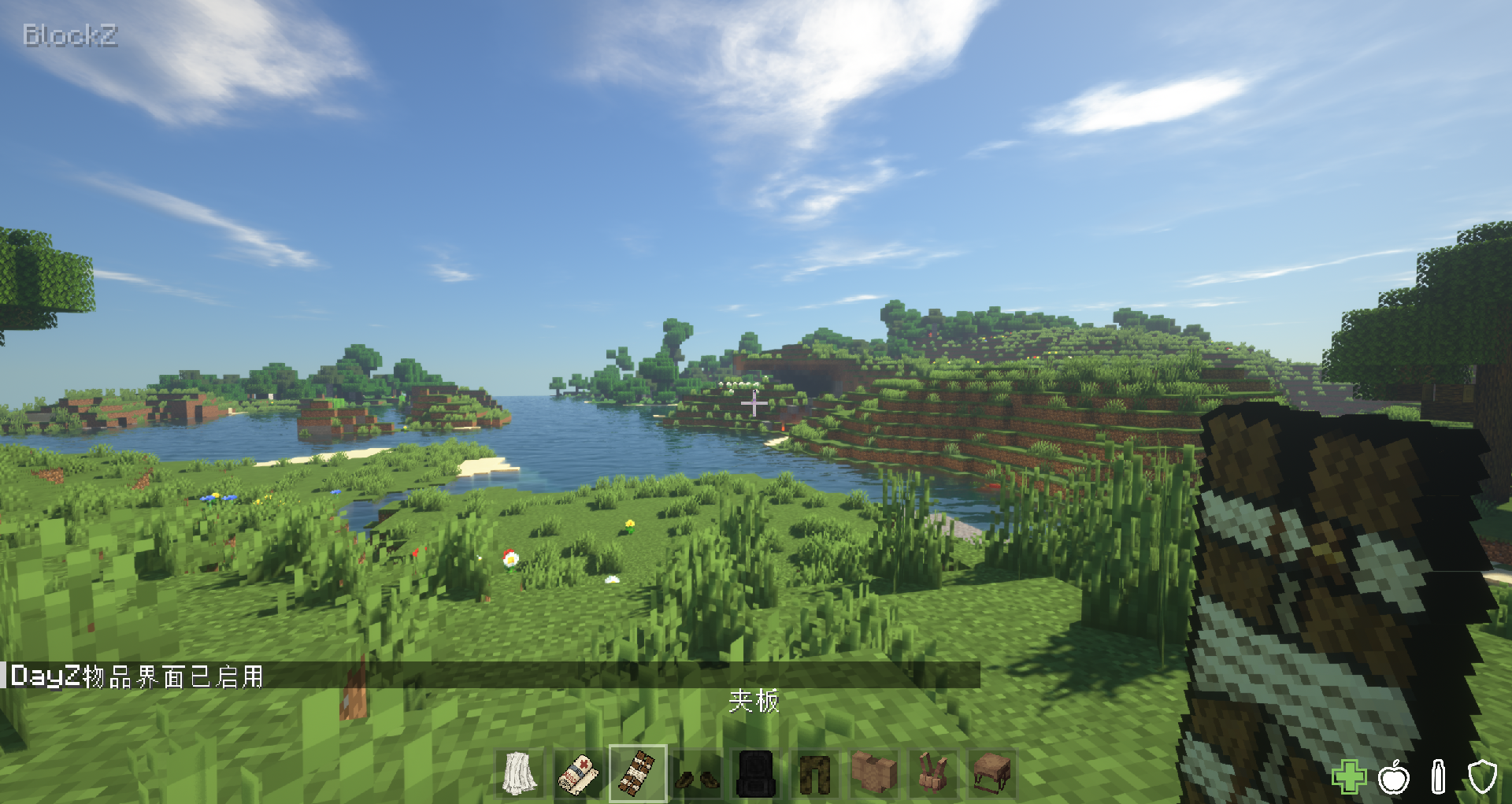
Nursing System (Bleeding / Fracture / Analgesic): Optional injury effects with HUD status icons and actionbar feedback.
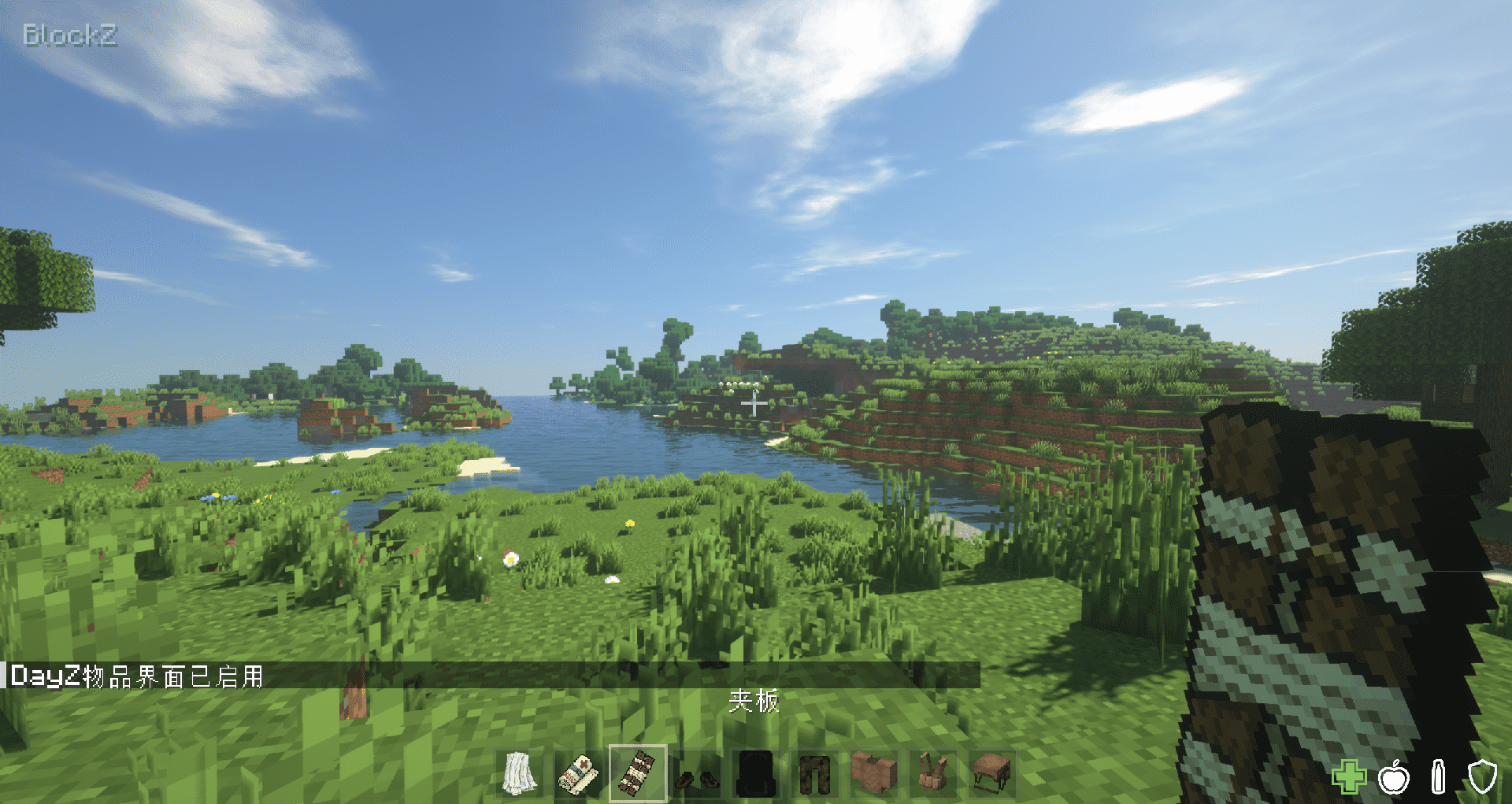
Injury Status Icons: Displays bleeding, fracture, and analgesic status icons on HUD, with progress bars when using nursing items.
HUD Toggle: Can be enabled/disabled via ui.show_dayz_hud in blockz-common.toml.
Nursing System (Bleeding / Fracture / Analgesic)
Bleeding Effect: Chance to trigger bleeding when attacked (configurable probability).
Fracture Effect: Chance to trigger fractures from high falls (configurable multiplier and cap).
Nursing Items: Bandages/Rags to stop bleeding; Splints for fracture fixation and recovery; Morphine/Codeine as painkillers.
Configurable Toggles: Can be individually enabled/disabled in blockz-common.toml.
Multi-Environment Consistency: The advanced synchronization mechanism ensures that server configurations are automatically applied to clients, ensuring the logical unity between development and production environments.
How-to guide
E key: Open the inventory (default to the DayZ style interface);
Space key: rotates the currently dragged item in the inventory;
I key: one-click switch between the DayZ interface and the original interface;
/blockz_toggle_ui command: An alternate command for manually switching interface styles.
/blockz_reload command: Reload grid_items.json and sync to all clients (OP/admin only).
Recommended combination
Thirst Was Taken:This module has built-in depth adaptation, and the HUD will directly display the water level;
Vic's Point Blank / TaCZ: With real gun mods, you can experience pure wasteland survival.
Curios API:Already compatible. Supports equipping backpacks/vests/masks, etc., as Curios slots.
Mod Overview
BlockZ is a mod dedicated to bringing a hardcore survival experience to Minecraft, paying homage to the classic DayZ and DayM gameplay.
It completely reimagines the player's inventory interaction logic, adding a realistic "Tetris Inventory" system to make backpack management part of the survival challenge.
Core features
Authentic grid backpack system
Tetris management: Items no longer occupy a single grid, but have real volumes (e.g. 1x3, 2x2). Players need to plan their backpack space reasonably to carry more supplies;
Item rotation: Supports pressing Space to rotate the direction of items to maximize the use of backpack gaps.
Dynamic expansion: Players initially have very little pocket space. Players need to scavenge and equip Backpacks, Vests, and clothing with pockets to get more storage slots.
Immersive Scraping Experience (Vicinity System)
Visualize loot: No need to open the container, directly view and pick up drops at your feet in the "Vicinity" panel on the left side of the interface;
Drag and drop interaction: Support dragging ground items directly into the backpack, or drag the backpack items out and discard, the operation is smooth and natural;
3D Preview: A realistic model preview of the item is displayed when dragging and dropping items in the inventory.
Hardcore Backpack Limits
Original Backpack Lock: Even when switching back to the original interface, ununlocked backpack slots are forcibly locked (red icon is displayed), preventing restrictions from being bypassed by switching UI. This feature can be turned on or off in the configuration file;
Equipment Ratings: Provide a variety of equipment from lightweight patrol bags to large-capacity Coyote Backpacks, each with different slots.
Highly configurable and compatible
Custom Item Size: Through the config/blockz/grid_items.json profile, players can define their own grid size and backpack capacity for items in any mod;
Custom Grid Background Color: You can set grid_color per item in grid_items.json to customize the grid background panel color.
Config Toggles: Toggle DayZ HUD overlay, UI toggle hints, and nursing system in the configuration file.
UI style switching: Support switching back to the original style by pressing buttons or commands, but the capacity limit is still in effect.
Curios API Support: If Curios is installed, BlockZ can equip/sync backpack/vest/mask via Curios slots (back/body/head).
Nursing System (Bleeding / Fracture / Analgesic): Optional injury effects with HUD status icons and actionbar feedback.
Injury Status Icons: Displays bleeding, fracture, and analgesic status icons on HUD, with progress bars when using nursing items.
HUD Toggle: Can be enabled/disabled via ui.show_dayz_hud in blockz-common.toml.
Nursing System (Bleeding / Fracture / Analgesic)
Bleeding Effect: Chance to trigger bleeding when attacked (configurable probability).
Fracture Effect: Chance to trigger fractures from high falls (configurable multiplier and cap).
Nursing Items: Bandages/Rags to stop bleeding; Splints for fracture fixation and recovery; Morphine/Codeine as painkillers.
Configurable Toggles: Can be individually enabled/disabled in blockz-common.toml.
Multi-Environment Consistency: The advanced synchronization mechanism ensures that server configurations are automatically applied to clients, ensuring the logical unity between development and production environments.
How-to guide
E key: Open the inventory (default to the DayZ style interface);
Space key: rotates the currently dragged item in the inventory;
I key: one-click switch between the DayZ interface and the original interface;
/blockz_toggle_ui command: An alternate command for manually switching interface styles.
/blockz_reload command: Reload grid_items.json and sync to all clients (OP/admin only).
Recommended combination
Thirst Was Taken: This module has built-in depth adaptation, and the HUD will directly display the water level;
Vic's Point Blank / TaCZ: With real gun mods, you can experience pure wasteland survival.
Curios API:Already compatible. Supports equipping backpacks/vests/masks, etc., as Curios slots.
Screenshots
Gallery
-
 2026-03-22_02.43.52_compressed.png 2026-03-22_02.43.52_compressed.png
 -
 2026-03-22_02.43.41_compressed.png 2026-03-22_02.43.41_compressed.png
 -
 2026-03-22_02.43.30_compressed.png 2026-03-22_02.43.30_compressed.png
 -
 2026-03-22_02.43.00_compressed.png 2026-03-22_02.43.00_compressed.png
 -
 2026-03-22_02.41.33_compressed.png 2026-03-22_02.41.33_compressed.png
 -
 2026-03-22_02.41.14_compressed.png 2026-03-22_02.41.14_compressed.png
Versions
Files
Relations
Project Relations
More like this
Similar Mods
Suggestions use data such as tags, dependencies, dependents, descriptions, titles, and more to rank how much they overlap with this mod.
On ModDex
Community snapshot
By the numbers
Statistics
Want to reach Minecraft players?
We're looking for a server hosting partner to feature here and other parts of the site. Interested? Send us a message!
Get in touchGet it on
Available Platforms
On ModDex
Community snapshot
By the numbers