Community listing page, reviews here may not be monitored by the author.
Bloodlines Chat

No reviews yet
This is a mod for the server "Bloodlines SMP" for the use of its ingame chat.
Community voices
Reviews
No reviews yet. Be the first to review this project!
Get it on
Available Platforms
About
Project Details
For authors
Embed Badge
If you're the author of this project, you can embed a live badge anywhere that supports HTML or Markdown. It updates automatically whenever ratings change.
Use HTML for any page that supports it, or Markdown for README files and Markdown-based descriptions.
Identifiers
Platform IDs
Resources
External Links
About
Description
This is a chatmod to be used on the {Bloodlines server}, a Hardcore Organic SMP. Check out the website for full details. website: https://www.mcbloodlines.net/
and if you do wish to join you'll need to find someone willing to give you a birthcode on the discord
Discord: https://discord.gg/McRvQ7E3
Features
- Chat parsing for global, whisper, local chats and private whisper tabs.
- Chat history, keeping history of chats from the last time you logged in.
- Search history by clicking the top right [?]
- TABs to help keep you active in a single chat (World, Local, Teams, Private chats separate per user)
- Private message incoming indicator that blinks when you have a new PM (When the chatbox is open you'll see a "PM" icon that you can move around your screen.)
- TAB settings (right click a tab to see each tabs setting, currently only show or hide private chat)
- Setting (found in top right of chat tab) for your own optimization
- Moveable chat window by simple click and drag
- Character bobble heads
- Highlight text for Copy+Paste
- Highlight your own text for quick edits, delete or copy and paste.
- Clickable URL's
- Death hightlights, will hightlight a death in red
- Emoticons (6 total I didn't add very much, will add on request)
- Warning system for when posting cords into chat, it will stop you.
- Disabled until I figure out a less glitchy way
Crafting Exp tracker, will put a message in chat when you craft items to show you your progress (I want to expand this to the other skills, but having trouble)
Setting include
- Size of chat. 50px to 200px (200px is a joke...dont go that high)
- Line Spacing. 0px to 6px
- 2 Fonts. Default and Lexend (Lexend helps us dyslexia user)
- 0 to 100% Opacity
- HUD BG. when the chat window is closed HUD is the chat you see, the background is the black background.
- Heads. User player model heads appear to the right of their names
- Ghost chat: ghost can turn on a setting that will put a timer on their chat, que'd or strict. Timer is 5.1 secs.
The other 2 setting tabs
- Colors tab, this changes the colors of text for differnt tabs
- History tab. This lets you delete and choose how long chat history is saved.
- Timestamps: Displays the timestamp of chat, retroactive so don't worry on turning it on and off over and over.
Screenshots
Gallery
-
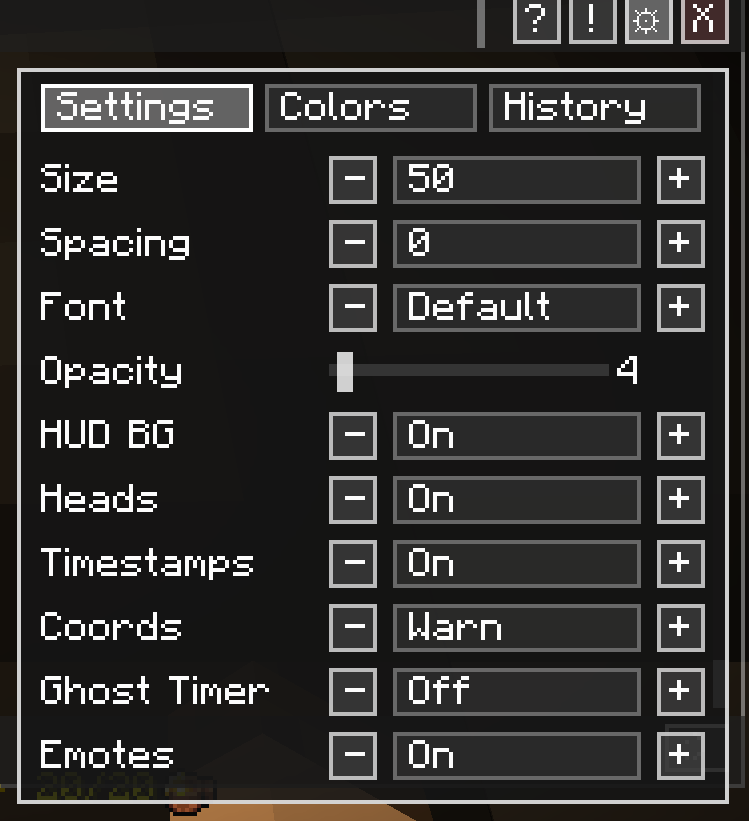 BloodlinesChatSettings.png Chat Setting V1.4
 -
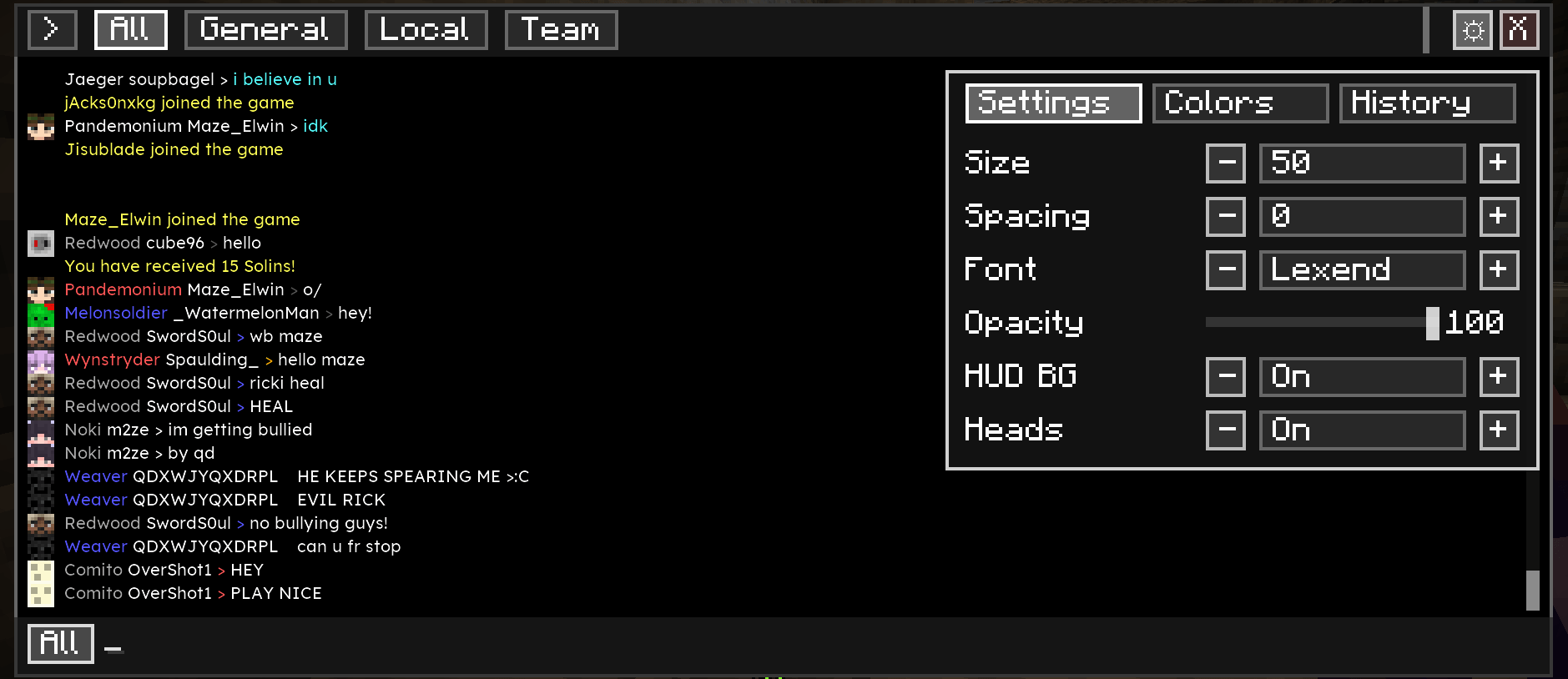 v1.2.0 Bloodlines chat settings for personalization (gear top right) Bloodlines chat settings for personalization (gear top right)
 -
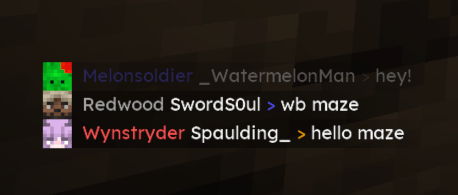 Chat fad with the HUD background setting on Chat fad with the HUD background setting on
 -
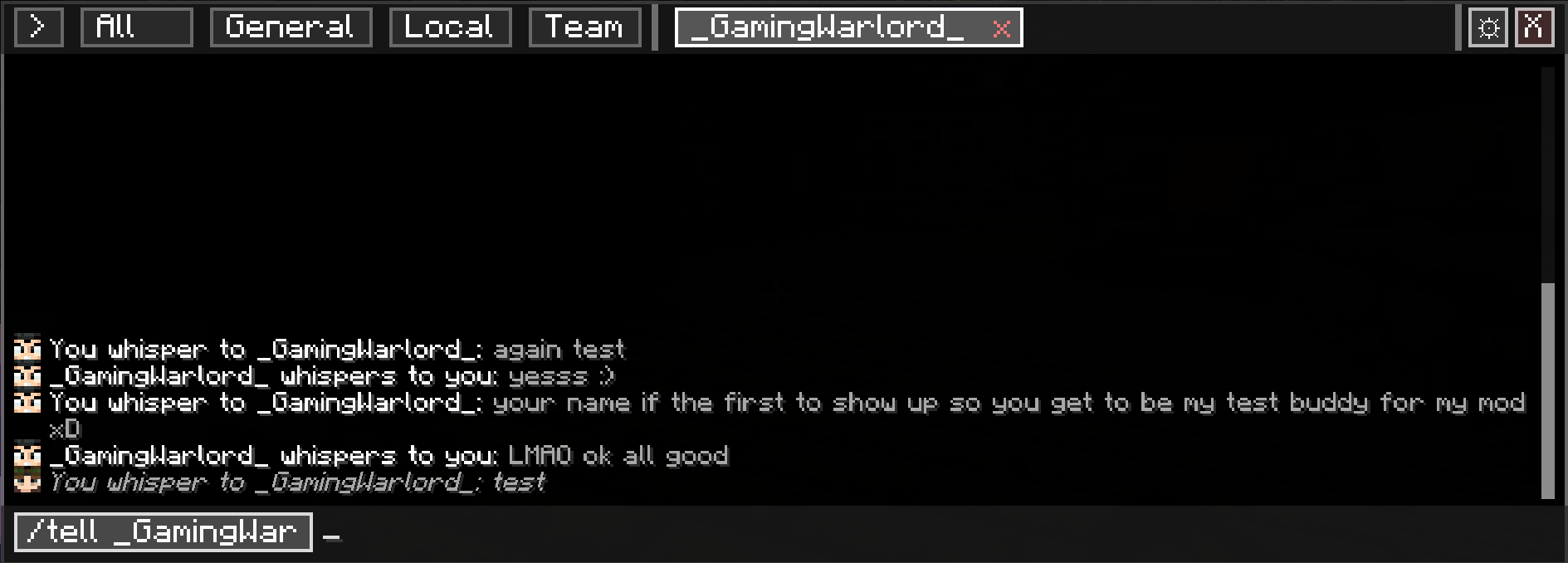 v1.2.0 Tabs based on bloodlines server / whsiper (/All, /local, /team, /whisper) Tabs based on bloodlines server / whsiper (/All, /local, /team, /whisper)
 -
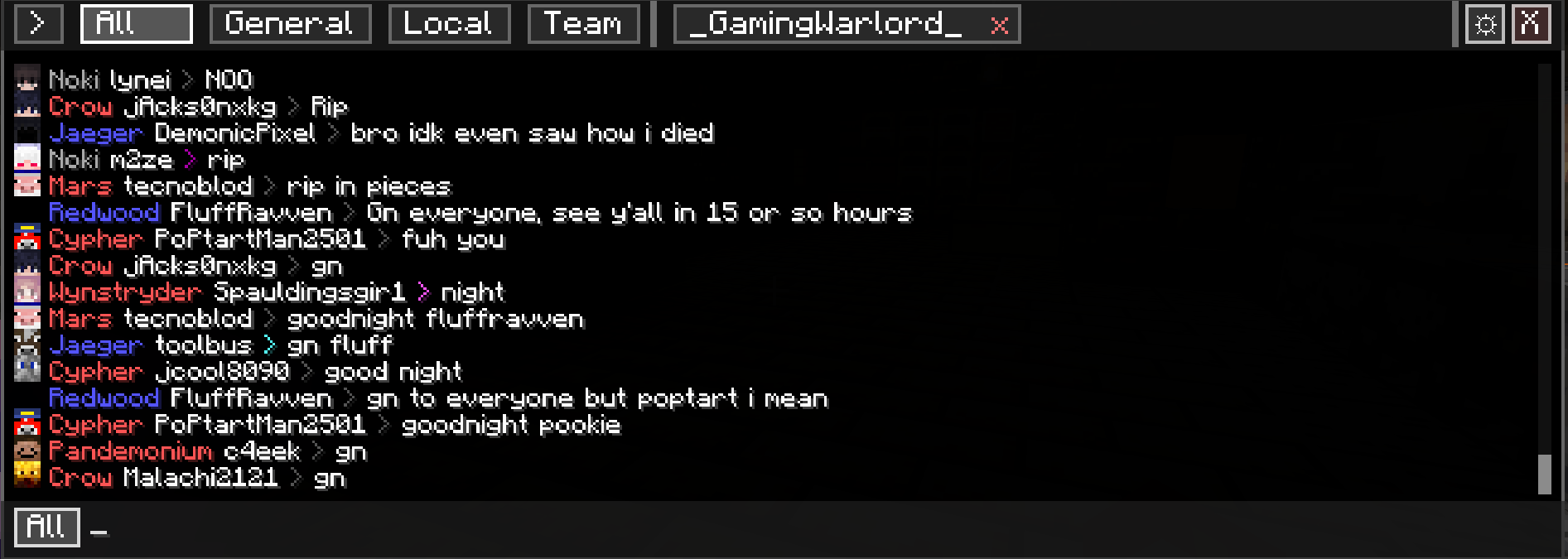 v1.2.0 Tabs based on bloodlines server / chats (/All, /local, /team, /whisper) Tabs based on bloodlines server / chats (/All, /local, /team, /whisper)
 -
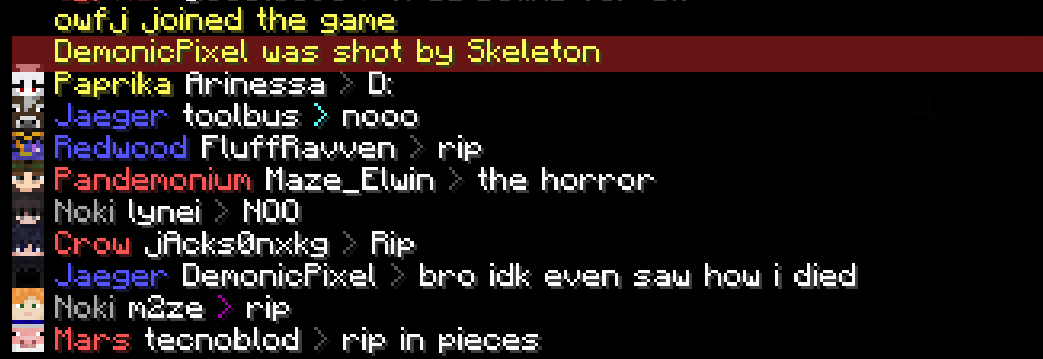 Highlighted Death messages, chat heads and bloodlines clans named displayed. Highlighted Death messages, chat heads and bloodlines clans named displayed.
Versions
Files
Relations
Project Relations
More like this
Similar Mods
Suggestions use data such as tags, dependencies, dependents, descriptions, titles, and more to rank how much they overlap with this mod.
On ModDex
Community snapshot
By the numbers
Statistics
Want to reach Minecraft players?
We're looking for a server hosting partner to feature here and other parts of the site. Interested? Send us a message!
Get in touchGet it on
Available Platforms
On ModDex
Community snapshot
By the numbers
Statistics
Resources