Community listing page, reviews may not be monitored by the author.
BlossomCraft Item Database

No reviews yet
A client-side Fabric utility to browse, search, and inspect custom crates, items, and textures via the BlossomCraft database API.

Community voices
Reviews
No reviews yet. Be the first to review this project!
Get it on
Available Platforms
About
Project Details
For authors
Embed Badge
If you're the author of this project, you can embed a live badge anywhere that supports HTML or Markdown. It updates automatically whenever ratings change.
Use HTML for any page that supports it, or Markdown for README files and Markdown-based descriptions.
Identifiers
Platform IDs
Resources
External Links
About
Description
# BlossomCraft Item Database Mod
A client-side Fabric mod designed specifically for the **BlossomCraft SMP**. This mod connects directly to the server's database API to provide an in-game GUI for browsing, filtering, and previewing custom crates and miscellaneous items.
> \*\*Note:\*\* This mod is intended exclusively for players on the BlossomCraft server network. Its database endpoints and item indexing are built specifically for BlossomCraft's custom item ecosystem.
---
## Features
- **Direct API Synchronization:** Fetches live crate contents, miscellaneous items, and group structures directly from the database backend.
- **Dynamic Texture Rendering:** Displays static PNGs and multi-frame animated GIFs centered and scaled for every custom item.
- **Explorer Drawer:** Expandable tree drawer organizing items into tabs:
- **Crates:** Seasonal, Side, and Misc crates.
- **Misc Items:** Unsorted, Voucher, Event, and Furniture groupings.
- **Instant Search:** Live `EditBox` filtering inside the drawer to quickly find items by name or database ID.
- **Offline Persistence:** Automatically saves downloaded textures to a local disk cache (`itemdatabase\_cache/`) to minimize network bandwidth and prevent stutter.
- **Customizable Card View:** Freely drag, scale, and inspect item details, win chances, custom rarity tags, and lore.
---
## Controls & Keybinds
### Global Keybind
- **`O`** (Default): Open / Close the Item Database Screen.
*This is a registered Minecraft key mapping and can be rebound at any time via **Options → Controls → Key Binds**.*
### In-Screen Navigation Hotkeys
*(These controls are only active while the Item Database screen is currently open)*
| Key / Input | Action |
| :--- | :--- |
| **`C`** | Toggle the Explorer Drawer (Crates & Misc groups) |
| **`Tab`** | Switch Category between **Crates** and **Misc Items** |
| **`A` / `D`** *(or Left/Right Arrows)* | Navigate to Previous / Next item card |
| **`Ctrl + Mouse Scroll`** | Zoom / Scale the item card display |
| **`Mouse Scroll`** | Scroll through lore descriptions or drawer lists |
| **`Left-Click + Drag`** | Reposition / Pan the item card |
| **`R`** | Reset scale and card position to default |
| **`Esc`** | Unfocus search field / Exit screen |
---
## Requirements
- **Minecraft:** Fabric 26.1.2
- **Fabric Loader:** 0.19.5+
- **Fabric API**
---
## Installation
1. Download the latest `.jar` release from the [Releases](https://github.com/rolandgaymer013/ItemDatabaseMod/releases) tab (or from CurseForge).
2. Place the downloaded `.jar` into your Minecraft `.minecraft/mods` directory.
3. Launch Minecraft with your Fabric profile and press **`O`** in-game to open the database.
Screenshots
Gallery
-
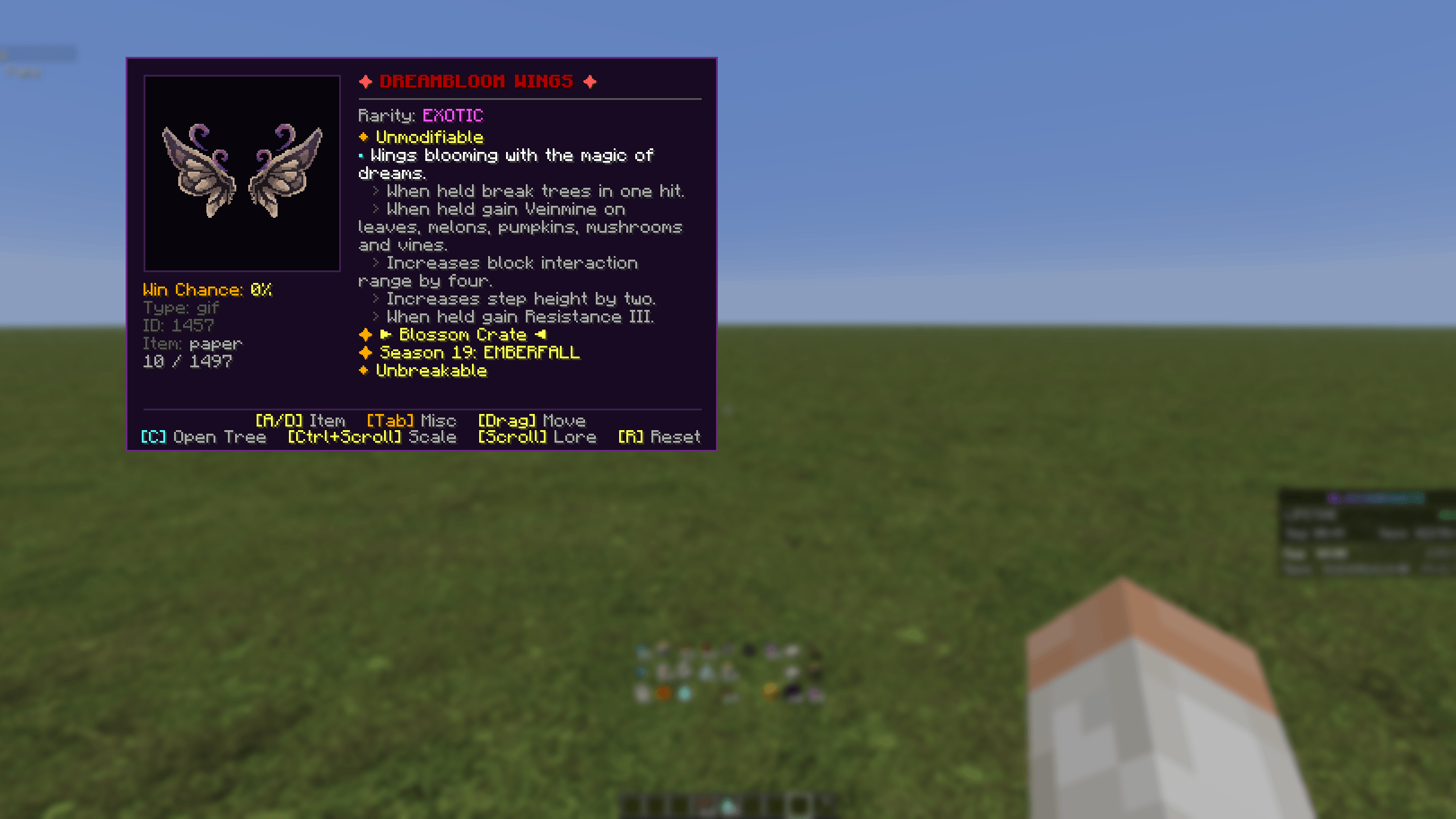 Detailed Item Card Inspection Inspect view showing custom textures, lore, and zoom functionality.
 -
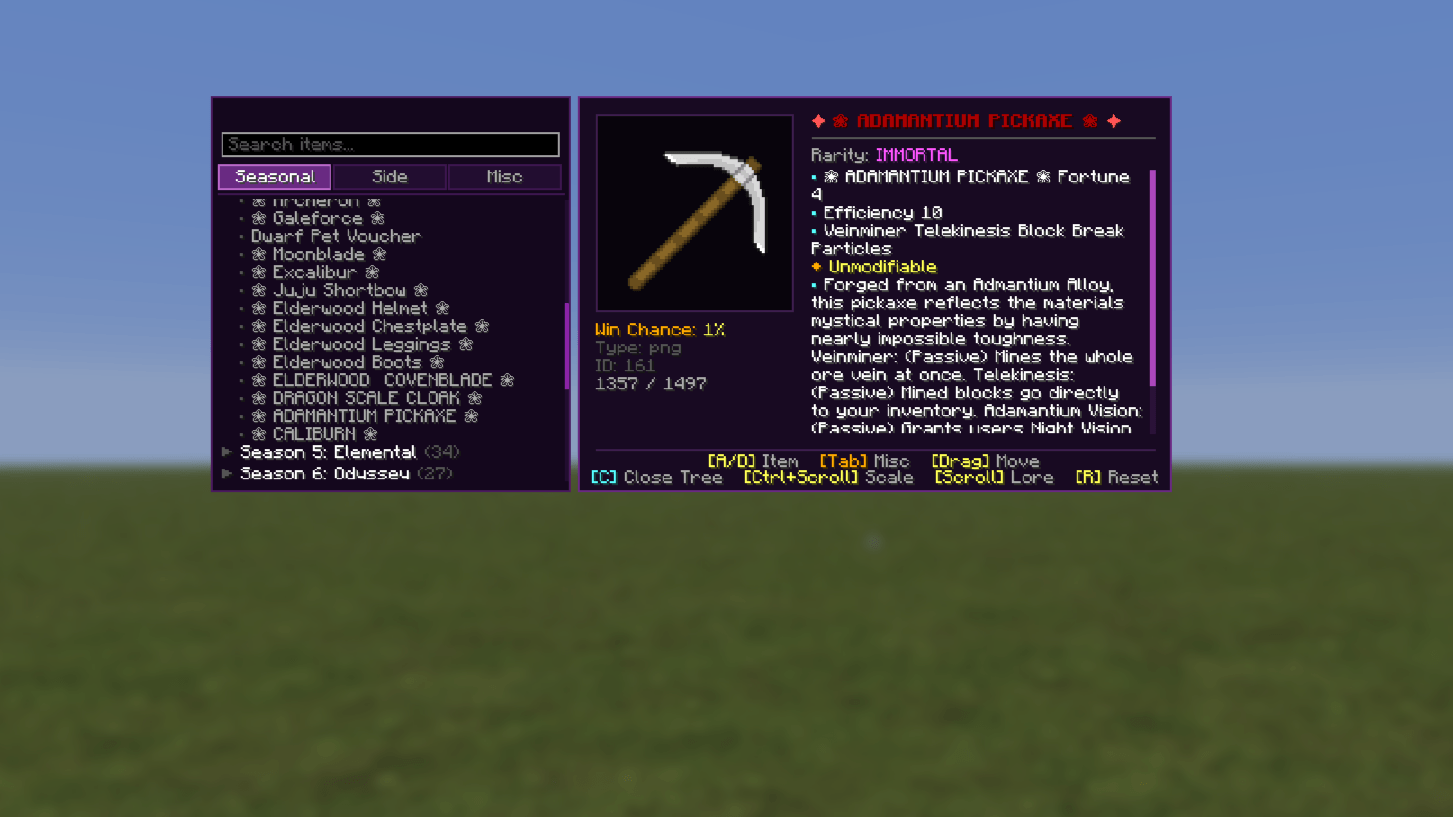 Main Crates Explorer Drawer Quick-access drawer for filtering crates database entries.
 -
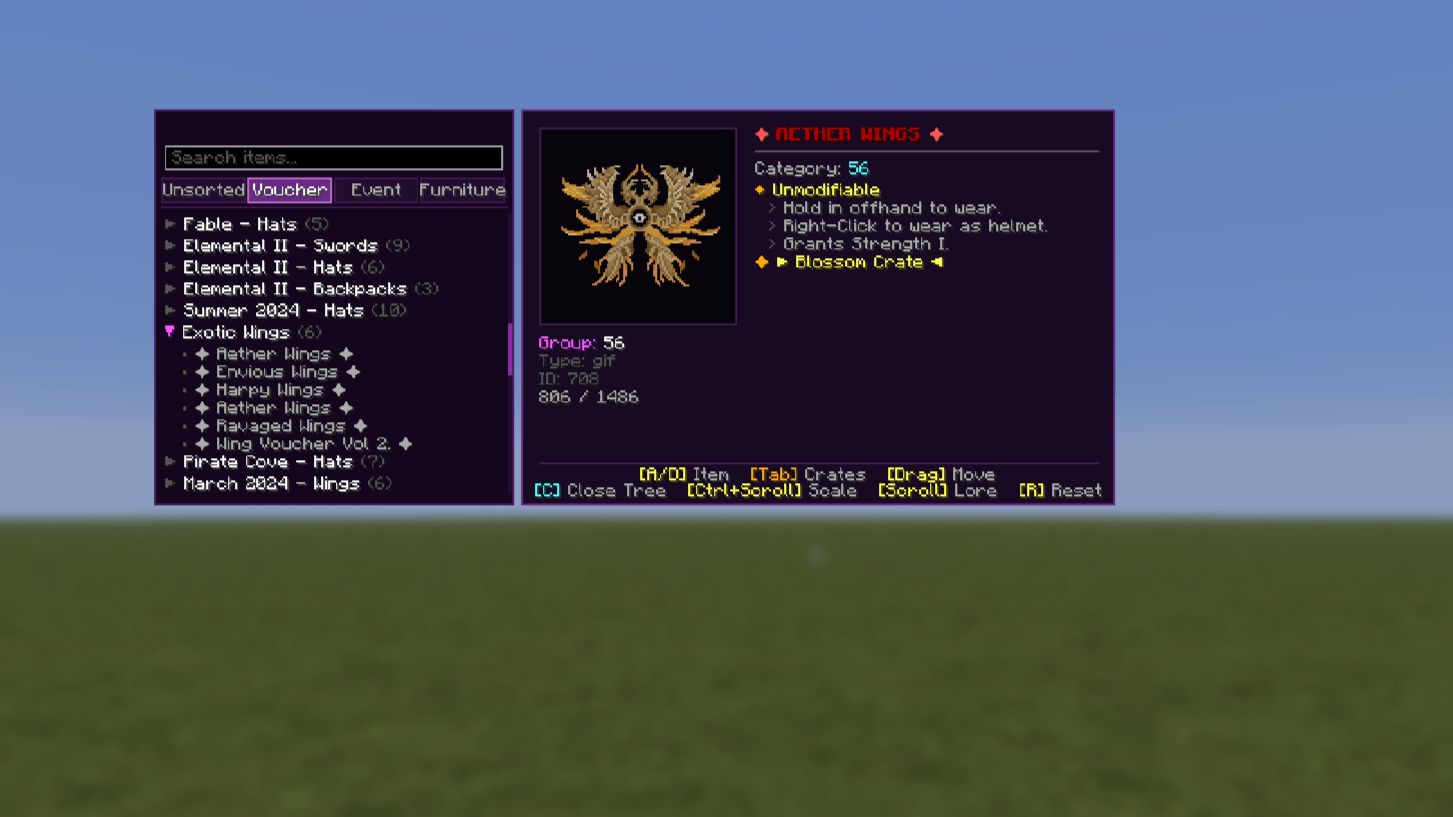 Misc Crates Explorer Drawer Quick-access drawer for filtering misc crates database entries.
Versions
Files
Relations
Project Relations
More like this
Similar Mods
Suggestions use data such as tags, dependencies, dependents, descriptions, titles, and more to rank how much they overlap with this mod.
On ModDex
Community snapshot
By the numbers
Statistics

Get it on
Available Platforms
On ModDex
Community snapshot
By the numbers
Statistics
Resources