
Community listing page, reviews here may not be monitored by the author.
Blueprints Engine

No reviews yet
In-game node editor: wire logic, declare typed variables, run it server-side on real world events. 239 nodes, and every graph is readable text and back again. Screen designer, declared content, profiler, and an API for other mods to add nodes.
Community voices
Reviews
No reviews yet. Be the first to review this project!
Get it on
Available Platforms
About
Project Details
For authors
Embed Badge
If you're the author of this project, you can embed a live badge anywhere that supports HTML or Markdown. It updates automatically whenever ratings change.
Use HTML for any page that supports it, or Markdown for README files and Markdown-based descriptions.
Identifiers
Platform IDs
Resources
External Links
About
Description
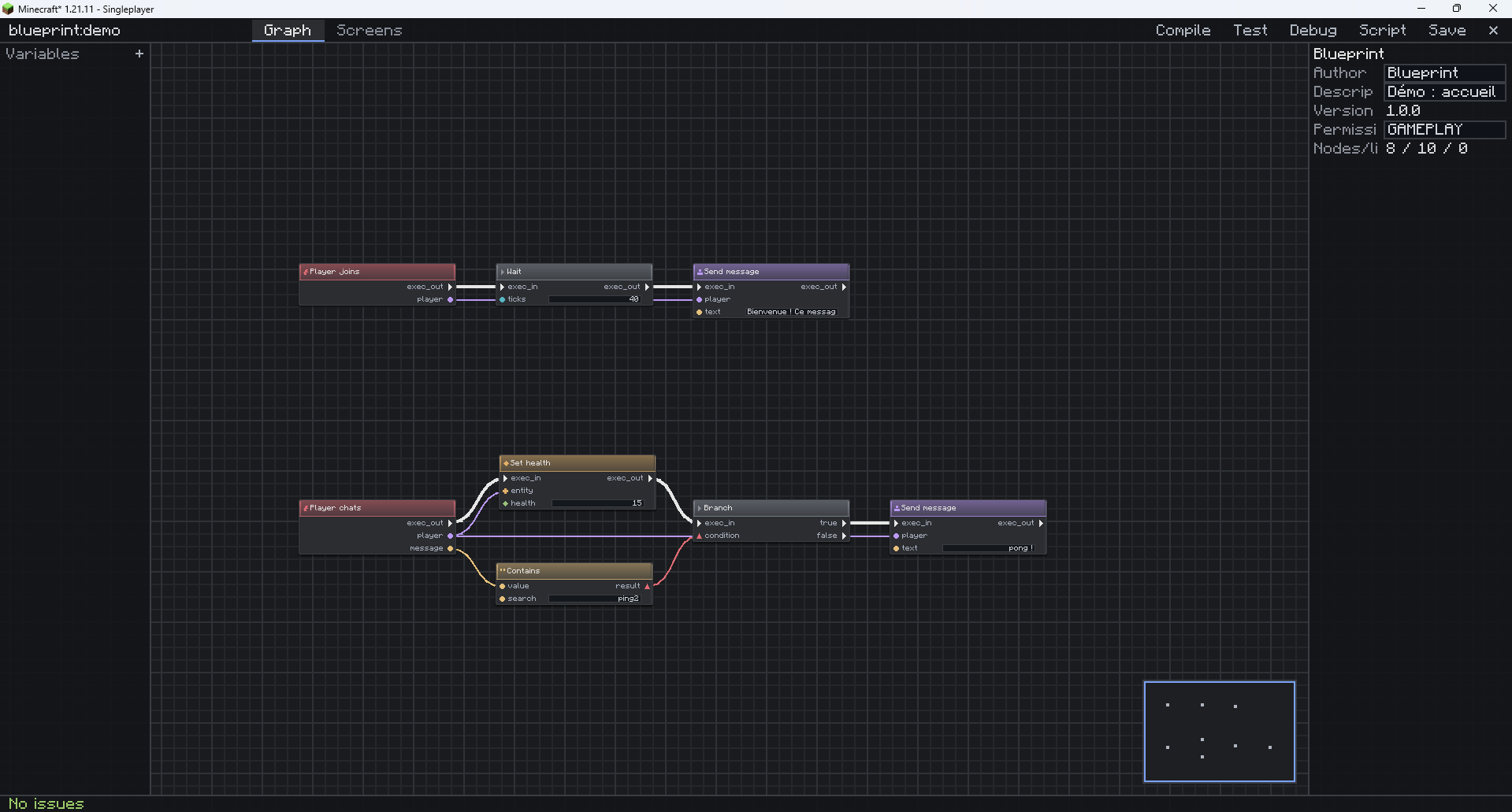
Blueprints
An in-game node editor for Minecraft 1.21.11. Place nodes, wire them, declare typed variables — and the graph runs server-side on real world events.
Not related to Blueprint by Team Abnormals, nor to the mod called Blueprints — the names collide, the projects do not. This one is
blueprints-mod. Its mod id and namespace stayblueprint, because renaming them would break every graph already written.
Declare a command, get a command
A graph that declares home gets a real /home — no prefix, with tab-completion, like any other command on the server. Names already taken are refused rather than silently stolen: /kill stays vanilla's.
on blueprint:event/command(player, name, arg) @with(name: "home") {
  blueprint:flow/branch(condition: blueprint:var/get(var: "defini")) {
    true: {
      blueprint:entity/teleport(entity: $player, pos: blueprint:var/get(var: "point"))
    }
    false: {
      blueprint:player/send_message(player: $player, text: "No home set — use /sethome")
    }
  }
}
Graphs are text, and text is graphs
That snippet is not pseudo-code. It is BScript, the exact text every graph compiles to — and every BScript parses back into the same graph. Not an export: a round trip, guarded by tests on every build, including tests that re-read the examples shipped with the mod.
That is what makes a graph reviewable in a pull request, diffable, and pasteable into a chat window. Copy in the editor, paste in Discord, paste back into the editor.
What it costs a server
A node editor invites the assumption of a slow interpreter. These are measurements, taken by benchmarks committed to the repository that fail the build if they drift.
Active graphs on server_tick |
Scheduling time per tick | Share of the 50 ms budget |
|---|---|---|
| 50 | ~0.25 ms | 0.5 % |
| 200 | ~0.6 ms | 1.2 % |
Every graph runs on a fuel budget. A runaway loop is cut and reported, not left to take the server down. A graph that faults repeatedly disables itself.
And you can check it yourself, in-game, in three commands:
/blueprint bench
/bench
/blueprint profile blueprint:bench
The bench is a real graph — three nested loops — that you can open, read and edit in the editor. Nothing is hidden behind a benchmark harness you cannot see.
What is in the box
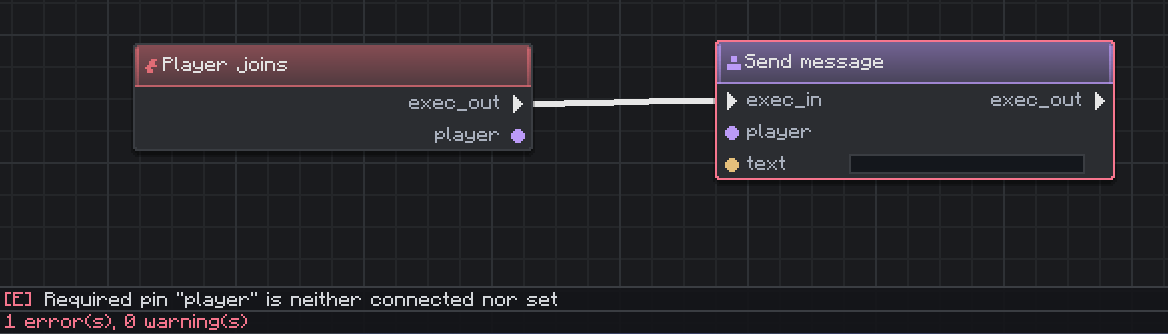
- A full editor — palette, typed wiring, literals on nodes, variables and scopes, undo/redo, copy-paste as BScript, clickable diagnostics, script view, comments, minimap, a reloadable JSON theme, keyboard navigation.
- 239 node types — screens (34), maths (20), world (20), player (19), strings (12), flow (12), entities (12), vectors (11), logic (10), lists, maps, text, items, scoreboards — including 26 events.
- Typed variables that persist — numbers, text, booleans, plus vectors, block positions and directions, in five scopes from per-execution to world-wide. A player's home point survives a restart.
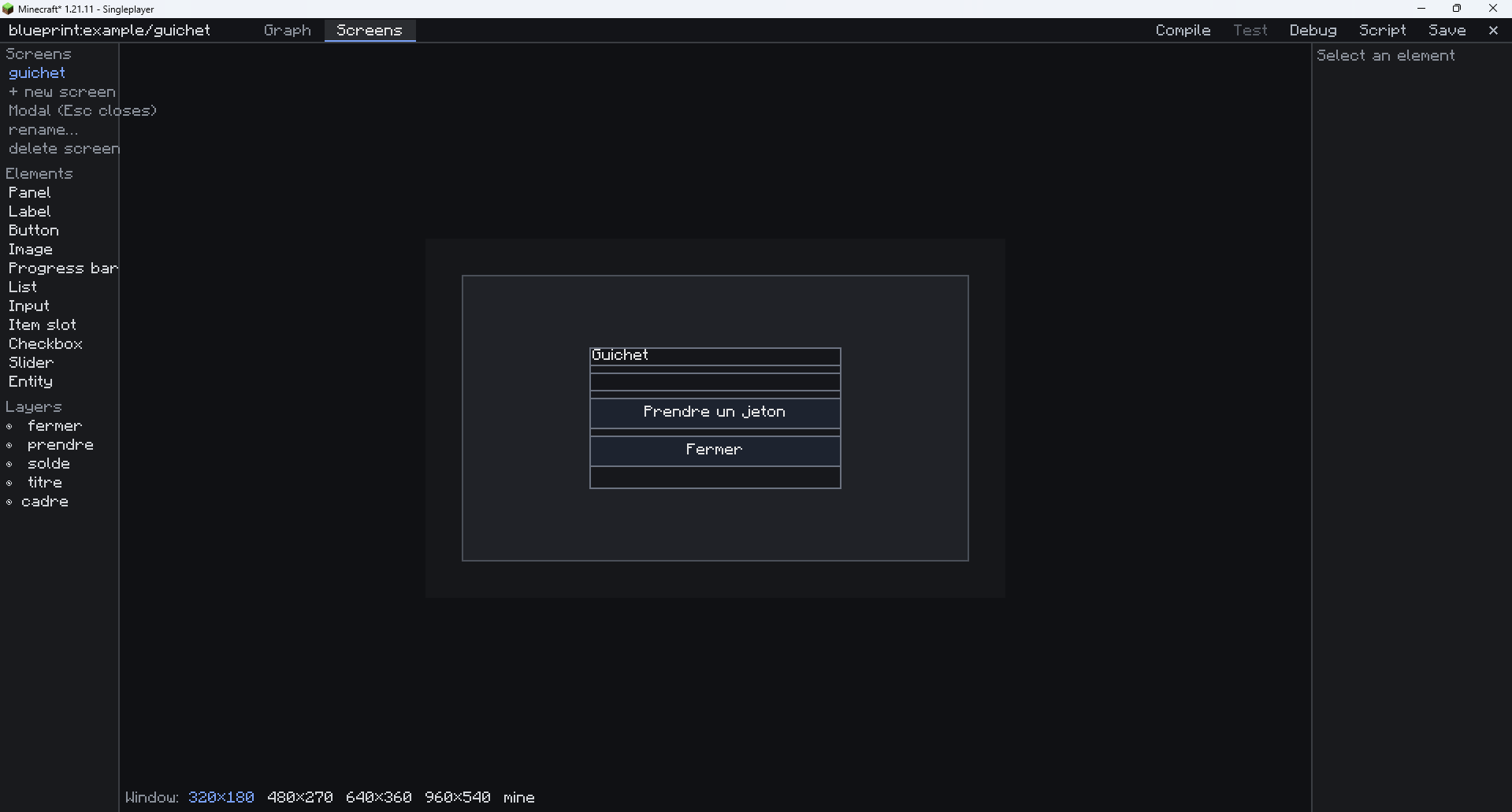
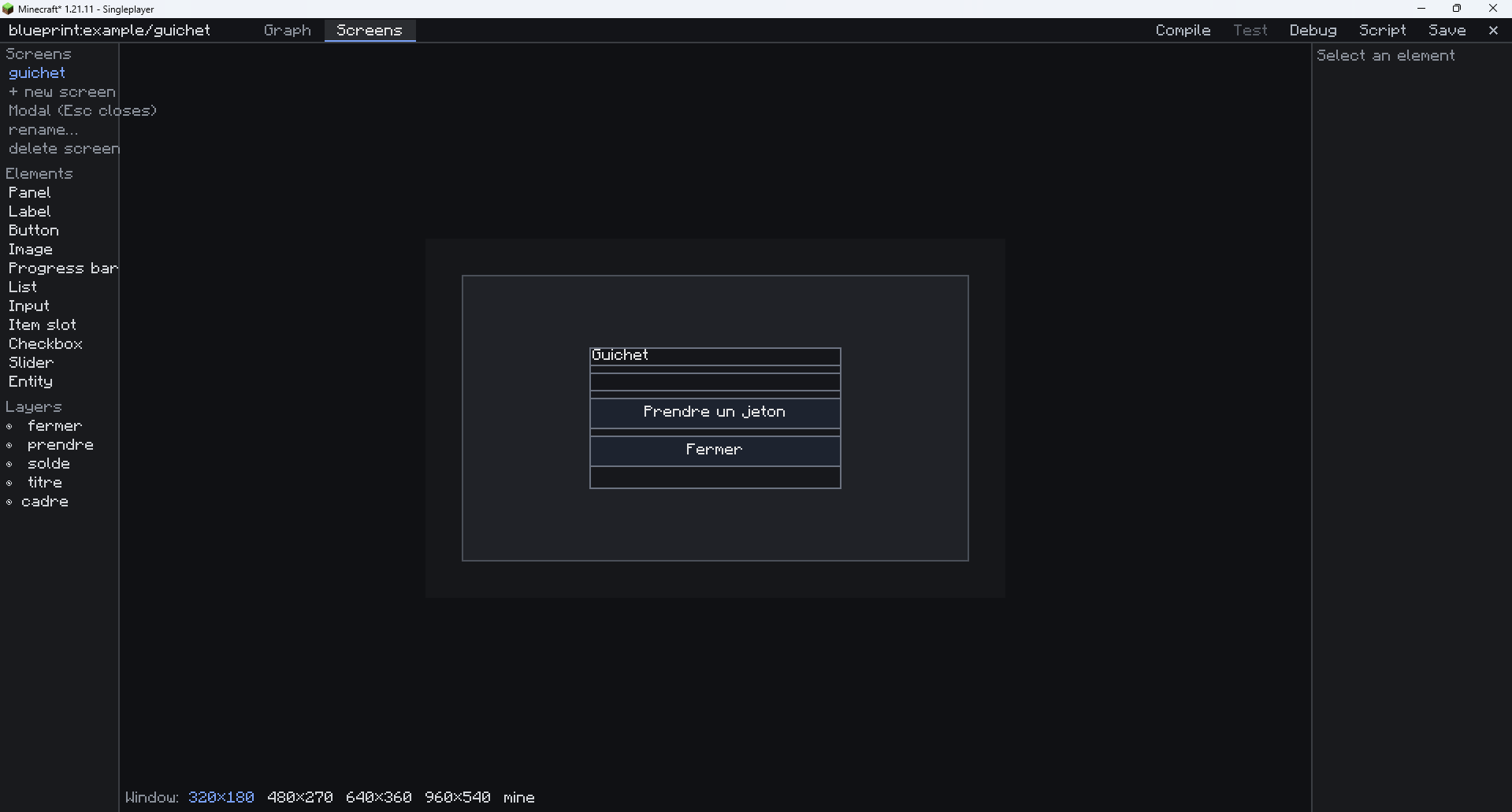
- A screen designer — 12 widget kinds (labels, buttons, lists, dropdowns, sliders, toggles, inputs, progress bars, item slots, images, entity previews, panels), with bindings: a label can follow a variable instead of being written by a node.
- Declared content — items and blocks from JSON files, no code.
- Debugging — breakpoints, single-step, live values in the editor, a per-node profiler.
- Multiplayer from the start — registry sync on login, optimistic locking on save, server-side guards and quotas.
Extensible three ways
Other mods add their own nodes with a Java builder, a @BlueprintNode annotation, or a plain datapack JSON — no hard dependency required.
Remove such a mod and existing graphs do not break: its nodes become ghosts that keep their wiring and come back to life when the mod is reinstalled.
Install
- Fabric Loader 0.16+ and Java 21
- Fabric API 0.139.4+
- Drop the jar in
mods/
Then /blueprint-edit create my_first, or press F6. A ten-minute guide is in docs/getting-started.md.
NeoForge: a NeoForge build exists and boots on both sides, but Fabric is what is tested end to end. Three known gaps remain on NeoForge, listed in docs/plan-multiloader.md. Use it knowing that.
Server-side only? The editor is client-side, so players need the mod to edit — but graphs run on the server, and a vanilla client can play on a server running them.
Licence
En français
Un éditeur de logique par nœuds, en jeu, pour Minecraft 1.21.11. On pose des nœuds, on les relie, on déclare des variables typées — et le graphe s'exécute côté serveur sur de vrais événements du monde.
Un graphe qui déclare home obtient un vrai /home, sans préfixe et avec l'autocomplétion. Les noms déjà pris sont refusés plutôt que volés en silence : /kill reste celui de Minecraft.
Tout graphe se compile en un script texte lisible (BScript) et tout BScript se re-parse en graphe : c'est un aller-retour, pas un export, et il est vérifié à chaque construction. Un graphe se relit donc dans une pull request, se compare, et se colle dans un salon.
Le coût pour un serveur est mesuré par des bancs commités qui font échouer la construction s'ils dérivent : 200 graphes branchés sur server_tick prennent ~0,6 ms par tick, soit 1,2 % du budget. Chaque graphe tourne sur un budget de carburant — une boucle folle est coupée et signalée, jamais laissée faire tomber le serveur.
Le reste : 239 types de nœuds (dont 26 événements), des variables typées qui survivent au redémarrage (nombres, texte, vecteurs, positions, directions), un concepteur d'écrans à 12 types de widgets, du contenu déclaré en JSON, points d'arrêt et profileur, et une API pour que les autres mods ajoutent leurs nœuds sans dépendance dure — un mod retiré laisse des nœuds fantômes qui reprennent vie à la réinstallation.
Guide de démarrage : docs/getting-started.md.
Screenshots
Gallery
-
 concepteur-ecran.png concepteur-ecran.png
 -
 diagnostics.png diagnostics.png
 -
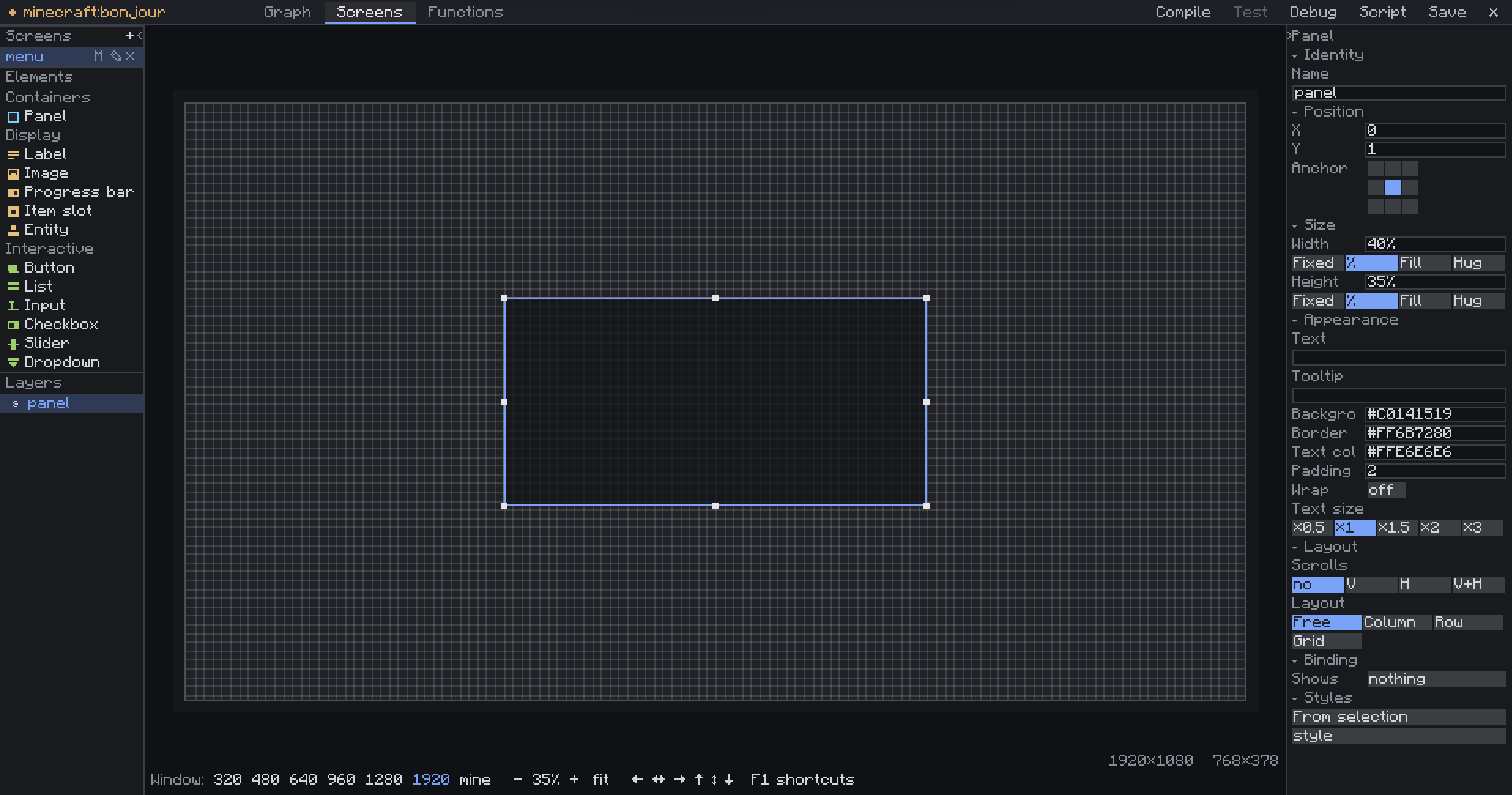 ecran.png ecran.png
 -
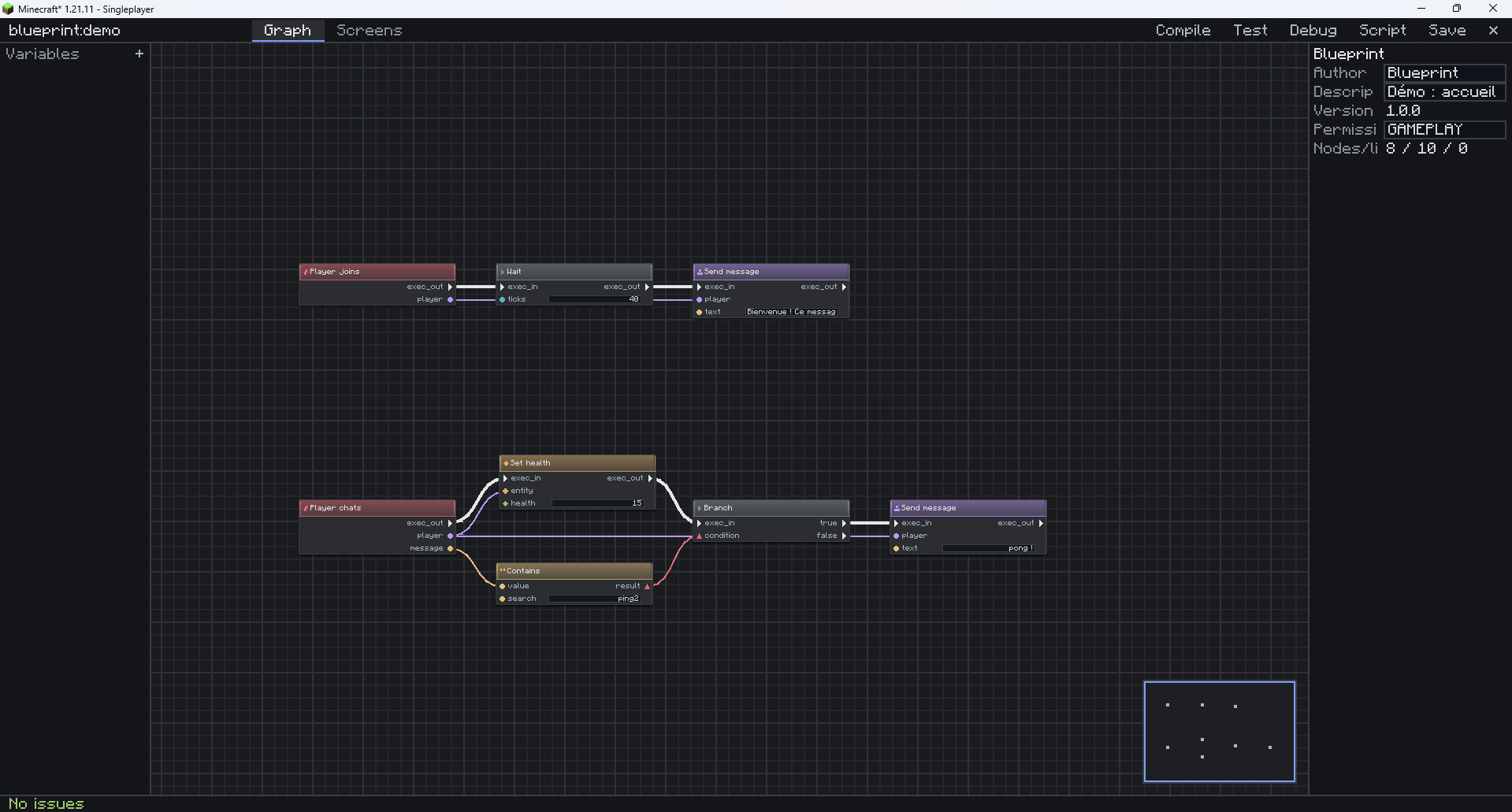 editeur-graphe.png editeur-graphe.png
 -
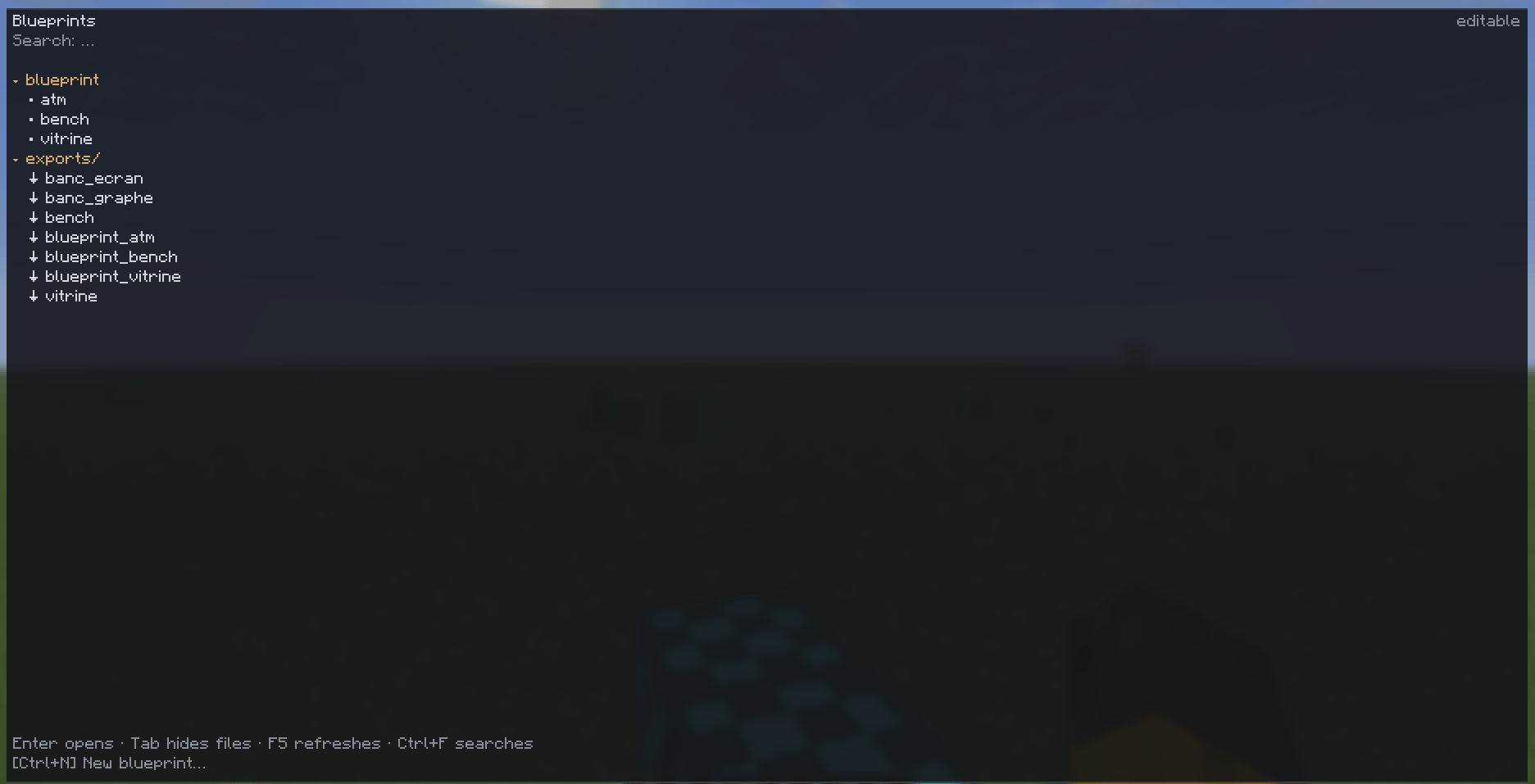 navigateur.png navigateur.png
 -
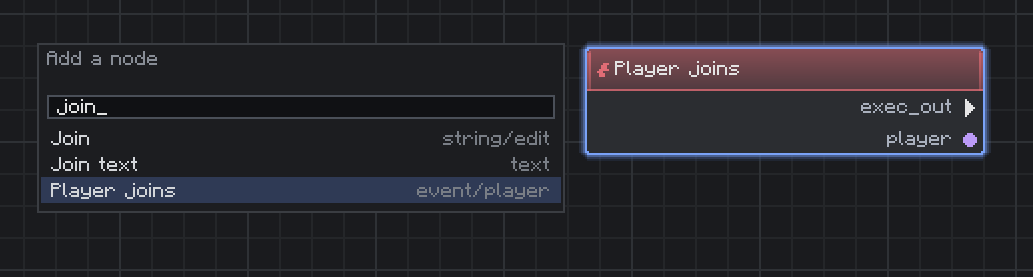 palette.png palette.png
 -
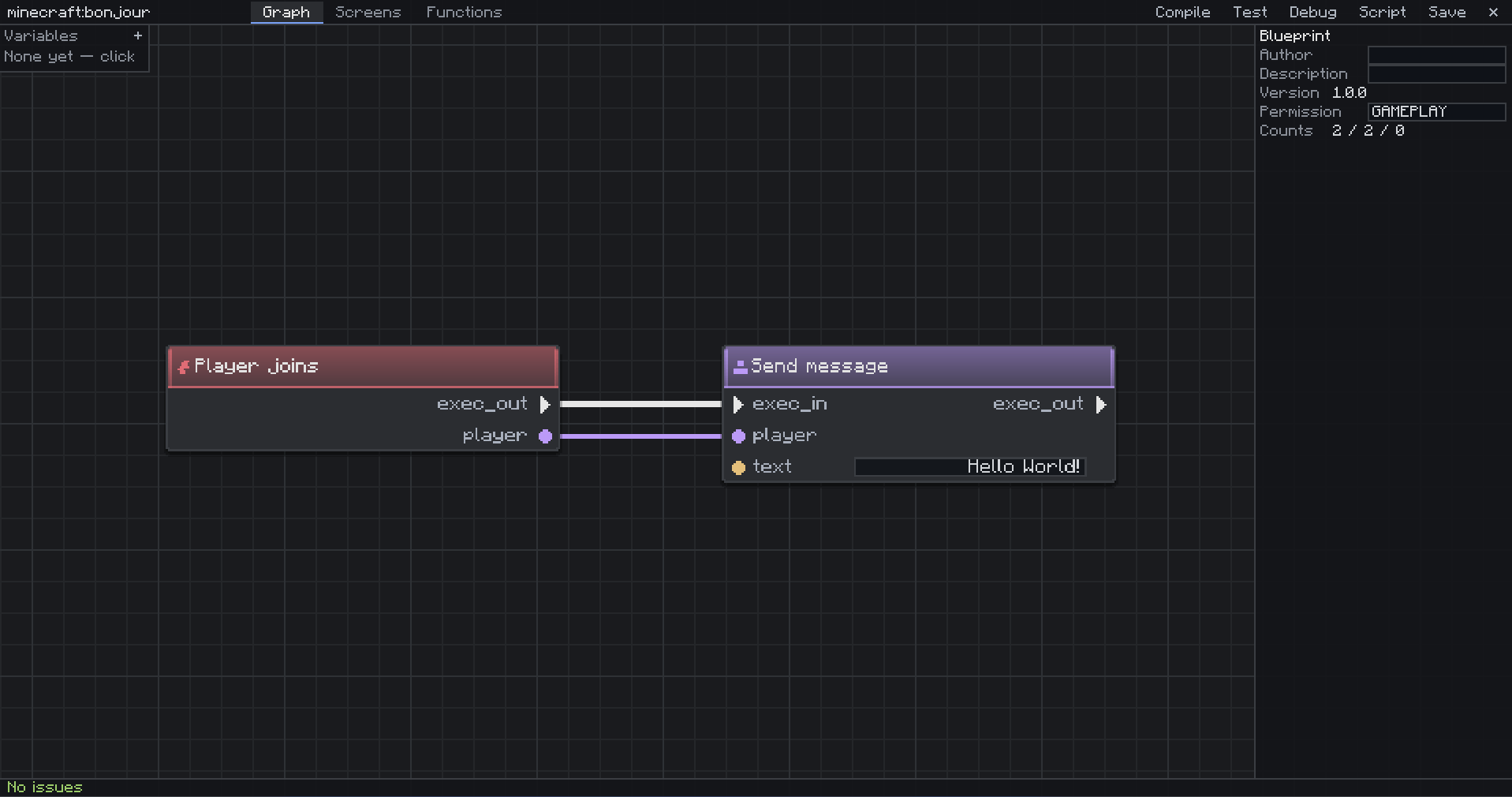 premier-graphe.png premier-graphe.png
 -
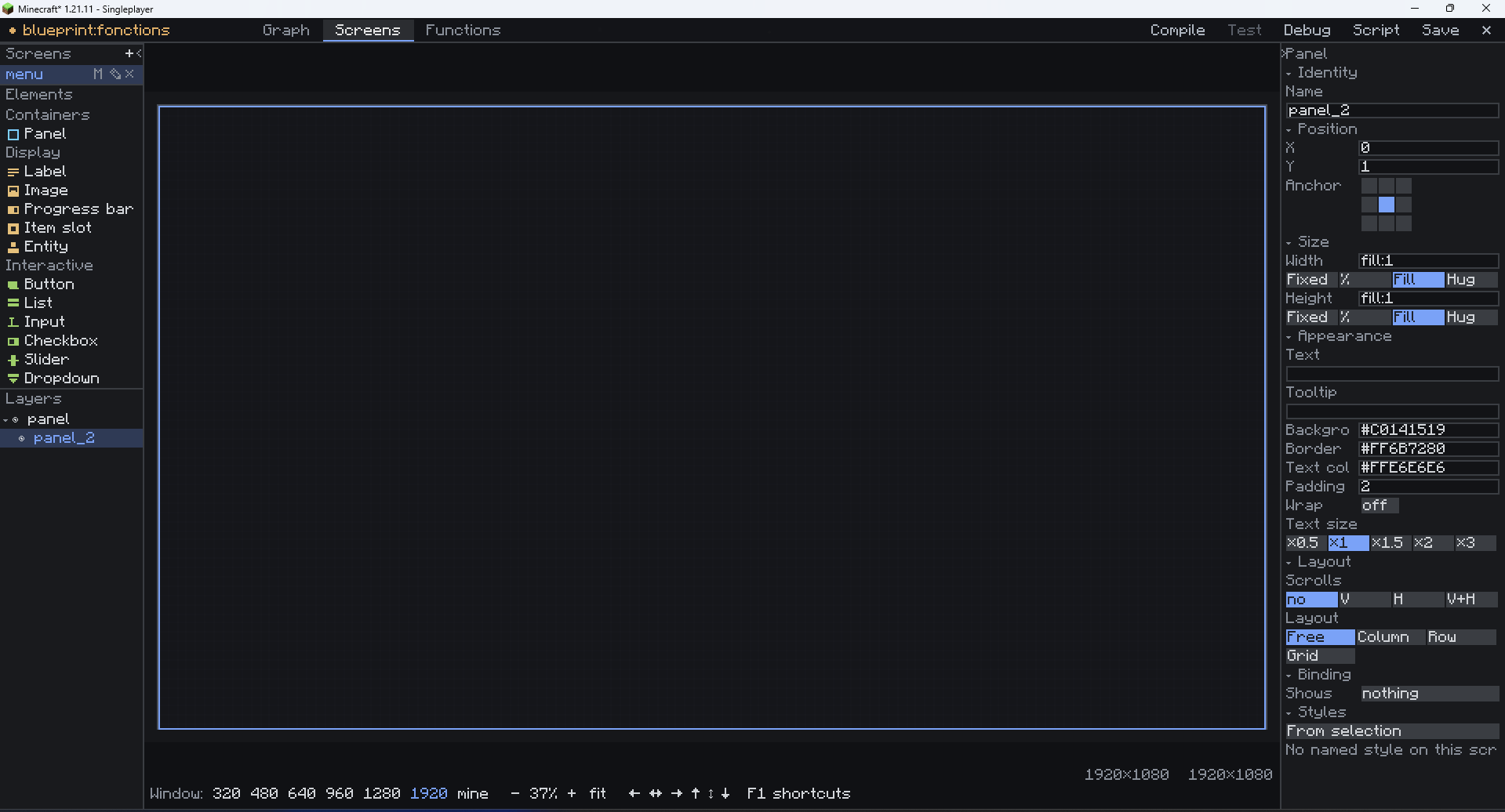 screen.png screen.png
 -
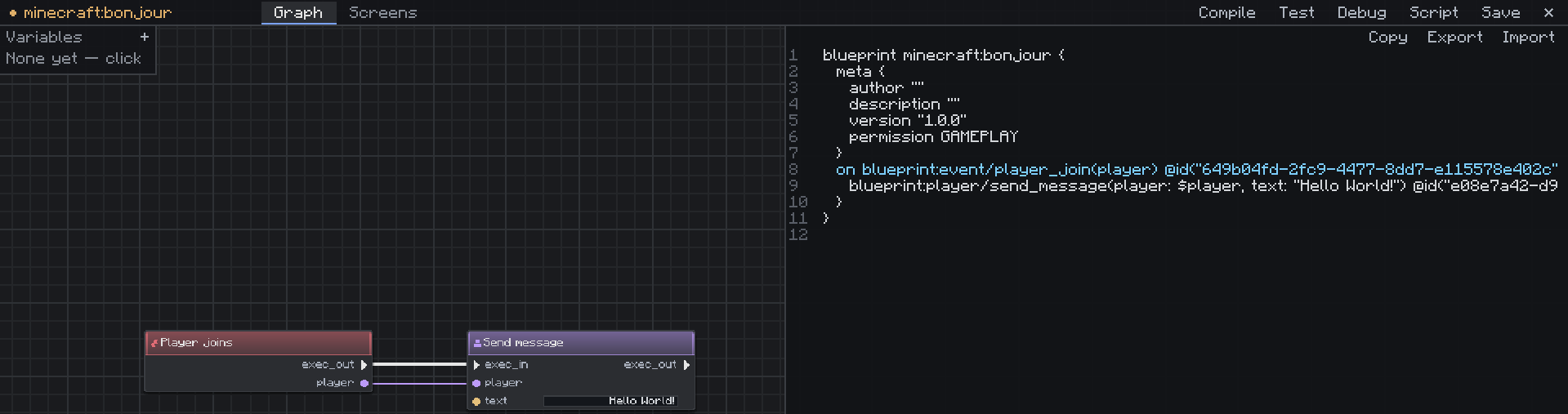 vue-script.png vue-script.png
Versions
Files
Relations
Project Relations
More like this
Similar Mods
Suggestions use data such as tags, dependencies, dependents, descriptions, titles, and more to rank how much they overlap with this mod.
On ModDex
Community snapshot
By the numbers
Statistics
Want to reach Minecraft players?
We're looking for a server hosting partner to feature here and other parts of the site. Interested? Send us a message!
Get in touchGet it on
Available Platforms
On ModDex
Community snapshot
By the numbers
Statistics
Resources