Community listing page, reviews here may not be monitored by the author.
Boundary Boxes

No reviews yet
A mod that allows players to create boundaries with multiple functionalities

Community voices
Reviews
No reviews yet. Be the first to review this project!
Get it on
Available Platforms
About
Project Details
For authors
Embed Badge
If you're the author of this project, you can embed a live badge anywhere that supports HTML or Markdown. It updates automatically whenever ratings change.
Use HTML for any page that supports it, or Markdown for README files and Markdown-based descriptions.
Identifiers
Platform IDs
Resources
External Links
About
Description
BoundaryBox
A lightweight region protection mod for Forge 1.20.1
BoundaryBox allows server administrators and builders to define protected regions in their world, preventing players from breaking or placing blocks within designated areas.
Designed with adventure map creation in mind, it also works with structure block generation
Feedback and suggestions are greatly appreciated! I am always improving and adding features.
Features:
Boundary Box Tool

- Select two points to define a protected region instantly
Boundary Marker Tool; Specific for Structure Blocks

- When placing structure blocks, be sure to have them inside the bounds to auto-register protection on world generation using the marker command, as the tool is for already-generated worlds
Named Regions

- Organise and manage multiple regions with custom names
Potion Effects 

- Apply persistent effects to players while inside specific regions
Fire and Explosion Protection

- Within the bounds, fire won't spread, and all blocks are immune to explosions. Fluids such as water and lava are also unable to be placed within the bounds
Fluid Protection
- Block lava and water placement within protected areas
Breakable Whitelist
- Configure specific blocks that players can still interact with
Creative Override
- All protections are skipped for creative mode players
Full Persistence
- Regions and their settings survive server restarts
Admin Commands
- * Use
/boundaryboxcommands for region management
Config Driven
- Customise breakable blocks and fire protection via the config file
Commands:
/boundarybox list
- Lists all active regions in the current dimension with their coordinates and size
/boundarybox remove <name>
- Removes a named region from the current dimension
/boundarybox removeall
- Removes all regions in the current dimension
/boundarybox rename <oldname> <newname>
- Renames an existing region
/boundarybox name <regionname>
- Sets the name for the next region created with the tool
/boundarybox marker <name> <width> <height> <depth>
- Configures a Region Marker block being looked at, defining its region name and dimensions (these three parameters are the x y z levels of blocks, e.g., 2x3x2)
/boundarybox effect <regionname> <effect> <amplifier>
- Adds a potion effect to a region, applied to all players inside. Amplifier starts at 0 for level 1 and is removed 2 to 3 seconds upon leaving
/boundarybox removeeffect <regionname> <effect>
- Removes a potion effect from a region
Tool Controls:
- Left click block — Set Point A
- Right-click block — Set Point B, creates a region if both points are set
- Left click air/shift left click ground — Clear current selection
- Shift + right click — Remove the most recently created region
Perfect for:
- Adventure map creators and mod pack makers
- Server administrators protecting spawn areas or points of interest
- Modpack developers building structured gameplay experiences
Feedback and suggestions are greatly appreciated! I am always improving and adding features.
Screenshots
Gallery
-
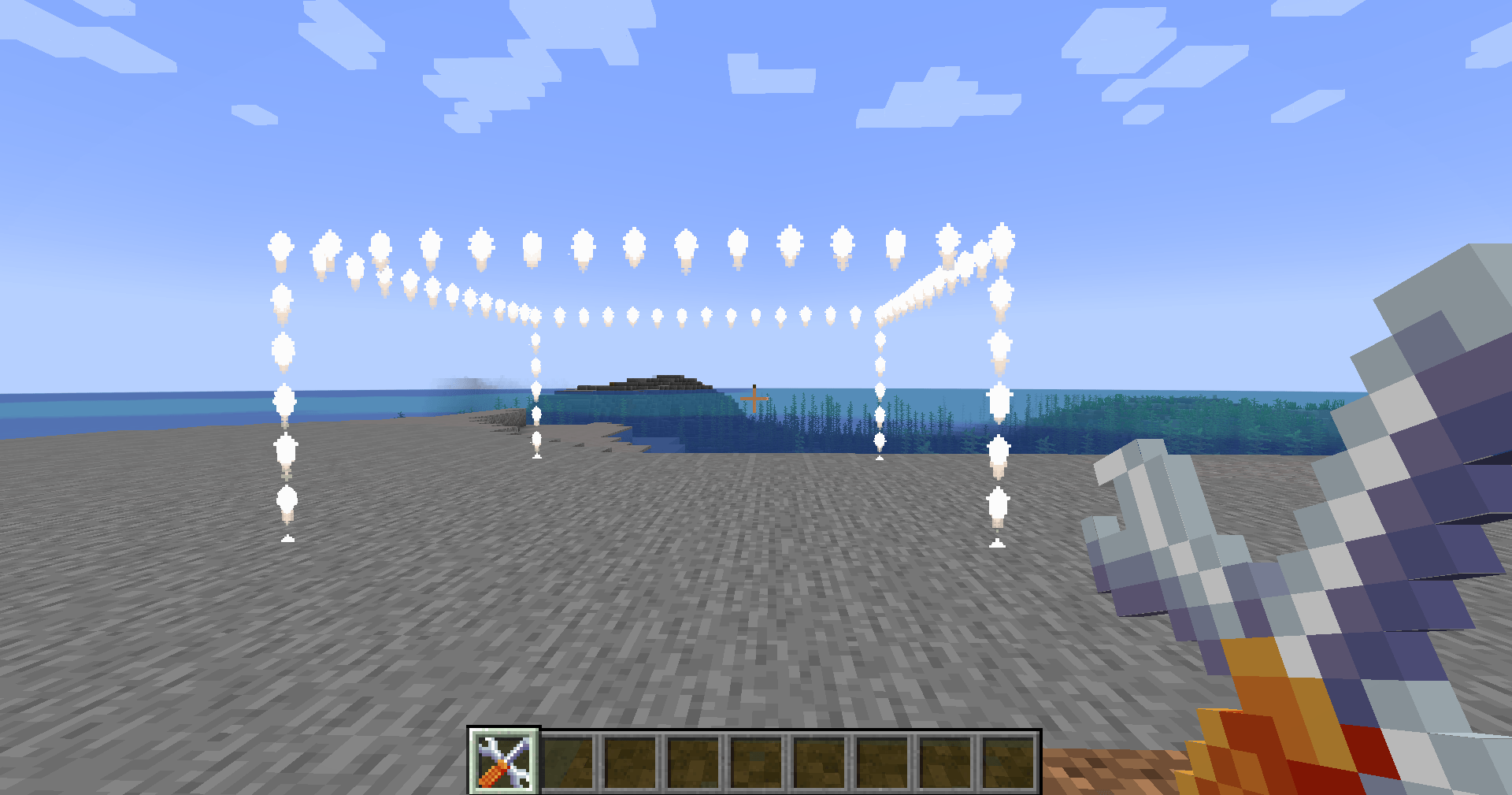 boundary-box-shown.png boundary-box-shown.png
 -
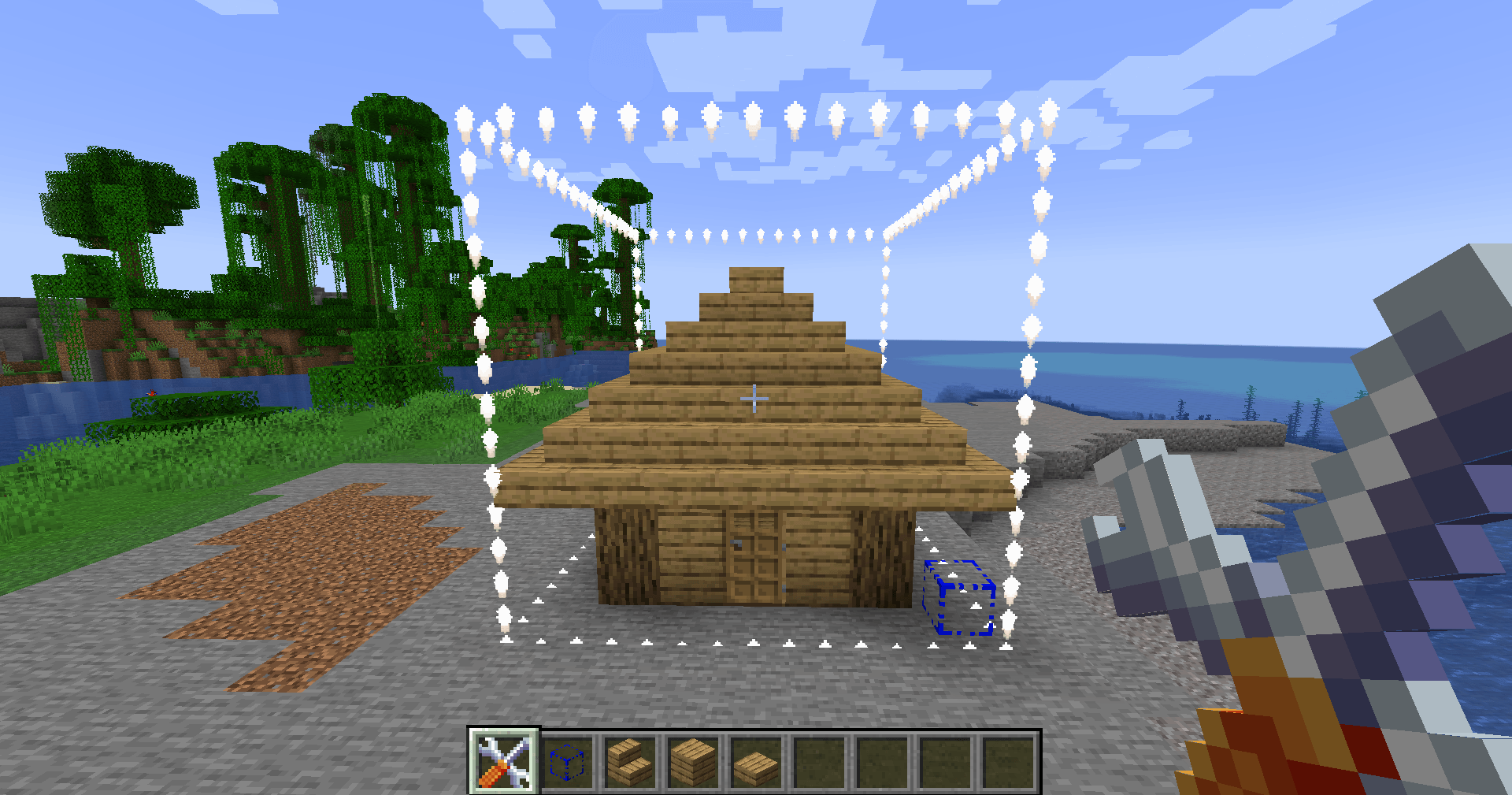 structure-block-boundary-generation.png structure-block-boundary-generation.png
 -
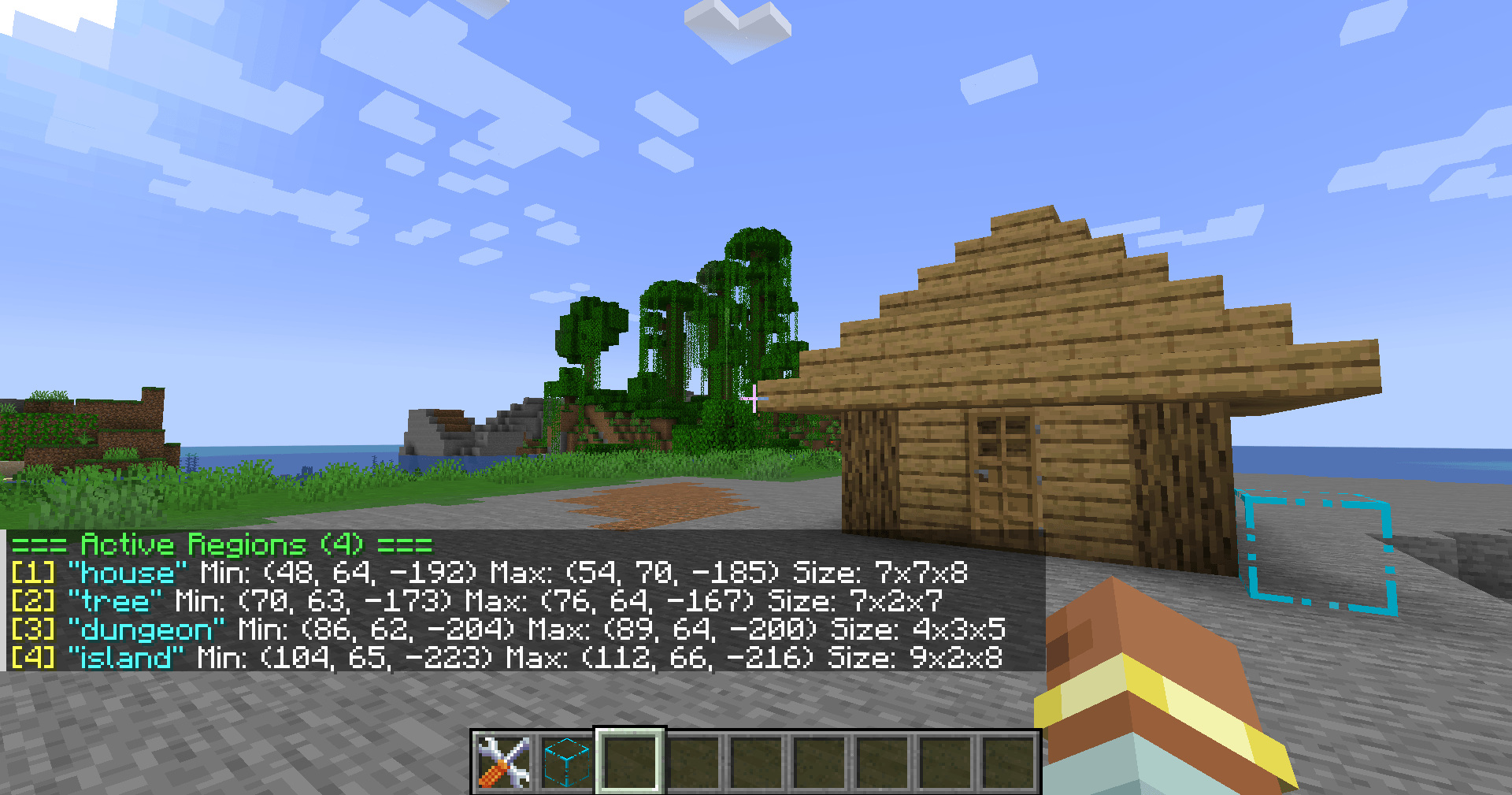 boundary-box-list.png boundary-box-list.png
Versions
Files
Relations
Project Relations
More like this
Similar Mods
Suggestions use data such as tags, dependencies, dependents, descriptions, titles, and more to rank how much they overlap with this mod.
On ModDex
Community snapshot
By the numbers
Statistics
 (opens in a new tab)
Get it on
Available Platforms
On ModDex
Community snapshot
By the numbers
Statistics
Resources