Community listing page, reviews may not be monitored by the author.
Bounded Not Free

No reviews yet
Bounded Not Free is a world-generation mod for modpacks that want more control over where biomes and structures appear without replacing Minecraft's terrain generation.

Community voices
Reviews
No reviews yet. Be the first to review this project!
Get it on
Available Platforms
About
Project Details
For authors
Embed Badge
If you're the author of this project, you can embed a live badge anywhere that supports HTML or Markdown. It updates automatically whenever ratings change.
Use HTML for any page that supports it, or Markdown for README files and Markdown-based descriptions.
Identifiers
Platform IDs
Resources
External Links
About
Description
Bounded Not Free
Bounded Not Free is a NeoForge 1.21.1 world-generation mod for modpacks that want more control over where biomes and structures appear without replacing Minecraft's terrain generation.
It lets you create a finite, shaped world with guaranteed biomes, controlled structure placement, distinct world edges, large geographic regions, and optional progression areas all while still allowing terrain and biome mods to do their thing.
In other words: you can design the layout of the world without having to build the world by hand.
By default, the mod doesn't change world generation until you enable it.
World-generation settings should ideally be finalized before creating the world. Existing chunks are never regenerated when the configuration changes, so changing the layout later can create visible differences between old and new terrain.
Features
Custom World Shapes
Your playable world can use several different boundary shapes:
- Circle
- Square
- Diamond
- Hexagon
- Rounded square
- Polygon
- Star
- Organic / naturally irregular shapes
Different dimensions can have their own settings, so the Overworld, Nether, End, and modded dimensions don't have to use the same layout.
Controlled Biome Placement
Bounded Not Free can control where biomes are allowed or encouraged to generate.
You can:
- Allow or deny specific biomes.
- Target entire biome tags.
- Create your own named biome groups.
- Require certain biomes to appear somewhere in the world.
- Give biomes minimum and maximum distances from the center or edge.
- Restrict biomes to certain regions or progression zones.
- Create broad geographic layouts instead of completely random biome placement.
Available layout styles include:
- Vanilla – keeps biome placement close to normal Minecraft generation.
- Radial – organizes biomes based on distance from the center.
- Continents – encourages large continental regions.
- Voronoi – divides the world into large irregular biome territories.
- Climate Bands – creates broad climate-based regions.
- Archipelago – favors island-like biome groupings.
The mod still allows the active biome generator to make the final biome choice whenever possible, which helps it work naturally with modded biomes.
Guaranteed Biomes
You can require important biomes or biome groups to exist inside the generated world.
This is useful for smaller or limited-size worlds where normal random generation might otherwise leave out something required for progression.
For example, a pack could guarantee that the world contains:
- A desert
- A snowy region
- A jungle
- A mushroom biome
- Every biome required by a progression mod
The mod plans space for required content rather than simply hoping normal generation happens to include it.
Structure Control
Structures can be controlled in much the same way as biomes.
You can:
- Allow or deny structures.
- Use individual structures or structure tags.
- Create named structure groups.
- Restrict structures by distance.
- Restrict structures to certain regions or zones.
- Ensure important structures have suitable areas in which to generate.
This makes it much easier to create compact exploration-focused modpacks without players having to travel tens of thousands of blocks to find something important.
World Rim
The edge of the world can have its own biome or biome group.
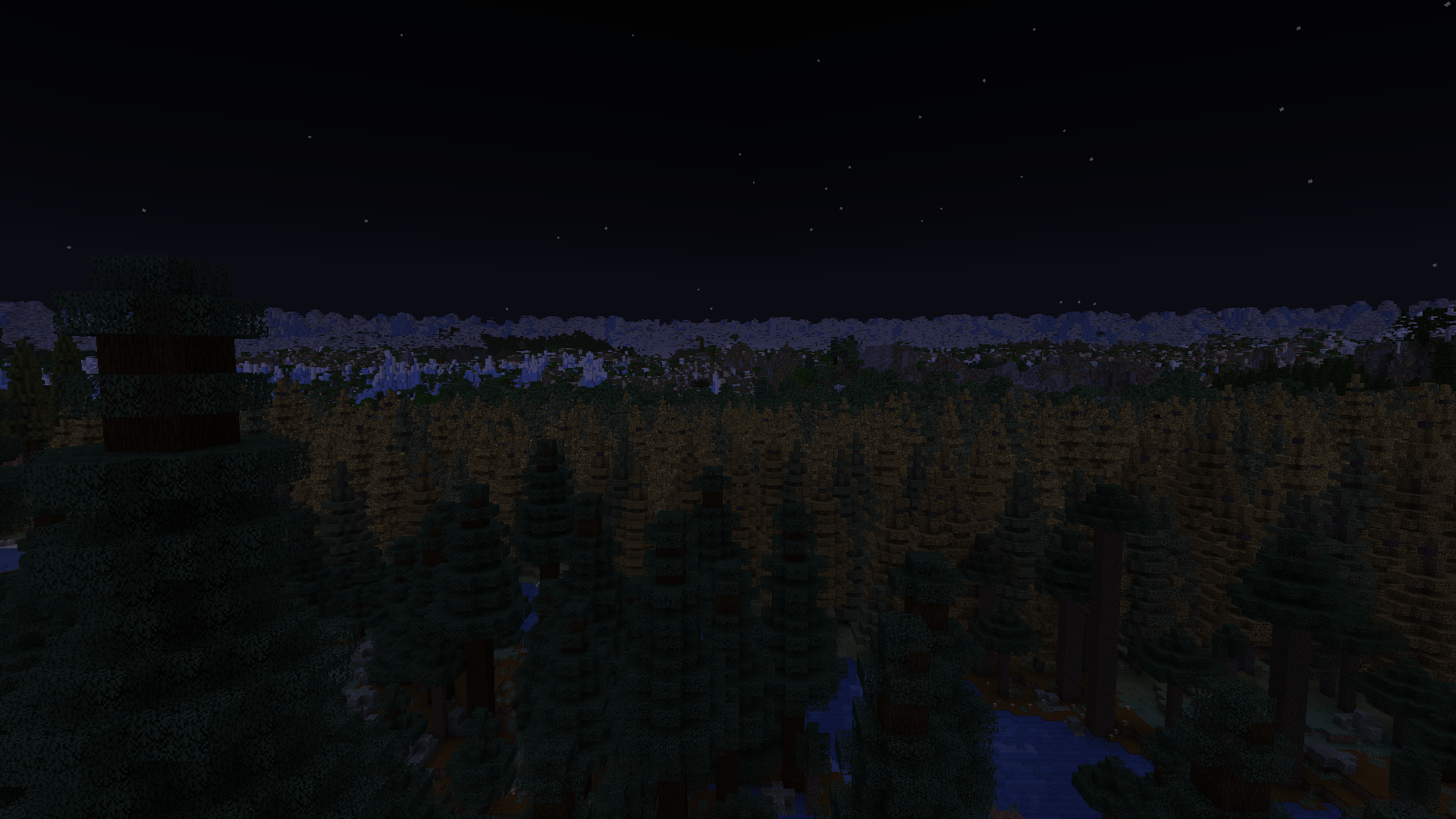
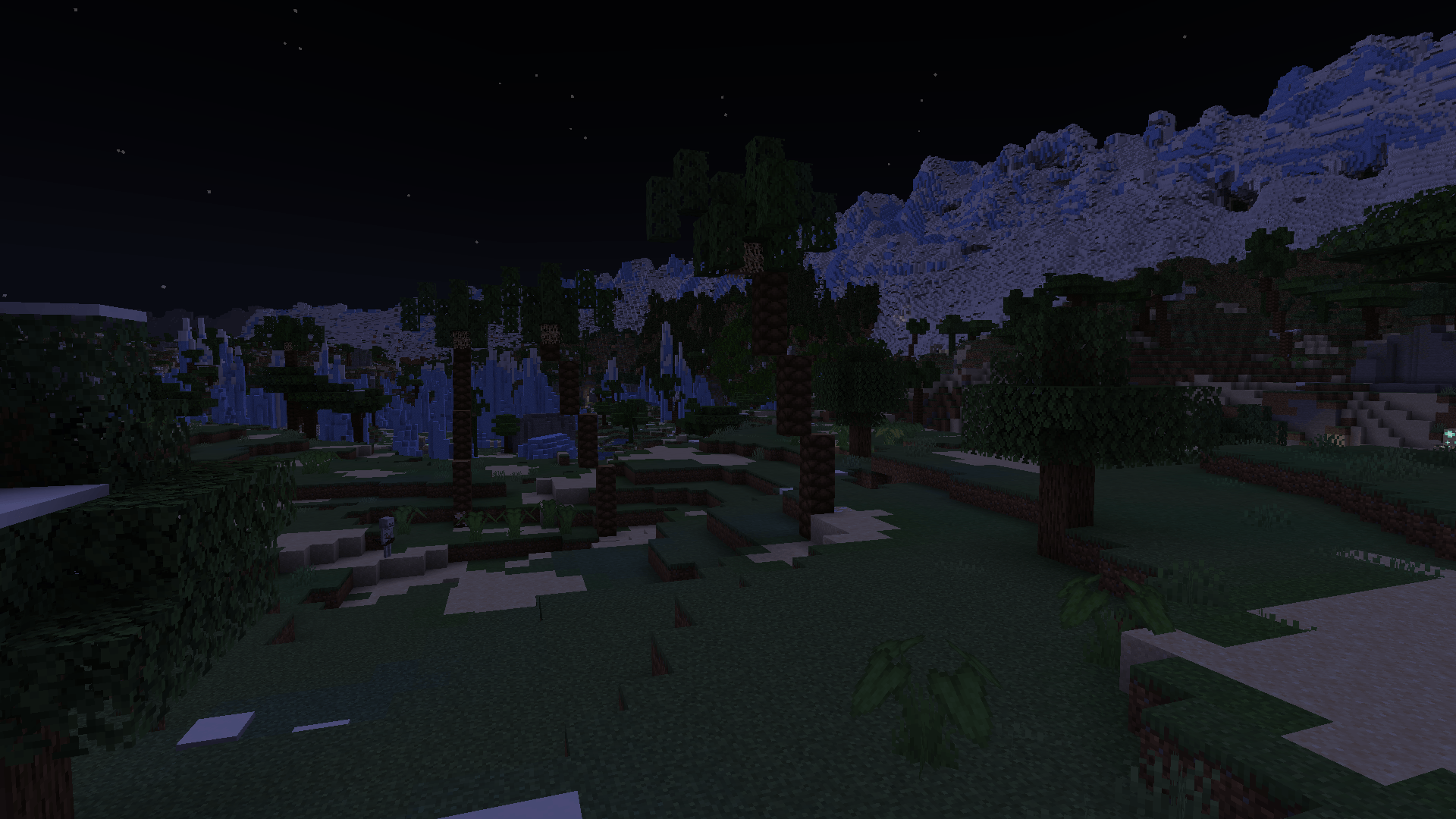
Instead of abruptly cutting the world off, Bounded Not Free can influence normal terrain generation as players approach the edge, allowing the rim to feel like a natural part of the world.
For example, your world could be surrounded by:
- Mountains
- Ocean
- Frozen wasteland
- Desert
- A dangerous modded biome
- Any other configured biome or biome group
The transition can happen gradually rather than appearing as a hard biome line.
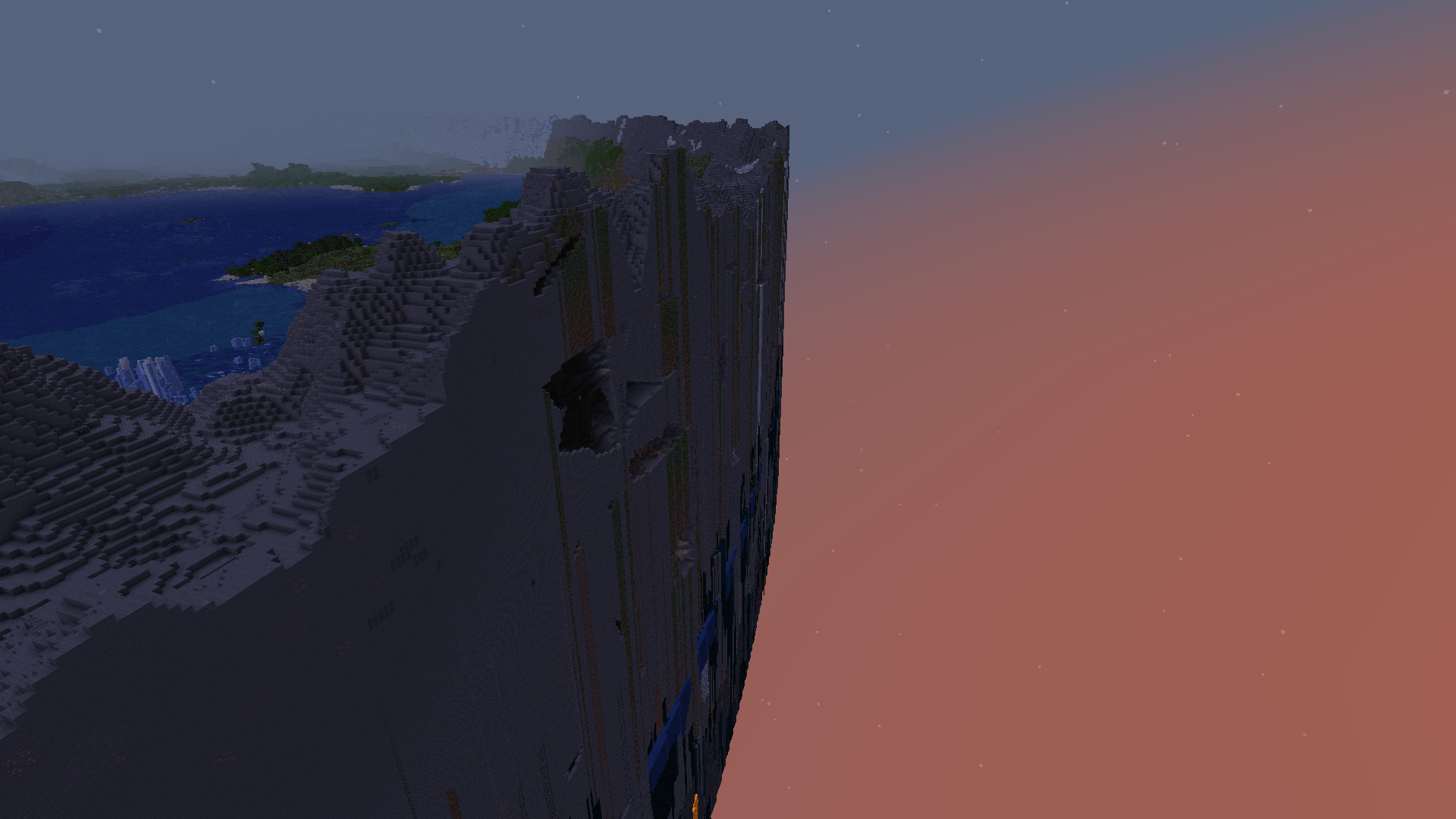
Outside the World
You can separately control what happens beyond the configured world boundary.
This allows the playable world shape and the terrain outside it to be treated differently.
You can also optionally create a one-block-thick barrier wall that follows the exact configured world shape from bottom to top.
Optional Gameplay Border
The actual gameplay border can follow the configured world shape rather than being limited to Minecraft's normal square world border.
This is especially useful for circular, hexagonal, star-shaped, or irregular worlds.
Regions and Progression Zones
Large portions of the world can be divided into named regions or zones.
These can be used to create things such as:
- Early-game areas
- Mid-game territories
- Dangerous outer regions
- Biome-themed continents
- Structure-specific regions
- Progression rings moving outward from spawn
Progression zones are completely optional. The mod can just as easily be used to create a compact world with controlled geography and no progression system at all.
Compatibility
Bounded Not Free is specifically designed to work alongside other world-generation mods rather than replace them.
It focuses primarily on deciding where things should appear, while the active terrain generator remains responsible for actually creating the terrain.
This makes it suitable for packs using mods such as:
- Tectonic
- Regions Unexplored
- TerraBlender-based biome mods
- Lithostitched-based worldgen mods
- Structure mods
- Datapack-added biomes and structures
The rim system also attempts to influence the active terrain generator naturally, so a mountain rim created with Tectonic should look like Tectonic terrain rather than terrain generated separately by Bounded Not Free.
C2ME
Bounded Not Free is designed to remain compatible with C2ME's threaded chunk generation.
Normal C2ME configurations can still use full terrain-aware world rims, including with Tectonic.
Some highly experimental C2ME world-generation options may prevent Bounded Not Free from safely influencing modded terrain. When that happens, the mod falls back to controlling the biomes only rather than risking broken or fragmented terrain.
Configuration
The main configuration file is:
config/boundednotfree/world-layout.json
The configuration controls things such as:
- Enabled dimensions
- World size
- World shape
- Biome rules
- Structure rules
- Required biomes and structures
- World rim
- Outside terrain
- Geographic layout style
- Regions
- Progression zones
- Barrier walls
- World-layout seed
World layouts are deterministic, meaning the same configuration and layout seed can reproduce the same overall geographic plan.
A world can also lock its generated layout so later configuration changes don't accidentally change the intended geography.
Previewing Your World
Before committing to a world, you can generate a preview of the configured layout with:
/worldlayout preview
The preview is saved inside:
<world>/boundednotfree-previews/
This makes it easier for modpack creators to check things such as:
- World shape
- Biome regions
- Required biome placement
- Progression zones
- Rim areas
without manually exploring the entire world.
Useful Commands
These commands require operator permissions.
/worldlayout info
Shows information about your current position, including the region or zone you're in and your distance from the world edge.
/worldlayout validate
Checks the configuration for missing biomes, structures, invalid rules, or required content that cannot be placed.
/worldlayout compat
Shows information about the active world generator and detected world-generation mods. This is mainly useful when troubleshooting a modpack.
/worldlayout preview
Generates a visual preview of the configured world layout.
Who Is This Mod For?
Bounded Not Free is mainly intended for modpack creators who want exploration to happen within a deliberately sized world.
It works particularly well for packs built around:
- Exploration
- Boss hunting
- Structure progression
- Adventure
- RPG-style progression
- Multiplayer worlds where players should remain relatively close together
- Curated biome progression
- Finite-world survival
You get much of the control of a custom-built adventure map while still keeping the unpredictability and replayability of procedural Minecraft world generation.
Screenshots
Gallery
-
 2026-08-14_21.16.50.png 2026-08-14_21.16.50.png
 -
 2026-08-14_21.19.43.png 2026-08-14_21.19.43.png
 -
 2026-08-14_21.18.13.png 2026-08-14_21.18.13.png
Versions
Files
Relations
Project Relations
More like this
Similar Mods
Suggestions use data such as tags, dependencies, dependents, descriptions, titles, and more to rank how much they overlap with this mod.
On ModDex
Community snapshot
By the numbers
Statistics

Get it on
Available Platforms
On ModDex
Community snapshot
By the numbers
Statistics
Resources