Community listing page, reviews here may not be monitored by the author.
Better Questing Tweaker (BQTweaker)


No reviews yet
Tweaker mod to change some aspects of BetterQuesting

Community voices
Reviews
No reviews yet. Be the first to review this project!
Get it on
Available Platforms
Compatibility
Supported Environments
Runs entirely on the client. Works on vanilla servers.
About
Project Details
For authors
Embed Badge
If you're the author of this project, you can embed a live badge anywhere that supports HTML or Markdown. It updates automatically whenever ratings change.
Use HTML for any page that supports it, or Markdown for README files and Markdown-based descriptions.
Identifiers
Platform IDs
About
Description
Tweaker mod to change some aspects of BetterQuesting.
If you are using Better Questing Unofficial but still want the BQTweaker changes that BQU didn't add, then check out BQUTweaker instead: https://legacy.curseforge.com/minecraft/mc-mods/bqutweaker
Current Features:
- Adds a button to the home page of BetterQuesting to toggle quest notifications from being displayed.
- Redesigns the questline page.
- Adds right-click context menus for adding/editing tasks and opening the questline designer.
- Wraps tasks of each quest into a single page to allow for scrolling instead of clicking page-to-page.
- Wraps the description and rewards of each quest into a single page to allow for scrolling instead of clicking page-to-page.
- Adds a keybind for quickly returning to the previous page (Backspace by default.)
- Adds client-side embedding of links and images into quest descriptions, see below for details.
- Re-adds designer button to questline page.
- Adds patch for compatibility with MoBends to prevent stuttering models in task previews.
- Config allows for everything to be enabled/disabled.
Description Embedding (As of 1.3.0):
You are able to add embeds (Images and Links) through quest descriptions using this mod.
This is detected and rendered on the client-side only, and does not modify the BQ Database.
This means BQ Tweaker can be removed and it will not break your quests.
Embeds are set by specifying an embed type and the embed arguments separated by semi-colons (;), surrounded by {Embed} at the beginning and end;
Image Embed Argument Example: {Embed}TypeImage;<ResourceLocation>;<DisplayWidth>;<DisplayHeight>;<ImageWidth>;<ImageHeight>{Embed}
Link Embed Argument Example: {Embed}TypeLink;<WebsiteLink>;<DisplayWidth>;<DisplayHeight>;<ButtonText>{Embed}
The embed text will be automatically detected and removed from the description itself.
Multiple embeds of both links and images are allowed, and will be inserted into the description based on where they are placed in the text.
See the images tab for in-game examples.
This mod is currently only required client-side, but shouldn't cause issue if placed on a server.
If you have any suggestions for additional changes, please suggest them.
Some of these features are fairly experimental, if you encounter any bugs please report them to the github.
Please direct any issues and suggestions to the github, linked through the issues tab at the top of the page.
Need to get in contact with me, or want to support me? Click the badges below:

Need a server? Click the banner below for 25% off your first month with Bisect Hosting:

Current Features:
-Adds a button to the home page of BetterQuesting to toggle quest notifications from being displayed.
-Redesigns the questline page.
-Adds right-click context menus for adding/editing tasks and opening the questline designer.
-Wraps tasks of each quest into a single page to allow for scrolling instead of clicking page-to-page.
-Wraps the description and rewards of each quest into a single page to allow for scrolling instead of clicking page-to-page.
-Adds a keybind for quickly returning to the previous page (Backspace by default.)
-Adds client-side embedding of links and images into quest descriptions, see below for details.
-Re-adds designer button to questline page.
-Adds patch for compatibility with MoBends to prevent stuttering models in task previews.
-Config allows for everything to be enabled/disabled.
Description Embedding (As of 1.3.0):
-You are able to add embeds (Images and Links) through quest descriptions using this mod.
-This is detected and rendered on the client-side only, and does not modify the BQ Database.
-This means BQ Tweaker can be removed and it will not break your quests.
Embeds are set by specifying an embed type and the embed arguments separated by semi-colons (;), surrounded by {Embed} at the beginning and end:
Image Embed Argument Example:
{Embed}TypeImage;;;;;{Embed}
Link Embed Argument Example:
{Embed}TypeLink;;;;{Embed}
The embed text will be automatically detected and removed from the description itself.
Multiple embeds of both links and images are allowed, and will be inserted into the description based on where they are placed in the text.
See the images tab for in-game examples.
This mod is currently only required client-side, but shouldn't cause issue if placed on a server.
Some of these features are fairly experimental, if you encounter any bugs please report them to the github.
Need to get in contact with me, or want to support me? Click the badges below:


Need a server? Click the banner below and use code "fonny" for 25% off your first month with Bisect Hosting:
Screenshots
Gallery
-
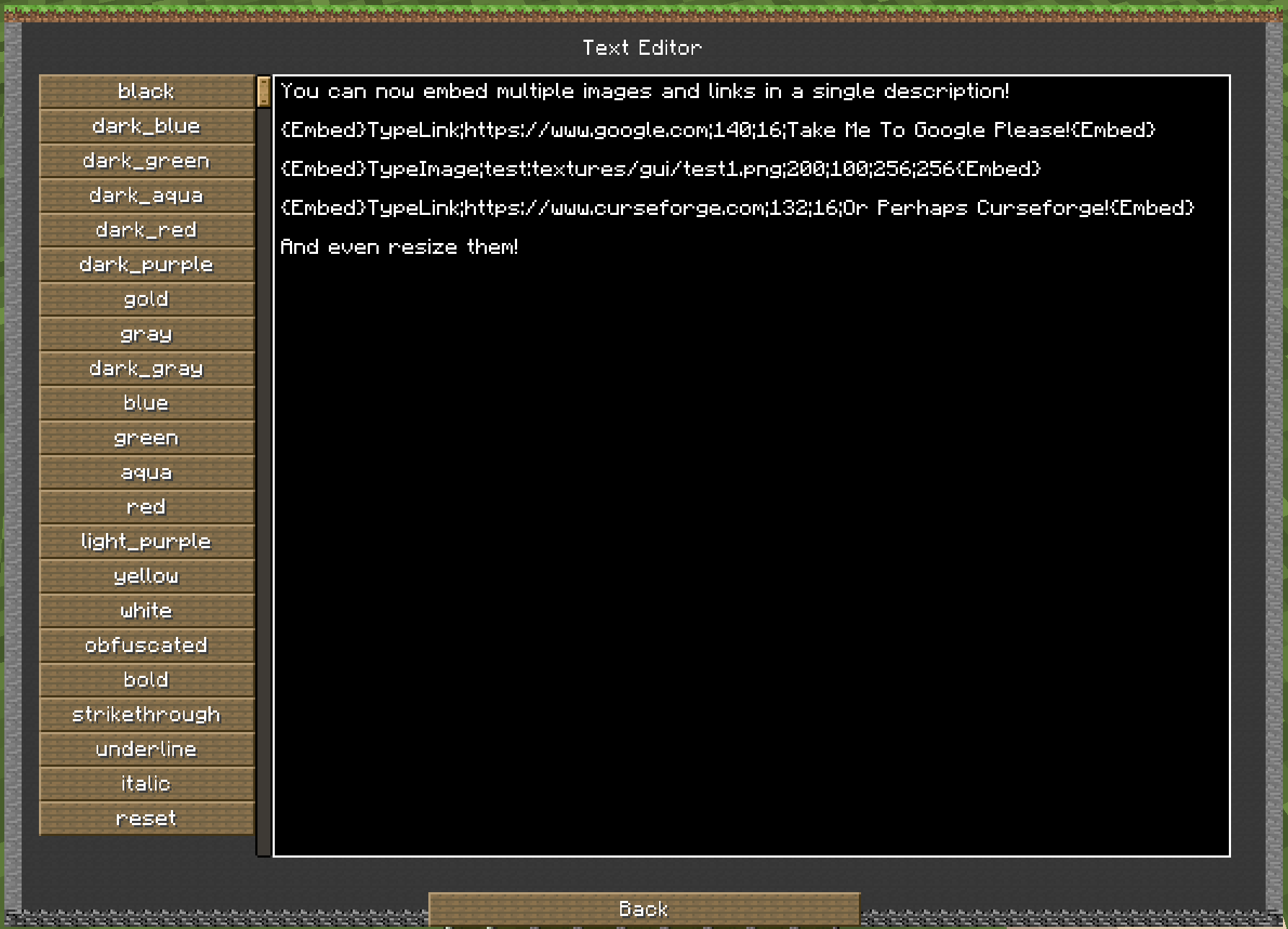 image and Link embedding example format
 -
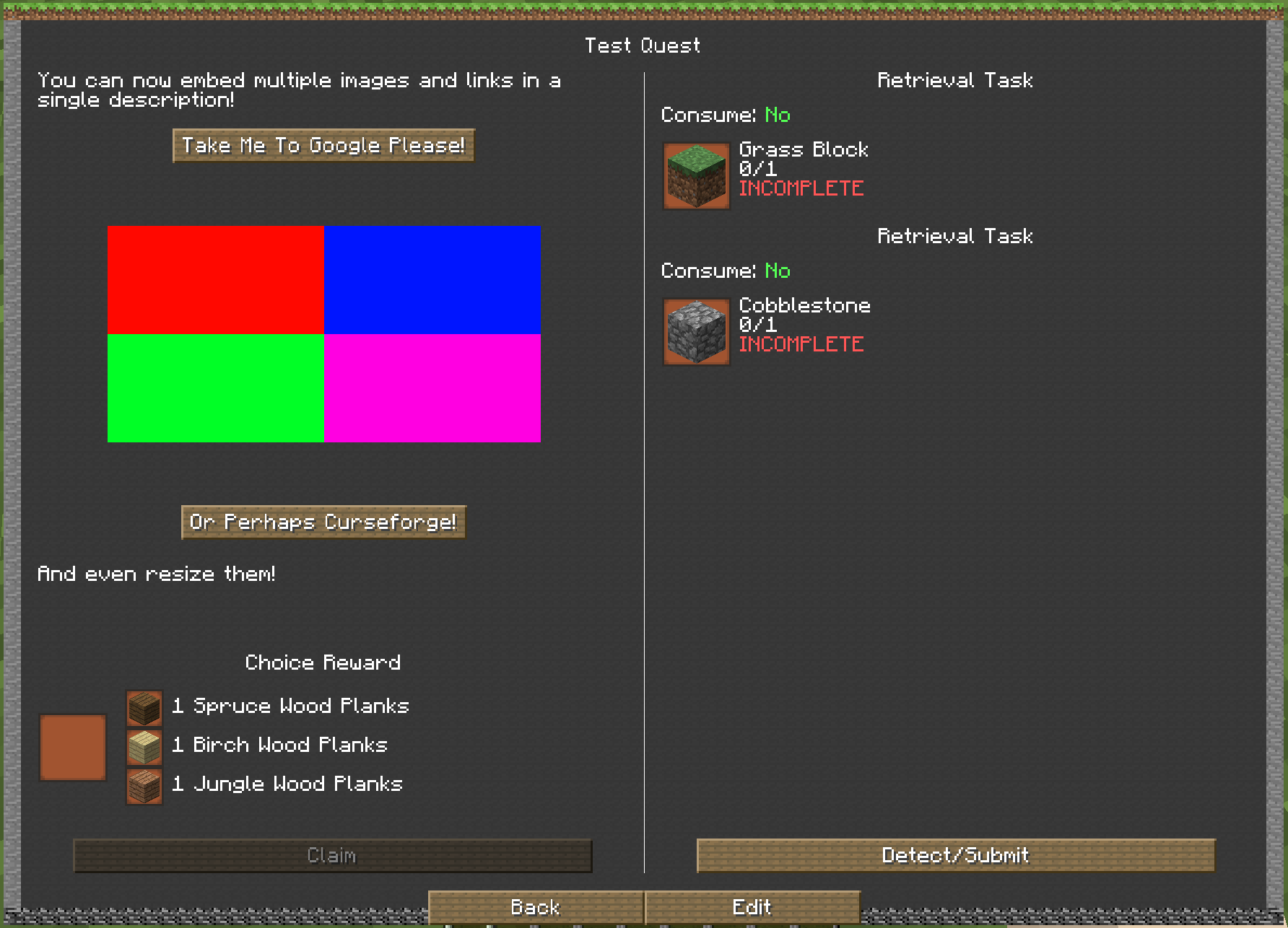 Image and Link embedding example
 -
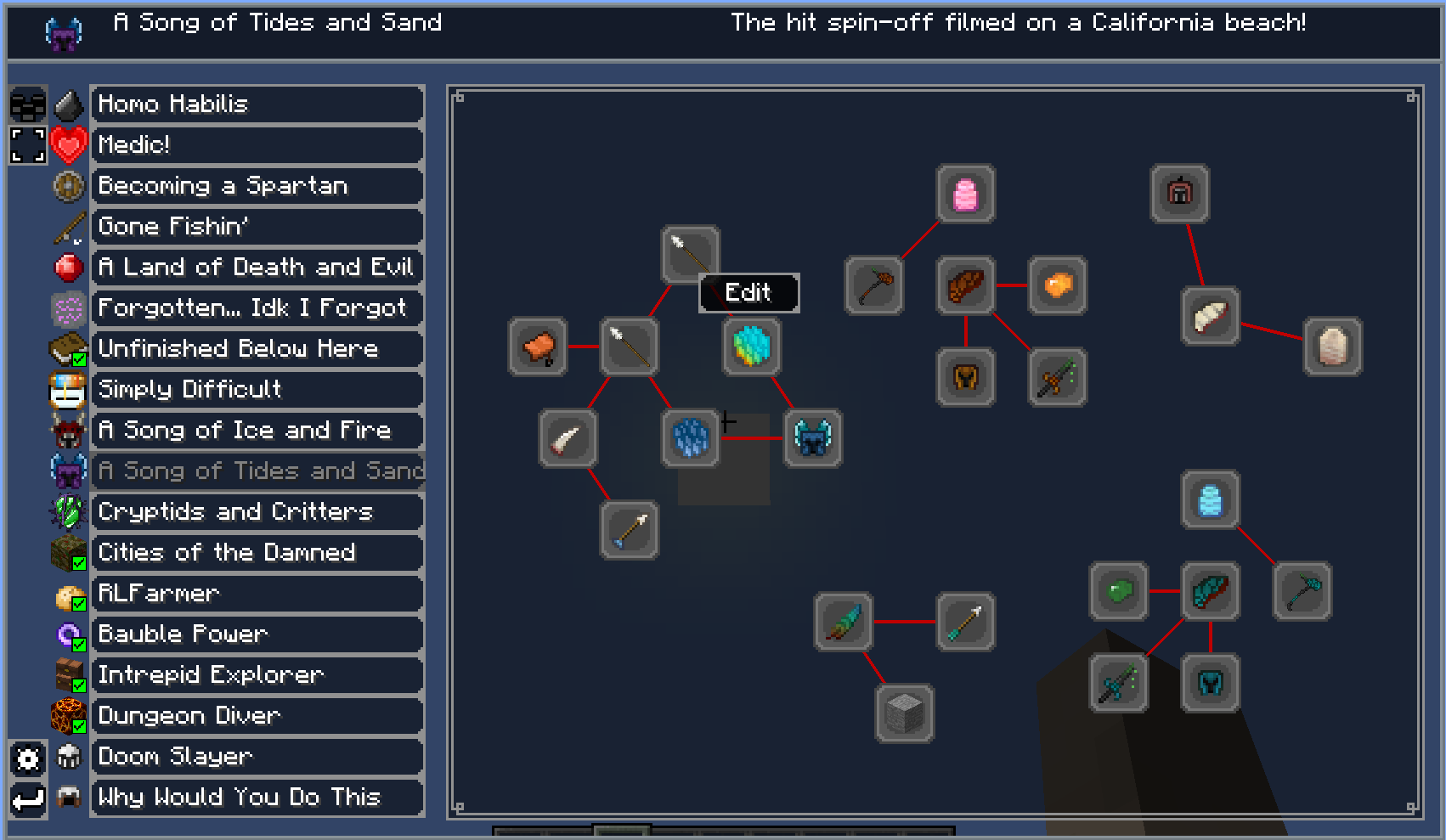 Questline layout redesign
 -
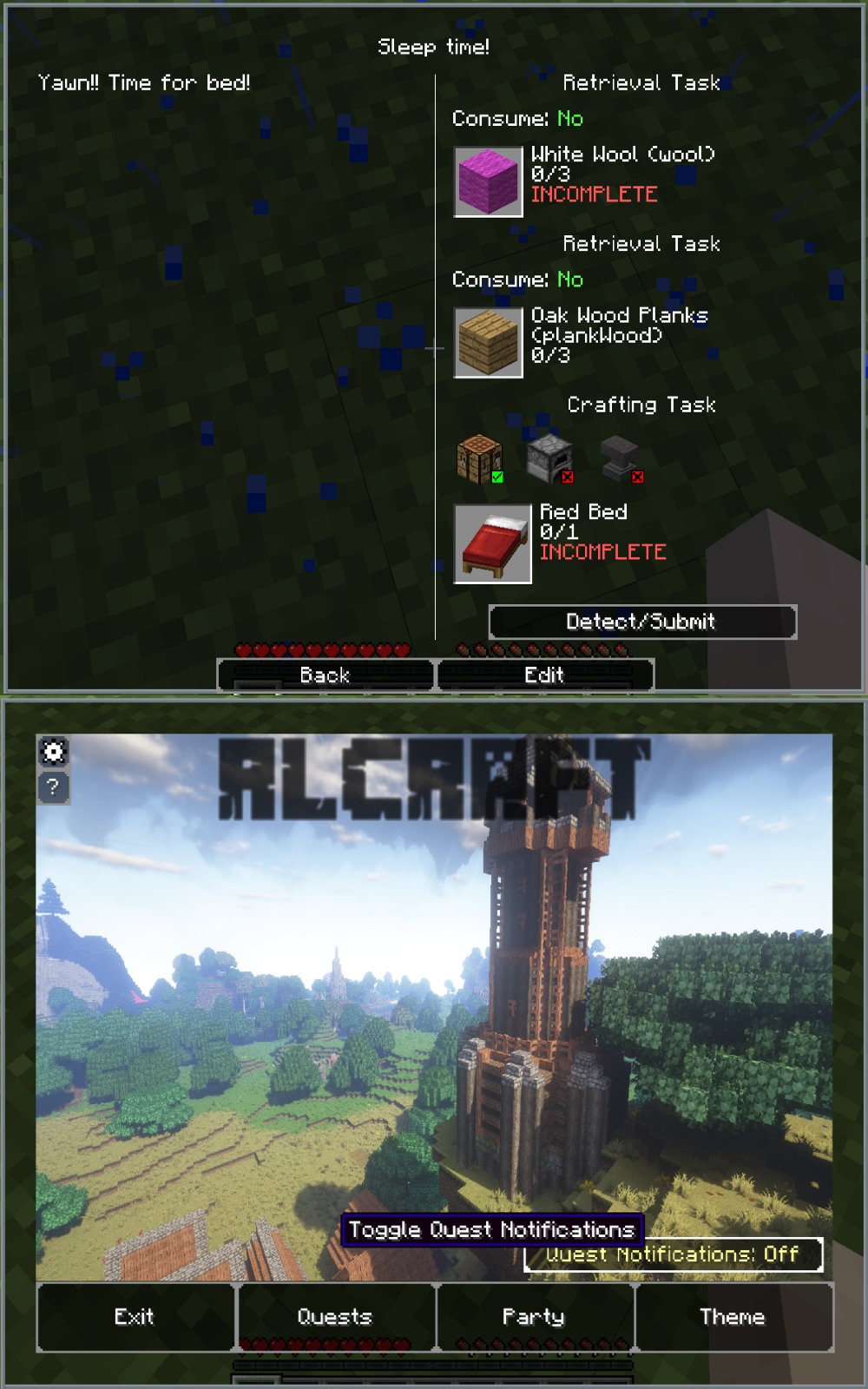 Example of tasks and button
-
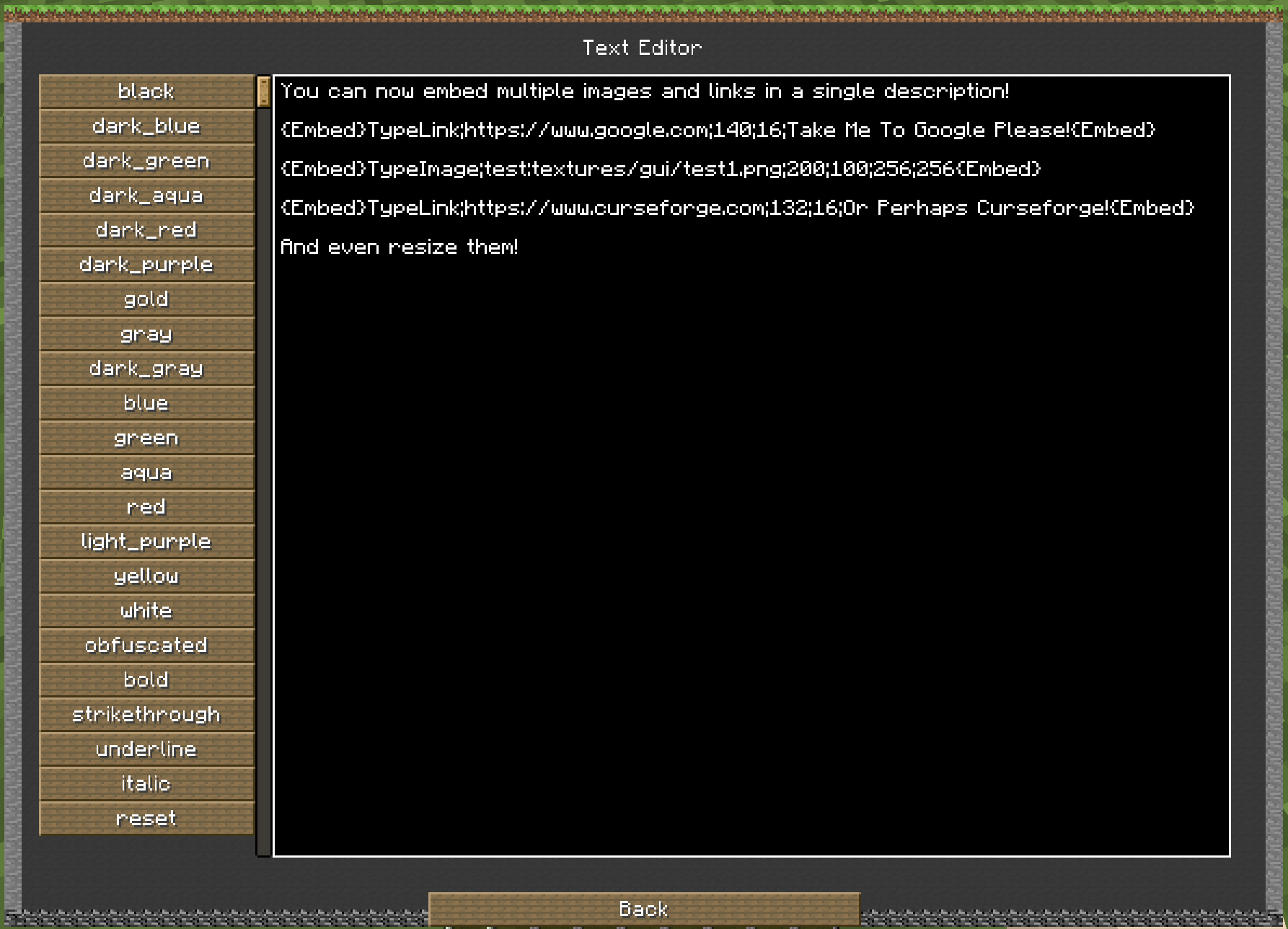 Image and link embedding example format
 -
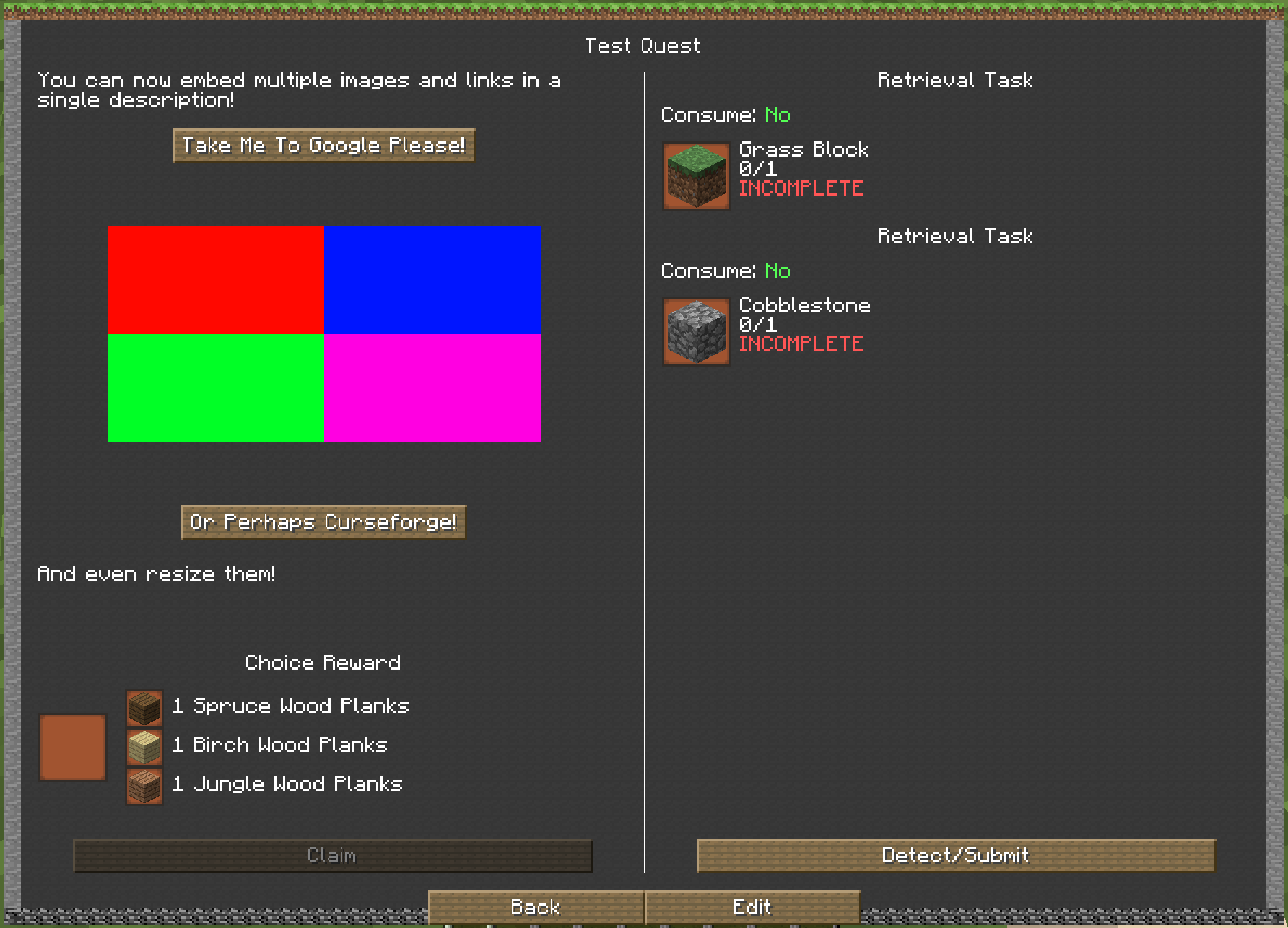 Image and link embedding example
 -
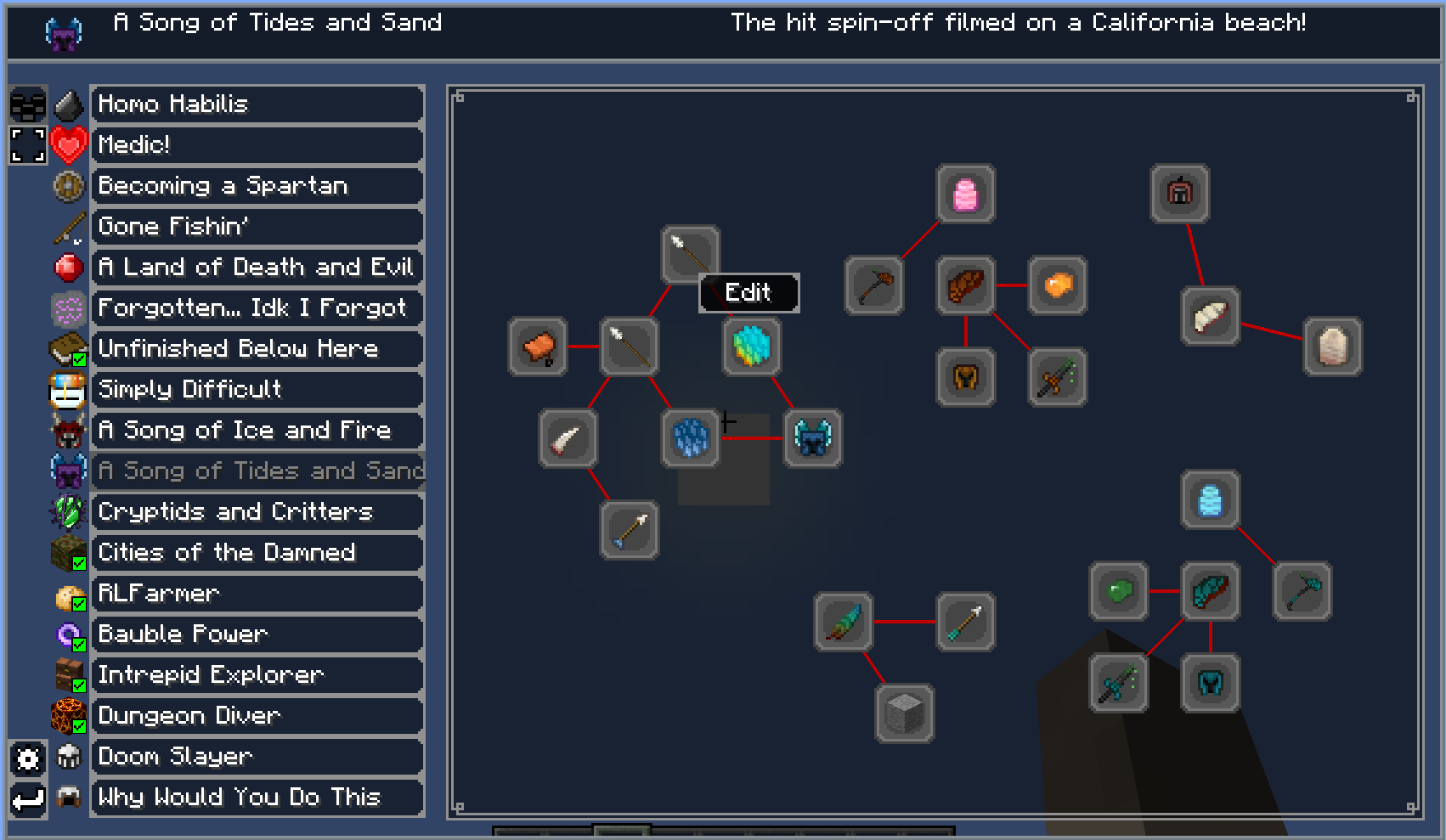 Questline layout redesign
 -
 Example of tasks and buttons
Versions
Files
Relations
Project Relations
More like this
Similar Mods
Suggestions use data such as tags, dependencies, dependents, descriptions, titles, and more to rank how much they overlap with this mod.
- Better Questing - Multiblock and Structure Integration
- Better Questing Unofficial Tweaker (BQUTweaker)
- Better Questing
- Better Questing - Standard Expansion
- Better Questing - Quest Book
- Better Questing Triggerer
- Better Questing - Forestry
- Better Questing - RF Expansion
- Better Questing Unofficial
- Better Questing - NPC Integration
- Better Questing - Gamestages Expansion
- Better Questing - Lord of the Rings addon
On ModDex
Community snapshot
By the numbers
Statistics
 (opens in a new tab)
Get it on
Available Platforms
On ModDex
Community snapshot
By the numbers