
Community listing page, reviews may not be monitored by the author.
BrickByBRICK TAB-Complete


No reviews yet
Client-side Fabric mod for Minecraft 26.2 that predicts the next block you are likely to place and shows it as a ghost preview.

Community voices
Reviews
No reviews yet. Be the first to review this project!
Get it on
Available Platforms
Compatibility
Supported Environments
Runs entirely on the client. Works on vanilla servers.
About
Project Details
For authors
Embed Badge
If you're the author of this project, you can embed a live badge anywhere that supports HTML or Markdown. It updates automatically whenever ratings change.
Use HTML for any page that supports it, or Markdown for README files and Markdown-based descriptions.
Identifiers
Platform IDs
Resources
External Links
About
Description
Brick by Brick Tab
Brick by Brick Tab is a client-side Fabric mod that suggests the next block while you build. It is not an auto builder. You still place every block yourself, the mod only shows possible next steps.
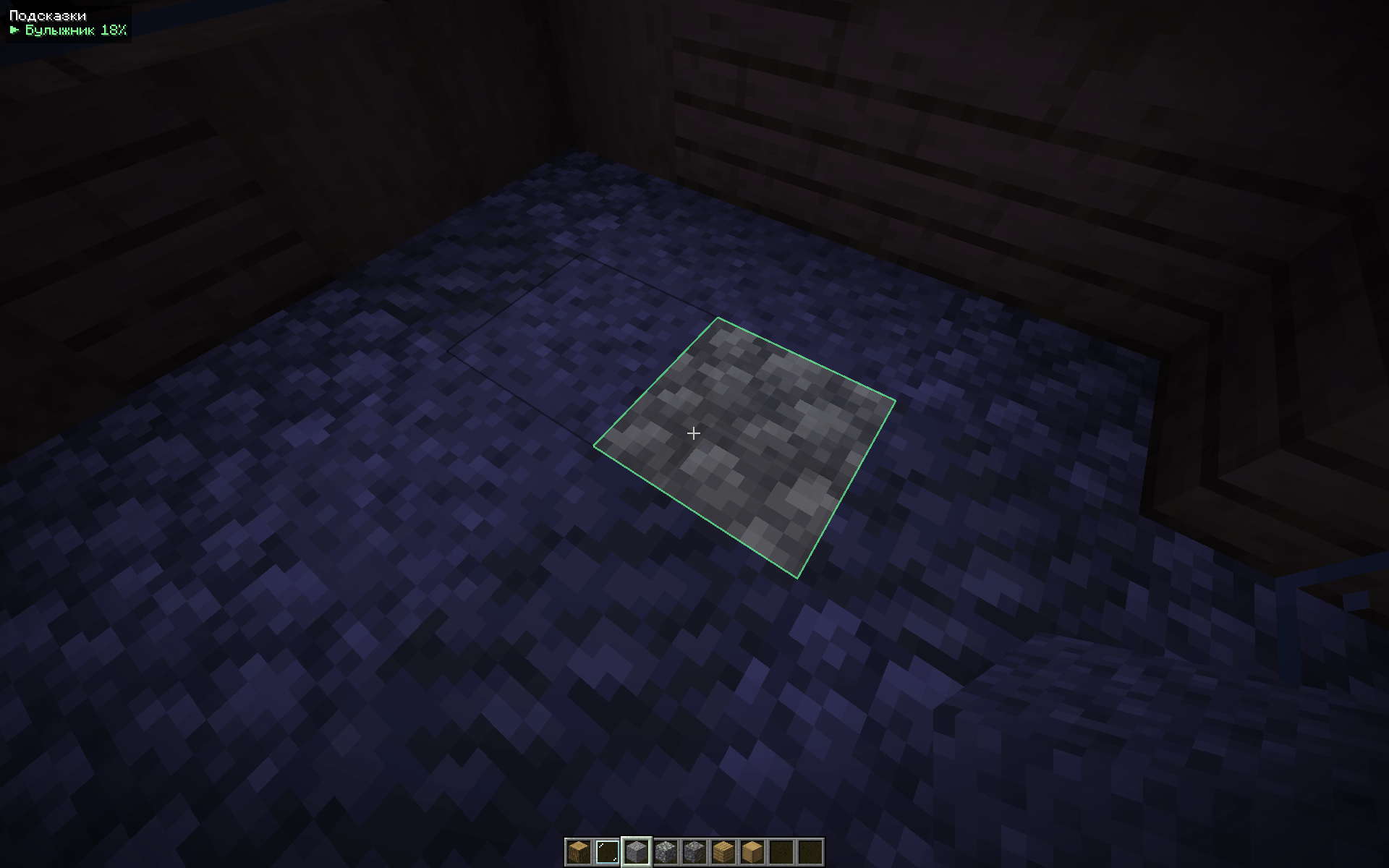
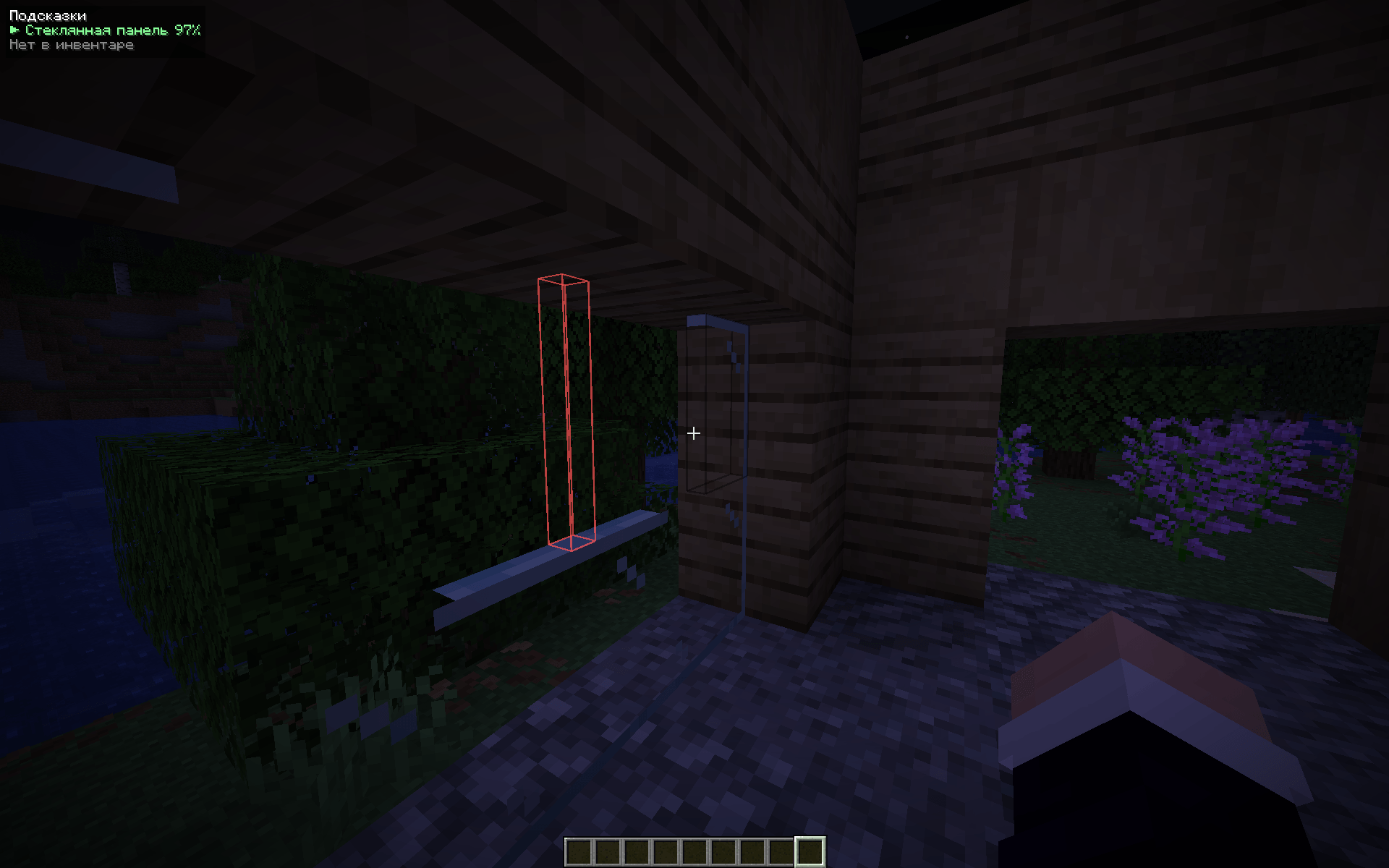
The suggestion appears as a ghost block under the crosshair. The HUD can also show a few alternatives if the first one does not fit what you had in mind.
How it works
The mod uses a trained next-block model. It reads the recent blocks placed by the player, then predicts where the next block is likely to go, which block it should be, and how it should face.
Only player-placed blocks are used as context. Terrain, ores, plants, fluids, and blocks generated by the world are ignored.
The current model is downloaded from the project server and can update automatically when a newer version is published. The model is optional. If weights are unavailable, Brick by Brick Tab still provides basic line-continuation suggestions.
Features
- Ghost block preview under the crosshair
- Ranked suggestions on the HUD
- Green preview when the suggested block is available in the inventory
- Red preview when it is not available
- Local adaptation to the way you build
- Client-side only, no server installation required
- No automatic placement or block spawning
Controls
- B toggles suggestions
- V switches to the next suggestion
- Other actions can be assigned in the Controls menu
Train your own model
You can train and use your own model. The repository contains the model specification, weight format, palette format, and training notes. A custom model needs a model.bbbt file and a palette.json file.
See the source code and training documentation on GitHub.
Planned
The trained model will continue to receive new versions and better training data. One of the planned directions is text to build, where a build can be started from a text description. This is planned work and is not available yet.
Data and privacy
Placed-block data stays on the device by default. Sharing placement data for future training and sharing build descriptions are separate opt-in settings. Nothing is uploaded without consent.
Brick by Brick Tab
Brick by Brick Tab is a client-side Fabric mod that suggests the next block while you build. It is not an auto builder. You still place every block yourself, the mod only shows possible next steps.
The suggestion appears as a ghost block under the crosshair. The HUD can also show a few alternatives if the first one does not fit what you had in mind.
How it works
The mod uses a trained next-block model. It reads the recent blocks placed by the player, then predicts where the next block is likely to go, which block it should be, and how it should face.
Only player-placed blocks are used as context. Terrain, ores, plants, fluids, and blocks generated by the world are ignored.
The current model is downloaded from the project server and can update automatically when a newer version is published. The model is optional. If weights are unavailable, Brick by Brick Tab still provides basic line-continuation suggestions.
Features
- Ghost block preview under the crosshair
- Ranked suggestions on the HUD
- Green preview when the suggested block is available in the inventory
- Red preview when it is not available
- Local adaptation to the way you build
- Client-side only, no server installation required
- No automatic placement or block spawning
Controls
- B toggles suggestions
- V switches to the next suggestion
- Other actions can be assigned in the Controls menu
Train your own model
You can train and use your own model. The repository contains the model specification, weight format, palette format, and training notes. A custom model needs a model.bbbt file and a palette.json file.
See the source code and training documentation on GitHub.
Planned
The trained model will continue to receive new versions and better training data. One of the planned directions is text to build, where a build can be started from a text description. This is planned work and is not available yet.
Data and privacy
Placed-block data stays on the device by default. Sharing placement data for future training and sharing build descriptions are separate opt-in settings. Nothing is uploaded without consent.
Screenshots
Gallery
-
 88c1b2c9bdf9a1486f4648264f09d3c072f02adb.png 88c1b2c9bdf9a1486f4648264f09d3c072f02adb.png
-
 37b2e46e4bc1b625ff65b2b85ab16760f0f97907.png 37b2e46e4bc1b625ff65b2b85ab16760f0f97907.png
-
 Ex. 2
-
 Ex. 1
Versions
Files
Relations
Project Relations
More like this
Similar Mods
Suggestions use data such as tags, dependencies, dependents, descriptions, titles, and more to rank how much they overlap with this mod.
On ModDex
Community snapshot
By the numbers
Statistics

Get it on
Available Platforms
On ModDex
Community snapshot
By the numbers
Statistics
Resources