Community listing page, reviews here may not be monitored by the author.
Bright Out


No reviews yet
Grinding prison mining servers but the headaches and nausea are brutal? I had the same problem. Lights Out dims your screen in 3 modes—Light, Medium, Max—to rest your eyes mid-grind. Doesn't touch server GUIs. Client-side, and works on any server
Community voices
Reviews
No reviews yet. Be the first to review this project!
Get it on
Available Platforms
Compatibility
Supported Environments
Runs entirely on the client. Works on vanilla servers.
About
Project Details
For authors
Embed Badge
If you're the author of this project, you can embed a live badge anywhere that supports HTML or Markdown. It updates automatically whenever ratings change.
Use HTML for any page that supports it, or Markdown for README files and Markdown-based descriptions.
Identifiers
Platform IDs
Resources
External Links
About
Description
I grind prison mining servers too — so if you're reading this, you probably already know the part nobody warns you about. A couple hours into staring at bright blocks and whipping the camera around, my head starts pounding, and my eyes just ache. For the longest time I'd push through it, take a break, come back, and feel the exact same thing all over again. I got tired of choosing between my grind and my head.
So I made Bright Out for myself — and to be honest? It almost completely got rid of my headaches and the nausea. It really does work, and I'm putting it up hoping it does the same for you.
It lets me turn the glare down from the constant particles and light. One key drops a soft dark layer over the world so my eyes have somewhere to rest; tap again to step through three darkness levels, then off.
The part I cared about most: it doesn't hide the HUD. Hotbar, chat, scoreboard, server menus — all still readable through the dim, so I'm never flying blind while I grind.
Fair heads-up: it might feel a little odd for the first bit while your eyes adjust. Give it a session or two — once you're used to it, you genuinely forget it's even on, and you just notice you're not getting that headache anymore.
What it does
Three darkness modes — Light, Medium, Max — so you can put it to whatever feels best for you personally.
HUD stays visible. The dim sits behind the interface; nothing important gets covered.
On-screen mode indicator so you always know which level you're on.
Client-side only. Never touches the server — works anywhere, no server install, won't get you flagged.
Lightweight. It does one thing: gives your eyes and head a break on long sessions.
How to use
Press ' (apostrophe) for the lightest dim.
Press again for Medium, again for Max, again for off.
Rebind it anytime under Options → Controls.
Pro tip
For extra relief, stack Bright Out on top of your in-game settings: turn Brightness in Video Settings to minimal (or all the way down), and set Particles to Minimal. That kills a lot of the glare and flashing at the source, and Bright Out takes care of the rest. It's the combo that worked best for me.
Requirements
Minecraft 26.2 (Java Edition)
Fabric Loader + Fabric API
Works in any launcher — CurseForge, The Modrinth app, Prism, MultiMC, and others. Running it inside a Fabric modpack works fine too.
I grind prison mining servers too — so if you're reading this, you probably already know the part nobody warns you about. A couple hours into staring at bright blocks and whipping the camera around, my head starts pounding, and my eyes just ache. For the longest time I'd push through it, take a break, come back, and feel the exact same thing all over again. I got tired of choosing between my grind and my head.
So I made Bright Out for myself — and to be honest? It almost completely got rid of my headaches and the nausea. It really does work, and I'm putting it up hoping it does the same for you. It lets me turn the glare down from the constant particles and light. One key drops a soft dark layer over the world so my eyes have somewhere to rest; tap again to step through three darkness levels, then off.
The part I cared about most: it doesn't hide the HUD. Hotbar, chat, scoreboard, server menus — all still readable through the dim, so I'm never flying blind while I grind. Fair heads-up: it might feel a little odd for the first bit while your eyes adjust. Give it a session or two — once you're used to it, you genuinely forget it's even on, and you just notice you're not getting that headache anymore.
What it does
Three darkness modes — Light, Medium, Max — so you can put it to whatever feels best for you personally. HUD stays visible. The dim sits behind the interface; nothing important gets covered. On-screen mode indicator so you always know which level you're on. Client-side only. Never touches the server — works anywhere, no server install, won't get you flagged. Lightweight. It does one thing: gives your eyes and head a break on long sessions.
How to use
Press ' (apostrophe) for the lightest dim. Press again for Medium, again for Max, again for off. Rebind it anytime under Options → Controls.
Pro tip For extra relief, stack Bright Out on top of your in-game settings: turn Brightness in Video Settings to minimal (or all the way down), and set Particles to Minimal. That kills a lot of the glare and flashing at the source, and Bright Out takes care of the rest. It's the combo that worked best for me.
Requirements
Minecraft 26.2 (Java Edition) Fabric Loader + Fabric API Works in any launcher — Modrinth apps, CurseForge, Prism, MultiMC, and others. Running it inside a Fabric modpack works fine too.
Screenshots
Gallery
-
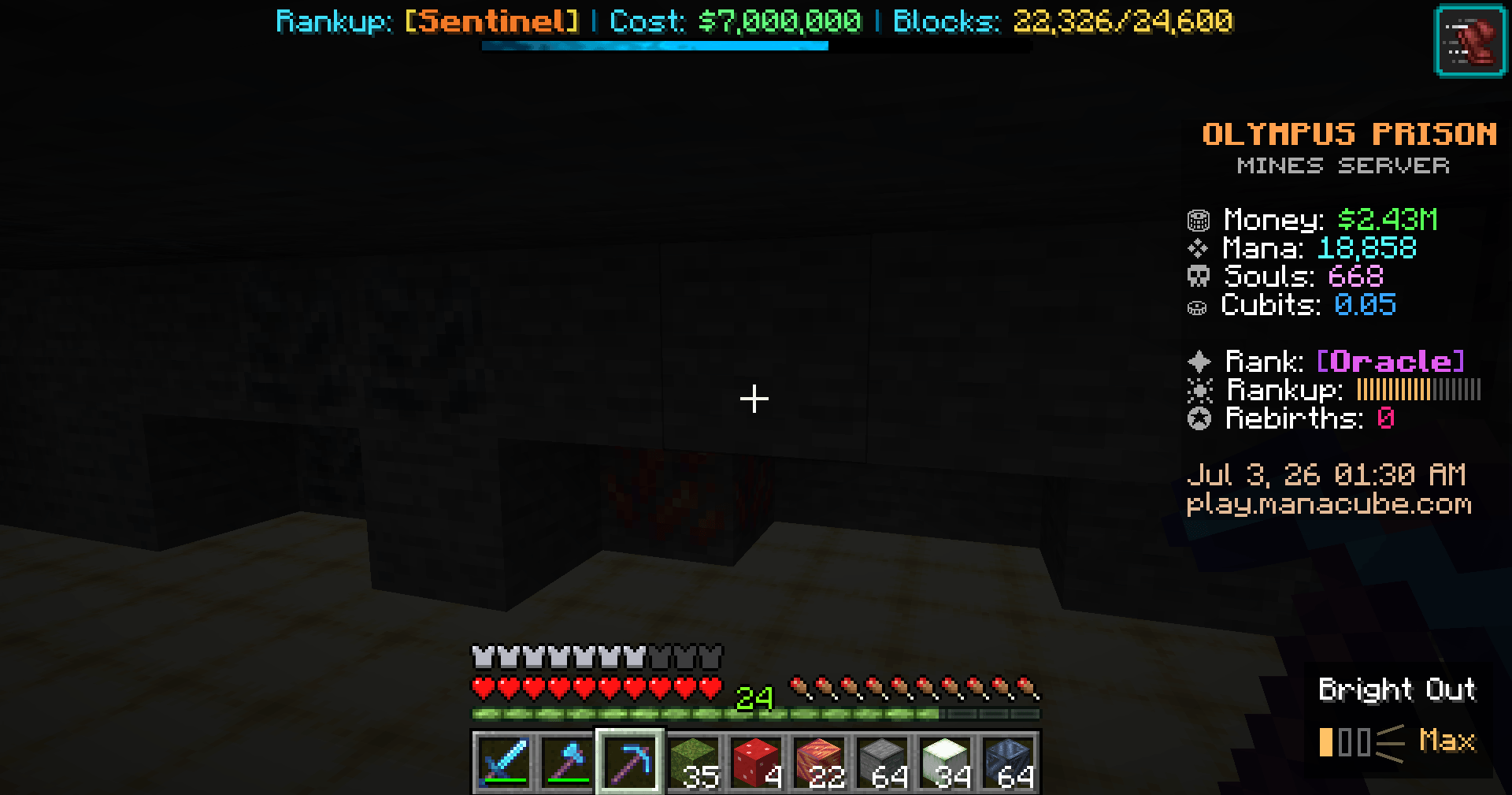 Max And finally this is Bright Out on its highest mode called Max mode
 -
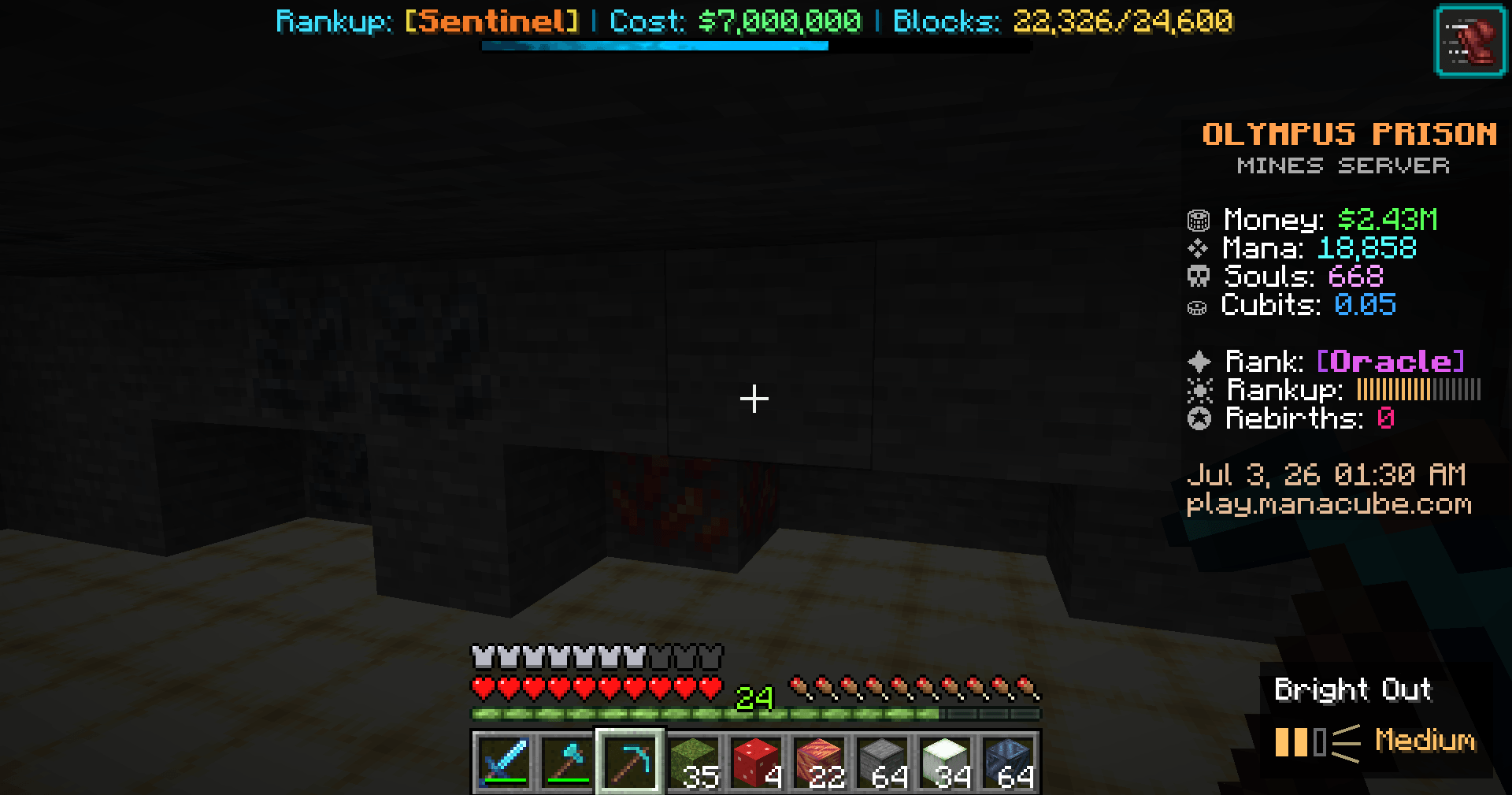 Medium This is mining with Bright Out on Medium mode
 -
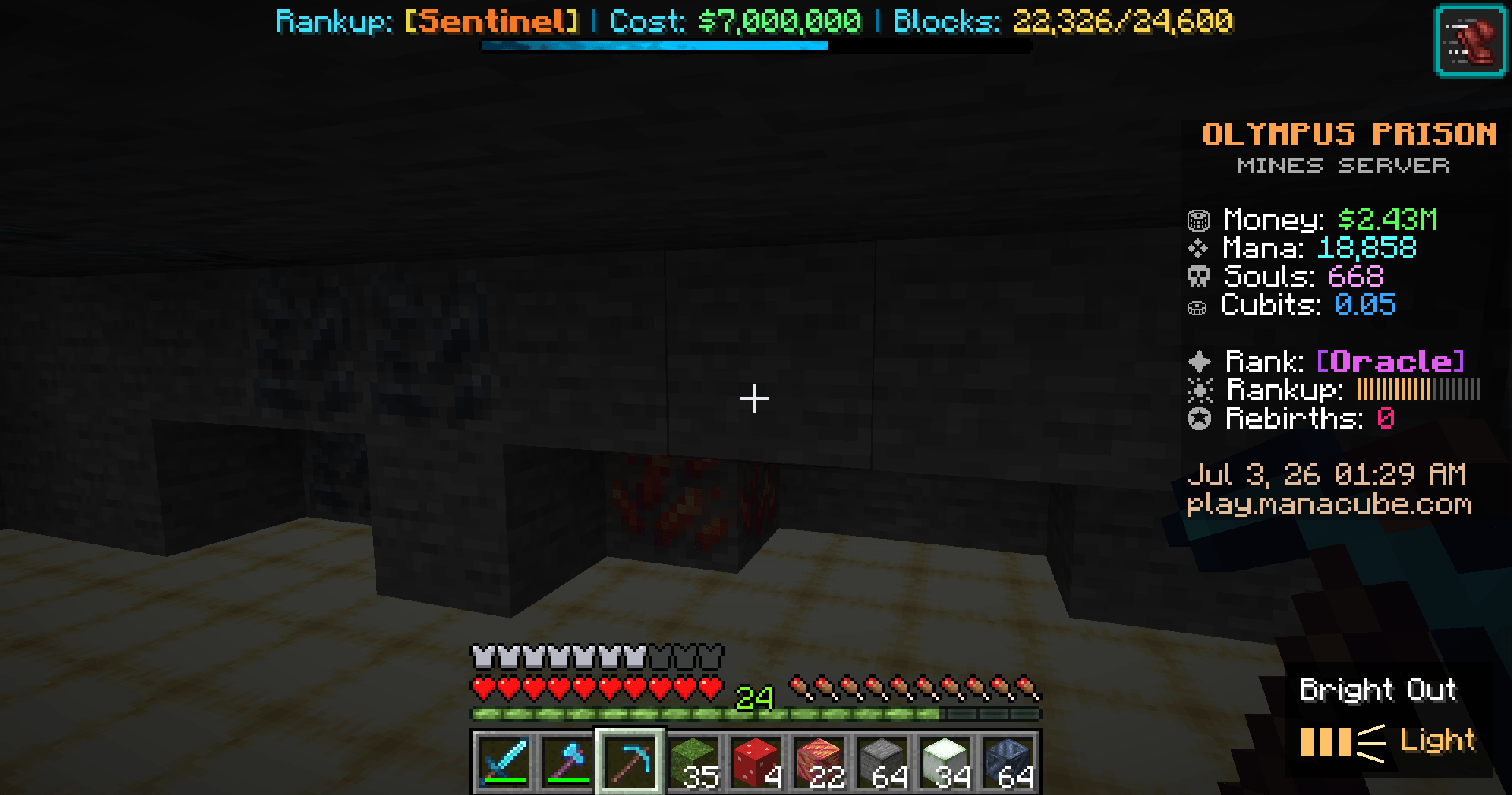 Light This is mining with Bright Out on its lightest setting called Light
 -
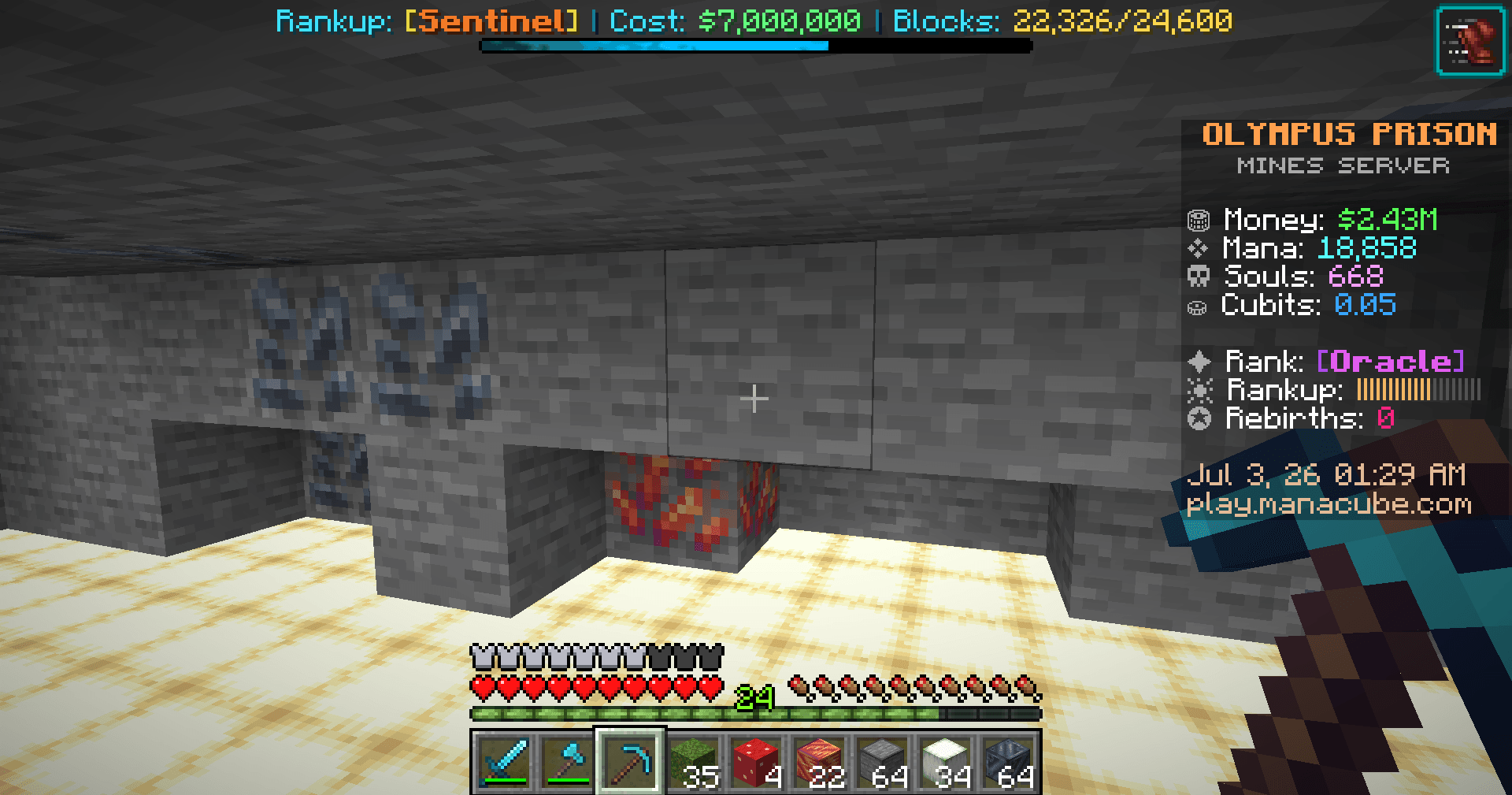 Standard This is mining without Bright Out
-
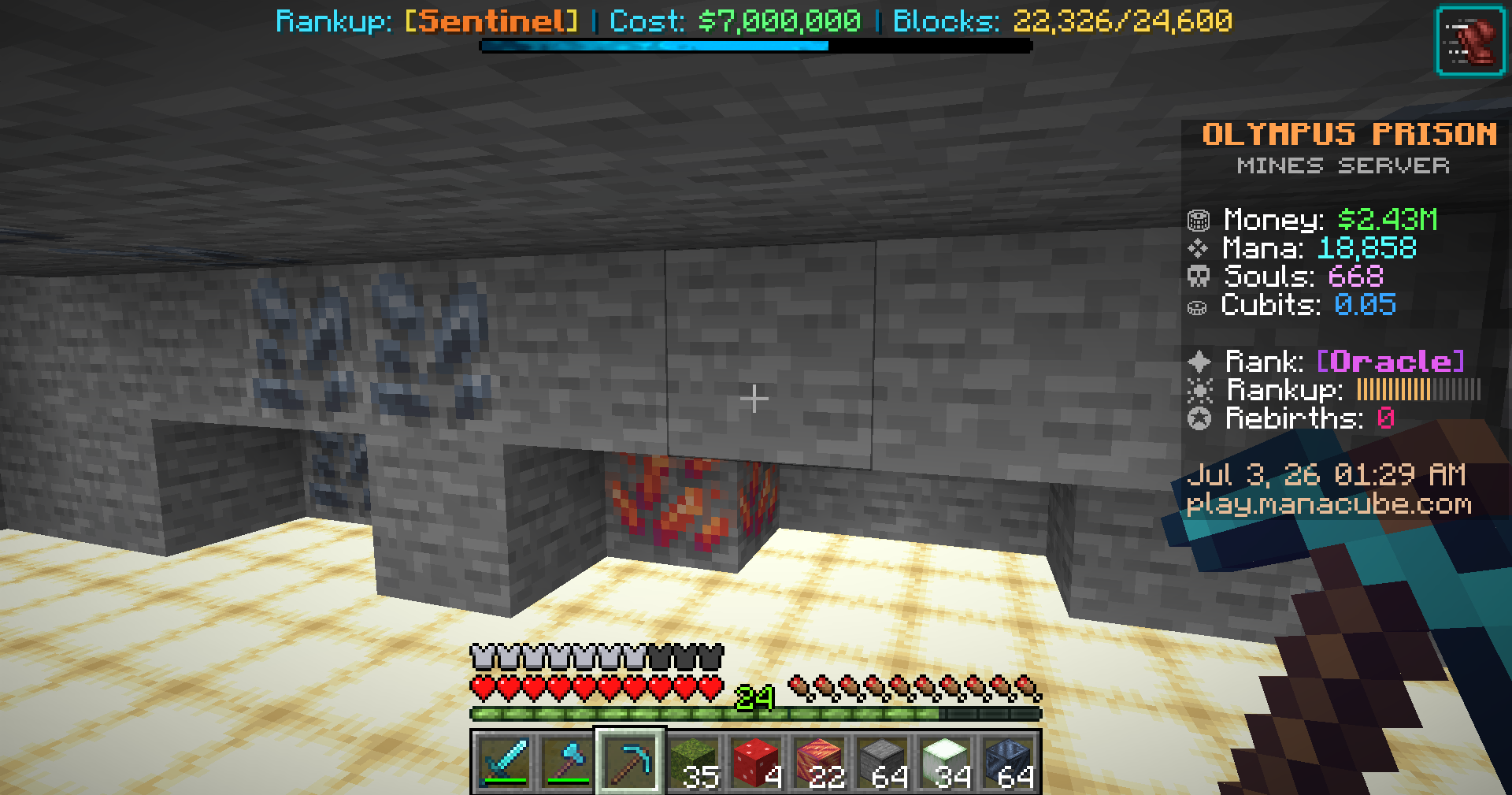 Standard This is mining without bright out
 -
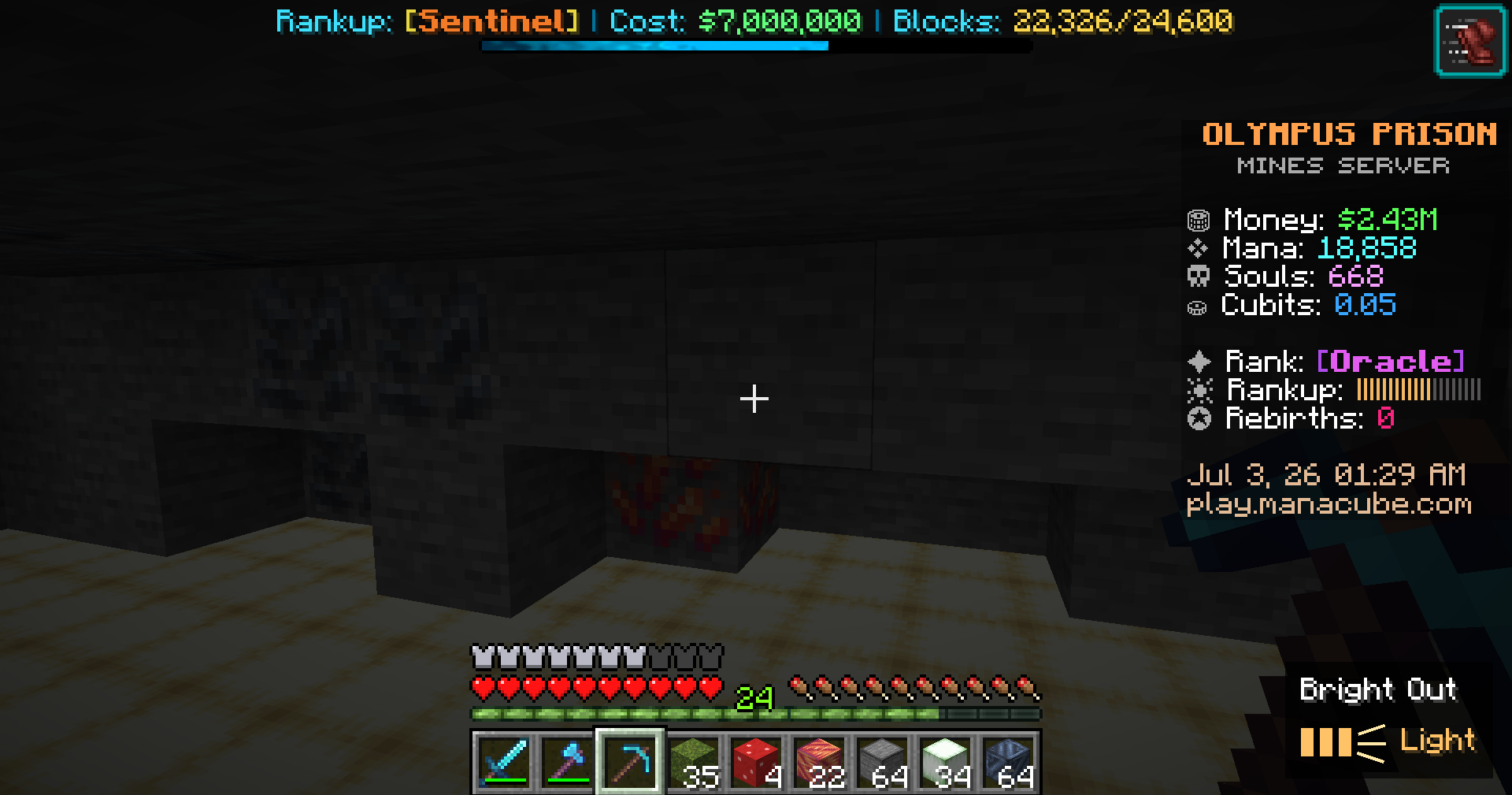 Light This is mining with the lowest seting of bright out called light
 -
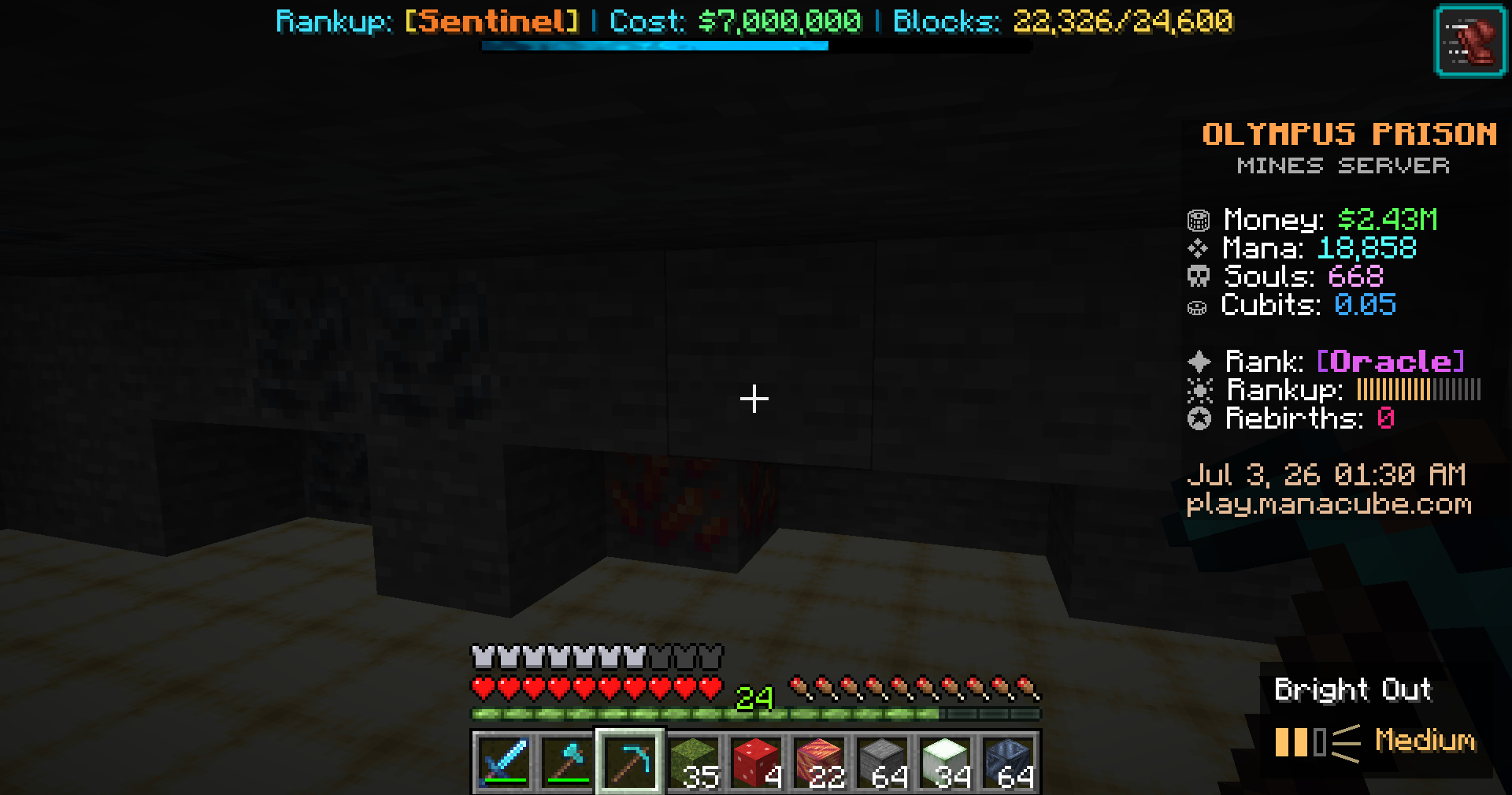 Medium This is mining with bright out at medium mode
 -
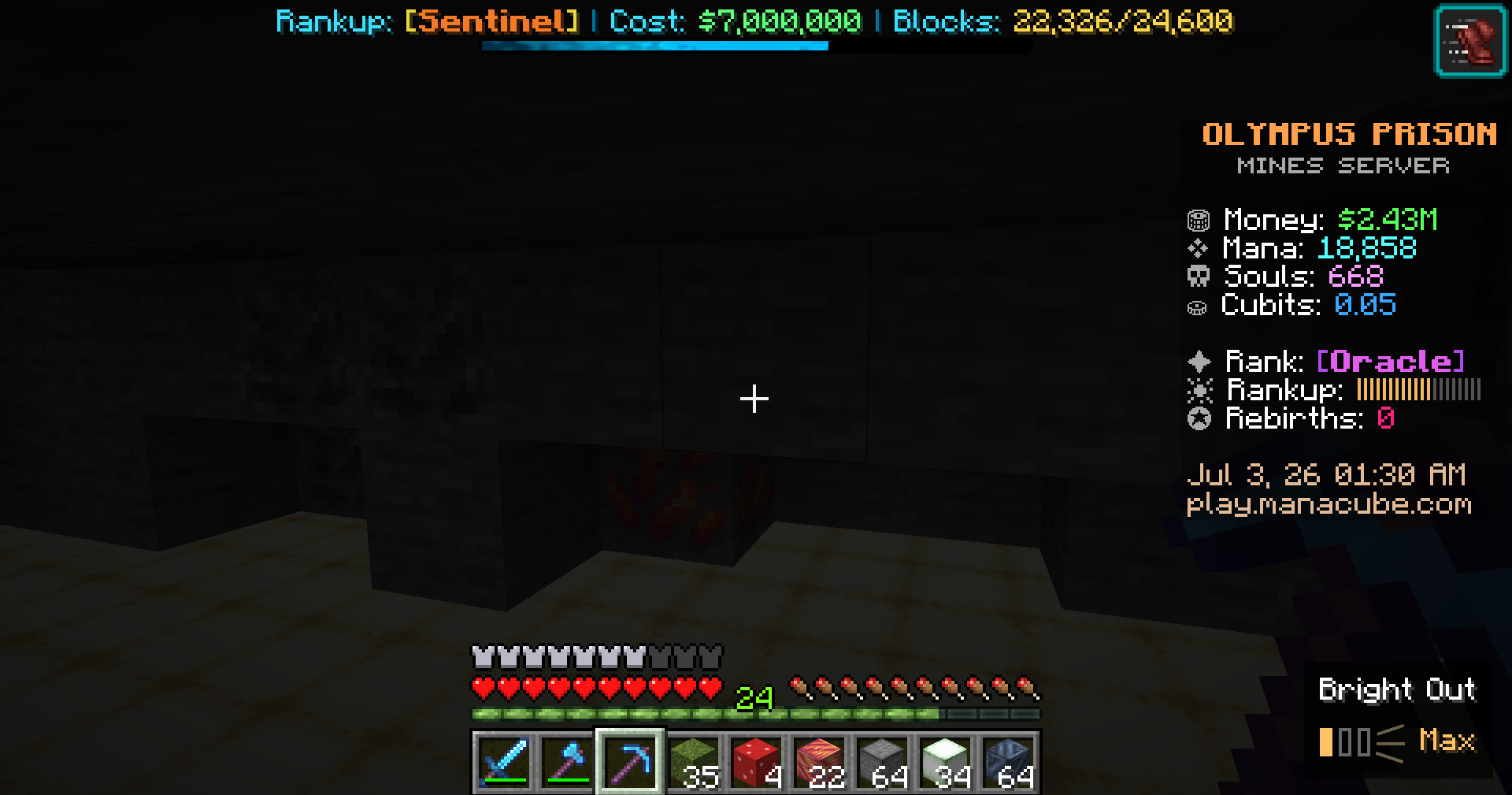 Max This is mining with bright out on max mode
Versions
Files
Relations
Project Relations
More like this
Similar Mods
Suggestions use data such as tags, dependencies, dependents, descriptions, titles, and more to rank how much they overlap with this mod.
On ModDex
Community snapshot
By the numbers
Statistics
Want to reach Minecraft players?
We're looking for a server hosting partner to feature here and other parts of the site. Interested? Send us a message!
Get in touchGet it on
Available Platforms
On ModDex
Community snapshot
By the numbers
Statistics
Resources