
Community listing page, reviews here may not be monitored by the author.
Build Assist Wands


No reviews yet
Adds multiple wands that assist with block placement, making building and exploration more convenient.
Community voices
Reviews
No reviews yet. Be the first to review this project!
Get it on
Available Platforms
Compatibility
Supported Environments
Must be installed on both the client and the server.
About
Project Details
For authors
Embed Badge
If you're the author of this project, you can embed a live badge anywhere that supports HTML or Markdown. It updates automatically whenever ratings change.
Use HTML for any page that supports it, or Markdown for README files and Markdown-based descriptions.
Identifiers
Platform IDs
Resources
External Links
About
Description
Build Assist Wands is a small Minecraft mod that adds three types of building-assist wands.
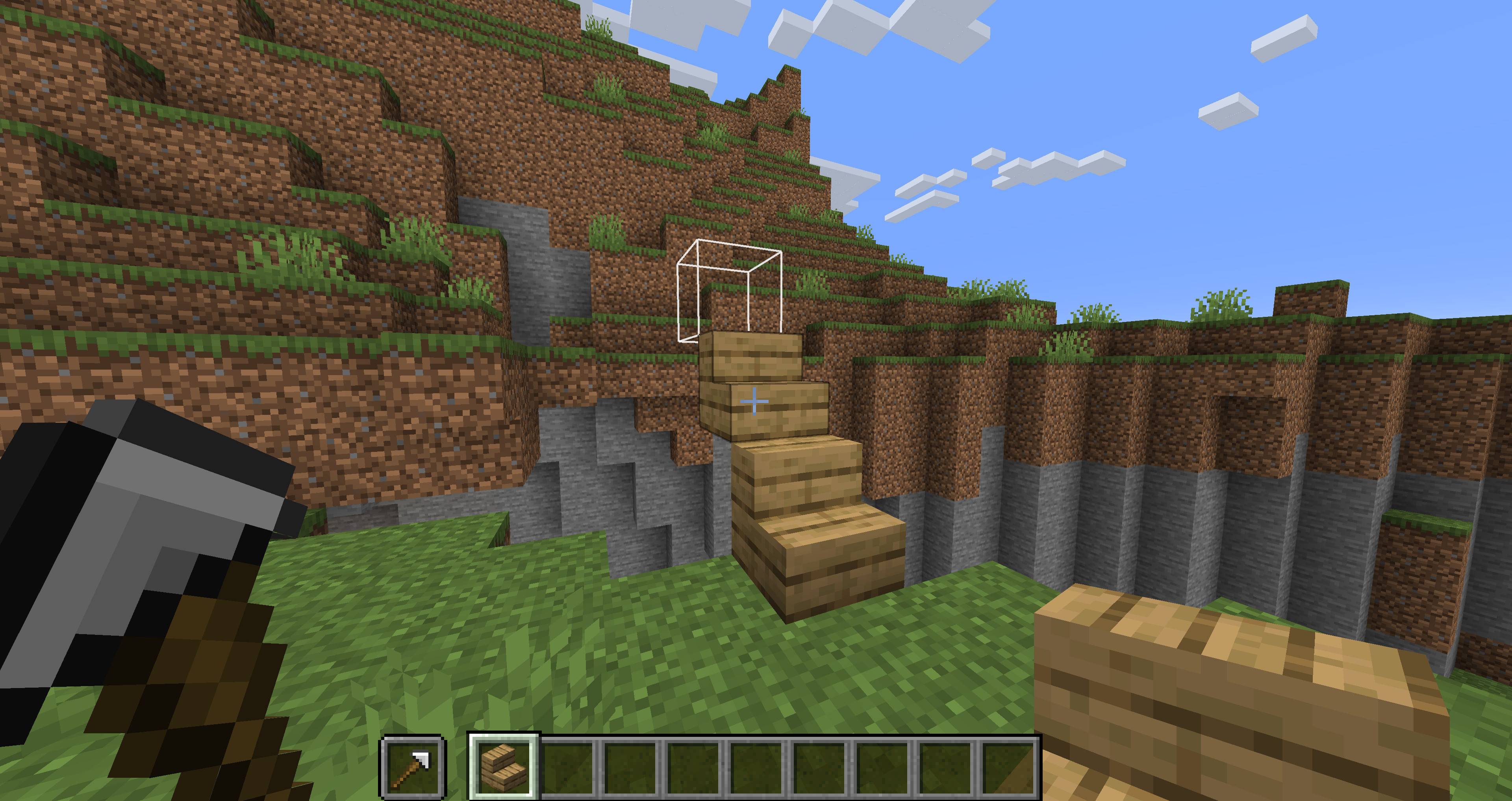
When you place a block while holding a wand in your offhand, the wand automatically searches for a placement position based on its type.
A placement preview outline shows where the next block will be placed, making it easier to build accurately.
This makes it easy to build pillars, walls, floors, bridges, and stairs, making building and exploration more convenient.
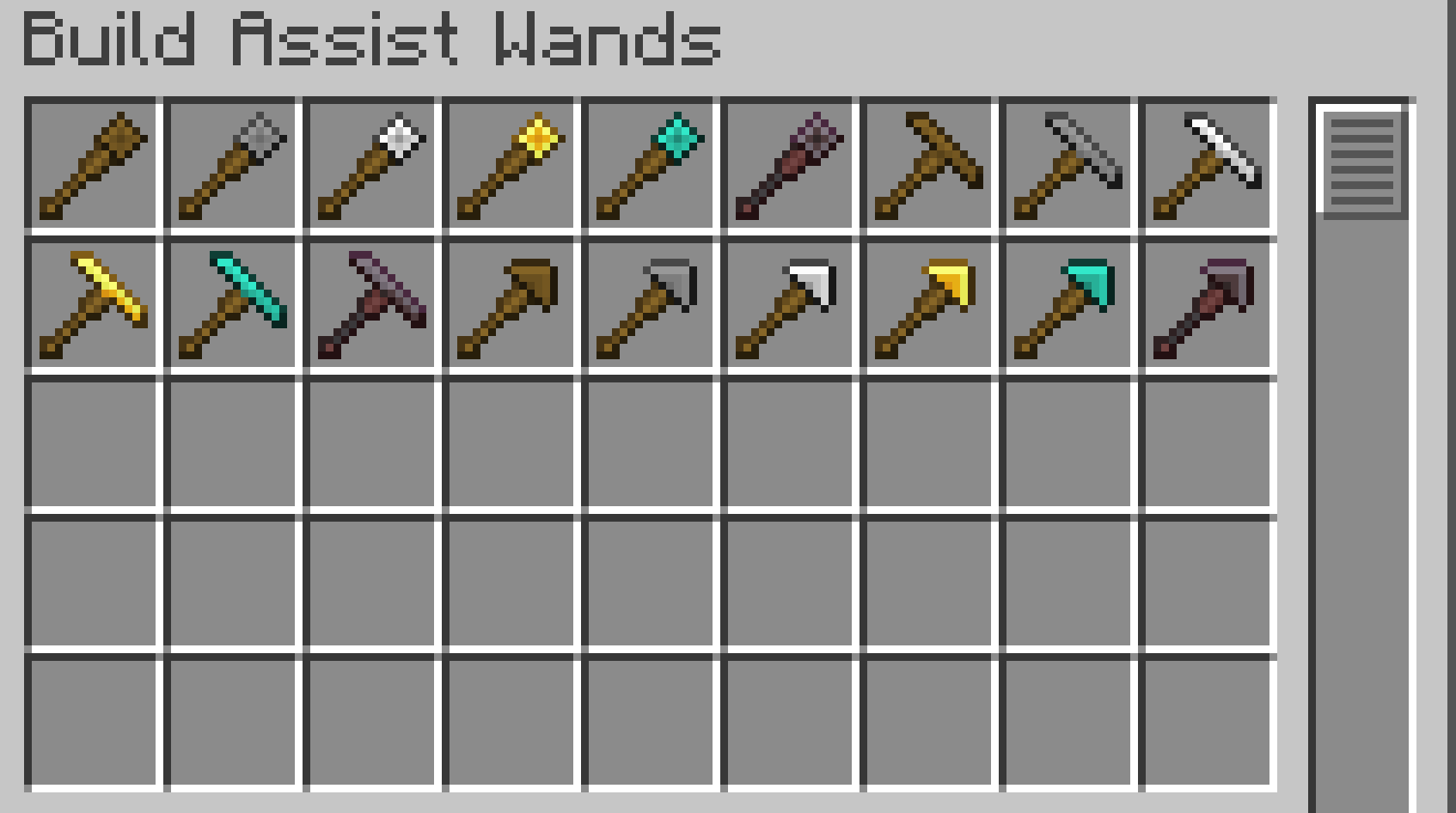
✨Wands
Each wand has material tiers similar to vanilla Minecraft tools.
| Material Tier | Durability | Search Range |
|---|---|---|
| Wooden | 89 | 3 blocks |
| Stone | 196 | 5 blocks |
| Iron | 375 | 8 blocks |
| Golden | 89 | 32 blocks |
| Diamond | 2341 | 16 blocks |
| Netherite | 3046 | 24 blocks |
Each material tier has different durability and maximum search range.
Golden Wands have low durability, but they can search a very large area.
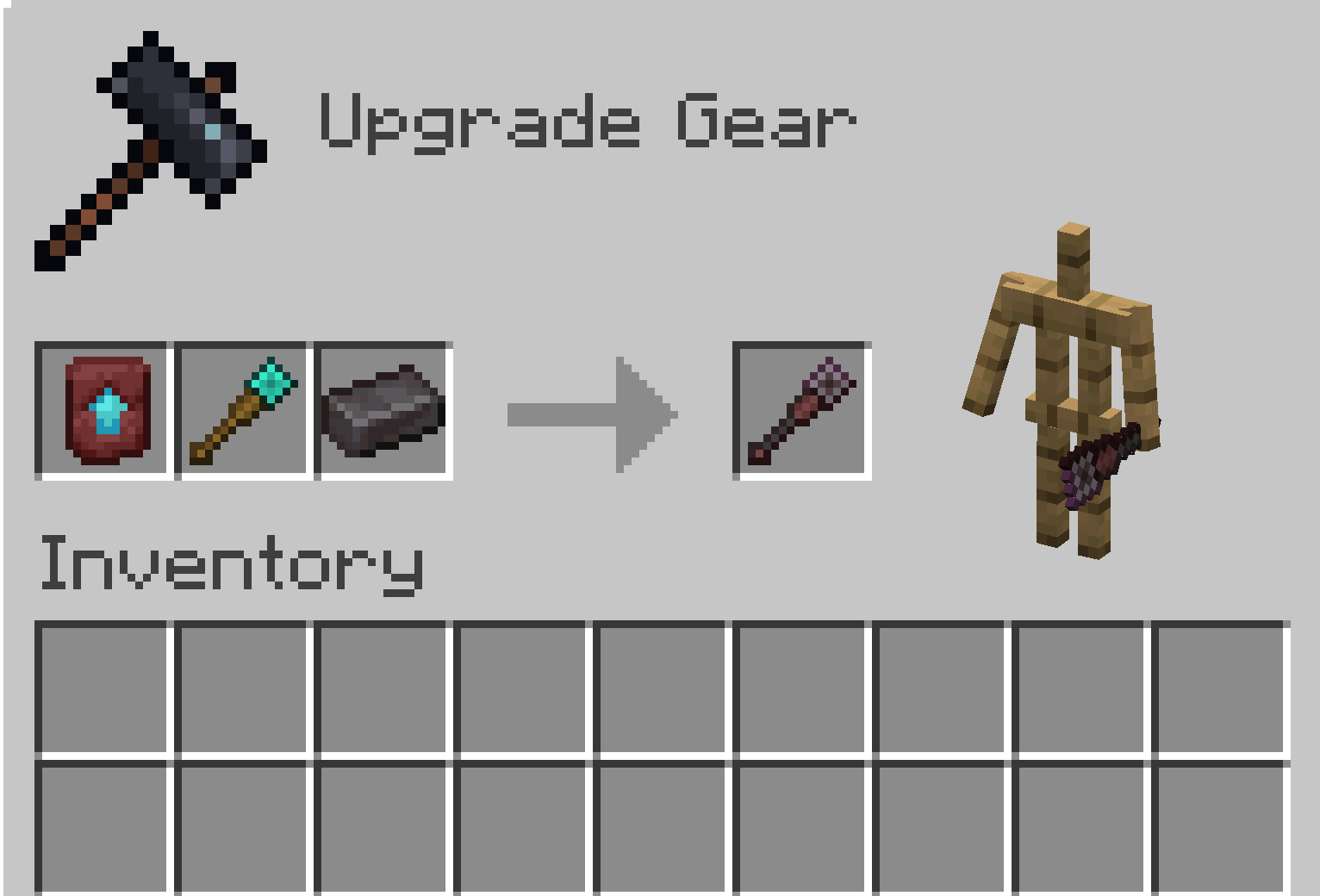
Netherite Wands cannot be crafted directly in a Crafting Table.
To obtain a Netherite Wand, upgrade the corresponding Diamond Wand using a Smithing Table.
Wall Wand
Useful for building walls, pillars, and vertical structures.

Normal Mode
Searches upward and places a block at the first available space.

Alternate Mode
Searches downward and places a block at the first available space.
Bridge Wand
Useful for extending bridges, floors, platforms, and straight or diagonal paths.

Normal Mode
Searches horizontally and places a block at the first available space.

Alternate Mode
Searches diagonally and places a block at the first available space.

Stair Wand
Useful for building stair-like paths and diagonal upward or downward structures.

Normal Mode
Searches diagonally upward and places a block at the first available space.

Alternate Mode
Searches diagonally downward and places a block at the first available space.
🔁Mode Switching
Wands have two placement modes, Normal Mode and Alternate Mode.
To switch modes, hold the wand in your main hand and left-click.
Left-click again to switch back to the original mode.
A sound will play when the mode is changed.
The selected mode is saved on each wand individually.
📖Enchantment
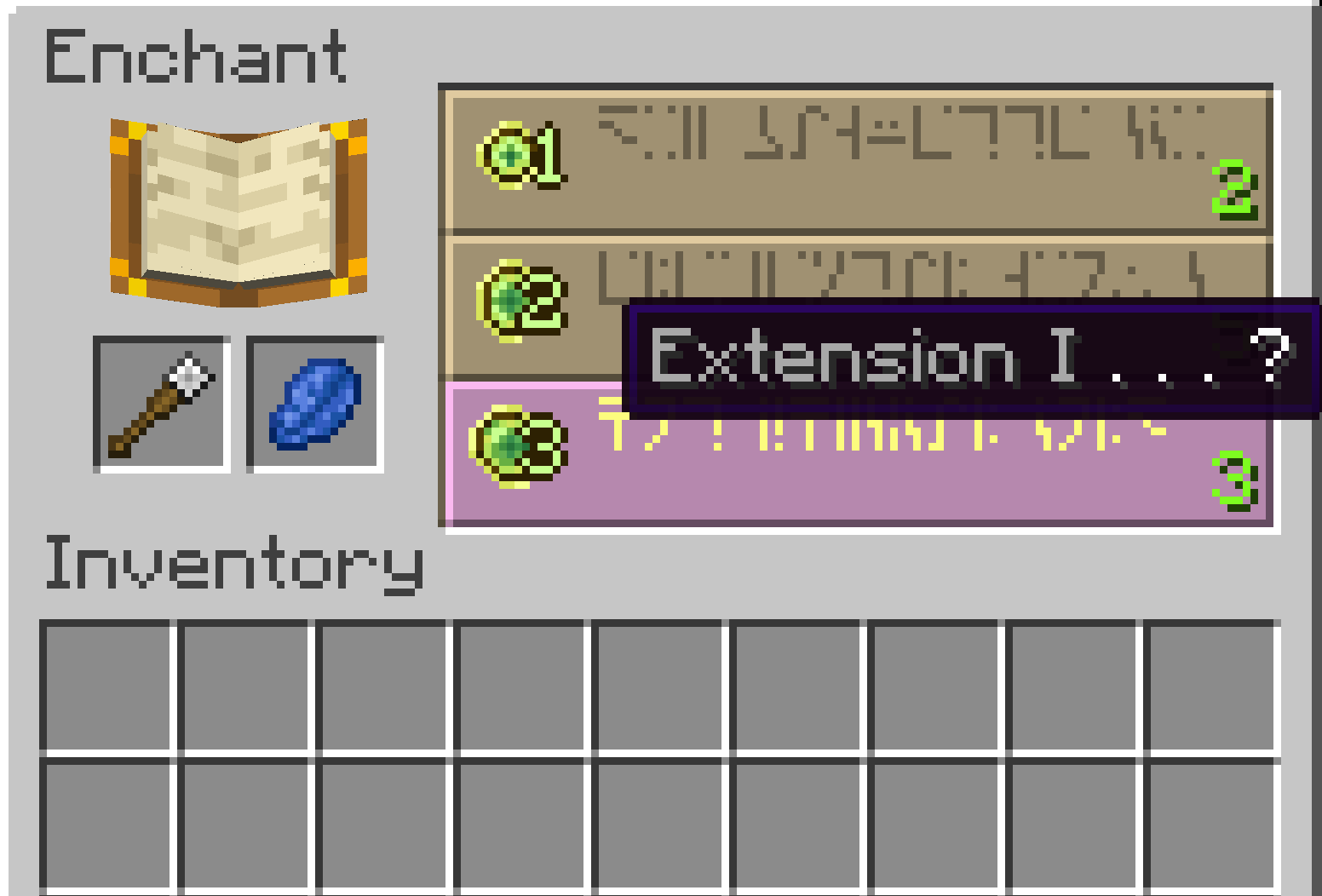
Extension
A wand-specific enchantment that increases the maximum search range.
- Extension I: +3 blocks
- Extension II: +6 blocks
- Extension III: +9 blocks
- Extension IV: +12 blocks
- Extension V: +15 block
💡How to Use
- Hold a wand in your offhand.
- Hold the block you want to place in your main hand.
- Right-click to place a block.
- The wand searches in its current direction and places the block at the first available empty space.
When using a wand, an outline preview shows where the next block will be placed.
Sneaking disables the wand effect and allows normal block placement.
To change a wand’s mode, hold it in your main hand and left-click.
⚙️Configuration
You can configure the maximum search range for each material tier and the bonus range of the Extension enchantment.
Generated config file:
config/buildassistwands-common.tomlNotes
Some special blocks may not behave exactly the same as normal manual placement.
If you encounter an issue, please report the block type and the situation where it happened.
Build Assist Wands is a small Minecraft mod that adds three types of building-assist wands.
When you place a block while holding a wand in your offhand, the wand automatically searches for a placement position based on its type.
This makes it easy to build pillars, walls, floors, bridges, and stairs, making building and exploration more convenient.
✨Wands
Each wand has material tiers similar to vanilla Minecraft tools.
Wooden Stone Iron Golden Diamond Netherite
Netherite wands cannot be crafted directly in a crafting table.
To obtain a Netherite wand, upgrade the corresponding Diamond wand using a Smithing Table.
Higher-tier wands have a larger maximum block placement range.
Wall Wand
Searches upward and places a block at the first available space.
Useful for building walls, pillars, and vertical structures.
Bridge Wand
Searches horizontally and places a block at the first available space.
Useful for extending bridges, floors, platforms, and straight paths.
Stair Wand
Searches diagonally upward and places a block at the first available space.
Useful for building stair-like paths and diagonal upward structures.
📖Enchantment
Extension
A wand-specific enchantment that increases the maximum search range.
Extension I: +3 blocks
Extension II: +6 blocks
Extension III: +9 blocks
Extension IV: +12 blocks
Extension V: +15 block
💡How to Use
Hold a wand in your offhand.
Hold the block you want to place in your main hand.
Right-click to place a block.
The wand searches in its direction and places the block at the first available empty space.
Sneaking disables the wand effect and allows normal block placement.
⚙️Configuration
You can configure the maximum search range for each material tier and the bonus range of the Extension enchantment.
Generated config file:
config/buildassistwands-common.toml
Notes
Some special blocks may not behave exactly the same as normal manual placement. If you encounter an issue, please report the block type and the situation where it happened.
Screenshots
Gallery
-
 Preview Preview.jpg
 -
 Wands.png Wands.png
 -
 WandUpgrade.png WandUpgrade.png
 -
 WandEnchant.png WandEnchant.png
-
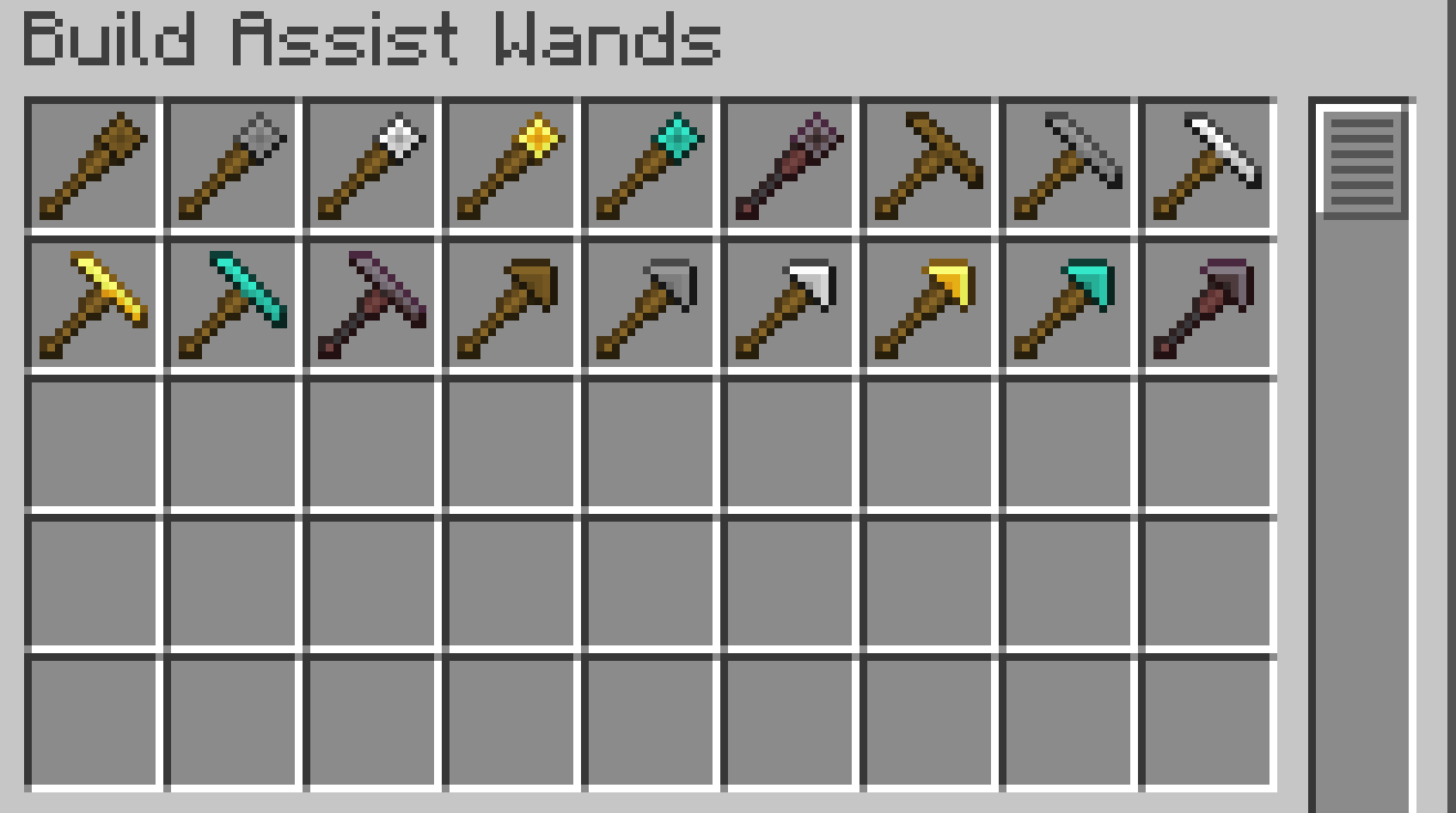 Wands
Wands -
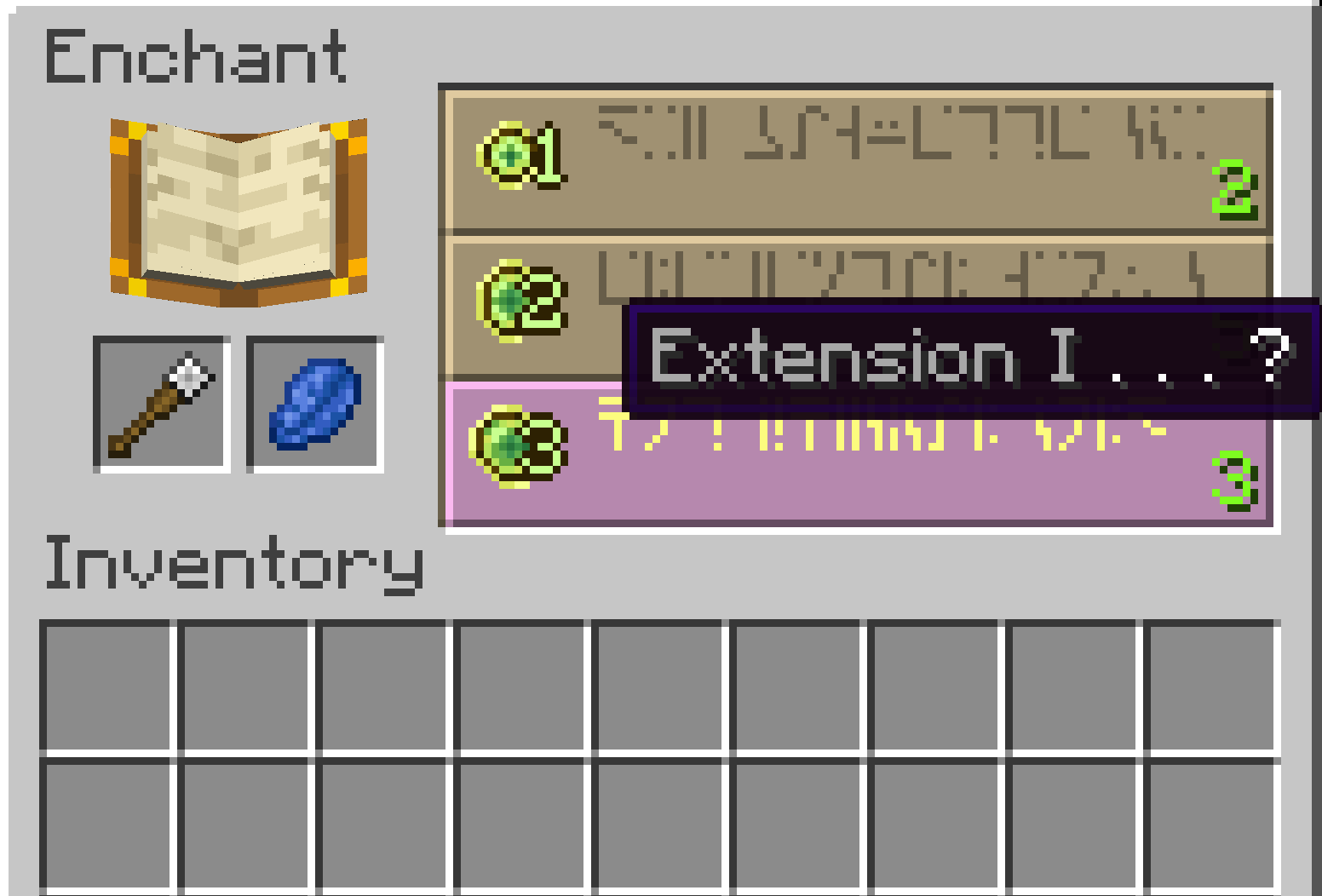 WandEnchant
 -
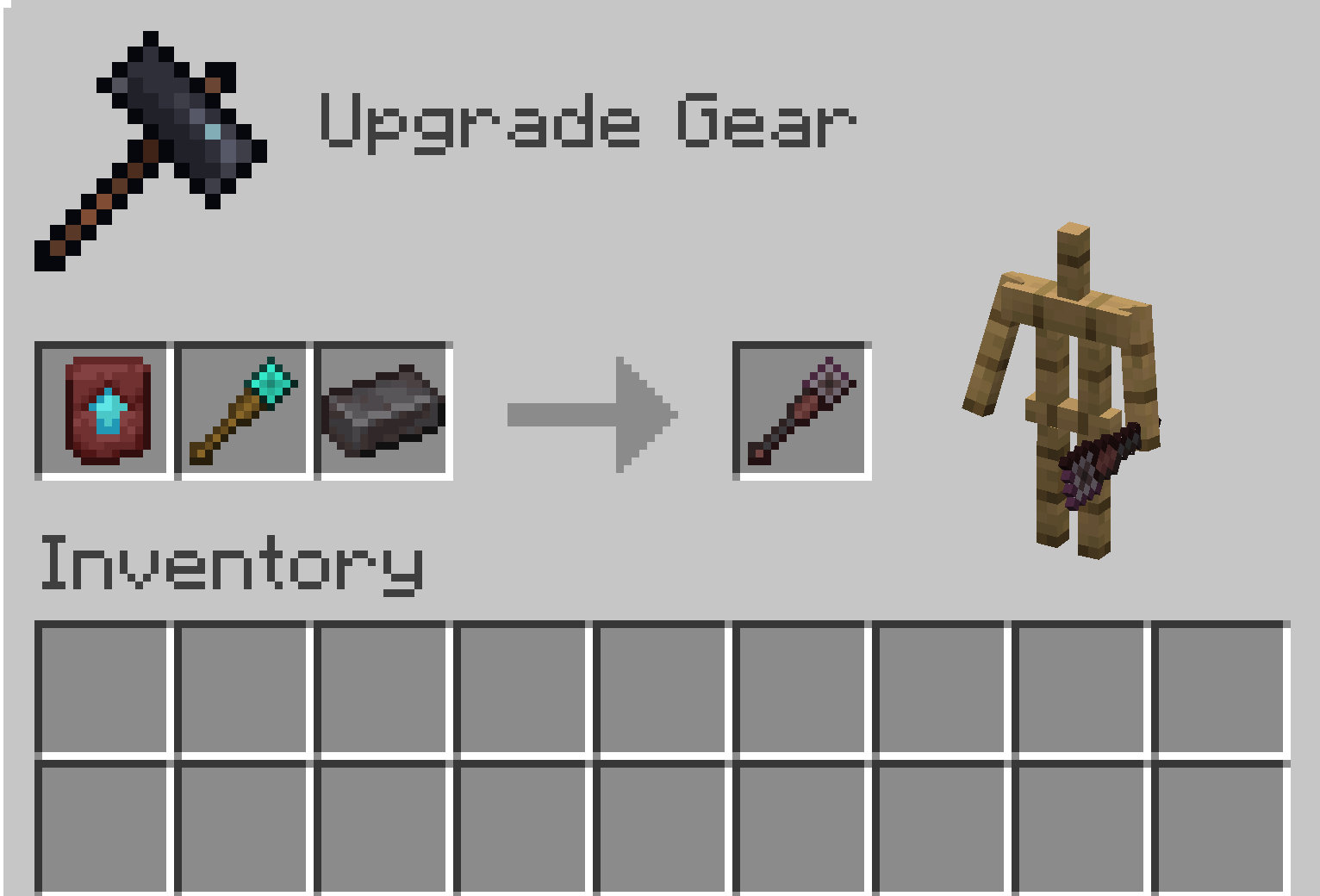 WandUpgrade
Versions
Files
Relations
Project Relations
More like this
Similar Mods
Suggestions use data such as tags, dependencies, dependents, descriptions, titles, and more to rank how much they overlap with this mod.
On ModDex
Community snapshot
By the numbers
Statistics
Want to reach Minecraft players?
We're looking for a server hosting partner to feature here and other parts of the site. Interested? Send us a message!
Get in touchGet it on
Available Platforms
On ModDex
Community snapshot
By the numbers
Statistics
Resources