Community listing page, reviews here may not be monitored by the author.
Busy Bodies

No reviews yet
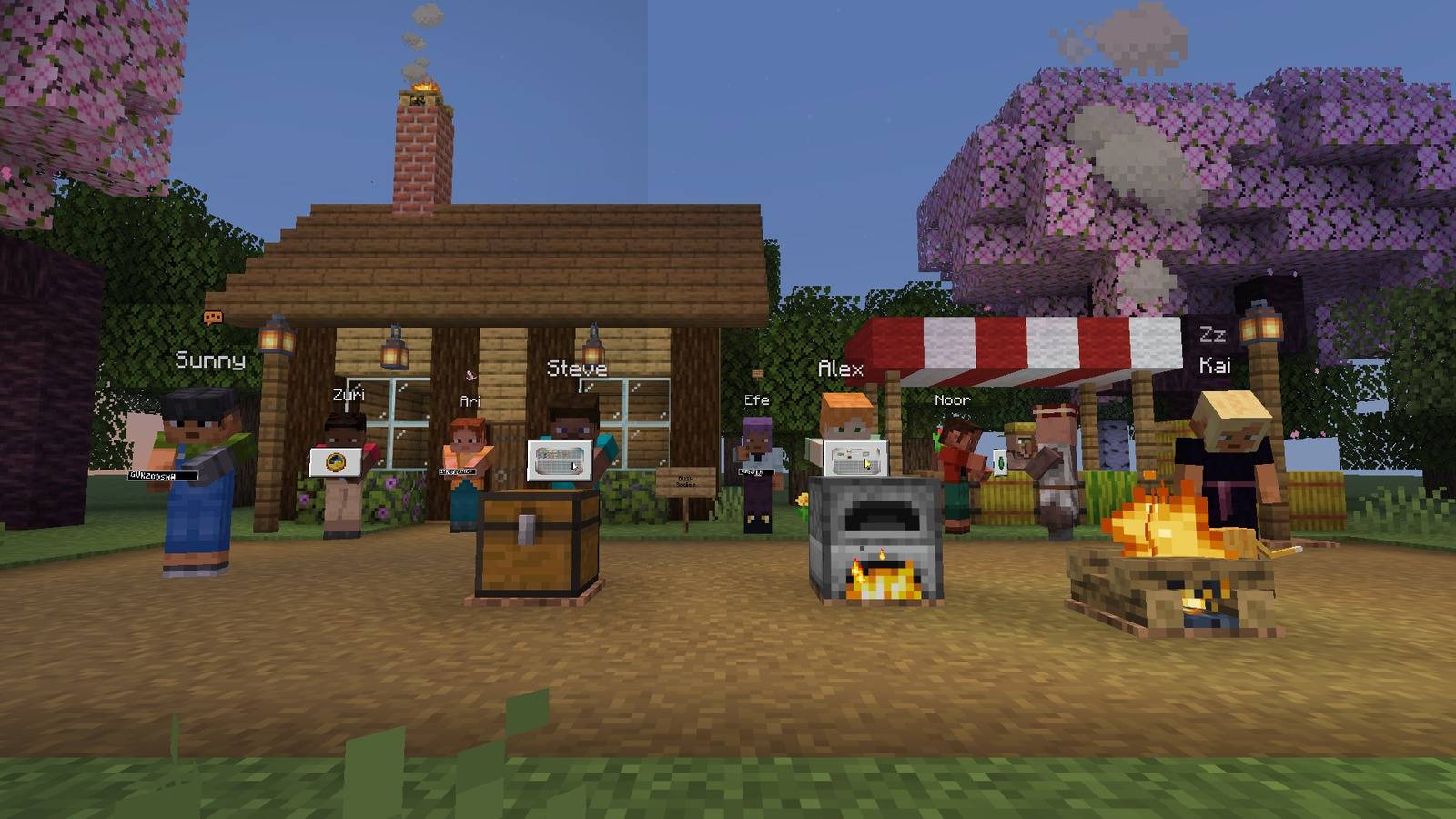
See what other players are up to: typing, rummaging through a chest, stuck in a menu or dozing off, shown with body language and small live copies of their open screens.

Community voices
Reviews
No reviews yet. Be the first to review this project!
Get it on
Available Platforms
About
Project Details
For authors
Embed Badge
If you're the author of this project, you can embed a live badge anywhere that supports HTML or Markdown. It updates automatically whenever ratings change.
Use HTML for any page that supports it, or Markdown for README files and Markdown-based descriptions.
Identifiers
Platform IDs
Resources
External Links
About
Description
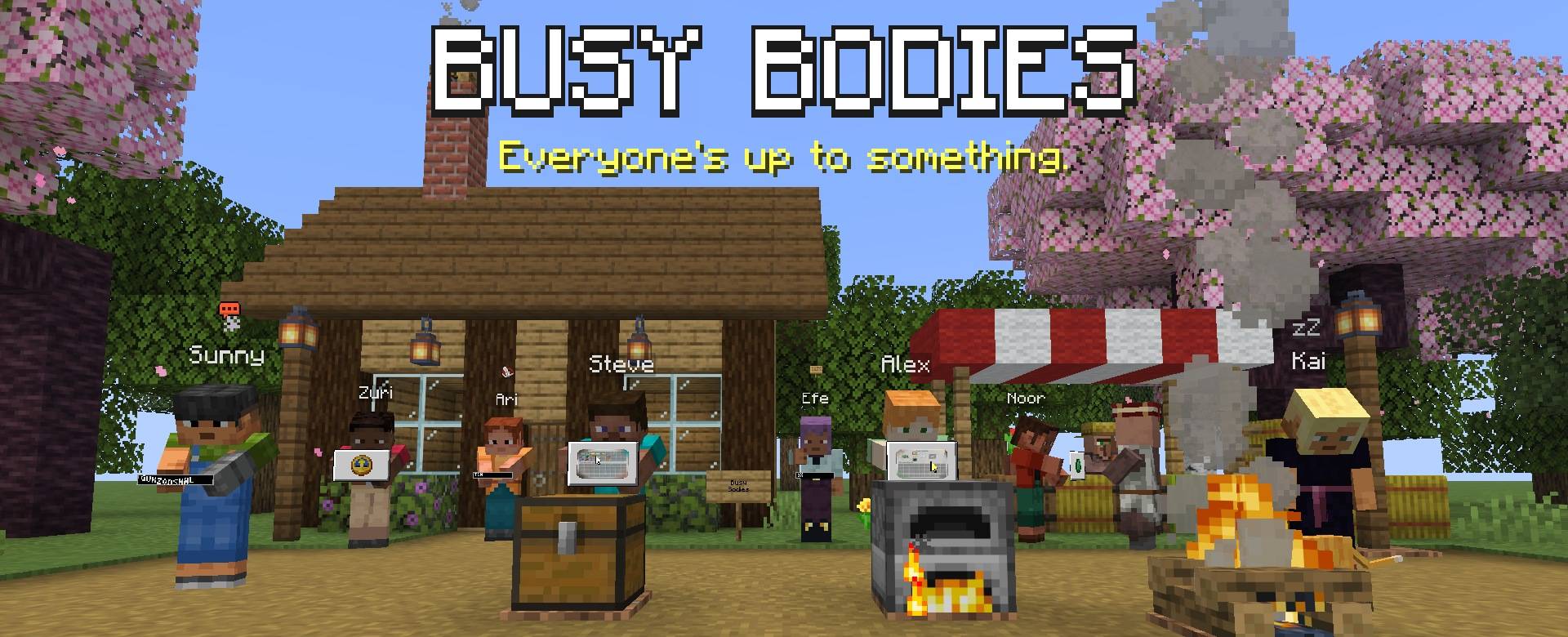

Multiplayer feels alive when you can see what people are doing.
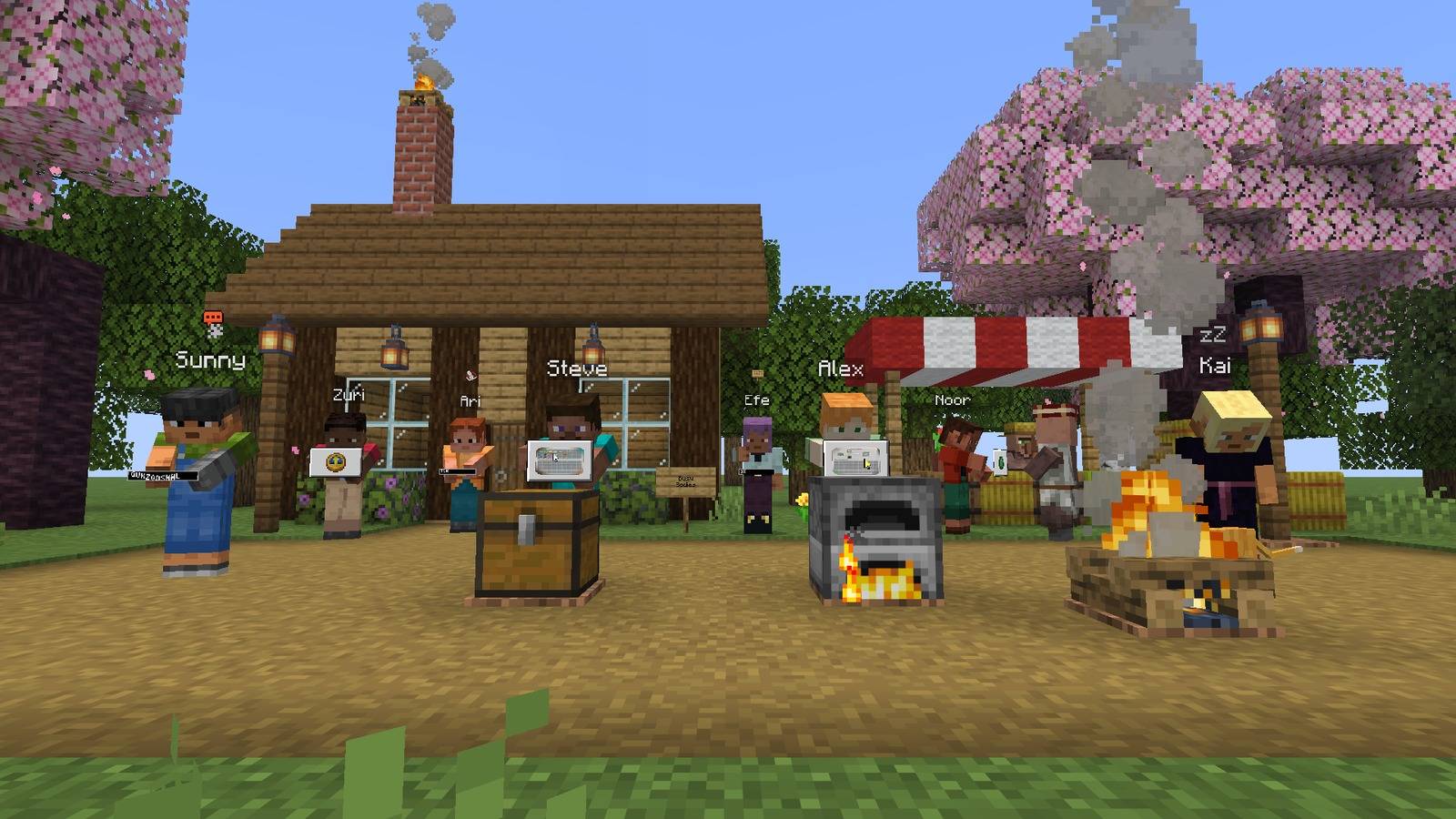
Busy Bodies shows it right on the player: who is typing, who is digging through a chest, who is stuck in a menu and who fell asleep at the keyboard. No chat spam and no extra HUD, just body language.
Wiki · How-to guide · Photo album

Busy Bodies goes on the server and on every player who wants to see it. Pick the file that matches:

- Players: the Fabric or NeoForge file, in your
modsfolder. Fabric also needs Fabric API. - Fabric or NeoForge server: the very same file, in the server's
modsfolder. One file does both jobs. - Paper server (or a fork such as Purpur): the Paper plugin, Busy Bodies for Paper, in the
pluginsfolder. It has its own page because CurseForge keeps plugins apart from mods. No mods needed on the server.
Fabric players and NeoForge players see each other on all three kinds of server. Players without the mod can still join and simply see the game as usual.

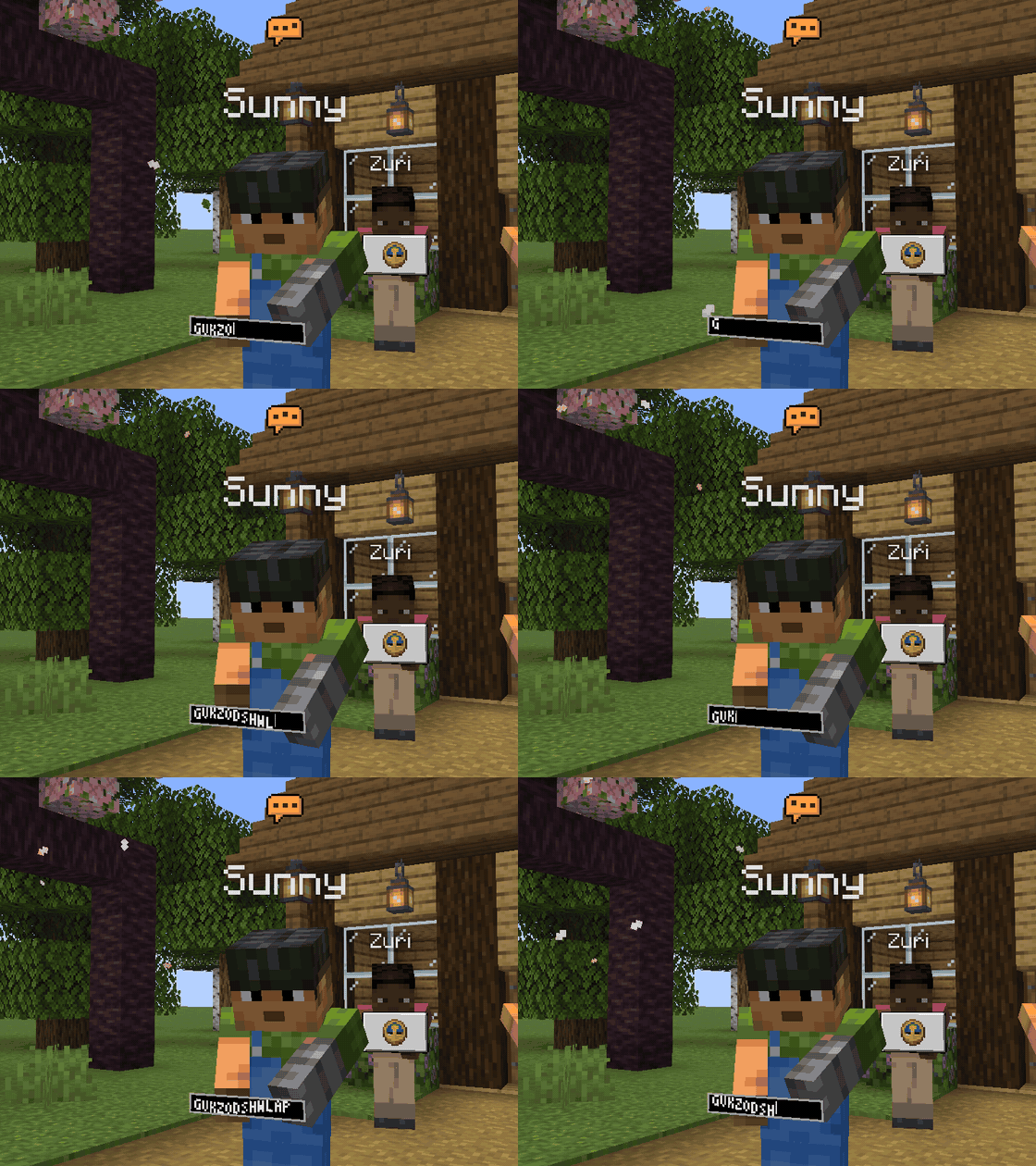
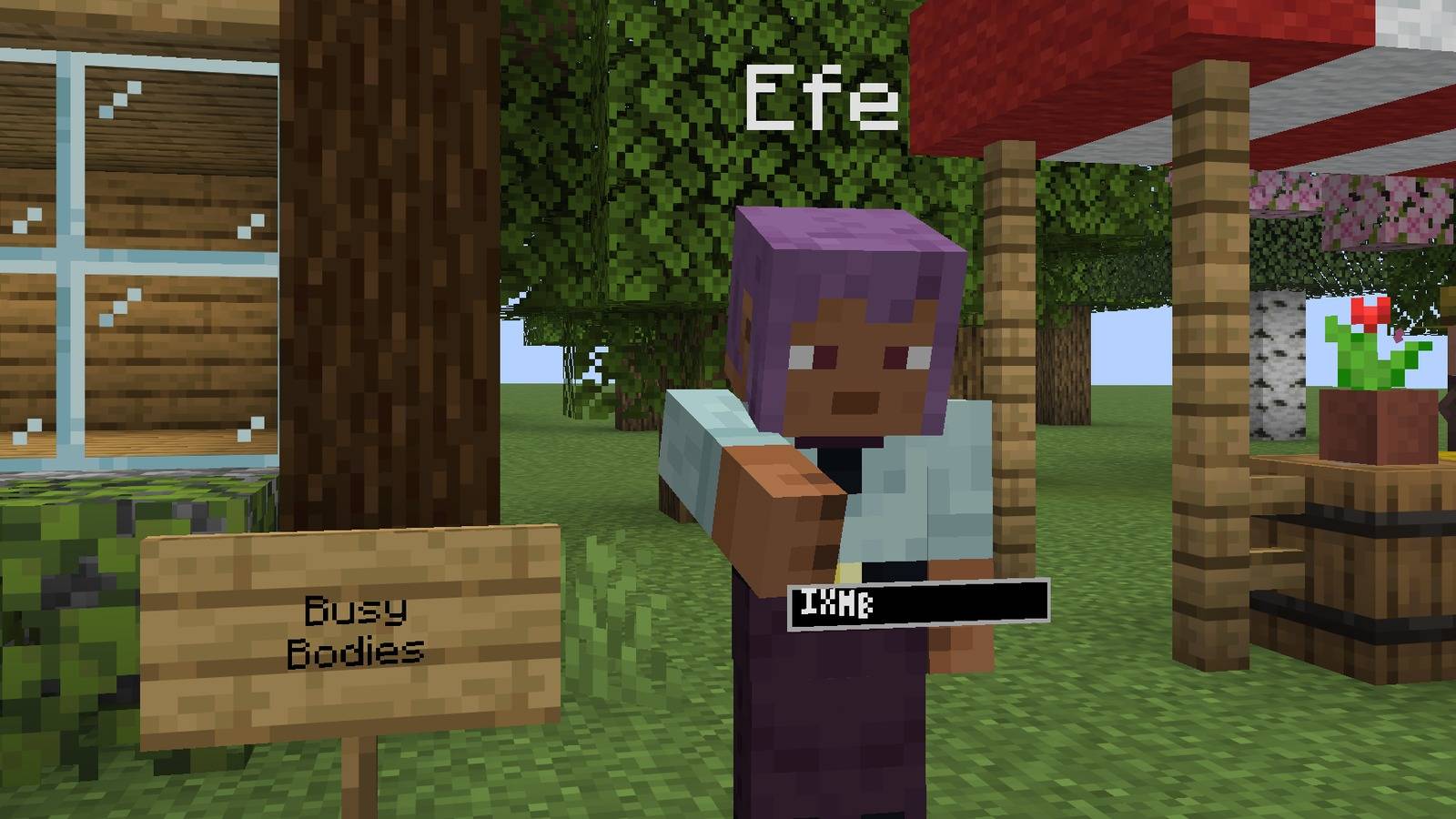
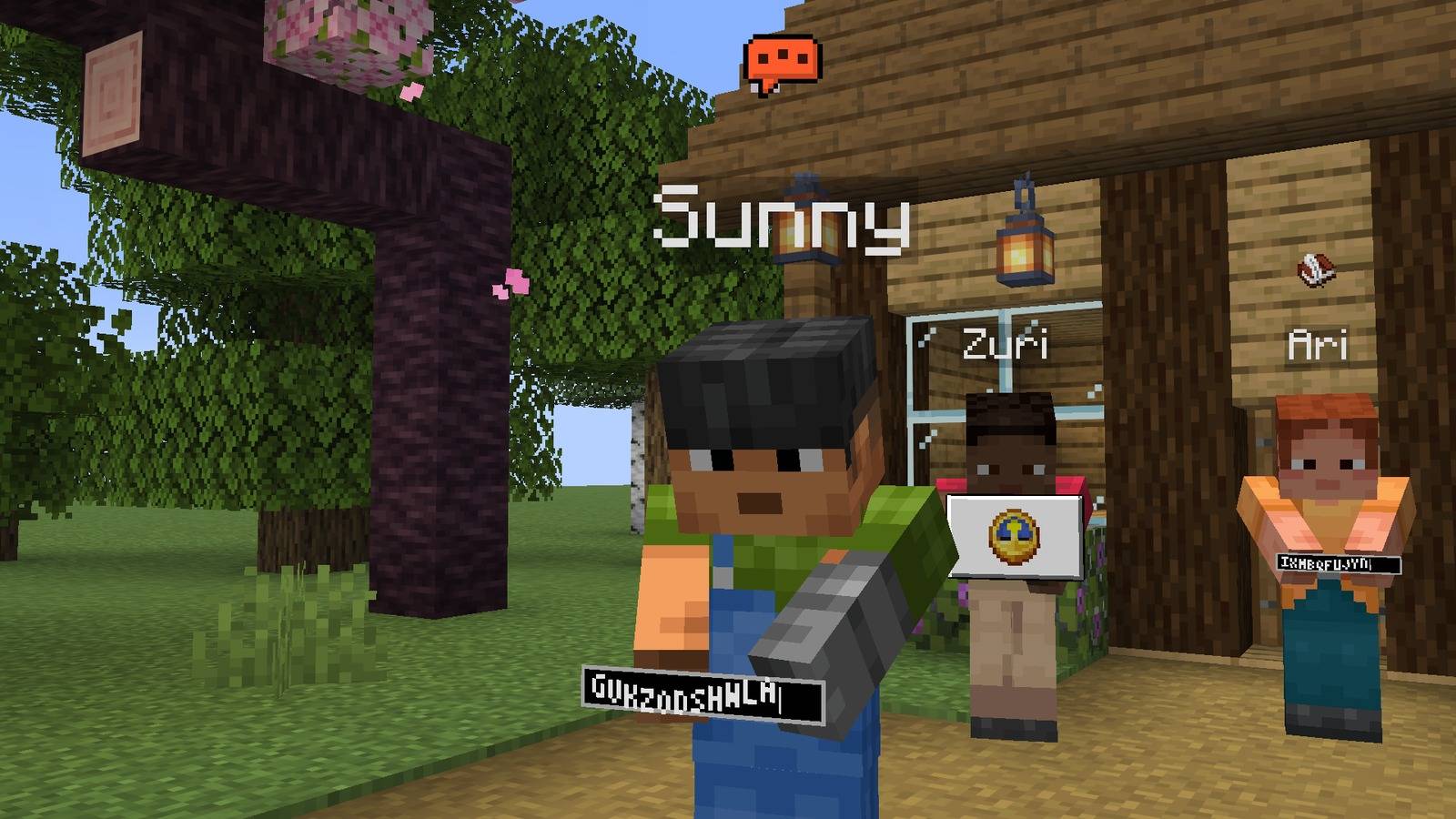
The moment someone opens chat, a speech bubble pops up over their head and their hands start tapping away at a little text bar.
- The bubble warms from yellow to orange and the letters jump faster the quicker they type.
- Signs, books and command blocks get their own icon over the head.
- A quiet "Alex is typing.." line sits above your own chat box.
- The letters in the bar are random. What someone types is never sent to anyone.

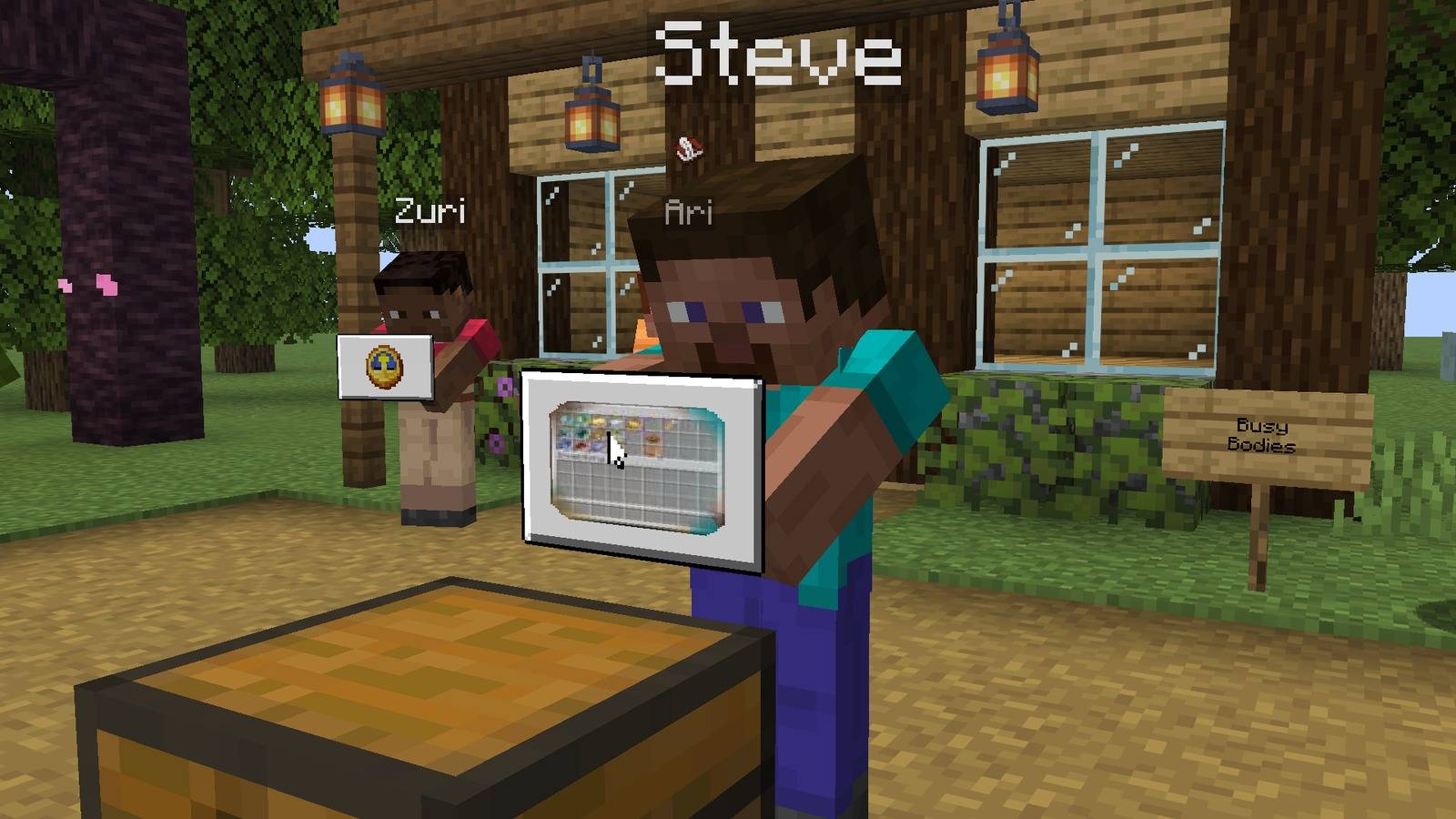
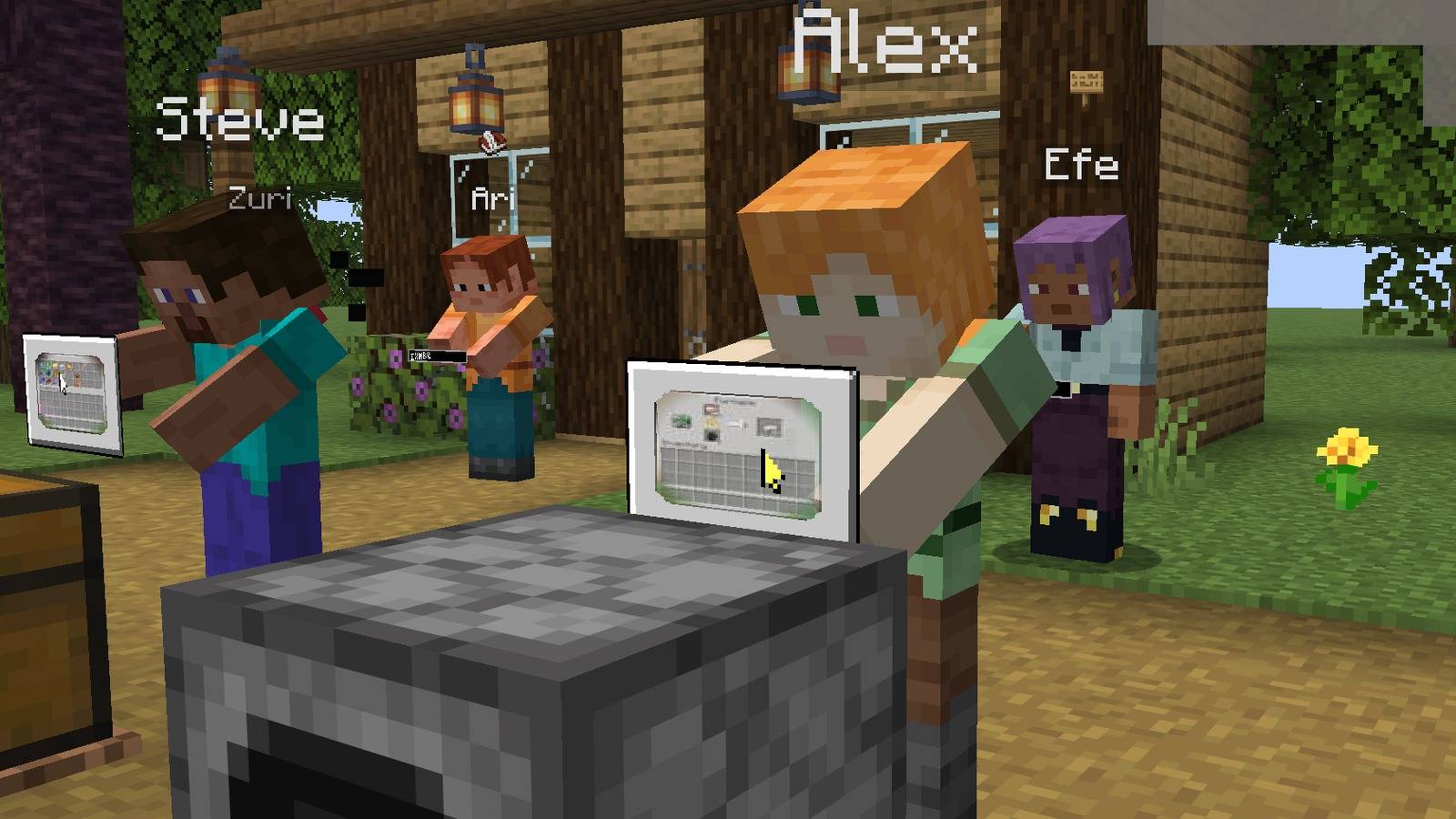
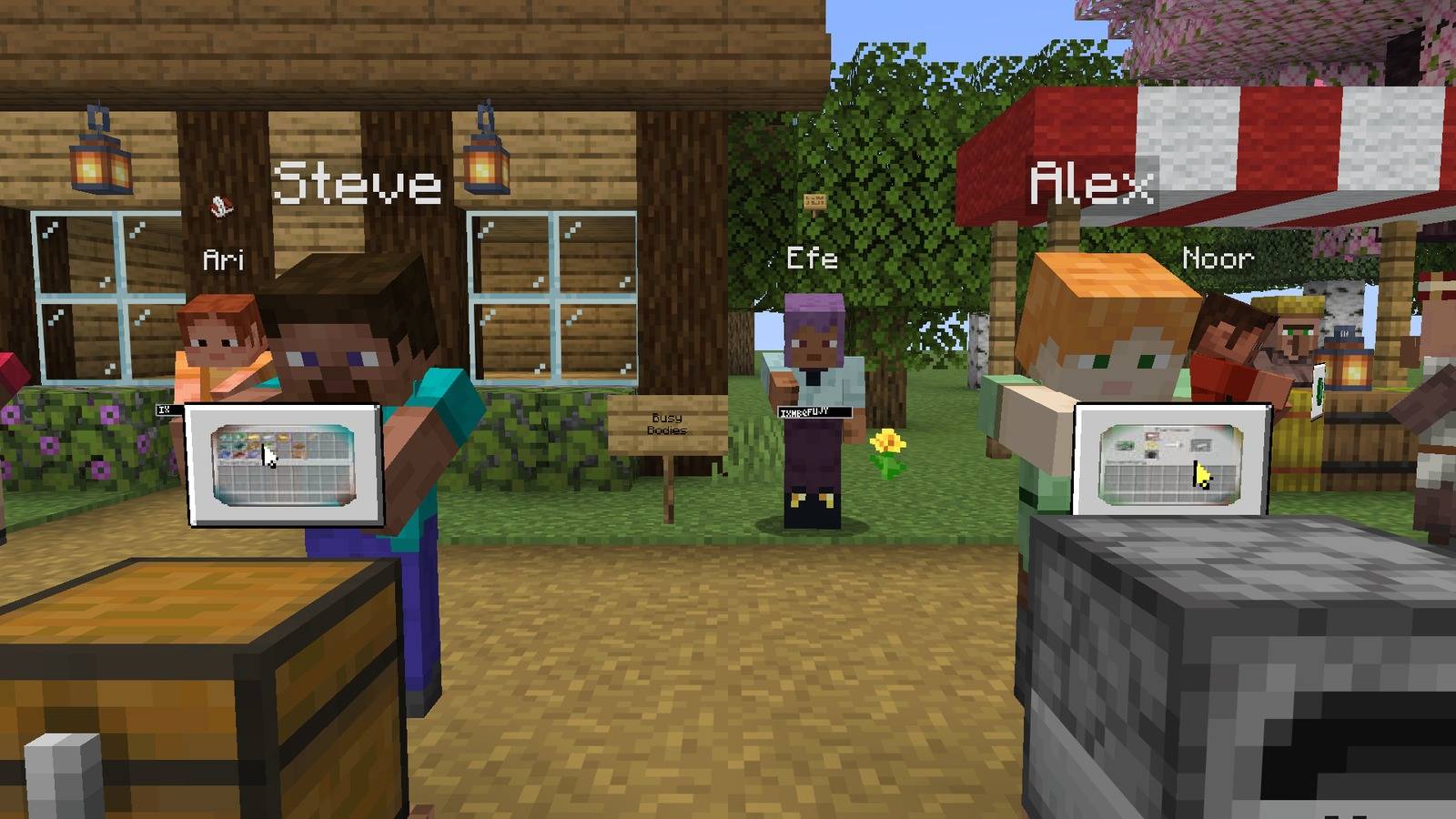
Open a chest, a furnace, a crafting table, a villager trade or just your inventory, and a small panel floats in front of you. Players standing close see a live copy of that screen on it, with your cursor moving and clicking.
- Works for vanilla containers, the pause menu, options and advancements.
- Other mods too: their menus are copied the same way, modded items and all, and the panel shows the mod's own block as its icon. Tried first with Ex Nihilo Reborn.
- Items you move fly between the chest and the panel.
- From farther away, players see an icon for the kind of menu instead.
- Optional sounds when a menu opens and for clicks.
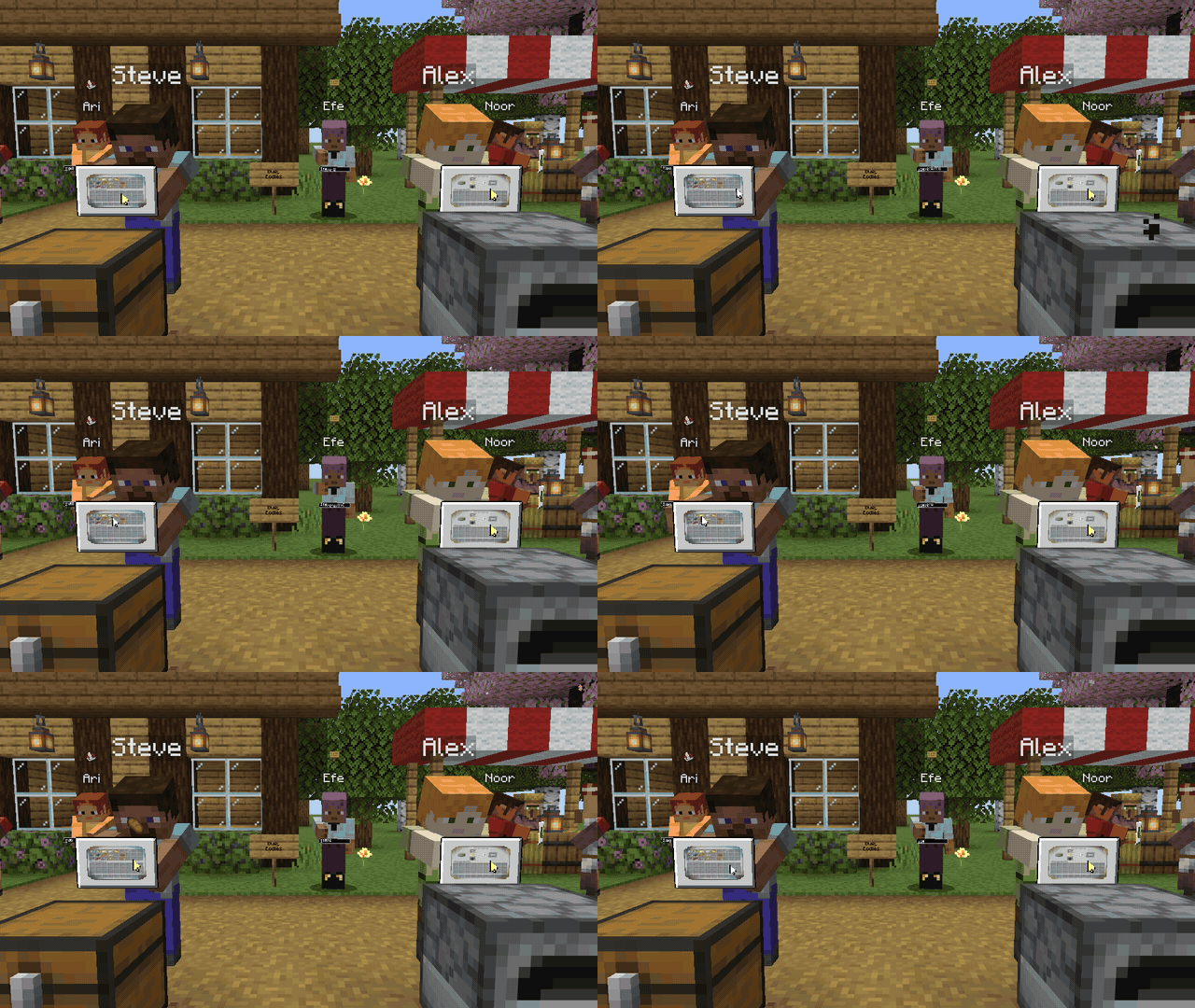

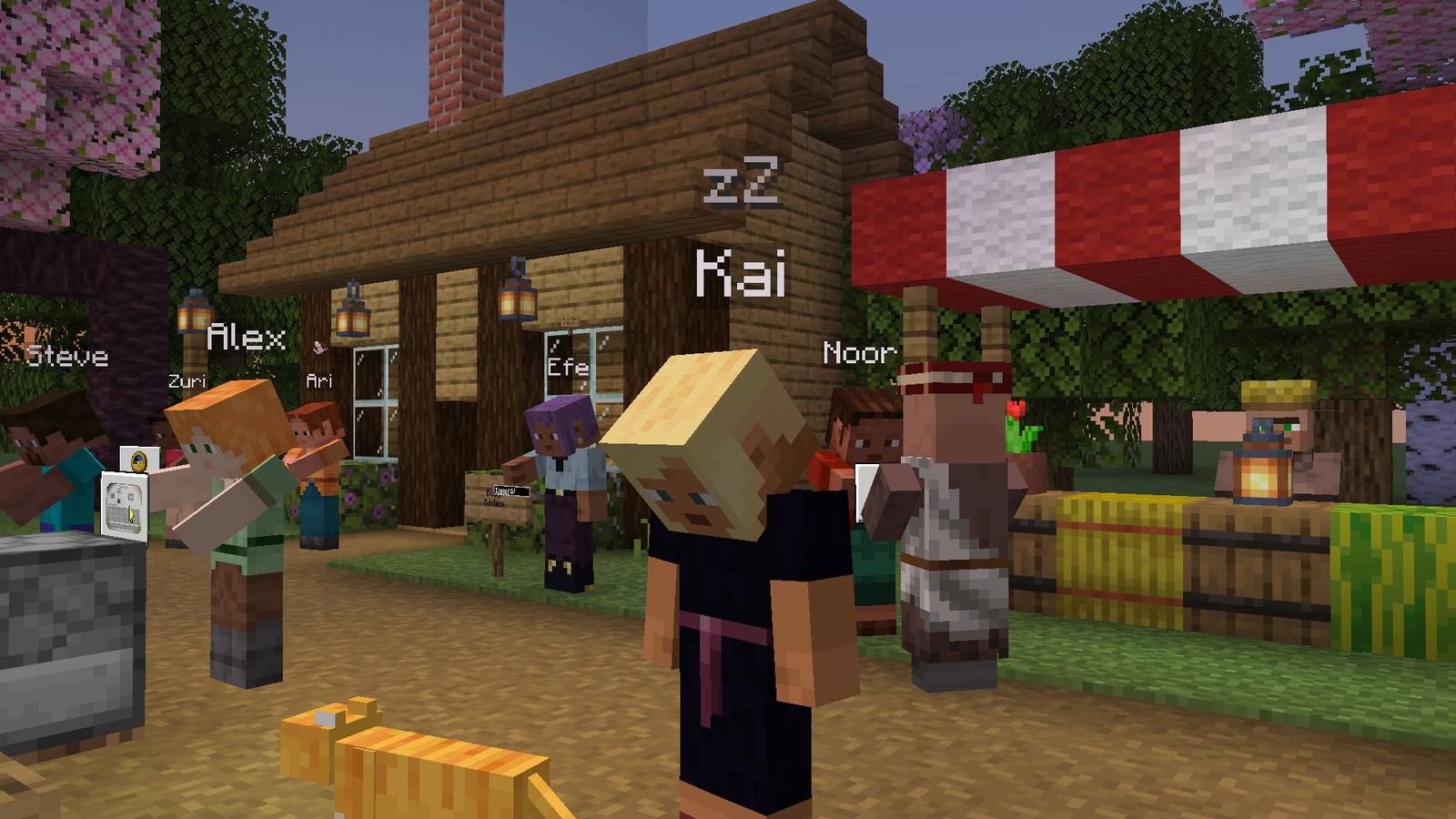
Stand still for a while (five minutes by default) and your character starts glancing around, nods off and finally sleeps on their feet with a zZ overhead. Touch the keyboard and they stretch awake.
- Sleepers get a zz in the tab list, so you know who is really there before you ask for help.
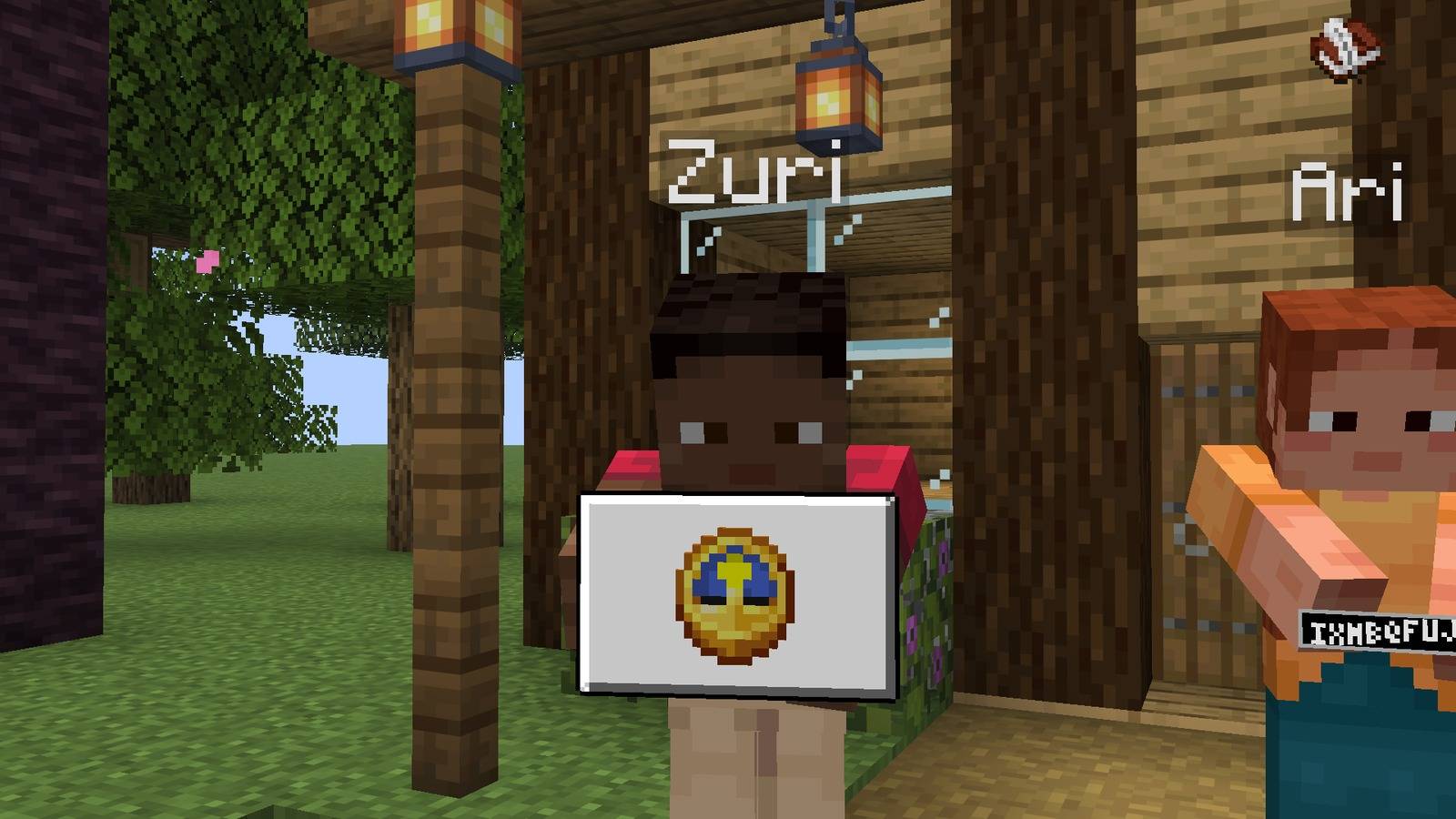
- Paused the game or tabbed out? A clock shows you will be right back.
- Servers can turn on chat notices: "Kai dozed off." and "Kai is back."


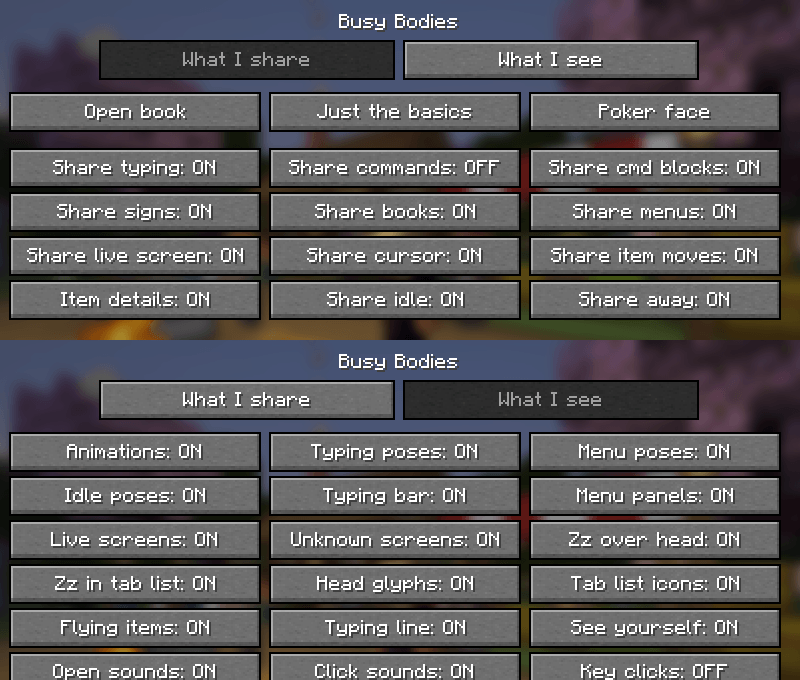
Everything you share has its own switch, and so does everything you see.
- Three presets: Open book, Just the basics and Poker face. Pick one with
/bb privacyor on the settings screen. - Written books, the player report screens and the social screen are never copied.
- Typing a command stays hidden unless you turn "Share commands" on.
- Live copies are small, softly blurred pictures that only reach players within 10 blocks.
- Your text never leaves your game. Others only learn that you are typing, and how fast.

- Runs as a mod on Fabric and NeoForge servers and as a plugin on Paper servers.
- Players without the mod can still join. On a server without Busy Bodies, players with the mod still see who has dozed off.
- Admins set the idle time, how far details travel and the live screen rate, blur and crop in
busybodies-server.json(inconfig, orplugins/BusyBodieson Paper), or live with/busybodies config. - Any visual can be switched off for everyone, and server settings always win over client settings.
- Light on the network: status updates are capped (10 a second by default) and live copies are tiny pictures sent only when something changes.

Commands
/bb settingsopens the settings screen./bb privacy open|basics|pokerswitches preset./bb reloadrereads your config files./busybodies configand/busybodies reloadare for server operators, on mod and plugin servers alike.- Mod Menu is optional on Fabric and adds a settings button. NeoForge has one in its own mod list.
Every setting, switch and command is written down in the wiki, with a list of the checks every release has to pass.
Modpacks: yes, go ahead. Busy Bodies is MIT licensed.
Inspired by What Are They Up To (WATUT) by Corosus. Busy Bodies is written from scratch and uses none of its code or assets.
Sponsored by MineBlocks

A friendly Minecraft Skyblock server: start with one tree and a chest, and grow the greatest island in the sky.
Screenshots
Gallery
-
banner.jpg banner.jpg
-
hero.jpg hero.jpg
-
 typing.jpg typing.jpg
 -
chest.jpg chest.jpg
-
furnace.jpg furnace.jpg
-
 chest_and_furnace.jpg chest_and_furnace.jpg
 -
asleep_dusk.jpg asleep_dusk.jpg
-
 paused.jpg paused.jpg
 -
sign.jpg sign.jpg
-
 hero_dusk.jpg hero_dusk.jpg
Versions
Files
Relations
Project Relations
More like this
Similar Mods
Suggestions use data such as tags, dependencies, dependents, descriptions, titles, and more to rank how much they overlap with this mod.
On ModDex
Community snapshot
By the numbers
Statistics
 (opens in a new tab)
Get it on
Available Platforms
On ModDex
Community snapshot
By the numbers
Statistics
Resources