
Community listing page, reviews here may not be monitored by the author.
Camera Lock-on


No reviews yet
A smooth, ready-to-use target lock-on and combat camera with optional advanced automation, projectile assistance and shareable presets.
Community voices
Reviews
No reviews yet. Be the first to review this project!
Get it on
Available Platforms
Compatibility
Supported Environments
Runs entirely on the client. Works on vanilla servers.
About
Project Details
For authors
Embed Badge
If you're the author of this project, you can embed a live badge anywhere that supports HTML or Markdown. It updates automatically whenever ratings change.
Use HTML for any page that supports it, or Markdown for README files and Markdown-based descriptions.
Identifiers
Platform IDs
Resources
External Links
About
Description
# Camera Lock-On
Smooth Lock-On
Works immediately with balanced defaults
Temporary Free Look
Smart target switching
## Compatibility
- Client-side only.
- The server normally does not need the mod.
- The mod does not increase reach, damage, or server-side hit detection.
- Some camera and projectile assistance features may be restricted by multiplayer servers or anti-cheat systems.
## Features
### Core Lock-On
- Lock onto any living target with Middle Mouse Button by default.
- Temporary Free Look lets you move the camera while locked, then smoothly returns to the target.
- Adjustable first-person and third-person aim strength.
- Configurable dead zone, lock range, Lost Target Grace, and steering pause conditions.
- Strict and Grace HUD line-of-sight modes.
- Optional Occluded Steering, disabled by default.
### Targeting
- Smart and Cycle target switching.
- Auto Lock and Auto Retarget.
- Next and previous target keybinds.
- Target priority modes.
- Hostile Only and Prefer Bosses options.
- Selected Only and Prefer Selected entity filters.
- Same Type First and Same Type Only retarget rules.
- Searchable vanilla and modded entity selector.
- Per-entity blacklist and aim-point overrides.
- Optional multipart aiming.
### Projectile Assistance
- Projectile weapon recognition and prediction.
- Searchable custom modded projectile weapon list.
- Target movement lead and trajectory preview.
- Separate Auto Bow Release and Auto Bow Recharge options.
- Independent keybinds for projectile assistance features.
### Third-Person Camera
- Off, Always On, and Projectile activation modes.
- Contextual and Converged aim modes.
- Multiple customizable camera position slots.
- Adjustable horizontal, vertical, and distance offsets.
- Custom position editor and camera XYZ keybinds.
- Third-person aim ray with Off, Projectile Only, and Always modes.
- Improved camera smoothing and close-target stability.
### HUD and Awareness
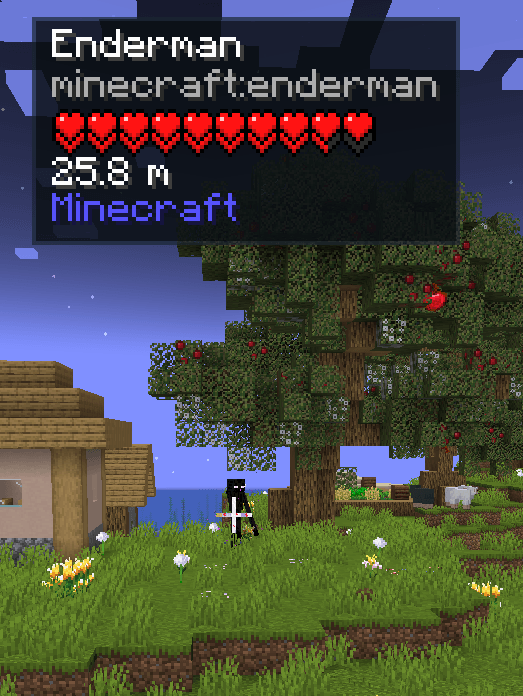
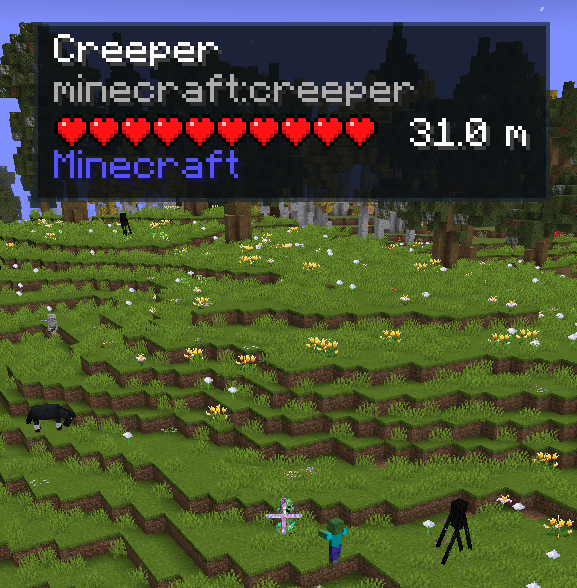
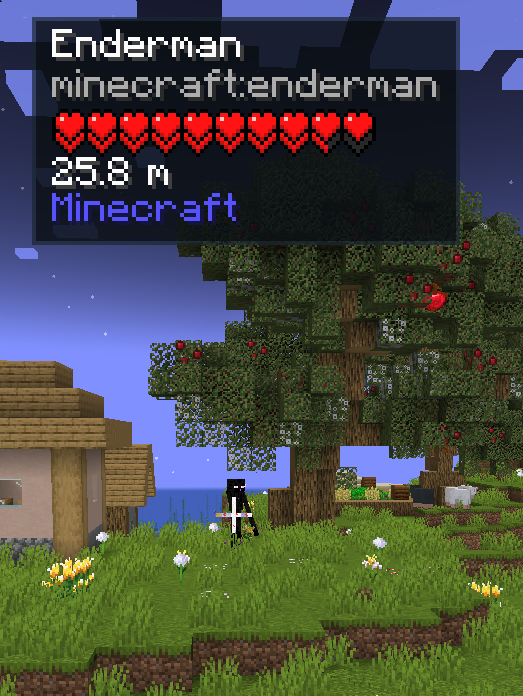
- Customizable target HUD with name, health, distance, armor, registry ID, and source mod.
- Adjustable position, scale, opacity, and display style.
- Damage flash animation.
- Off-screen attacker indicators.
- Optional automatic lock after repeated attacks.
### Group Aim and Presets
- Experimental Group Aim for AOE weapons.
- Manual modded AOE weapon list.
- Save, load, update, import, export, and share presets.
- Responsive preset and configuration screens.
- Safe Server preset for stricter multiplayer-friendly behavior.
### Languages
- English
- Simplified Chinese
- Russian
- Spanish
- German
- Japanese
## How to Use
1. Look at a living entity.
2. Press Middle Mouse Button to lock onto it.
3. Press Tab to switch targets.
4. Move the mouse to use Temporary Free Look.
5. Press the lock key again to unlock.
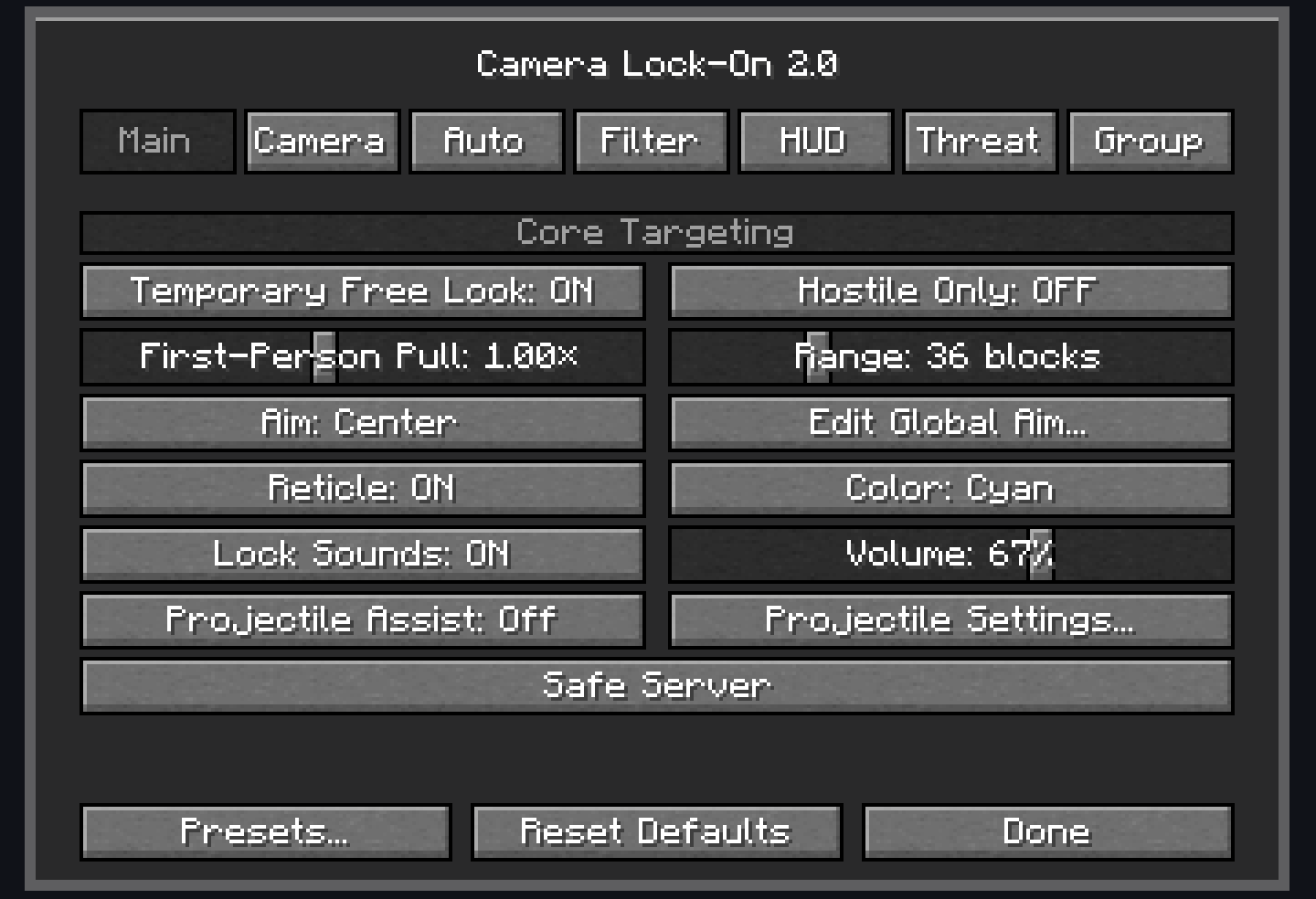
6. Open Mods → Camera Lock-On → Config to customize the mod.
## Setting Tips
- Use Same Type Only when farming one mob type.
- Enable Hostile Only in crowded areas.
- Add unsupported modded ranged weapons to the Projectile Weapon list.
- Use Contextual for a free third-person camera.
- Use Converged when you want the camera to follow the locked target.
- Lower Third-Person Pull if close targets cause unstable movement.
- Use Strict line-of-sight mode for multiplayer.
- Save separate presets for exploration, bosses, farming, ranged combat, and servers.
Camera Lock-On
Smooth Lock-On Works immediately with balanced defaults Temporary Free Look Smart target switching
Compatibility
- Client-side only.
- The server normally does not need the mod.
- The mod does not increase reach, damage, or server-side hit detection.
- Some camera and projectile assistance features may be restricted by multiplayer servers or anti-cheat systems.
Showcase
Features
Core Lock-On
- Lock onto any living target with Middle Mouse Button by default.
- Temporary Free Look lets you move the camera while locked, then smoothly returns to the target.
- Adjustable first-person and third-person aim strength.
- Configurable dead zone, lock range, Lost Target Grace, and steering pause conditions.
- Strict and Grace HUD line-of-sight modes.
- Optional Occluded Steering, disabled by default.
Targeting
- Smart and Cycle target switching.
- Auto Lock and Auto Retarget.
- Next and previous target keybinds.
- Target priority modes.
- Hostile Only and Prefer Bosses options.
- Selected Only and Prefer Selected entity filters.
- Same Type First and Same Type Only retarget rules.
- Searchable vanilla and modded entity selector.
- Per-entity blacklist and aim-point overrides.
- Optional multipart aiming.
Projectile Assistance
- Projectile weapon recognition and prediction.
- Searchable custom modded projectile weapon list.
- Target movement lead and trajectory preview.
- Separate Auto Bow Release and Auto Bow Recharge options.
- Independent keybinds for projectile assistance features.
Third-Person Camera
- Off, Always On, and Projectile activation modes.
- Contextual and Converged aim modes.
- Multiple customizable camera position slots.
- Adjustable horizontal, vertical, and distance offsets.
- Custom position editor and camera XYZ keybinds.
- Third-person aim ray with Off, Projectile Only, and Always modes.
- Improved camera smoothing and close-target stability.
HUD and Awareness
- Customizable target HUD with name, health, distance, armor, registry ID, and source mod.
- Adjustable position, scale, opacity, and display style.
- Damage flash animation.
- Off-screen attacker indicators.
- Optional automatic lock after repeated attacks.
Group Aim and Presets
- Experimental Group Aim for AOE weapons.
- Manual modded AOE weapon list.
- Save, load, update, import, export, and share presets.
- Responsive preset and configuration screens.
- Safe Server preset for stricter multiplayer-friendly behavior.
Languages
- English
- Simplified Chinese
- Russian
- Spanish
- German
- Japanese
How to Use
- Look at a living entity.
- Press Middle Mouse Button to lock onto it.
- Press Tab to switch targets.
- Move the mouse to use Temporary Free Look.
- Press the lock key again to unlock.
- Open Mods → Camera Lock-On → Config to customize the mod.
Setting Tips
- Use Same Type Only when farming one mob type.
- Enable Hostile Only in crowded areas.
- Add unsupported modded ranged weapons to the Projectile Weapon list.
- Use Contextual for a free third-person camera.
- Use Converged when you want the camera to follow the locked target.
- Lower Third-Person Pull if close targets cause unstable movement.
- Use Strict line-of-sight mode for multiplayer.
- Save separate presets for exploration, bosses, farming, ranged combat, and servers.
Screenshots
Gallery
-
 hub_1.png hub_1.png
 -
 hub_2.png hub_2.png
 -
 Settings.png Settings.png
-
 Hub_1
Hub_1 -
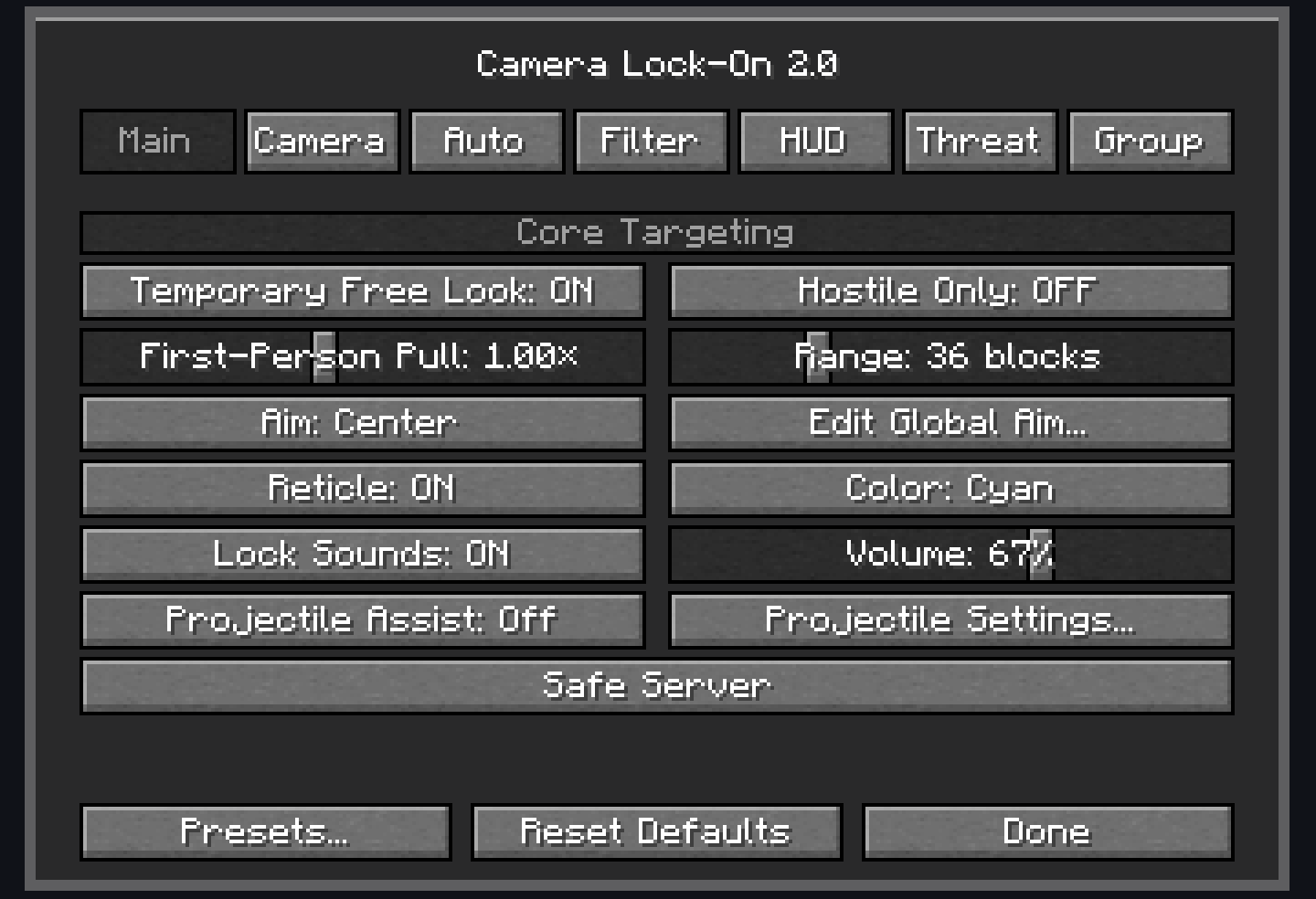 Settings
 -
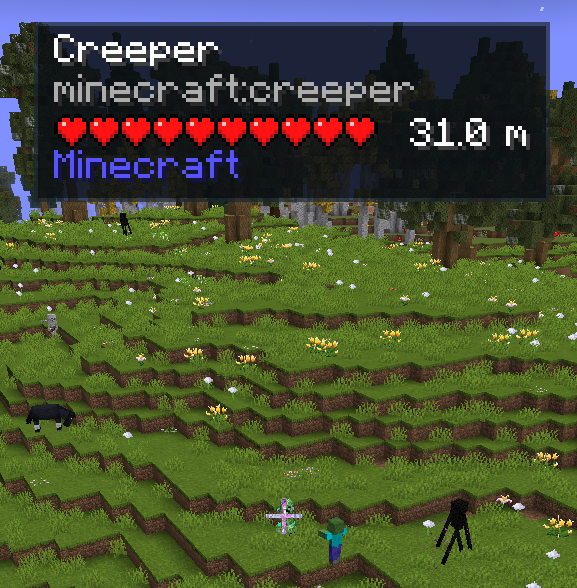 Hub_2
Hub_2
Versions
Files
Relations
Project Relations
More like this
Similar Mods
Suggestions use data such as tags, dependencies, dependents, descriptions, titles, and more to rank how much they overlap with this mod.
On ModDex
Community snapshot
By the numbers
Statistics
Want to reach Minecraft players?
We're looking for a server hosting partner to feature here and other parts of the site. Interested? Send us a message!
Get in touchGet it on
Available Platforms
On ModDex
Community snapshot
By the numbers
Statistics
Resources