Community listing page, reviews here may not be monitored by the author.
Cameramen (TV system)

No reviews yet
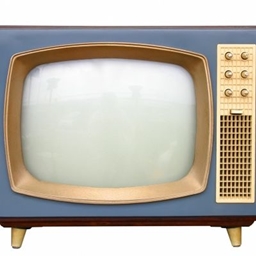
A mod that adds MP4 transmitters, TV block, Live Camera, Video Tapes for recording and more.

Community voices
Reviews
No reviews yet. Be the first to review this project!
Get it on
Available Platforms
About
Project Details
For authors
Embed Badge
If you're the author of this project, you can embed a live badge anywhere that supports HTML or Markdown. It updates automatically whenever ratings change.
Use HTML for any page that supports it, or Markdown for README files and Markdown-based descriptions.
Identifiers
Platform IDs
Resources
External Links
About
Description
Cameramen
It adds a lot of TV and video making features.
What this mod adds?
Camera Block - live video streaming from game to other TV blocks throught channel
Television Block - receives live video on configured channel (Configurable in GUI)
MP4 Transmitter - Transmits configured MP4 at configured in-game hour to channel that TV can receive
Tape Camera - Camera with configurable FPS, that can record video to video tape item.
Tape Transmitter - Transmits recorded video tape to TV on configurable channel.
Tape Player - Plays recorded tape without broadcasting to TV.
Tape Copier - Copies a recorded tape to blank tape.
Tape joiner - Joines up to 12 tapes to one tape.
TV Remote - Changes channel in TV without using GUI.
Video Tape - holds recorded video in game folder and item.
How to use?
Camera block:
Just place it, set the channel in GUI, and its being broadcasted!
TV block:
Place it, set channel and it will receive from transmitter on that channel!
MP4 Transmitter:
After loading game with that mod there will be in ".minecraft" folder a folder named "MP4"
where you put your MP4 files. Audio is supported and will be played on TV. Click on the block,
Go to schedules, set start hour and add your files from list (the gui is a little bit broken!).
Tape Camera:
Right click on it with empty video tape to put an video tape inside. Click with an empty hand and set FPS in GUI. When you want to start recording click "Start recording" and it going to record on to that tape the video in front of the camera.
Tape transmitter:
Click with recorded video tape, change in the GUI the channel, and your video from tape will be transmitter!
Tape Player:
Click with recorded tape, and the video will be played without broadcasting.
Tape copier:
Click first with the source tape on the block, then with target tape, click with empty hand to open GUI and click copy, then eject source and eject target.
Tape joiner:
Click one by one with up to 12 recorded tapes. Go to GUI and click copy, then it will copy your tapes to one and all of there tapes will be played one by one, click eject tape and get your joined video!
TV remote:
Aim at a TV to increase channel.
Video tape:
Stores the recorded video, in ".minecraft/tapes/[UUID]/audio.vtap" and "video.vtap".
There is still lot of bugs that i will fix in later updates.
Tutorial on youtube:
Screenshots
Gallery
Versions
Files
Relations
Project Relations
More like this
Similar Mods
Suggestions use data such as tags, dependencies, dependents, descriptions, titles, and more to rank how much they overlap with this mod.
On ModDex
Community snapshot
By the numbers
Statistics
 (opens in a new tab)
Get it on
Available Platforms
On ModDex
Community snapshot
By the numbers
Statistics
Resources