
Community listing page, reviews may not be monitored by the author.
Canvas HUD

No reviews yet
A fully client-side Minecraft HUD with a freeform editor to move, scale, and toggle widgets. Track FPS, biome, coordinates, compass, world time, light levels, durability, status effects, speed, ping, TPS estimates, etc.

Community voices
Reviews
No reviews yet. Be the first to review this project!
Get it on
Available Platforms
About
Project Details
For authors
Embed Badge
If you're the author of this project, you can embed a live badge anywhere that supports HTML or Markdown. It updates automatically whenever ratings change.
Use HTML for any page that supports it, or Markdown for README files and Markdown-based descriptions.
Identifiers
Platform IDs
Resources
External Links
About
Description
Canvas HUD — Your HUD, Your Canvas.
Ever wished you could move your Minecraft HUD elements wherever you wanted, instead of being stuck with the default layout? That's exactly why I made Canvas HUD.
Canvas HUD is a client-side HUD customization mod that lets you arrange your on-screen information the way you like it. Whether you want a clean, minimal screen for building, extra information for survival, or a more detailed setup for PvP, you can make your HUD work for you.
🎨 A HUD That Actually Feels Like Yours
The main feature is the freeform HUD editor. Open it, select a HUD element, and place it wherever you want on your screen. No digging through config files or manually editing coordinates.
-
Move freely: Drag HUD elements around the screen and arrange them to your liking.
-
Select and deselect: Click an element to select it, or click it again to deselect it.
-
Resize on the fly: Scroll over a selected element to change its size, or use the size slider.
-
Toggle individual elements: Right-click a HUD element to turn it on or off.
-
Snap to grid: Keep your layout neat with optional snapping.
-
Customize the appearance: Adjust colors, backgrounds, opacity, and other available settings.
-
Save your layout: Your configuration is saved, so your carefully arranged HUD stays yours between sessions.
📊 The Information You Need, Where You Need It
Canvas HUD includes a collection of HUD modules for gameplay, navigation, survival, and performance.
Gameplay & Navigation
-
FPS Counter
-
Current Biome
-
Coordinates
-
Compass and Direction
-
World Day and Time
-
Light Level
Survival & Combat
-
Armor and Held Item Durability
-
Combat Counters
-
Active Status Effects
-
Player Speed
-
Keystrokes
-
CPS (Clicks Per Second)
Performance & Miscellaneous
-
Ping
-
Packet and Tick-Rate Estimates
-
RAM Usage
-
Real-World Clock
-
Session Timer
-
Pitch
You can enable the elements you care about and leave out the ones you don't. Keep your screen simple or build a more information-dense setup — it's entirely up to you.
⚙️ Built to Fit Your Setup
Canvas HUD includes a configuration menu for adjusting widget options, display modes, colors, and backgrounds without having to edit files manually. You can also reset positions or restore configuration settings whenever you want a fresh start.
The editor provides a visual preview of your layout, making it easier to see what you're changing before returning to the game.
🌍 Client-Side by Design
Canvas HUD is a client-side mod. It is designed to display information on your screen without requiring server owners to install it, making it suitable for your own worlds and supported multiplayer environments.
💬 Why Canvas HUD?
I wanted a HUD mod that gives players more control over their screen instead of forcing everyone into the same layout. Canvas HUD is my take on that idea: customizable, flexible, and built around the simple idea that your screen should work the way you want it to.
This is an ongoing project, and there's always room to improve things. Feedback, suggestions, and bug reports are welcome!
Make the screen yours. Make it Canvas HUD.
Screenshots
Gallery
-
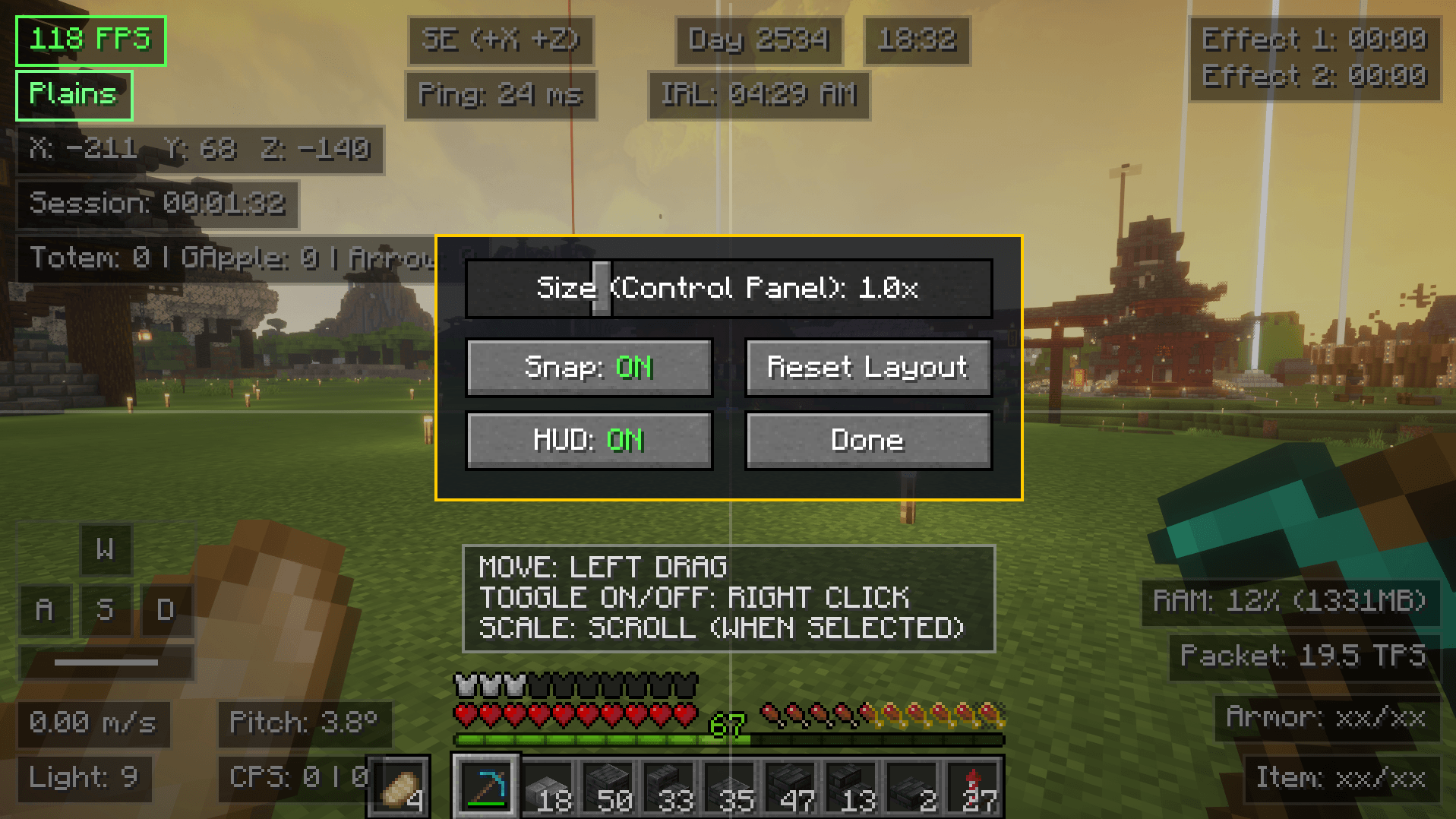 HUD Layout Editor
 -
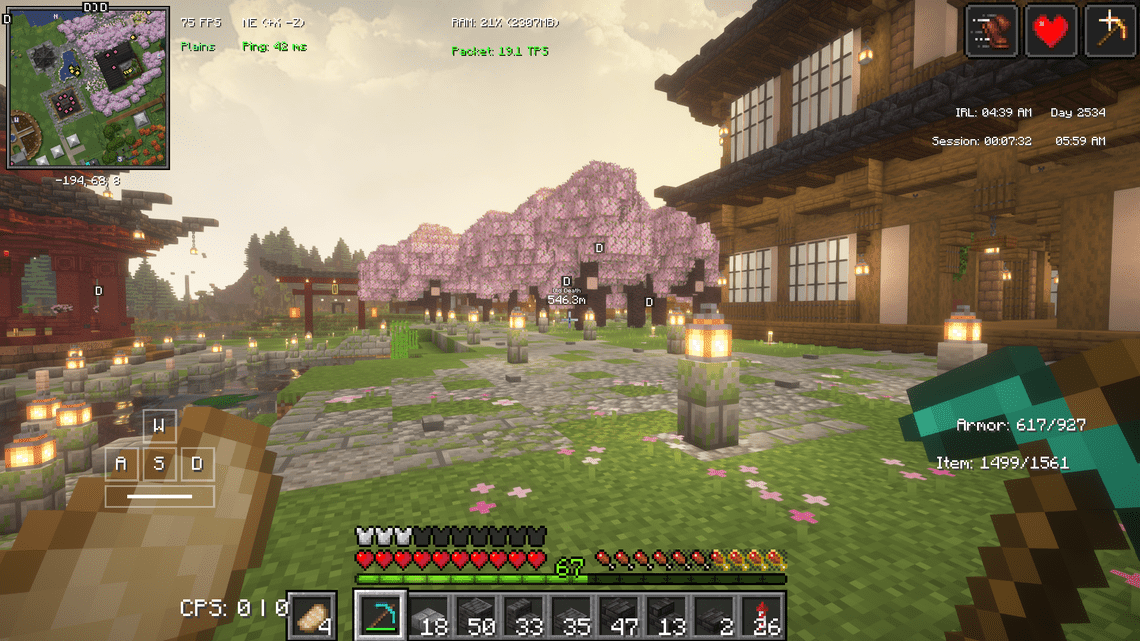 Showcase Major
 -
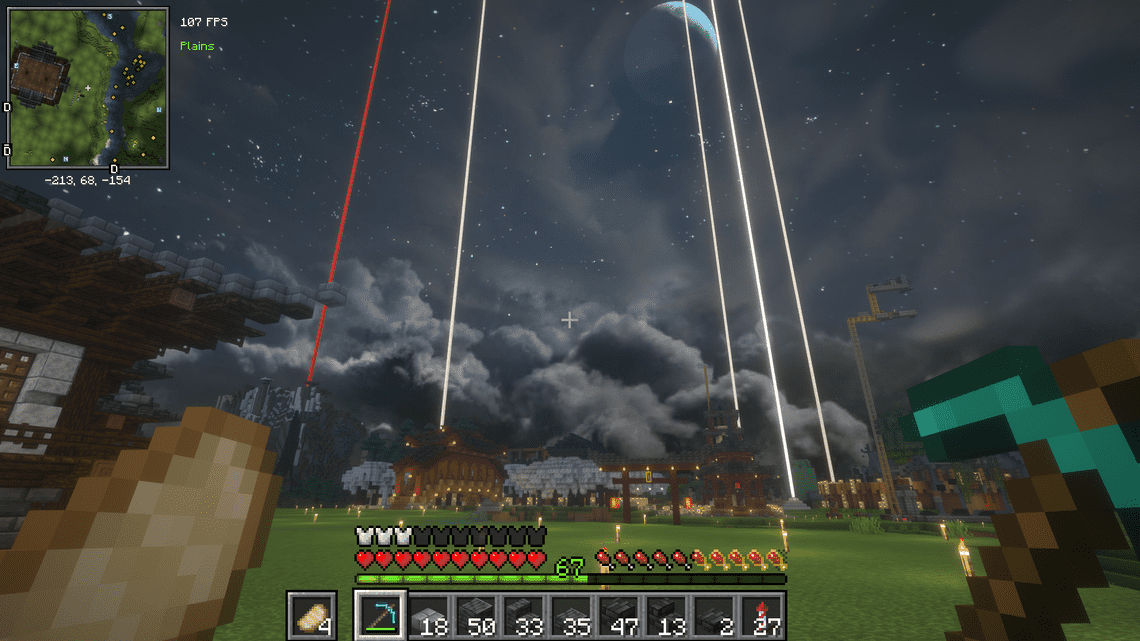 Showcase Minimal
Versions
Files
Relations
Project Relations
More like this
Similar Mods
Suggestions use data such as tags, dependencies, dependents, descriptions, titles, and more to rank how much they overlap with this mod.
On ModDex
Community snapshot
By the numbers
Statistics

Get it on
Available Platforms
On ModDex
Community snapshot
By the numbers
Statistics
Resources