
Community listing page, reviews here may not be monitored by the author.
Catalogue Vintage

No reviews yet
A wonderful mod list on legacy versions!
Community voices
Reviews
No reviews yet. Be the first to review this project!
Get it on
Available Platforms
About
Project Details
For authors
Embed Badge
If you're the author of this project, you can embed a live badge anywhere that supports HTML or Markdown. It updates automatically whenever ratings change.
Use HTML for any page that supports it, or Markdown for README files and Markdown-based descriptions.
Identifiers
Platform IDs
About
Description
Catalogue Vintage
Backport of MrCrayfish's wonderful mod Catalogue, aka MrCrayfish's Mod List to mc 1.12.2 & 1.7.10.
Notes
Catalogue Vintage mod does not have the ability to read custom props in mcmod.info since legacy Forge doesn't provide any APIs.
1.12.2 provides both Forge and Cleanroom branches. Make sure you have chosen the right platform. Since CurseForge do not have a "Cleanroom" or "Others" loader choice, Cleanroom versions are marked "NeoForge".
The repo is just a test field of Cleanroom#422 and the cleanroom version will stop updating if the PR is merged.
For developers, you can try to add new props in mcmod.info. Catalogue in the PR above has the ability to read them and apply. The new props follow.
- iconFile: a string, should point to a square PNG file.
- iconItem: a string, should be in the format "minecraft:stone". Metadata is allowed. This will not be applied if iconFile is valid.
- backgroundFile: a string, should point to a PNG file, which will be rendered as the mod’s background with aspect-preserving cover cropping to fill the details panel, then faded out toward the bottom.
- license: a string, will be displayed at the bottom of the mod info page.
- issueTrackerUrl: a string, should be a link. The "Submit Bug" button will open it when clicked.
Or if you want to apply them to Catalogue mod, you can use @Mod.CustomProperty in @Mod annotation.
For reference, see Catalogue.java.
Only the new props are available through annotation, and will be overridden by those in mcmod.info in the PR.
It is completely unnecessary to add Catalogue to your build script.
Screenshots
Gallery
-
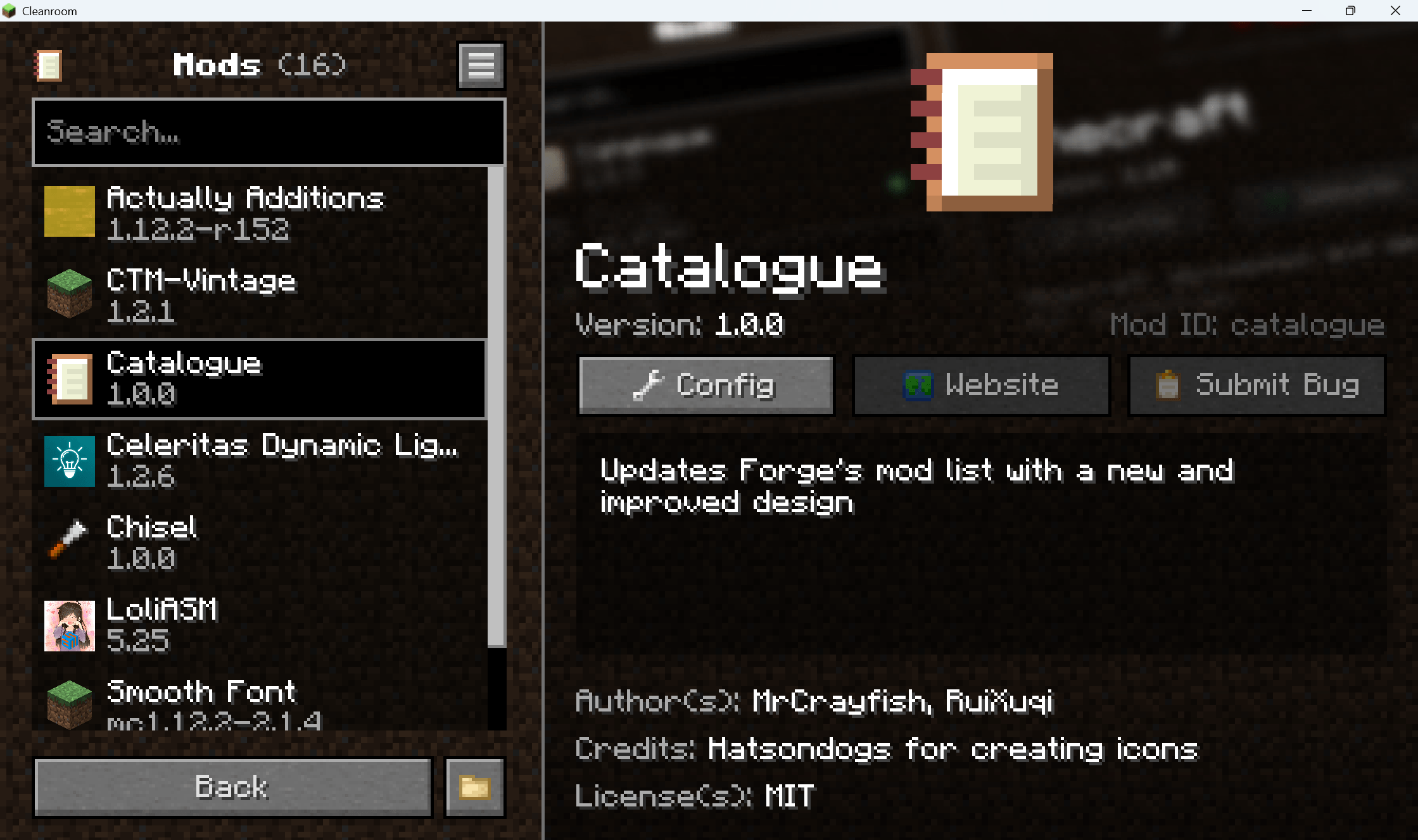 ScreenShot
Versions
Files
Relations
Project Relations
More like this
Similar Mods
Suggestions use data such as tags, dependencies, dependents, descriptions, titles, and more to rank how much they overlap with this mod.
On ModDex
Community snapshot
By the numbers
Statistics
Want to reach Minecraft players?
We're looking for a server hosting partner to feature here and other parts of the site. Interested? Send us a message!
Get in touchGet it on
Available Platforms
On ModDex
Community snapshot
By the numbers