Community listing page, reviews here may not be monitored by the author.
Chameleon (Hide and Seek)


No reviews yet
Meccha Chameleon styled hide-and-seek mod.
Community voices
Reviews
No reviews yet. Be the first to review this project!
Get it on
Available Platforms
Compatibility
Supported Environments
Must be installed on both the client and the server.
About
Project Details
For authors
Embed Badge
If you're the author of this project, you can embed a live badge anywhere that supports HTML or Markdown. It updates automatically whenever ratings change.
Use HTML for any page that supports it, or Markdown for README files and Markdown-based descriptions.
Identifiers
Platform IDs
Resources
External Links
About
Description
Chameleon
This mod is heavily inspired by Meccha Chameleon, huge thanks to the team behind it!
In Chameleon, hiders disguise themselves to blend into the world. Open the built-in paint editor and decorate your own skin to match whatever's around you. The closer your paint matches the texture next to you, the higher the chance of winning.
Once the timer is over, the game starts, hide yourself somewhere in the world and wait.
For seekers, F3+B and nametags are disabled. They have to hunt without any external tools.
How a match runs
One player hosts, through the setting menu, they set the spawn points, assign who hides and who seeks, and start the round. Hiders go first to paint and position themselves while a timer counts down. Seekers are frozen until the clock hits zero, then they're loosed to comb the map. One tag catches a hider. The last hider left wins.
Built for multiplayer
Chameleon runs on servers right out of the box. Match controls are operator-only, so hosting stays in trusted hands.
How to start?
Open chat and run the command: /chameleon to open the game hosting panel.
From there, choose your settings and have fun!
Chameleon
This mod is heavily inspired by Meccha Chameleon, huge thanks to the team behind it!
- Make sure to set the correct keybind for the paint tool, it is by default set to P
- /chameleon is the only command for the mod, it is OP only and will let you play with your friends.
In Chameleon, hiders disguise themselves to blend into the world. Open the built-in paint editor and decorate your own skin to match whatever's around you. The closer your paint matches the texture next to you, the higher the chance of winning.
Once the timer is over, the game starts, hide yourself somewhere in the world and wait.
For seekers, F3+B and nametags are disabled. They have to hunt without any external tools.
How a match runs
One player hosts, through the setting menu, they set the spawn points, assign who hides and who seeks, and start the round. Hiders go first to paint and position themselves while a timer counts down. Seekers are frozen until the clock hits zero, then they're loosed to comb the map. One tag catches a hider. The last hider left wins.
Built for multiplayer
Chameleon runs on servers right out of the box. Match controls are operator-only, so hosting stays in trusted hands.
How to start?
Open chat and run the command: /chameleon to open the game hosting panel.
From there, choose your settings and have fun!
Screenshots
Gallery
-
 Banner / Logo Banner
 -
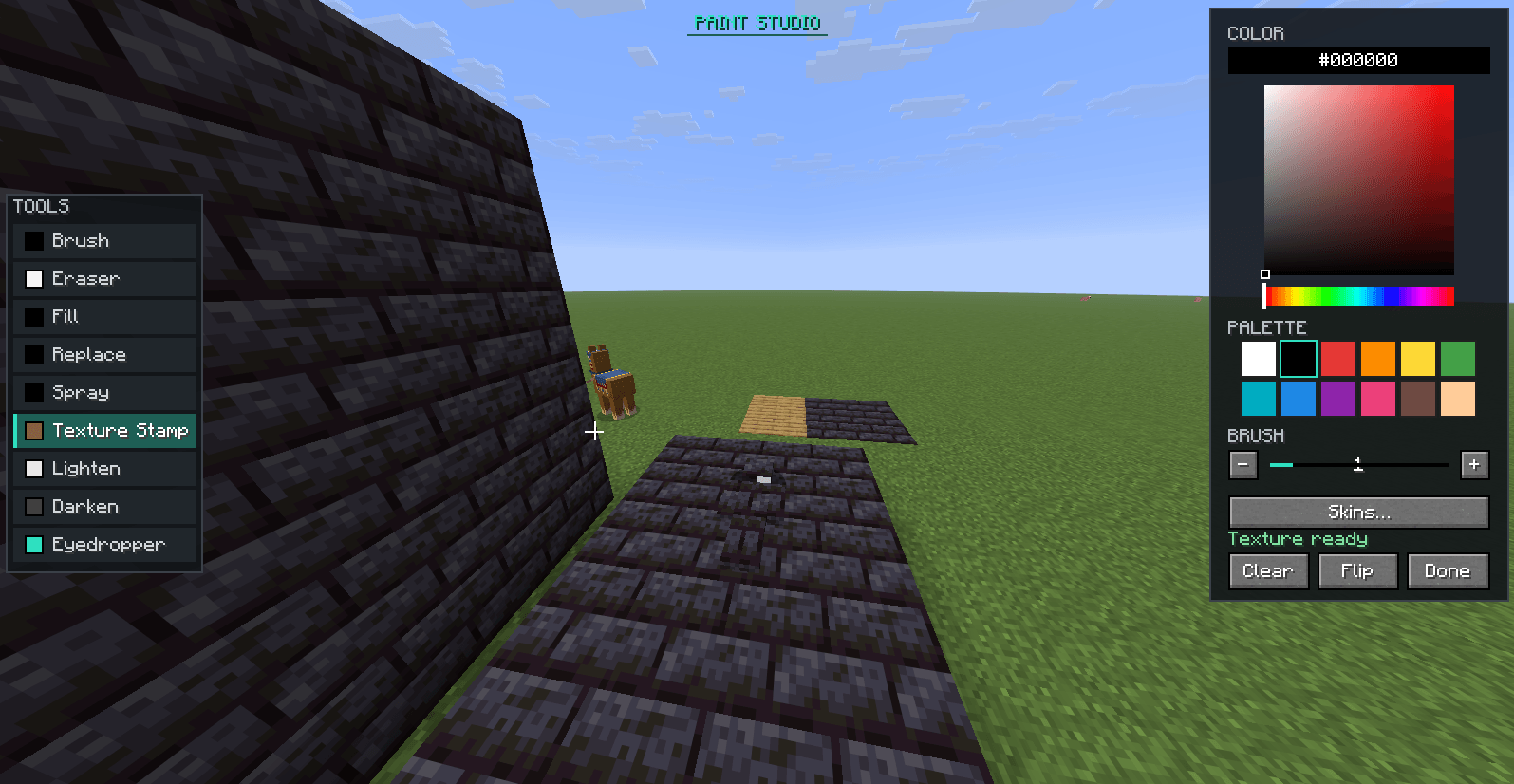 Painting UI Allows you to paint your player into the map.
 -
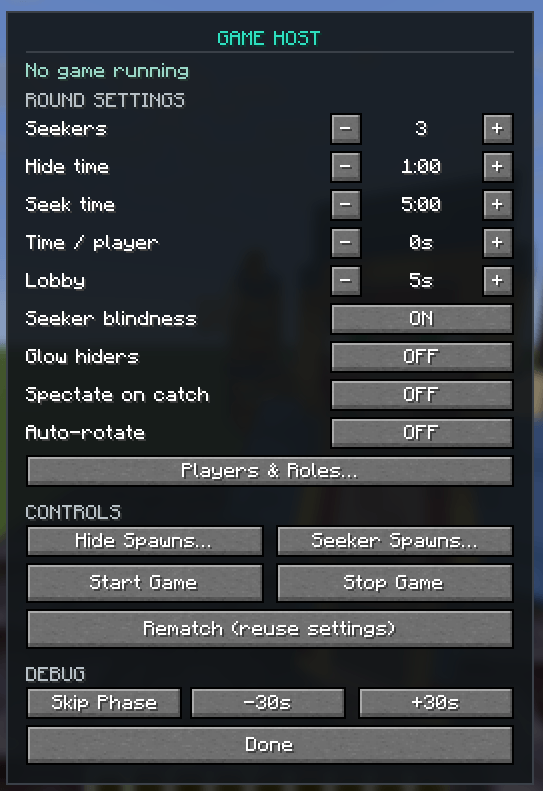 Hosting Menu (/chameleon) /chameleon
 -
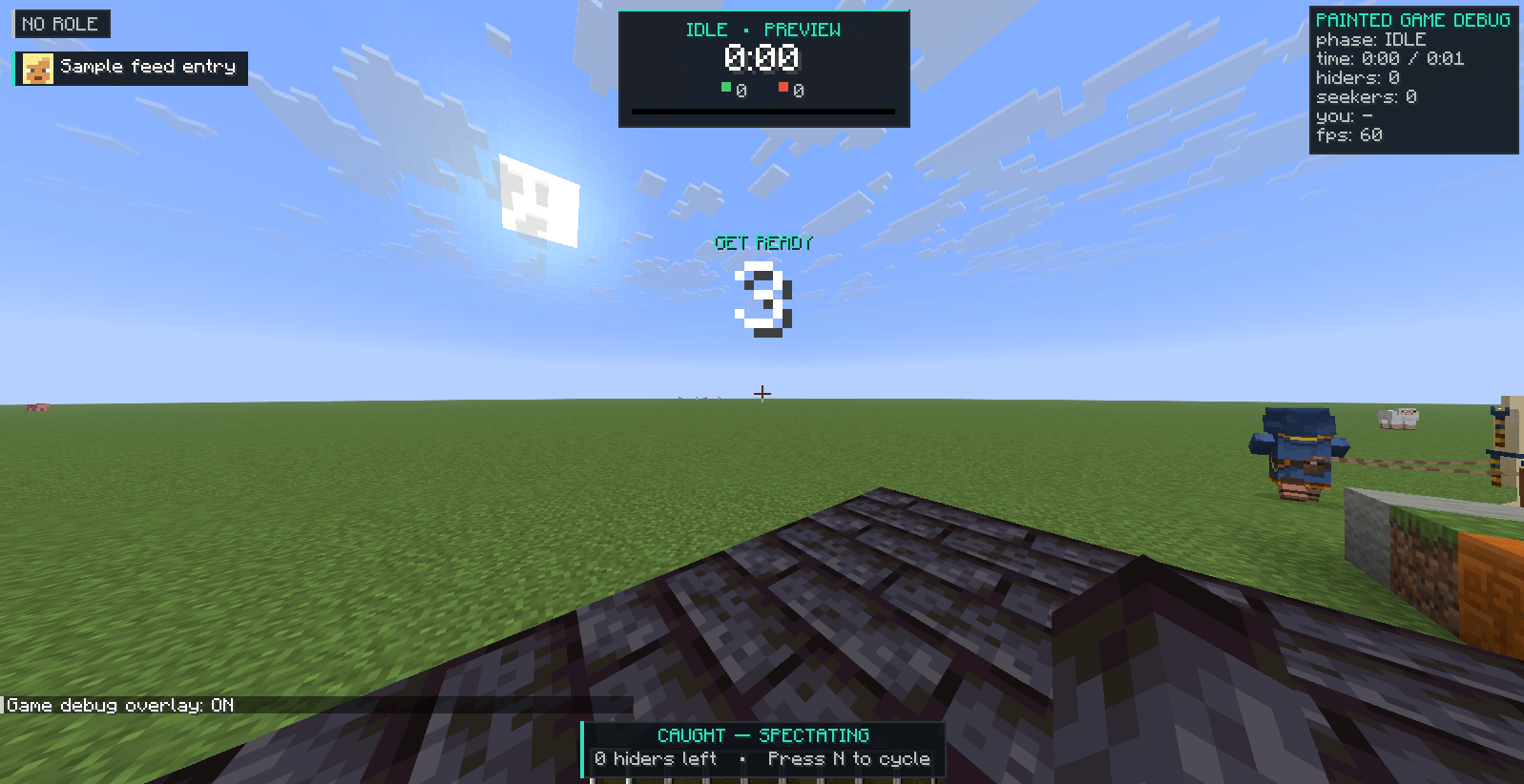 Debug UI Not accessible normally.
 -
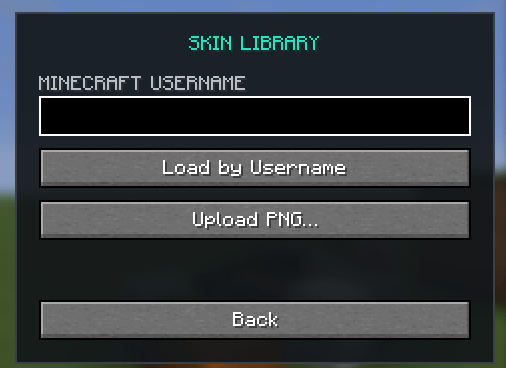 Skin Library Skin manager.
-
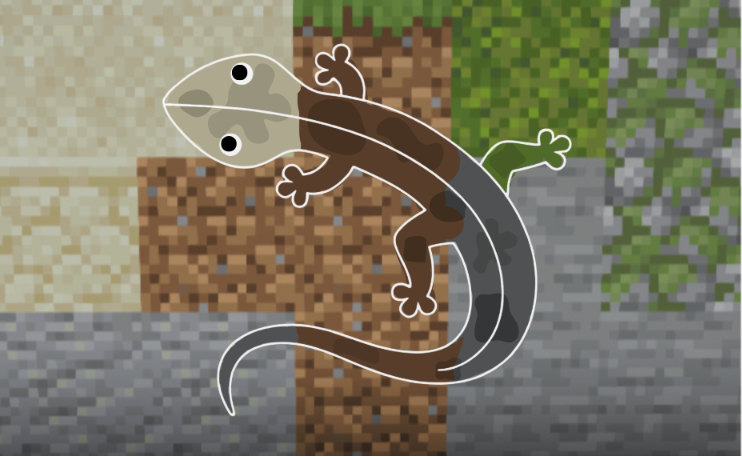 banner
 -
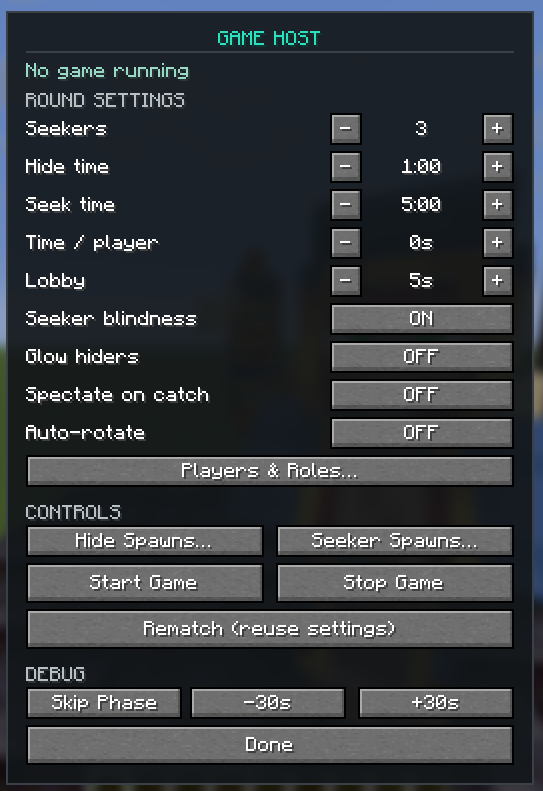 Hosting Menu This is the current UI of the hosting menu, located at /chameleon
 -
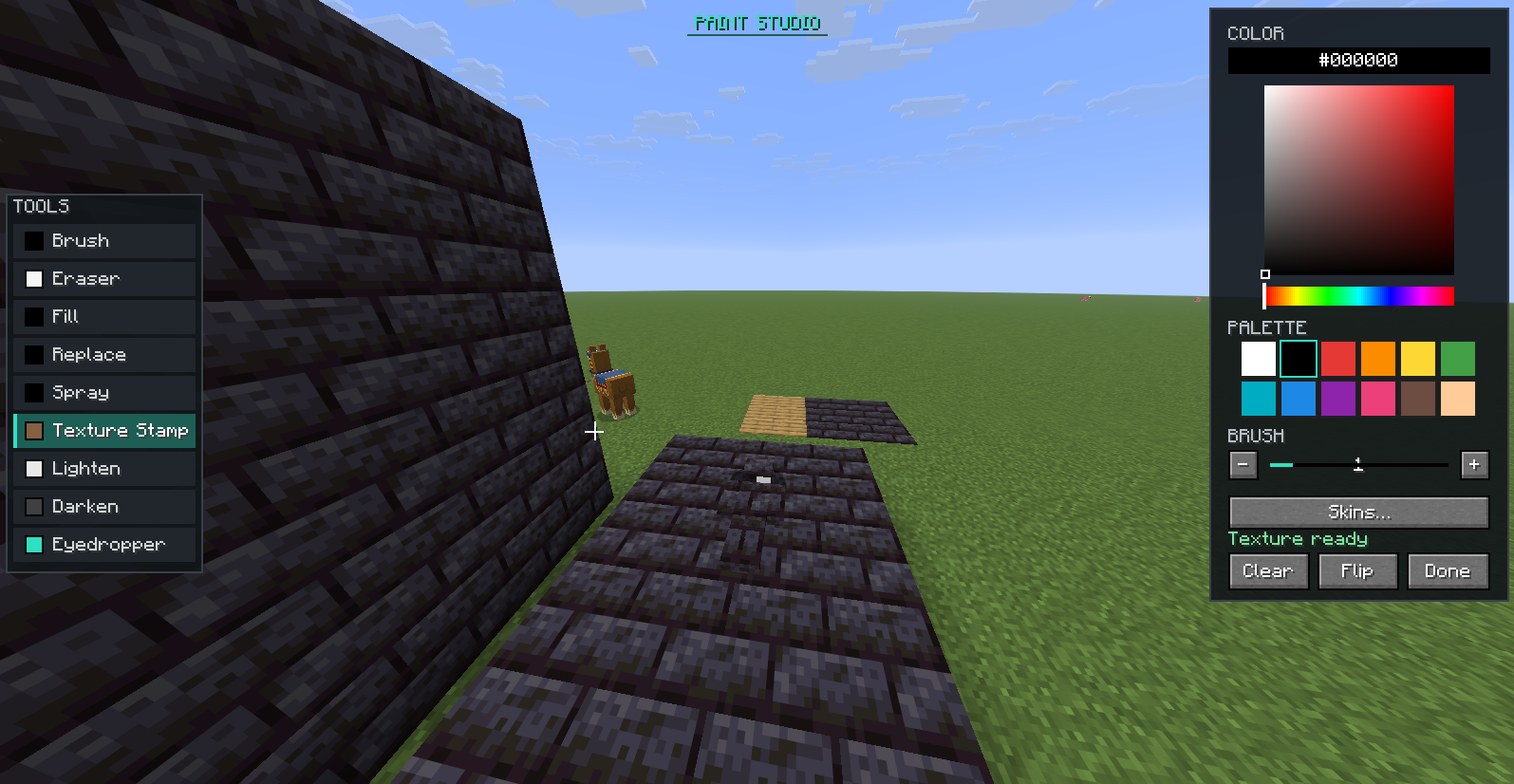 Painting UI Accessed by the keybind you set in your controls.
 -
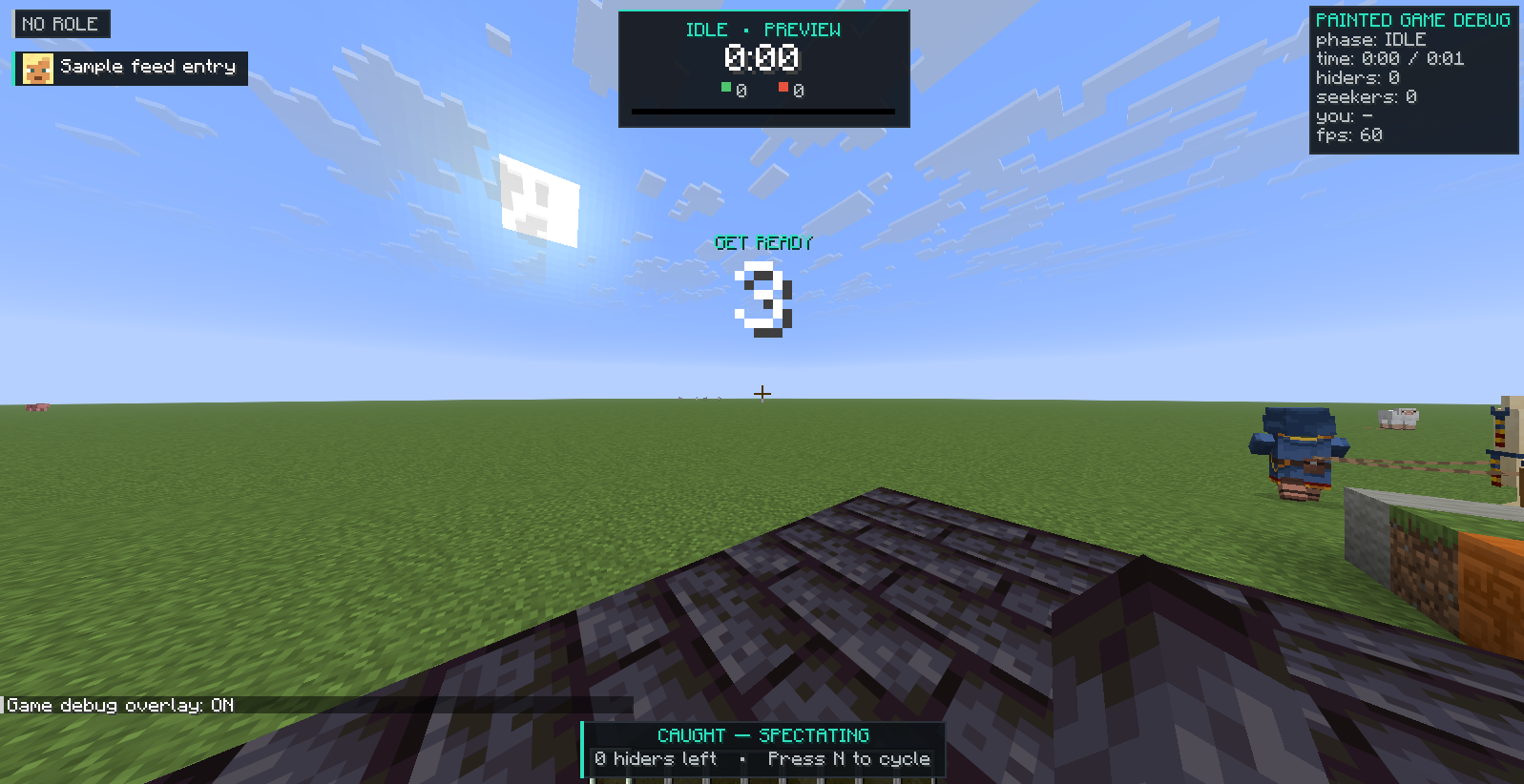 Debug UI Normally not accessible, but this displays all the different UI elements.
 -
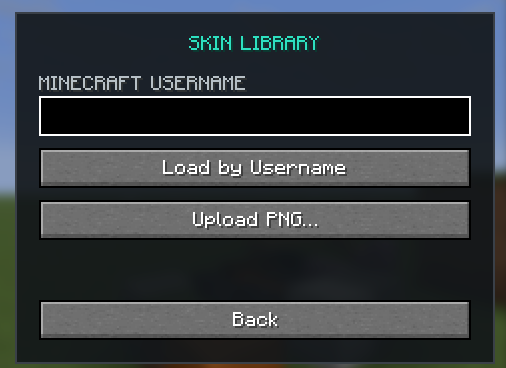 Skin Menu Small feature, allows you to change your skin live!
Versions
Files
Relations
Project Relations
More like this
Similar Mods
Suggestions use data such as tags, dependencies, dependents, descriptions, titles, and more to rank how much they overlap with this mod.
On ModDex
Community snapshot
By the numbers
Statistics
Want to reach Minecraft players?
We're looking for a server hosting partner to feature here and other parts of the site. Interested? Send us a message!
Get in touchGet it on
Available Platforms
On ModDex
Community snapshot
By the numbers
Statistics
Resources