
Community listing page, reviews here may not be monitored by the author.
Simple Chat Calc

No reviews yet
A small client side mod that allows users to perform quick calculations in the chat bar, with speed and usability in mind.
Community voices
Reviews
No reviews yet. Be the first to review this project!
Get it on
Available Platforms
About
Project Details
For authors
Embed Badge
If you're the author of this project, you can embed a live badge anywhere that supports HTML or Markdown. It updates automatically whenever ratings change.
Use HTML for any page that supports it, or Markdown for README files and Markdown-based descriptions.
Identifiers
Platform IDs
Resources
External Links
About
Description
Chat Client-Side Calculator
A simple, powerful and lightweight calculator mod for use in modern Minecraft. Do quick maths in-game without wasting time and energy, using custom variables and functions for even more speed.
Features
- Easy to Use
-
- To perform a calculation, simply prefix a chat message with '='.
- Pressing '=' will automatically open the chat ready to calculate.
-
- Custom Variables and Functions
-
- Save any commonly used numbers and write your own reusable functions.
- Perfect for planning projects, like builds or even redstone.
- You can even use the last calculation result with the 'ans' variable for extra speed.
-
- Instant Portability
-
- Your saved variables and functions are stored in your config folder, allowing you to use them anywhere.
- This allows your calculator setup to follow you across all singleplayer world and multiplayer servers.
-
- Client-Side Only
-
- Safe to use on any server, modded or otherwise with no server interaction ever.
-
Why use this mod?
Whether you're:
- Designing complex redstone contraptions
- Calculating resource costs for a building project
- Or just need a nifty little calculator for occasional use
... this mod can help you save time and stay accurate.
Example Usage
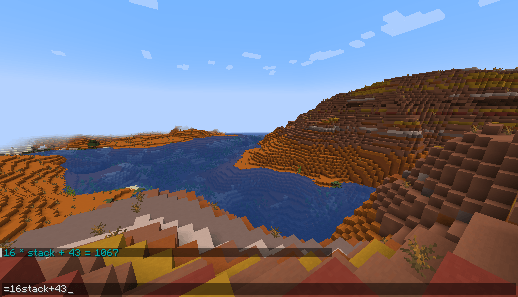
How much cobblestone is 16 stacks + 43 items?
How deep do I need to make a 3x3 hole to gather at least 2598 cobblestone?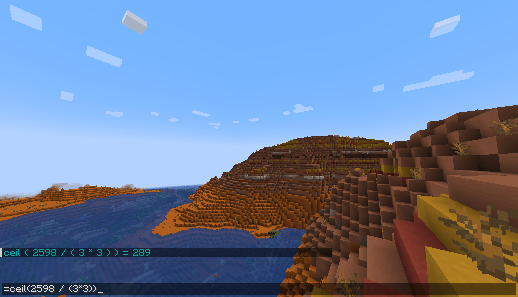
How do I use the custom variables and functions?
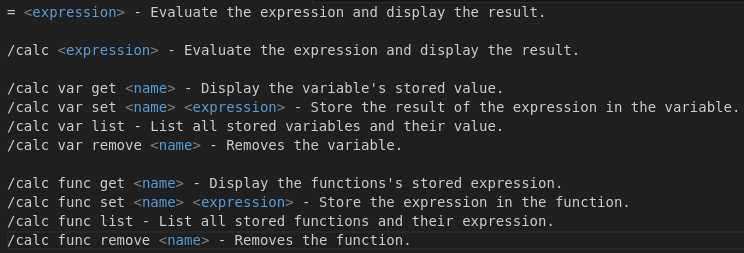
As an example of how helpful the custom functions can be, a very simple distance function can be made with the command below, which can take two sets of coordinates and find the distance between them. By either directly modifying the function, or creating another that uses it, players can have an easy way to tell how far they are from important landmarks, like their base, a nether fortress or a stronghold, which is a helpful feature when travelling.
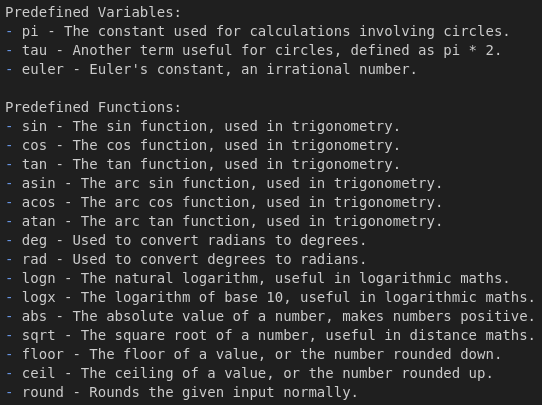
/calc func set dist sqrt(abs(a-d) ^ 2 + abs(b-e) ^ 2 + abs(c-f) ^ 2)What variables / functions are built in for me to use?
Help
Using the /calc command, you can easily list, set and remove both variables and functions with minimal effort. There is a picture that documents each command and its function for easy reference.
You can also manually edit both variables and functions in the "chat-calc.toml" file in your installations config folder. You can swap out this file to allow for instant copying of variables and functions between installations as well.
I hope to keep this mod updated with different minecraft versions so I can use this mod in my own modpacks. As such, I will try to keep on top of any bugs and will not update the mod to a new version or another modding framework unless I have a personal interest in doing so. Feel free to fork the project to update to a missing version.
Screenshots
Gallery
-
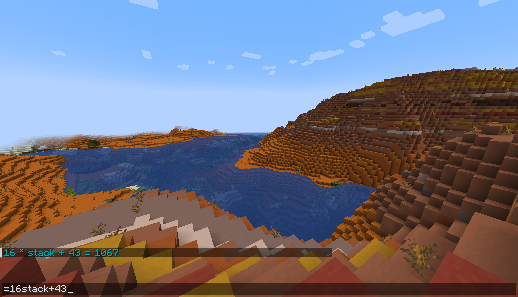 Basic calculator usage Shows the calculator being used to calculate how many items 16 stacks + 43 items is
 -
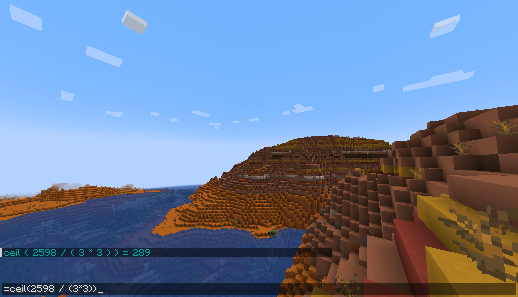 Another basic usage Shows the calculator being used to calculate how deep a 3x3 mineshaft needs to be to collect 2598 cobblestone
 -
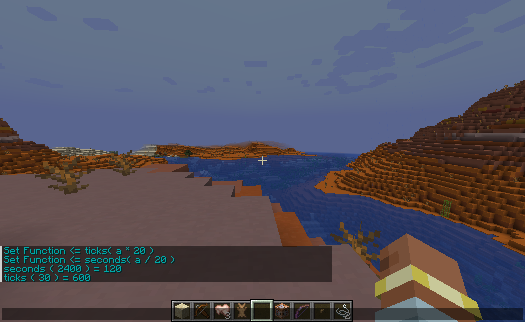 Custom Functions Shows the calculator defining and then using the custom functions to convert between seconds and ticks.
 -
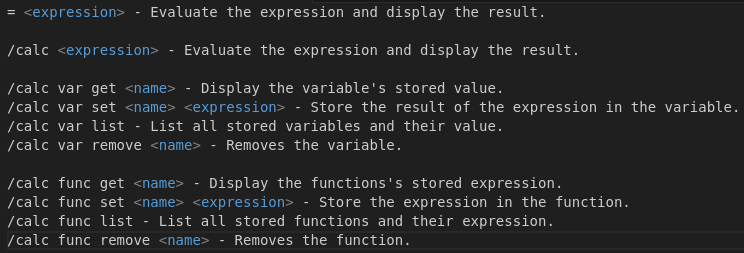 Calc Command Usage A list of the functions available for users and a brief description of what they do.
 -
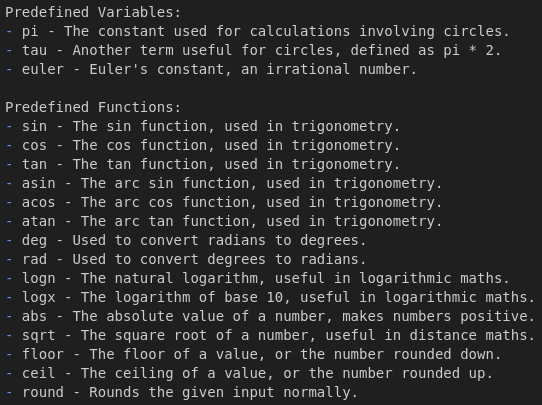 Calc Static Variables and Functions This shows all of the variables and functions that are built-in, and can always be used.
Versions
Files
Relations
Project Relations
More like this
Similar Mods
Suggestions use data such as tags, dependencies, dependents, descriptions, titles, and more to rank how much they overlap with this mod.
On ModDex
Community snapshot
By the numbers
Statistics
Want to reach Minecraft players?
We're looking for a server hosting partner to feature here and other parts of the site. Interested? Send us a message!
Get in touchGet it on
Available Platforms
On ModDex
Community snapshot
By the numbers
Statistics
Resources