
Makes chat messages appear with a smooth animation.
No ratings yet
Be the first to rate it.
Community listing page
Community listing page, reviews may not be monitored by the author.

Community voices
Reviews
No reviews yet. Be the first to review this project!
Get it on
Available Platforms
Compatibility
Supported Environments
Runs entirely on the client. Works on vanilla servers.
About
Project Details
For authors
Embed Badge
If you're the author of this project, you can embed a live badge anywhere that supports HTML or Markdown. It updates automatically whenever ratings change.
Use HTML for any page that supports it, or Markdown for README files and Markdown-based descriptions.
Identifiers
Platform IDs
About
Description
Chat Impressive Animation




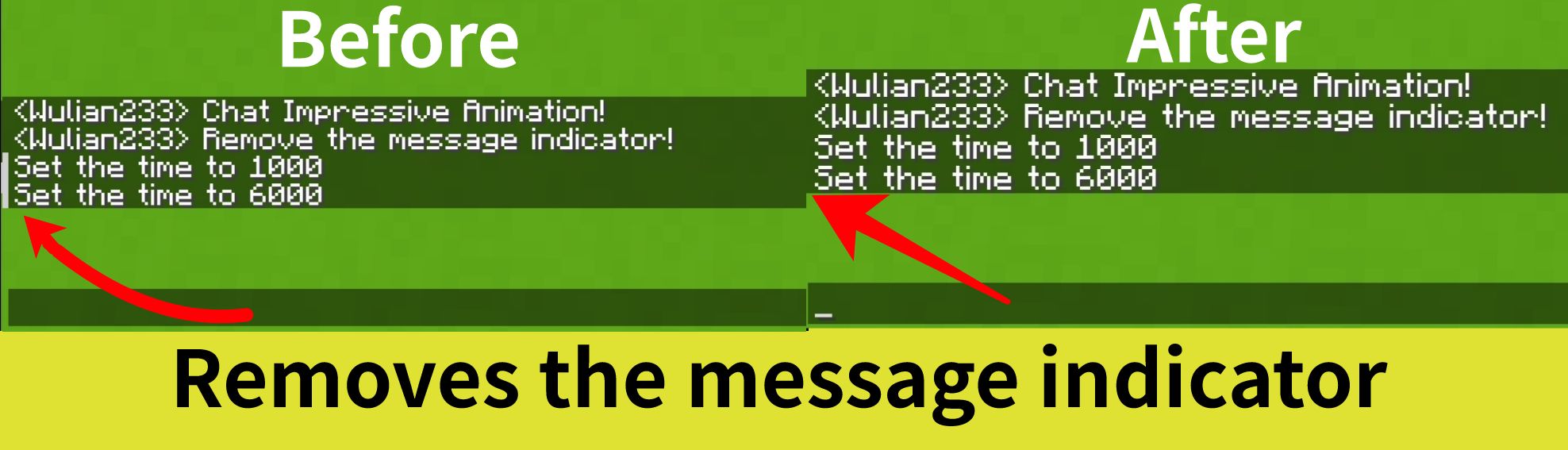
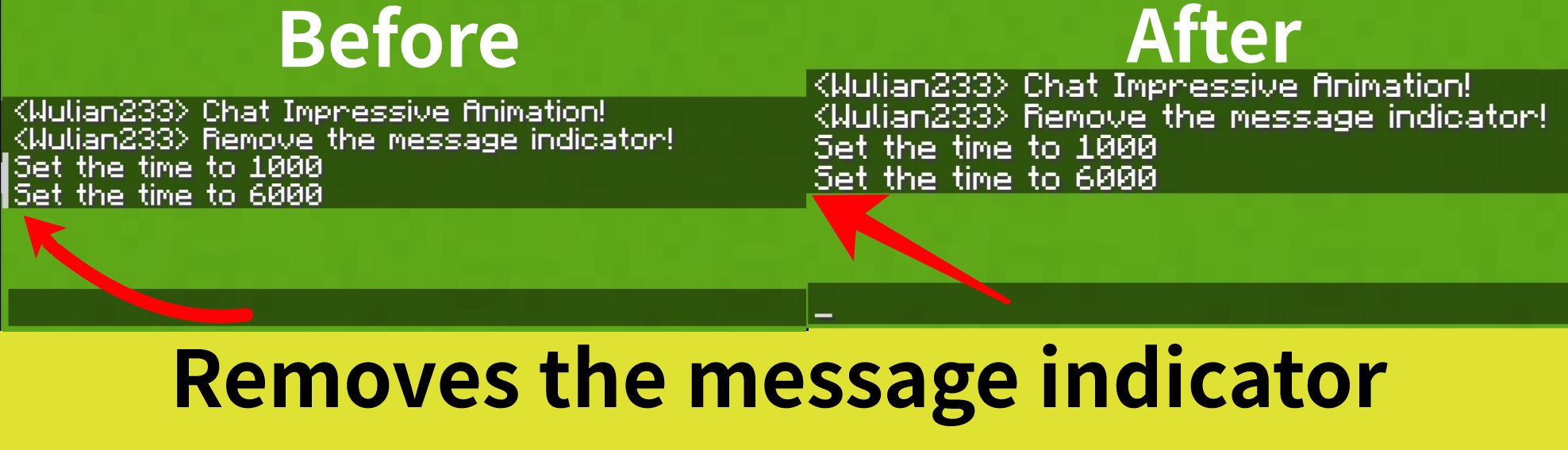
Makes the chat look better by adding animations, such as opening/closing the chat bar, sending messages, etc. It also removes the message indicator


📖 What's this mod?
Chat Impressive Animation (CIA) is developed based on Chat Animation. Compared to the original mod, this mod adds more animation effects and detailed designs, and includes a configuration file to freely customize each feature. Most importantly, this mod supports Fabric, Forge, and Neoforge, all of which are required.
For mc versions 1.20.4 and below, Forge support is also provided, but message sending animations are not supported.
Note: This mod is not related to the real-life CIA, only the abbreviated name is the same.
✅ Features
All features can be individually configured in the configuration file!
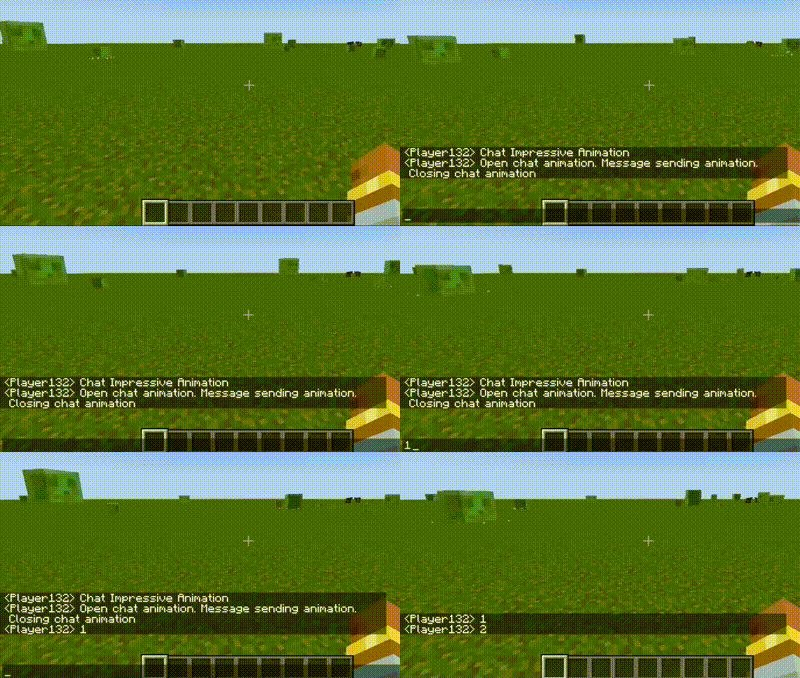
- Open chat bar animation
- Close chat bar animation
- Message sending animation (Unsupported Forge)
- Configuration of animation duration
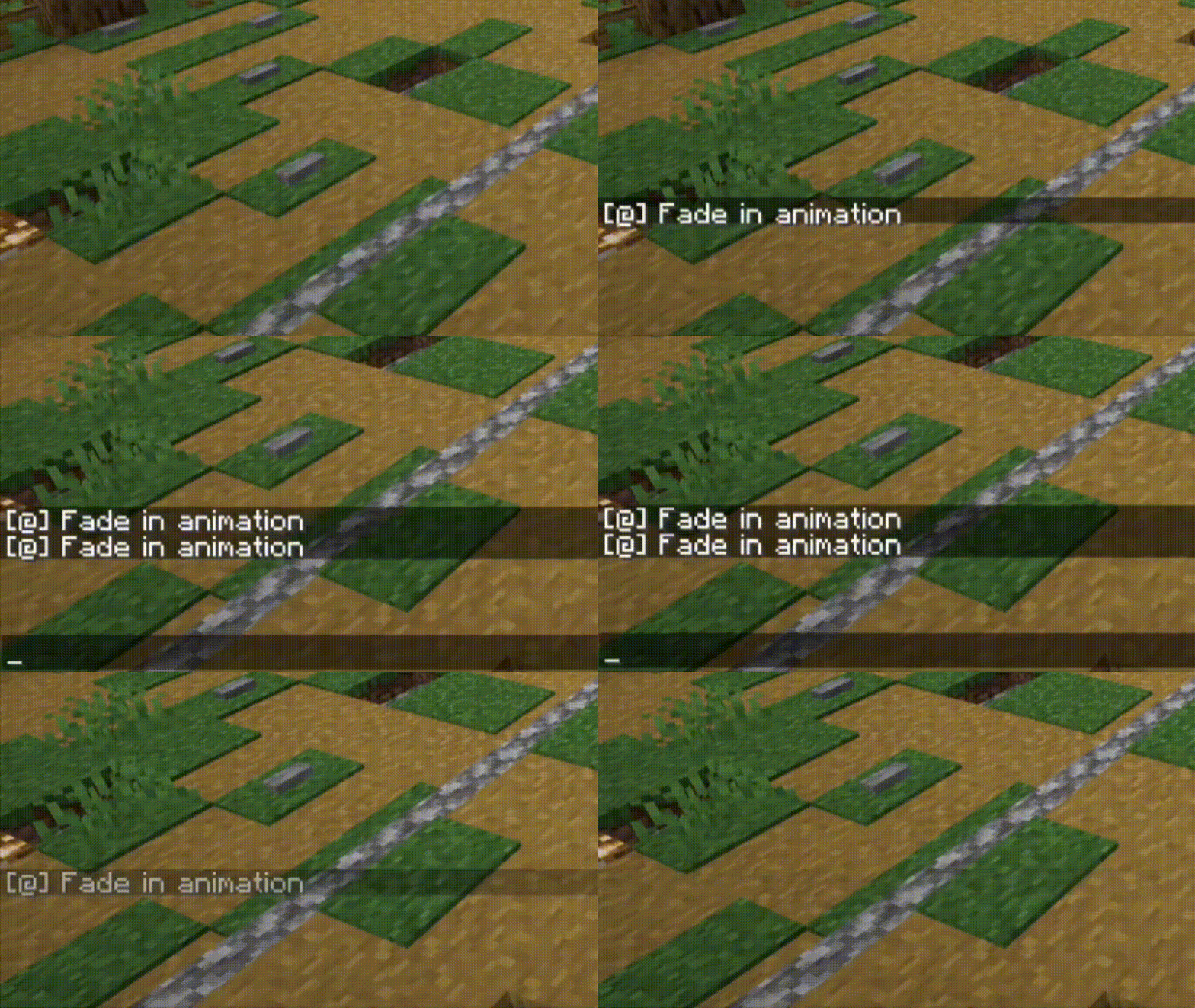
- Fade-in and fade-out animations for messages
- Removes the message indicator (Added in mc1.19.1)
✨ Screenshots
💖 Compatibility
This mod includes specialized compatibility code for the following mods:
Chat Impressive Animation
Makes the chat look better by adding animations, such as opening/closing the chat bar, sending messages, etc. It also removes the message indicator


📖 What's this mod?
Chat Impressive Animation (CIA) is developed based on Chat Animation. Compared to the original mod, this mod adds more animation effects and detailed designs, and includes a configuration file to freely customize each feature. Most importantly, this mod supports Fabric, Forge, and Neoforge, all of which are required.
For mc versions 1.20.4 and below, Forge support is also provided, but message sending animations are not supported.
Note: This mod is not related to the real-life CIA, only the abbreviated name is the same.
✅ Features
All features can be individually configured in the configuration file!
- Open chat bar animation
- Close chat bar animation
- Message sending animation (Unsupported Forge)
- Configuration of animation duration
- Fade-in and fade-out animations for messages
- Removes the message indicator (Added in mc1.19.1)
✨ Screenshots

💖 Compatibility
This mod includes specialized compatibility code for the following mods:
Screenshots
Gallery
-
 Preview Open/Close chat bar animation Massages animation Fade-in animation
-
 remove message indicator
-
 preview
-
 Preview Open/Close chat bar animation Massages animation Fade-in animation
-
 message indicator
Versions
Files
Relations
Project Relations
More like this
Similar Mods
Suggestions use data such as tags, dependencies, dependents, descriptions, titles, and more to rank how much they overlap with this mod.
Stats
- Downloads
-
5.1m
 4m
 1m
- Used in
- 633 modpacks
- Followers
- 0
- In stacks
- 0
- Created
-
- Last synced
-
Nov 8, 2026 9:30 AM UTC
New file updates sync automatically.
When ModDex last fully re-synced this project from CurseForge or Modrinth. A new file release triggers a resync usually within minutes, and every project is also re-synced on a schedule. Edits that don't ship a file, such as a new description or screenshots, are checked every few hours and can appear before this date changes.
How syncing works
External Links

Stats
- Downloads
-
5.1m
4m
1m
- Used in
- 633 modpacks
- Followers
- 0
- In stacks
- 0
- Created
-
- Last synced
-
Nov 8, 2026 9:30 AM UTC
New file updates sync automatically.
When ModDex last fully re-synced this project from CurseForge or Modrinth. A new file release triggers a resync usually within minutes, and every project is also re-synced on a schedule. Edits that don't ship a file, such as a new description or screenshots, are checked every few hours and can appear before this date changes.
How syncing works