Community listing page, reviews may not be monitored by the author.
Chat Reminder

No reviews yet
To be able to remind you so that you don't miss important people's messages, please use Commands/ChatReminder

Community voices
Reviews
No reviews yet. Be the first to review this project!
Get it on
Available Platforms
About
Project Details
For authors
Embed Badge
If you're the author of this project, you can embed a live badge anywhere that supports HTML or Markdown. It updates automatically whenever ratings change.
Use HTML for any page that supports it, or Markdown for README files and Markdown-based descriptions.
Identifiers
Platform IDs
Resources
External Links
About
Description
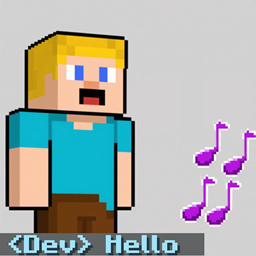
ChatReminderMod is a Minecraft Forge mod designed to enhance your chat experience by providing audible and visual alerts when specific player IDs or keywords appear in the chat.
Features:
- Custom Triggers: Set up triggers for player IDs (matching the tag at the beginning of a message, e.g.,
<Dev>) or keywords (anywhere in the message). - Sound Alerts: Play customizable sounds when a trigger is activated. You can configure the sound, volume, pitch, number of repetitions, and delay between repetitions.
- Visual Highlight: Change the color and apply bold formatting to the triggered message for better visibility.
- Client Commands: Manage all settings via in-game commands without needing to edit config files.
How to Use:
The mod adds a set of client commands under /ChatReminder. Here are the main commands:
0.Quick use
/ChatReminder set <id>
-
Add a Player ID Trigger:
/ChatReminder addid <id> <color> <sound_id> [note_count] [delay_ticks] [volume] [pitch_min] [pitch_max]
Example:
/ChatReminder addid Dev FFFFFF minecraft:entity.experience_orb.pickup 3 5 1.0 0.8 1.2 -
Add a Keyword Trigger:
/ChatReminder addword <keyword> <color> <sound_id> [note_count] [delay_ticks] [volume] [pitch_min] [pitch_max]
Example:
/ChatReminder addword hello FF0000 chatremindermod:wx1 -
Modify Settings for Quick Target ID (set by
/ChatReminder setid <id>):- Set sound:
/ChatReminder sound <sound_id> - Set note count:
/ChatReminder notes <count> - Set pitch range:
/ChatReminder pitchrange <min> <max> - Set color:
/ChatReminder setcolor <hex_color>
- Set sound:
-
Remove Triggers:
- Remove ID trigger:
/ChatReminder removeid <id> - Remove keyword trigger:
/ChatReminder removeword <keyword>
- Remove ID trigger:
Notes:
coloris a 6-digit hex code (without the#).sound_idcan be a built-in Minecraft sound (e.g.,minecraft:entity.experience_orb.pickup) or a custom sound added by a mod (e.g.,chatremindermod:wx1).- The
note_countis the number of times the sound should play (1-20). delay_ticksis the delay in game ticks (20 ticks = 1 second) between repetitions.volumeranges from 0.0 to 1.0.pitch_minandpitch_maxrange from 0.1 to 3.0, and the actual pitch will be randomly selected between them each time.
This mod is client-side only and works in multiplayer as well as single-player.
Screenshots
Gallery
Versions
Files
Relations
Project Relations
More like this
Similar Mods
Suggestions use data such as tags, dependencies, dependents, descriptions, titles, and more to rank how much they overlap with this mod.
On ModDex
Community snapshot
By the numbers
Statistics

Get it on
Available Platforms
On ModDex
Community snapshot
By the numbers
Statistics
Resources