Community listing page, reviews here may not be monitored by the author.
Chat Tabs

No reviews yet
Client-side Fabric chat tabs with private conversations.
Community voices
Reviews
No reviews yet. Be the first to review this project!
Get it on
Available Platforms
About
Project Details
For authors
Embed Badge
If you're the author of this project, you can embed a live badge anywhere that supports HTML or Markdown. It updates automatically whenever ratings change.
Use HTML for any page that supports it, or Markdown for README files and Markdown-based descriptions.
Identifiers
Platform IDs
Resources
External Links
About
Description
Ever lose a whisper in the wall of text on a server? Chat Tabs brings the private-message tabs from old-school MMORPGs like Tibia into Minecraft. Every player you whisper with gets their own tab, so DMs stop getting buried under public chat, deaths, and spam.
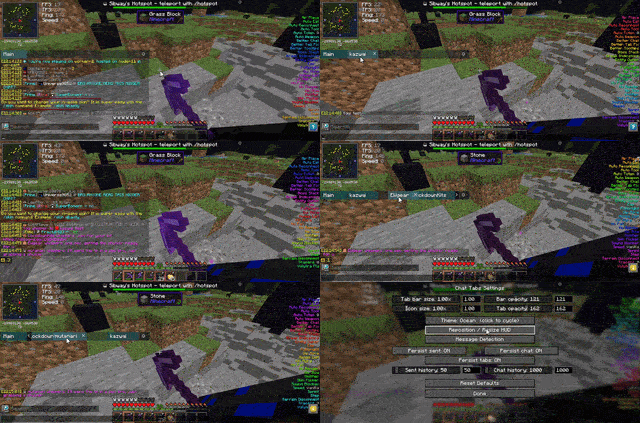
Built for 6b6t.org, but fully configurable for any server.
Features
Core chat tabs
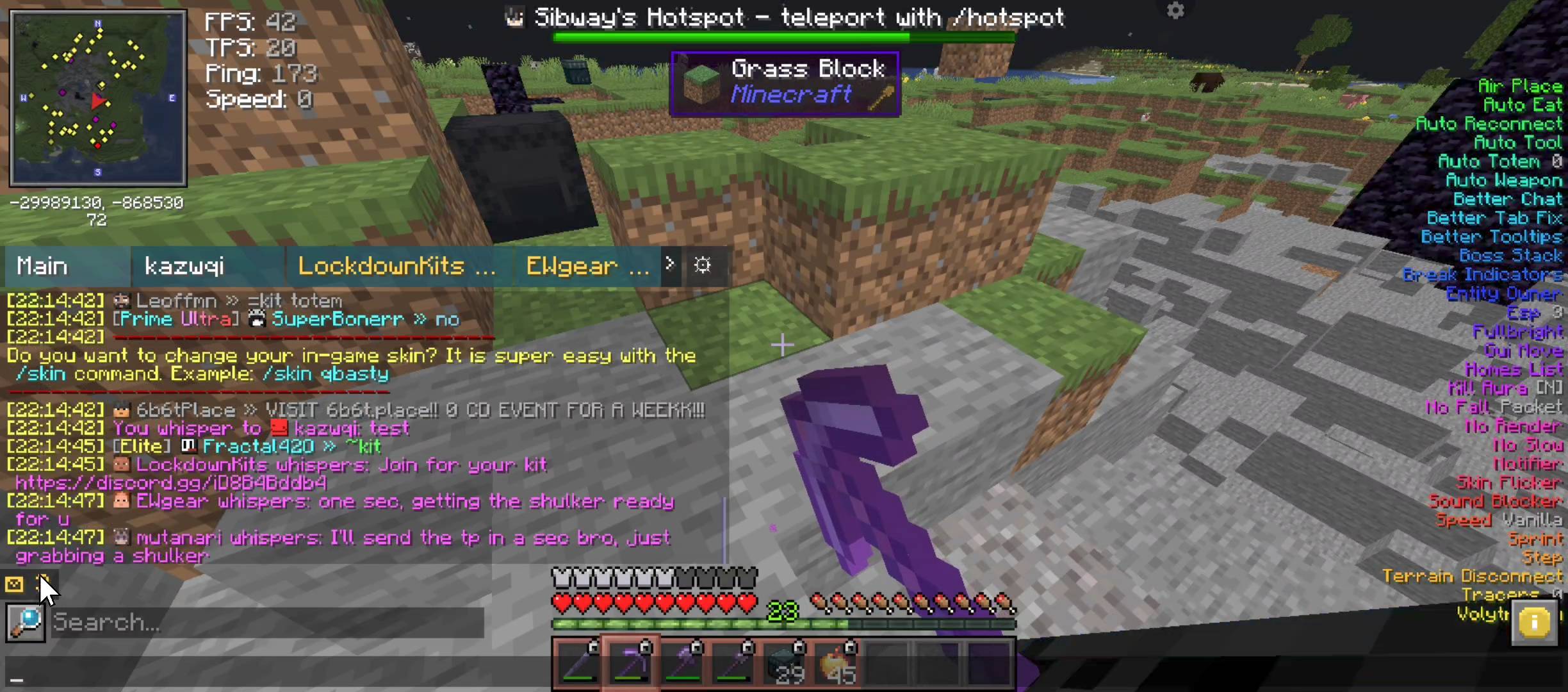
- Automatic per-player tabs — the first time you whisper someone (or they whisper you), a new tab appears.
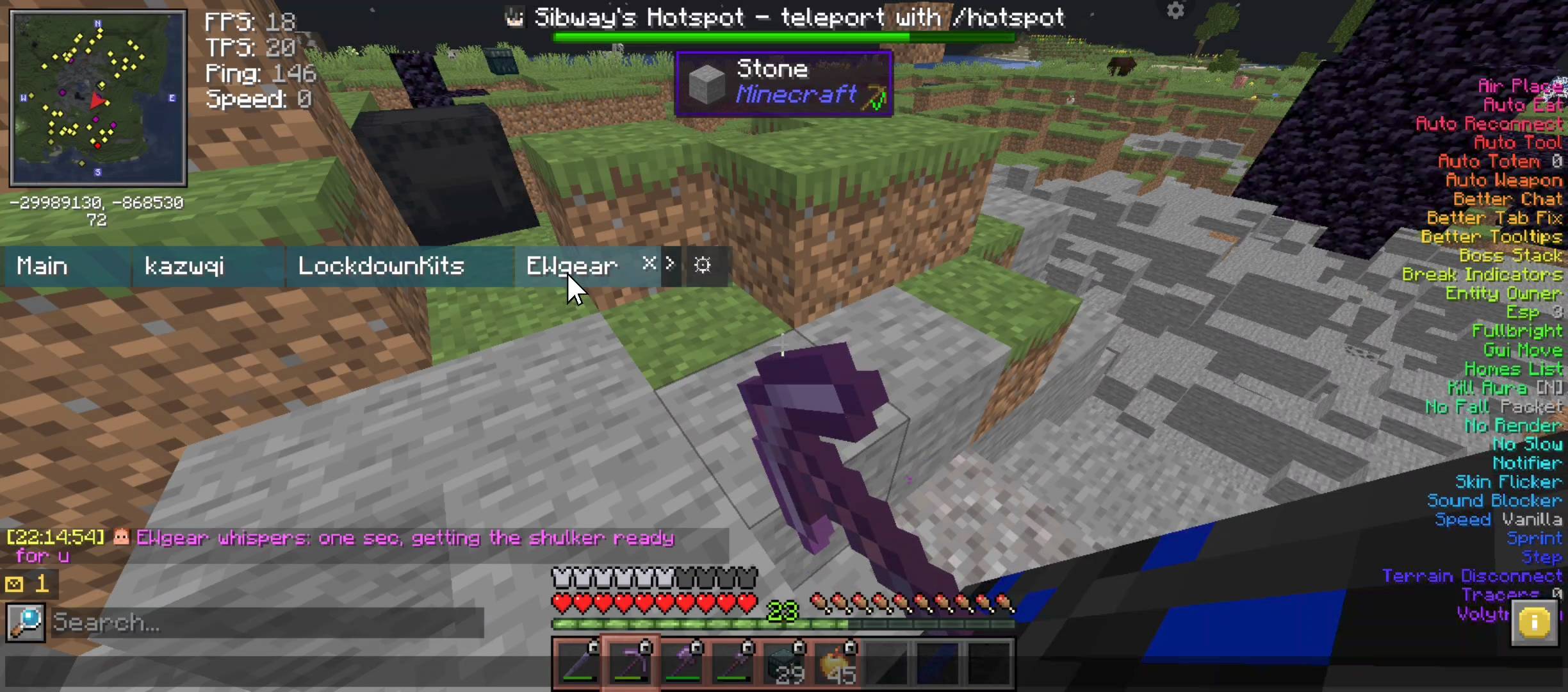
- Unread counters — each tab shows how many unread messages it has, plus a small ✉ badge on your HUD outside of the chat screen.
- Scrollable tab bar — tabs overflow into a horizontally scrollable strip with ‹ › arrows and mouse scroll when there are too many to fit. The selected tab auto-scrolls into view.
- One-click switching — click a tab to jump to that conversation, hover + click × to close it.
- Drag to reorder — click and drag a conversation tab to rearrange the order of your tabs.
- Reply straight from a tab — type and hit Enter while a whisper tab is open, and it's sent as a whisper to that player automatically — no need to type /w Name yourself.
- Slash commands still work — if you type a command starting with / while a private tab is selected (e.g. /tpa), it is sent as a normal command, not wrapped in a whisper.
- Everything still lands in Main — public chat, system messages, and copies of every whisper all still flow into the Main tab, so nothing is hidden, just organized.
- Smart de-duplication — outgoing whispers and the server's own echo are matched up so messages don't appear twice.
Appearance & HUD
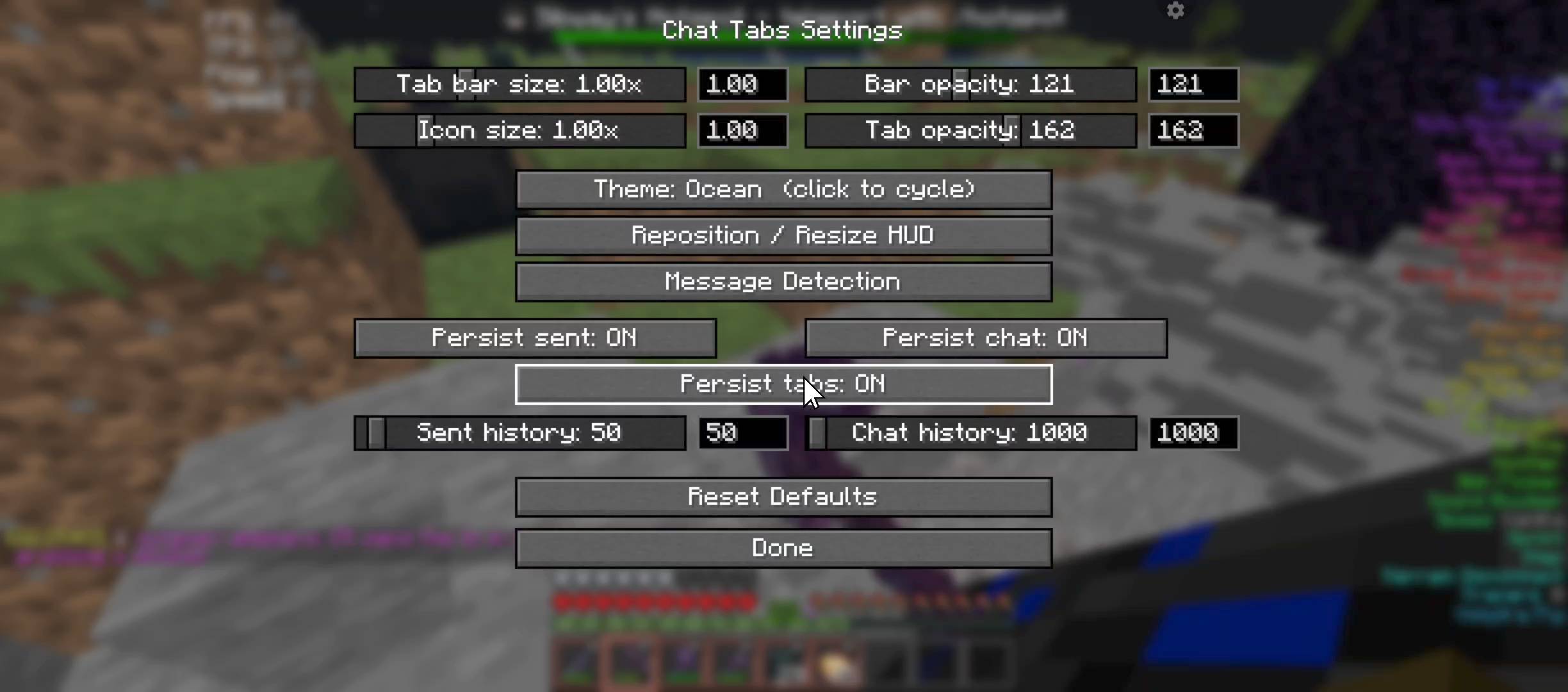
- Color themes — cycle through 24 built-in themes (Ocean, Midnight, Slate, Forest, Ember, Crimson, Purple, Neon, Abyss, High Contrast, and more).
- Custom transparency — independent opacity for the tab bar and tabs.
- Scalable tab bar — resize the whole tab strip (and its text) with a scale slider.
- Reposition & resize HUD — drag the tab bar, unread badge, and settings button; drag the blue edge of the tab bar to change its width.
- Settings button on the tab bar — a ⚙ button on the right of the tab strip for quick access while chat is open.
Configuration
- In-game settings GUI — open via the ⚙ button, Mod Menu, or a configurable keybind.
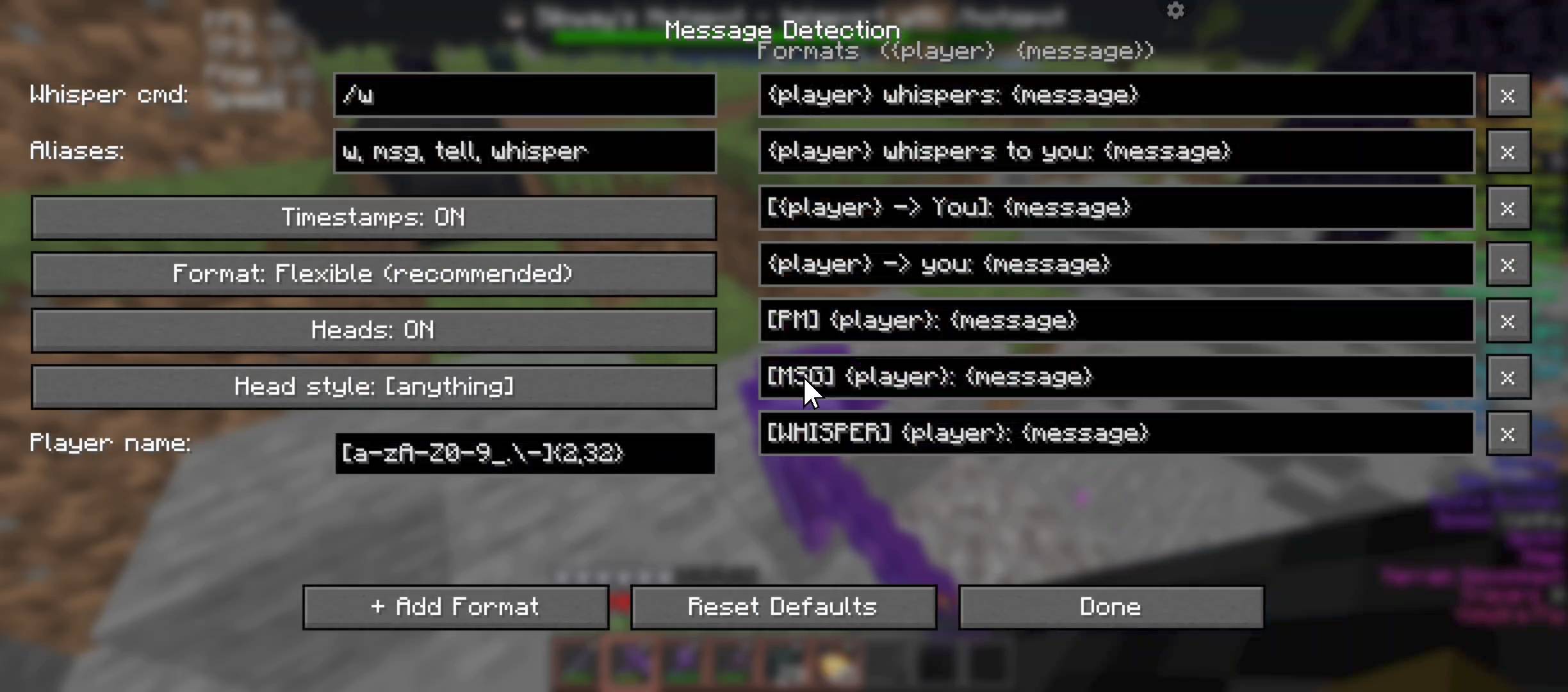
- User-friendly Message Detection — no regex needed. Toggle timestamps, heads/prefixes, and use simple formats with {player} and {message}. Defaults work great on 6b6t.
- Persistent sent messages — optional. Keep your chat input history (Up/Down arrows) across restarts. Adjustable limit.
- Persistent chat log — optional. Restore Main tab history after relog/restart (player heads & formatting preserved).
- Persistent tabs — optional. Keep private conversation tabs and their messages across restarts.
- Config file — everything is stored in config/tibia_chat_tabs.json and is created automatically on first run.
Compatible with Chat Patches and the Better Chat module from Meteor Client.
Requirements
- Fabric Loader
- Fabric API
- Mod Menu (optional)
Client-side only — no server installation needed.
Supported versions: 1.21.11, 26.1, 26.2
Why
Chat in classic MMORPGs like Tibia kept private conversations in their own tabs next to the main channel. This mod recreates that experience for Minecraft, aimed at high-traffic anarchy servers where whispers get lost fast.
Issues & Source
Source code, bug reports, and feature requests:
https://github.com/Fractal420/Chat-Tabs-Mod
Screenshots
Gallery
-
 Preview 1
 -
 Preview 2
 -
 Preview 3
 -
 Preview 4
Versions
Files
Relations
Project Relations
More like this
Similar Mods
Suggestions use data such as tags, dependencies, dependents, descriptions, titles, and more to rank how much they overlap with this mod.
On ModDex
Community snapshot
By the numbers
Statistics
Want to reach Minecraft players?
We're looking for a server hosting partner to feature here and other parts of the site. Interested? Send us a message!
Get in touchGet it on
Available Platforms
On ModDex
Community snapshot
By the numbers
Statistics
Resources