
Community listing page, reviews here may not be monitored by the author.
Chat Translator


No reviews yet
This mod adds DeepL support for global communication.
Community voices
Reviews
No reviews yet. Be the first to review this project!
Get it on
Available Platforms
Compatibility
Supported Environments
Works on the client or the server alone, but does more when on both.
About
Project Details
For authors
Embed Badge
If you're the author of this project, you can embed a live badge anywhere that supports HTML or Markdown. It updates automatically whenever ratings change.
Use HTML for any page that supports it, or Markdown for README files and Markdown-based descriptions.
Identifiers
Platform IDs
Resources
External Links
About
Description
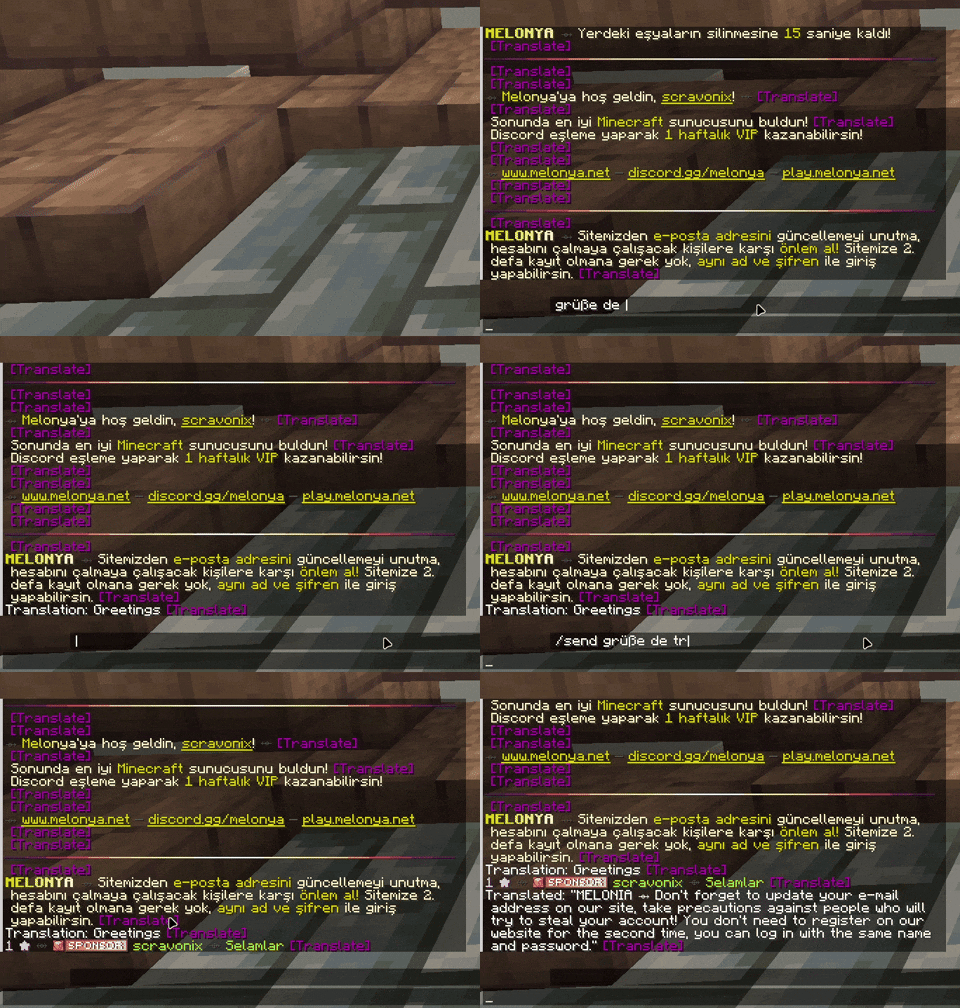
Chat Translator Mod
Chat Translator is a Minecraft mod that enhances your chat experience by integrating real-time translation capabilities using the DeepL API. Whether you're playing on a multilingual server or connecting with friends who speak different languages, this mod allows you to translate chat messages seamlessly, making communication effortless and inclusive.
Requirements
Installation Steps
- Install Fabric Loader: Download and install it from fabricmc.net. When you install, use minimum 0.16.10
- Install Fabric API: Get it from Modrinth and place it in your
modsfolder. - Download Chat Translator: Grab the latest JAR file from the releases page.
- Add to Mods Folder: Move the JAR file into your Minecraft
modsfolder. - Launch Minecraft: Start the game using the Fabric profile.
Configuration
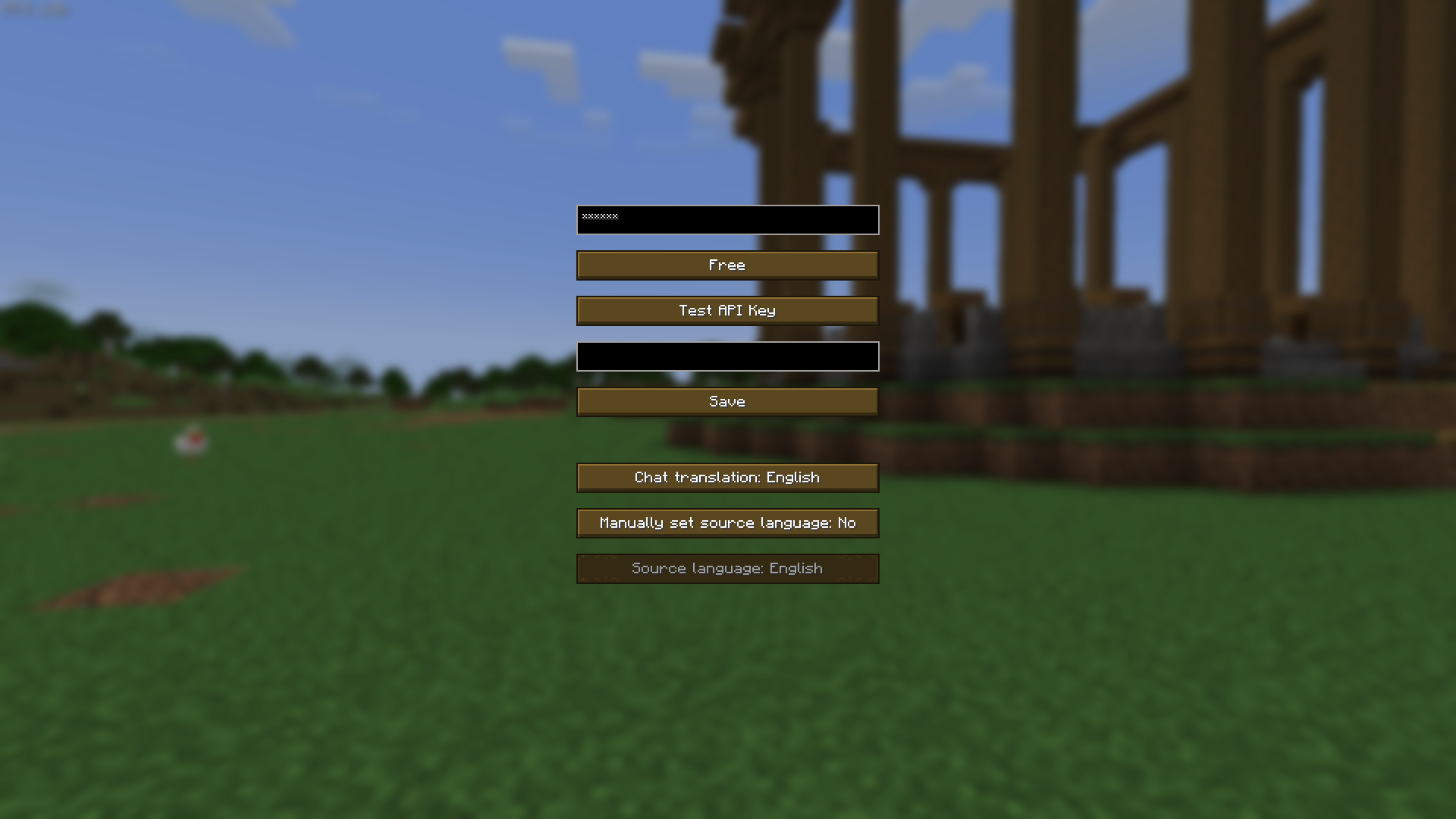
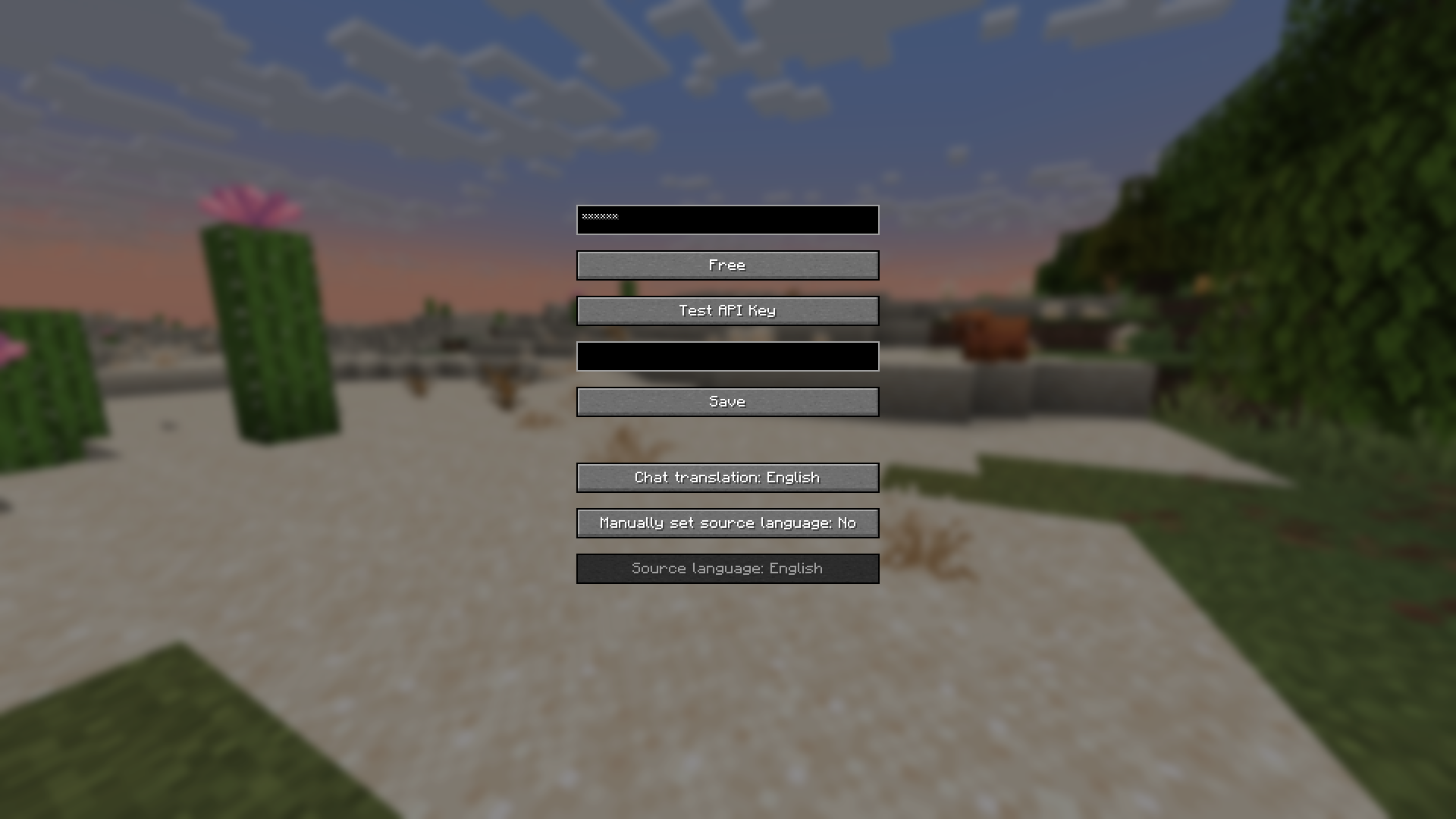
Access the configuration screen in-game by pressing the default keybind KP_ADD (numpad +) or via the Mod Menu if installed.
- API Key: Enter your DeepL API key here. If a key is already set, it appears masked (e.g.,
******). You can overwrite it with a new key. - Free / Pro: Toggles between the free and pro DeepL API modes. Free mode has basic features, while pro mode offers enhanced capabilities and higher limits.
- Test API Key: Tests your API key. The result (success or failure) appears in the result field.
- Result Field: Displays the outcome of the API key test (e.g., a translated sample or an error message).
- Save: Saves your settings and closes the configuration screen.
See messages sent to chat in the language of your choice:
- Chat translation: Sets your preferred language for translations (e.g., "EN" for English, "FR" for French).
- Manually set source language: Toggles whether the source language is manually specified. Shows "Yes" or "No" accordingly.
- Source language: Active only if manual source language is enabled. Selects the language of the text to be translated (e.g., "ES" for Spanish).
The message you want to translate is indicated in purple with [] at the end of each message in the chat.
In-Game Usage
Located above the chat bar, this field lets you type text for translation. Press Enter to process:
- Only you can see:
<text> <sourceLang> <targetLang>(e.g.,Hello EN EStranslates "Hello" from English to Spanish). - Sends to chat:
/send <text> <sourceLang> <targetLang>(e.g.,/send Bonjour FR ENsends "Hello").
See the languages supported by DeepL, along with their language codes: Supported Languages
Multilingual
- This mod supports the following languages: Arabic, Azerbaijani, Danish, German, English (US), Spanish (ES & MX), Finnish, French, Hindi, Dutch, Polish, Portuguese (BR), Russian, Swedish, Turkish, Ukrainian, and Chinese (ZH & TW). It will automatically switch to the language you are using in Minecraft.

Chat Translator Mod
Chat Translator is a Minecraft mod that enhances your chat experience by integrating real-time translation capabilities using the DeepL API. Whether you're playing on a multilingual server or connecting with friends who speak different languages, this mod allows you to translate chat messages seamlessly, making communication effortless and inclusive.
Requirements
Installation Steps
- Install Fabric Loader: Download and install it from fabricmc.net. When you install, use minimum 0.16.10
- Install Fabric API: Get it from Modrinth and place it in your
modsfolder. - Download Chat Translator: Grab the latest JAR file from the releases page.
- Add to Mods Folder: Move the JAR file into your Minecraft
modsfolder. - Launch Minecraft: Start the game using the Fabric profile.
Configuration
Access the configuration screen in-game by pressing the default keybind KP_ADD (numpad +) or via the Mod Menu if installed.
- API Key: Enter your DeepL API key here. If a key is already set, it appears masked (e.g.,
******). You can overwrite it with a new key. - Free / Pro: Toggles between the free and pro DeepL API modes. Free mode has basic features, while pro mode offers enhanced capabilities and higher limits.
- Test API Key: Tests your API key. The result (success or failure) appears in the result field.
- Result Field: Displays the outcome of the API key test (e.g., a translated sample or an error message).
- Save: Saves your settings and closes the configuration screen.
See messages sent to chat in the language of your choice:
- Chat translation: Sets your preferred language for translations (e.g., "EN" for English, "FR" for French).
- Manually set source language: Toggles whether the source language is manually specified. Shows "Yes" or "No" accordingly.
- Source language: Active only if manual source language is enabled. Selects the language of the text to be translated (e.g., "ES" for Spanish).
The message you want to translate is indicated in purple with [] at the end of each message in the chat.
In-Game Usage
Located above the chat bar, this field lets you type text for translation. Press Enter to process:
- Only you can see:
<text> <sourceLang> <targetLang>(e.g.,Hello EN EStranslates "Hello" from English to Spanish). - Sends to chat:
/send <text> <sourceLang> <targetLang>(e.g.,/send Bonjour FR ENsends "Hello").
See the languages supported by DeepL, along with their language codes: Supported Languages
Multilingual
- This mod supports the following languages: Arabic, Azerbaijani, Danish, German, English (US), Spanish (ES & MX), Finnish, French, Hindi, Dutch, Polish, Portuguese (BR), Russian, Swedish, Turkish, Ukrainian, and Chinese (ZH & TW). It will automatically switch to the language you are using in Minecraft.
Screenshots
Gallery
-
 Preview
-
 Config screen
Versions
Files
Relations
Project Relations
More like this
Similar Mods
Suggestions use data such as tags, dependencies, dependents, descriptions, titles, and more to rank how much they overlap with this mod.
On ModDex
Community snapshot
By the numbers
Statistics
Want to reach Minecraft players?
We're looking for a server hosting partner to feature here and other parts of the site. Interested? Send us a message!
Get in touchGet it on
Available Platforms
On ModDex
Community snapshot
By the numbers
Statistics
Resources