Community listing page, reviews may not be monitored by the author.
ChatMe

No reviews yet
A smarter chat: custom keyword tabs, private-message tabs, friends, ignore list, statuses, streamer mode and auto-reply. Client-side, Fabric 1.21.1.

Community voices
Reviews
No reviews yet. Be the first to review this project!
Get it on
Available Platforms
About
Project Details
For authors
Embed Badge
If you're the author of this project, you can embed a live badge anywhere that supports HTML or Markdown. It updates automatically whenever ratings change.
Use HTML for any page that supports it, or Markdown for README files and Markdown-based descriptions.
Identifiers
Platform IDs
Resources
External Links
About
Description
💬 ChatMe — Take control of your chat
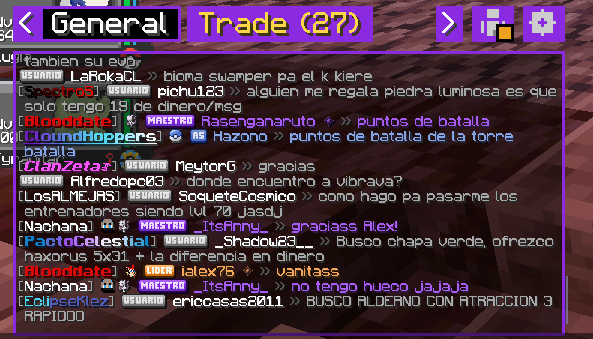
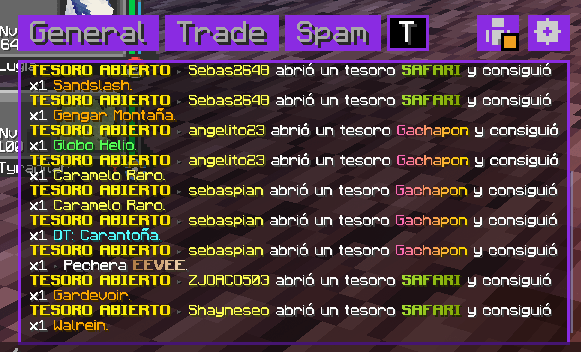
ChatMe turns Minecraft's single messy chat into a clean, tabbed, fully customizable chat window. Filter spam into its own tabs, keep every private conversation separate, manage friends, ignore people, set your status and go into streamer mode — all client-side, on any server.
It was born on the busy Spanish-speaking server DiosesMon, where the chat is flooded with ads, trades and announcements, and it works on any multiplayer server.
✨ Features
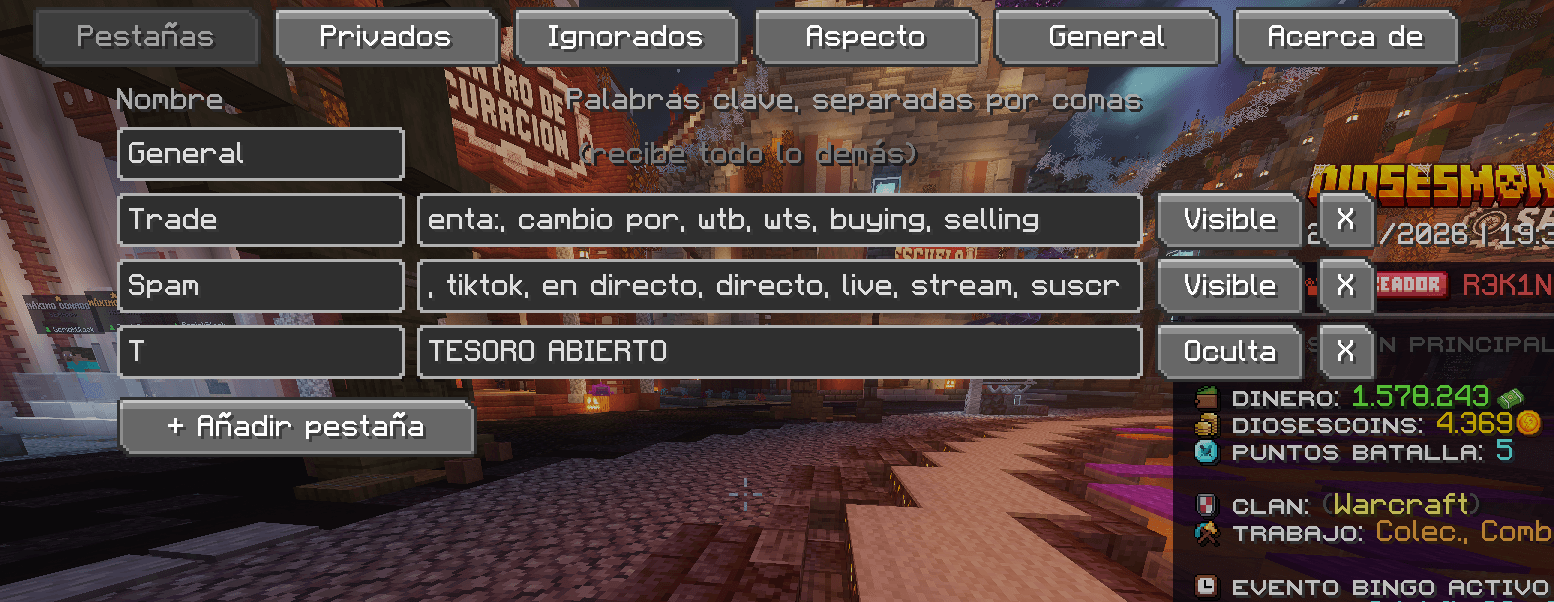
📑 Tabs with your own filters
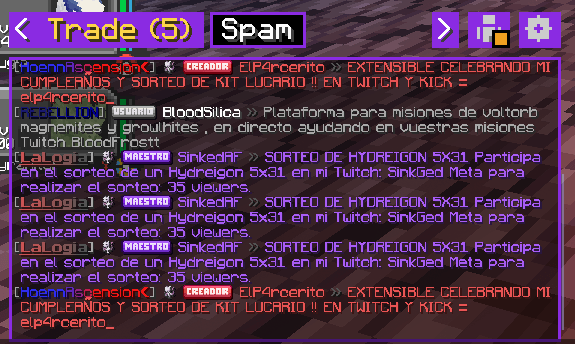
- Create your own tabs (up to 6), name them whatever you want and choose the keywords that send a message there. Just write them separated by commas — no regex needed.
- Spam, trades, events, announcements… each in its own tab, with an unread counter.
- Tabs can be hidden but keep filtering in the background. Everything that doesn't match goes to General.
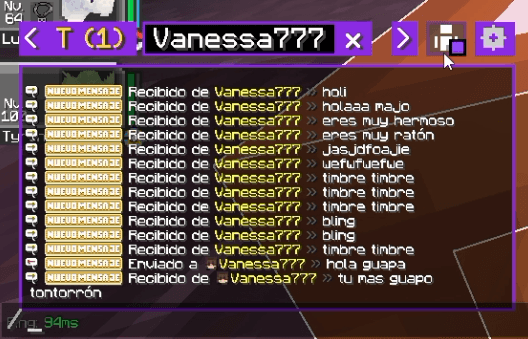
💌 Private messages, done right
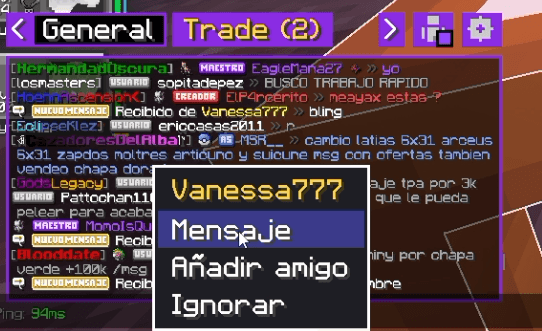
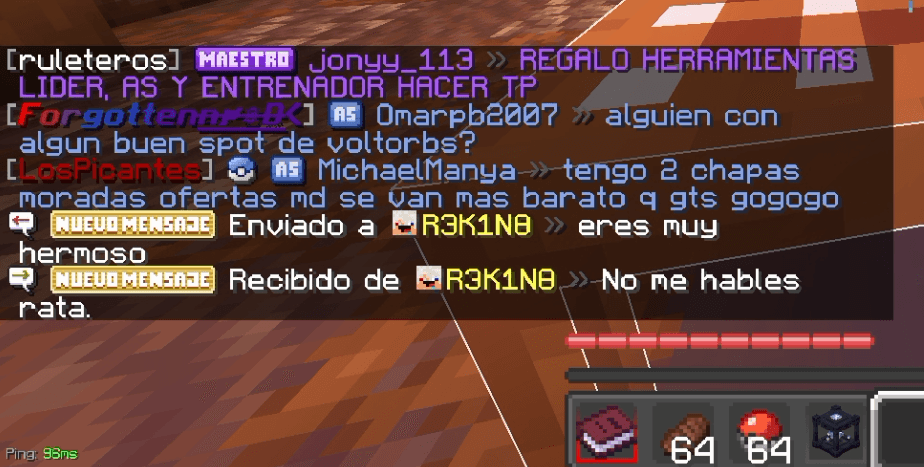
- Every conversation gets its own tab. Opening it shows your whole history with that player.
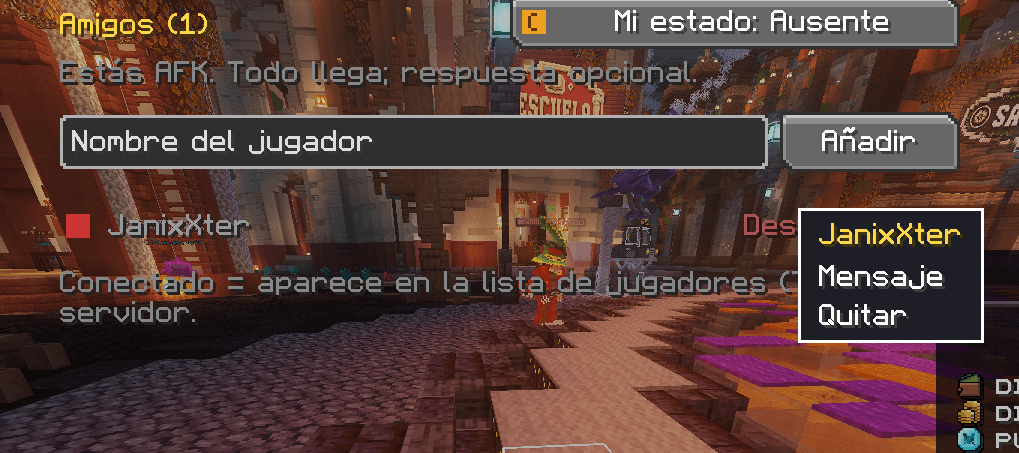
- Click a name to start a conversation. Right-click a name for Message · Add friend · Ignore.
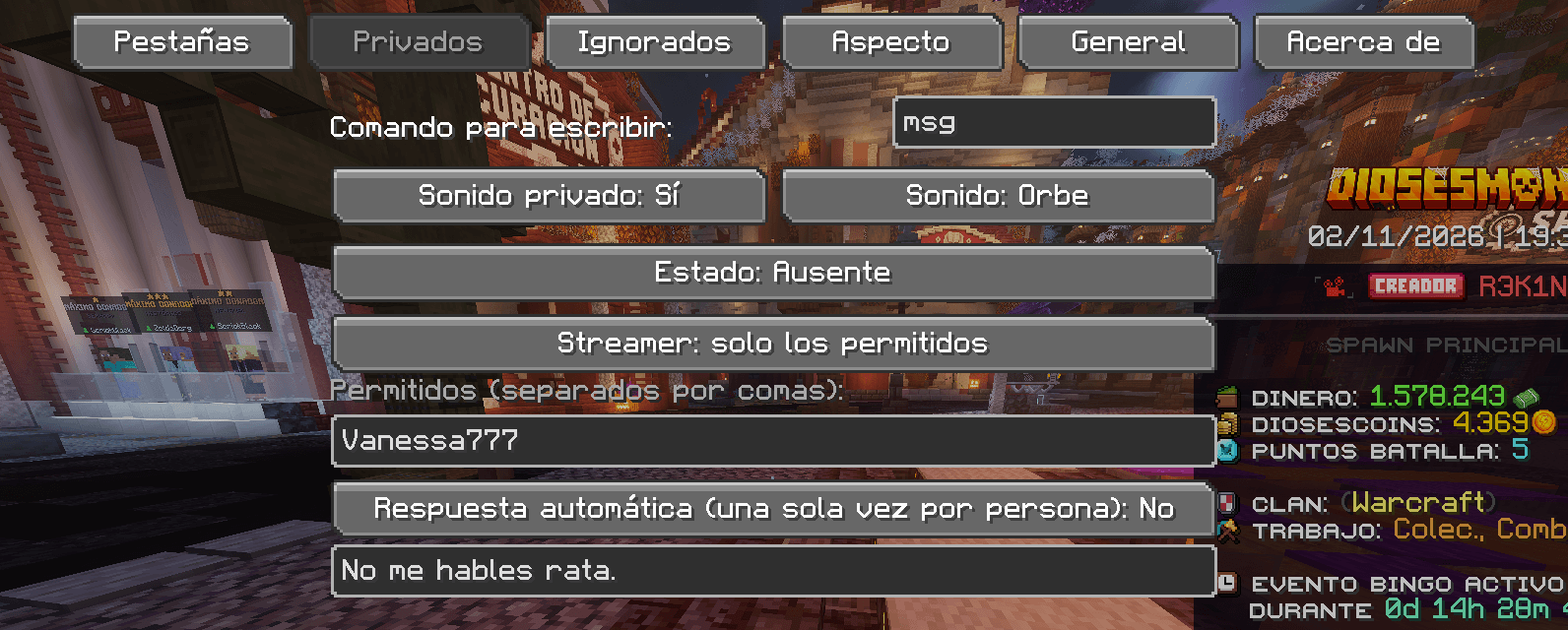
- Custom notification sound (4 to choose from), optionally replacing the server's own sound.
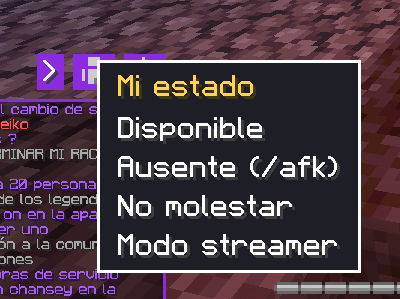
👥 Friends & statuses
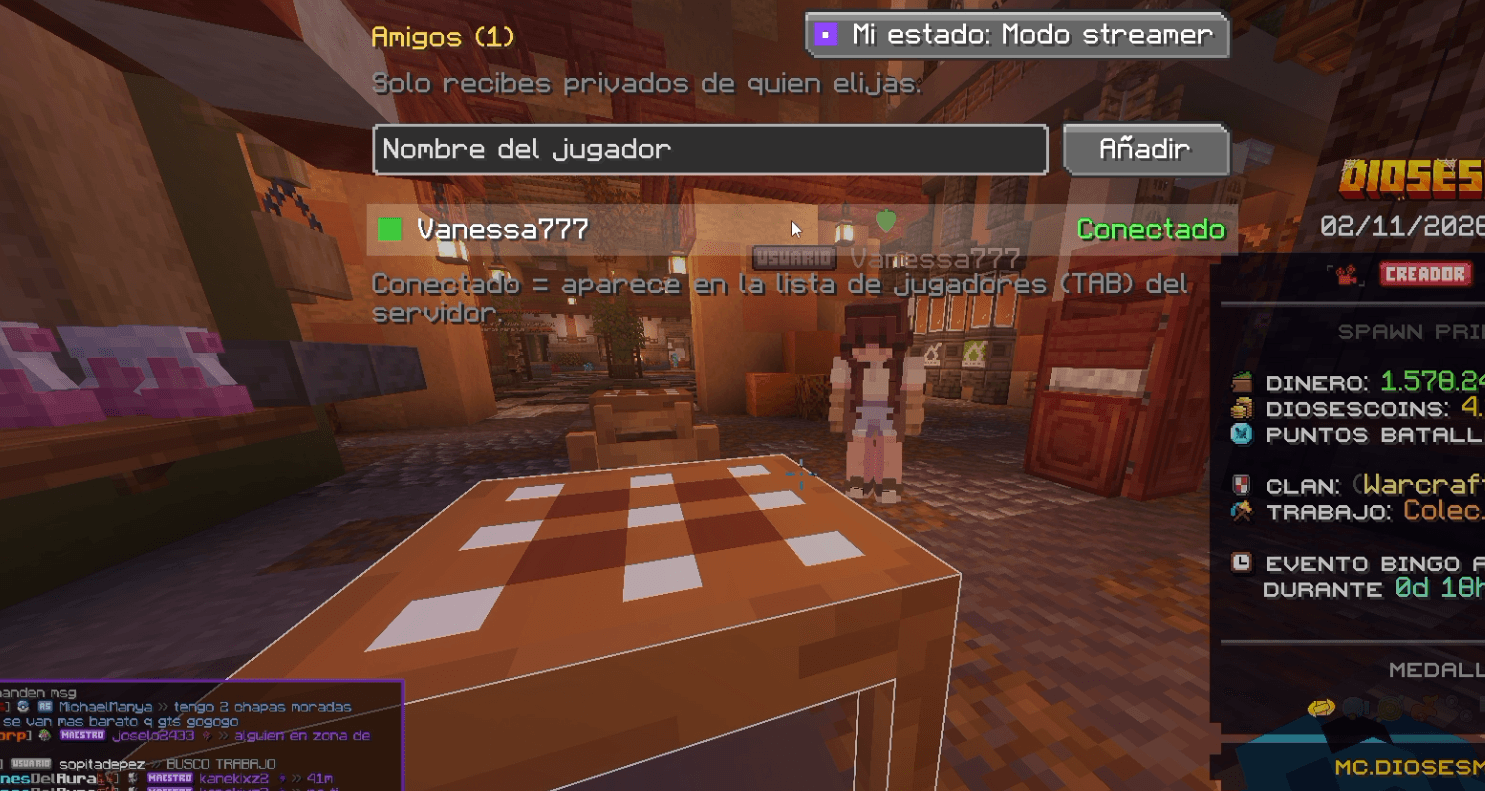
- A friends list with a 🟢 online / 🔴 offline indicator, based on the server's player list. Left-click a friend to message them.
- Set your status with one click: Available · Away · Do not disturb · Streamer mode. Away can send your server's
/afkfor you, and goes back to Available as soon as you move. - Streamer mode: only receive private messages from allowed players, from your friends, or from nobody.
- Auto-reply: optional, with your own text, sent only once per person.
🚫 Ignore list
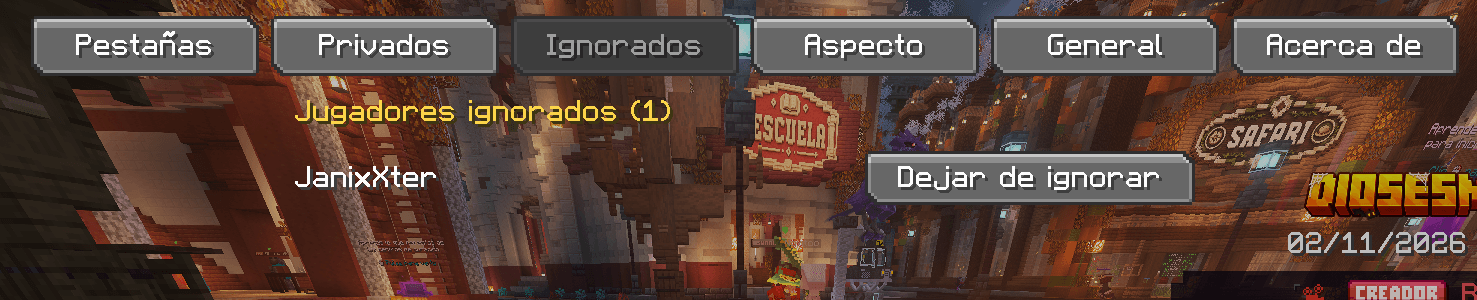
- Right-click → Ignore. Their messages and private messages disappear. Manage the list (and un-ignore anyone) from its own page.
🔗 Copy links in one click
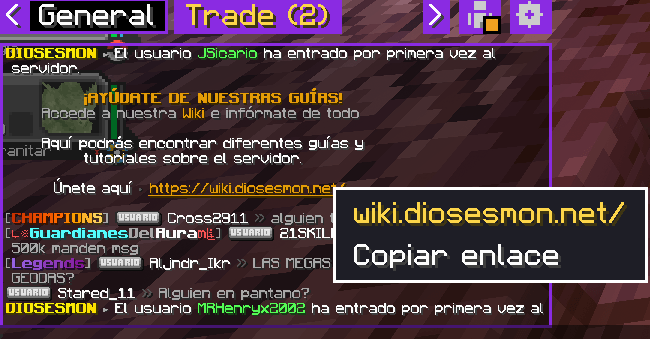
- Right-click a link in chat → Copy link, then paste it in your browser.
🎨 Make it yours
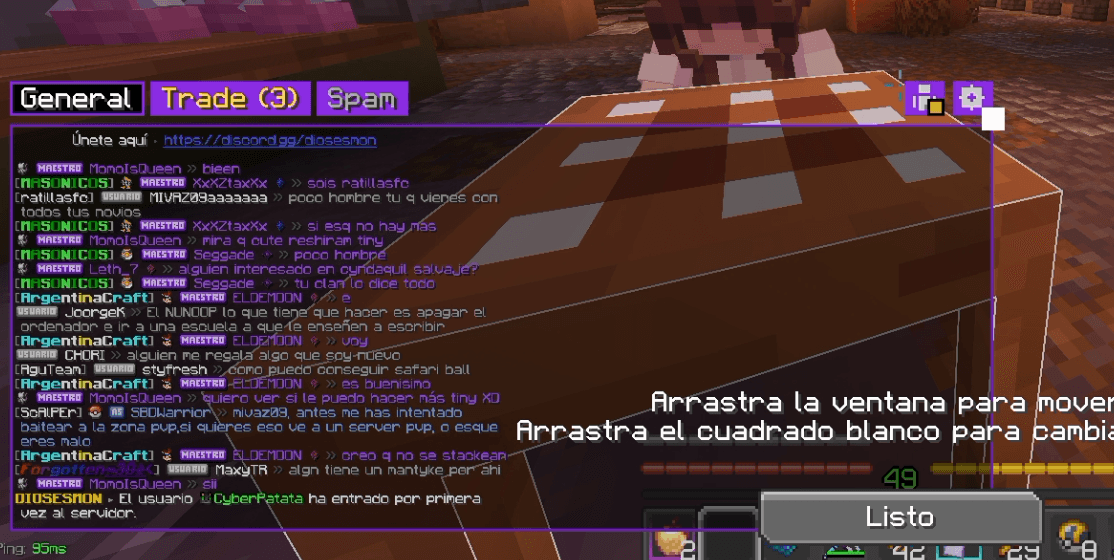
- Move and resize the chat by dragging it (with a Cancel button if you change your mind).
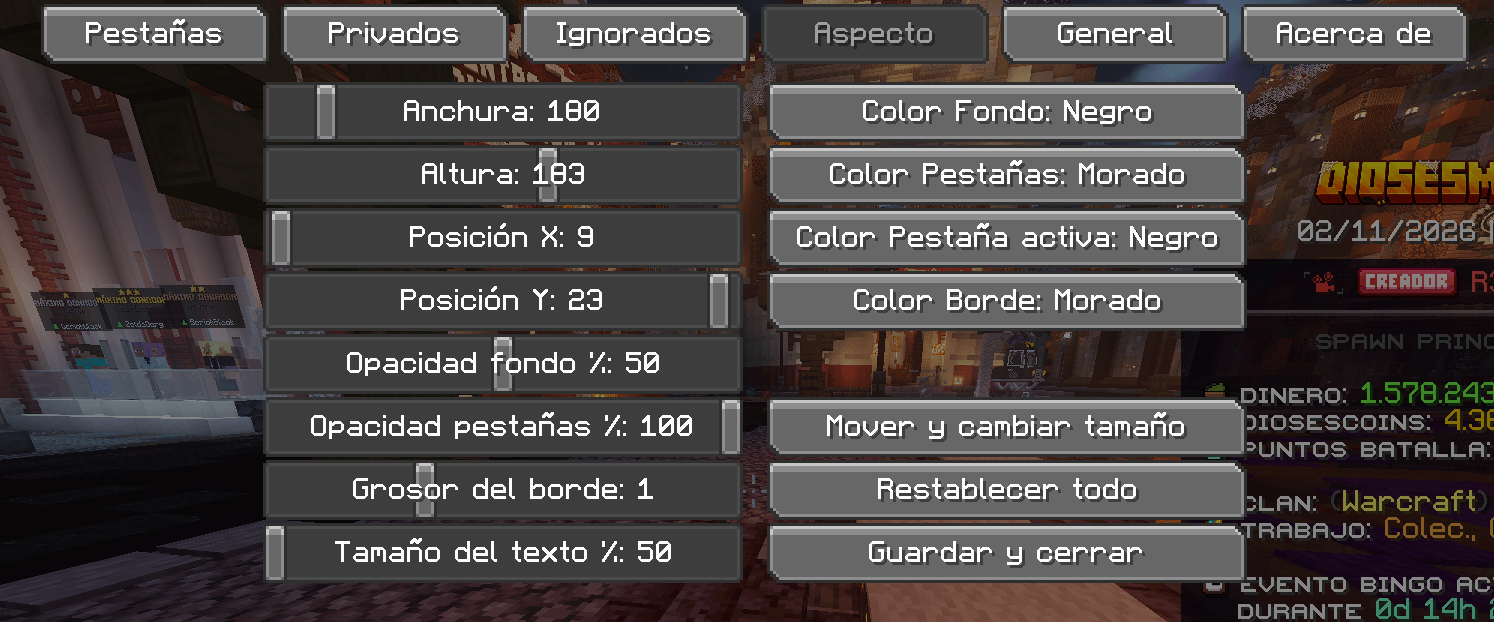
- Colors, opacity, border thickness and text size. The panel can stay on screen even when the chat is closed.
- Keeps up to 600 lines of history instead of vanilla's 100.
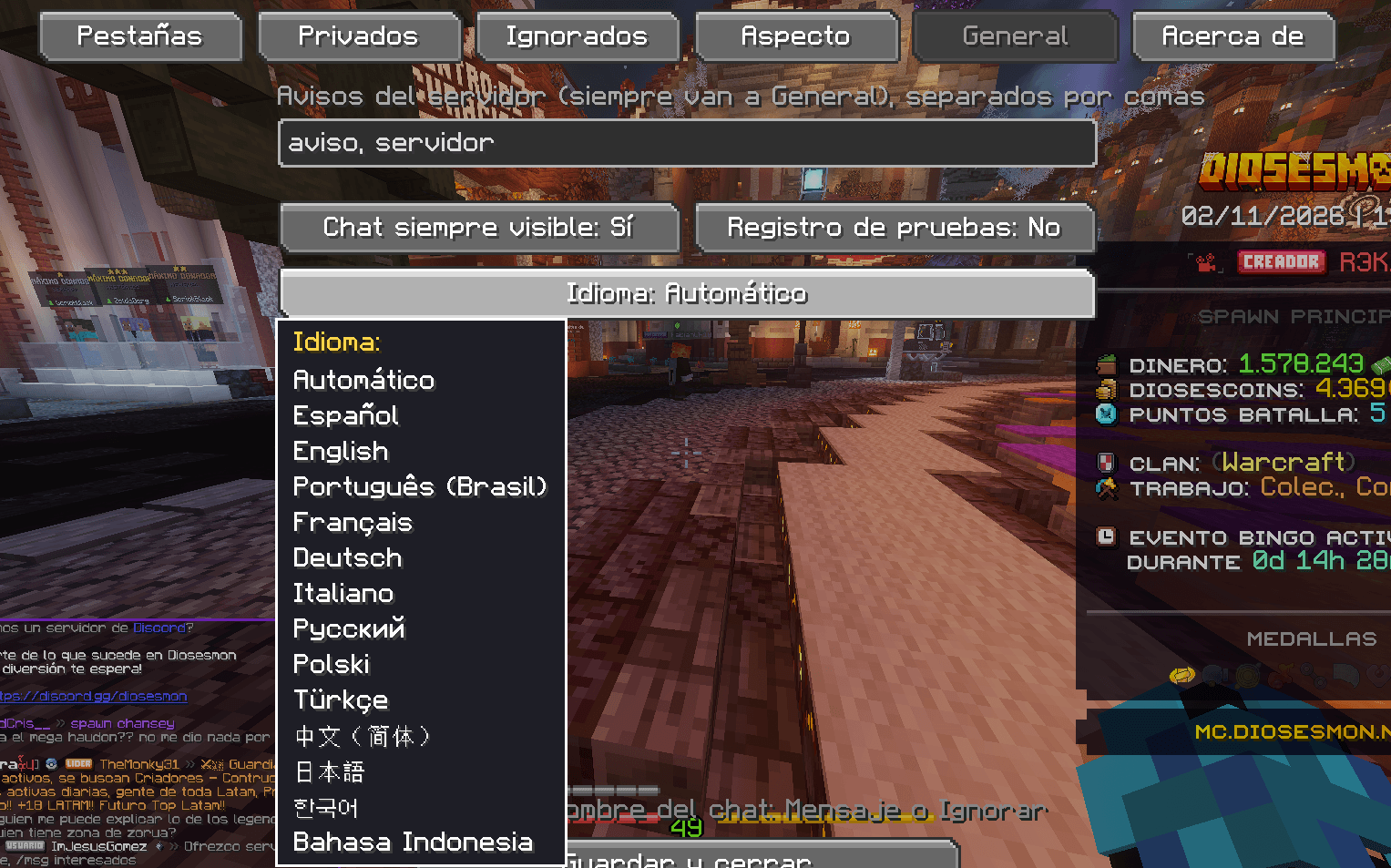
🌍 13 languages & ⌨️ keybinds
- English, Español, Português (BR), Français, Deutsch, Italiano, Русский, Polski, Türkçe, 中文, 日本語, 한국어 and Bahasa Indonesia. Pick one in the settings, or leave it on Automatic.
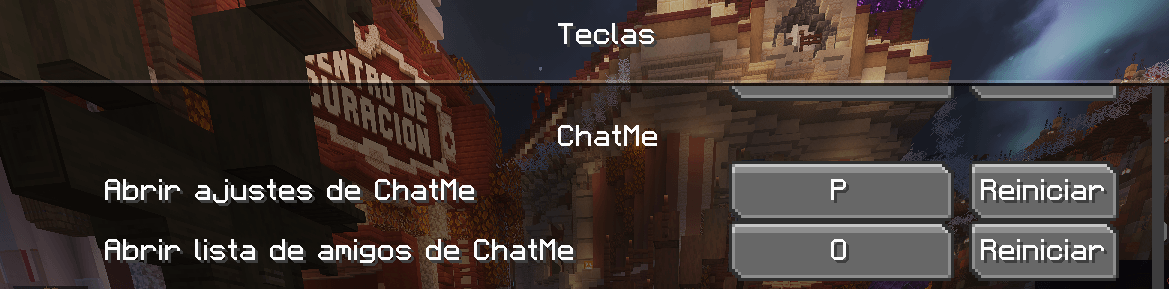
- Assign keys in Controls → ChatMe to open the settings and the friends list.
📦 Requirements
- Minecraft 1.21.1 · Fabric Loader · Fabric API · Java 21
- Client-side only. You don't need it on the server, and it doesn't change anything for other players.
🚀 How to use
- Drop the jar in your
modsfolder and start the game. - Open the chat: the tab bar is at the top of it. Click the ⚙ icon (or your keybind) for the settings and the little Steve icon for friends. Right-click the Steve icon to change your status.
❓ FAQ
- Do my friends see my status? No. Statuses only change what you receive; a client-side mod can't tell other players anything. (Online/offline comes from the server's player list, so you only see friends who are on your server.)
- Does it replace my chat? It draws its own chat panel in place of the vanilla one. If you use other mods that also change how chat looks, they may conflict.
- Which servers does it work on? Any. It recognises the usual private-message formats and the DiosesMon one; you can add your own patterns in
config/chatme.json. - The translations? Written with AI help and not reviewed by native speakers yet. Corrections are very welcome!
💡 Feedback & credits
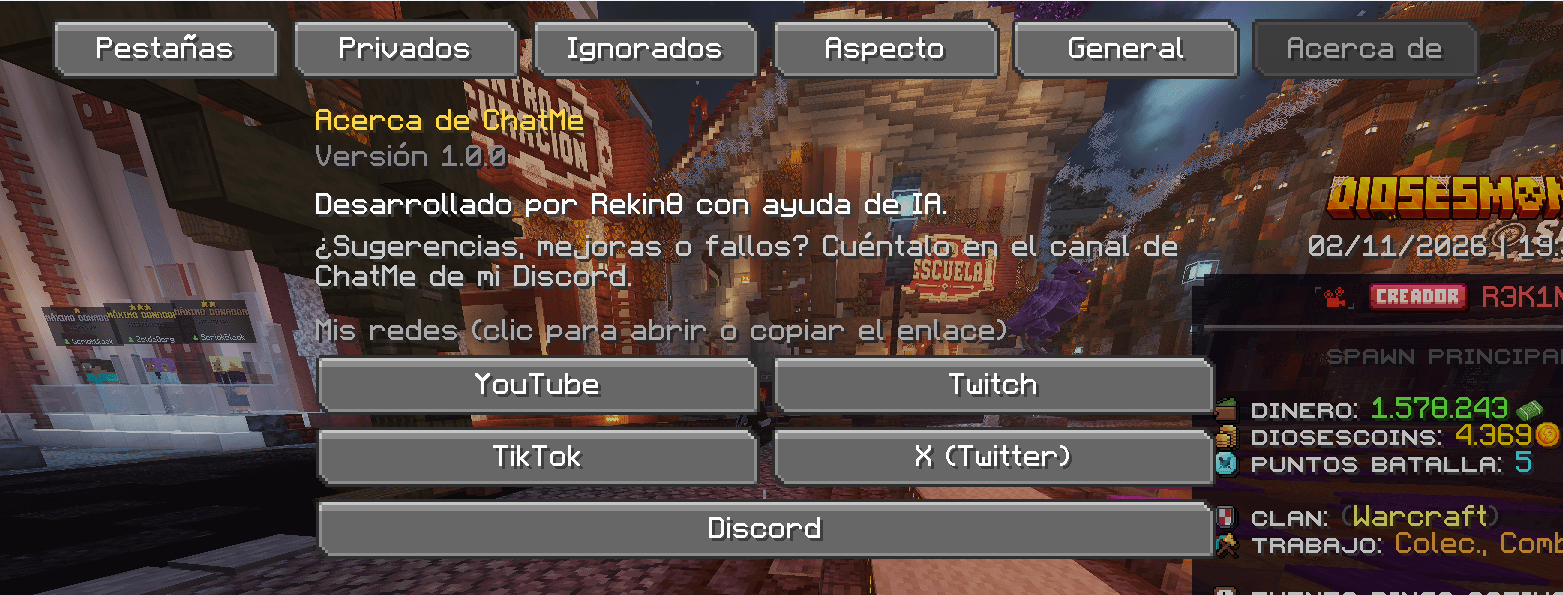
Made by Rekin8 with the help of AI. Suggestions, bugs or ideas? Tell me on my Discord (discord.gg/sgTET8Wcex) — there is a ChatMe channel.
📺 YouTube · 🎮 Twitch · 🎵 TikTok · 🐦 X
Screenshots
Gallery
-
 Captura de pantalla 2026-11-02 192451.png Captura de pantalla 2026-11-02 192451.png
-
 Captura de pantalla 2026-11-02 192759.png Captura de pantalla 2026-11-02 192759.png
-
 Captura de pantalla 2026-11-02 193222.png Captura de pantalla 2026-11-02 193222.png
-
 Captura de pantalla 2026-11-02 193237.png Captura de pantalla 2026-11-02 193237.png
-
 Captura de pantalla 2026-11-02 192850.png Captura de pantalla 2026-11-02 192850.png
-
 Captura de pantalla 2026-11-02 193524.png Captura de pantalla 2026-11-02 193524.png
-
 Captura de pantalla 2026-11-02 193104.png Captura de pantalla 2026-11-02 193104.png
-
 Captura de pantalla 2026-11-02 193114.png Captura de pantalla 2026-11-02 193114.png
-
 Captura de pantalla 2026-11-02 193121.png Captura de pantalla 2026-11-02 193121.png
-
 Captura de pantalla 2026-11-02 195640.png Captura de pantalla 2026-11-02 195640.png
-
 Captura de pantalla 2026-11-02 193816.png Captura de pantalla 2026-11-02 193816.png
-
 Captura de pantalla 2026-11-02 193134.png Captura de pantalla 2026-11-02 193134.png
-
 Captura de pantalla 2026-11-02 193025.png Captura de pantalla 2026-11-02 193025.png
-
 Captura de pantalla 2026-11-02 194120.png Captura de pantalla 2026-11-02 194120.png
-
 Captura de pantalla 2026-11-02 192829.png Captura de pantalla 2026-11-02 192829.png
-
 Captura de pantalla 2026-11-02 193754.png Captura de pantalla 2026-11-02 193754.png
-
 Captura de pantalla 2026-11-02 193149.png Captura de pantalla 2026-11-02 193149.png
-
 Captura de pantalla 2026-11-02 193201.png Captura de pantalla 2026-11-02 193201.png
Versions
Files
Relations
Project Relations
More like this
Similar Mods
Suggestions use data such as tags, dependencies, dependents, descriptions, titles, and more to rank how much they overlap with this mod.
On ModDex
Community snapshot
By the numbers
Statistics

Get it on
Available Platforms
On ModDex
Community snapshot
By the numbers
Statistics
Resources