
Community listing page, reviews may not be monitored by the author.
Cheese-Player Poser

No reviews yet
A minecraft mod that lets you pose yourself in game.

Community voices
Reviews
No reviews yet. Be the first to review this project!
Get it on
Available Platforms
About
Project Details
For authors
Embed Badge
If you're the author of this project, you can embed a live badge anywhere that supports HTML or Markdown. It updates automatically whenever ratings change.
Use HTML for any page that supports it, or Markdown for README files and Markdown-based descriptions.
Identifiers
Platform IDs
Resources
External Links
About
Description
CHEESE — POSE EDITOR
A client-side Fabric pose editor with bendable limbs, eyelids, skin and cape
previews, and Sodium support.
Cheese is a client-side Fabric mod that lets you pose player models in game with
a Blender-style editor. Pick a bone, drag the rotation rings or move handles,
save the pose, and assign it to yourself or to another player on your client.
No commands, no resource packs, and no server-side installation.
FEATURES
Pose editor
- Blender-style rotation rings and translation handles on every joint.
- 12-slice continuous limbs: elbows and knees bend smoothly instead of breaking
into two boxes.
- 12-slice armor: chestplates, leggings and boots follow the same bend.
- Cape and elytra posing, including an Elytra Control panel with X/Y/Z spread
sliders.
- Save, load, rename, delete and reset poses. Undo and redo for edits.
- Left-bar mannequin: click a body part to edit it, or use keys 1-9.
- Poses are saved per skin and are client-side only; changing world or server
clears assignments.
Eyelids (editor-only preview)
- Separate L Eye and R Eye sliders, 100% open to 0% closed.
- Real eyelid geometry on the model, visible from every camera angle.
- Two skin formats: SkinSpice (control pixel and closed face frame) and Just
Expressions (eye-frame strip and colour-matched eye boxes).
- A bundled blink demo skin is included if your skin has no blink pixels.
- Eyelids never change your real skin or anything sent to the server.
Preview skin and capes
- Load a Mojang player by name, or a local 64x64 or legacy 64x32 PNG.
- Skin and Cape tabs: preview 18 bundled official capes or import any 64x32
cape PNG.
- A front-view cape thumbnail is shown beside the list.
- Loading a Mojang player also loads that player's cape and elytra textures.
- Demo blink skin and demo cape included.
- All preview changes are local to the editor and reset when you close it.
Sodium compatibility helper
- Detects Sodium 0.9+ and offers a one-click fix for the entity-renderer
conflict.
- After fixing, the prompt offers Restart now or Later (Sodium only reads the
setting at startup).
- A restore guide is linked in the prompt:
https://raw.githubusercontent.com/BEGINWITHF/Cheese/main/docs/sodium-restore.md
SUPPORTED VERSIONS
Download the file that matches your Minecraft version:
- Minecraft 26.2 — Cheese 2.1.0
- Minecraft 26.3 — Cheese 2.2.0
Each file is built for one Minecraft version. Do not mix files between versions.
REQUIREMENTS
- Minecraft Java Edition
- Fabric Loader 0.19.3+ (26.2) or 0.20.1+ (26.3)
- Fabric API
- Java 25
- Client-side only; works in singleplayer and on servers
INSTALLATION
1. Install Fabric Loader for your Minecraft version.
2. Put Fabric API and the matching Cheese jar in mods/.
3. Start the game and press Backspace to open the editor (rebindable in
Controls).
HOW TO USE
1. Stand still and upright on solid ground, then press Backspace.
2. Click a body part on the mannequin or in the viewport.
3. Drag a rotation ring to rotate, or switch to Move and drag a line to
translate.
4. Press New to start a pose, Save to store it, and Done to close the editor.
5. Use Load to choose which saved pose is applied, or Reset and Reset All to
clear edits.
SODIUM
Sodium 0.9+ bakes entity cubes and hides Cheese's per-vertex limb bends. The
editor detects this and offers to disable Sodium's entity-renderer mixins by
setting this line in config/sodium-mixins.properties:
mixin.features.render.entity=false
A full restart is required. To restore Sodium, follow the guide above or set
the line back to true.
The entity culling, entity distance and entity shadow options in Sodium's video
settings are unrelated to this switch.
COMPATIBILITY NOTES
- Sodium 0.9+ — use the in-editor helper and restart.
- 3D Skin Layers — the second layer bends only partially; its voxel mesh is an
approximation.
- EMF or OptiFine player CEM — a player model override replaces the sliced
model, so bends may be replaced.
- Animation mods (PlayerAnimator, NotEnoughAnimations, Emotecraft, Figura) — they
may override the pose after Cheese applies it.
- Cape and wavey-cape mods — they may override cape motion.
- Physics Mod — may override limb or cape motion.
The editor shows a COMPAT badge when it detects one of these.
FAQ
Does the preview skin change my account?
No. It only replaces the skin used by the editor's viewport. Your real skin, the
entity and anything sent to the server are untouched.
Do other players see my pose?
Poses are client-side. Assignments are stored on your client and are cleared
when you change world or server.
Why are the eye sliders locked?
The loaded skin has no blink pixels for the selected format. Try the other
format or use the bundled blink demo skin.
I fixed Sodium but the bends still look wrong.
Restart the game completely. Sodium reads sodium-mixins.properties only at
startup.
LINKS
GitHub: https://github.com/BEGINWITHF/Cheese
Issues: https://github.com/BEGINWITHF/Cheese/issues
Restore Sodium:
https://raw.githubusercontent.com/BEGINWITHF/Cheese/main/docs/sodium-restore.md
LICENSE
MIT
Screenshots
Gallery
-
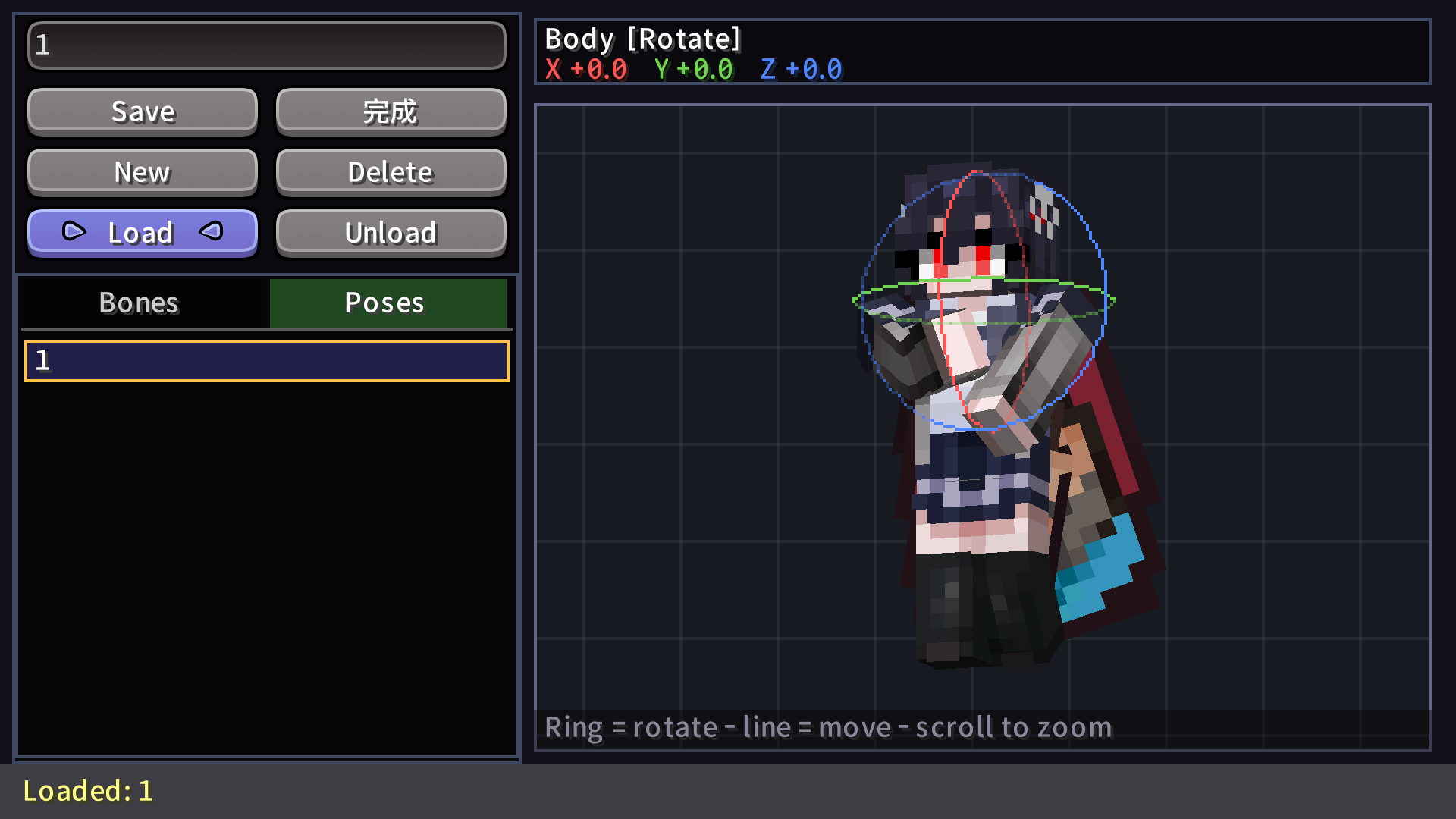 Player using the posing UI.png
-
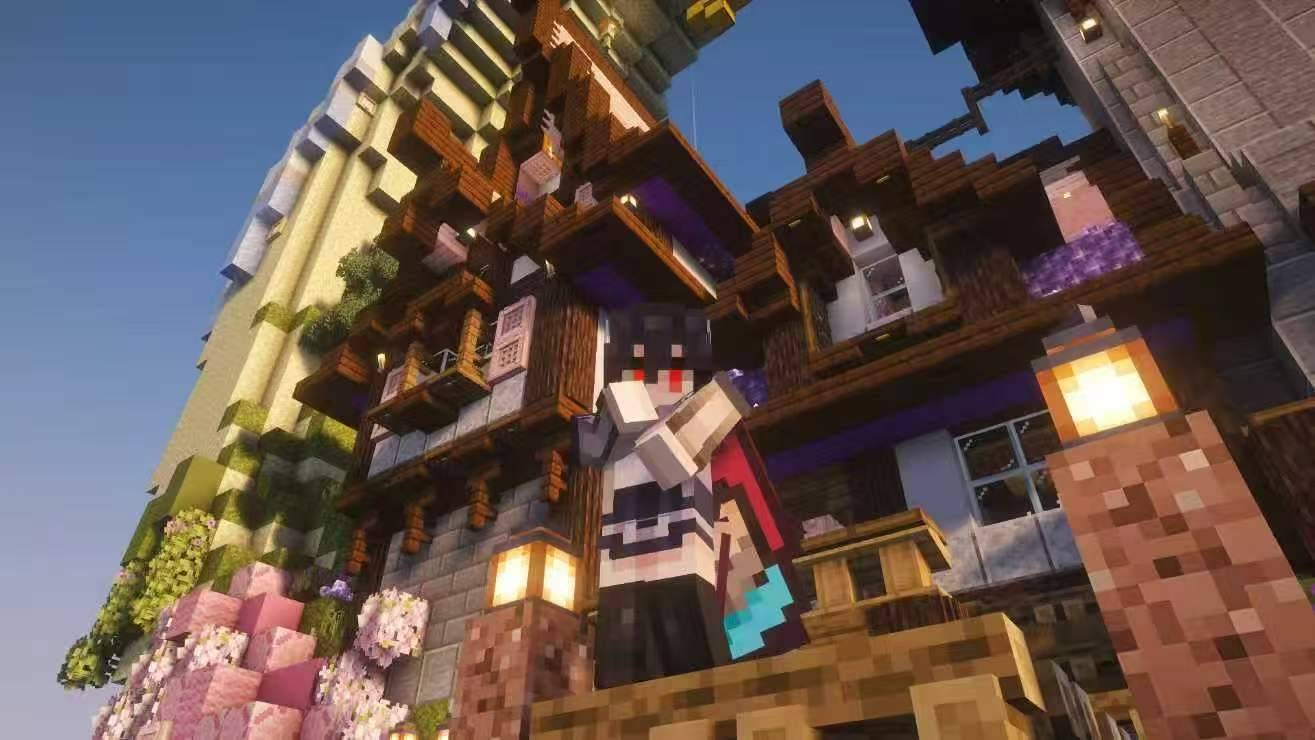 A picture shot with the help of "Cheese".jpg
Versions
Files
Relations
Project Relations
More like this
Similar Mods
Suggestions use data such as tags, dependencies, dependents, descriptions, titles, and more to rank how much they overlap with this mod.
On ModDex
Community snapshot
By the numbers
Statistics

Get it on
Available Platforms
On ModDex
Community snapshot
By the numbers
Statistics
Resources