
Community listing page, reviews may not be monitored by the author.
Chest Finder Esp - Neo/Forge/Fabric

No reviews yet
Chest Finder is a client-side utility mod that helps you locate containers and storage blocks through walls using an ESP (Extra Sensory Perception) overlay. Perfect for exploring abandoned mineshafts, finding hidden loot in dungeons

Community voices
Reviews
No reviews yet. Be the first to review this project!
Get it on
Available Platforms
About
Project Details
For authors
Embed Badge
If you're the author of this project, you can embed a live badge anywhere that supports HTML or Markdown. It updates automatically whenever ratings change.
Use HTML for any page that supports it, or Markdown for README files and Markdown-based descriptions.
Identifiers
Platform IDs
Resources
External Links
About
Description
Chest Finder — ESP Utility Mod
Description
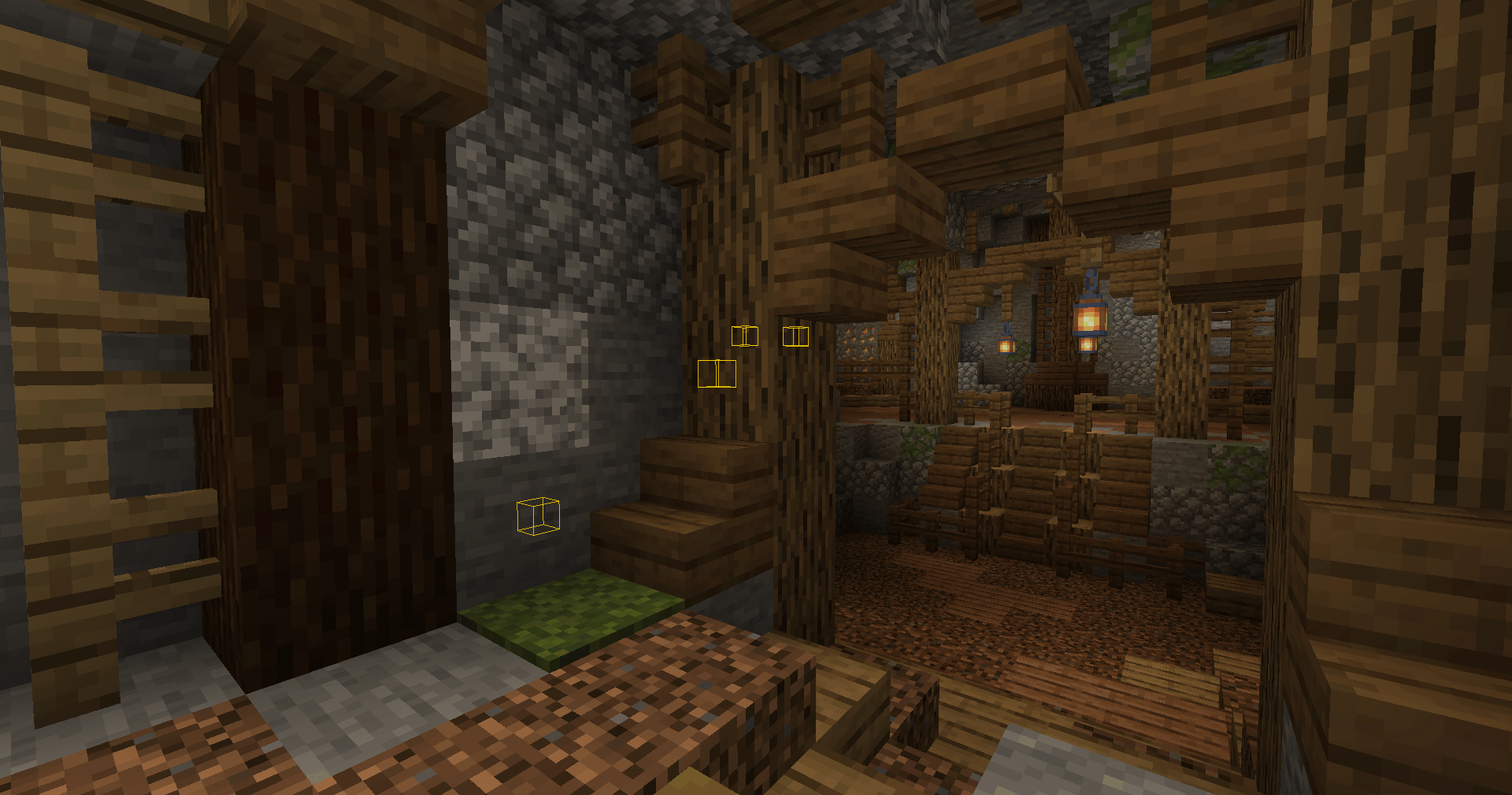
Chest Finder is a client-side utility mod that helps you locate containers and storage blocks through walls using an ESP (Extra Sensory Perception) overlay.
Perfect for exploring abandoned mineshafts, finding hidden loot in dungeons, or simply keeping track of your storage rooms!
My Others mods click on text :
>> WallHack Neo/Forge/Fabric <<
✅ Features
ESP Highlight System
- Renders colored outlines around supported storage blocks visible through walls
- Configurable render distance (16–256 blocks)
- Toggle on/off instantly with a keybind
🧱 Supported Blocks
Containers
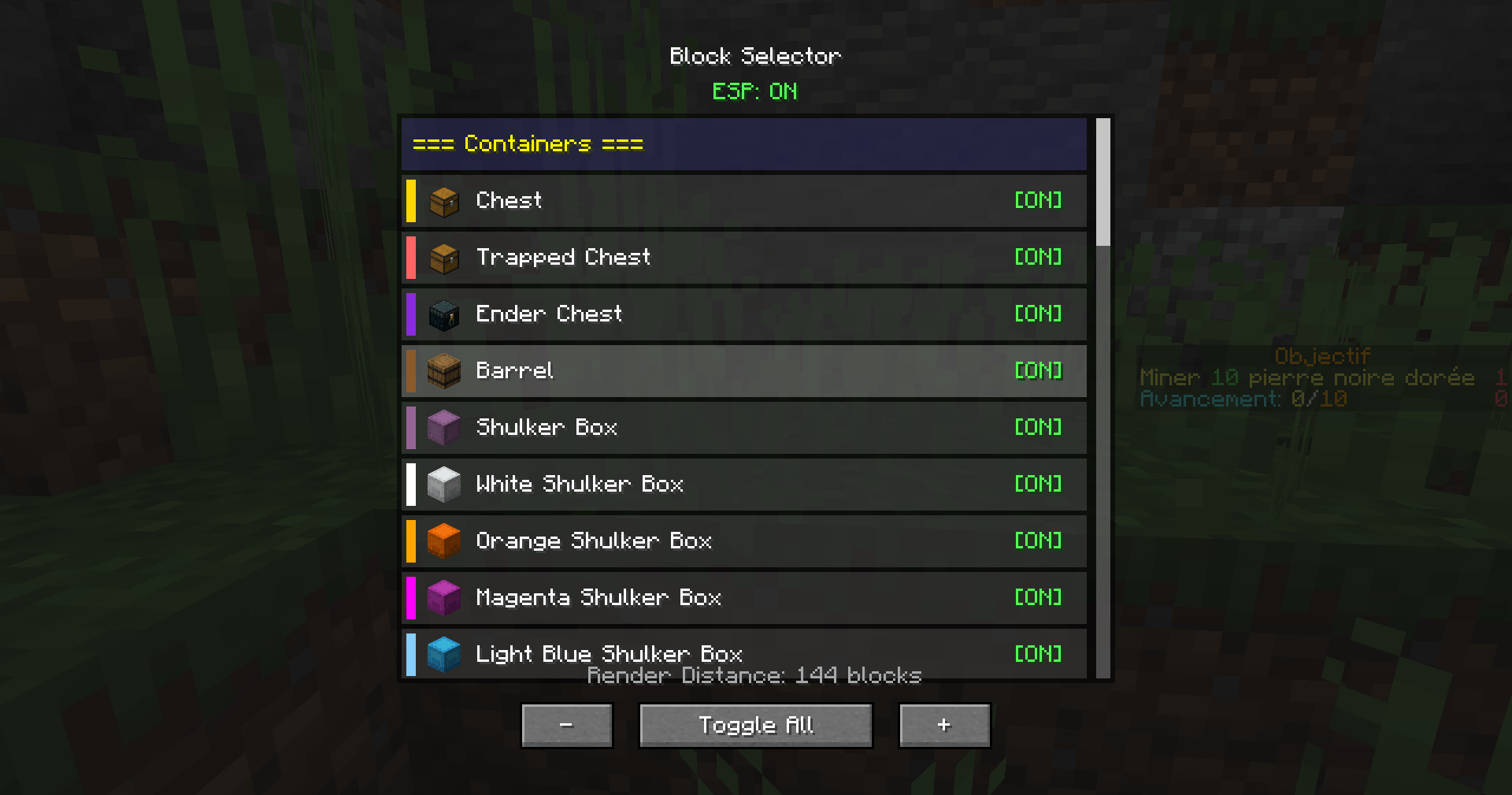
- Chest, Trapped Chest, Ender Chest, Barrel
- All 17 Shulker Box variants (each with its matching color)
Redstone & Transport
- Hopper, Dropper, Dispenser
Furnaces
- Furnace, Blast Furnace, Smoker
Spawners
- Mob Spawner
Miscellaneous
- Brewing Stand, Jukebox, Lectern
- Chiseled Bookshelf, Decorated Pot
- Beehive, Bee Nest
- Campfire, Soul Campfire
- Composter
🖥️ Block Selector GUI
- Clean interface with block icons
- Enable/disable individual blocks
- Unique colors for each block type
- Scrollable list organized by category
- Render distance slider (16–256)
🎮 Controls
| Key | Action |
|---|---|
| R | Toggle ESP On/Off |
| G | Open Block Selector GUI |
(Keybinds can be changed in Minecraft’s Controls menu.)
📥 Installation
-
Install Minecraft Forge 1.20.1 (47.2.0 or higher)
-
Download Chest Finder and place the
.jarin your mods folder -
Launch Minecraft — done!
🖼️ Screenshots
Add screenshots here showing:
- ESP outlines in caves/mineshafts
- Block Selector GUI
- Render distance settings
❓ FAQ
Q: Does this work on servers?
A: Yes. This is a client-side only mod. It uses block entity data that is already sent to your client.
Q: Will this get me banned?
A: It only displays information your client already receives, but server rules vary — always check the server’s policy before using utility mods.
Q: Can I customize the colors?
A: Each block type uses a pre-configured color matching its appearance. Full color customization may be added in future updates.
🧩 Compatibility
- Minecraft: 1.20.1/1.21.1/1.21.11/1.21.4
- Mod Loader: Forge/Neoforge/Fabric
- Side: Client-only
🛠️ Support
Found a bug or have a suggestion?
Leave a comment or open an issue — feedback is welcome!
Happy treasure hunting!
Screenshots
Gallery
-
 2025-12-27_02.09.40.png 2025-12-27_02.09.40.png
 -
 2025-12-27_02.09.21.png 2025-12-27_02.09.21.png
Versions
Files
Relations
Project Relations
More like this
Similar Mods
Suggestions use data such as tags, dependencies, dependents, descriptions, titles, and more to rank how much they overlap with this mod.
On ModDex
Community snapshot
By the numbers
Statistics

Get it on
Available Platforms
On ModDex
Community snapshot
By the numbers
Statistics
Resources