Community listing page, reviews here may not be monitored by the author.
Chest Guard


No reviews yet
ChestGuard is a Forge mod for multiplayer servers that adds secure chest locking, permissions, real-time activity tracking, explosion protection, and controlled item transfers — turning basic storage into a monitored, owner-controlled system.
Community voices
Reviews
No reviews yet. Be the first to review this project!
Get it on
Available Platforms
Compatibility
Supported Environments
Runs on a dedicated server only; does not work in singleplayer.
About
Project Details
For authors
Embed Badge
If you're the author of this project, you can embed a live badge anywhere that supports HTML or Markdown. It updates automatically whenever ratings change.
Use HTML for any page that supports it, or Markdown for README files and Markdown-based descriptions.
Identifiers
Platform IDs
About
Description



ChestGuard
ChestGuard is an advanced chest protection and management plugin for PaperMC servers. It provides chest ownership, permissions, secure item transfers, activity tracking, real-time alerts, and protection against unauthorized interaction and destruction.
Core Features
🔐 Chest Protection
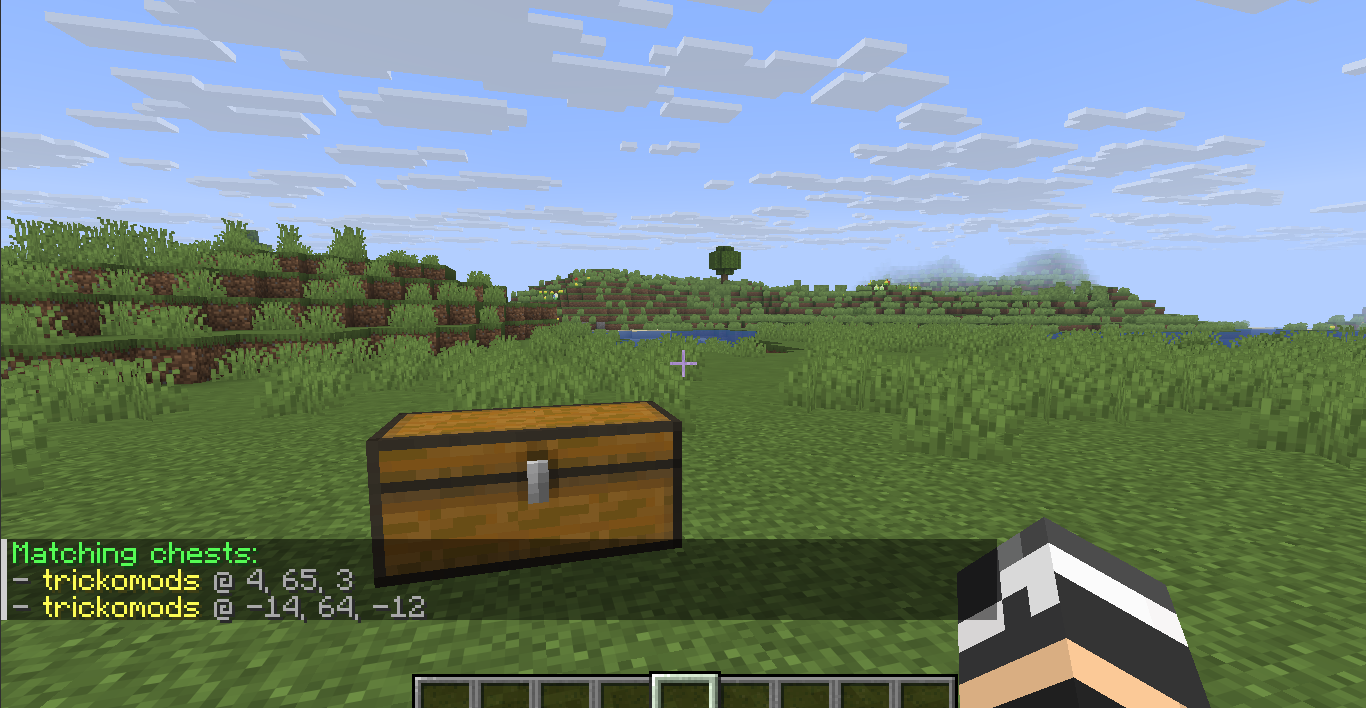
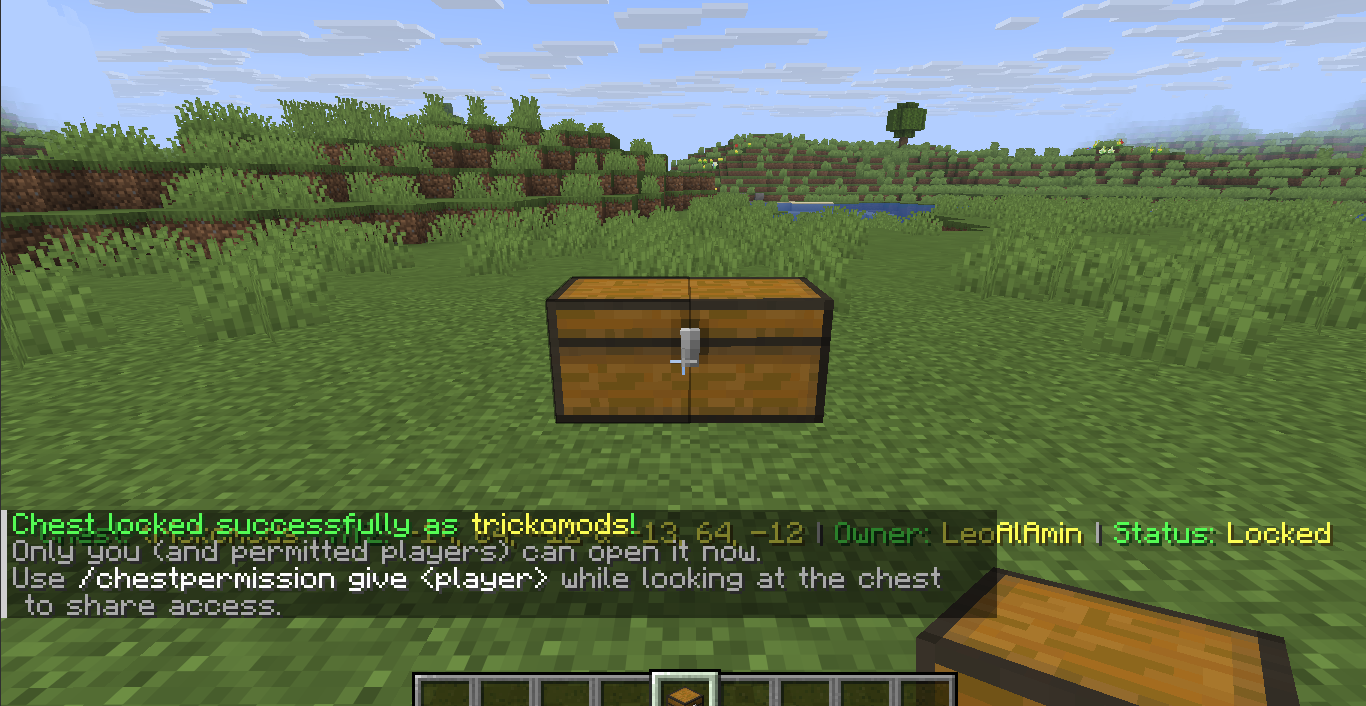
- Lock and name single or double chests with
/chestlock <name> - Unlock protected chests with
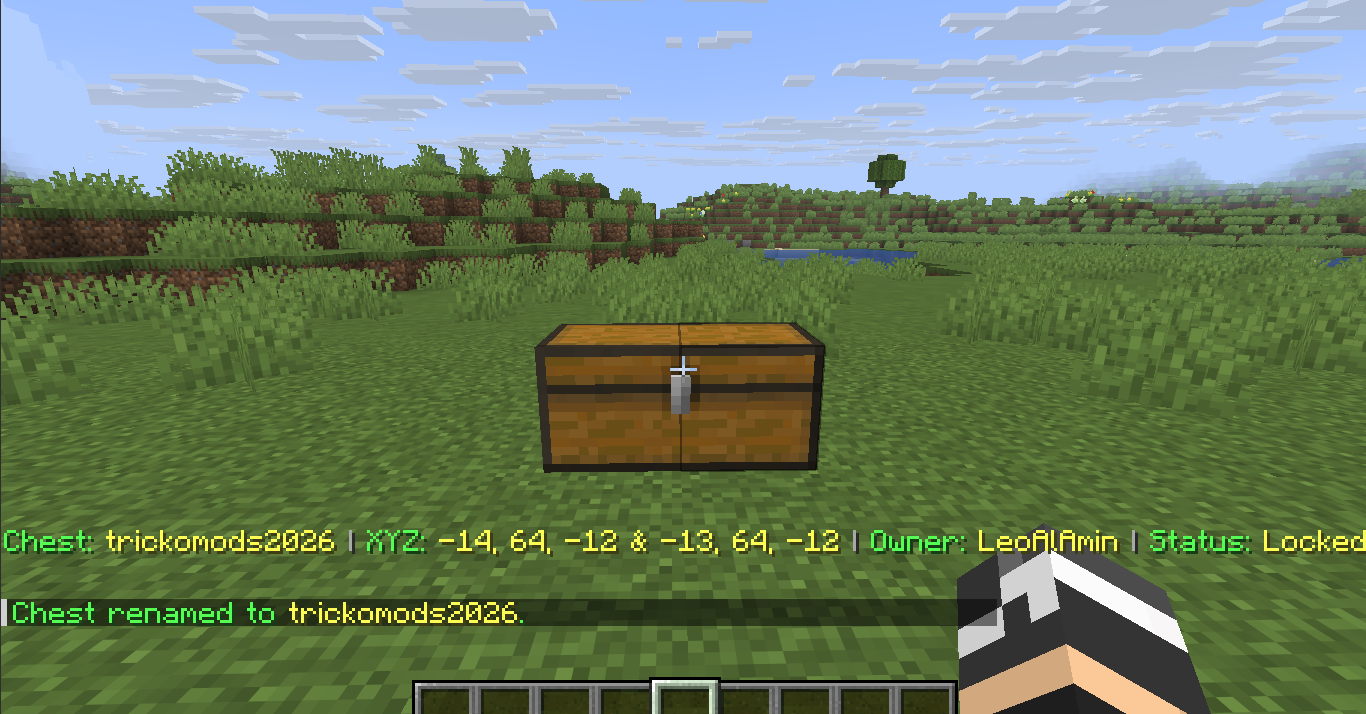
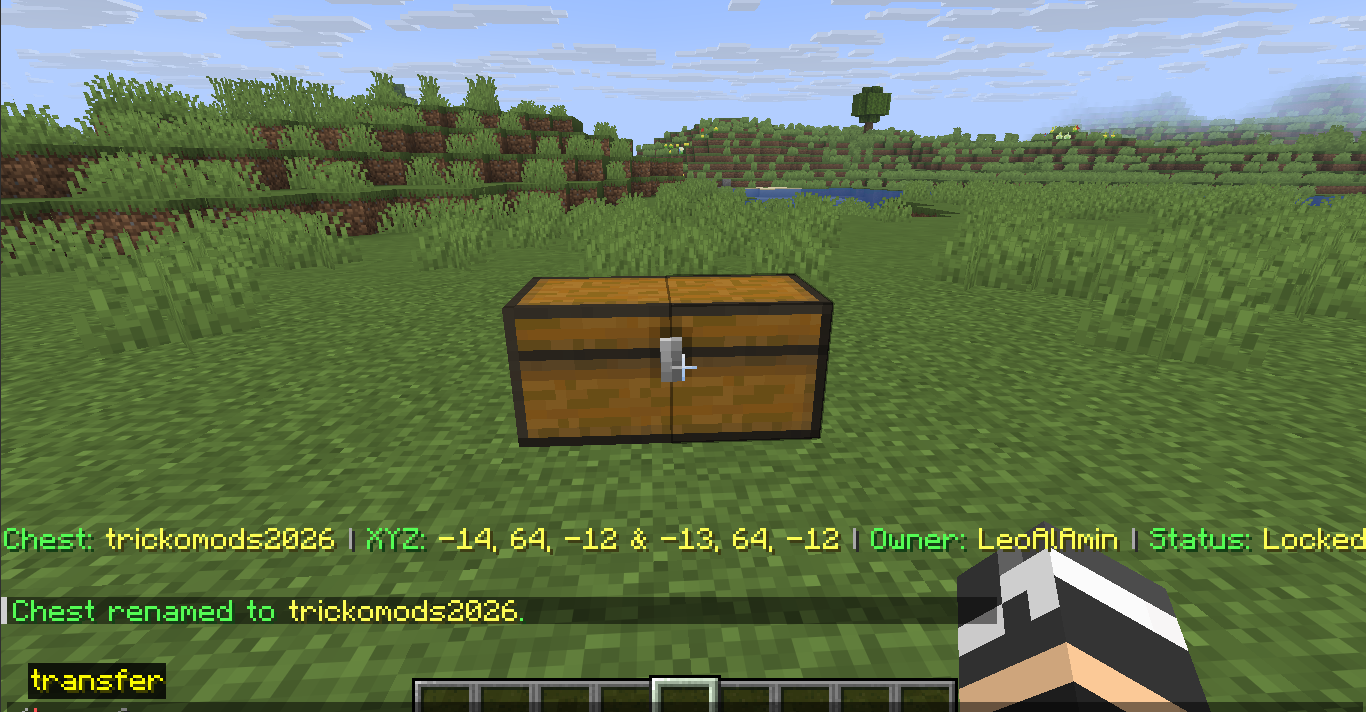
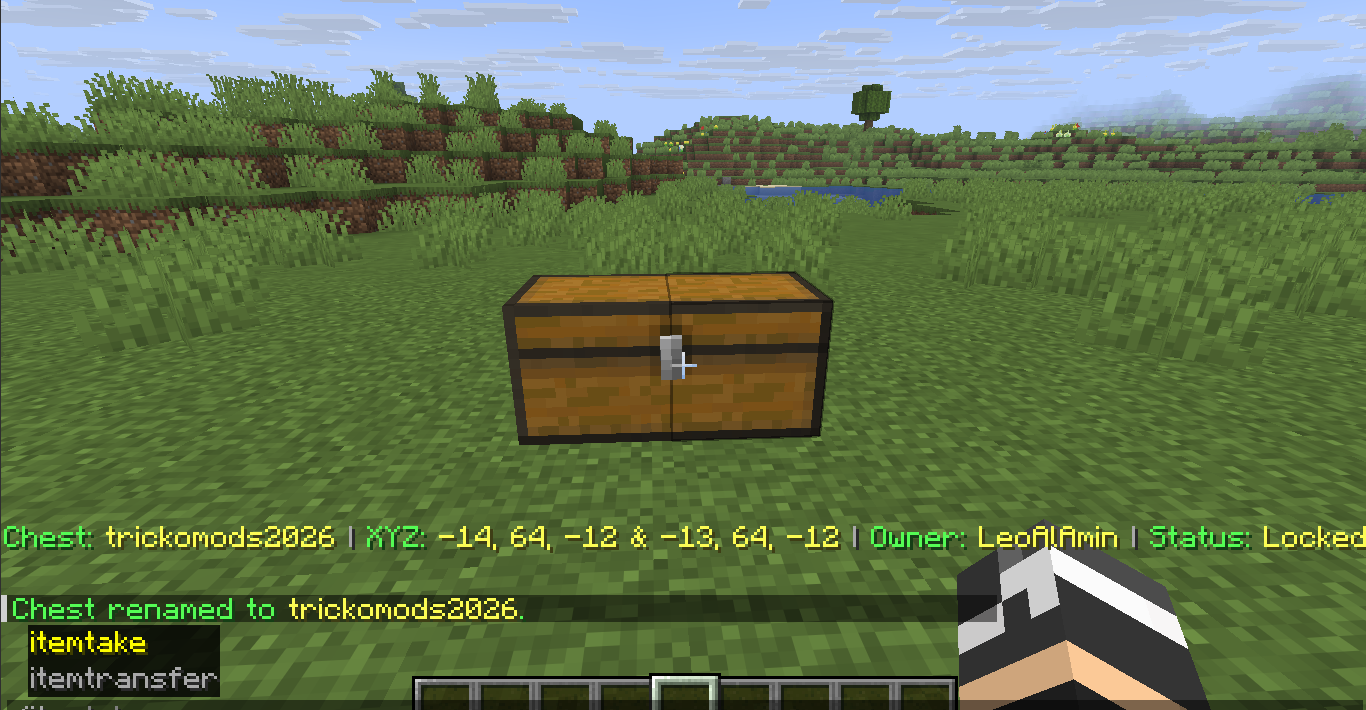
/chestunlock [name] - Rename locked chests with
/chestrename <old name> <new name> - View detailed chest information with
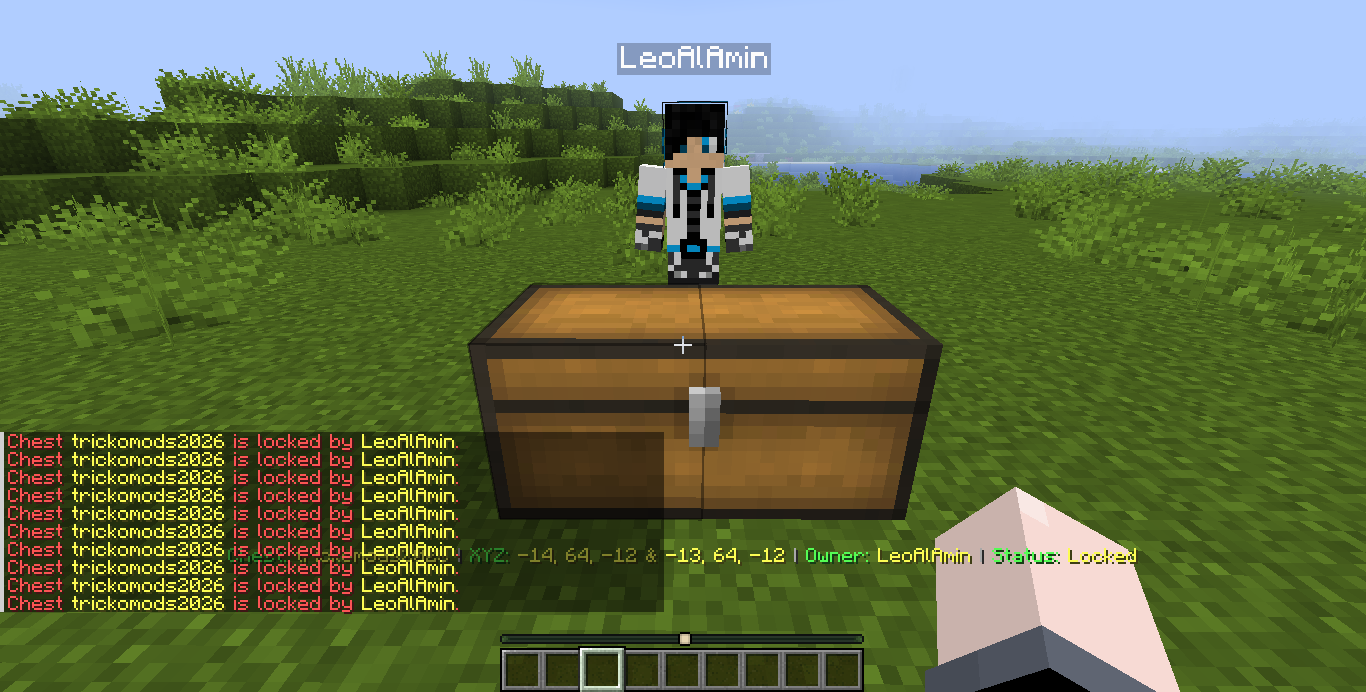
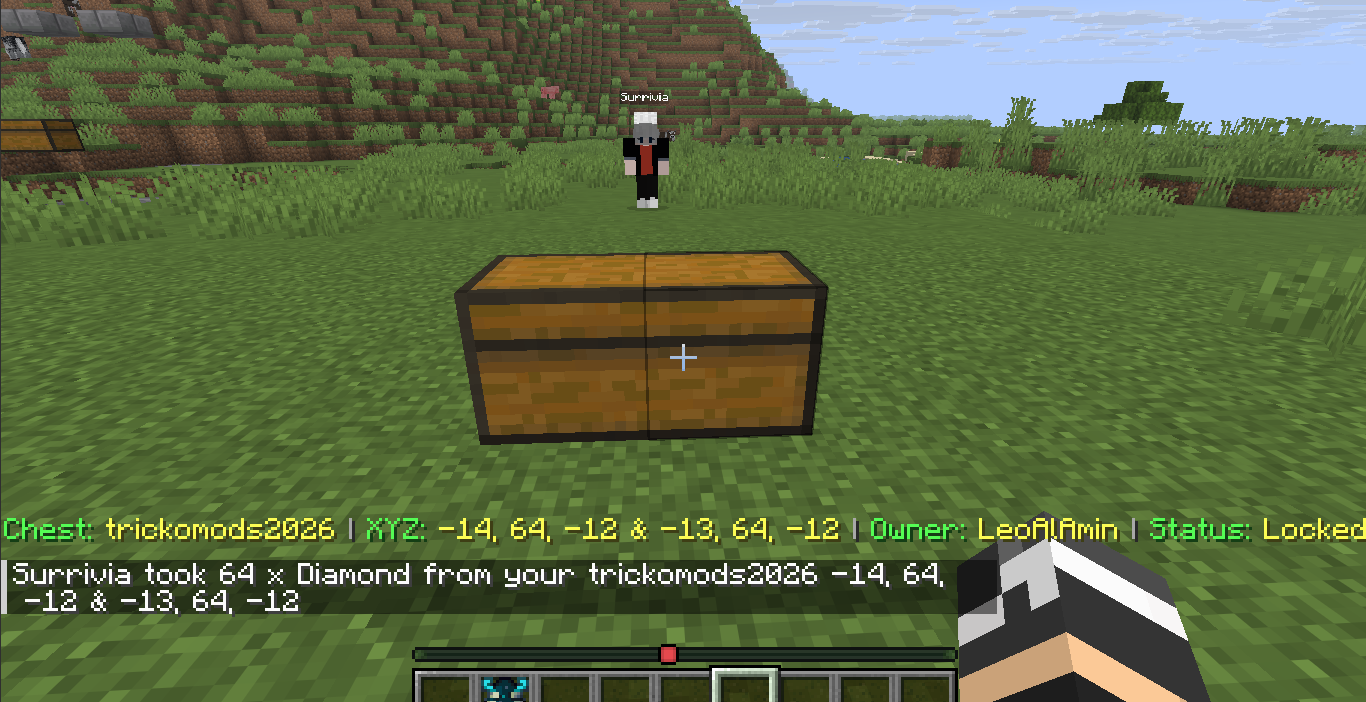
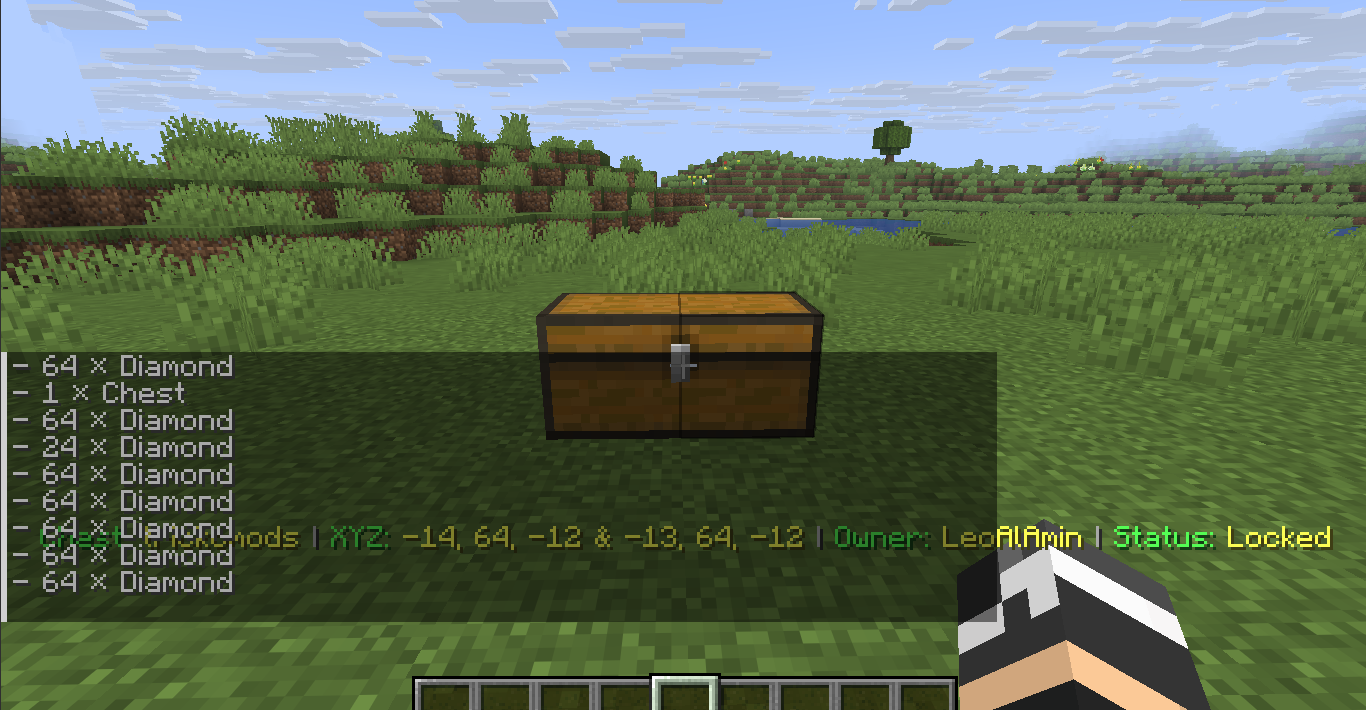
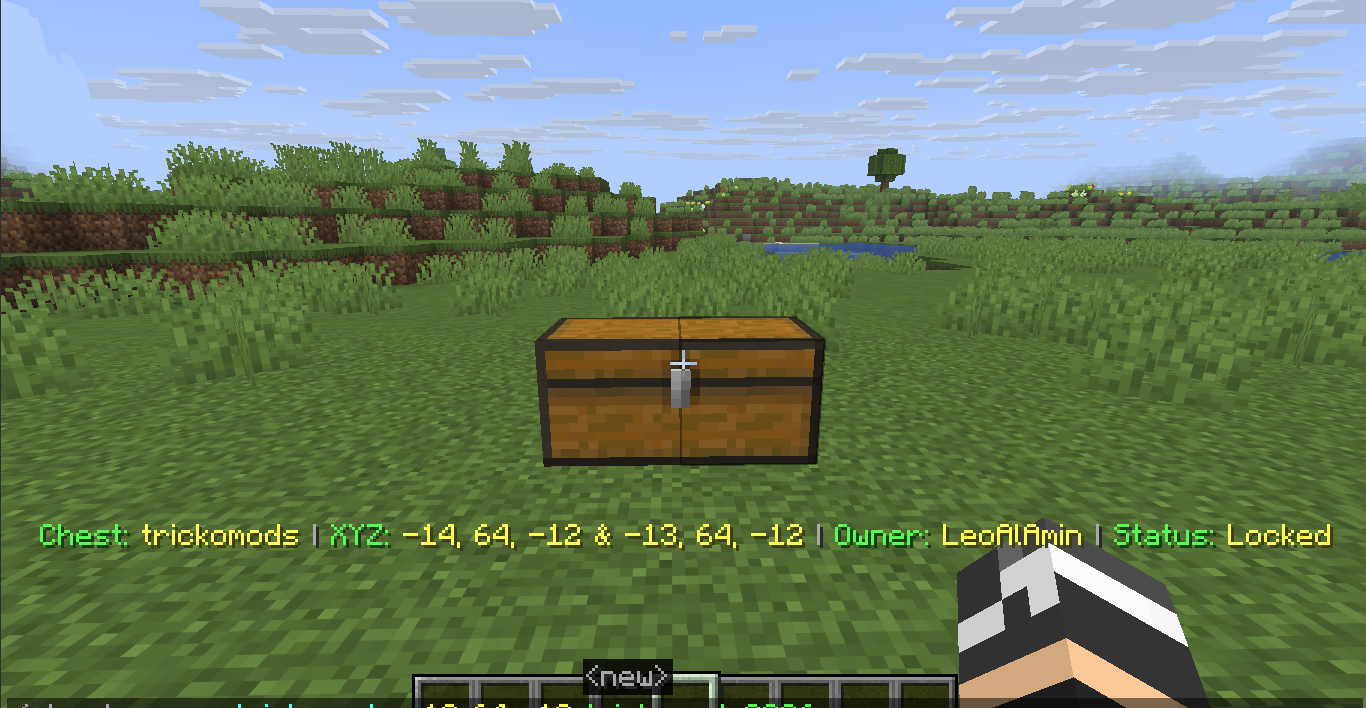
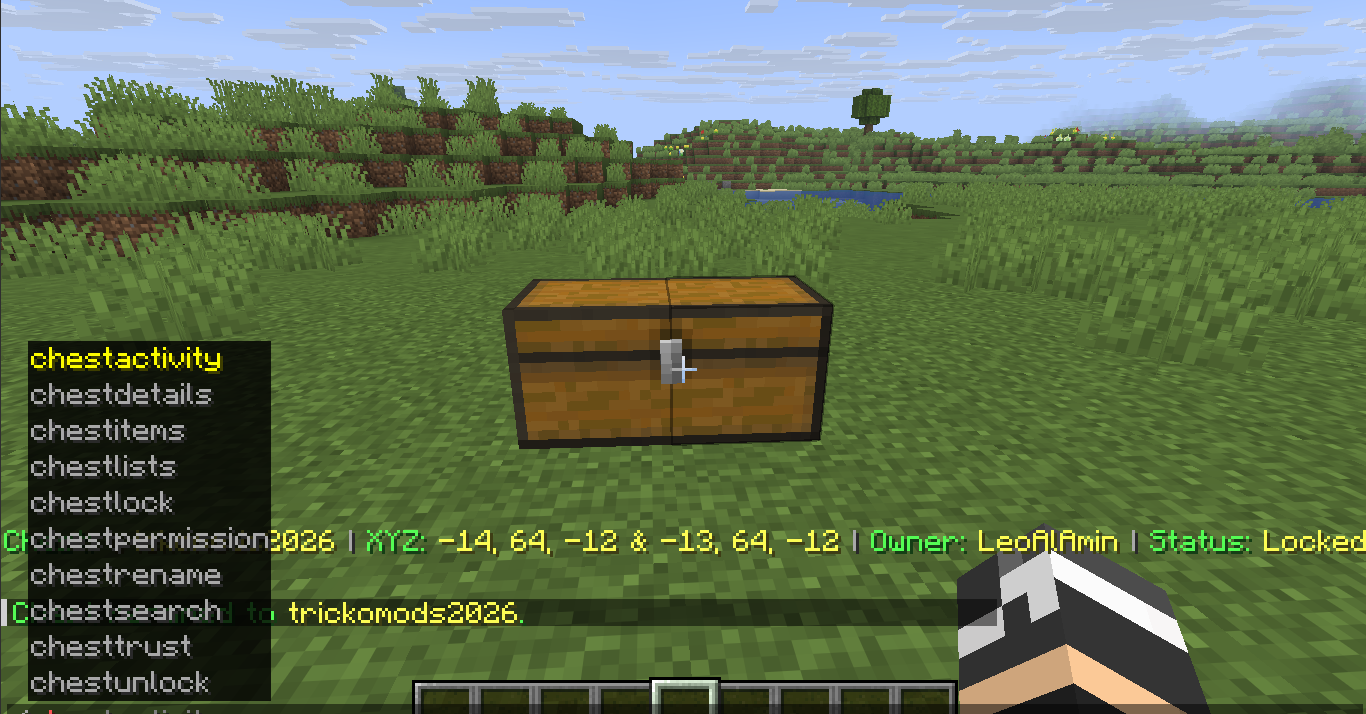
/chestdetails [name] - Display live chest information through an action bar while looking at a chest
- Shows chest name, owner, coordinates, and lock status
💥 Unbreakable & Explosion Protection
Locked chests are protected from unauthorized destruction in Creative, Survival, Adventure, and Spectator modes.
Protection includes:
- TNT explosions
- Creeper explosions
- Wither destruction
- Ender Dragon destruction
- Unauthorized hopper and minecart access
- Unauthorized adjacent chest placement
👥 Permission & Trust System
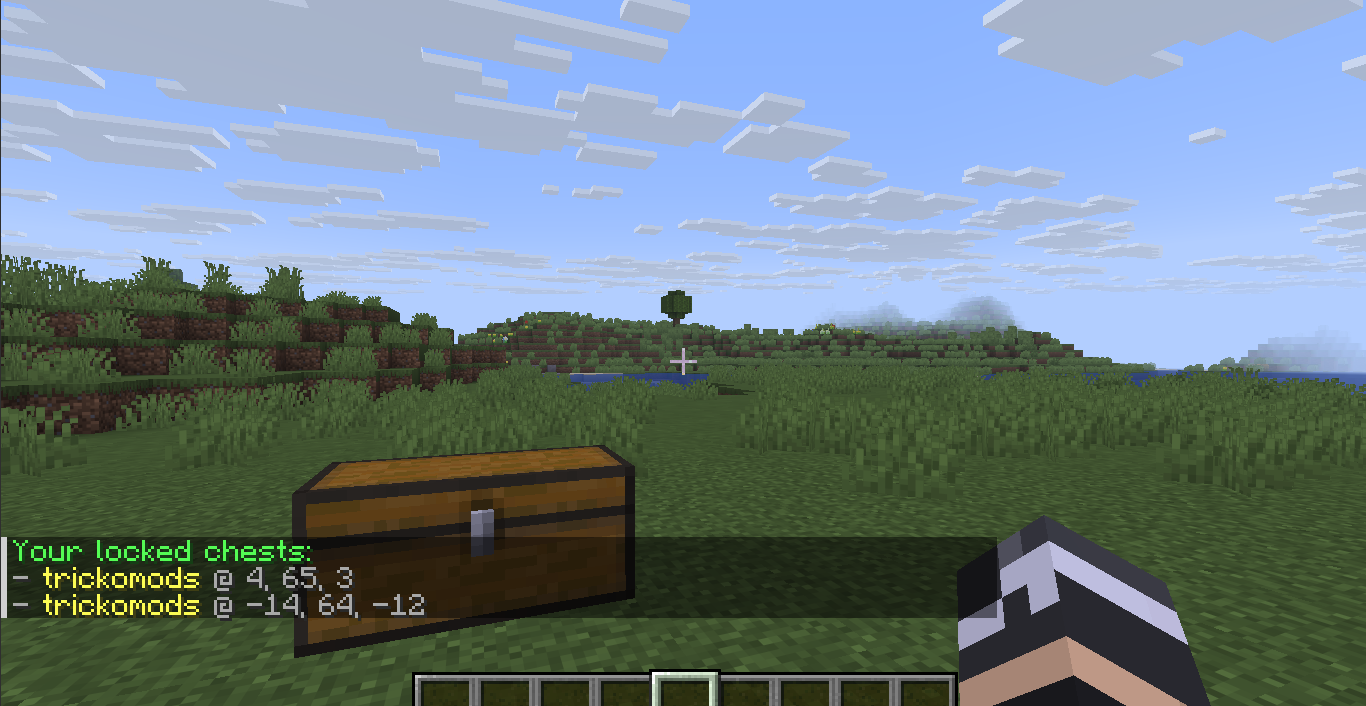
/chesttrustlist <chestname>— View trusted users/chestpermission give <player> <chestname>— Grant access/chestpermission remove <player> <chestname>— Revoke access/chestlists— List your owned chests/chestsearch <name>— Find an owned chest/lastchestplaced— Locate your last interacted chest
Permissions are designed to allow controlled access to protected storage without giving away ownership.
📦 Activity Monitoring
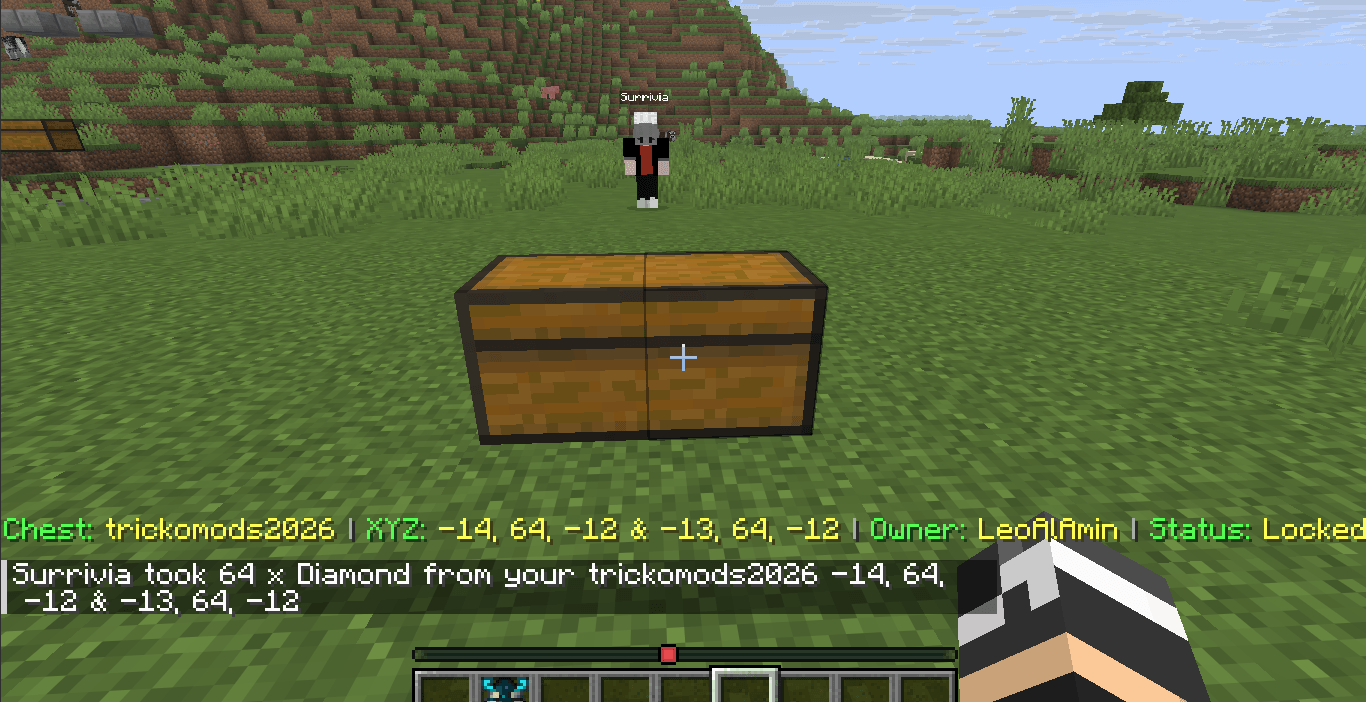
ChestGuard tracks inventory activity on protected chests.
/chestitems [name]— View chest contents/chestactivity— View interaction history- Real-time notifications when trusted users access a chest
- Tracks items removed or deposited
- Shows player, item, quantity, chest name, and coordinates
🔄 Secure Item Transfer
ChestGuard includes a controlled item transfer system for moving items between chests.
Select Items
/itemtake [x y z] [all|item amount]
Select items from a source chest by looking at it or using coordinates.
Examples:
/itemtake all/itemtake emerald all/itemtake diamond 10
Transfer Items
/itemtransfer [x y z]
Transfers the selected items into a target chest.
Items automatically merge with existing stacks and are inserted starting from slot 0.
When another player's locked chest is involved, the chest owner receives a private approval request with a 30-second approval window.
Transfer Approval
/transfer confirm— Approve the transfer/transfer deny— Reject the transfer
📋 Command Reference
| Command | Description | Access |
|---|---|---|
/chestlock <name> |
Lock and name a chest | Player |
/chestunlock [name] |
Unlock a chest | Owner |
/chestrename <old> <new> |
Rename a locked chest | Owner |
/chestdetails [name] |
View chest information | Owner / Trusted |
/chesttrustlist <chest> |
View trusted users | Owner |
/chestpermission give/remove <player> <chest> |
Manage permissions | Owner |
/chestlists |
List owned chests | Owner |
/chestsearch <name> |
Find a chest by name | Owner |
/lastchestplaced |
Locate last interacted chest | Player |
/chestitems [name] |
View chest contents | Owner / Trusted |
/chestactivity |
View activity history | Owner |
/itemtake [x y z] [all|item amount] |
Select items | Owner / Trusted |
/itemtransfer [x y z] |
Transfer selected items | Owner / Trusted |
/transfer confirm/deny |
Manage transfer requests | Chest Owner |
/chestguardhelp [page] |
View in-game help | Player |
⚙️ Technical Highlights
- UUID-based ownership
- Persistent world-level JSON storage
- Client-side block resynchronization
- Explosion-resistant protected storage
- Hopper and minecart protection
- Real-time inventory tracking
- Automatic item stack merging
- Top-row inventory insertion
- Tab completion filtering
- Multiplayer-friendly permission management
- Lightweight server-side processing
⚠️ Important
ChestGuard is designed for PaperMC multiplayer servers. Extremely large-scale protected-storage setups may still increase server workload depending on the server environment.


ChestGuard
ChestGuard is an advanced chest protection and management plugin for PaperMC servers. It provides chest ownership, permissions, secure item transfers, activity tracking, real-time alerts, and protection against unauthorized interaction and destruction.
Core Features
🔐 Chest Protection
- Lock and name single or double chests with
/chestlock <name> - Unlock protected chests with
/chestunlock [name] - Rename locked chests with
/chestrename <old name> <new name> - View detailed chest information with
/chestdetails [name] - Display live chest information through an action bar while looking at a chest
- Shows chest name, owner, coordinates, and lock status
💥 Unbreakable & Explosion Protection
Locked chests are protected from unauthorized destruction in Creative, Survival, Adventure, and Spectator modes.
Protection includes:
- TNT explosions
- Creeper explosions
- Wither destruction
- Ender Dragon destruction
- Unauthorized hopper and minecart access
- Unauthorized adjacent chest placement
👥 Permission & Trust System
/chesttrustlist <chestname>— View trusted users/chestpermission give <player> <chestname>— Grant access/chestpermission remove <player> <chestname>— Revoke access/chestlists— List your owned chests/chestsearch <name>— Find an owned chest/lastchestplaced— Locate your last interacted chest
Permissions are designed to allow controlled access to protected storage without giving away ownership.
📦 Activity Monitoring
ChestGuard tracks inventory activity on protected chests.
/chestitems [name]— View chest contents/chestactivity— View interaction history- Real-time notifications when trusted users access a chest
- Tracks items removed or deposited
- Shows player, item, quantity, chest name, and coordinates
🔄 Secure Item Transfer
ChestGuard includes a controlled item transfer system for moving items between chests.
Select Items
/itemtake [x y z] [all|item amount]
Select items from a source chest by looking at it or using coordinates.
Examples:
/itemtake all/itemtake emerald all/itemtake diamond 10
Transfer Items
/itemtransfer [x y z]
Transfers the selected items into a target chest.
Items automatically merge with existing stacks and are inserted starting from slot 0.
When another player's locked chest is involved, the chest owner receives a private approval request with a 30-second approval window.
Transfer Approval
/transfer confirm— Approve the transfer/transfer deny— Reject the transfer
📋 Command Reference
| Command | Description | Access |
|---|---|---|
/chestlock <name> |
Lock and name a chest | Player |
/chestunlock [name] |
Unlock a chest | Owner |
/chestrename <old> <new> |
Rename a locked chest | Owner |
/chestdetails [name] |
View chest information | Owner / Trusted |
/chesttrustlist <chest> |
View trusted users | Owner |
/chestpermission give/remove <player> <chest> |
Manage permissions | Owner |
/chestlists |
List owned chests | Owner |
/chestsearch <name> |
Find a chest by name | Owner |
/lastchestplaced |
Locate last interacted chest | Player |
/chestitems [name] |
View chest contents | Owner / Trusted |
/chestactivity |
View activity history | Owner |
/itemtake [x y z] [all|item amount] |
Select items | Owner / Trusted |
/itemtransfer [x y z] |
Transfer selected items | Owner / Trusted |
/transfer confirm/deny |
Manage transfer requests | Chest Owner |
/chestguardhelp [page] |
View in-game help | Player |
⚙️ Technical Highlights
- UUID-based ownership
- Persistent world-level JSON storage
- Client-side block resynchronization
- Explosion-resistant protected storage
- Hopper and minecart protection
- Real-time inventory tracking
- Automatic item stack merging
- Top-row inventory insertion
- Tab completion filtering
- Multiplayer-friendly permission management
- Lightweight server-side processing
⚠️ Important
ChestGuard is designed for PaperMC multiplayer servers. Extremely large-scale protected-storage setups may still increase server workload depending on the server environment.
Screenshots
Gallery
-
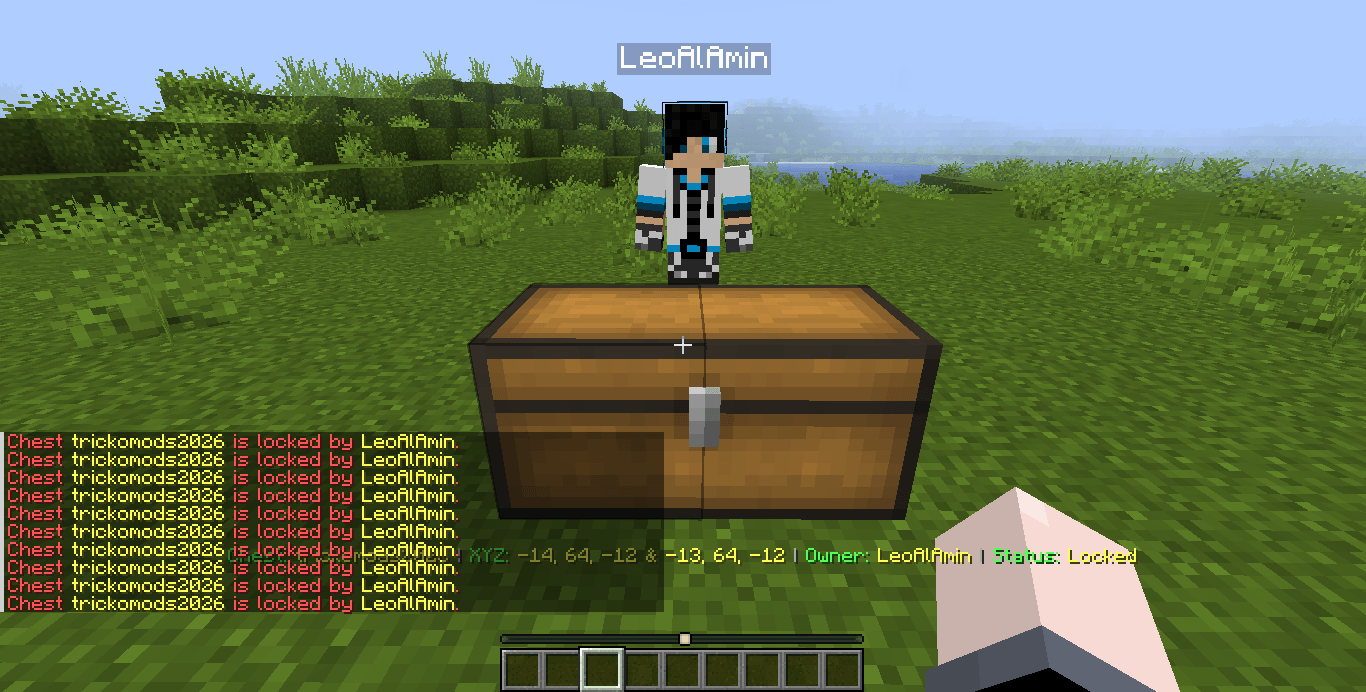 Image 11.png Image 11.png
 -
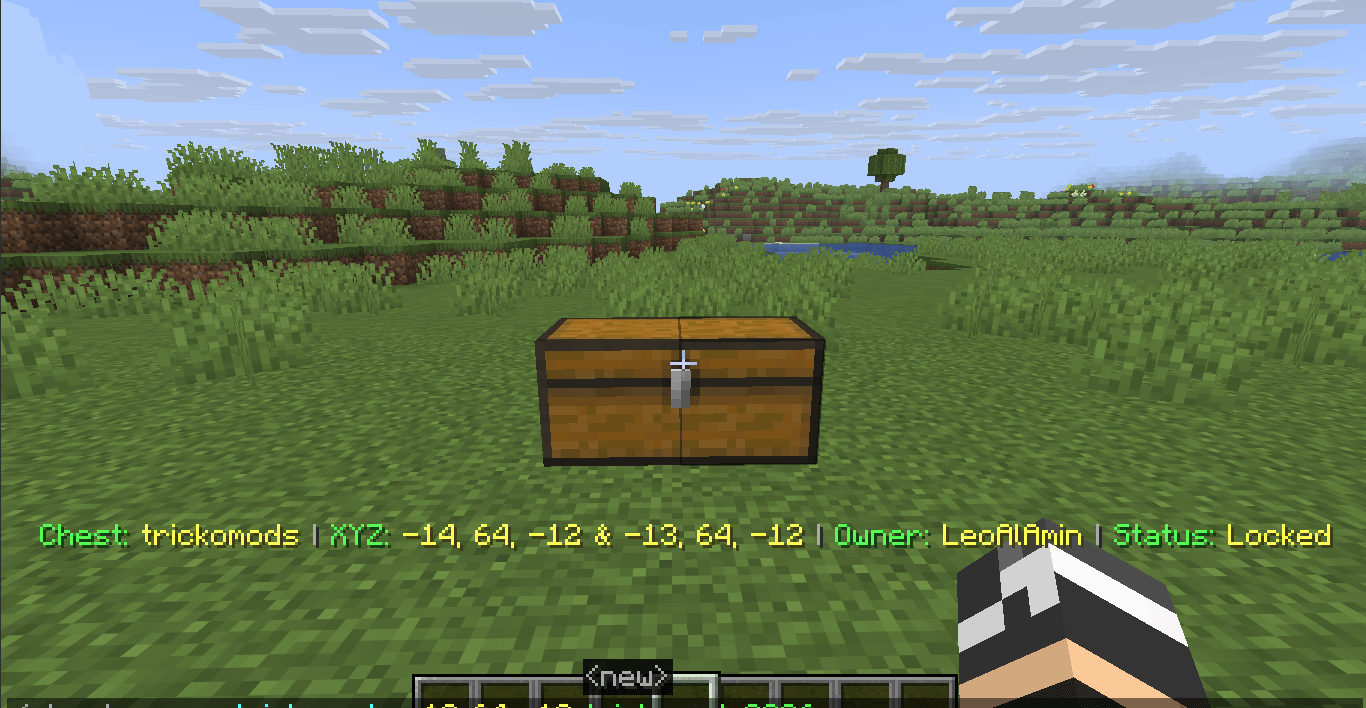 Image 1.png Image 1.png
 -
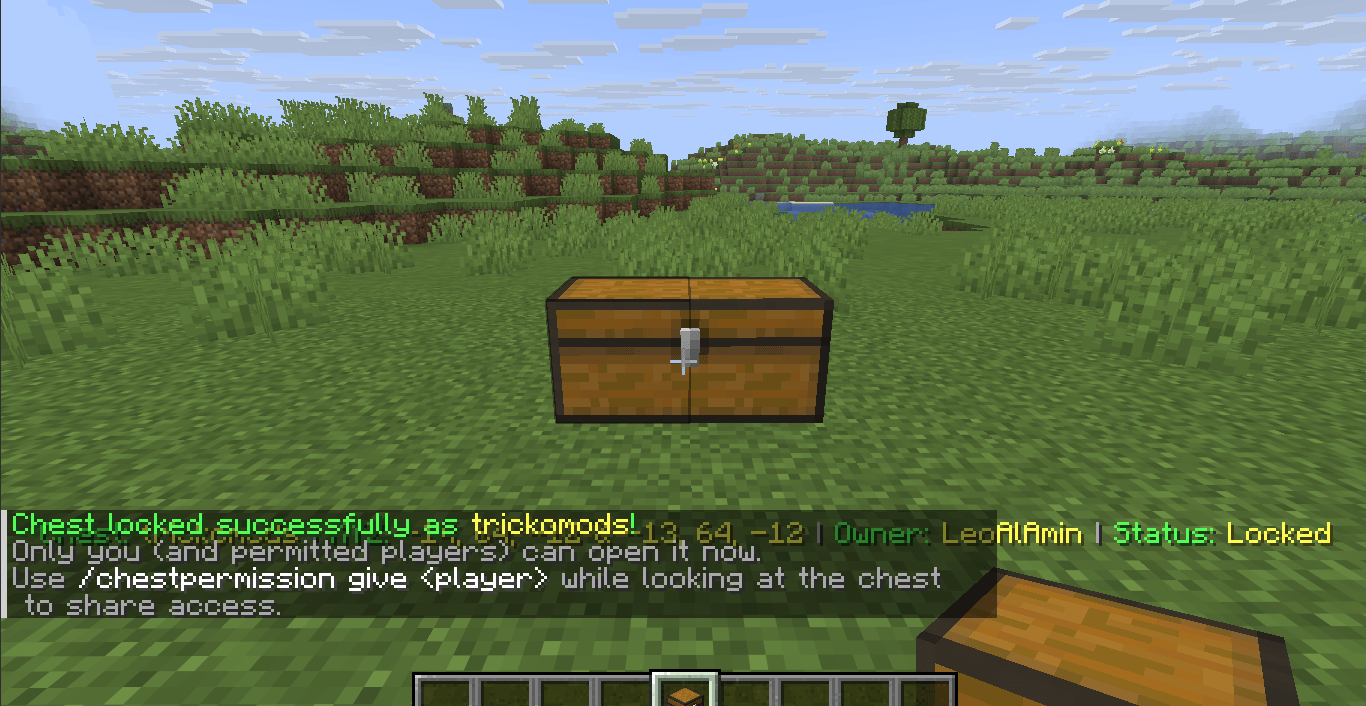 Image 2.png Image 2.png
 -
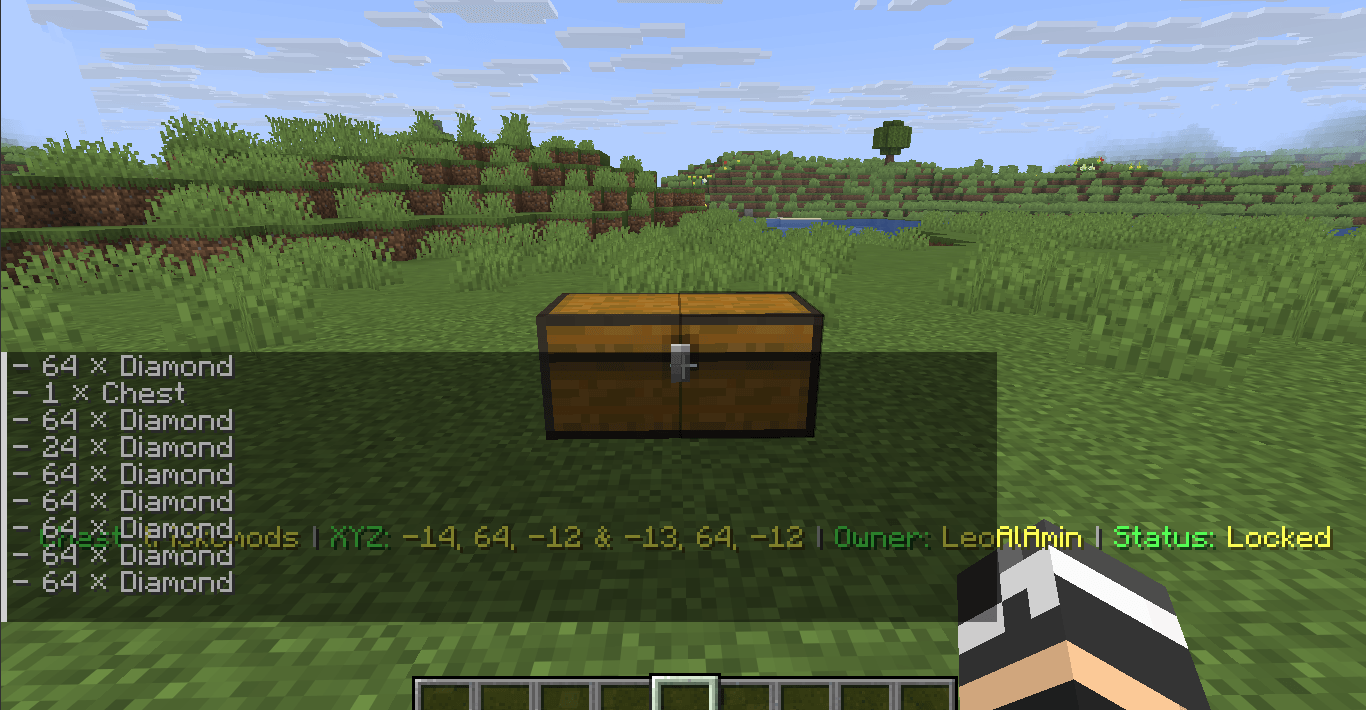 Image 3.png Image 3.png
 -
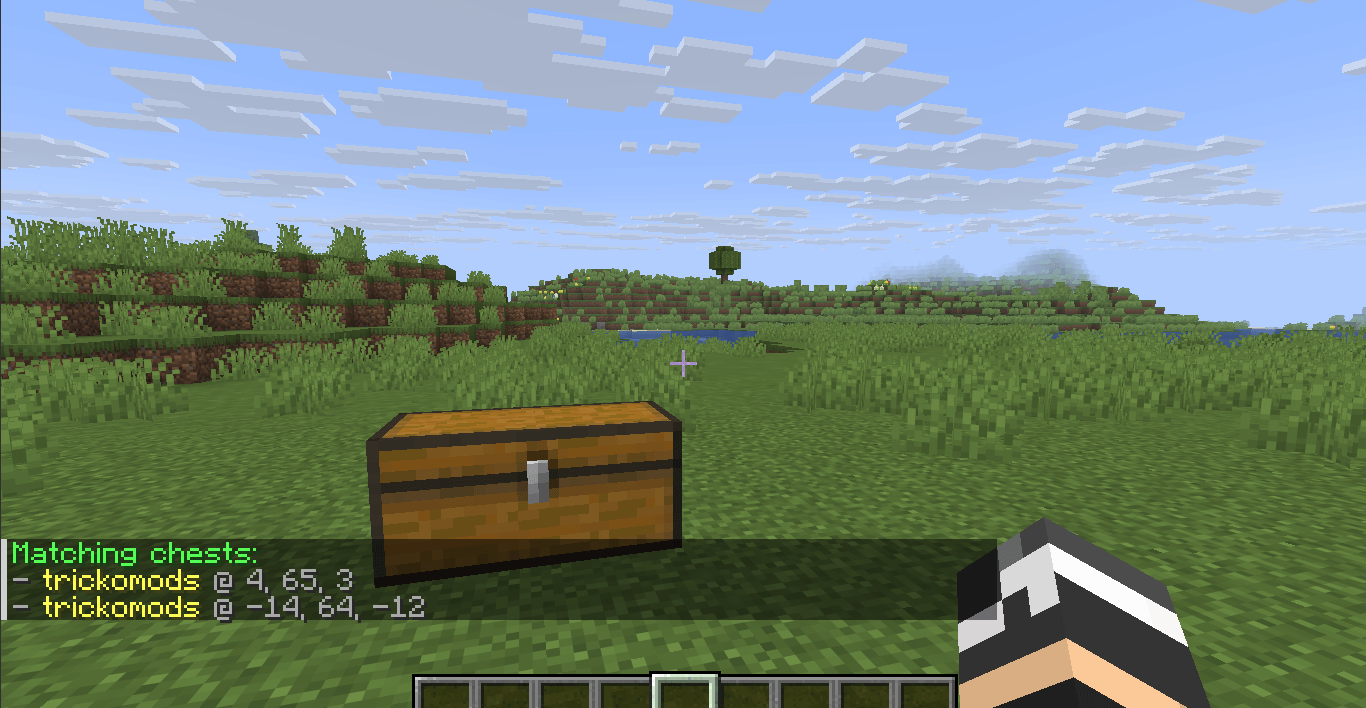 Image 4.png Image 4.png
 -
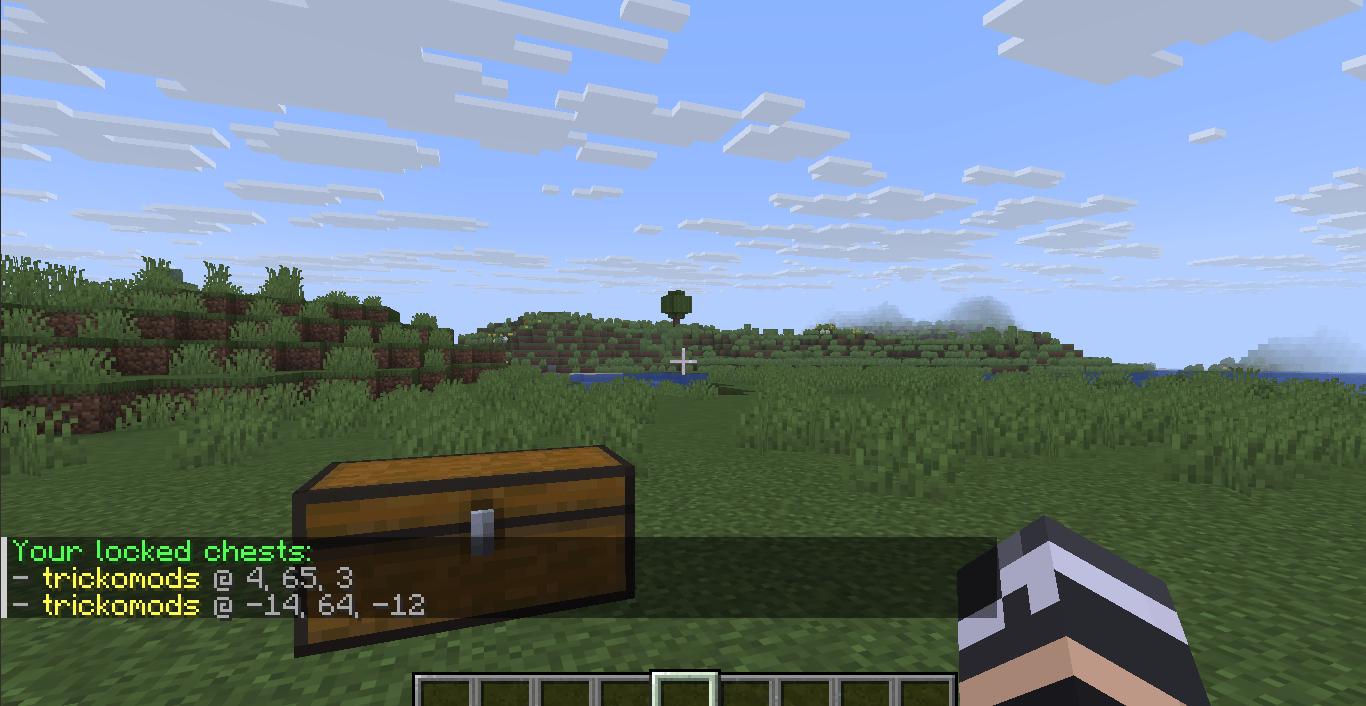 Image 5.png Image 5.png
 -
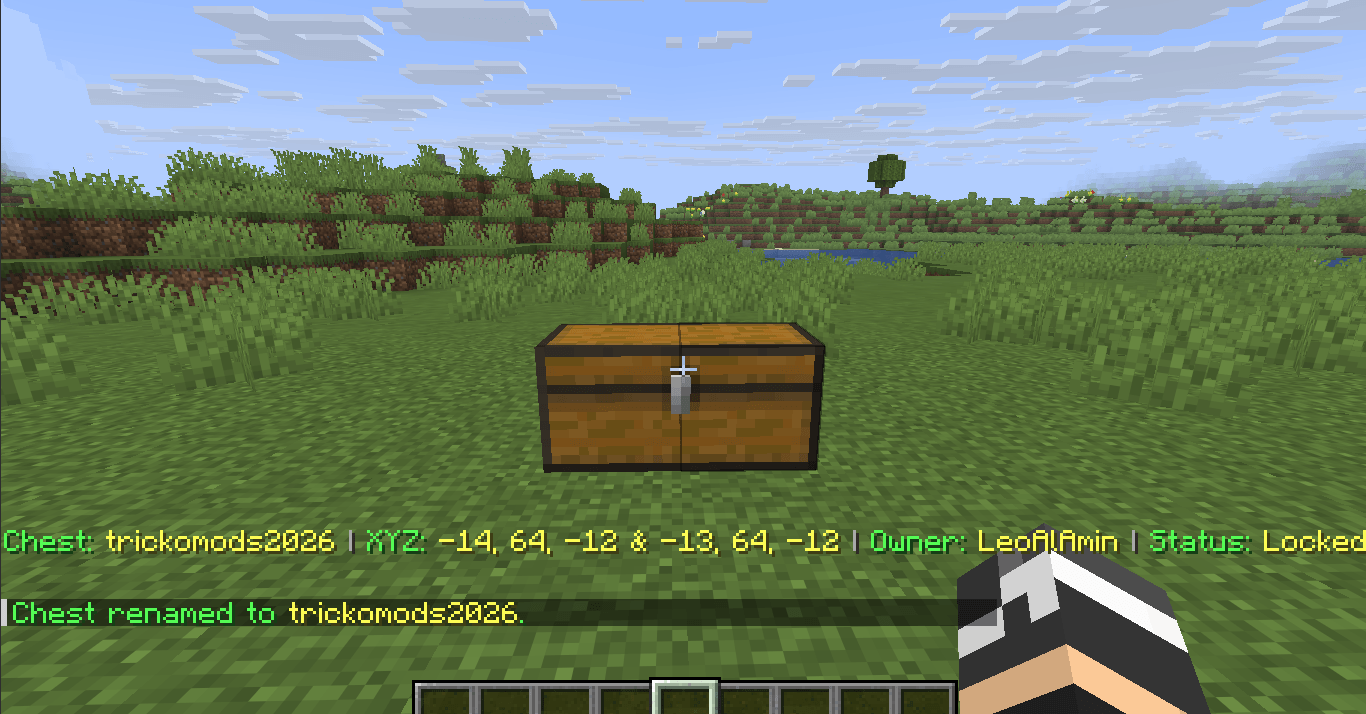 Image 6.png Image 6.png
 -
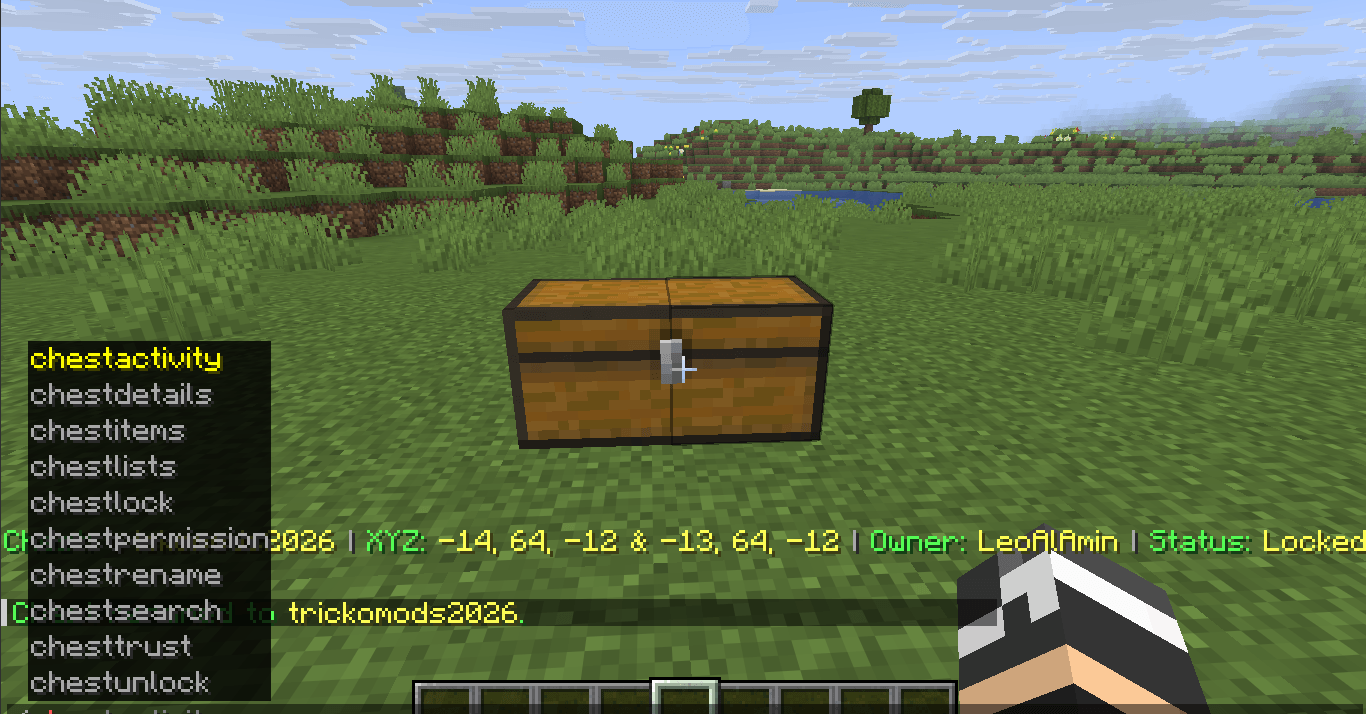 Image 7.png Image 7.png
 -
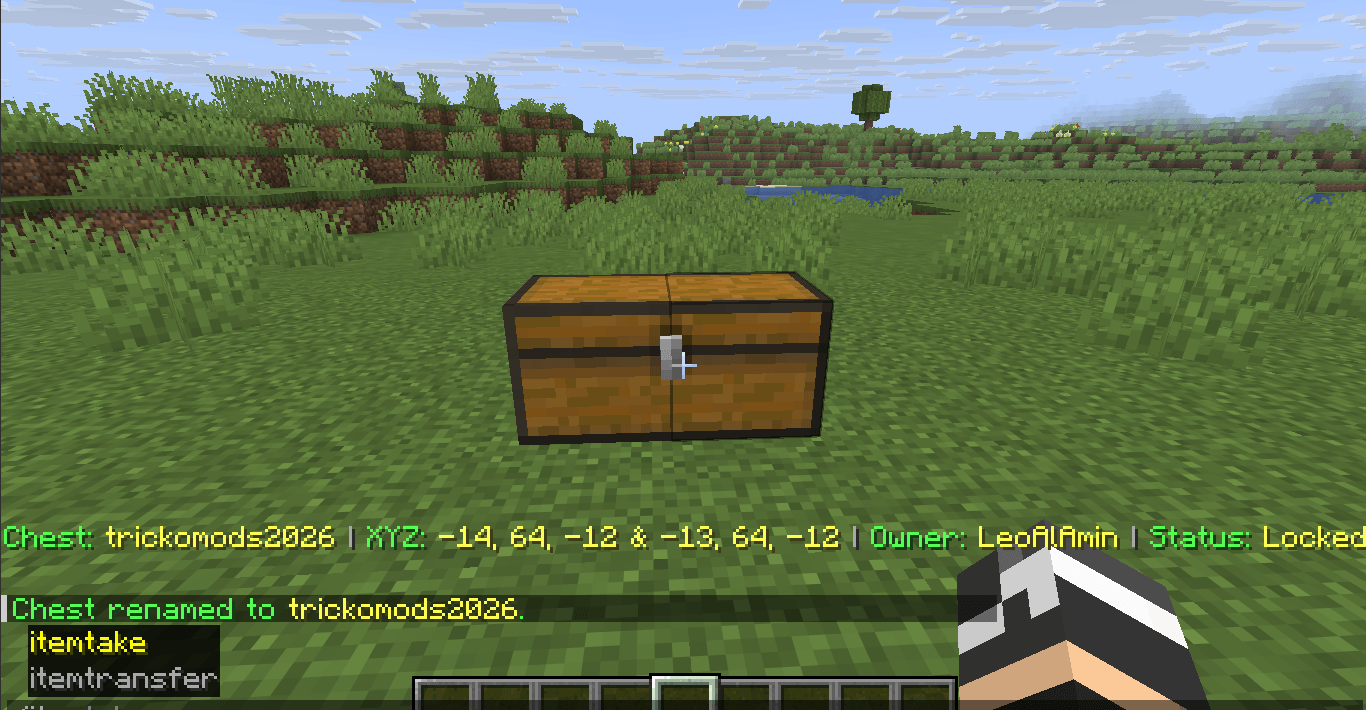 Image 8.png Image 8.png
 -
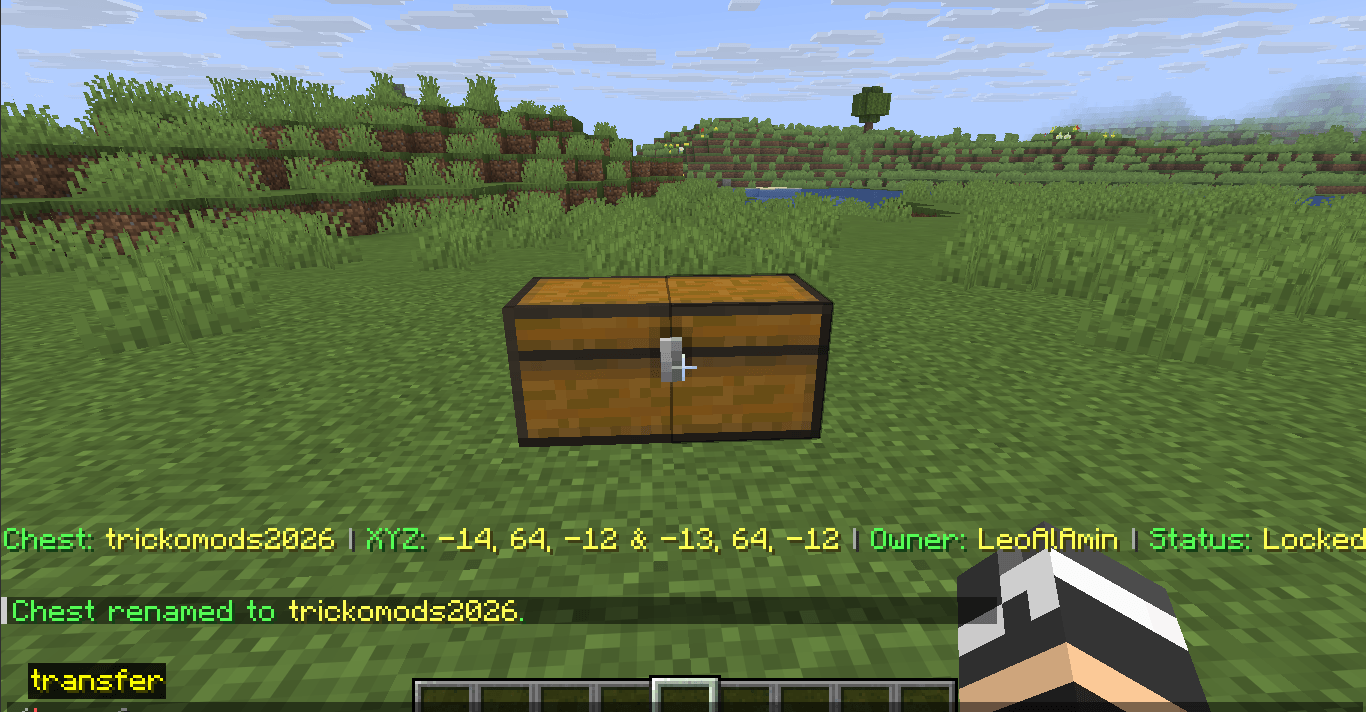 Image 9.png Image 9.png
 -
 Images 10.png Images 10.png
Versions
Files
Relations
Project Relations
More like this
Similar Mods
Suggestions use data such as tags, dependencies, dependents, descriptions, titles, and more to rank how much they overlap with this mod.
On ModDex
Community snapshot
By the numbers
Statistics
Want to reach Minecraft players?
We're looking for a server hosting partner to feature here and other parts of the site. Interested? Send us a message!
Get in touchGet it on
Available Platforms
On ModDex
Community snapshot
By the numbers