
Community listing page, reviews may not be monitored by the author.
ChestFlow

No reviews yet
Turn your normal chests into smart storage: find, store, restock and sort — vanilla-friendly, no machines.

Community voices
Reviews
No reviews yet. Be the first to review this project!
Get it on
Available Platforms
About
Project Details
For authors
Embed Badge
If you're the author of this project, you can embed a live badge anywhere that supports HTML or Markdown. It updates automatically whenever ratings change.
Use HTML for any page that supports it, or Markdown for README files and Markdown-based descriptions.
Identifiers
Platform IDs
Resources
External Links
About
Description

ChestFlow
Turn your normal chests into smart storage without adding machines, energy systems or new blocks.
ChestFlow is made to keep the vanilla feel of Minecraft while making storage easier to manage. It works with regular chests, double chests, barrels and shulker boxes.
There are no configuration menus or complicated systems. Install it and use it.
Features
Find items
Press G to open an item search similar to the Creative inventory.
Search by name or select an item and ChestFlow will highlight every nearby container that has it. The containers can be seen through walls, and a particle trail will guide you to the closest one.
The chat also shows how many matching containers were found and their location.
Opening one of the highlighted containers or pressing G again clears the search.
Store items
A small storage button appears next to your inventory when there are containers nearby and visible.
You can:
- Drop an item on the button to send it to a nearby container that already contains that item.
- Click the button with an empty hand to store your inventory automatically. Your hotbar is not affected.
- Shift + right-click an item to store it directly.
- Press
Voutside the inventory to store the item currently in your hand.
Restock items
The restock button shows which items in your inventory can be refilled from nearby containers.
Available items are highlighted in gold. Click one and ChestFlow will fill it up to a full stack when possible.
You can also press Shift + V outside the inventory to refill the item in your hand.
Sort containers
Every supported container has a sort button.
ChestFlow groups similar items together, such as coal with coal blocks, logs with planks and raw food with cooked food.
Valuable materials like netherite, diamonds, emeralds, gold and iron are placed first.
There are two sorting modes:
- Normal sorting with complete stacks grouped together.
- One row for each item family.
Pressing the sort button again switches between both modes.
Fair play
ChestFlow does not let you move items freely through walls.
Storing and restocking only work with containers that your player can actually see within 16 blocks. Glass does not block visibility.
This prevents situations such as accessing storage from a mine directly below your base.
Spectators cannot use these features.
Requirements
- Minecraft 1.21.1
- Fabric Loader
- Fabric API
ChestFlow must be installed on both the client and the server.
Singleplayer works normally without any additional setup.
The G and V keys can be changed under:
Options → Controls → ChestFlow
Español
ChestFlow convierte tus cofres normales en un sistema de almacenamiento más cómodo sin añadir máquinas, energía ni bloques nuevos.
Funciona con cofres normales, cofres dobles, barriles y cajas de shulker.
Buscar
Pulsa G para abrir un buscador parecido al inventario de Creativo.
Busca un objeto y los contenedores cercanos que lo tengan se marcarán incluso a través de las paredes. También aparecerá un rastro de partículas que te llevará al más cercano.
Guardar
Desde el inventario puedes enviar objetos automáticamente a contenedores cercanos que ya tengan ese mismo objeto.
También puedes guardar todo tu inventario sin tocar la hotbar, usar Shift + clic derecho sobre un objeto o pulsar V para guardar el objeto que tienes en la mano.
Reabastecer
Los objetos que pueden rellenarse desde contenedores cercanos se marcarán en dorado.
Haz clic sobre uno para completar su stack o utiliza Shift + V para rellenar el objeto que tienes en la mano.
Acomodar
Cada contenedor tiene un botón para ordenar su contenido.
Los objetos se agrupan por familias y los materiales más valiosos se colocan primero.
Puedes cambiar entre una organización normal por stacks y otra que utiliza una fila para cada familia de objetos.
Juego limpio
Guardar y reabastecer solo funciona con contenedores que estén a la vista y a un máximo de 16 bloques.
No puedes mover objetos a través de paredes desde otras partes de tu base.
Requisitos
- Minecraft 1.21.1
- Fabric Loader
- Fabric API
Debe instalarse tanto en el cliente como en el servidor.
Made by OAK Studios.
Screenshots
Gallery
-
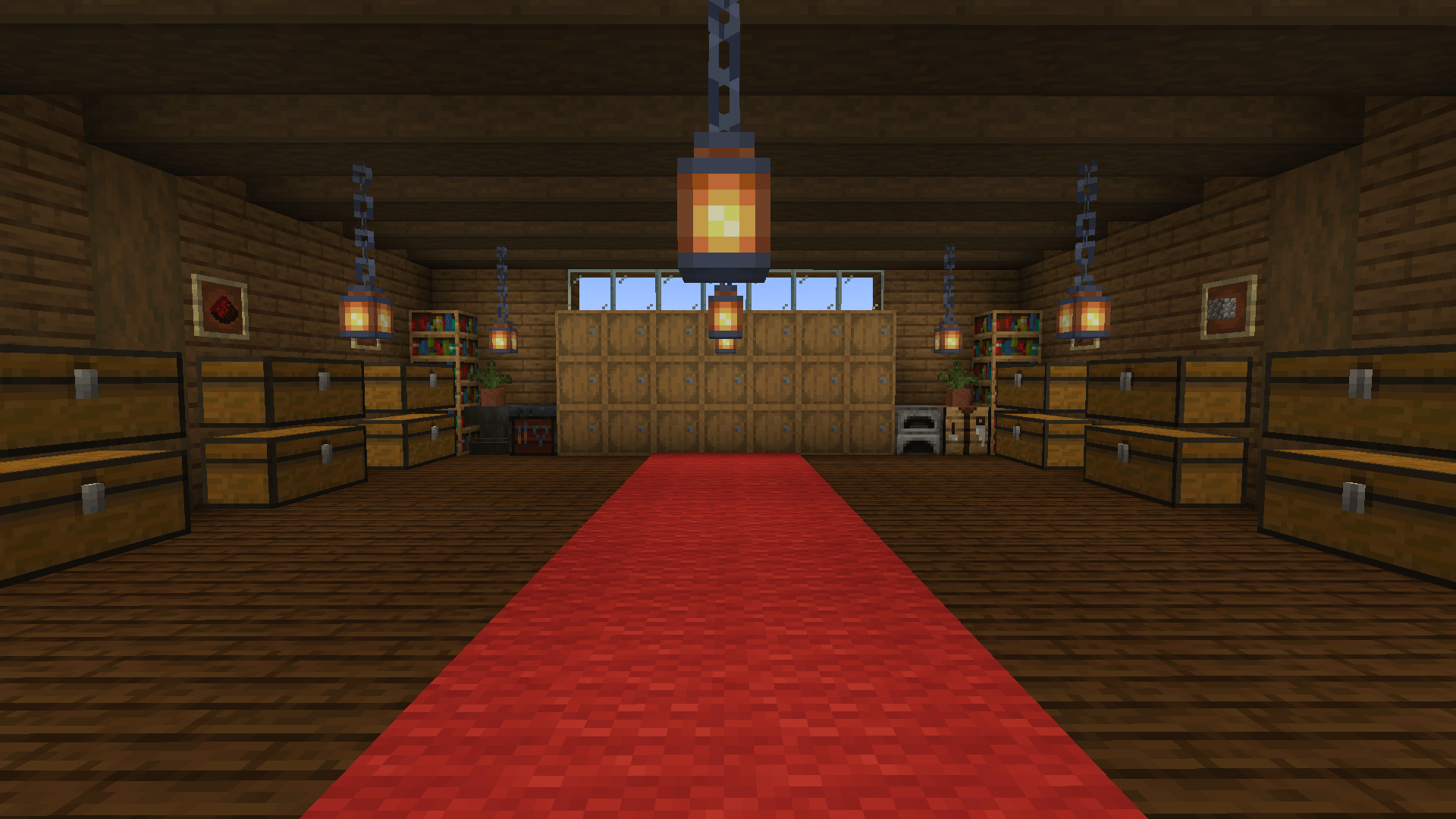 Your storage room Regular chests, barrels and shulker boxes — no machines, no new blocks.
 -
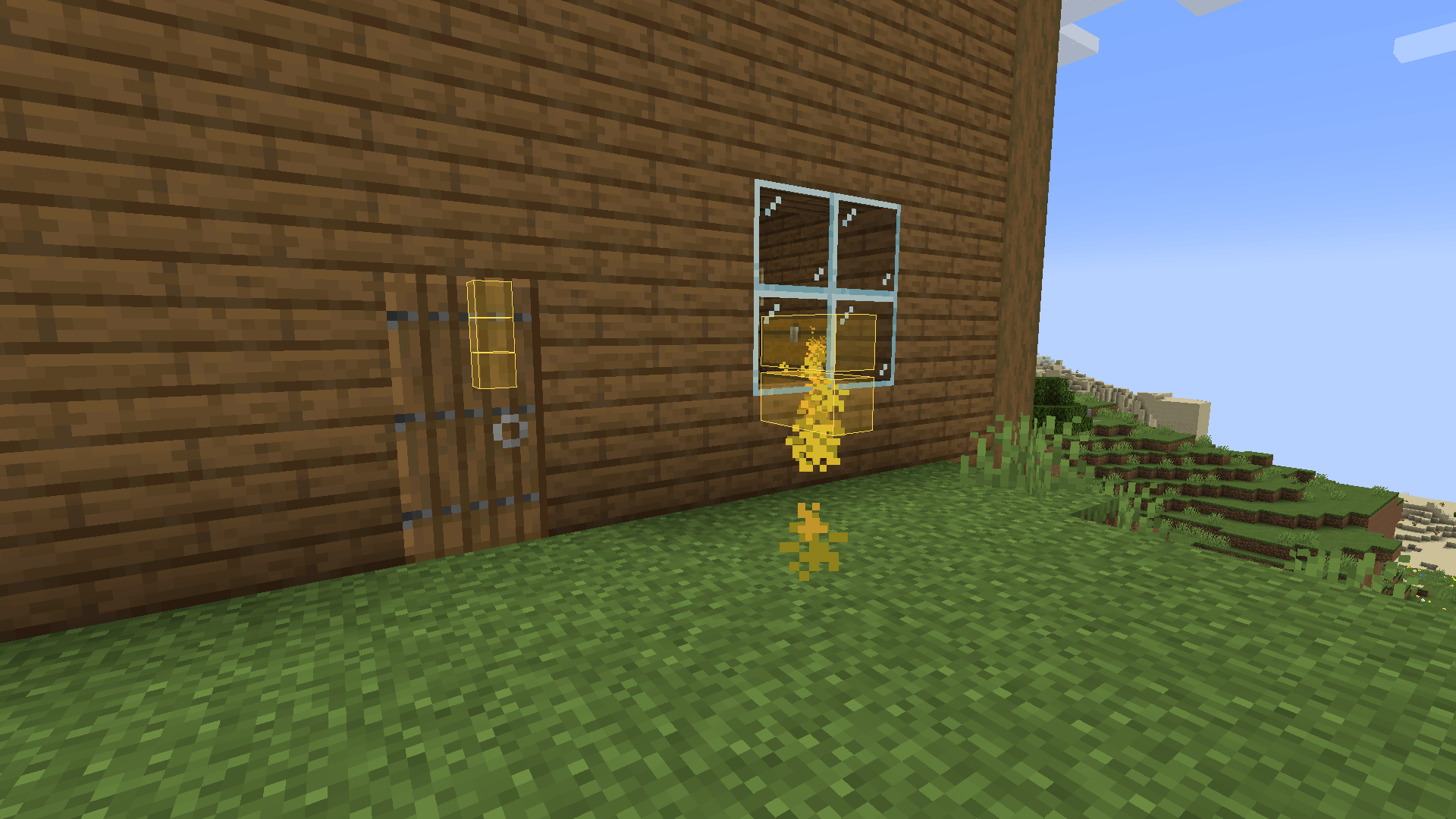 Find items through walls Press G, pick an item and every chest that has it glows, even from outside your base.
 -
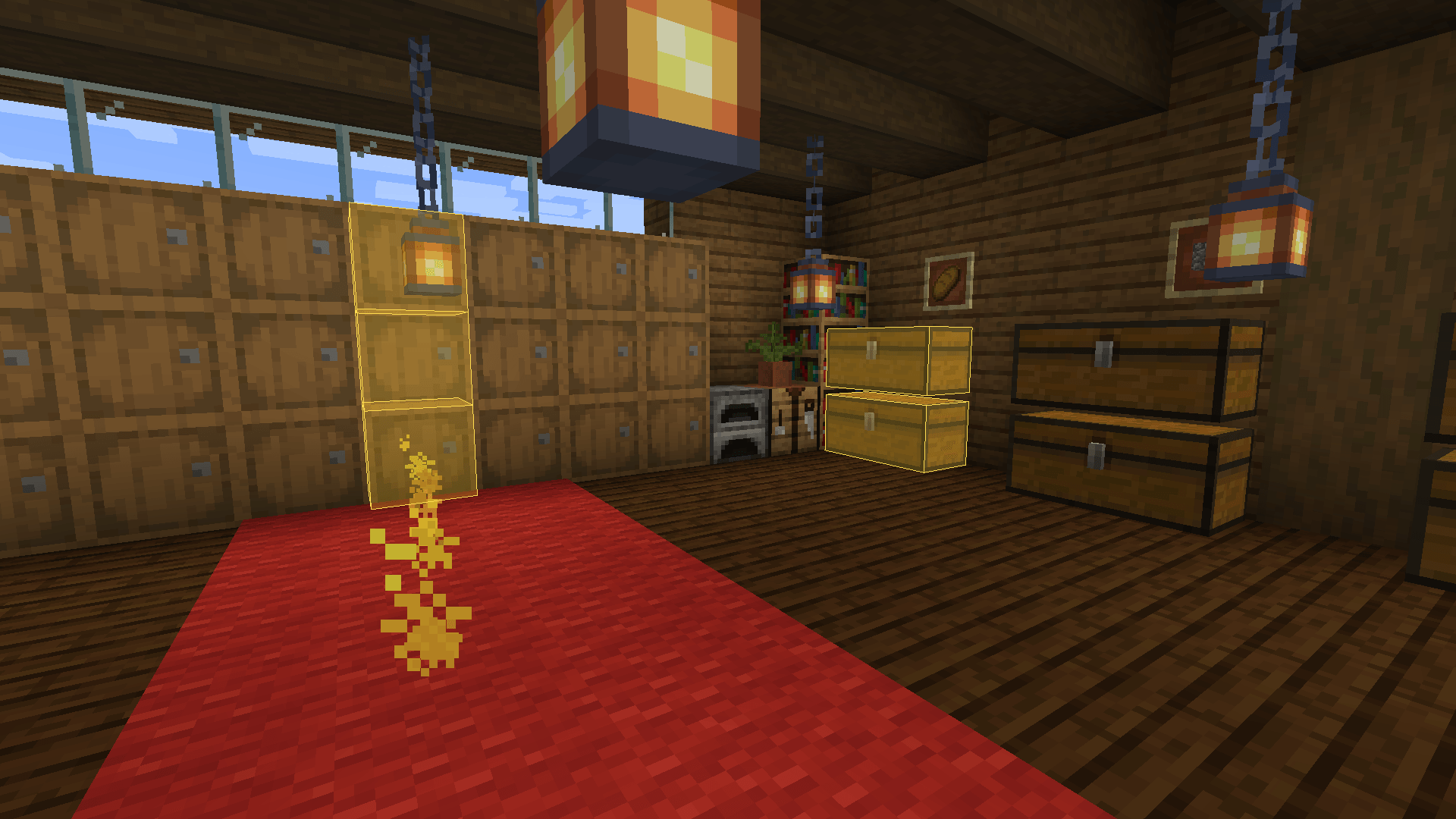 Follow the trail A particle trail guides you to the closest chest with the item.
 -
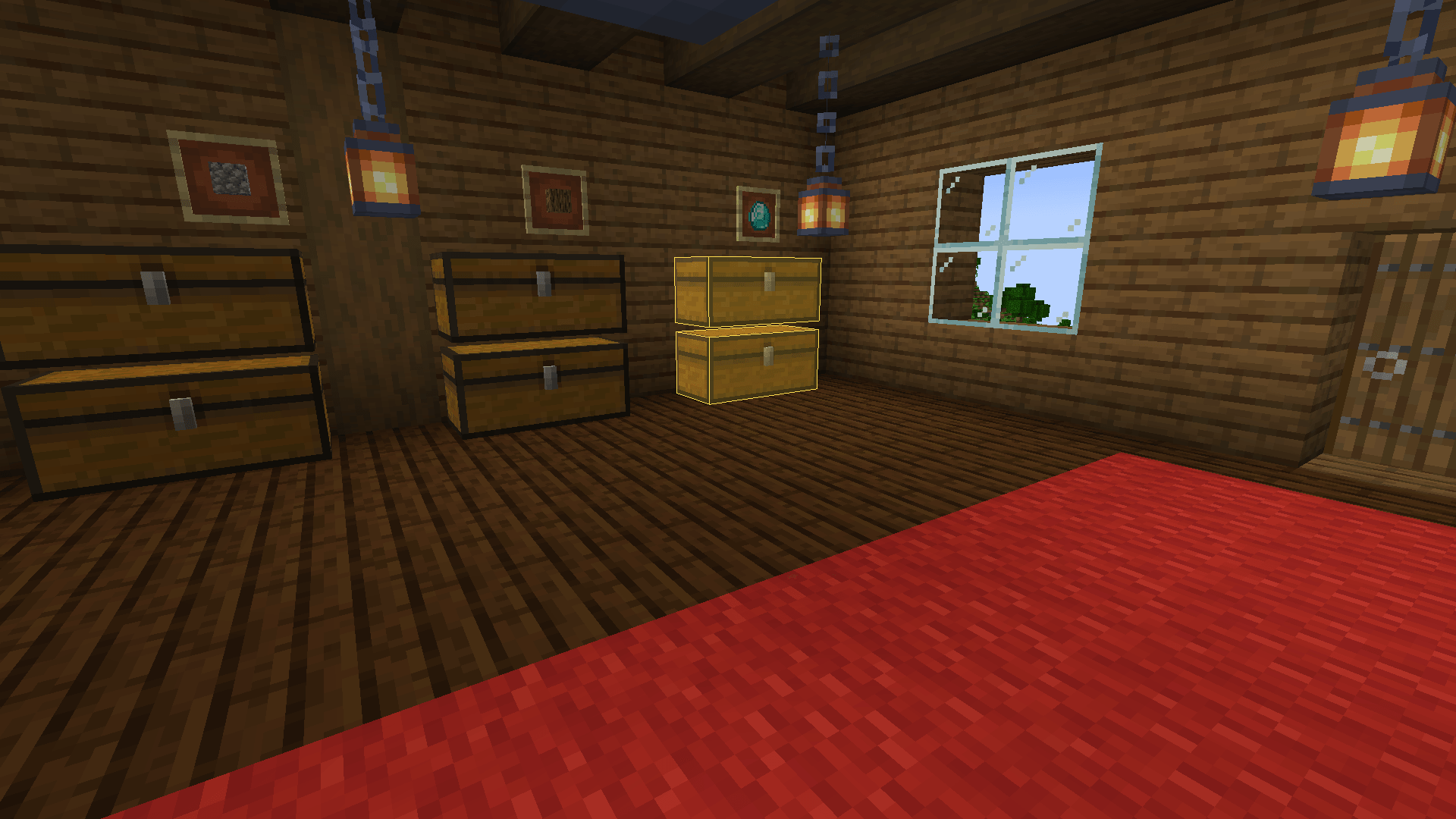 Highlighted chest The highlight fits the real chest shape, including double chests.
 -
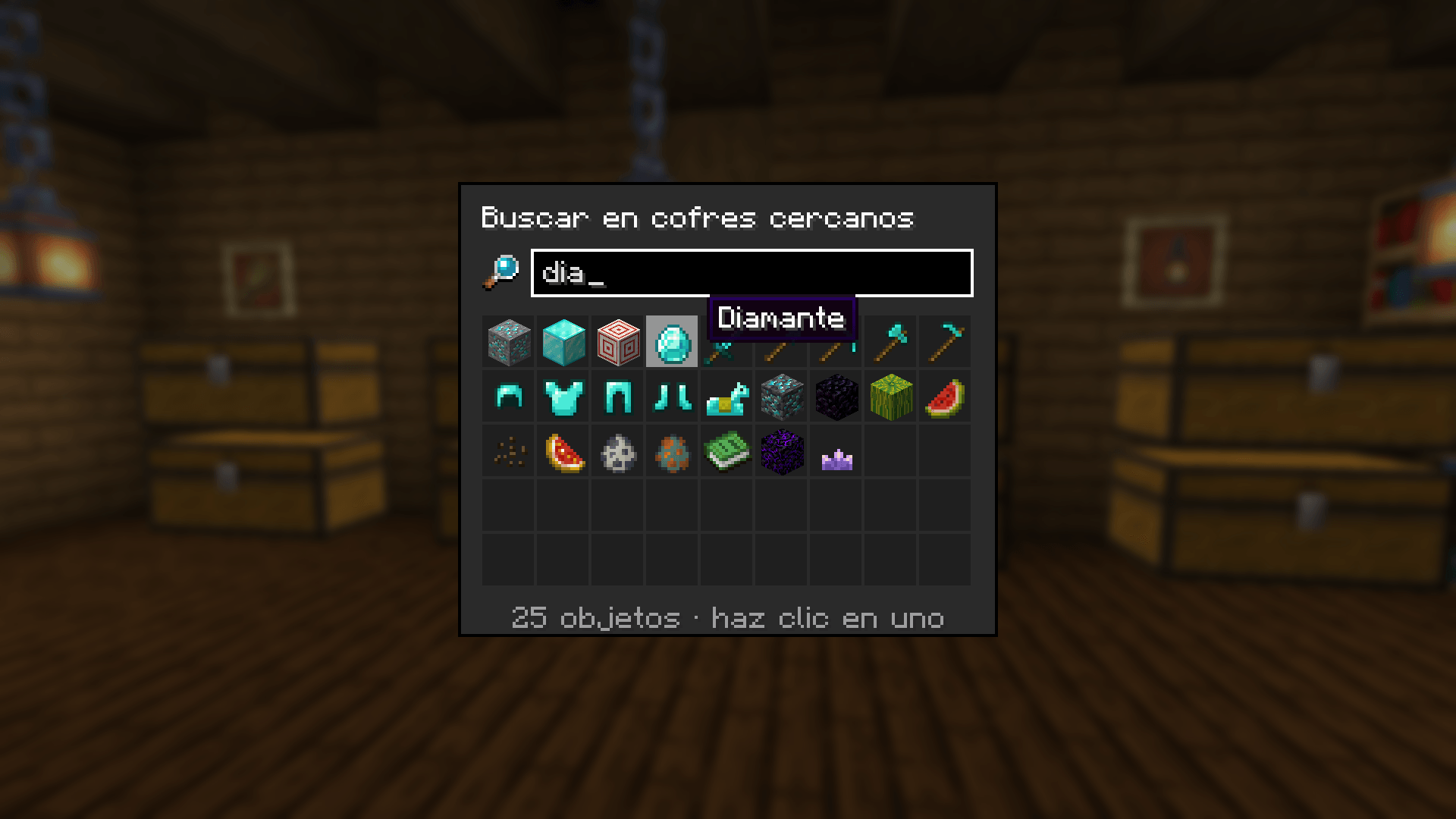 Creative-style search Type a few letters and click the item you want. Works in your game's language.
 -
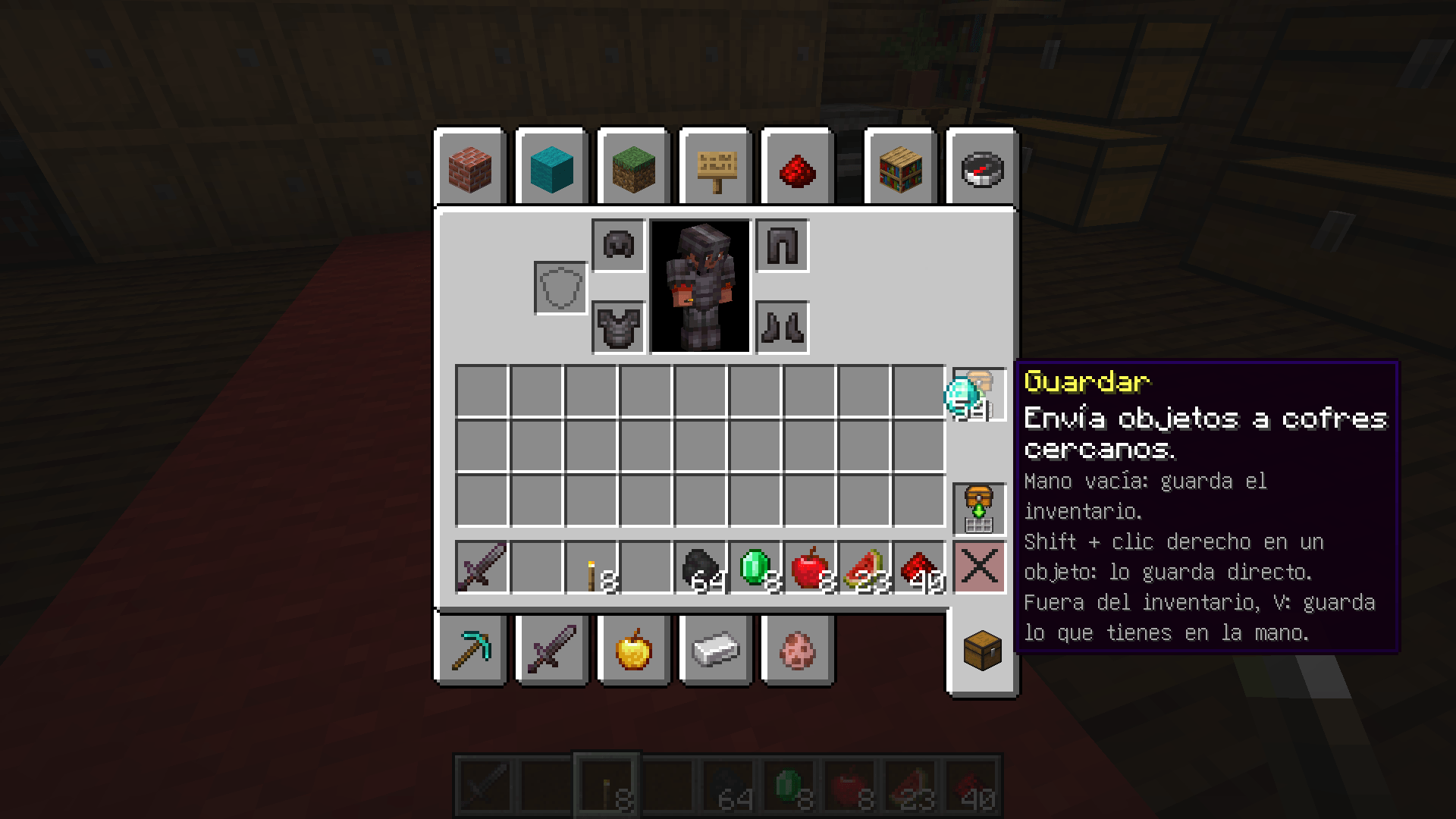 Store button Drop an item on it to send it to the nearby chest that already has it. Empty hand: store your whole inventory.
 -
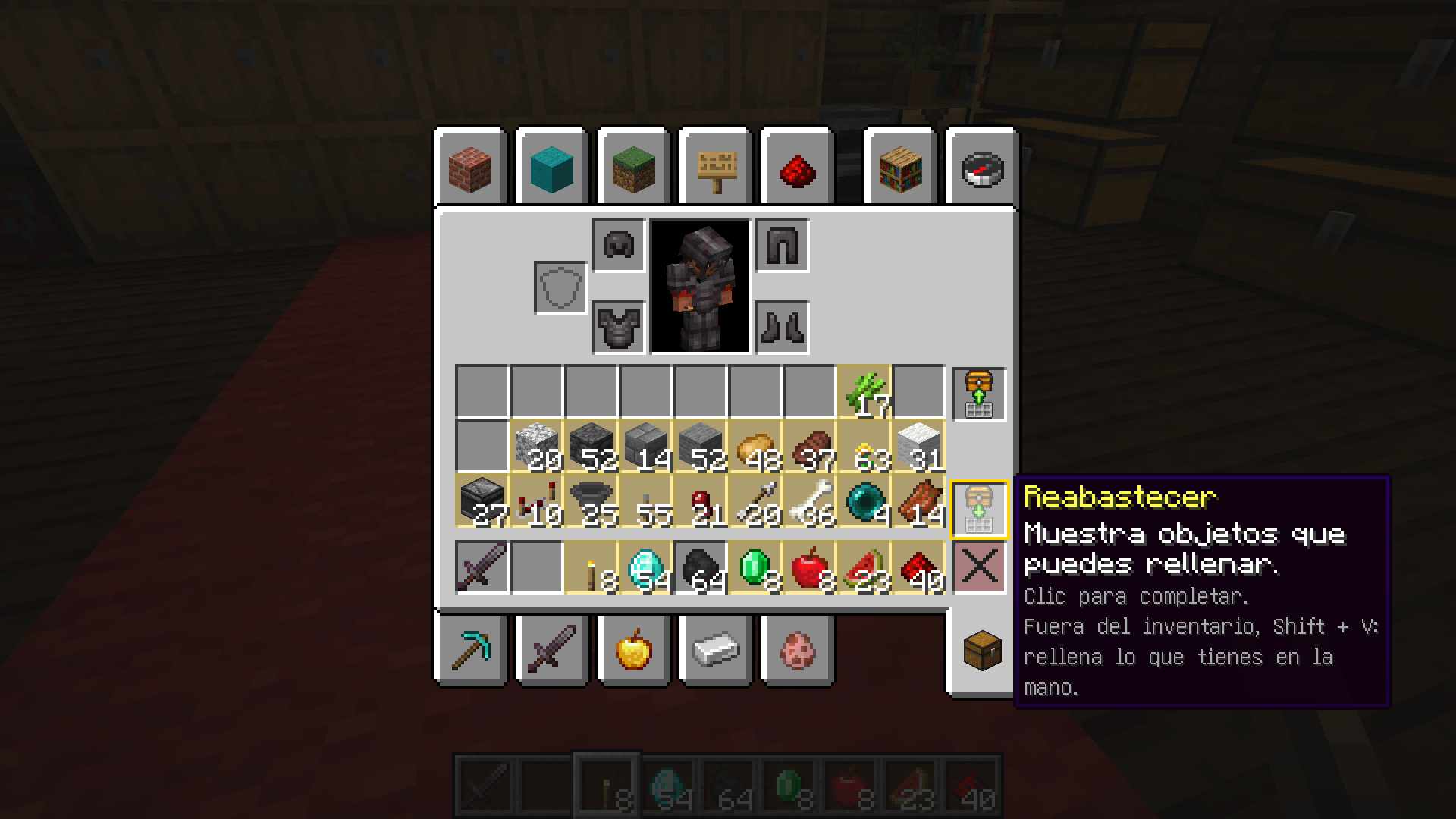 Restock mode Items you can refill from nearby chests glow gold. Click one to top it up to a full stack.
 -
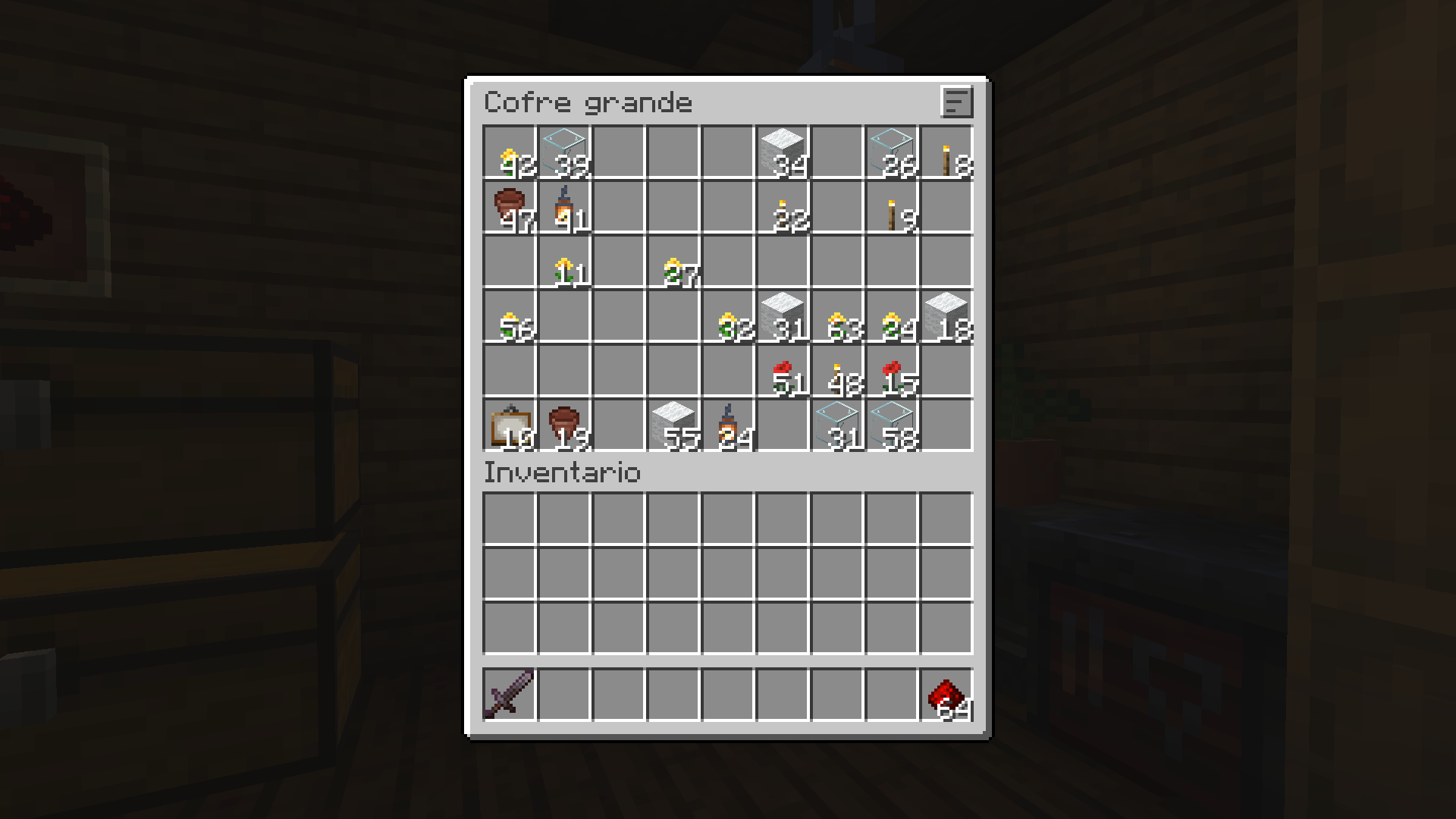 Before sorting A messy chest.
 -
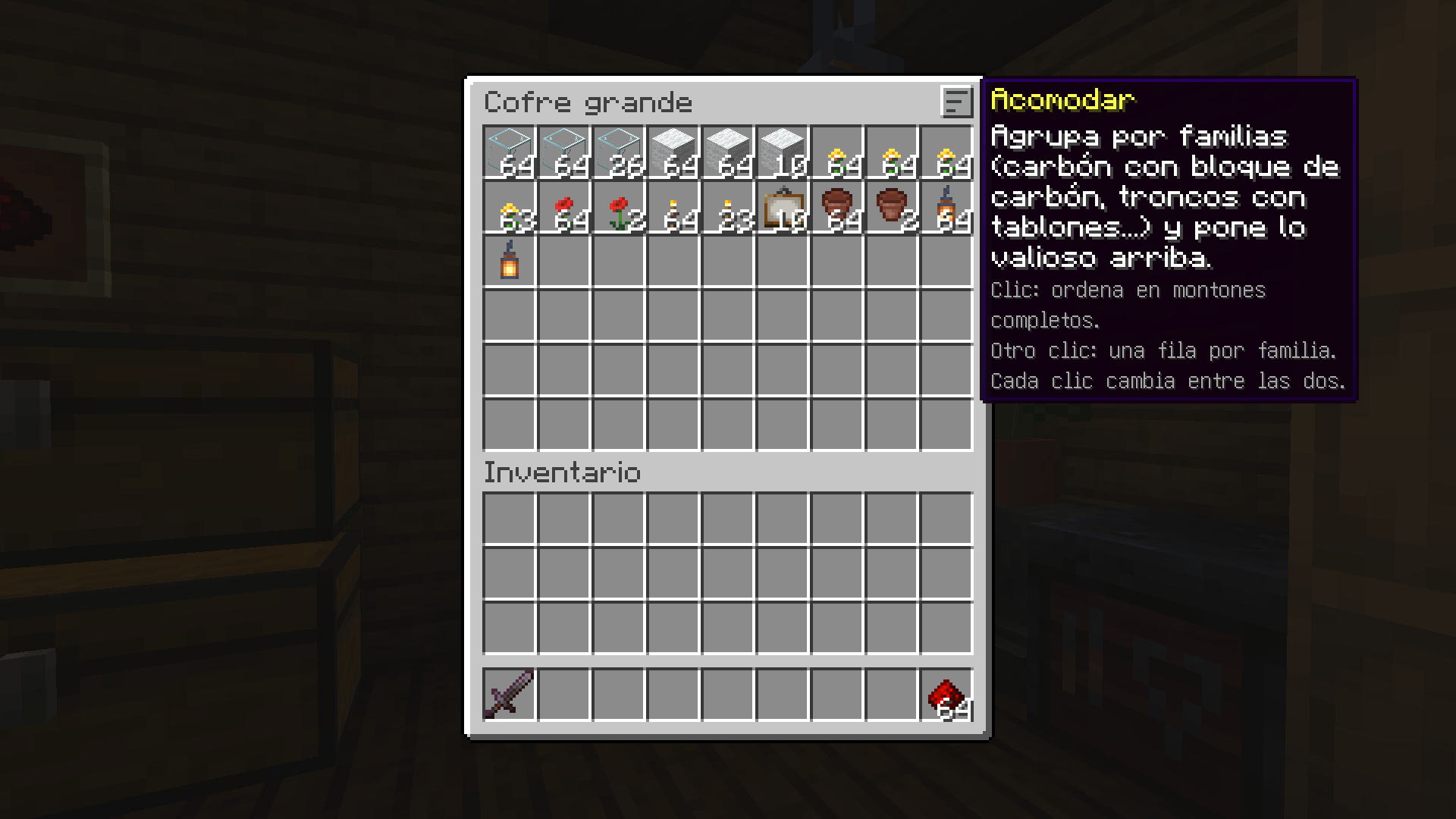 Sorted in full stacks One click: merged stacks, grouped by family, valuables first.
 -
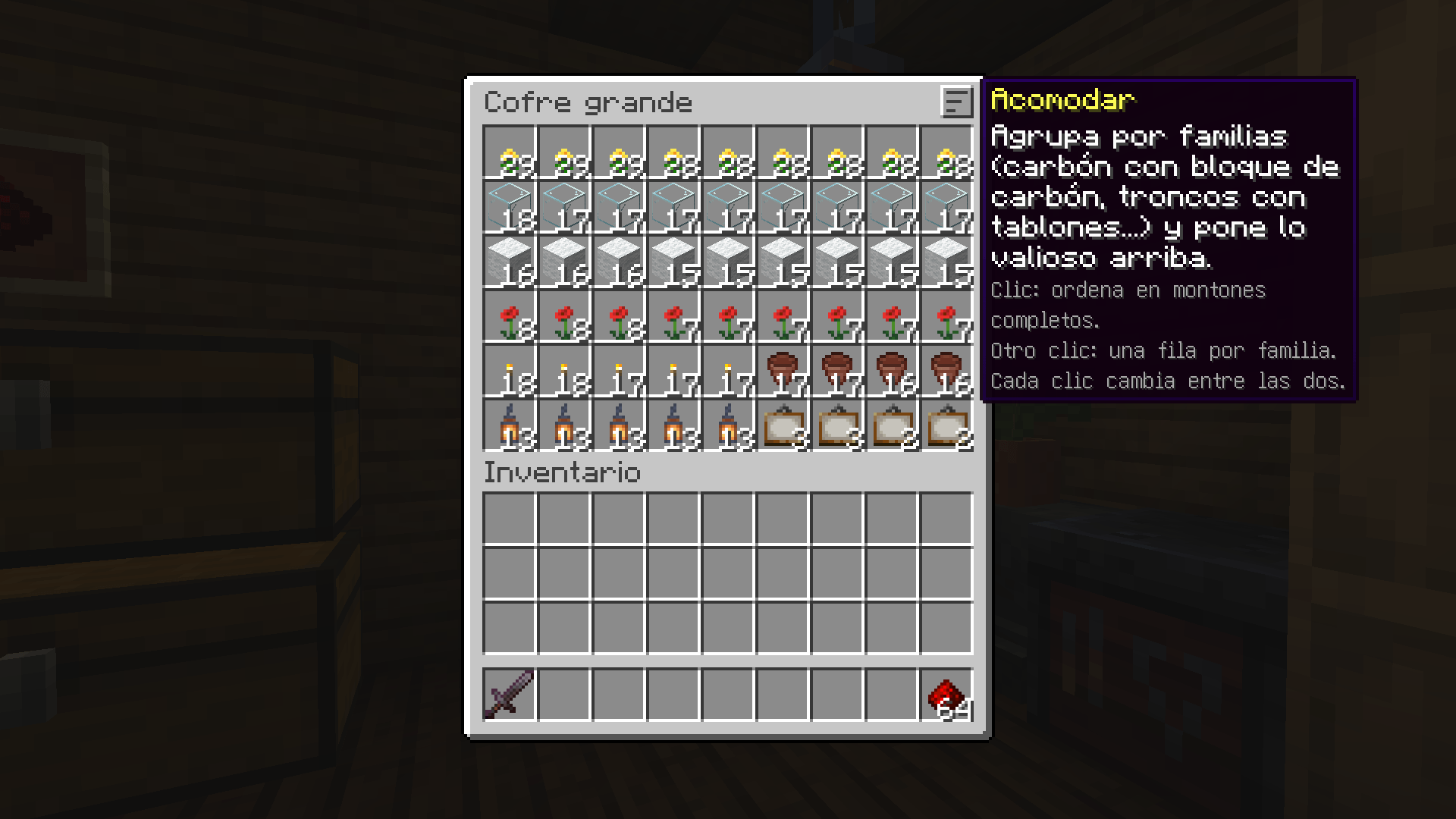 One row per family Click again: each family gets its own row, spread across it.
Versions
Files
Relations
Project Relations
More like this
Similar Mods
Suggestions use data such as tags, dependencies, dependents, descriptions, titles, and more to rank how much they overlap with this mod.
On ModDex
Community snapshot
By the numbers
Statistics
 (opens in a new tab)
Get it on
Available Platforms
On ModDex
Community snapshot
By the numbers
Statistics
Resources