Community listing page, reviews here may not be monitored by the author.

Community voices
Reviews
No reviews yet. Be the first to review this project!
Get it on
Available Platforms
About
Project Details
For authors
Embed Badge
If you're the author of this project, you can embed a live badge anywhere that supports HTML or Markdown. It updates automatically whenever ratings change.
Use HTML for any page that supports it, or Markdown for README files and Markdown-based descriptions.
Identifiers
Platform IDs
Resources
External Links
About
Description
# Choose Your Biome
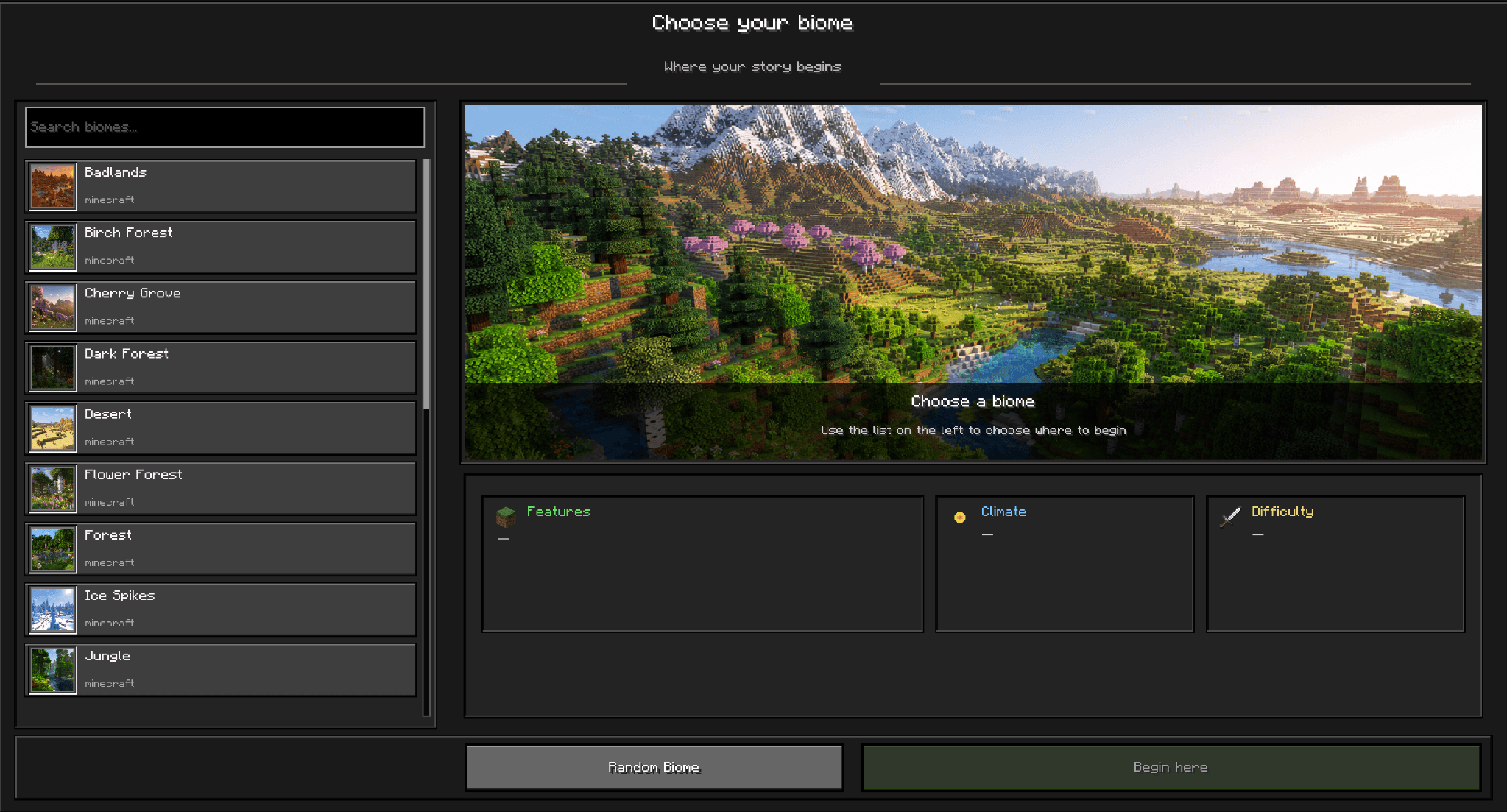
Choose Your Biome lets you decide where your Minecraft adventure begins.
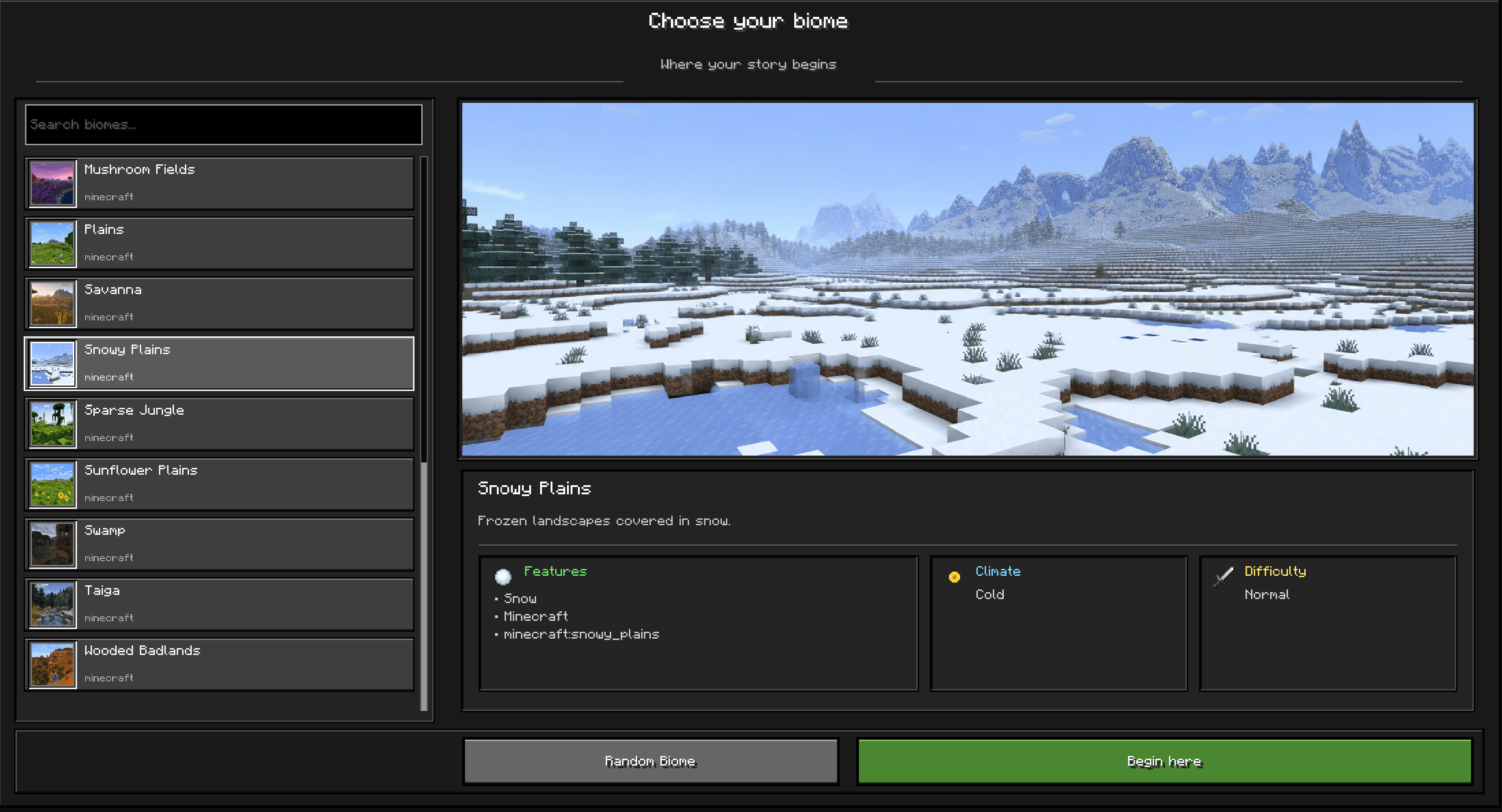
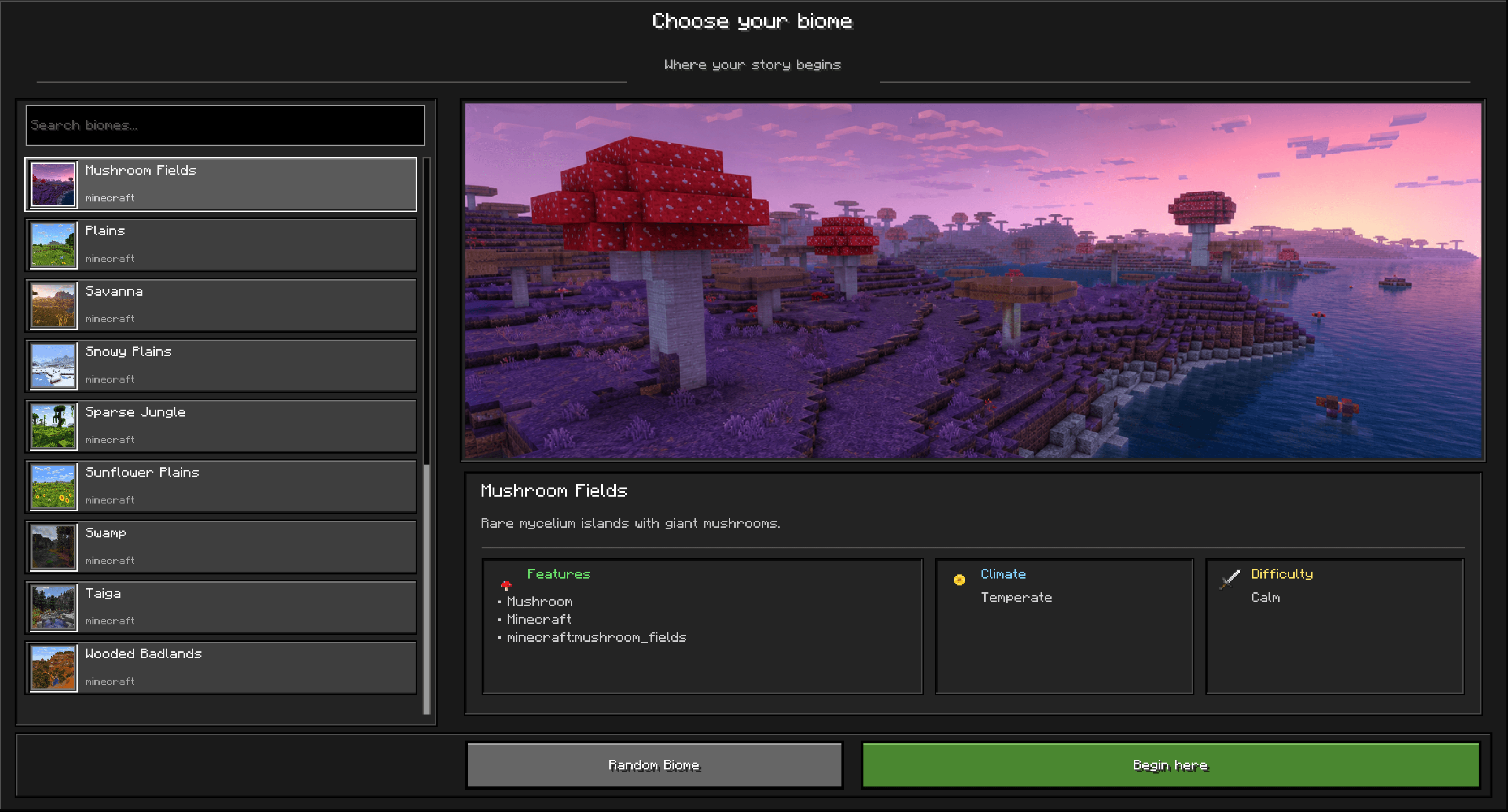
When entering a world for the first time, the mod opens a biome selection screen before normal gameplay begins. Select your preferred biome, choose a random destination, and start your journey at a safe location inside the selected biome.
## Features
- Choose your starting biome before beginning your adventure
- Searchable list of supported Overworld biomes
- High-quality biome previews
- Random biome selection
- Safe starting-position search
- Personal respawn point set at the chosen location
- The selected biome becomes the player's first playable starting location
- English and Brazilian Portuguese translations
- Singleplayer and dedicated server support
- Designed for Minecraft Java 26.2 with NeoForge
## How It Works
On the player's first entry into a world, the selection screen appears before gameplay is released.
After choosing a biome, the server:
1. Locates the selected biome
2. Searches for a safe starting position
3. Loads the required area
4. Places the player at the destination
5. Sets the player's personal respawn point
6. Saves the selection for that world
The selection screen will not appear again unless the player's choice is reset by an administrator.
## Multiplayer
Each player can choose their own starting biome when joining the world for the first time.
The mod must be installed on both the server and the connecting clients.
## Languages
- English
- Português do Brasil
## Modpack Permission
You may include Choose Your Biome in CurseForge modpacks.
## Current Limitations
- The initial release focuses on selected Overworld surface biomes
- Nether, End, deep underground, and unsuitable ocean biomes are not available
- A biome search may fail if no safe location is found within the configured search radius
- Additional visual refinements are planned for future updates
## Future Updates
Future versions may bring additional interface refinements, improved biome presentation, expanded compatibility, and other quality-of-life improvements.
Screenshots
Gallery
-
 2.png 2.png
 -
 Snowy Plains
 -
 Murshroom
 -
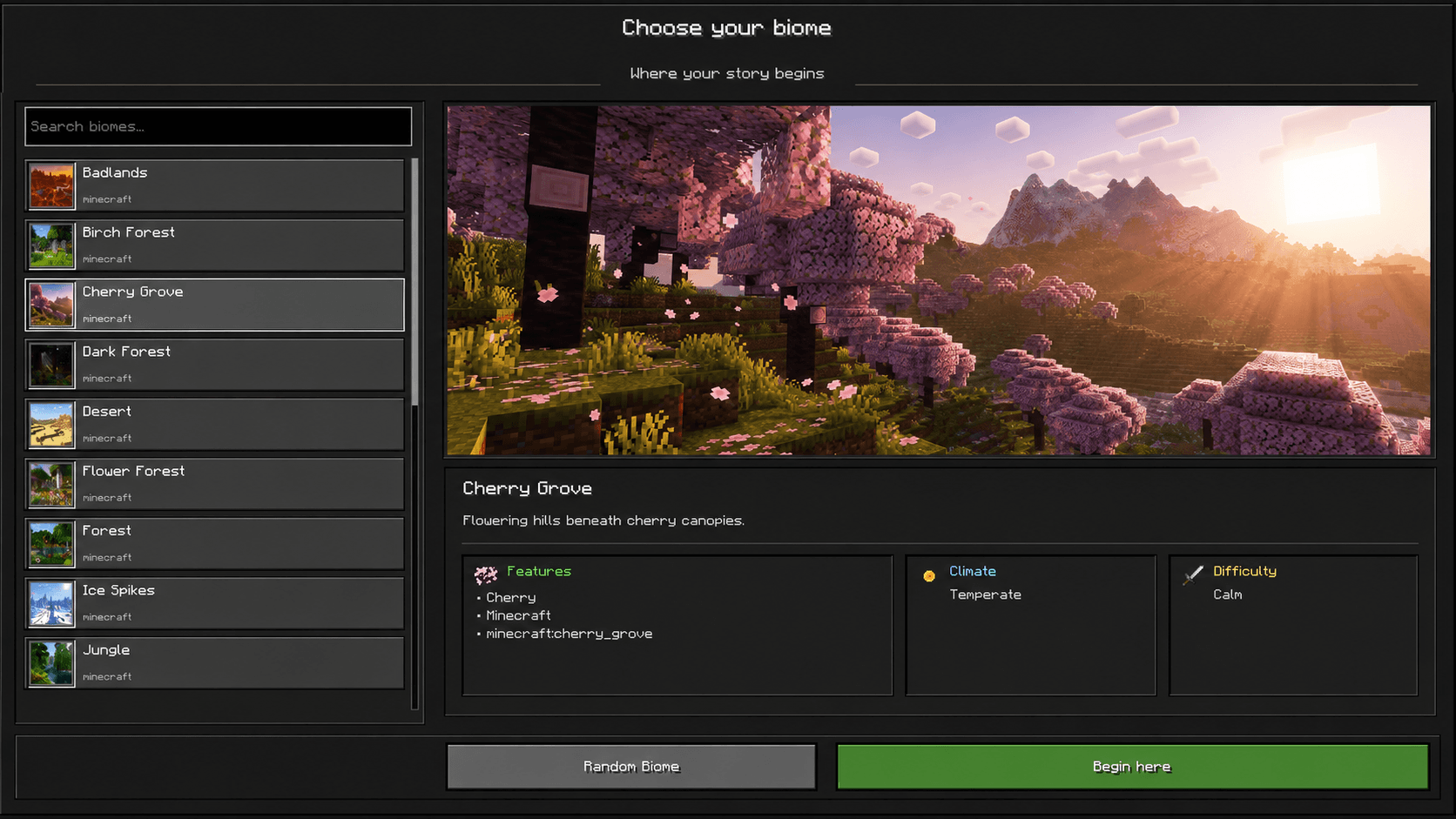 Cherry Grove
Versions
Files
Relations
Project Relations
More like this
Similar Mods
Suggestions use data such as tags, dependencies, dependents, descriptions, titles, and more to rank how much they overlap with this mod.
On ModDex
Community snapshot
By the numbers
Statistics
Want to reach Minecraft players?
We're looking for a server hosting partner to feature here and other parts of the site. Interested? Send us a message!
Get in touchGet it on
Available Platforms
On ModDex
Community snapshot
By the numbers
Statistics
Resources