
Community listing page, reviews here may not be monitored by the author.
Cinnamon Client


No reviews yet
All in one Utility Client. (Fullbright , AutoClicker , etc)
Community voices
Reviews
No reviews yet. Be the first to review this project!
Get it on
Available Platforms
Compatibility
Supported Environments
Runs entirely on the client. Works on vanilla servers.
About
Project Details
For authors
Embed Badge
If you're the author of this project, you can embed a live badge anywhere that supports HTML or Markdown. It updates automatically whenever ratings change.
Use HTML for any page that supports it, or Markdown for README files and Markdown-based descriptions.
Identifiers
Platform IDs
Resources
External Links
About
Description
CinnamonClient
CinnamonClient |
A modular and performance-focused Minecraft 1.21.6+ client mod for Fabric. Built entirely in Kotlin for clarity, extensibility, and real-time control.




🌟 Overview
CinnamonClient is a next-generation Minecraft client mod that combines lightweight architecture with powerful customization. Designed for users who demand both performance and flexibility, it offers a clean, customizable HUD system, modern UI framework, and advanced developer utilities—all built with a focus on clarity and extensibility.
✨ Key Highlights
- 🚀 Lightweight & Modular - Minimal performance impact with toggleable modules
- 🎨 Fully Customizable HUD - Live editing with drag-and-drop repositioning
- 🔧 Modern UI Framework - Polished screens and intuitive controls
- 📡 Packet-Level Integration - Advanced networking utilities and controls
- 💎 Clean Kotlin Codebase - Minimal dependencies, maximum maintainability
🧩 Core Modules
All modules are toggleable and configurable through the in-game GUI, giving you complete control over your experience.
📊 HUD Elements
| Module | Description | Features |
|---|---|---|
| 🎮 Keystrokes | Visualizes input (WASD, mouse buttons) | Layout customization, key remapping, color control |
| 📈 FPS Display | Shows current frames per second | Configurable format, color, and positioning |
| 📡 Ping Display | Displays latency to server or localhost | Adjustable style and scaling options |
| 🛡️ Armor HUD | Renders armor icons and durability | Fully customizable layout and positioning |
| 🗺️ Coordinates HUD | Shows player's X, Y, Z coordinates | Axis labeling, formatting, and screen placement |
| 🎵 Spotify HUD | Displays current Spotify track info and playback status | Song title, artist, progress bar, configurable colors and position |
🔧 Utility Modules
| Module | Description | Features |
|---|---|---|
| ✏️ HUD Edit Mode | Drag-and-drop HUD repositioning | Snapping helpers, alignment guides, scaling |
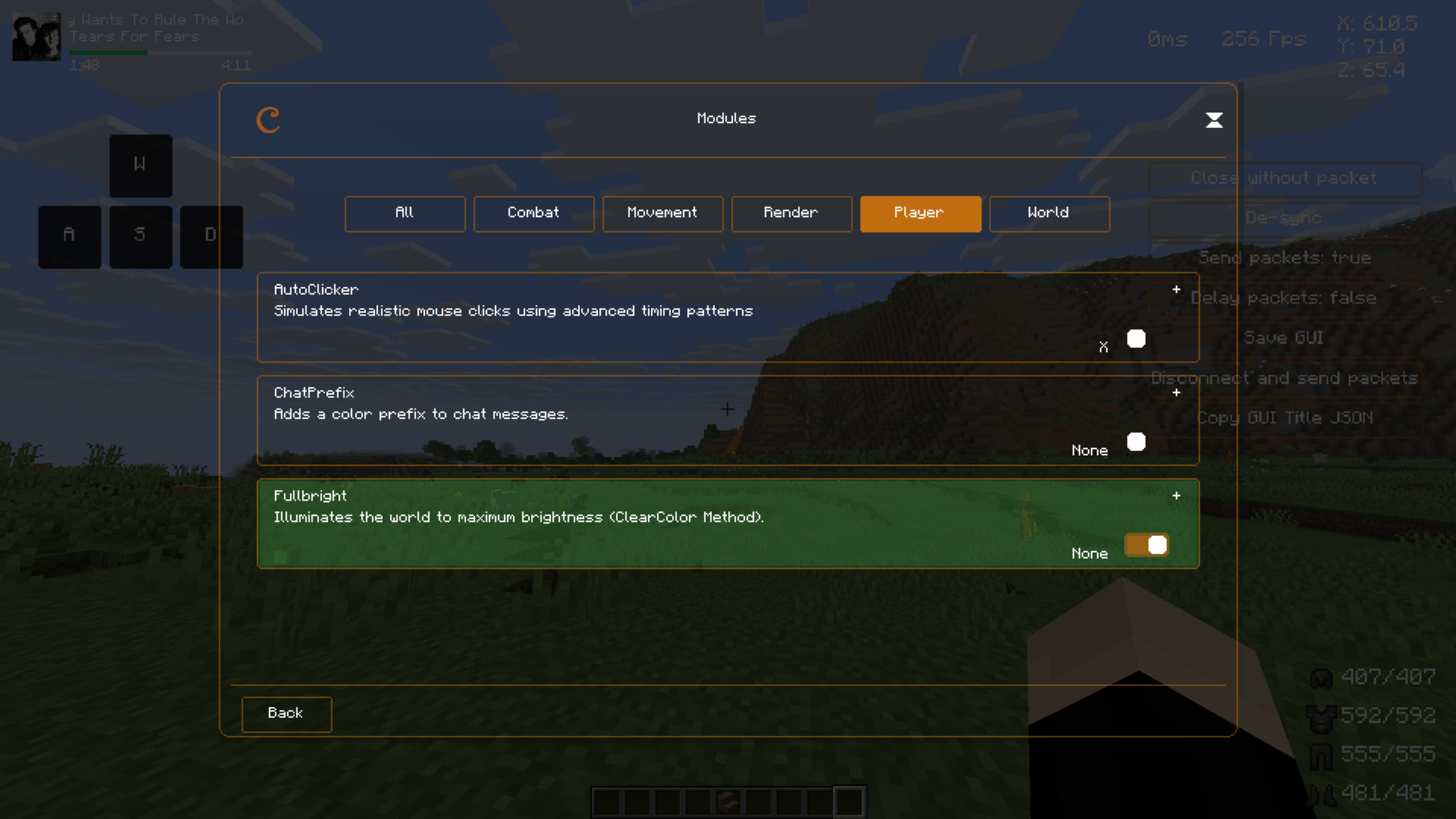
| 💡 Fullbright | Maximum brightness override | Toggle-based lighting control |
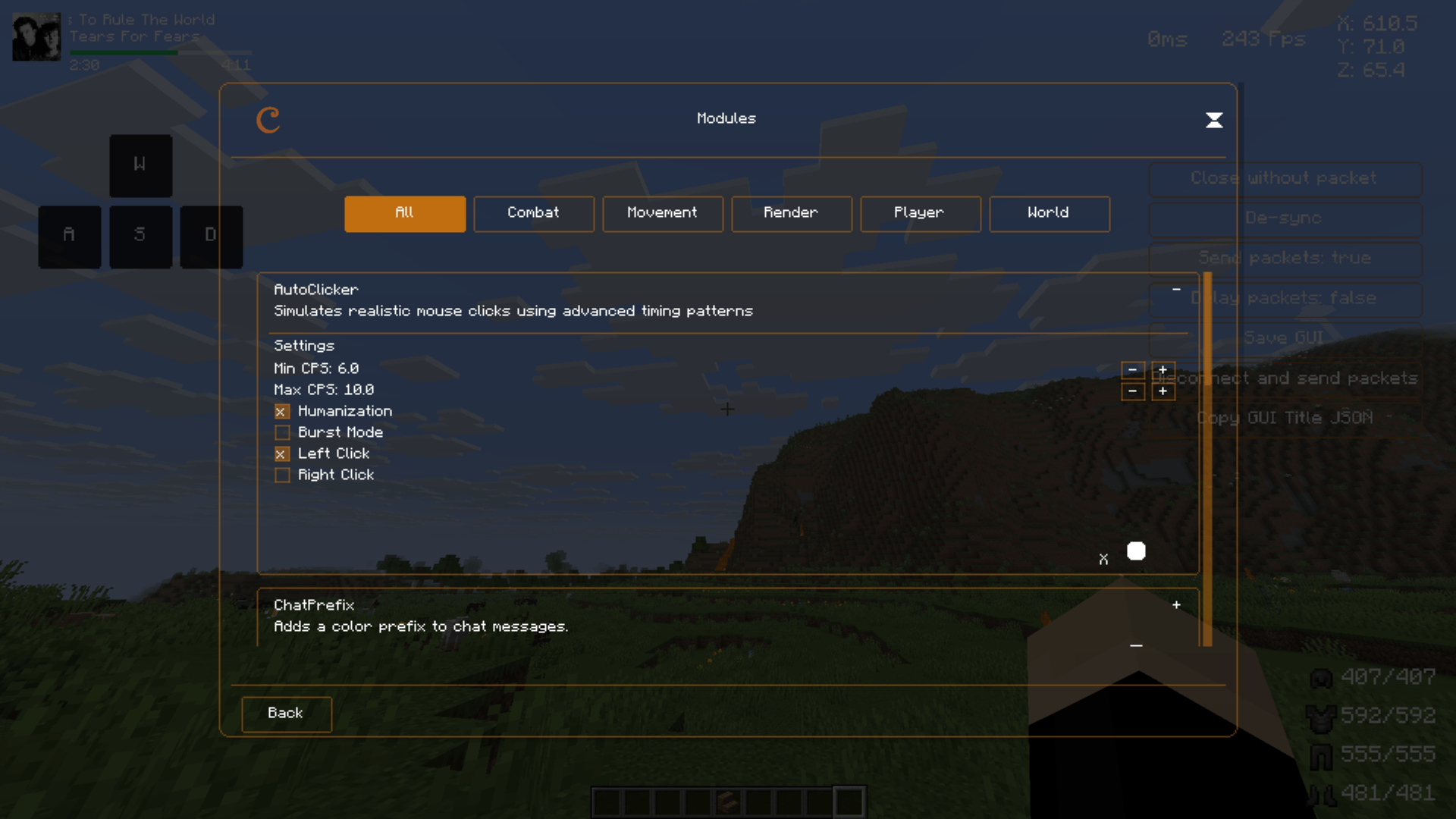
| 🖱️ Simple Auto Clicker | Automates mouse clicks at configurable intervals | Adjustable CPS (clicks per second), toggle keybind, visual feedback |
| 📦 Packet Handler | Packet-layer utilities | Powers internal UI interactions |
🎨 Customization
🖱️ Live HUD Editing
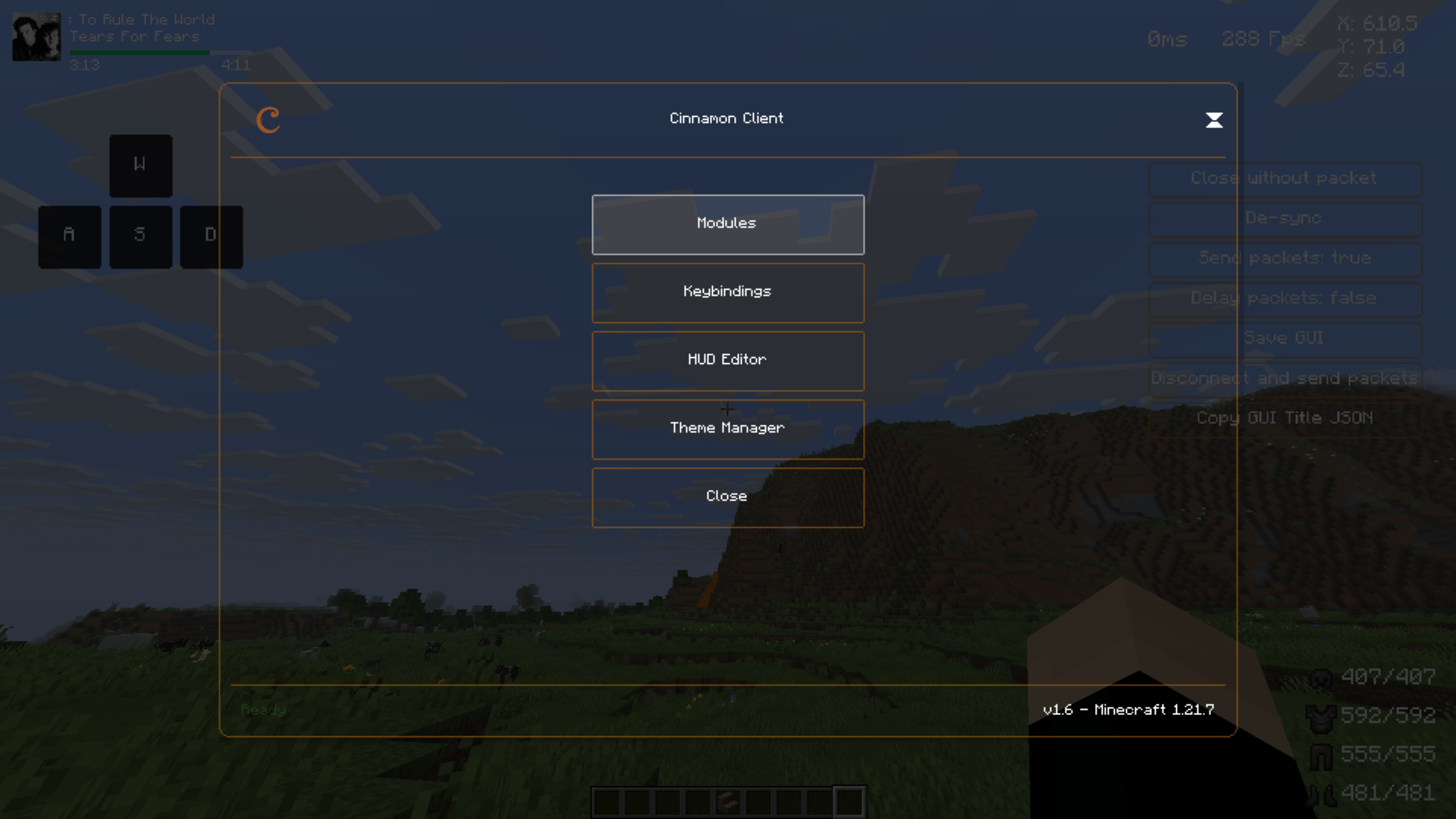
Activate HUD Edit Mode through the main menu to transform your interface in real-time:
- Drag & Drop - Move elements anywhere on screen
- Precision Alignment - Edge snapping and alignment guides
- Dynamic Scaling - Resize elements to your preference
- Visual Feedback - See changes instantly as you edit
⚙️ Per-Module Configuration
Each module includes dedicated settings accessible via the GUI:
- 🎯 Scaling - Adjust size for optimal visibility
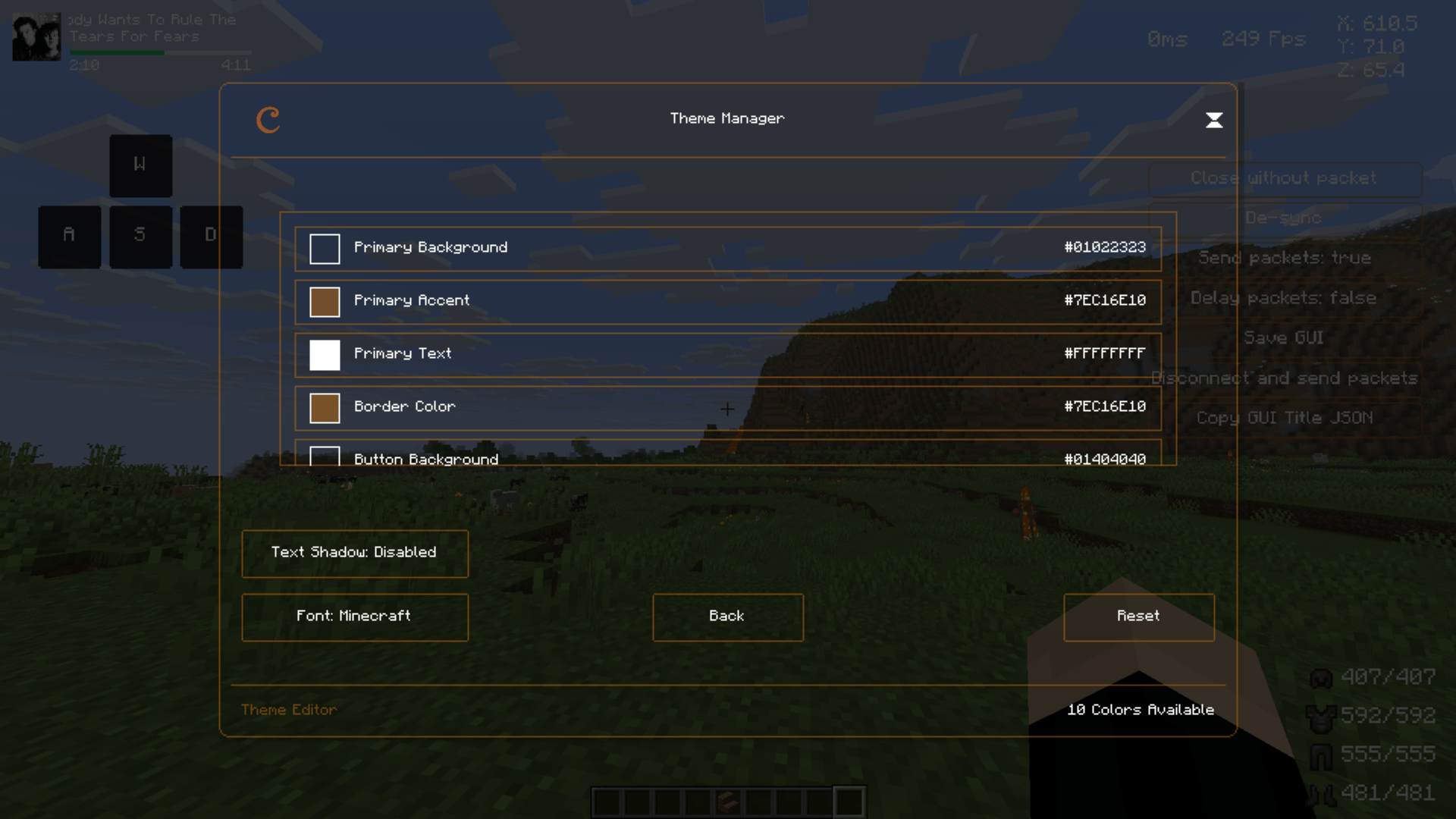
- 🎨 Color Customization - Personalize your aesthetic
- 📍 Screen Positioning - Place elements exactly where you want them
- 🕹️ Keybinds & Behavior (Auto Clicker) - Set toggle keys and click speed
🔨 Development
CinnamonClient leverages cutting-edge technologies for optimal performance and maintainability:
🛠️ Tech Stack
- Kotlin — Clean syntax and expressive language features
- Fabric — Lightweight and widely supported modding framework
- Mixin — Powerful method injection for low-level control
🏗️ Architecture
- Modular Design - Easy module creation and management
- Clean Separation - UI logic clearly separated from game logic
- Extensible Framework - Built for future enhancements and community contributions
🚀 Installation
Prerequisites
- Minecraft Java Edition 1.21.6 or 1.21.7
- Fabric Loader (latest version)
- Java 21 or higher
Installation Steps
- Download the latest version from Releases
- Install Fabric Loader for Minecraft 1.21.6 or 1.21.7
- Place the CinnamonClient
.jarfile in yourmodsfolder - Launch Minecraft with the Fabric profile
- Access the mod through the in-game menu
📞 Support & Contact
Author: Cinnamonpuma
- GitHub: Issues & Discussions
📝 License
This project is licensed under the (CC BY-NC-SA 4.0). See the LICENSE file for details.
Built with ❤️ and ☕ by Cinnamonpuma
Enhancing your Minecraft experience, one module at a time.
CinnamonClient: The Ultimate Client for Minecraft 1.21.6+
CinnamonClient |
CinnamonClient is a powerful utility mod for the Minecraft client, specifically crafted for versions 1.21.6 and beyond, built on the Fabric modding framework. I've poured countless hours into its development, using 90% Kotlin to ensure clarity, easy extensibility, and to give you real-time control over your game. This mod thrives thanks to players like you, and if you appreciate our work and want to support future development.

Why Choose CinnamonClient?
CinnamonClient isn't just another mod; it's designed to give you unparalleled customization and control over your Minecraft experience. Our focus is on enhancing your gameplay with a suite of flexible tools, all while maintaining a lightweight presence in your game.
Unlike other mods that might dictate your setup, CinnamonClient offers wide compatibility within the broader modding ecosystem. And it does so without compromising the authentic Minecraft feel you love—it just helps you make it your Minecraft.
Here's what makes CinnamonClient stand out:
- Lightweight & Modular: Experience minimal impact on your game while having the freedom to toggle features as you need them.
- Fully Customizable HUD: Drag, drop, and reposition elements live in-game to create your perfect display.
- Modern UI Framework: Navigate intuitive, polished screens for effortless control.
- Packet-Level Integration: Get advanced networking utilities and fine-tuned controls under the hood.
- Clean Kotlin Codebase: Built 100% in Kotlin for a codebase that's easy to maintain and expand.
📥 Installation Guide
CinnamonClient is built for Fabric Loader, which we highly recommend for the simplest and most efficient modding experience. If you're using a third-party launcher (like Prism Launcher or GDLauncher), it often has built-in features to help you install mod loaders automatically.
Once you have Fabric Loader installed, simply place CinnamonClient's .jar file (along with the Fabric API and Kotlin Fabric Mod .jar files, as we're built entirely in Kotlin!) directly into your mods folder.
- Not sure if you installed the mod correctly? After launching Minecraft, head into your in-game main menu. You should find a dedicated option to access CinnamonClient's settings and modules. This is your sign that everything's loaded up!
- Not sure how to configure the mod? Don't worry, it's designed to be intuitive. Most of our modules are ready to use out-of-the-box. For deeper customization, simply enter HUD Edit Mode or explore the individual module settings within the GUI. You'll find everything laid out clearly.
🧩 Explore the Modules
Every single module in CinnamonClient is something you can toggle and fine-tune right from your in-game GUI. You get complete control over your experience.
HUD Elements
| Module | What It Does | Key Features |
|---|---|---|
| Keystrokes | Visualizes your keyboard and mouse inputs. | Customizable layout, key remapping, full color control. |
| FPS Display | Shows your current frames per second. | Configurable format, colors, and precise positioning. |
| Ping Display | Displays your latency to the server. | Adjustable style and scaling options. |
| Armor HUD | Renders your armor icons and durability. | Fully customizable layout and positioning. |
| Coordinates HUD | Shows your X, Y, Z coordinates. | Axis labeling, formatting, and screen placement. |
| Spotify HUD | Displays current Spotify track info and status. | Song title, artist, progress bar, customizable colors and position. |
Utility Modules
| Module | What It Does | Key Features |
|---|---|---|
| HUD Edit Mode | Lets you drag and drop HUD elements in real-time. | Snapping helpers, alignment guides, dynamic scaling. |
| Fullbright | Overrides in-game lighting for maximum brightness. | Simple toggle-based lighting control. |
| Simple Auto Clicker | Automates mouse clicks at configurable intervals. | Adjustable clicks per second (CPS), toggle keybind, visual feedback. |
| Packet Handler | Provides utilities for packet-layer interactions. | Powers internal UI interactions and other advanced features. |
🎨 Customization at Your Fingertips
CinnamonClient offers deep customization, putting you in the driver's seat.
Live HUD Editing
Activate HUD Edit Mode through the main menu to transform your interface in real-time:
- Drag & Drop Functionality: Move any element anywhere on your screen.
- Precision Alignment: Use edge snapping and alignment guides for a perfect setup.
- Dynamic Scaling: Resize elements to your exact preference.
- Visual Feedback: See every change instantly as you make it.
Per-Module Configuration
Each module comes with its own dedicated settings, easily accessible via the GUI:
- Scaling: Fine-tune element sizes for ideal display.
- Color Customization: Personalize your aesthetic.
- Screen Positioning: Place elements exactly where you want them.
- Keybinds & Behavior: (e.g., Auto Clicker) Set toggle keys and click speed.
🐛 How to Report Issues
If you encounter any bugs, crashes, or other issues, please use our issue tracker linked at the top of the page. Make sure you include as much detail as possible, such as what other mods you're using, and attach any crash or log files you have. This helps us fix things faster!
📞 Support & Contact
Author: Cinnamonpuma
- GitHub: Issues & Discussions
📝 License
This project is licensed under the Creative Commons Attribution-NonCommercial-ShareAlike 4.0 International (CC BY-NC-SA 4.0). See the LICENSE file for full details.
Thank you for choosing CinnamonClient.
Crafted to enhance your Minecraft experience with powerful, modular utilities.
Screenshots
Gallery
-
 Minecraft Screenshot 2025.07.13 - 23.06.26.31.png Minecraft Screenshot 2025.07.13 - 23.06.26.31.png
 -
 Minecraft Screenshot 2025.07.13 - 23.05.00.92.png Minecraft Screenshot 2025.07.13 - 23.05.00.92.png
 -
 Minecraft Screenshot 2025.07.13 - 23.05.42.86.png Minecraft Screenshot 2025.07.13 - 23.05.42.86.png
 -
 Minecraft Screenshot 2025.07.13 - 23.05.22.46.png Minecraft Screenshot 2025.07.13 - 23.05.22.46.png
 -
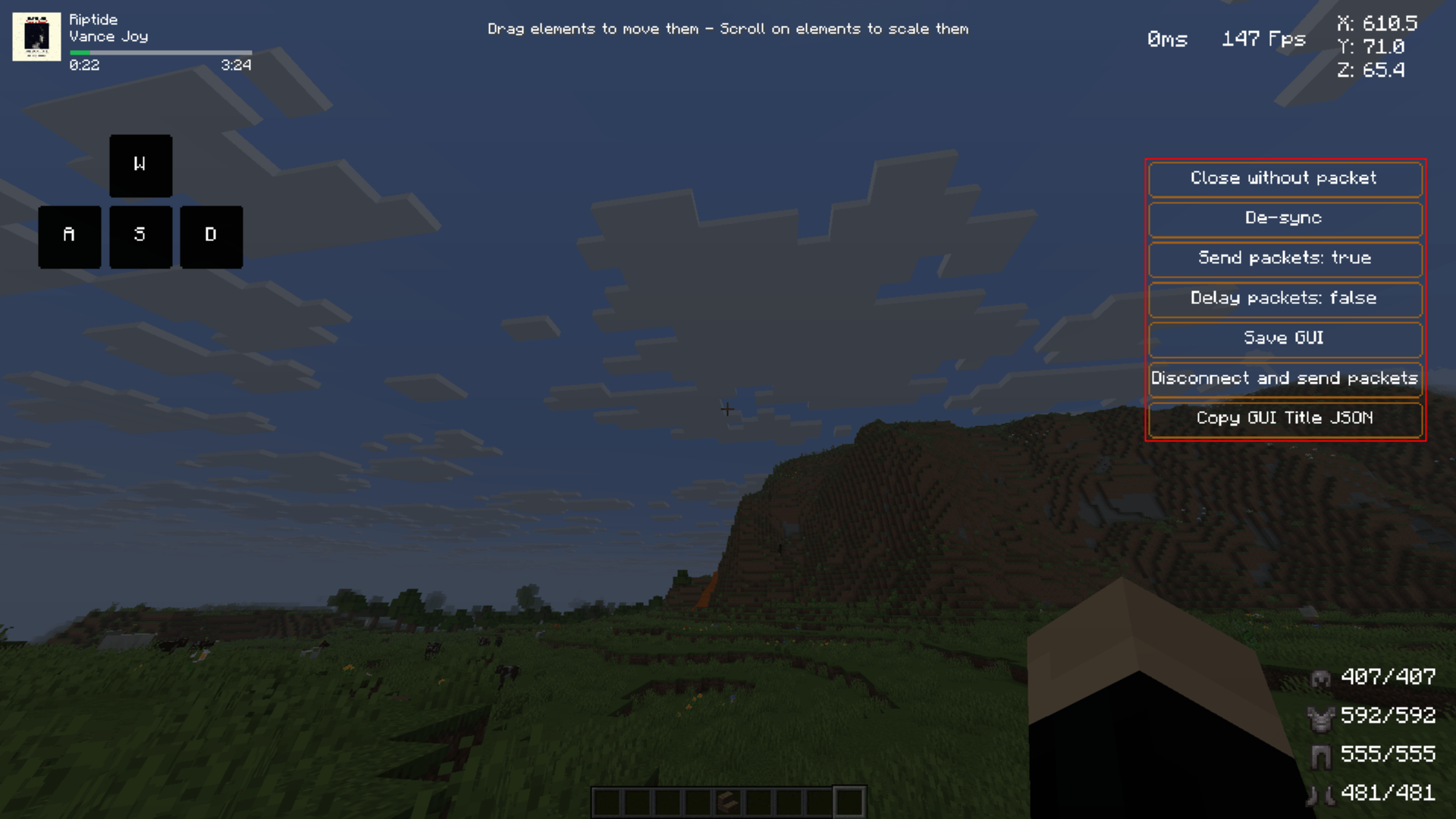 Minecraft Screenshot 2025.07.13 - 23.07.41.45.png Minecraft Screenshot 2025.07.13 - 23.07.41.45.png
 -
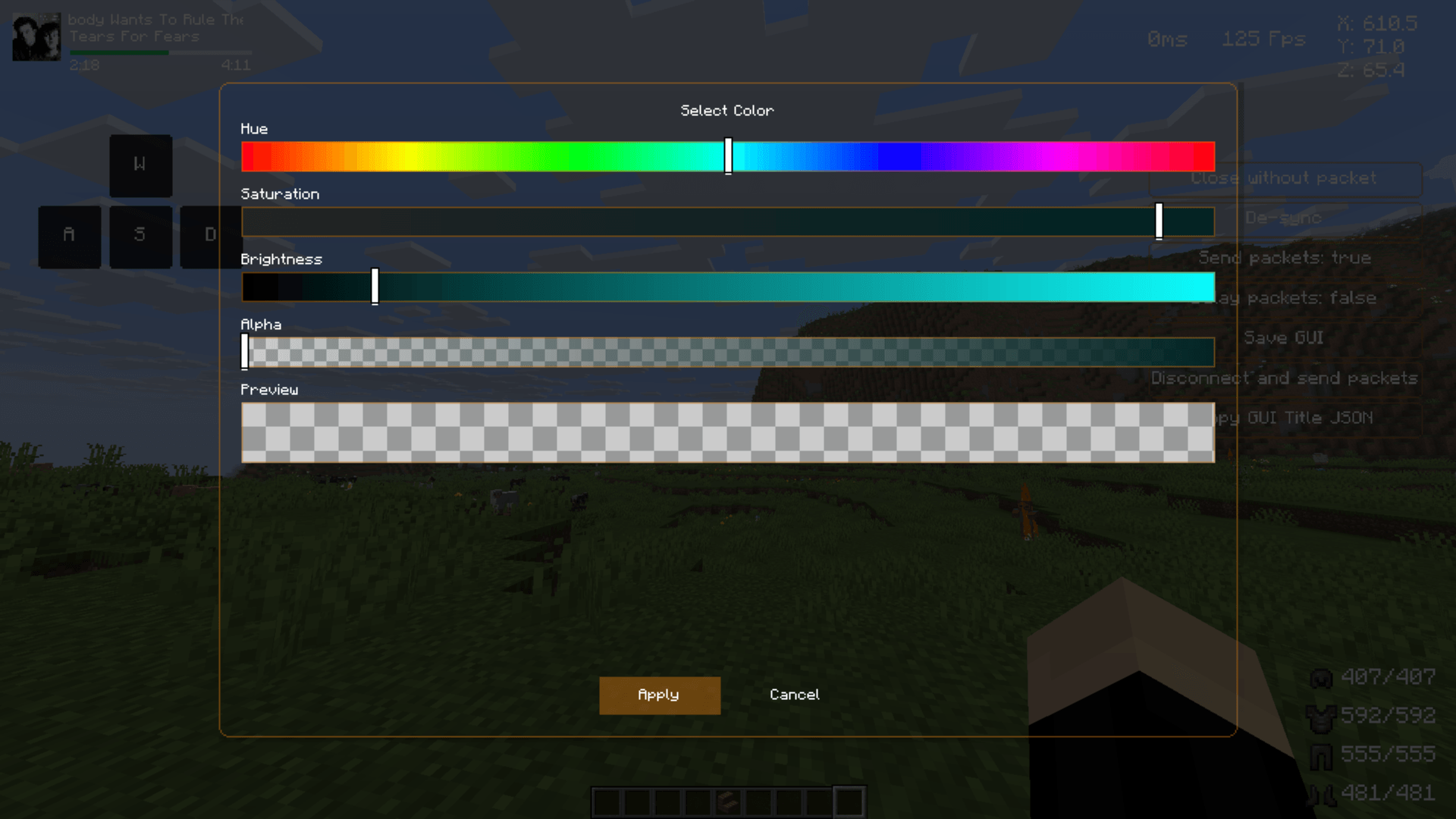 Minecraft Screenshot 2025.07.13 - 23.05.30.82.png Minecraft Screenshot 2025.07.13 - 23.05.30.82.png
 -
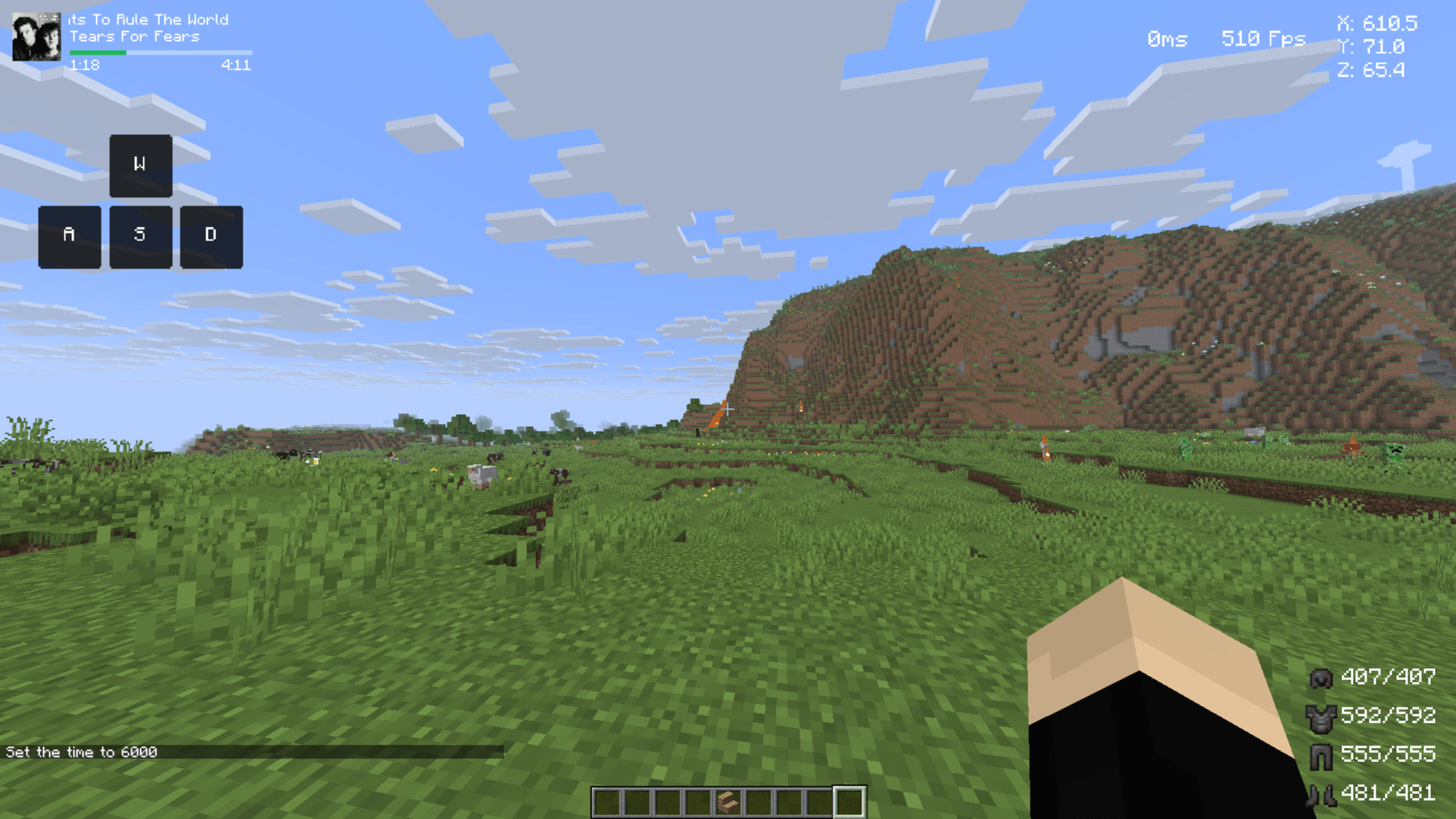 Minecraft Screenshot 2025.07.13 - 23.04.31.64.png Minecraft Screenshot 2025.07.13 - 23.04.31.64.png
-
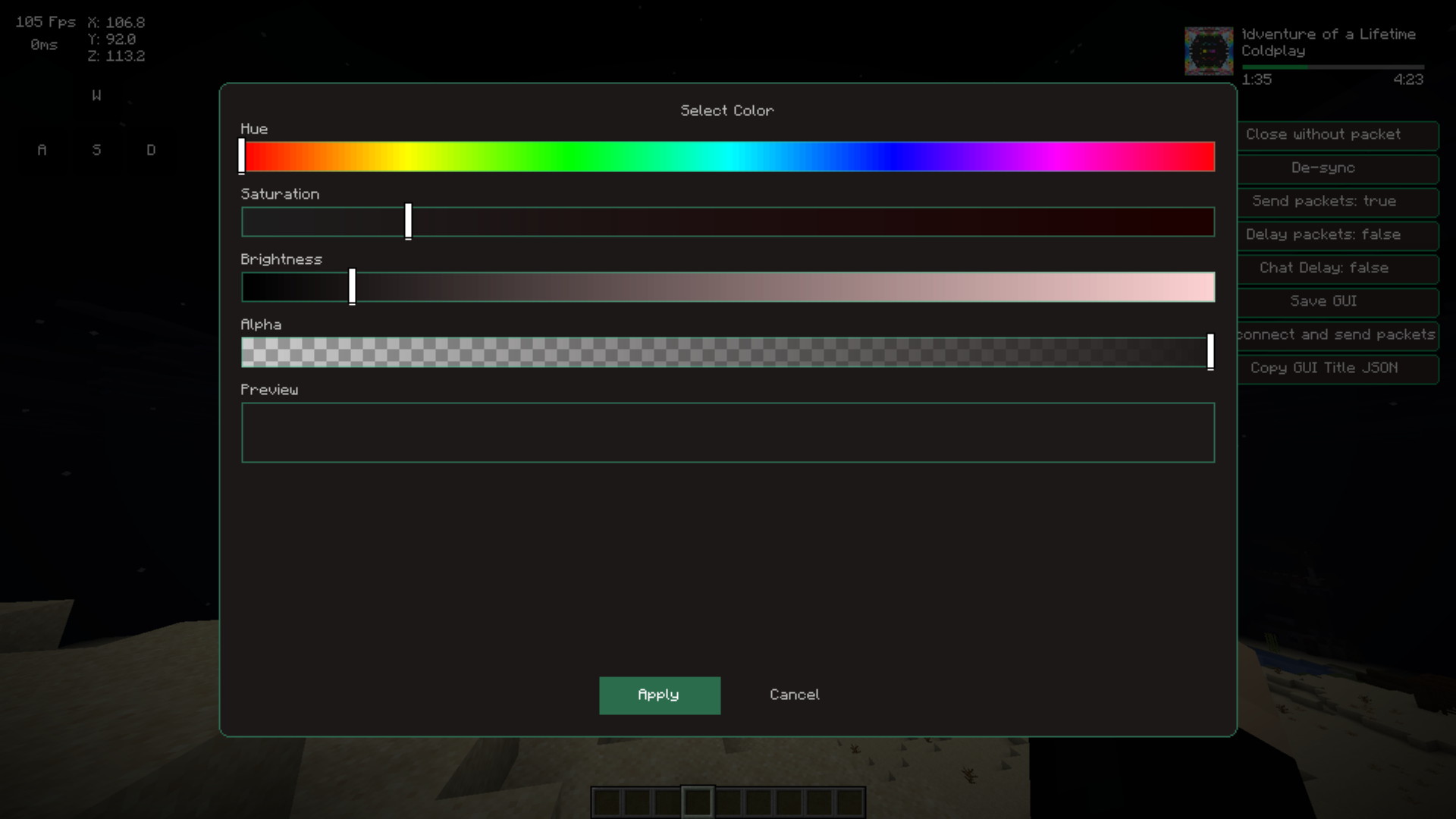 Color Selector
 -
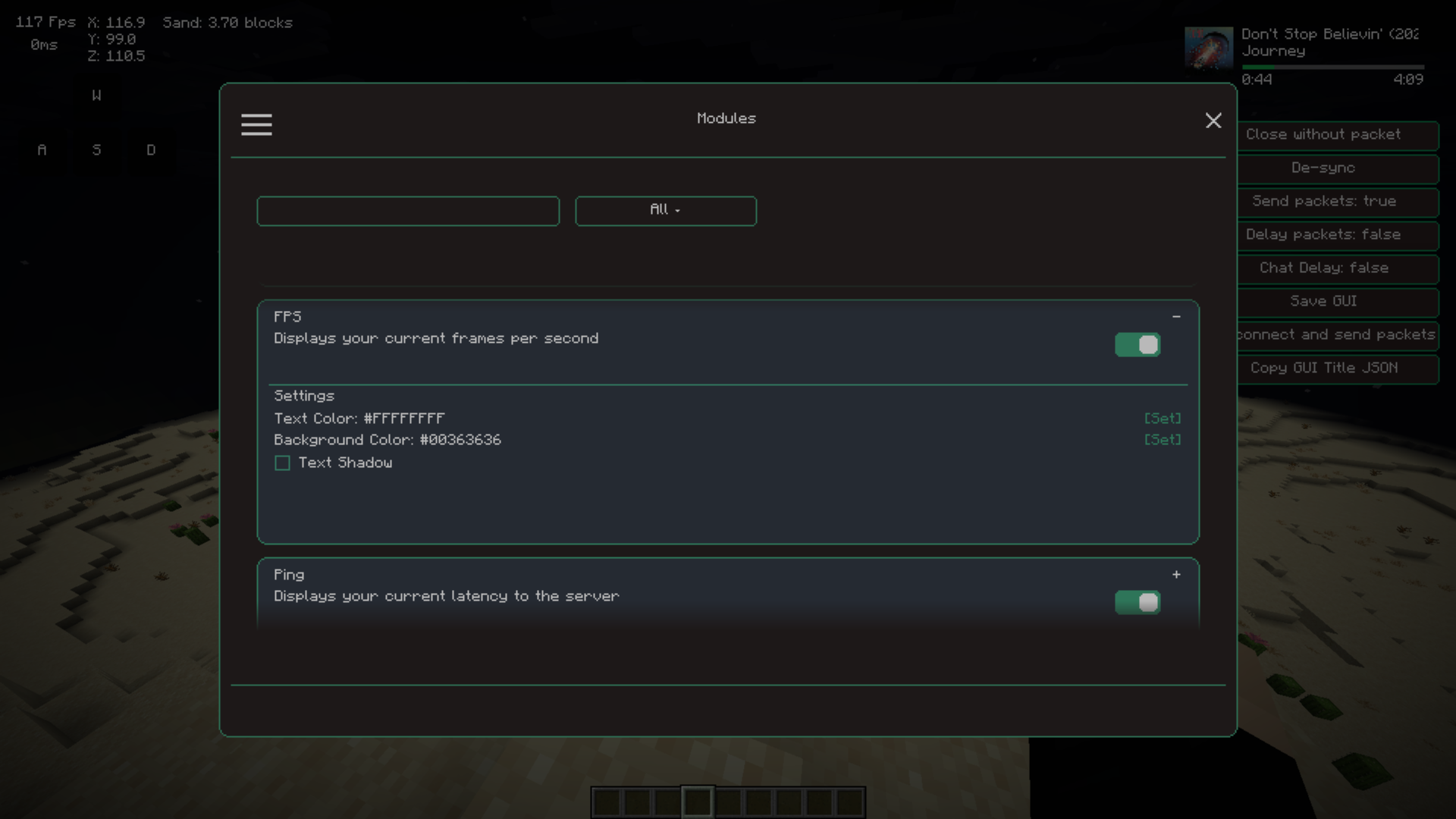 Modules Screen W/settings
 -
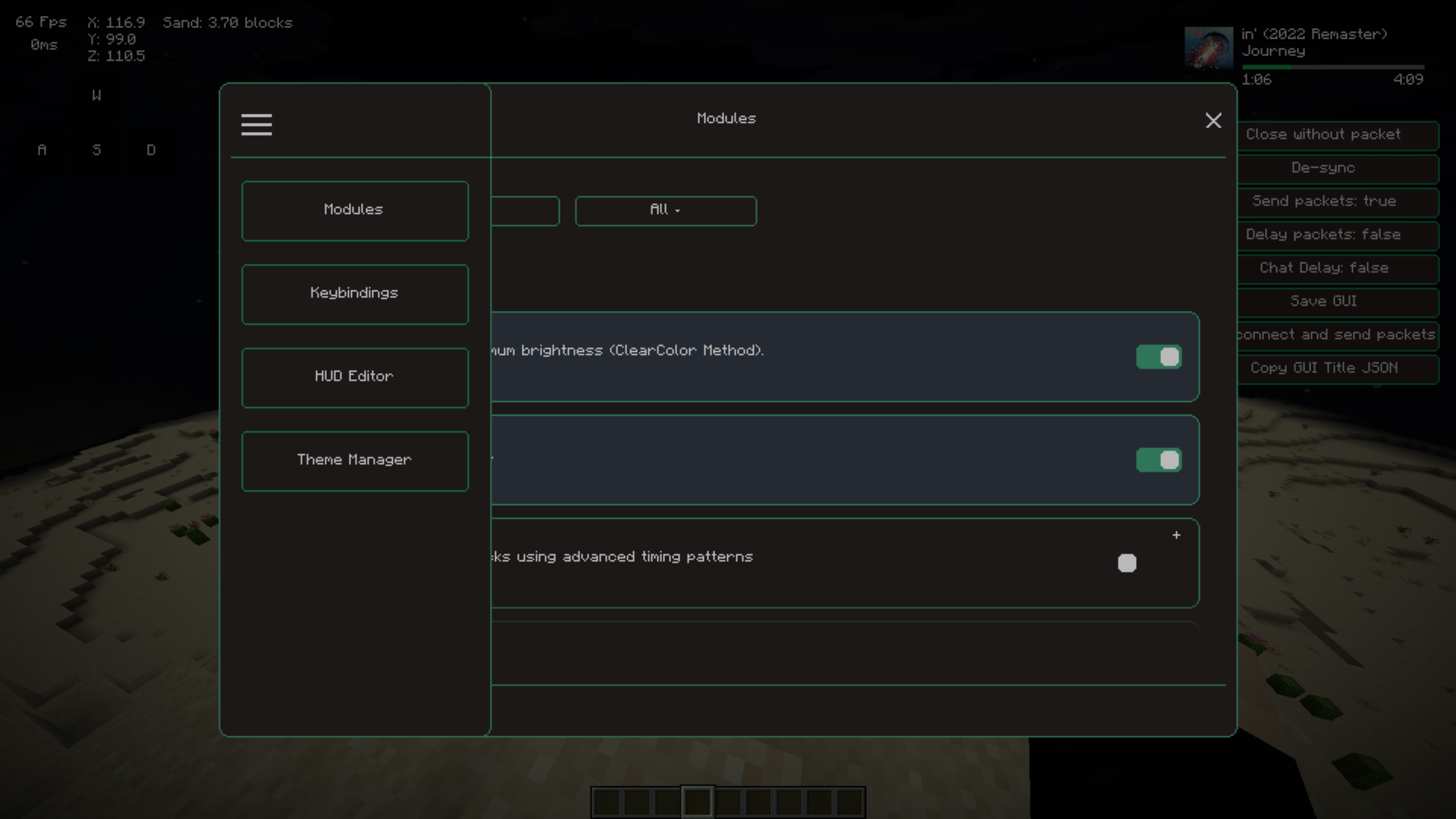 Sidebar selector
 -
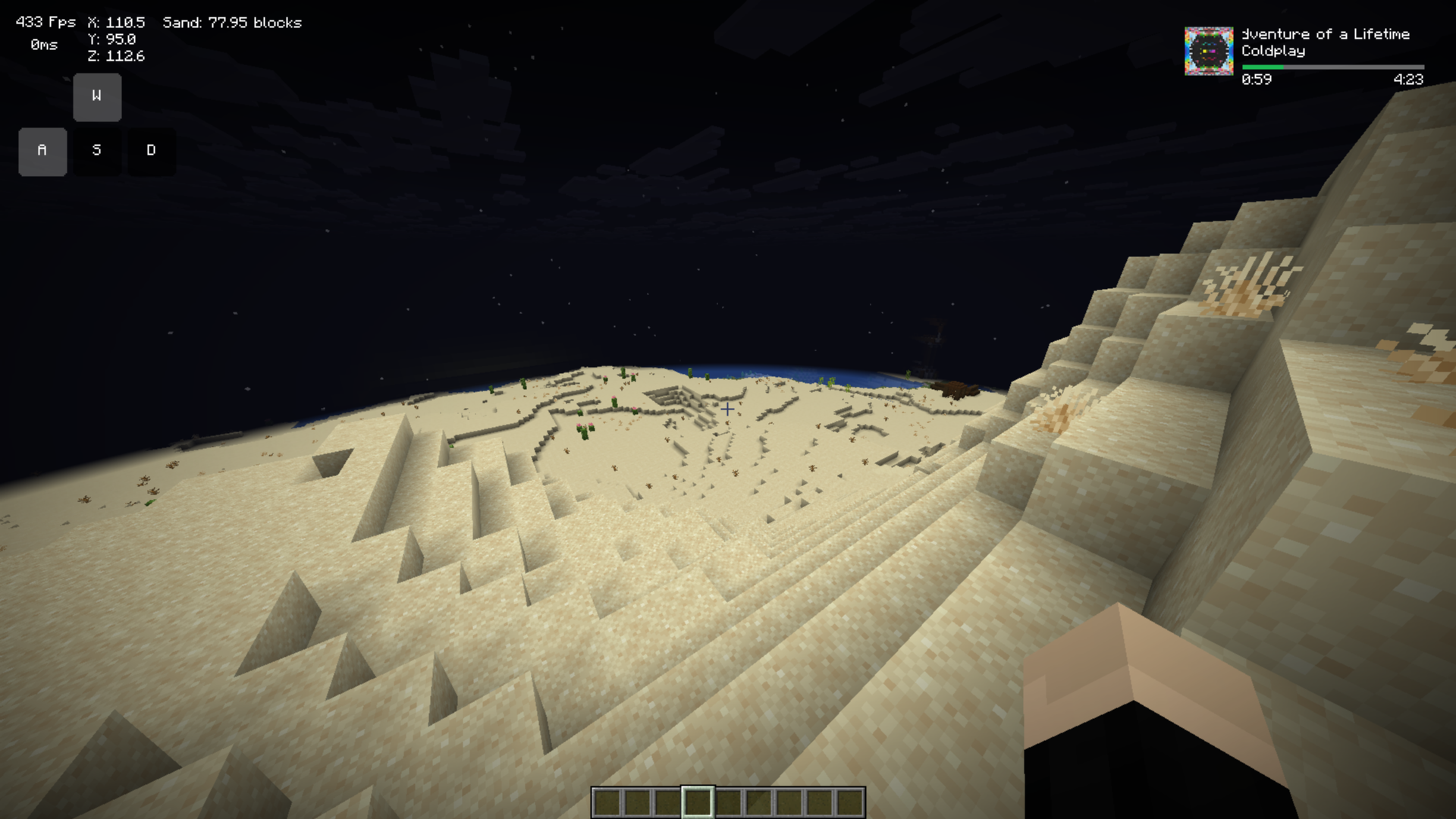 How hud elements look in game
 -
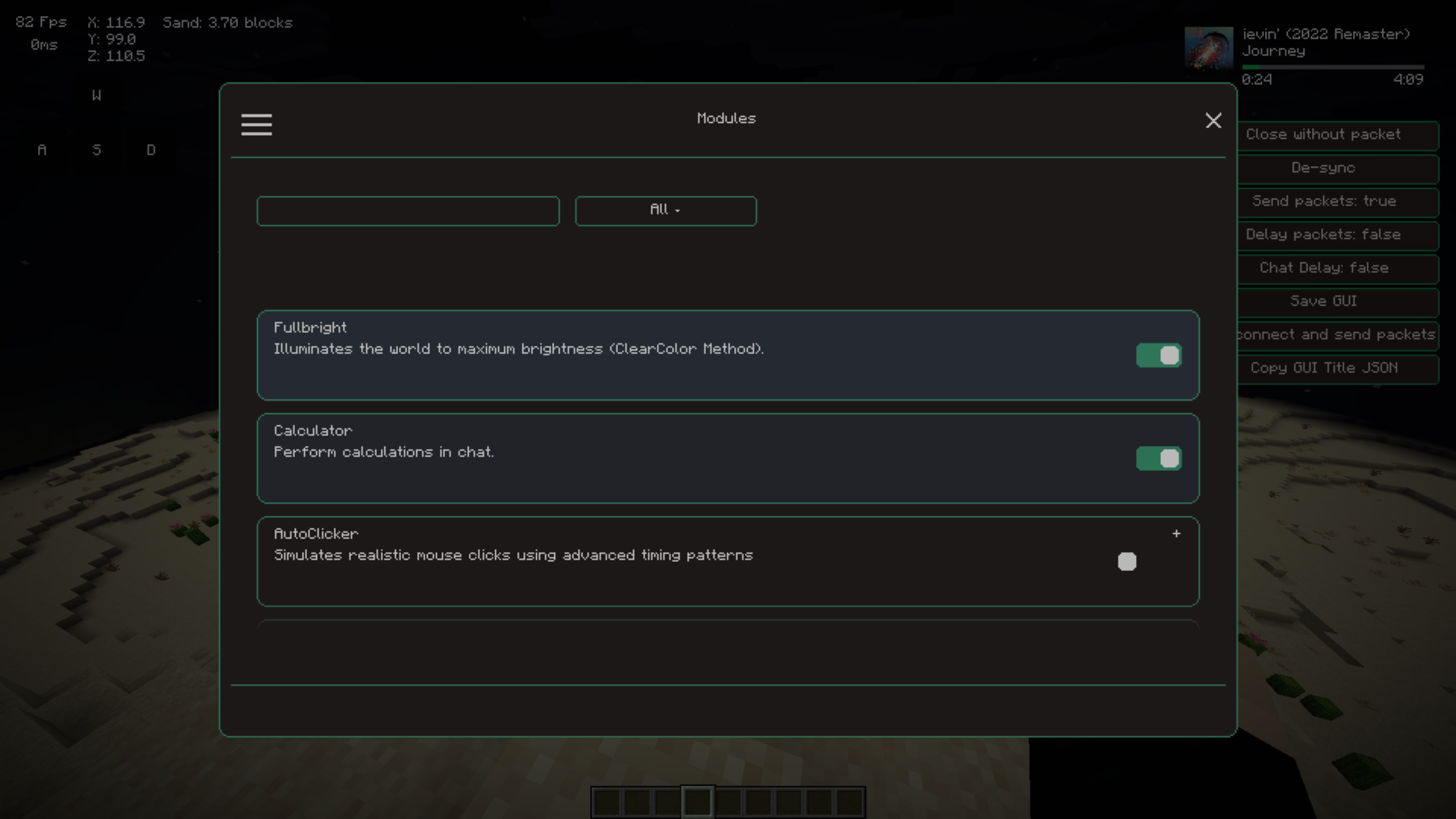 Modules Screen
 -
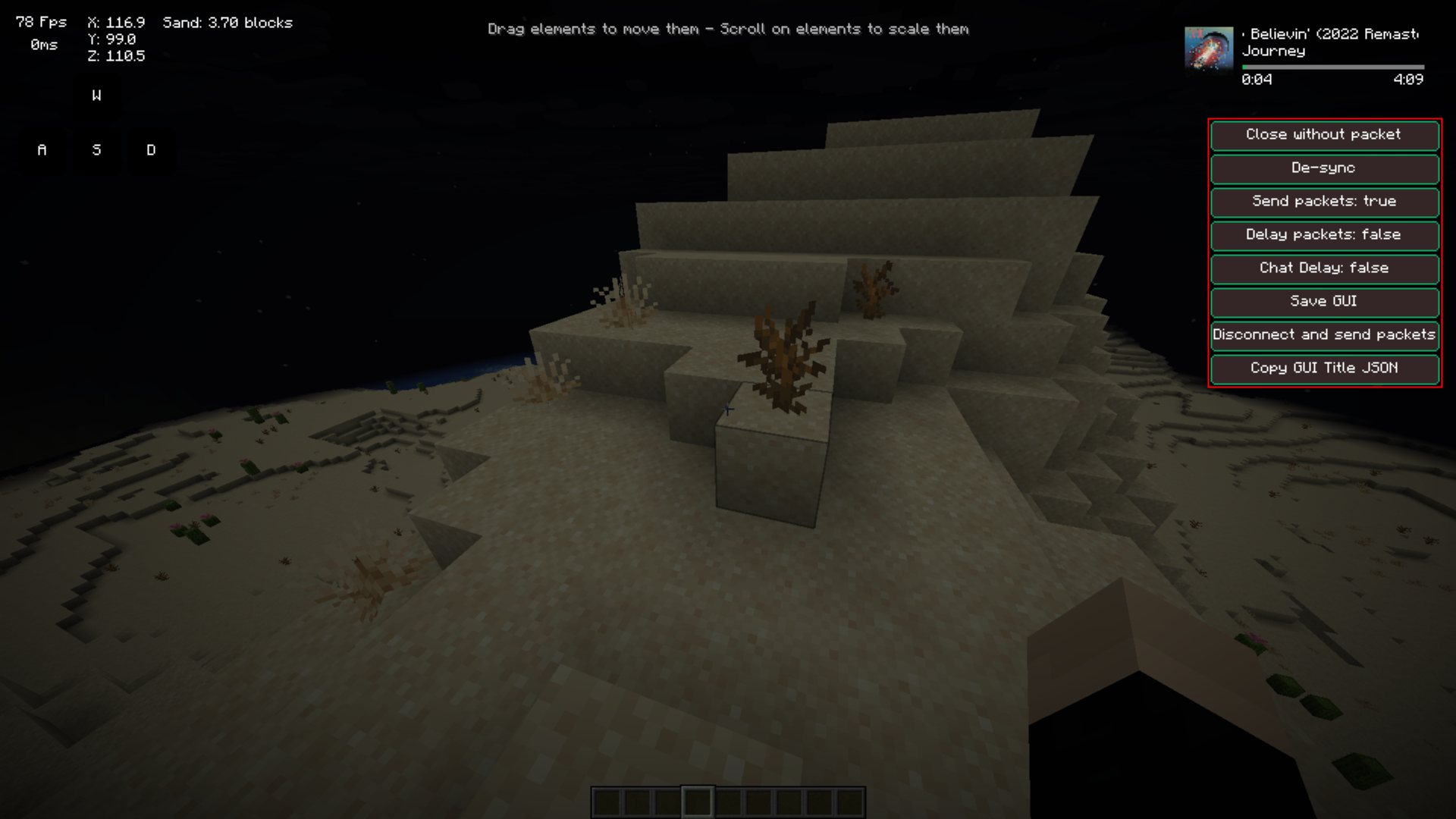 Hud editor screen
 -
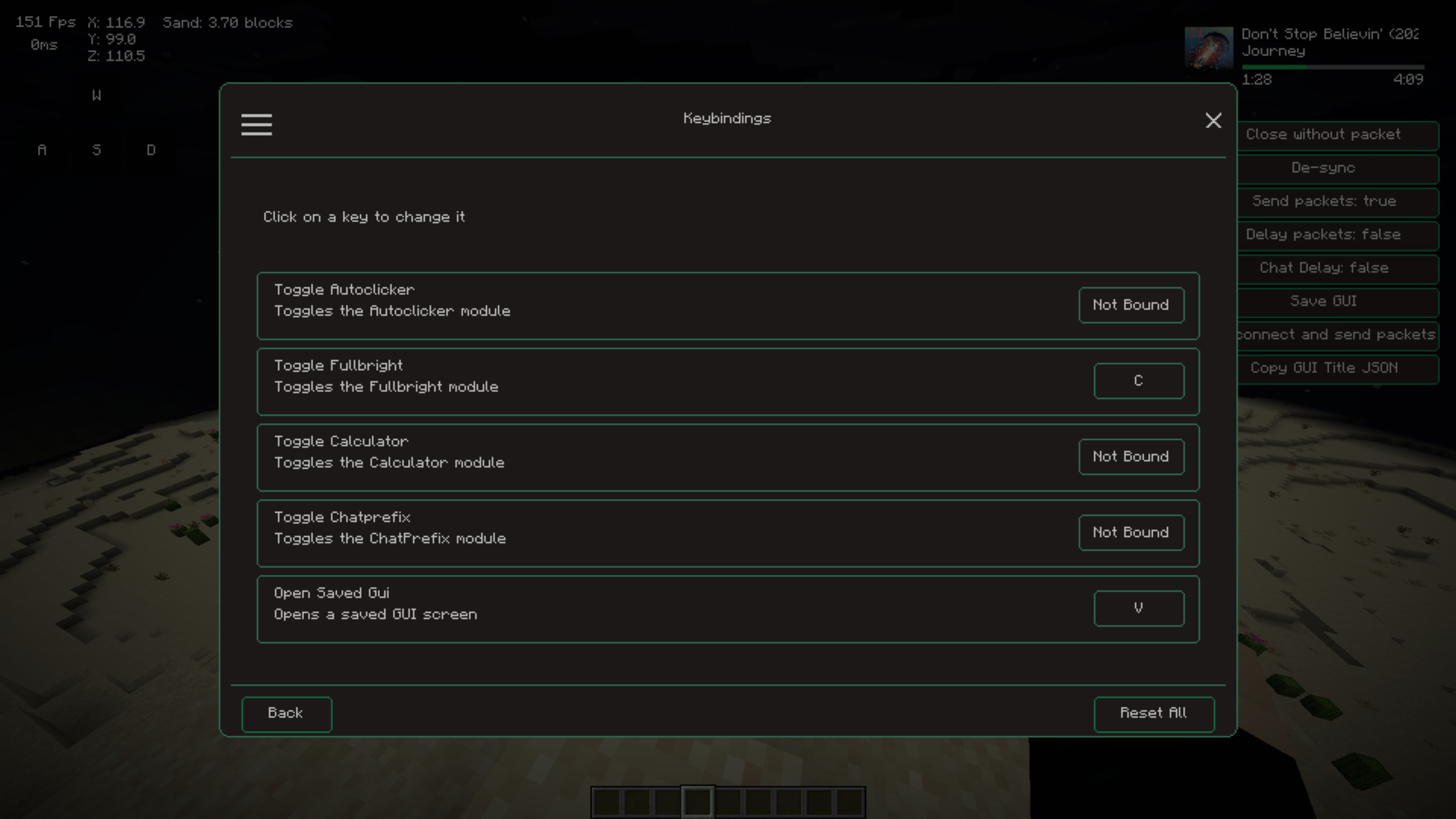 Keybind Page Show keybind screen
 -
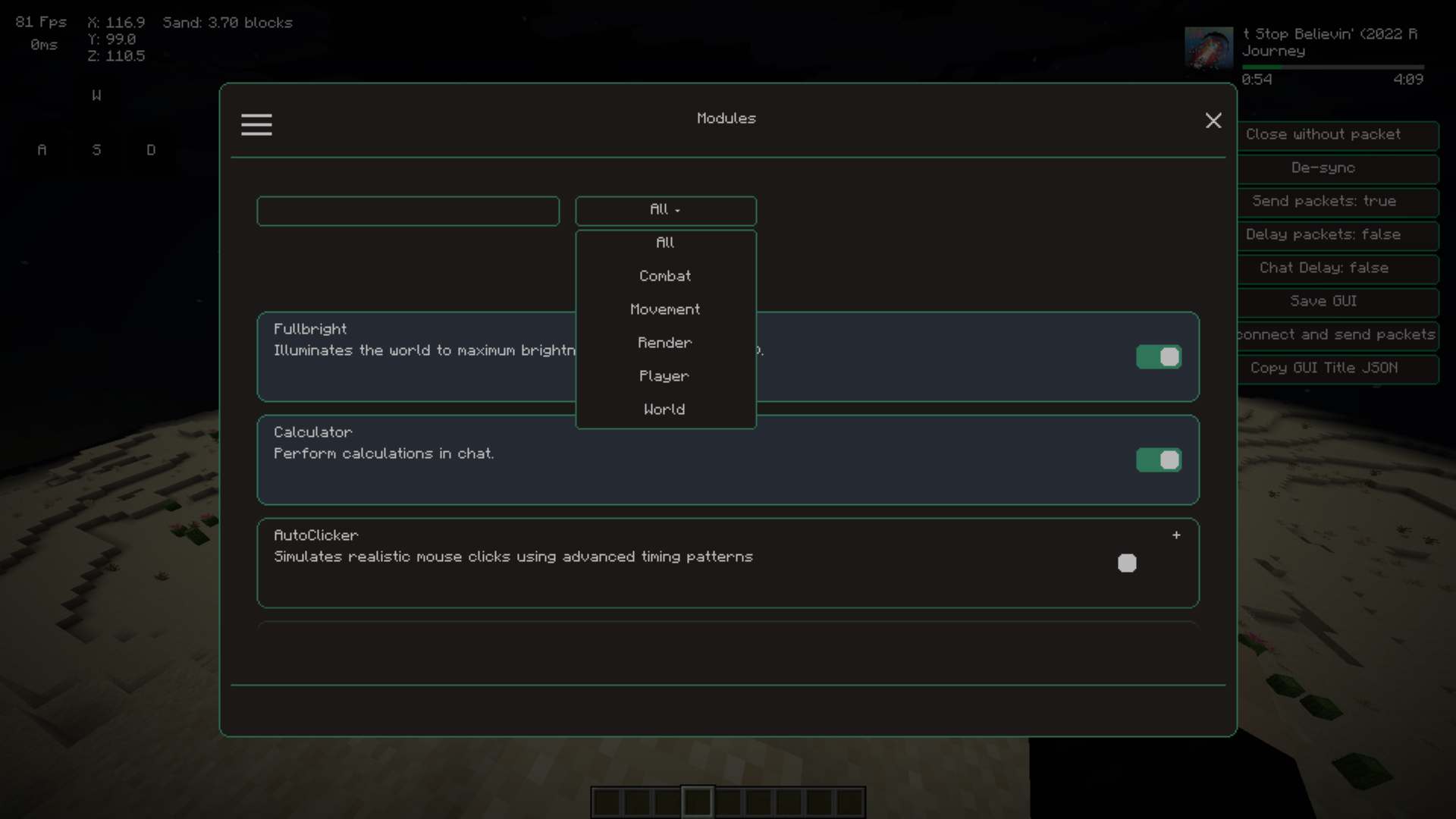 Module Categories
 -
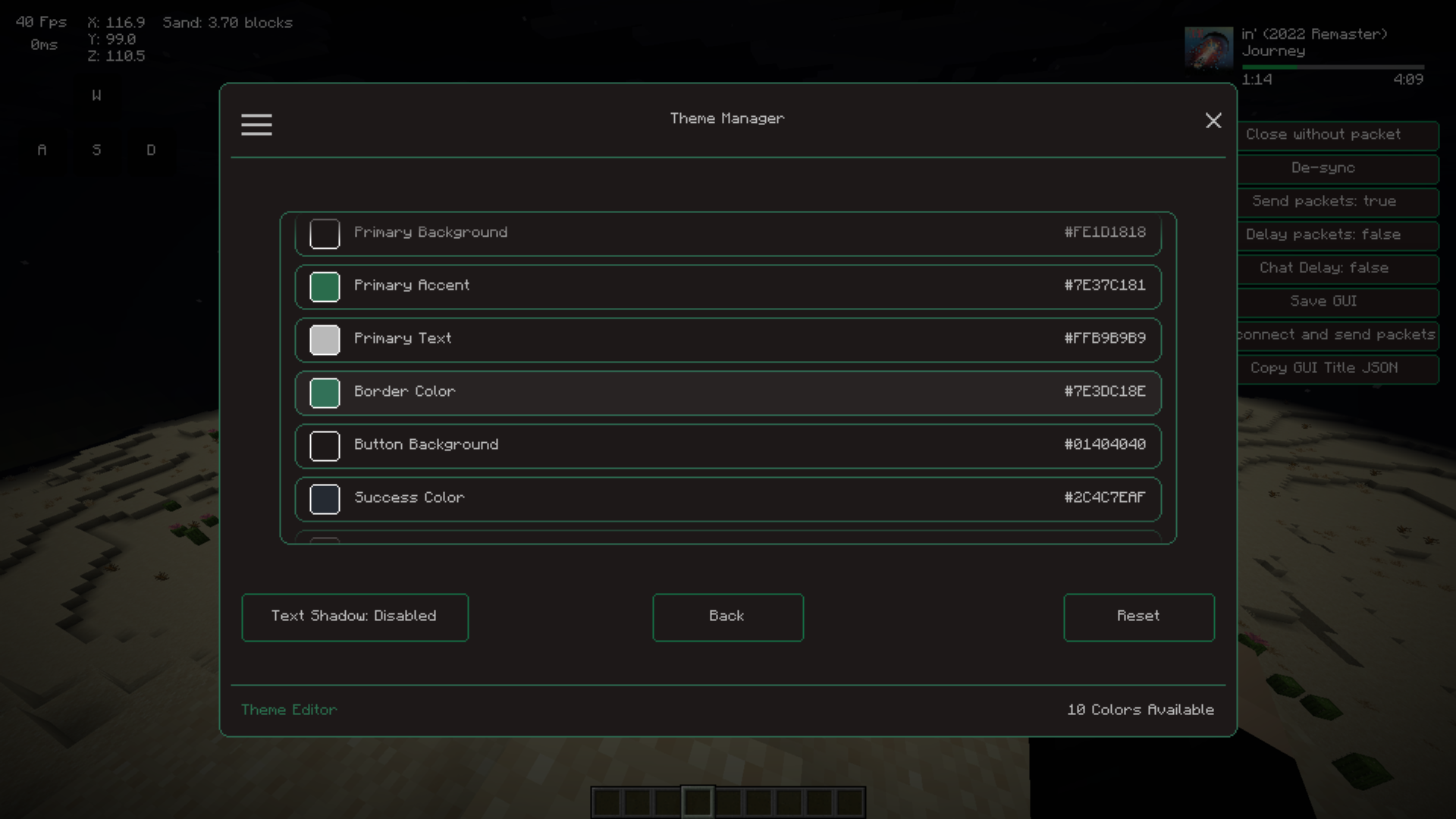 Theme manager page Show the screen to edit colors
Versions
Files
Relations
Project Relations
More like this
Similar Mods
Suggestions use data such as tags, dependencies, dependents, descriptions, titles, and more to rank how much they overlap with this mod.
On ModDex
Community snapshot
By the numbers
Statistics
Want to reach Minecraft players?
We're looking for a server hosting partner to feature here and other parts of the site. Interested? Send us a message!
Get in touchGet it on
Available Platforms
On ModDex
Community snapshot
By the numbers
Statistics
Resources