
Community listing page, reviews here may not be monitored by the author.
Claimorous!


No reviews yet
Claiming land mechanics for multiplayer.
Community voices
Reviews
No reviews yet. Be the first to review this project!
Get it on
Available Platforms
Compatibility
Supported Environments
Must be installed on both the client and the server.
About
Project Details
For authors
Embed Badge
If you're the author of this project, you can embed a live badge anywhere that supports HTML or Markdown. It updates automatically whenever ratings change.
Use HTML for any page that supports it, or Markdown for README files and Markdown-based descriptions.
Identifiers
Platform IDs
About
Description
Claimorous! - Advanced Land Protection Mod
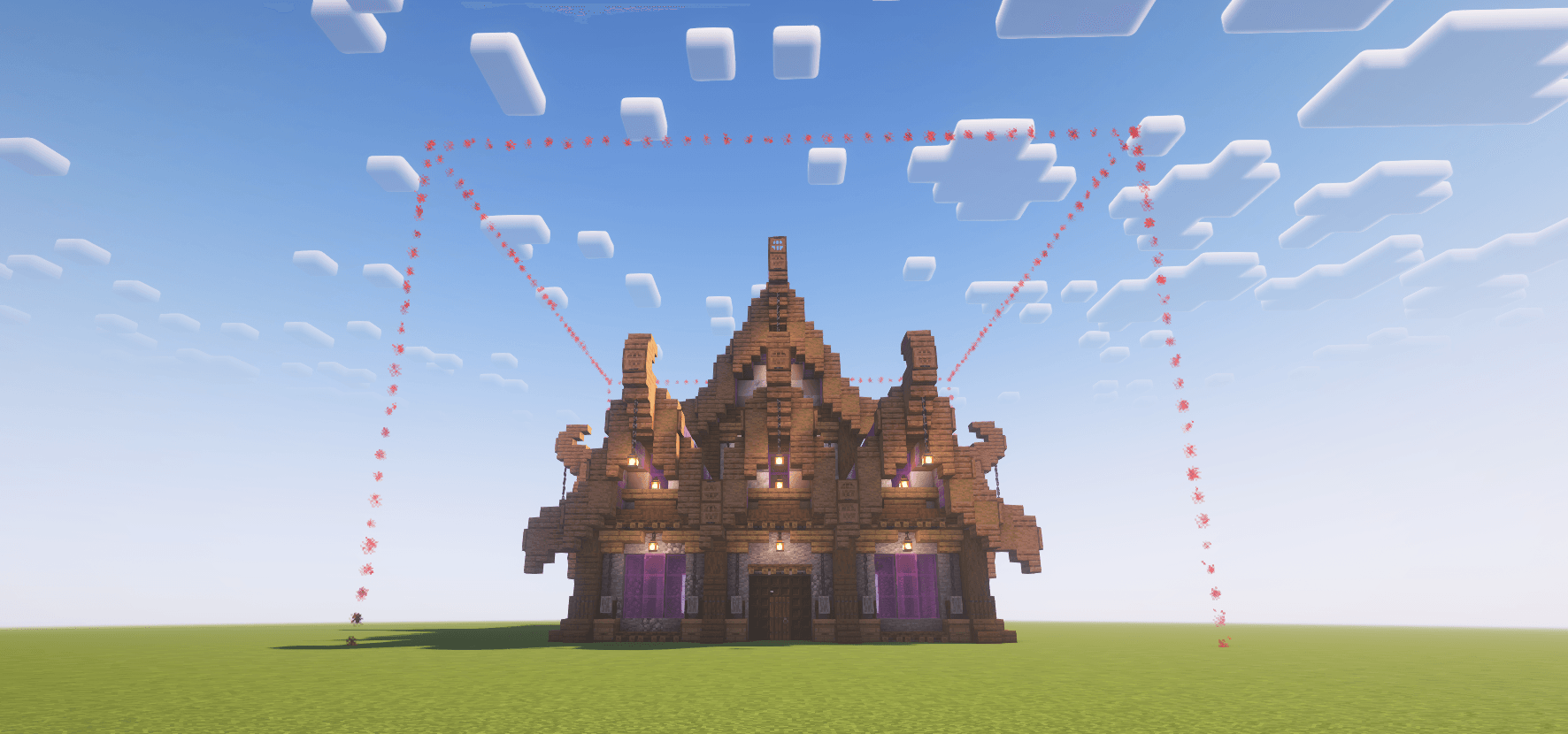
Overview
Claimorous! is a powerful and highly customizable land protection mod for Minecraft servers running on the Fabric mod loader. It allows players to create protected areas (claims) where their builds and belongings are secured from unwanted interference.
With an intuitive in-game interface and fully configurable settings, Claimorous! offers a flexible claim system suitable for any multiplayer environment. Server administrators have extensive control over the entire system through detailed configuration options, making it an excellent tool for customizing gameplay within modpacks.
Designed to perform efficiently on high-population or high-density servers, Claimorous! ensures both reliability and scalability.
We want you! If you are a server admin and want to discuss features or a player who wants to join the mod test server, Join Us on Discord
Key Features
- Tiered Claim System: Three tiers of claims with customizable sizes
- Comprehensive Protection: Control block breaking/placement, entity interaction, PvP, and more
- Permission System: Fine-grained control on what other players can do within your claim
- Claim Transfer: A contract-like item to transfer claim ownership
- Visual Indicators: Customizable claim borders with particle effects
- Essence System: Optional upkeep system for claims requiring "essence" as a resource
- Admin Claims: Special administrator-controlled claims with unique settings
- Detailed Configuration: Extensive options for server owners to tailor the system to their needs
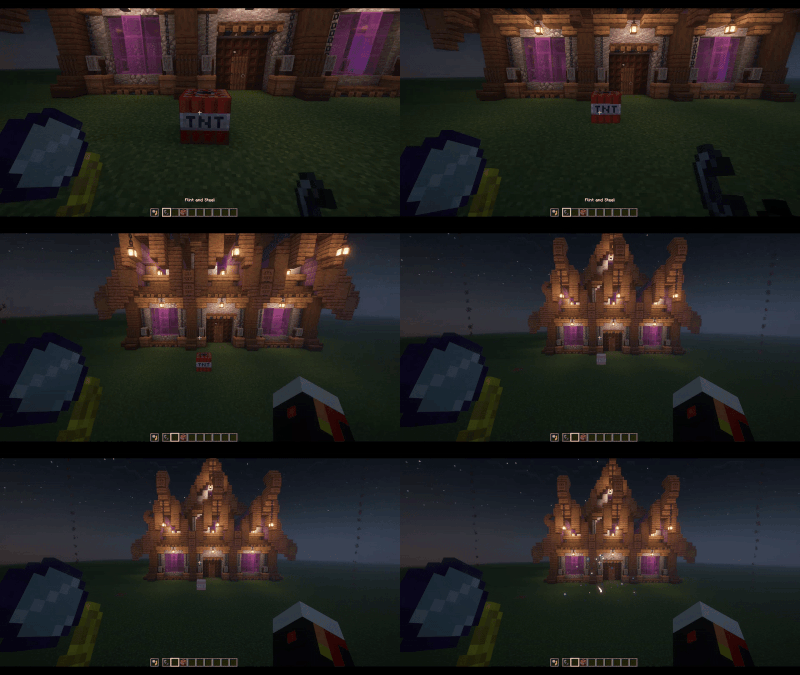
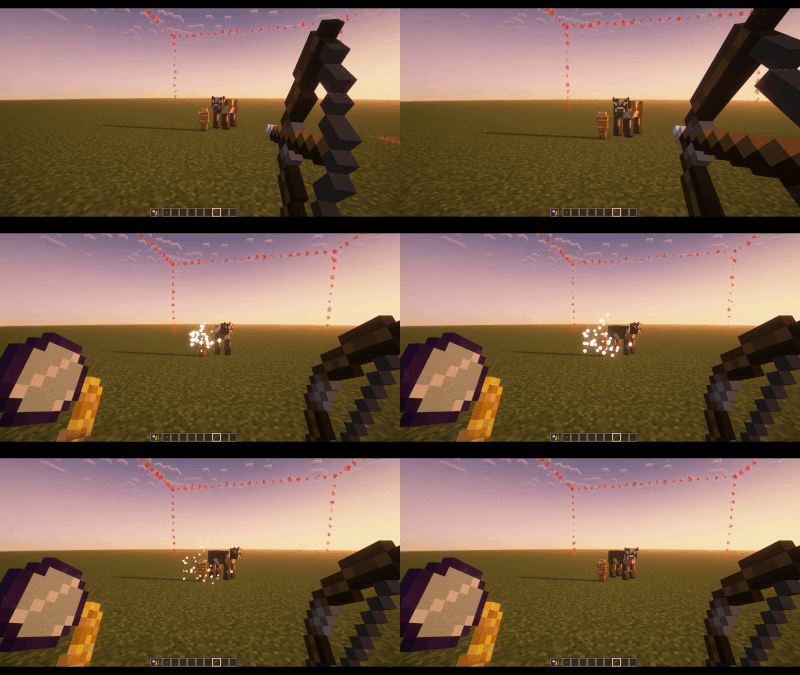
- And much more: Explosion, pistons, fluids, projectile, and many more option can be configured! Check the Wiki below for more details
Getting Started
Creating a Claim
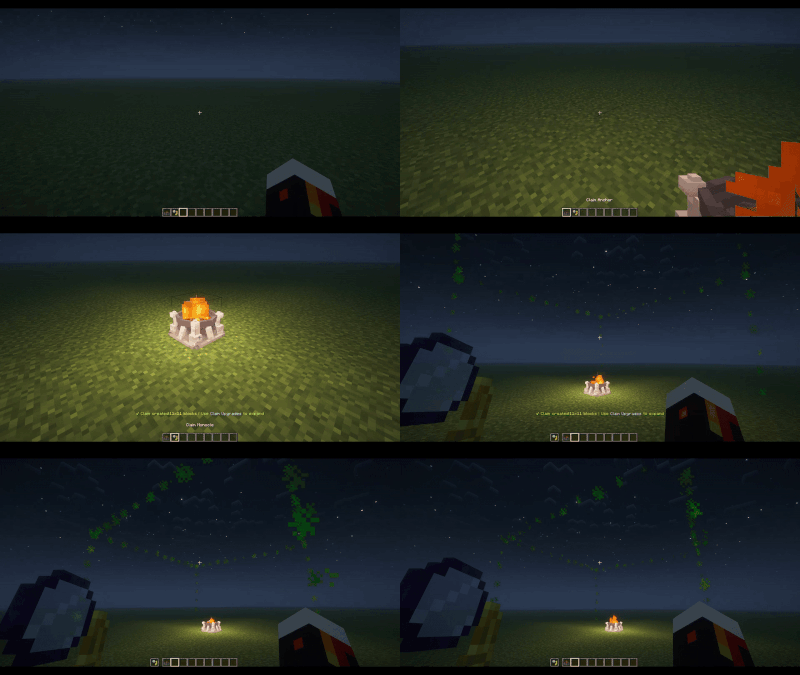
- Craft a Claim Anchor (the primary block used to define and manage a claim)
- Place the Claim Anchor where you want the center of your claim to be
- The claim will extend in all directions from the anchor according to the tier settings
Claim Management
- Craft the Claim Monocle item and hold it in your off hand to visualize claim boundaries
- Interact with your Claim Anchor to manage permissions, upgrade tiers and manage claim essence (if enabled)
Wiki
These are example config screens: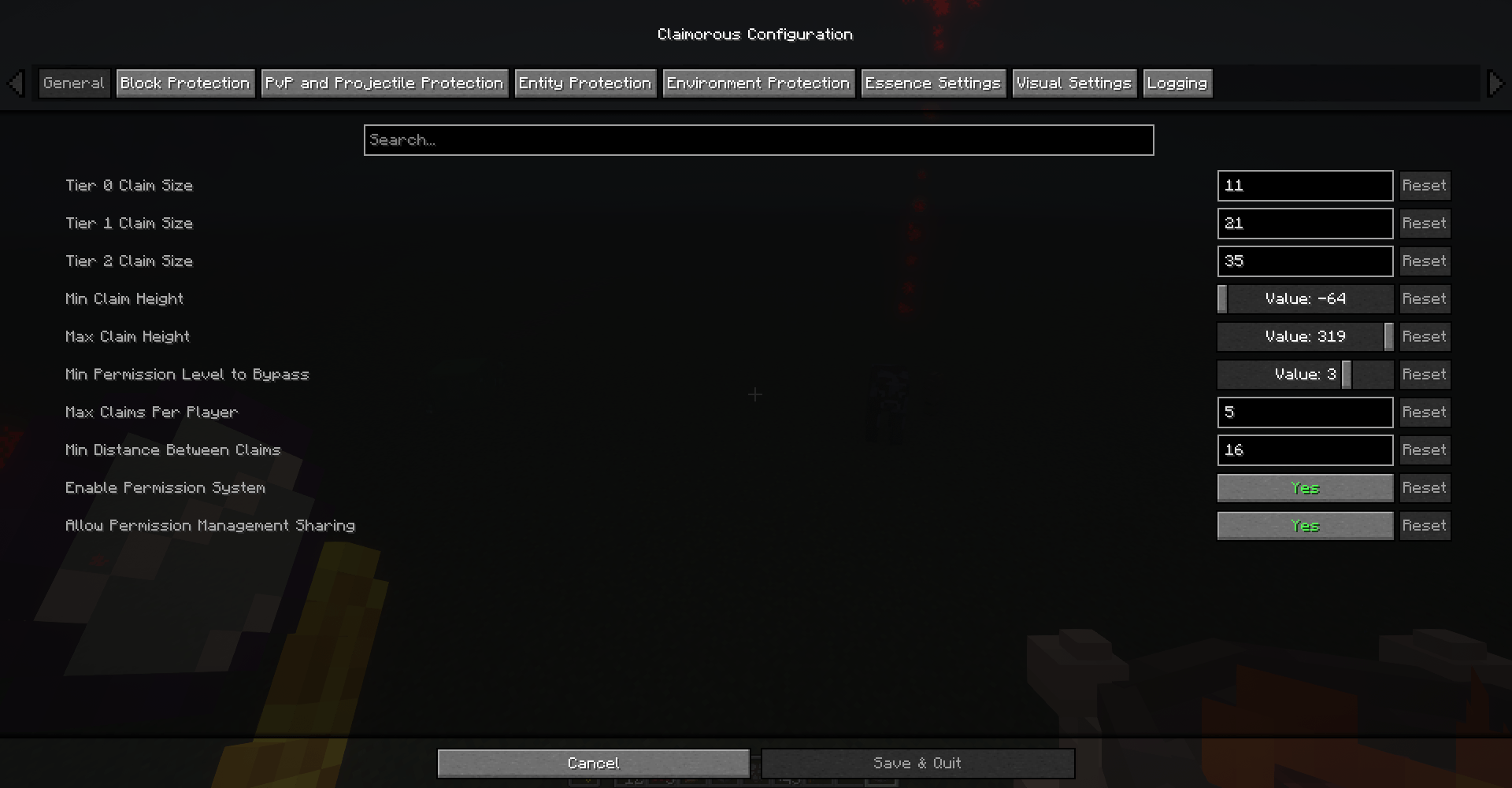
According to the following example config, in a claim that players do not own:
- they cannot break blocks except grass;
- they cannot place blocks except flowers;
- they cannot interact with blocks except doors and buttons.
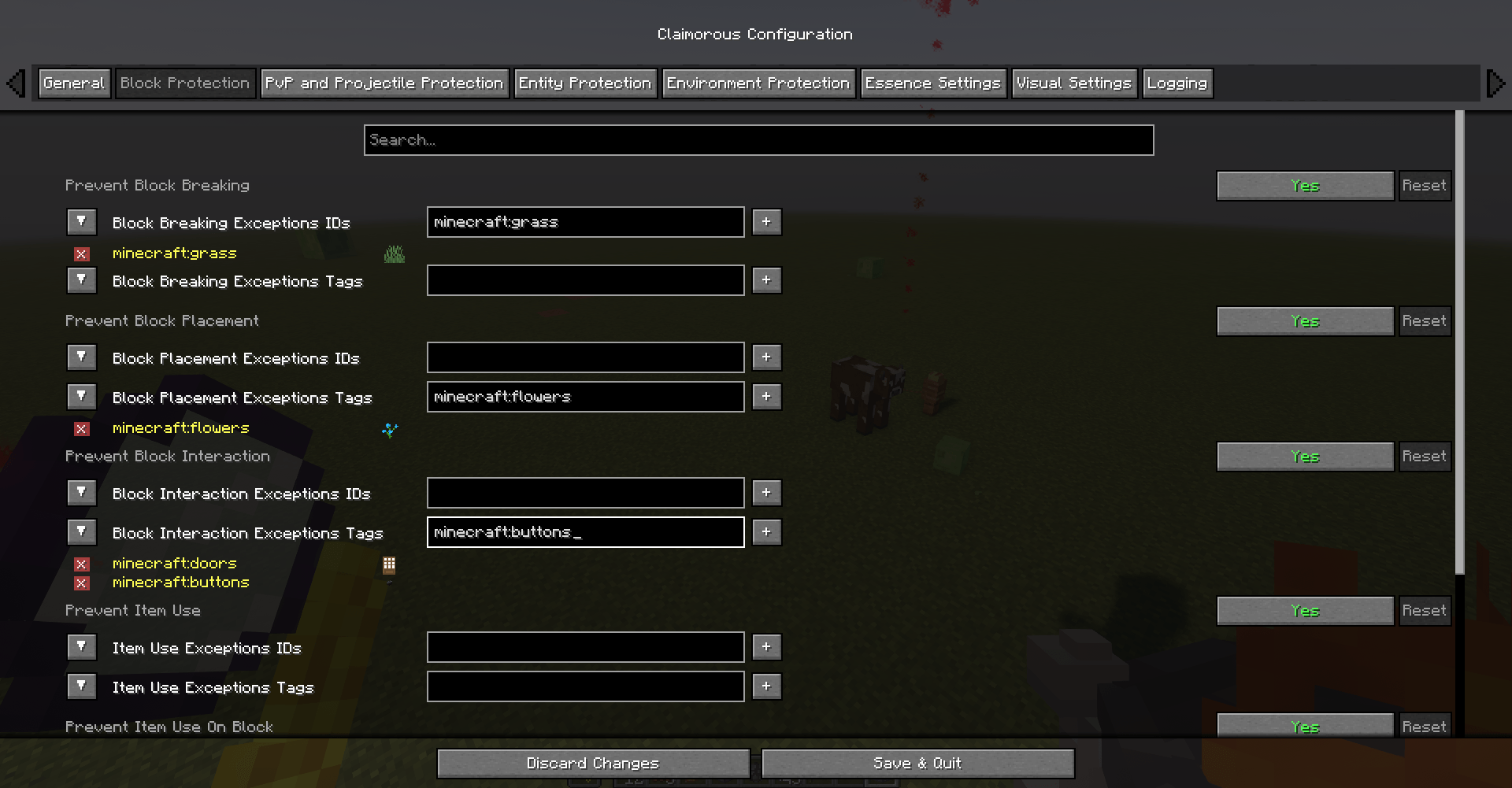
Claimorous! - Advanced Land Protection Mod
Overview
Claimorous! is a powerful and highly customizable land protection mod for Minecraft servers running on the Fabric mod loader. It allows players to create protected areas (claims) where their builds and belongings are secured from unwanted interference.
With an intuitive in-game interface and fully configurable settings, Claimorous! offers a flexible claim system suitable for any multiplayer environment. Server administrators have extensive control over the entire system through detailed configuration options, making it an excellent tool for customizing gameplay within modpacks.
Designed to perform efficiently on high-population or high-density servers, Claimorous! ensures both reliability and scalability.
We want you! If you are a server admin and want to discuss features or a player who wants to join the mod test server, Join Us on Discord
Key Features
- Tiered Claim System: Three tiers of claims with customizable sizes
- Comprehensive Protection: Control block breaking/placement, entity interaction, PvP, and more
- Permission System: Fine-grained control on what other players can do within your claim
- Claim Transfer: A contract-like item to transfer claim ownership
- Visual Indicators: Customizable claim borders with particle effects
- Essence System: Optional upkeep system for claims requiring "essence" as a resource
- Admin Claims: Special administrator-controlled claims with unique settings
- Detailed Configuration: Extensive options for server owners to tailor the system to their needs
- And much more: Explosion, pistons, fluids, projectile, and many more option can be configured! Check the Wiki below for more details
Getting Started
Creating a Claim
- Craft a Claim Anchor (the primary block used to define and manage a claim)
- Place the Claim Anchor where you want the center of your claim to be
- The claim will extend in all directions from the anchor according to the tier settings
Claim Management
-
Craft the Claim Monocle item and hold it in your off hand to visualize claim boundaries
-
Interact with your Claim Anchor to manage permissions, upgrade tiers and manage claim essence (if enabled)
Wiki
These are example config screens:
According to the following example config, in a claim that players do not own:
- they cannot break blocks except grass;
- they cannot place blocks except flowers;
- they cannot interact with blocks except doors and buttons.
Screenshots
Gallery
-
 Icon Claimorous.PNG
 -
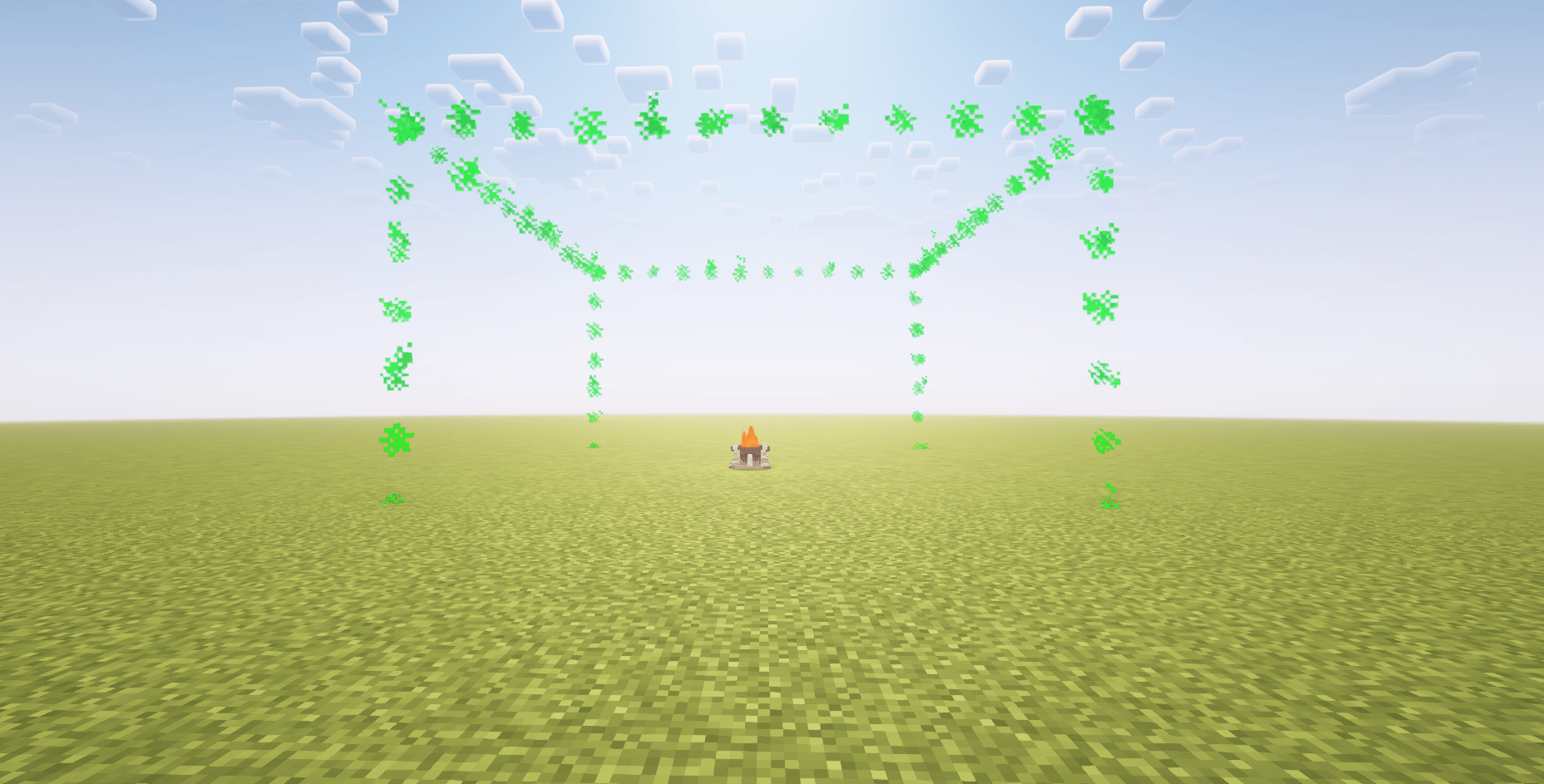 Claim Tier 0 2025-06-11_20.19.36.PNG
 -
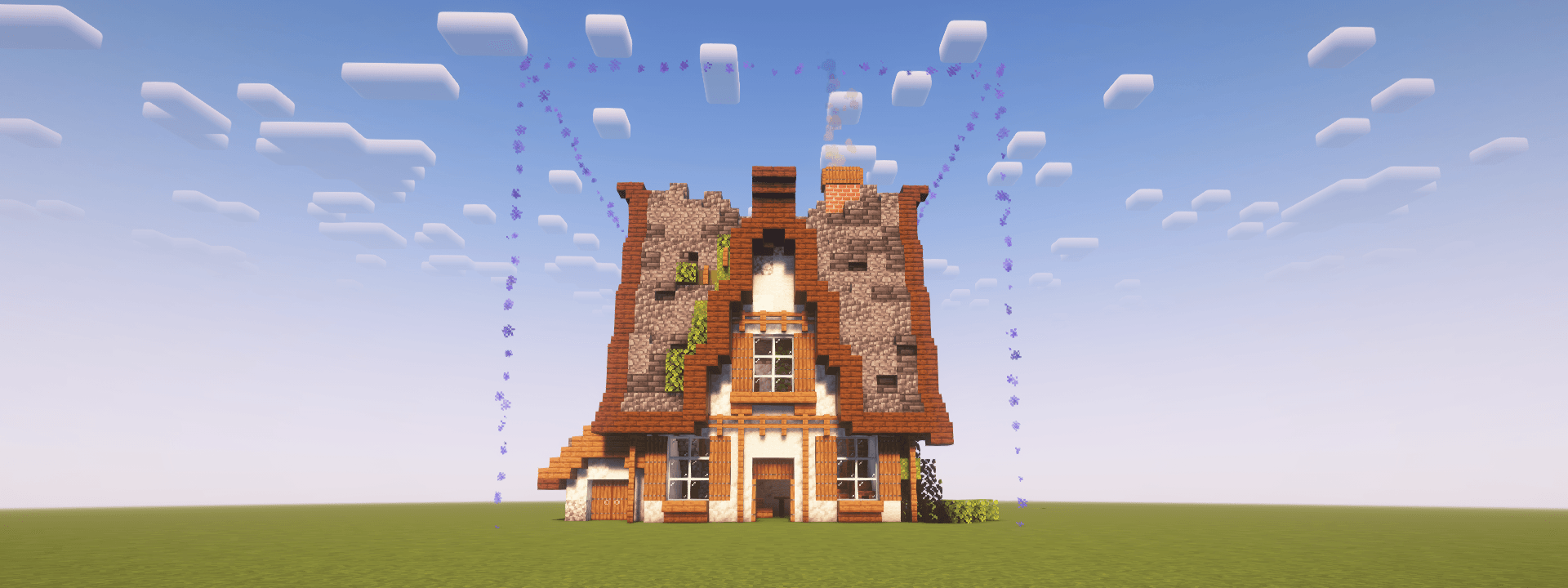 Claim Tier 1 2025-06-11_20.18.50.png
 -
Claim Tier 2 2025-06-11_20.18.20.png
-
Claim Creation claimCreation.gif
-
Explosion Protection explosionProtection.gif
-
Projectile Protection projectileProtection.gif
-
General Claim Config Section 2025-06-13_00.14.33.png
-
Block and Item Protection Claim Config Section 2025-06-13_00.19.38.png
-
 Icon
Icon -
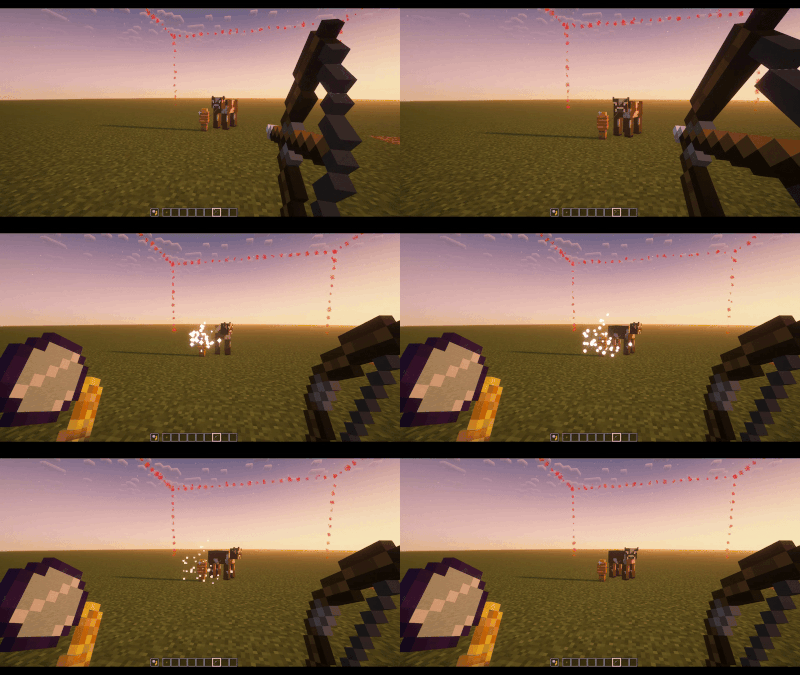 Projectile Protection
 -
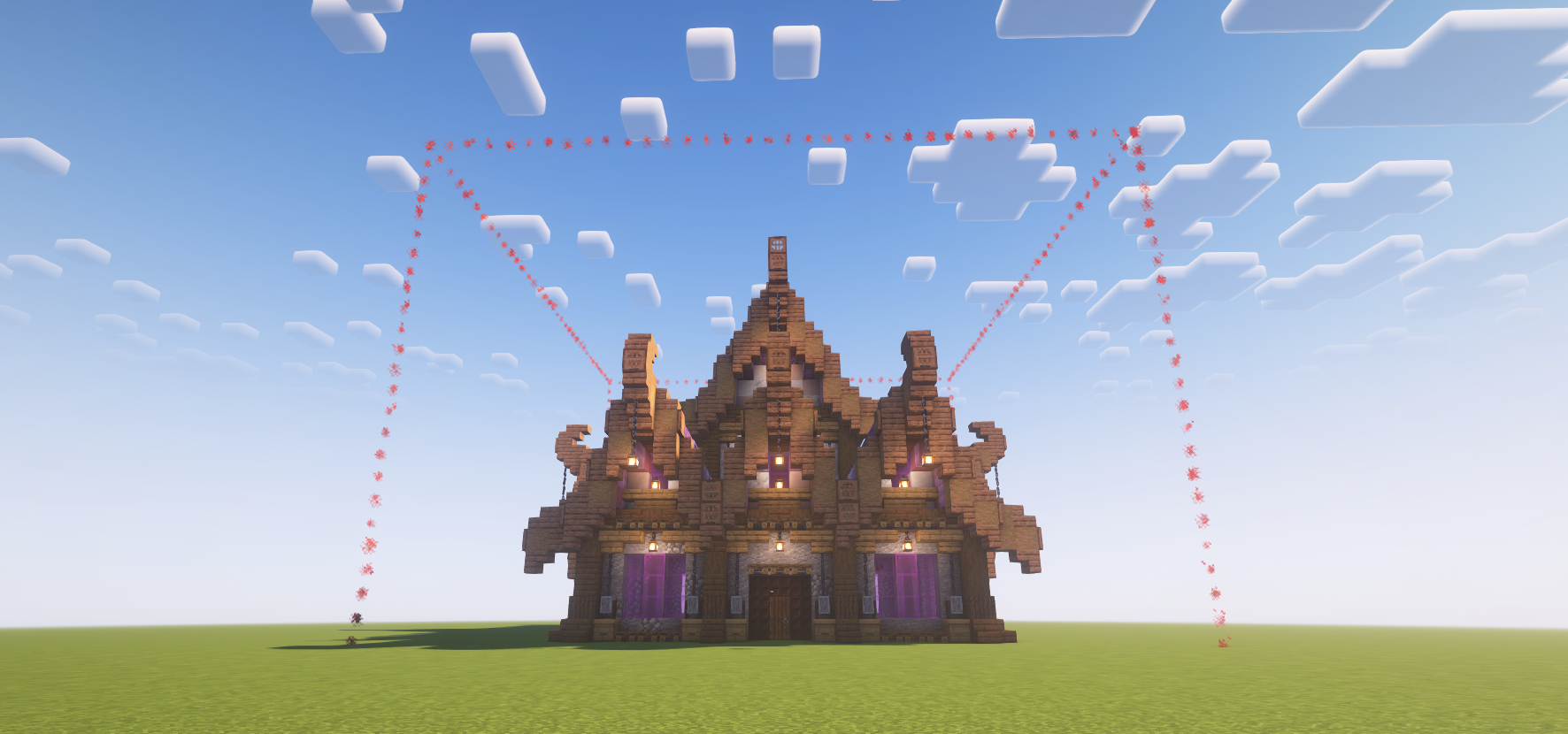 Claim Tier 2
 -
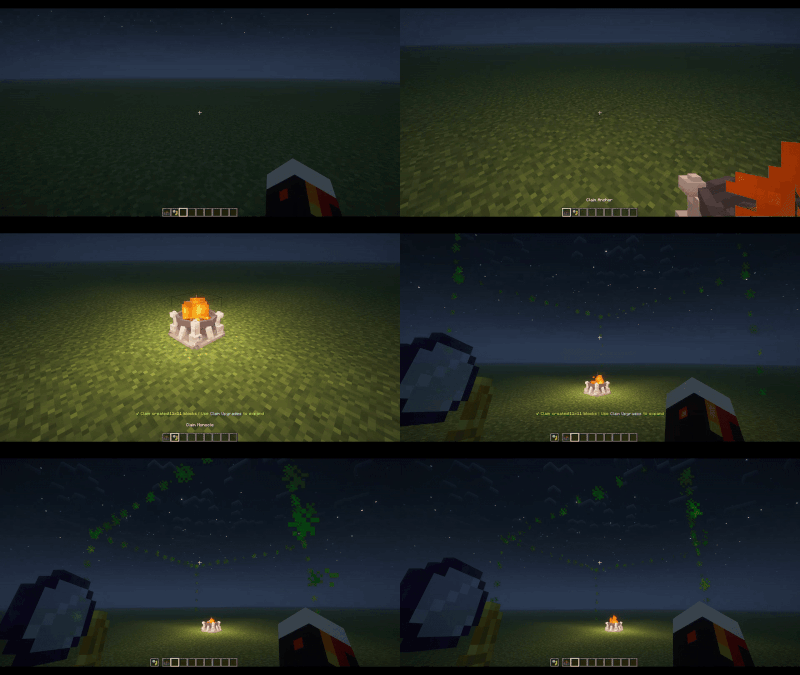 Claim Creation
 -
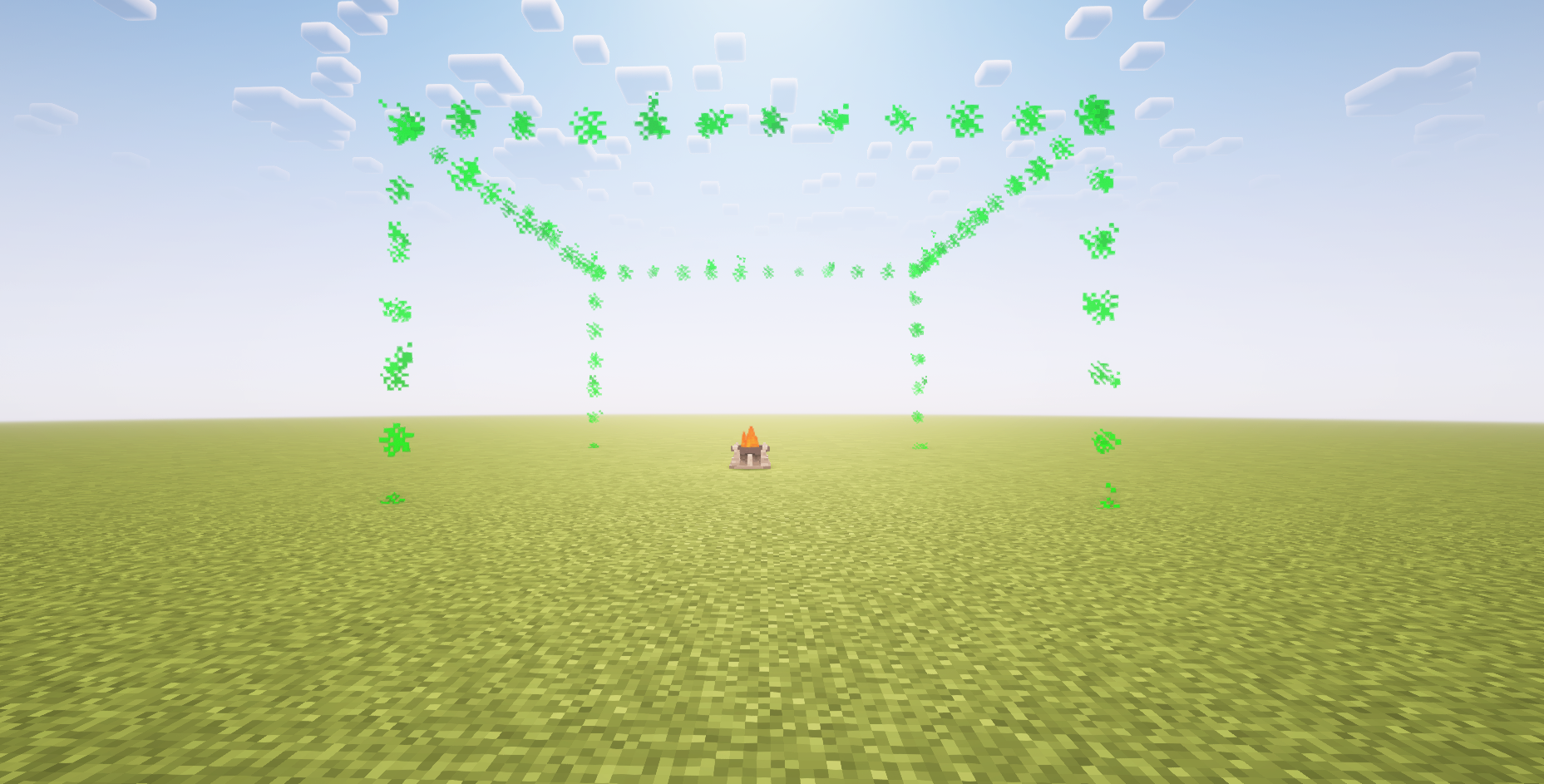 Claim Tier 0
 -
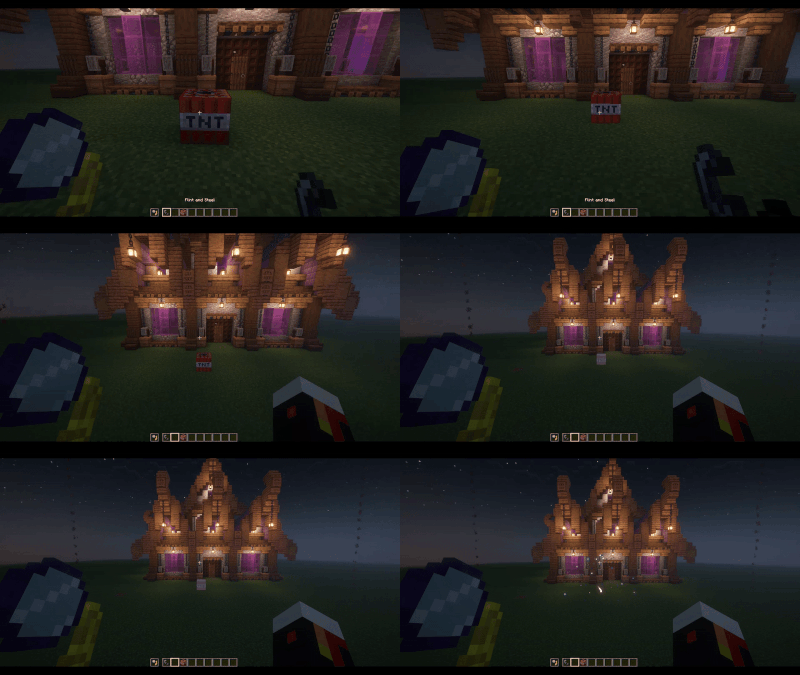 Explosion Protection
 -
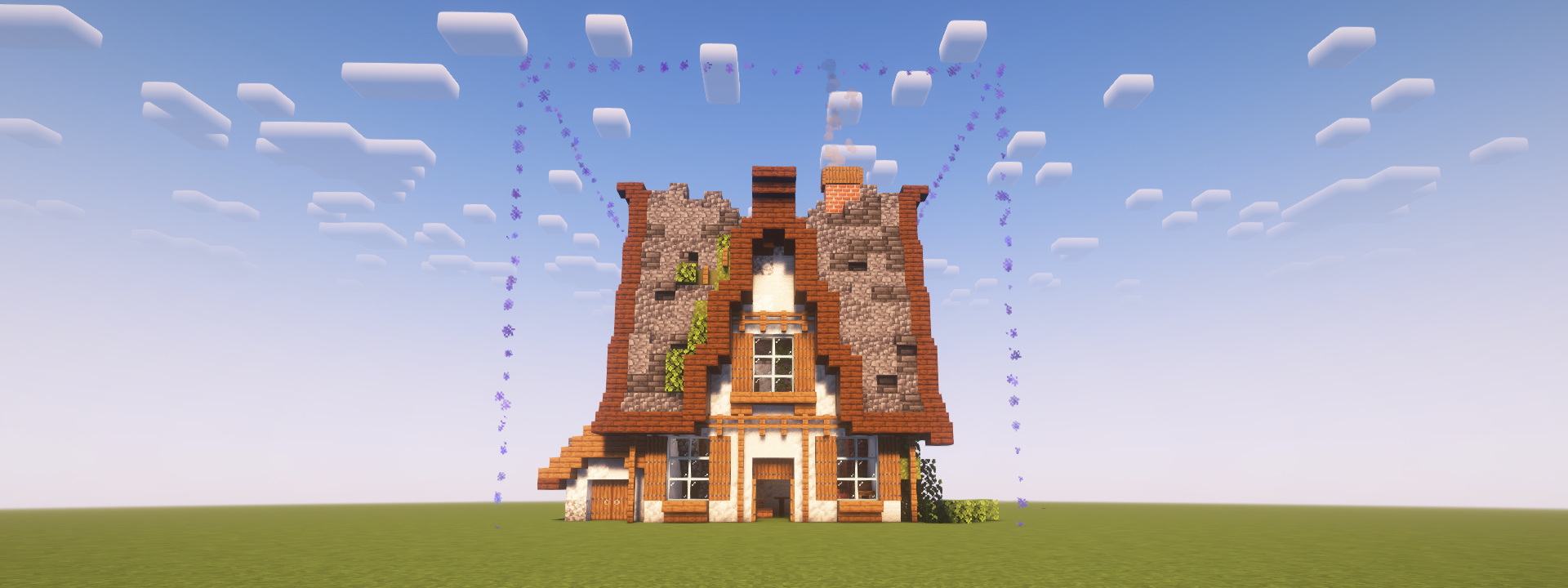 Claim Tier 1
Versions
Files
Relations
Project Relations
More like this
Similar Mods
Suggestions use data such as tags, dependencies, dependents, descriptions, titles, and more to rank how much they overlap with this mod.
On ModDex
Community snapshot
By the numbers
Statistics
Want to reach Minecraft players?
We're looking for a server hosting partner to feature here and other parts of the site. Interested? Send us a message!
Get in touchGet it on
Available Platforms
On ModDex
Community snapshot
By the numbers