
Adds Potions of Cleansing, Soothing and Purging for 26.2-26.3 NeoForge/Fabric that can remove all potion effects, only the harmful, or only the buffs. Splash/Lingering included.
No ratings yet
Be the first to rate it.
Community listing page
Community listing page, reviews may not be monitored by the author.

Community voices
Reviews
No reviews yet. Be the first to review this project!
Get it on
Available Platforms
Compatibility
Supported Environments
Must be installed on both the client and the server.
About
Project Details
For authors
Embed Badge
If you're the author of this project, you can embed a live badge anywhere that supports HTML or Markdown. It updates automatically whenever ratings change.
Use HTML for any page that supports it, or Markdown for README files and Markdown-based descriptions.
Identifiers
Platform IDs
About
Description
Cleansing Potions
We already know Milk cures all when you drink it. But while you're in a fight, you can use a Splash Potion of Purging on an enemy to remove all of their good effects, like regeneration or strength. Want to remove only bad effects? Drink a Potion of Soothing. And for both, you can simply use a Potion of Cleansing which removes everything. This gives you the ability midfight to handle status effects and get back in.





The potions
There are three, each as a regular, splash, and lingering potion, and they differ only in what they strip away:
- Potion of Cleansing clears every effect at once, good and bad, much like drinking milk. Effects on the
forceKeeplist stay, which is Conduit Power by default. - Potion of Soothing clears only the harmful effects and leaves your buffs alone.
- Potion of Purging clears only the beneficial effects, which makes a well-aimed splash a real tool in a fight.
All Potions:
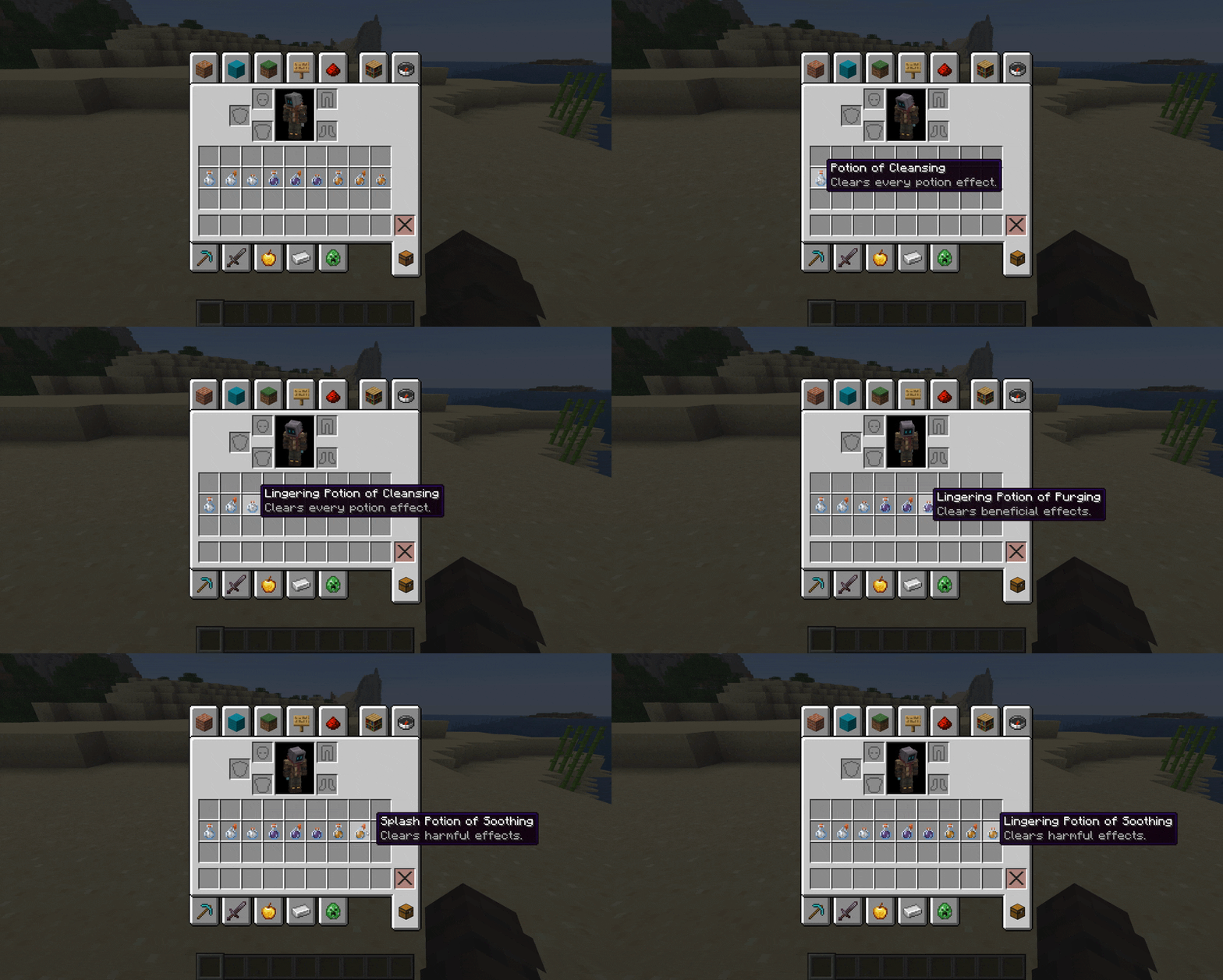
Potion of Cleansing:
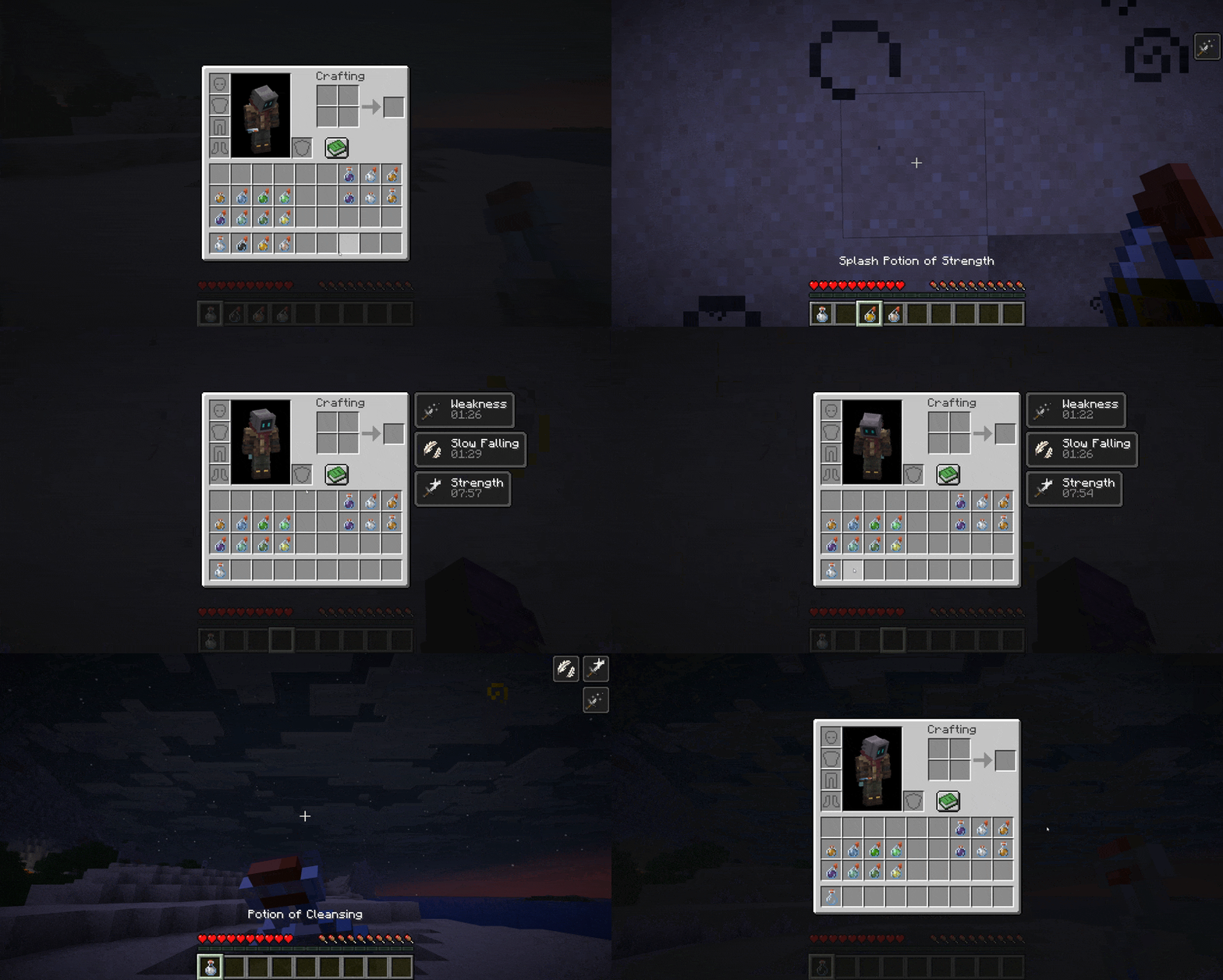
Potion of Soothing:
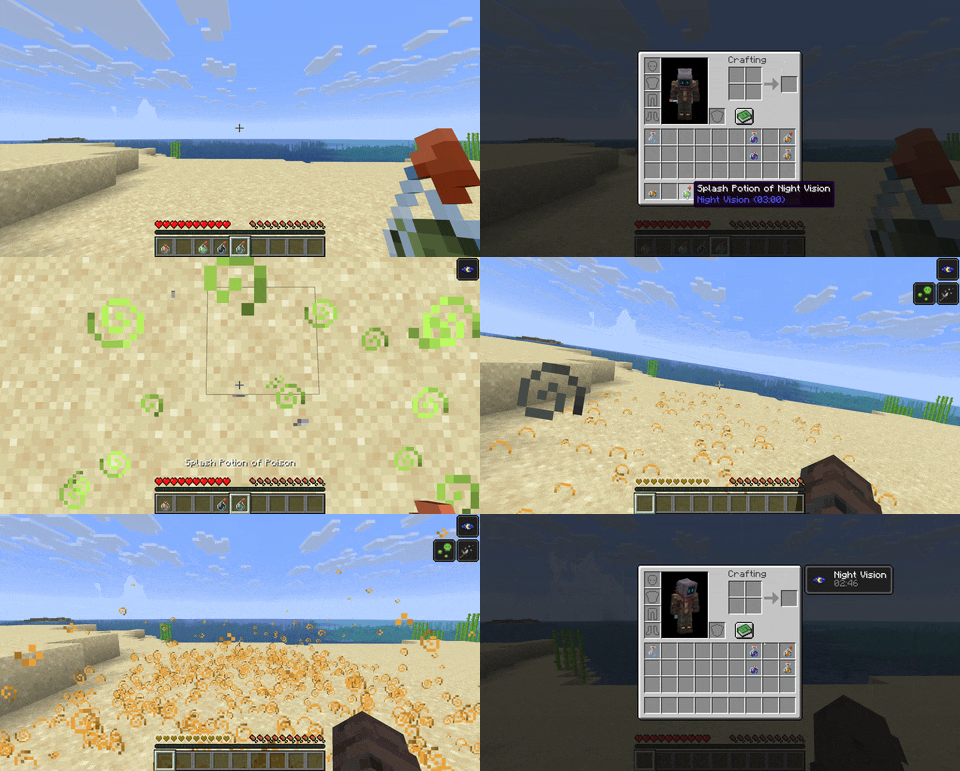
Potion of Purging:
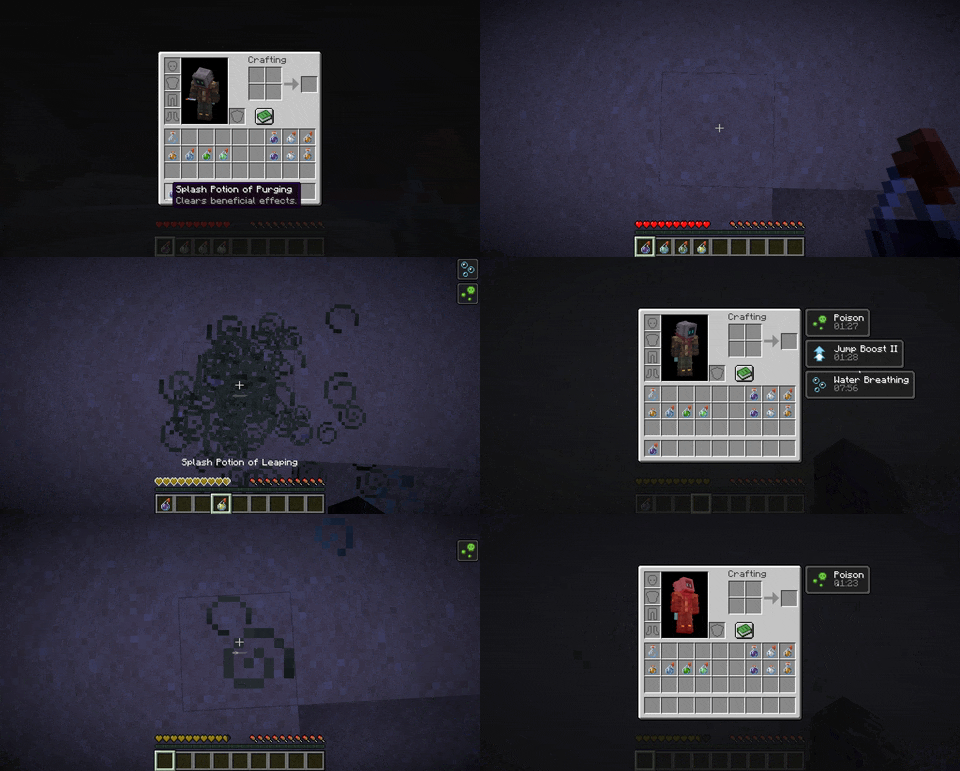
Brewing
Everything is made at a brewing stand, the way you would expect:
| Bottle | Ingredient | Result |
|---|---|---|
| Water Bottle | Milk Bucket | Potion of Cleansing |
| Potion of Cleansing | Honey Bottle | Potion of Soothing |
| Potion of Cleansing | Fermented Spider Eye | Potion of Purging |
| Any of the three | Gunpowder | Splash version |
| A splash version | Dragon's Breath | Lingering version |
Brewing, the splash step, and the lingering step can each be turned off in the config. On 26.3 these are data pack recipes, so a data pack can change them too.
Using them
Drink one to clean up your own effects. Throw a splash to catch everyone in range, or set it to affect only the thrower. Throw a lingering to leave a cloud that keeps cleansing anyone who stands in it. Dispensers throw splash and lingering potions too.
The /cleanse command (or the full /cleansingpotions) hands out any potion and reloads the config. It is limited to operators.
Configuration
Settings live in config/cleansingpotions.json, written on first launch, and most of them can also be changed in-game through the Cloth Config screen. You can adjust the area-of-effect radius, force specific effects to always or never be cleared, add a throw cooldown, turn each brew on or off, and gate use behind a permission on multiplayer servers. Permission gating never affects singleplayer.
Potion names, tooltips, and colours come from the mod's resources, so a resource pack can rename, translate, or recolour them.
{
  "splashEnabled": true,
  "lingeringEnabled": true,
  "onlyThrower": false,
  "radius": 4.0,
  "forceRemove": ["minecraft:bad_omen"],
  "forceKeep": ["minecraft:conduit_power"],
  "brewingEnabled": true,
  "cooldownEnabled": false,
  "cooldownSeconds": 5,
  "permissionsEnabled": false,
  "cleanseFeedback": true,
  "impactParticles": true,
  "checkForUpdates": true,
  "metrics": true
}
Metrics and the update check
The mod reports pseudonymous usage statistics and errors through FastStats. On a client, a FastStats consent screen opens once at the title screen, and nothing is sent from that client until it is answered. "metrics": false turns it off entirely. On the first world join of a session, the client also asks Modrinth whether a newer version exists, which "checkForUpdates": false turns off. The full details are in the README.
Requirements
Minecraft 26.2 or 26.3. Minecraft 1.21.9 to 26.1.2 stay on version 0.2.0.
Fabric:
- Fabric API
- Mod Menu (Optional)
- Cloth Config (Optional)
- Fabric Permissions API (Optional, for permission gating)
NeoForge:
- Cloth Config (Optional)
License
Released under the MIT License.
Cleansing Potions
We already know Milk cures all when you drink it. But while you're in a fight, you can use a Splash Potion of Purging on an enemy to remove all of their good effects, like regeneration or strength. Want to remove only bad effects? Drink a Potion of Soothing. And for both, you can simply use a Potion of Cleansing which removes everything. This gives you the ability midfight to handle status effects and get back in.

The potions
There are three, each as a regular, splash, and lingering potion, and they differ only in what they strip away:
- Potion of Cleansing clears every effect at once, good and bad, much like drinking milk. Effects on the
forceKeeplist stay, which is Conduit Power by default. - Potion of Soothing clears only the harmful effects and leaves your buffs alone.
- Potion of Purging clears only the beneficial effects, which makes a well-aimed splash a real tool in a fight.
All Potions:

Potion of Cleansing:

Potion of Soothing:

Potion of Purging:

Brewing
Everything is made at a brewing stand, the way you would expect:
| Bottle | Ingredient | Result |
|---|---|---|
| Water Bottle | Milk Bucket | Potion of Cleansing |
| Potion of Cleansing | Honey Bottle | Potion of Soothing |
| Potion of Cleansing | Fermented Spider Eye | Potion of Purging |
| Any of the three | Gunpowder | Splash version |
| A splash version | Dragon's Breath | Lingering version |
Brewing, the splash step, and the lingering step can each be turned off in the config. On 26.3 these are data pack recipes, so a data pack can change them too.
Using them
Drink one to clean up your own effects. Throw a splash to catch everyone in range, or set it to affect only the thrower. Throw a lingering to leave a cloud that keeps cleansing anyone who stands in it. Dispensers throw splash and lingering potions too.
The /cleanse command (or the full /cleansingpotions) hands out any potion and reloads the config. It is limited to operators.
Configuration
Settings live in config/cleansingpotions.json, written on first launch, and most of them can also be changed in-game through the Cloth Config screen. You can adjust the area-of-effect radius, force specific effects to always or never be cleared, add a throw cooldown, turn each brew on or off, and gate use behind a permission on multiplayer servers. Permission gating never affects singleplayer.
Potion names, tooltips, and colours come from the mod's resources, so a resource pack can rename, translate, or recolour them.
{
  "splashEnabled": true,
  "lingeringEnabled": true,
  "onlyThrower": false,
  "radius": 4.0,
  "forceRemove": ["minecraft:bad_omen"],
  "forceKeep": ["minecraft:conduit_power"],
  "brewingEnabled": true,
  "cooldownEnabled": false,
  "cooldownSeconds": 5,
  "permissionsEnabled": false,
  "cleanseFeedback": true,
  "impactParticles": true,
  "checkForUpdates": true,
  "metrics": true
}
Metrics and the update check
The mod reports pseudonymous usage statistics and errors through FastStats. On a client, a FastStats consent screen opens once at the title screen, and nothing is sent from that client until it is answered. "metrics": false turns it off entirely. On the first world join of a session, the client also asks Modrinth whether a newer version exists, which "checkForUpdates": false turns off. The full details are in the README.
Requirements
Minecraft 26.2 or 26.3. Minecraft 1.21.9 to 26.1.2 stay on version 0.2.0.
Fabric:
- Fabric API
- Mod Menu (Optional)
- Cloth Config (Optional)
- Fabric Permissions API (Optional, for permission gating)
NeoForge:
- Cloth Config (Optional)
License
Released under the MIT License.
Screenshots
Gallery
-
 All Potion Types This video shows the variants of regular bottle, splash and lingering potions. Potion of Cleansing, which removes all effects. Potion of Soothing, which removes all negative effects. Potion of Purging, which removes all positive effects.
Versions
Files
Relations
Project Relations
More like this
Similar Mods
Suggestions use data such as tags, dependencies, dependents, descriptions, titles, and more to rank how much they overlap with this mod.
Stats
- Downloads
-
<1,000
 <1,000
 <1,000
- Used in
- 0 modpacks
- Followers
- 0
- In stacks
- 0
- Created
-
- Last synced
-
Nov 14, 2026 3:40 AM UTC
New file updates sync automatically.
When ModDex last fully re-synced this project from CurseForge or Modrinth. A new file release triggers a resync usually within minutes, and every project is also re-synced on a schedule. Edits that don't ship a file, such as a new description or screenshots, are checked every few hours and can appear before this date changes.
How syncing works
External Links

Stats
- Downloads
-
<1,000
<1,000
<1,000
- Used in
- 0 modpacks
- Followers
- 0
- In stacks
- 0
- Created
-
- Last synced
-
Nov 14, 2026 3:40 AM UTC
New file updates sync automatically.
When ModDex last fully re-synced this project from CurseForge or Modrinth. A new file release triggers a resync usually within minutes, and every project is also re-synced on a schedule. Edits that don't ship a file, such as a new description or screenshots, are checked every few hours and can appear before this date changes.
How syncing works