
Community listing page, reviews may not be monitored by the author.
Clickify


No reviews yet
Clickify combines a dual-button auto clicker with a smart bridge assistant for effortless AFK automation and building.

Community voices
Reviews
No reviews yet. Be the first to review this project!
Get it on
Available Platforms
Compatibility
Supported Environments
Runs entirely on the client. Works on vanilla servers.
About
Project Details
For authors
Embed Badge
If you're the author of this project, you can embed a live badge anywhere that supports HTML or Markdown. It updates automatically whenever ratings change.
Use HTML for any page that supports it, or Markdown for README files and Markdown-based descriptions.
Identifiers
Platform IDs
Resources
External Links
About
Description



Clickify combines a dual-button auto clicker with a smart bridge assistant so AFK farms and mega-builds stay tidy, repeatable, and fully client-side. One jar covers Fabric 1.20.0-1.20.6, no rebuilds needed.
Key Highlights
- Dual-button auto clicker with independent LMB/RMB profiles (
OFF / HOLD / SPAM), tick-precise speed (0-10), and cooldown awareness. - Bridge assistant that manages sprinting, sneaking, and block placement when you hold
Y, with Safe, Fast, Horizontal, and Diagonal presets. - Camera helpers for yaw snapping (45 deg / 90 deg) and pitch locking to keep long runs perfectly straight.
- Split GUI plus JSON config: tweak in-game (Clicker screen on
O, Helper screen onU) or editconfig/clickify.json. - Native input path powered by
KeyBinding/InputUtil; never emulates hardware events.
Bridge Presets
| Mode | Focus | Ideal For |
|---|---|---|
| Safe | Shift-heavy, zero fall risk | Hardcore bridging, sky farms |
| Fast | Sprint-first, quick lanes | Creative scaffolds, highways |
| Horizontal | 0 deg pitch lock | Flat tunnels, rail laying |
| Diagonal | Alternating strafes | Decorative spans, angled runs |
Default Controls
| Action | Key | Description |
|---|---|---|
| Open clicker settings | O | Configure the dual-button auto clicker |
| Quick toggle auto clicker | I | Enable or disable the clicker instantly |
| Open helper / bridge settings | U | Adjust bridge assistant + camera helpers |
| Hold helper (auto bridge) | Y | Runs the selected bridge preset while held |
Compatibility & Support
- Single Fabric jar supports Minecraft 1.20.0 through 1.20.6.
- Code sticks to 1.20 mappings to keep API calls stable.
- Runtime guards warn if Minecraft falls outside the supported range.
License & Usage
- All rights reserved. No public license is granted for Clickify.
- Viewing or running the distributed binaries is permitted, but redistribution, modification, or derivative work is forbidden without explicit written permission.
- Contact the author if you need a custom agreement or a commercial exception.
Dual-button auto clicker + bridge assistant for Fabric 1.20.0–1.20.6.
Core Features
- Auto Clicker: Separate LMB/RMB profiles with three modes (
OFF,HOLD,SPAM) and a speed slider (0–10). Optional cooldown tracking keeps redstone farms from desyncing. Global toggle keyI. - Bridge Assistant: Hold/toggle key
Yto auto place blocks, move, sneak, sprint, and (when needed) auto jump. Helper screen (U) exposes every switch. - Camera Helpers: Pitch lock (45°–85°) and yaw snapping (45°/90°) for perfectly straight or diagonal runs.
Built-in Bridge Modes
| Mode | Movement | Notes |
|---|---|---|
| Nub Bridging | Straight backpedal | Always sneaks + adaptive edge safety, yaw snaps to 90°. |
| Cha Cha Bridging | Backpedal sprint + jump | Auto jumps every 4 ticks, sprinting, sneak pulses for rhythm. |
| Pro Nub Bridging | Diagonal back-left | Sneaks while strafing left, yaw snaps to 45° for diagonals. |
| Free Mode | Backpedal manual speed | Sneaks with adaptive safety; sprint/jump left to the player. |
Key Toggles & Controls
- Clicker screen (
O): Active toggle, Respect Cooldown, speed slider, LMB/RMB mode selectors. - Helper screen (
U): Bridge enabled, bridge mode cycle, Lock Pitch, Snap Yaw, Auto Place, Auto Refill, Hold vs Toggle activation, Pitch slider. - Hotkeys:
I(Quick toggle),Y(Bridge helper hold/toggle),O/U(open GUIs). All bindings live underOptions → Controls → Clickify.
Compatibility & Support
- Single Fabric jar supports Minecraft 1.20.0 through 1.20.6.
- Code sticks to 1.20 mappings to keep API calls stable.
- Runtime guards warn if Minecraft falls outside the supported range.
License & Usage
- All rights reserved. No public license is granted for Clickify.
- Viewing or running the distributed binaries is permitted, but redistribution, modification, or derivative work is forbidden without explicit written permission.
- Contact the author if you need a custom agreement or a commercial exception.
Screenshots
Gallery
-
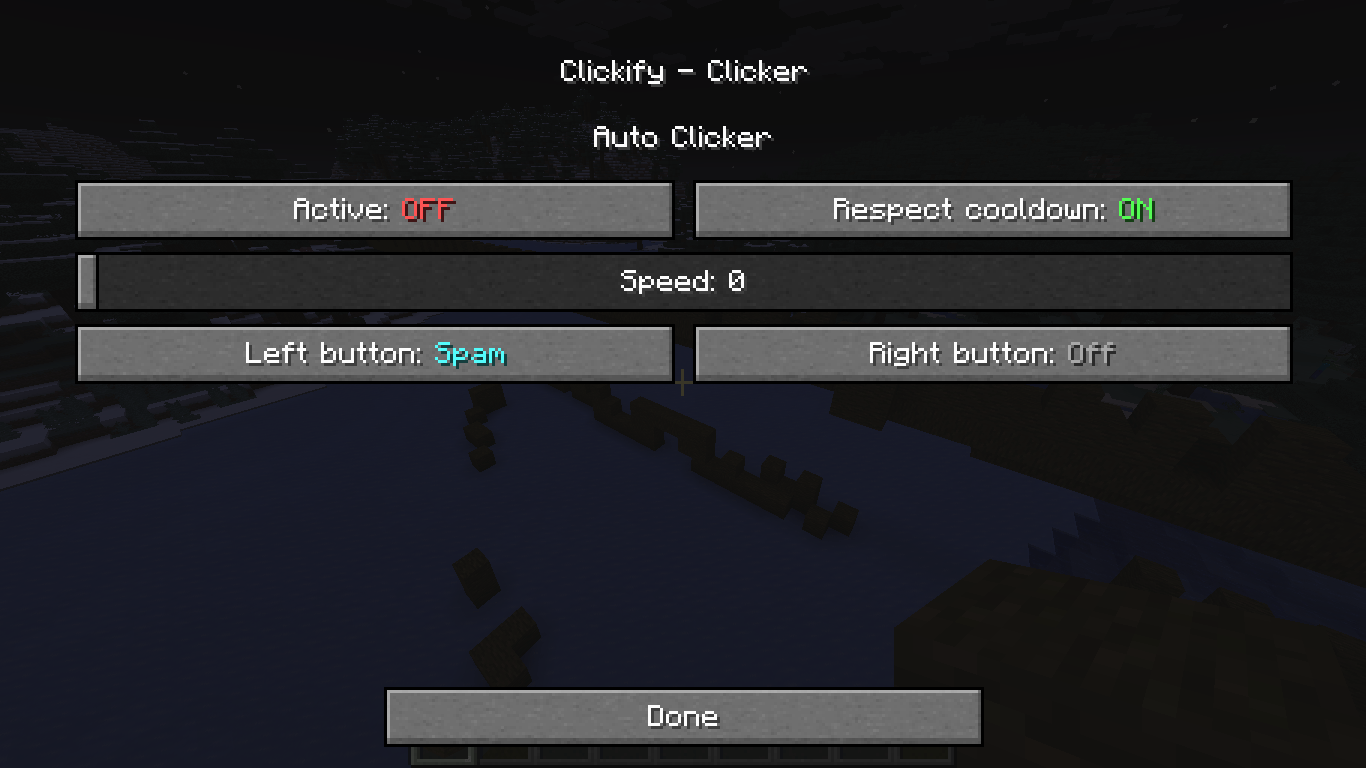 2025-11-09_21.36.39.png 2025-11-09_21.36.39.png
 -
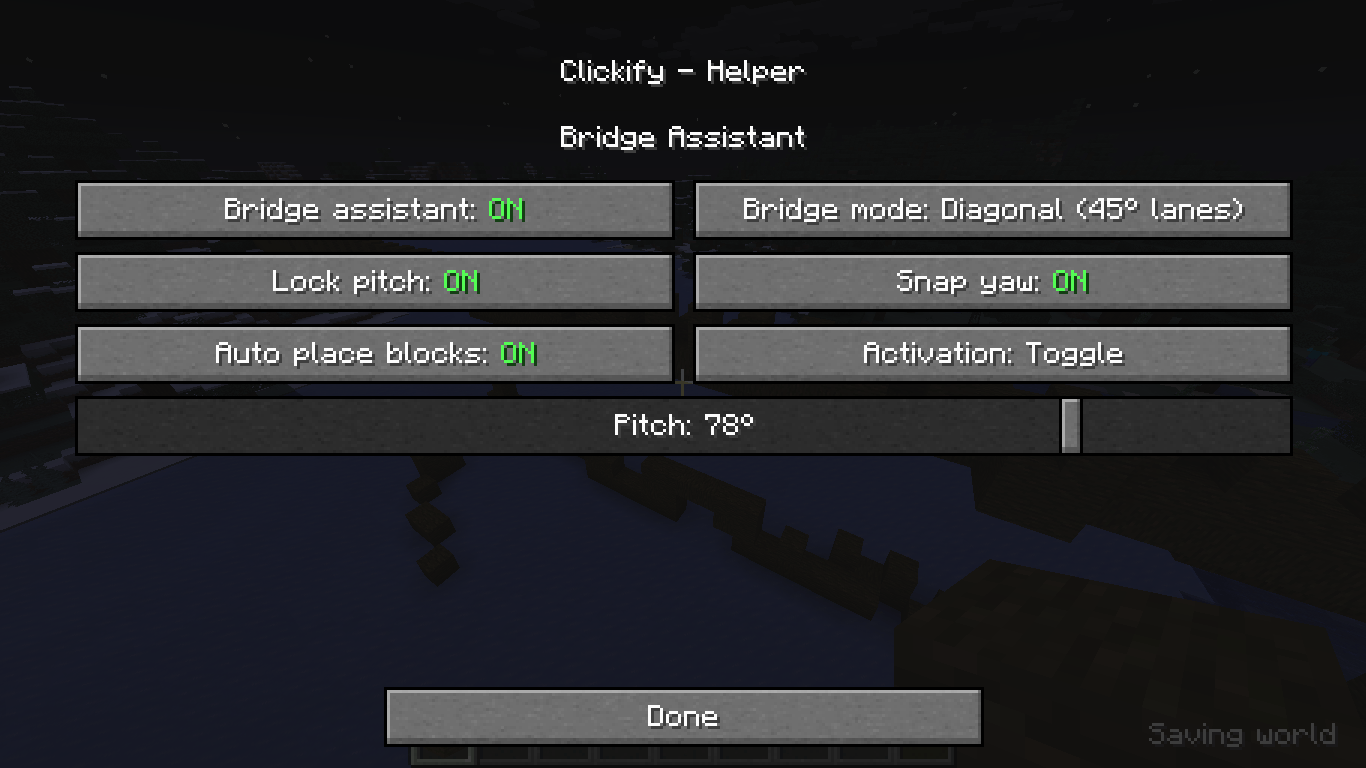 2025-11-09_21.36.11.png 2025-11-09_21.36.11.png
-
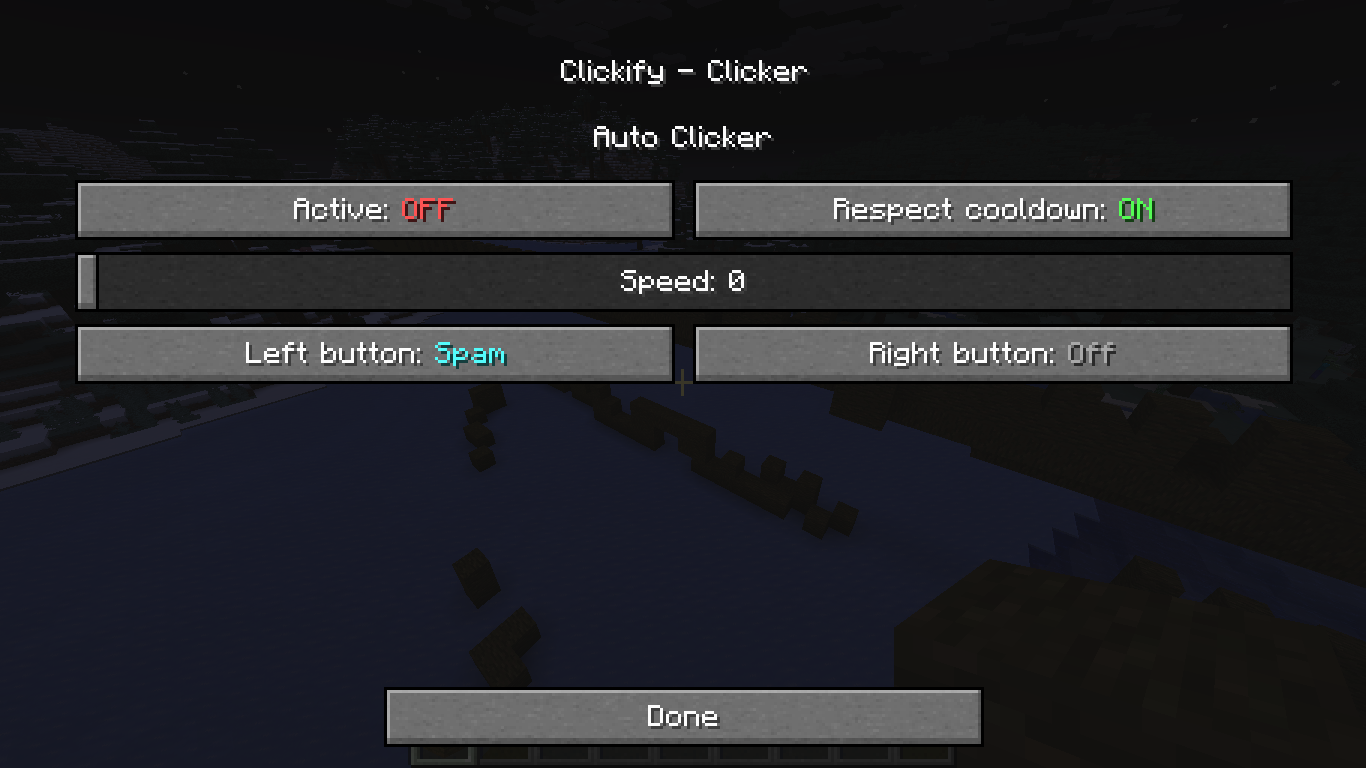 Clicker settings screen
 -
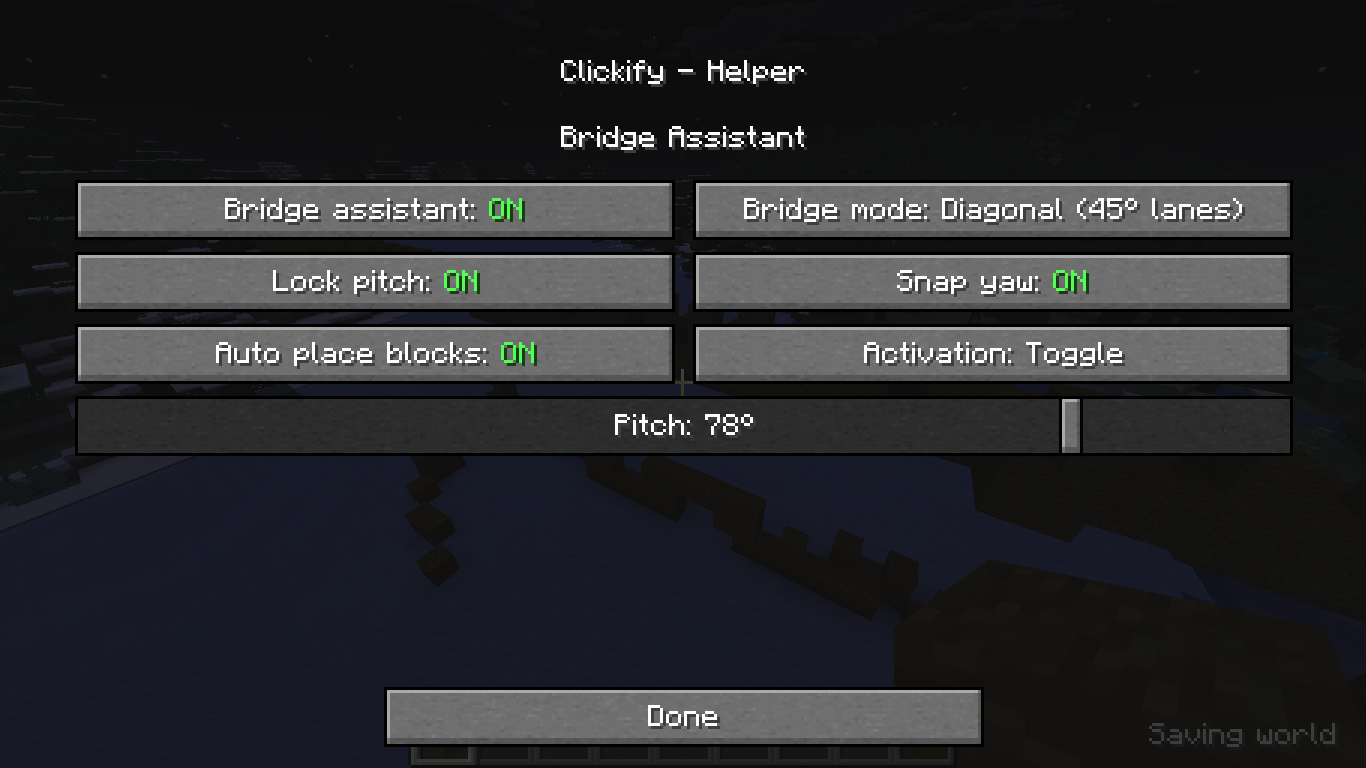 Bridge Assistant settings screen
Versions
Files
Relations
Project Relations
More like this
Similar Mods
Suggestions use data such as tags, dependencies, dependents, descriptions, titles, and more to rank how much they overlap with this mod.
On ModDex
Community snapshot
By the numbers
Statistics

Get it on
Available Platforms
On ModDex
Community snapshot
By the numbers
Statistics
Resources