
Community listing page, reviews here may not be monitored by the author.
ClickVillagers


No reviews yet
Pick villagers up, change their biomes, claim them and much more!
Community voices
Reviews
No reviews yet. Be the first to review this project!
Get it on
Available Platforms
Compatibility
Supported Environments
Runs entirely on the server. Also works in singleplayer.
Required on the server. Installing it on the client adds functionality.
The author has not specified where this runs.
Varies by version.
About
Project Details
For authors
Embed Badge
If you're the author of this project, you can embed a live badge anywhere that supports HTML or Markdown. It updates automatically whenever ratings change.
Use HTML for any page that supports it, or Markdown for README files and Markdown-based descriptions.
Identifiers
Platform IDs
About
Description





ClickVillagers
ClickVillagers is a simple quality of life plugin/mod that makes working with villagers much easier by allowing you to pick villagers up into your inventory, claim and protect them, change their biomes, and much more!

- 🎥 Trailer: https://youtu.be/19qup8i3IyU
Features & How to Use
- Pick villagers up into your inventory by shift + right clicking them.
- Place them back by placing the villager head.
- You can place villagers directly into boats, minecarts, etc.
- Use dispensers to place villagers back automatically. (On Paper/Spigot 1.21+)
- Clean messages, sound effects and particle effects.
- Language support: German & English (Paper/Spigot only)
See Trades at a Glance
- See picked up villagers' trades in their description!
- For each profession, only relevant trades will be shown. (i.E: only enchanted books for librarians)
- Relevant trades will be formatted with colors and emojis.
- The villager's owner, trade status and anchor status will also be shown.

Anchor Villagers
- Anchor villagers by shift + right clicking with SHEARS.
- Anchored villagers cannot move on their own, but you can still push them around.
Claim & Protect Villagers
- Claim villagers by shift + right clicking with ANY SHOVEL.
- Claimed villagers won't take any damage by default.
- After claiming, access their menu by shift + right clicking with or without a shovel.
- Change a claimed villager's biomes.
- Open/close a claimed villager's trading.
- Add trading partners and only let your trading partners trade with your villagers.

Villager Hoppers
- Use Villager Hoppers to pick up villagers automatically.
- Baby villagers and claimed villagers won't be picked up by default.
- For Paper/Spigot, craft a villager hopper by combining 1 Hopper and 1 Emerald
- For Fabric, regular hoppers will pick up villagers instead, there is no custom item/recipe.
- Especially useful for villager farms.
Configuration
- For Paper/Spigot, you will find the configuration file at "plugins/ClickVillagers/config.yml".
- For Fabric, you will find the configuration file at ".minecraft/config/clickvillagers.json".
- WARNING: If you are using another client (i.E. Modrinth App), the config file will be located at the installation directory instead.
- Make sure you save the config file after making changes and do the following:
- For Paper/Spigot, reload/restart your server or use the command "/clickvillagers reload".
- For Fabric, restart your game or server fully.
Licensing
- This project is licensed under the GPLv3 license.


ClickVillagers
ClickVillagers is a simple quality of life plugin/mod that makes working with villagers much easier by allowing you to pick villagers up into your inventory, claim and protect them, change their biomes, and much more!

- 🎥 Trailer: https://youtu.be/19qup8i3IyU
Features & How to Use
- Pick villagers up into your inventory by shift + right clicking them.
- Place them back by placing the villager head.
- You can place villagers directly into boats, minecarts, etc.
- Use dispensers to place villagers back automatically. (On Paper/Spigot 1.21+)
- Reset Villager trades directly in the trading menu! (Disabled by default, enable in config. Paper/Fabric Only!)
- Click on the
Reset Tradesrecipe to reset the trades of the villager.
- Click on the
- Clean messages, sound effects and particle effects.
- Language support: German & English (Paper/Spigot only)
See Trades at a Glance
- See picked up villagers' trades in their description!
- For each profession, only relevant trades will be shown. (i.E: only enchanted books for librarians)
- Relevant trades will be formatted with colors and emojis.
- The villager's owner, trade status and anchor status will also be shown.
Anchor Villagers
- Anchor villagers by shift + right clicking with SHEARS.
- Anchored villagers cannot move on their own, but you can still push them around.
Claim & Protect Villagers
- Claim villagers by shift + right clicking with ANY SHOVEL.
- Claimed villagers won't take any damage by default.
- After claiming, access their menu by shift + right clicking with or without a shovel.
- Change a claimed villager's biomes.
- Open/close a claimed villager's trading.
- Add trading partners and only let your trading partners trade with your villagers.
Villager Hoppers
- Use Villager Hoppers to pick up villagers automatically.
- Baby villagers and claimed villagers won't be picked up by default.
- For Paper/Spigot, craft a villager hopper by combining 1 Hopper and 1 Emerald
- For Fabric, regular hoppers will pick up villagers instead, there is no custom item/recipe.
- Especially useful for villager farms.
Configuration Commands
Since version 1.6, there is a command interface to manage configuration options as well!.
/clickvillagers config set <option> <value>: Sets a configuration option./clickvillagers config get <option>: Gets the value of a configuration option./clickvillagers config path: Prints the path to the configuration file./clickvillagers config reload: Reloads the configuration file.
Configuration (File)
To find the configuration file, run the command /clickvillagers config path.
-
For Paper/Spigot, you will find the configuration file at "plugins/ClickVillagers/config.yml".
-
For Fabric, you will find the configuration file at ".minecraft/config/clickvillagers.json".
- WARNING: If you are using another client (i.E. Modrinth App), the config file will be located at the installation directory instead.
-
Make sure you save the config file after making changes and do the following:
- For Paper/Spigot, reload/restart your server or use the command "/clickvillagers reload".
- For Fabric, restart your game or server fully.
Licensing
- This project is licensed under the GPLv3 license.
Screenshots
Gallery
-
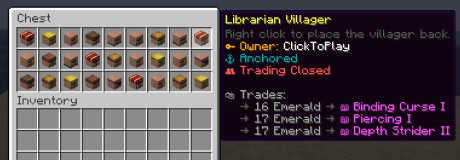 Lots of villagers in a chest
 -
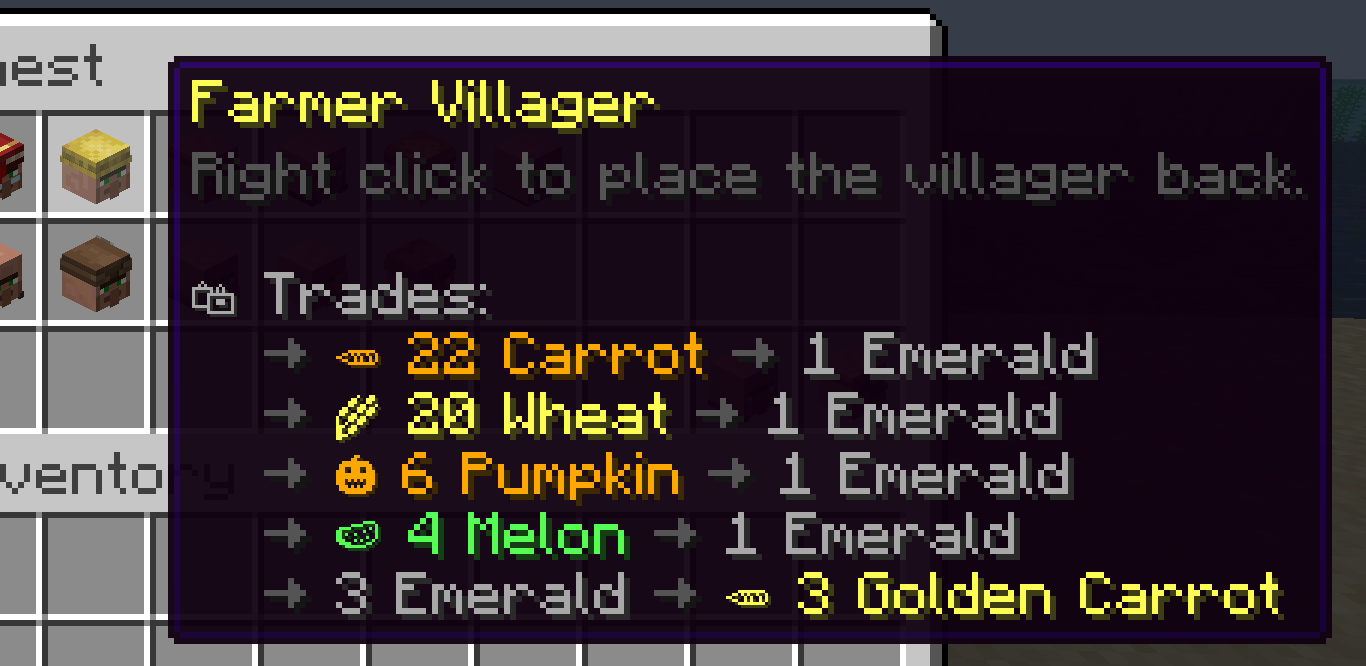 Picked up farmer villager
 -
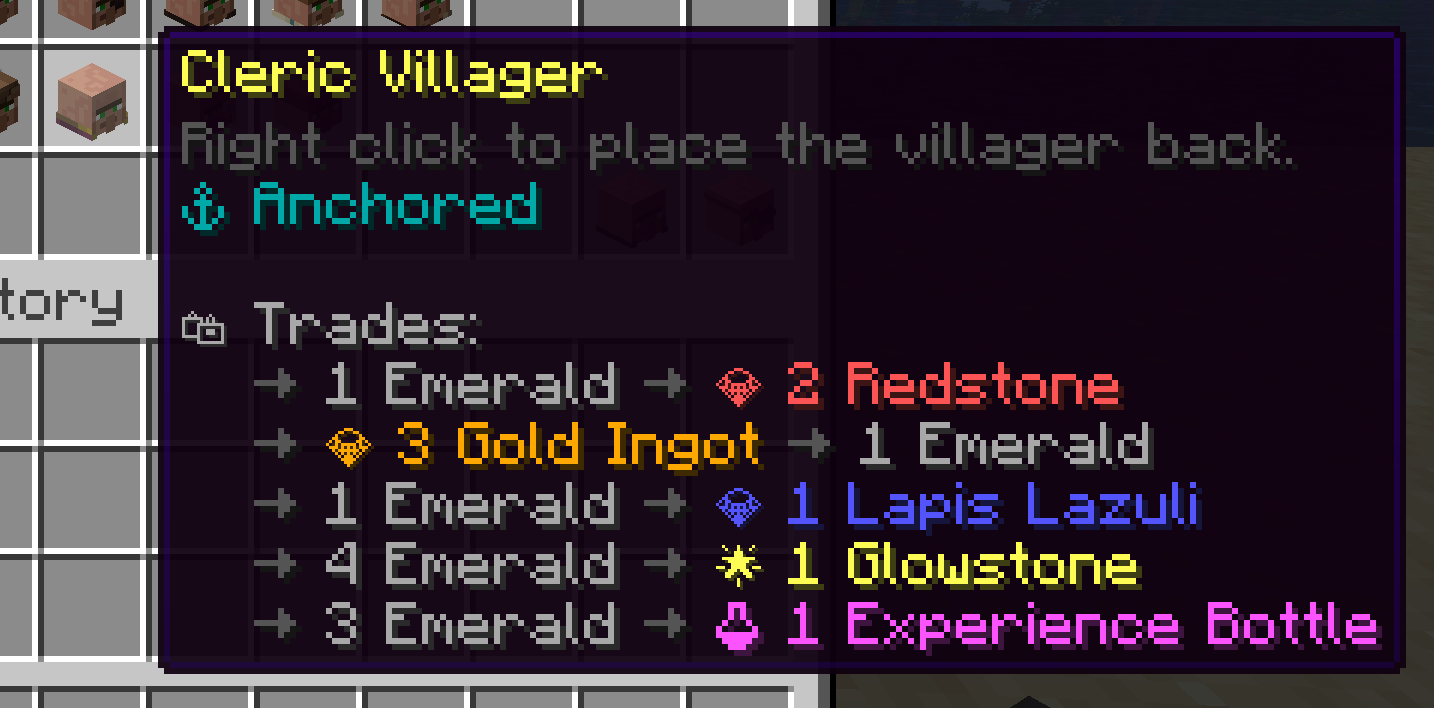 Picked up cleric villager
 -
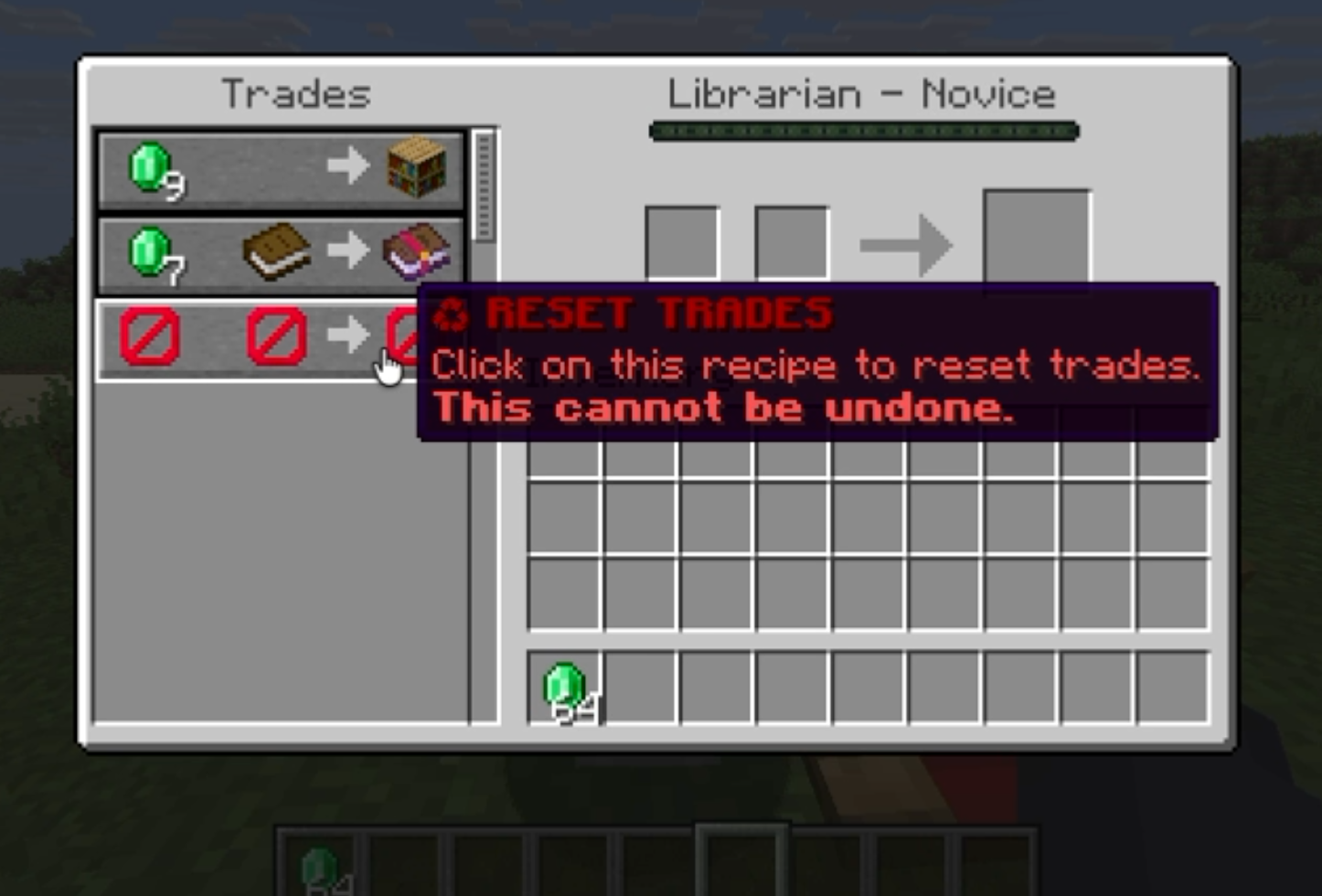 Resetting trades
 -
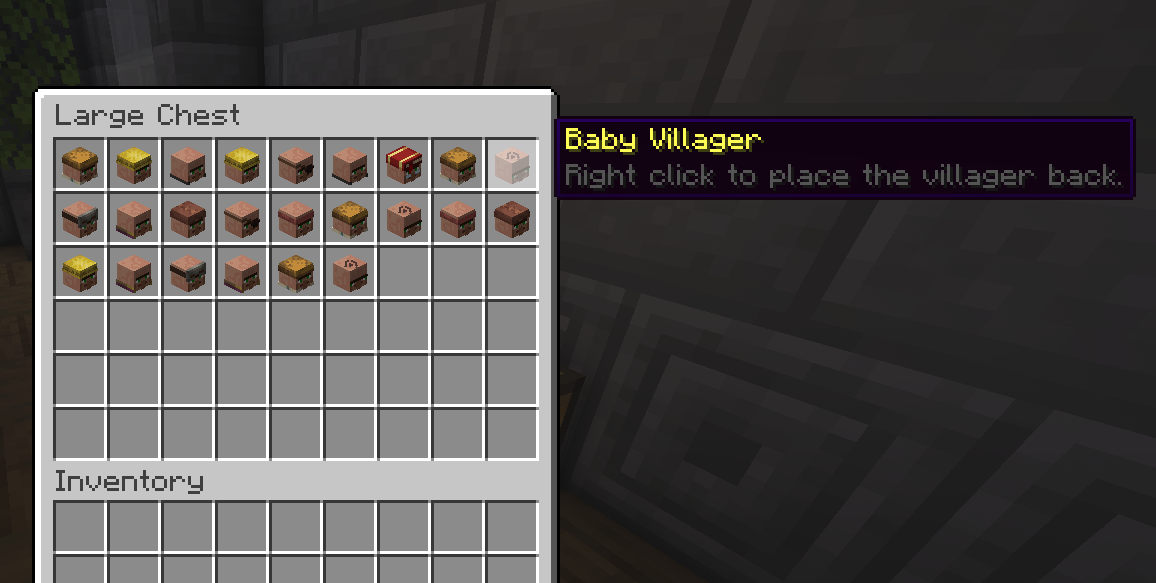 Villagers stored in a chest
 -
 A villager hopper (Paper/Spigot)
Versions
Files
Relations
Project Relations
More like this
Similar Mods
Suggestions use data such as tags, dependencies, dependents, descriptions, titles, and more to rank how much they overlap with this mod.
On ModDex
Community snapshot
By the numbers
Statistics
Want to reach Minecraft players?
We're looking for a server hosting partner to feature here and other parts of the site. Interested? Send us a message!
Get in touchGet it on
Available Platforms
On ModDex
Community snapshot
By the numbers