
Community listing page, reviews here may not be monitored by the author.


Community voices
Reviews
No reviews yet. Be the first to review this project!
Get it on
Available Platforms
Compatibility
Supported Environments
Must be installed on both the client and the server.
About
Project Details
For authors
Embed Badge
If you're the author of this project, you can embed a live badge anywhere that supports HTML or Markdown. It updates automatically whenever ratings change.
Use HTML for any page that supports it, or Markdown for README files and Markdown-based descriptions.
Identifiers
Platform IDs
Resources
External Links
About
Description
Hi! Now I'm working on a new version of the mod where I'll fix all the bugs and bugs and everything will work on the servers!
This mod adds new features to the CNPC mod and more.
Features:
- New scripting methods for NPCs.
- Ability to open CNPC dialogues with a new interface.
- Option to block the breaking and placing of blocks.
- Messages above the player's hotbar: "[Name]: Message".
Scripting:
- Method to send messages from NPCs within a 15-block radius:
eSay(String message, String color);Example:
eSay("Hello!", "E9967A");The color is in hex format, and if not specified, the default color is #C0C0C0.
- Method to send messages from NPCs to a specific player:
eSayTo(IPlayer player, String message, String color);Example:
eSayTo(event.player, "Hello " + event.player, "E9967A");- Method to make NPCs glow:
eSetGlowing(boolean);boolean can be true or false.
- Method to send a message above the player's hotbar:
  eSayBar - with the option to set an icon for the character;
  eSayBarI - without a character icon.
Types of eSayBar:
eSayBar(IPlayer IPlayer, String message, String fakeName, String hexColor, String icon, int maxSymbolsFirstLine, int maxSymbolsOtherLines);
eSayBar(IPlayer IPlayer, String message, String fakeName, String hexColor, String icon);
eSayBar(IPlayer IPlayer, String message, String hexColor, String icon);
eSayBar(IPlayer IPlayer, String message, String hexColor, String icon, int maxSymbolsFirstLine, int maxSymbolsOtherLines);
Example:
eSayBar(e.player, "Hello my friend", "Sigma228", "9370DB", "npc");Types of icons (icon):
npcnoninvisible- ResourceLocation — allows you to set a custom icon for the character. The icon file can be placed in the
.minecraft/customnpcs/assets/customnpcs/textures/icons/myicon.pngfolder.
In-game: "customnpcs:textures/icons/myicon.png".
Types of eSayBarI (without character icon):
eSayBarI(IPlayer IPlayer, String message, String fakeName, String hexColor, int maxSymbolsFirstLine, int maxSymbolsOtherLines);
eSayBarI(IPlayer IPlayer, String message, String fakeName, String hexColor);
eSayBarI(IPlayer IPlayer, String message, String hexColor);
eSayBarI(IPlayer IPlayer, String message, String hexColor, int maxSymbolsFirstLine, int maxSymbolsOtherLines);
These are the same methods as eSayBar but without a character icon.
Commands:
- Open a dialogue from CNPC with a new interface:
/shine dialog show player id nameExample:
/shine dialog show Dev 13 "MrBest"Opens a dialogue with ID 13 for player Dev under the name MrBest.
- Block breaking restriction:
/shine blockbreak block player booleanfalse — blocks breaking, true — allows it.
- Block placing restriction:
/shine installingBlocks player booleanfalse — blocks placing, true — allows it.
Current mod features:
- [✔] New scripting methods.
- [✔] New dialogue interface.
- [✔] Messages above the hotbar.
- [✔] Block breaking and placing restrictions.
- [✘] Quest changes (menu).
- [✘] New ChatBubbles (messages above NPCs' heads).
Here's the English translation for your mod description on CurseForge:
This mod adds new features to the CNPC mod and more.
Features:
- New scripting methods for NPCs.
- Ability to open CNPC dialogues with a new interface.
- Option to block the breaking and placing of blocks.
- Messages above the player's hotbar: "[Name]: Message".
Scripting:
-
Method to send messages from NPCs within a 15-block radius:
eSay(String message, String color);Example:
eSay("Hello!", "E9967A");The color is in hex format, and if not specified, the default color is #C0C0C0.
-
Method to send messages from NPCs to a specific player:
eSayTo(IPlayer player, String message, String color);Example:
eSayTo(event.player, "Hello " + event.player, "E9967A"); -
Method to make NPCs glow:
eSetGlowing(boolean);booleancan betrueorfalse. -
Method to send a message above the player's hotbar:
eSayBar - with the option to set an icon for the character;
eSayBarI - without a character icon.
Types of eSayBar:
eSayBar(IPlayer IPlayer, String message, String fakeName, String hexColor, String icon, int maxSymbolsFirstLine, int maxSymbolsOtherLines);
eSayBar(IPlayer IPlayer, String message, String fakeName, String hexColor, String icon);
eSayBar(IPlayer IPlayer, String message, String hexColor, String icon);
eSayBar(IPlayer IPlayer, String message, String hexColor, String icon, int maxSymbolsFirstLine, int maxSymbolsOtherLines);
Example:
eSayBar(e.player, "Hello my friend", "Sigma228", "9370DB", "npc");
Types of icons (icon):
npcnoninvisible- ResourceLocation — allows you to set a custom icon for the character. The icon file can be placed in the
.minecraft/customnpcs/assets/customnpcs/textures/icons/myicon.pngfolder.
In-game: "customnpcs:textures/icons/myicon.png".
Types of eSayBarI (without character icon):
eSayBarI(IPlayer IPlayer, String message, String fakeName, String hexColor, int maxSymbolsFirstLine, int maxSymbolsOtherLines);
eSayBarI(IPlayer IPlayer, String message, String fakeName, String hexColor);
eSayBarI(IPlayer IPlayer, String message, String hexColor);
eSayBarI(IPlayer IPlayer, String message, String hexColor, int maxSymbolsFirstLine, int maxSymbolsOtherLines);
These are the same methods as eSayBar but without a character icon.
Commands:
-
Open a dialogue from CNPC with a new interface:
/shine dialog show player id nameExample:
/shine dialog show Dev 13 "MrBest"Opens a dialogue with ID 13 for player Dev under the name MrBest.
-
Block breaking restriction:
/shine blockbreak block player booleanfalse— blocks breaking,true— allows it. -
Block placing restriction:
/shine installingBlocks player booleanfalse— blocks placing,true— allows it.
Current mod features:
- [✔] New scripting methods.
- [✔] New dialogue interface.
- [✔] Messages above the hotbar.
- [✔] Block breaking and placing restrictions.
- [✘] Quest changes (menu).
- [✘] New ChatBubbles (messages above NPCs' heads).
Screenshots
Gallery
-
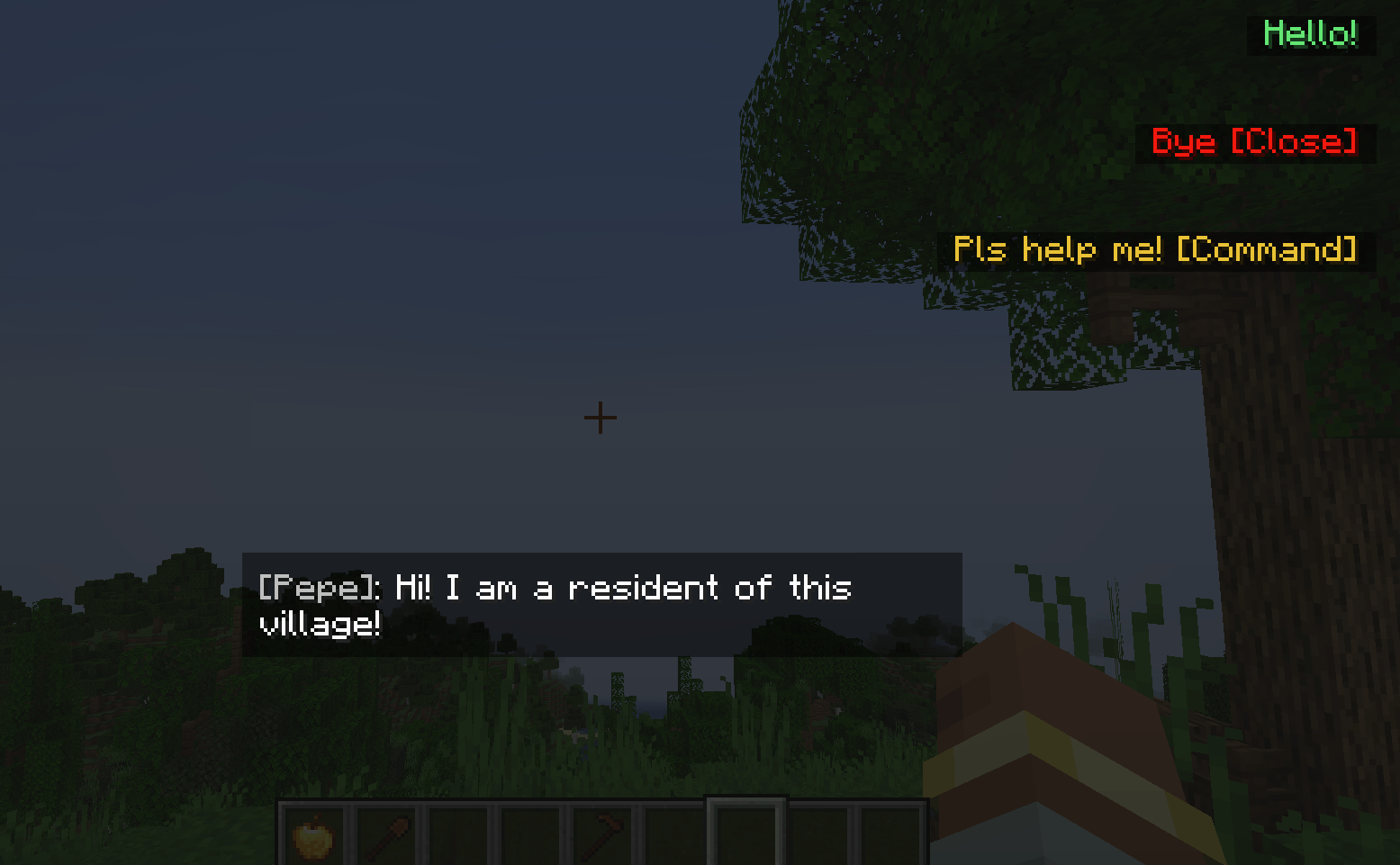 New dialog command New dialog command /shine dialog show player id name player - player name id - dialog id name - name in dialog
 -
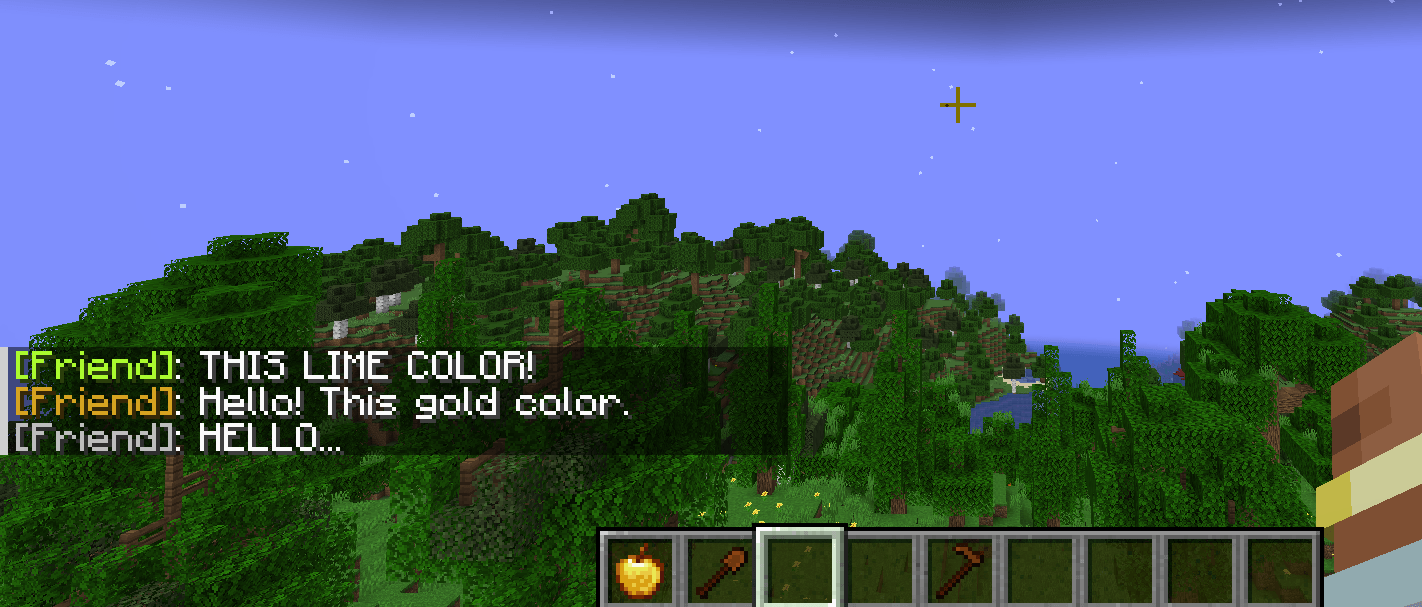 eSay script function interact(e){ e.npc.eSay("THIS LIME COLOR!", "#ADFF2F"); // lime color e.npc.eSay("Hello! This gold color.", "#DAA520") // gold color e.npc.eSay("HELLO...") // color sets default - C0C0C0 }
 -
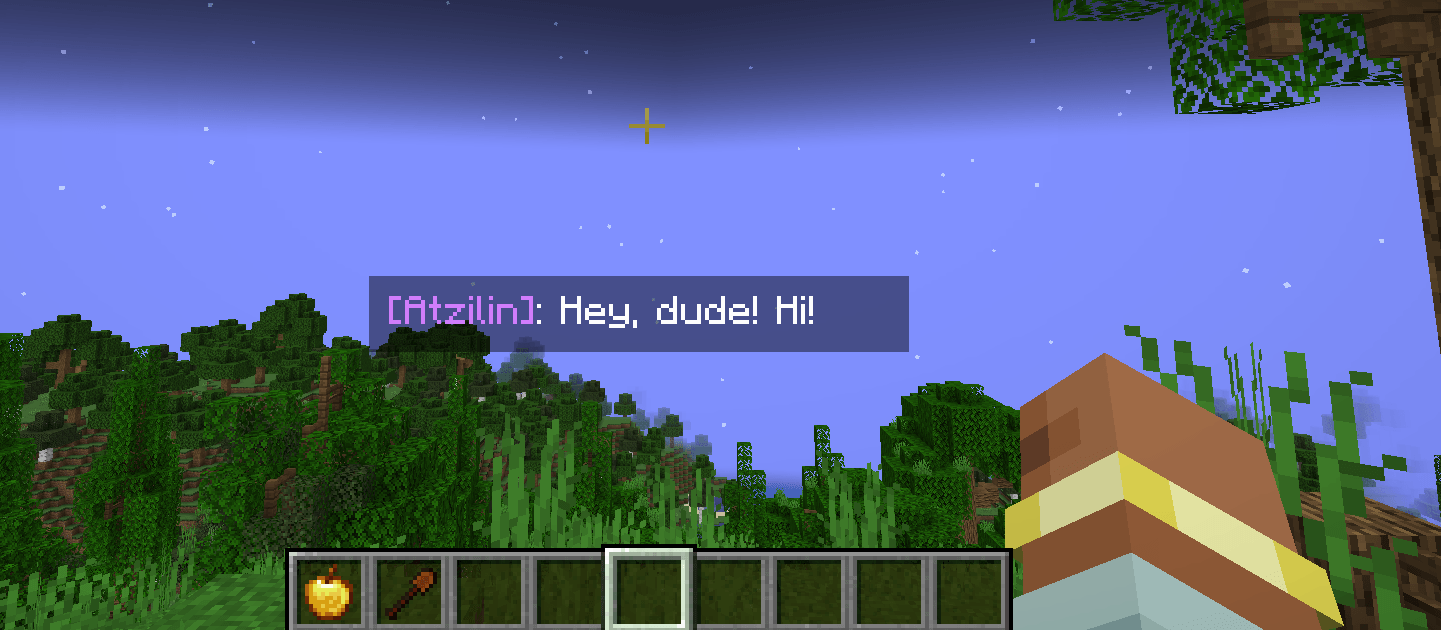 eSayBarI script function interact(e){ e.npc.eSayBarI(e.player, "Hey, dude! Hi!", "d47fff"); }
 -
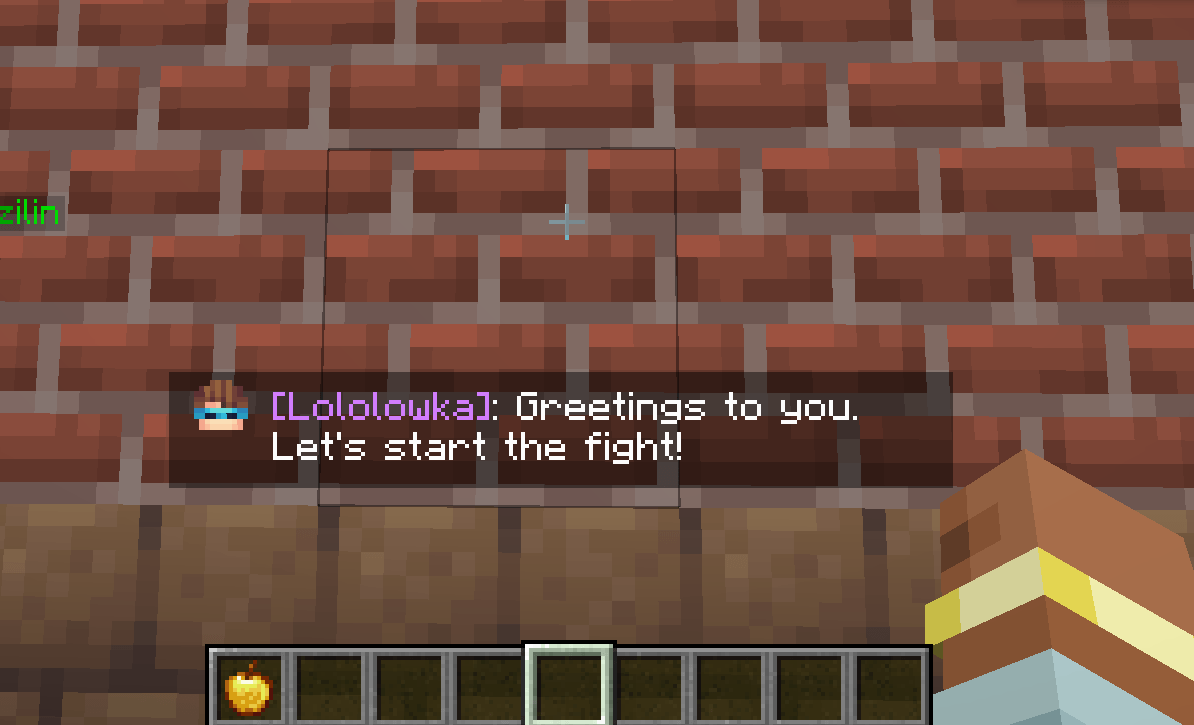 eSayBar script function interact(e){ e.npc.eSayBar(e.player, "Greetings to you. Let's start the fight!", "Lololowka", "d47fff", "customnpcs:textures/icons/youicon.png", 36,31); }
-
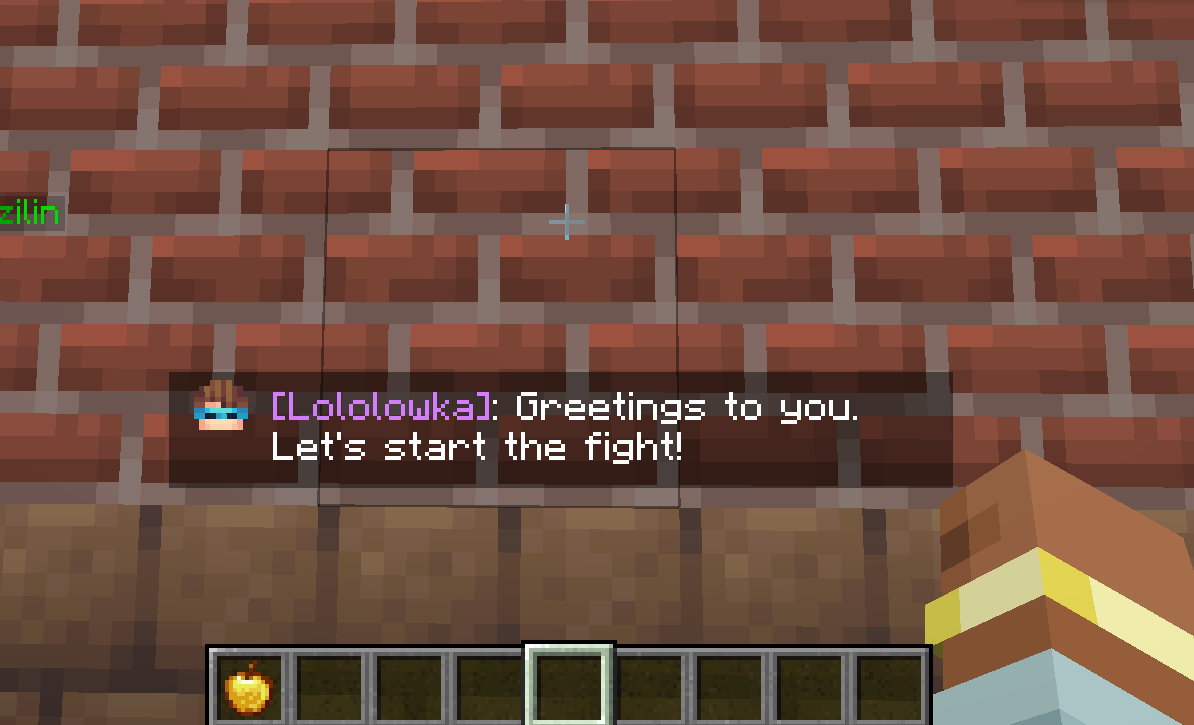 eSayBar script function interact(e){ e.npc.eSayBar(e.player, "Greetings to you. Let's start the fight!", "Lololowka", "d47fff", "customnpcs:textures/icons/youicon.png", 36,31); }
 -
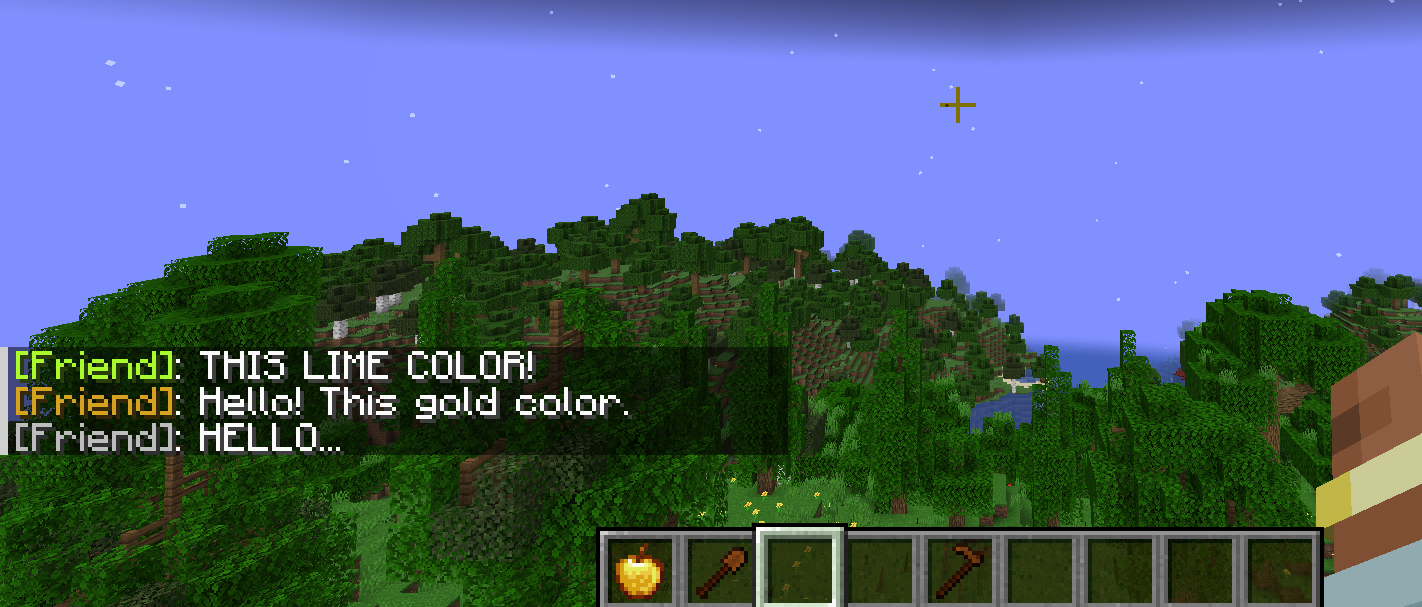 eSay script function interact(e){ e.npc.eSay("THIS LIME COLOR!", "#ADFF2F"); // lime color e.npc.eSay("Hello! This gold color.", "#DAA520") // gold color e.npc.eSay("HELLO...") // color sets default - C0C0C0 }
 -
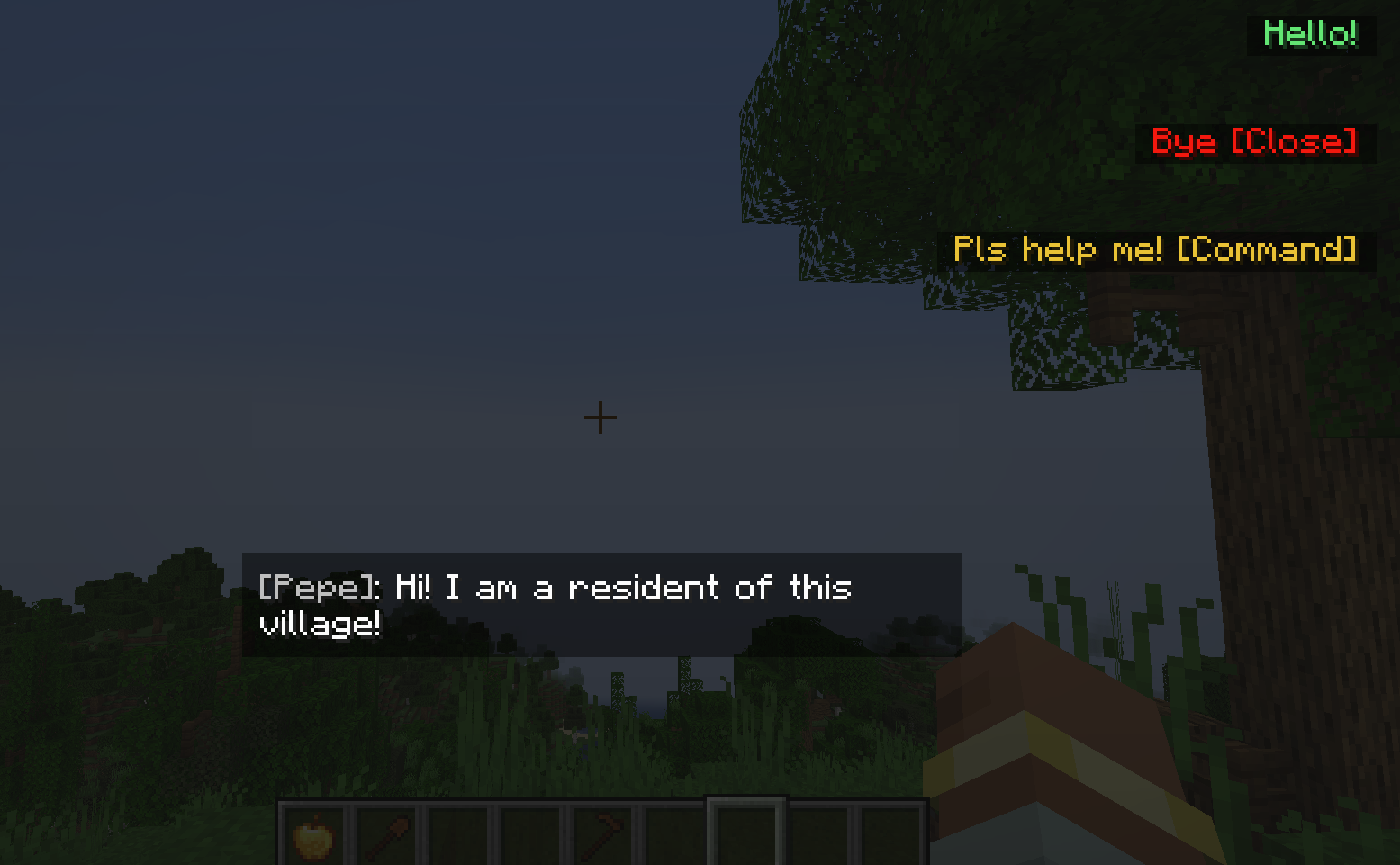 New dialog command New dialog command /shine dialog show player id name player - player name id - dialog id name - name in dialog
 -
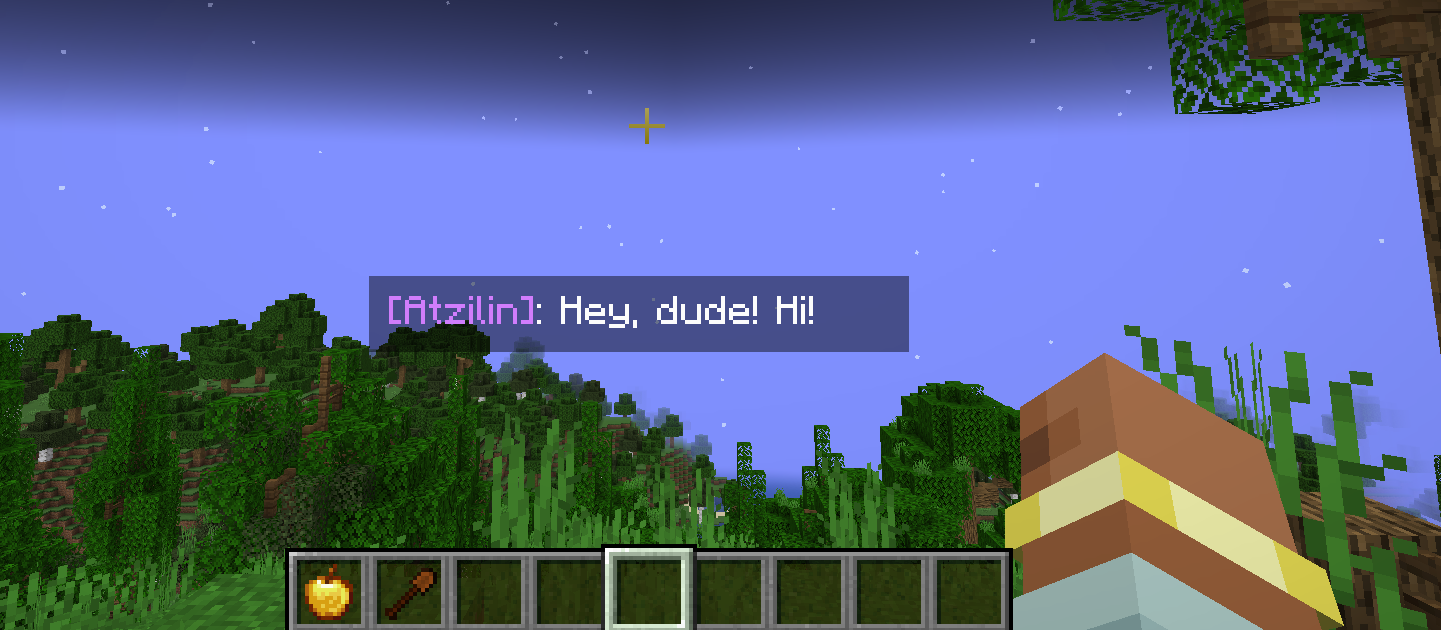 eSayBarI script function interact(e){ e.npc.eSayBarI(e.player, "Hey, dude! Hi!", "d47fff"); }
Versions
Files
Relations
Project Relations
More like this
Similar Mods
Suggestions use data such as tags, dependencies, dependents, descriptions, titles, and more to rank how much they overlap with this mod.
On ModDex
Community snapshot
By the numbers
Statistics
Want to reach Minecraft players?
We're looking for a server hosting partner to feature here and other parts of the site. Interested? Send us a message!
Get in touchGet it on
Available Platforms
On ModDex
Community snapshot
By the numbers
Statistics
Resources